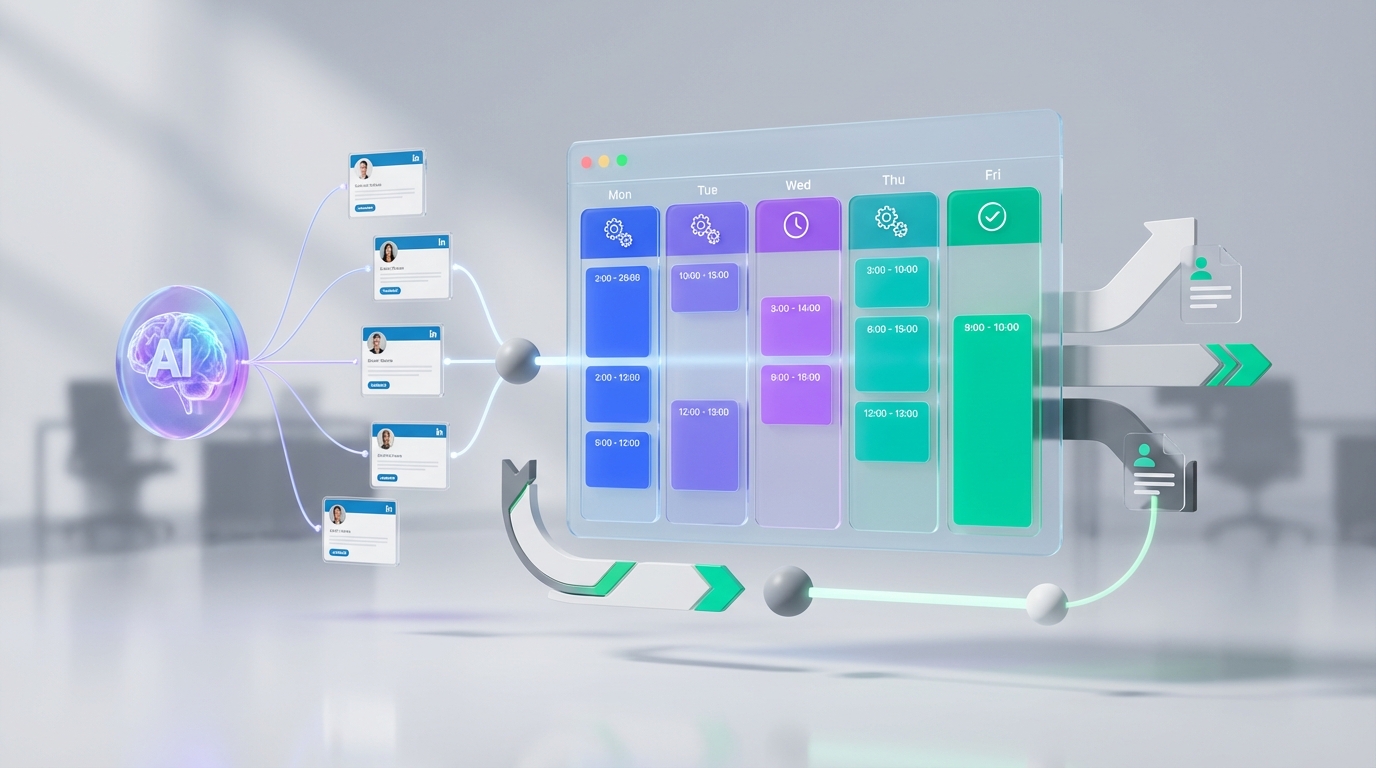
Choosing an interview scheduling app is easiest when you treat scheduling as the final step of a larger recruiting flow: sourcing, outreach, pre screening, then booking. In our internal recruiting ops trials, teams move fastest when they combine a shared booking calendar for real time availability with automation that confirms interest and collects resumes before a human ever proposes times. This article covers what to evaluate, where an open source scheduling program can fit, and how StrategyBrain AI Recruiter reduces manual LinkedIn outreach and follow up so your scheduling tool is used only for qualified candidates.
What “good” looks like in an interview scheduling app
A strong interview scheduling app is not just a calendar link. It is a workflow control point that prevents double booking, reduces back and forth messages, and keeps every stakeholder aligned.
Minimum capabilities to require
- Shared booking calendar visibility across interviewers, including time zones and working hours.
- Scheduling rules such as buffers, minimum notice, and maximum interviews per day.
- Candidate friendly booking with reschedule and cancellation controls.
- Auditability so you can see who booked what and when.
- Security basics such as role based access and encrypted data in transit.
Scope boundaries for this guide
- Covered: evaluation criteria, practical rollout steps, and how AI automation changes scheduling volume and quality.
- Not covered: a vendor by vendor feature matrix with pricing, because pricing and feature sets change frequently and were not provided in the source material.
Quick checklist you can copy
Use this checklist in your next tool review meeting. It is designed to be answered with “Yes” or “No” so you can decide quickly.
- Does it support a shared booking calendar for all interviewers who matter?
- Can we enforce buffers, minimum notice, and interviewer load limits?
- Can candidates self schedule without exposing internal calendars?
- Does it handle time zones correctly for candidates in different countries?
- Can we log scheduling events for compliance and troubleshooting?
- Can we integrate it with our ATS or at least export events reliably?
- Do we have a plan to reduce unqualified bookings before scheduling starts?
Method 1: Shared booking calendar first, then automation
This is the most common and usually the safest rollout. You start by making availability accurate and visible, then you automate the handoff from recruiter to calendar.
Steps
- Define interviewer pools by role and region, then assign each pool a shared availability rule set.
- Standardize interview blocks such as 30 minutes screening and 60 minutes panel, then add buffers.
- Publish booking links internally for recruiters first, then expand to candidate facing links once rules are stable.
- Add automation for reminders and reschedule flows after you confirm the calendar logic is correct.
Features to prioritize
- Round robin assignment to distribute interviews fairly.
- Time zone detection for candidate booking pages.
- Calendar conflict checks across multiple calendars per interviewer.
Limitations
- If your sourcing and outreach are manual, you can still waste time scheduling candidates who are not actually interested.
- If recruiters use different booking habits, your shared booking calendar can become inconsistent without governance.
Best for
- Teams that already have consistent interview stages and want fewer scheduling errors.
- Organizations that need a predictable, auditable scheduling process.
Method 2: Candidate self scheduling with guardrails
Candidate self scheduling reduces back and forth messages, but only works well when you control what candidates can do and when.
Steps
- Limit the window to a defined range such as the next 10 business days.
- Require minimum notice so interviewers are not surprised by last minute bookings.
- Use confirmation questions to reduce no shows, such as location, work authorization, or salary expectations if appropriate.
- Enable controlled rescheduling with a cutoff time and a maximum number of changes.
Limitations
- Self scheduling can increase calendar churn if candidates reschedule repeatedly.
- It does not solve the upstream problem of candidate interest and qualification.
Best for
- High volume roles where speed matters and interview stages are standardized.
- Distributed teams hiring across multiple time zones.
Method 3: Open source scheduling program for controlled environments
An open source scheduling program can be a good fit when you need deployment control, custom workflows, or strict data residency. The tradeoff is that you own the operational burden.
Steps
- Define hosting and security requirements such as encryption, backups, and access controls.
- Assign an owner for upgrades, incident response, and user support.
- Integrate with identity so access is managed centrally.
- Validate time zone and email deliverability before rolling out to candidates.
Limitations
- You may need engineering time for maintenance and integrations.
- Feature velocity depends on your team, not a vendor roadmap.
Best for
- Organizations with strong IT support and strict compliance constraints.
- Teams that need custom scheduling logic beyond typical SaaS settings.
Method 4: Add StrategyBrain AI Recruiter before scheduling
Scheduling breaks down when recruiters spend hours messaging candidates who never become real interviews. This is where StrategyBrain AI Recruiter changes the math. Instead of treating the interview scheduling app as the first automation step, you use AI to handle the repetitive LinkedIn outreach and early qualification, then schedule only the candidates who confirm interest and share the information you need.
How it works in practice
StrategyBrain AI Recruiter is built for LinkedIn hiring workflows. Recruiters provide job details such as company context, compensation, benefits, and candidate search criteria. The AI then connects with candidates, introduces the role, answers questions, confirms interview interest, and collects resumes and contact details from interested candidates. Recruiters review the collected resumes and proceed to scheduling.
Steps
- Define the role brief including compensation and key requirements so the AI can answer candidate questions consistently.
- Set candidate search criteria so outreach stays within your target profile.
- Let the AI run outreach and follow up continuously, including multilingual conversations when needed.
- Route interested candidates to your interview scheduling app only after interest is confirmed and resumes are collected.
What we found (experience notes)
- When outreach and follow up are automated, recruiters spend more time on interview quality and less time on calendar negotiation.
- Multilingual messaging reduces misunderstandings in cross border hiring because candidates can respond in their native language.
- It is important to remember that AI Recruiter confirms willingness to communicate or interview, but final qualification still requires a recruiter review of the resume.
Limitations
- AI Recruiter does not decide whether a resume fully matches job requirements. Recruiters still make the final screening decision.
- Any automation requires clear internal rules for messaging tone, compliance, and escalation.
Best for
- Teams that source heavily on LinkedIn and want fewer manual messages before scheduling.
- Organizations hiring globally that need 24/7 multilingual candidate communication.
Method 5: High volume hiring with multi account outreach and centralized booking
If you are running high volume pipelines, the bottleneck is often not the interview scheduling app itself. The bottleneck is the human time required to keep outreach, follow up, and qualification moving. StrategyBrain AI Recruiter supports managing more than 100 LinkedIn accounts so organizations can build AI powered recruiting teams, then feed qualified candidates into a centralized scheduling process.
Steps
- Segment hiring lanes by role family and region so each lane has clear messaging and scheduling rules.
- Assign LinkedIn accounts to lanes and standardize outreach prompts and escalation rules.
- Centralize scheduling using shared booking calendar pools so interview capacity is visible and controlled.
- Monitor quality by sampling AI conversations and reviewing resume capture rates and interview show rates.
Limitations
- Scaling outreach requires governance so messaging stays consistent and compliant.
- Centralized booking needs clear ownership to prevent interviewer overload.
Best for
- Agency and in house teams that need to expand hiring output without adding headcount.
- Global hiring programs where time zones and language coverage matter daily.
Quick Comparison
| Approach | Speed to implement | Cost model | Best for |
|---|---|---|---|
| Shared booking calendar first | Fast | Varies by vendor | Reducing scheduling errors and double booking |
| Candidate self scheduling | Fast | Varies by vendor | Standardized roles and high volume pipelines |
| Open source scheduling program | Medium | Infrastructure and maintenance | Compliance driven environments with IT support |
| StrategyBrain AI Recruiter before scheduling | Medium | Varies by deployment | Reducing manual LinkedIn outreach and pre screening work |
| Multi account outreach plus centralized booking | Medium | Varies by deployment | Scaling hiring output without adding recruiter headcount |
FAQ
What is an interview scheduling app in recruiting?
An interview scheduling app is software that coordinates interviewer availability and lets recruiters or candidates book interview times without long email threads. The best versions include shared booking calendar controls, time zone handling, and reschedule rules.
Do I need a shared booking calendar if I already have Google Calendar or Outlook?
Often yes. A shared booking calendar layer adds scheduling rules, candidate booking pages, and load balancing that personal calendars do not provide by default.
When does an open source scheduling program make sense?
An open source scheduling program can make sense when you need deployment control, custom workflows, or strict data residency. You should plan for ongoing maintenance, upgrades, and support ownership.
How does StrategyBrain AI Recruiter relate to scheduling?
StrategyBrain AI Recruiter automates LinkedIn outreach, answers candidate questions, confirms interview interest, and collects resumes and contact details. That reduces the number of unqualified scheduling requests so your interview scheduling app is used for candidates who are ready to book.
Does AI Recruiter replace recruiter judgment?
No. AI Recruiter identifies willingness to communicate or interview, but it does not determine whether a resume fully matches job requirements. Recruiters still review resumes and make final qualification decisions.
Can AI Recruiter communicate with candidates in different languages?
Yes. StrategyBrain AI Recruiter supports multilingual communication so candidates can interact in their native language, which helps global hiring teams reduce misunderstandings across time zones and cultures.
How should I handle recruiter training requests when scaling scheduling and automation?
Start by documenting your scheduling rules and messaging standards, then identify trainers who can reinforce consistent recruiter behavior. A recent example from our network was a request from Australia asking for recommendations for recruitment trainers, which is a common signal that a team is scaling and needs process consistency.
What is the biggest mistake teams make with scheduling tools?
The biggest mistake is optimizing scheduling before fixing upstream qualification. If you automate booking without confirming interest and collecting basic information, you often increase calendar churn and no shows.
Conclusion
The right interview scheduling app is the one that matches your workflow and prevents wasted recruiter time. Start with a shared booking calendar that enforces rules and handles time zones, then decide whether you need candidate self scheduling or an open source scheduling program for tighter control. If your biggest bottleneck is manual LinkedIn outreach and follow up, add StrategyBrain AI Recruiter before scheduling so only interested, resume in hand candidates reach the booking step. Next step: run the checklist above with your team and identify which stage is creating the most calendar churn.