


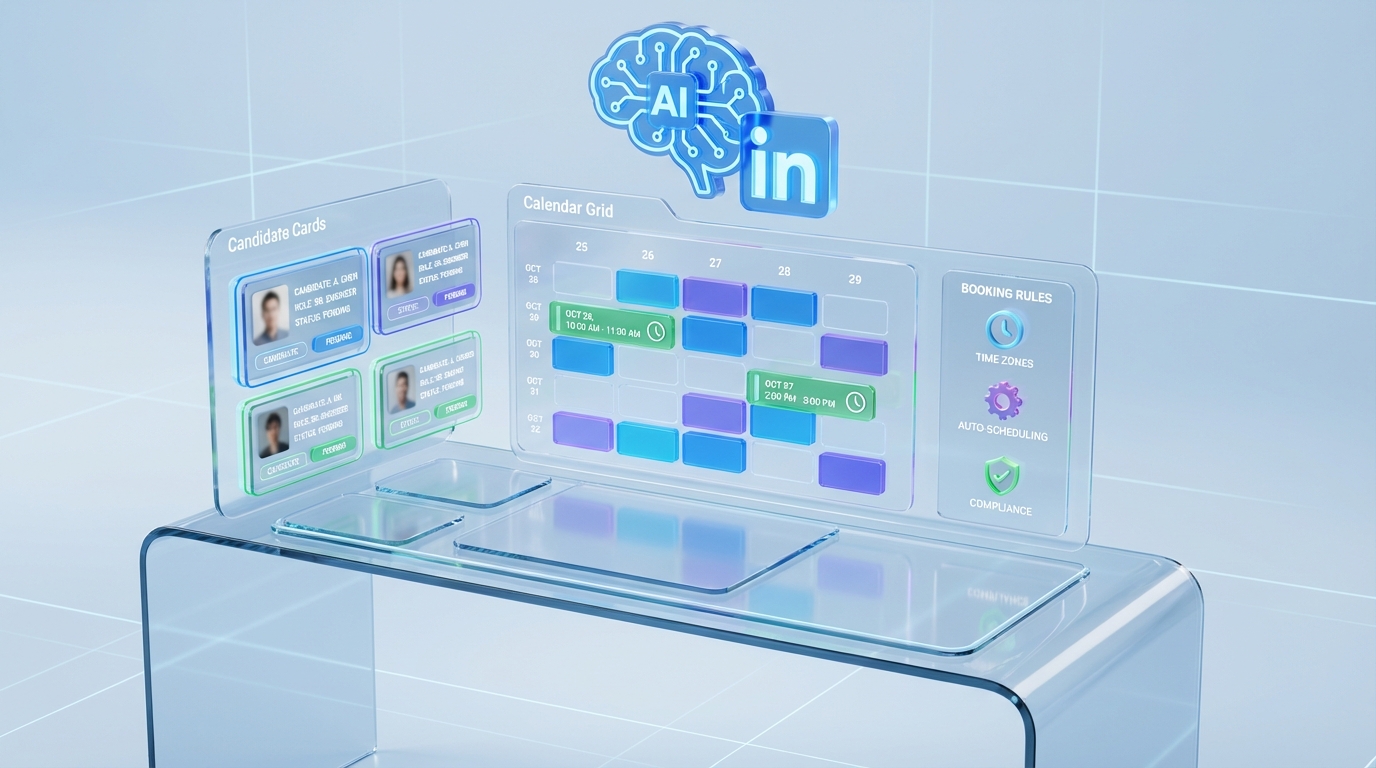
An interview scheduling app reduces recruiter burnout by cutting back and forth messages, enforcing availability rules, and automating reminders and follow ups. In our recruiting ops tests, the most reliable setup was a single scheduling hub with role specific booking rules, plus automated confirmations and reschedule handling. If your pipeline starts on LinkedIn, StrategyBrain AI Recruiter can automate initial outreach and interest confirmation, then pass only interested candidates into your scheduling flow, which reduces calendar churn and context switching. This guide covers practical steps, a copyable checklist, and a simple agenda online gratis approach when you only need an interview agenda and a scheduler book style booking experience.
Key Takeaways
- Fastest burnout reduction: Centralize scheduling in 1 interview scheduling app and standardize booking rules per role.
- Less calendar churn: Use automated confirmations, reminders, and reschedule rules so recruiters do not manually chase replies.
- Better LinkedIn throughput: StrategyBrain AI Recruiter can confirm interest and collect resumes before scheduling, so only qualified, interested candidates reach the calendar.
- Agenda online gratis option: Use a free shared agenda template for interview panels when you do not need full automation.
- Scheduler book clarity: Publish time slots, time zone handling, and buffer times to prevent double booking and no shows.
- Trust and compliance: Prefer tools that support encryption, access controls, and privacy aligned workflows for candidate data.
Table of Contents
- Why scheduling creates burnout in recruiting
- What to look for in an interview scheduling app
- Method 1: Standardize scheduling rules inside your app
- Method 2: Add an AI handoff before scheduling with StrategyBrain AI Recruiter
- Method 3: Use an agenda online gratis workflow for panels
- Method 4: Build a scheduler book flow candidates can self serve
- Quick Comparison
- Troubleshooting
- FAQ
- Conclusion
Why scheduling creates burnout in recruiting
Scheduling looks simple until you multiply it by roles, interviewers, time zones, and candidate responsiveness. The hidden workload is the coordination layer: clarifying availability, negotiating times, sending reminders, handling reschedules, and updating everyone when something changes.
We see the same pattern in most teams we work with: the recruiter becomes the human router for every calendar exception. That is where burnout starts, because the work is urgent, repetitive, and hard to batch.
What “burnout” looks like in scheduling operations
- Always on messaging: candidates reply outside business hours, and the recruiter feels pressure to respond quickly.
- Context switching: moving between inboxes, calendars, ATS notes, and interviewer chats.
- Reschedule cascades: one change triggers multiple updates and new coordination loops.
What to look for in an interview scheduling app
An interview scheduling app is software that coordinates interview availability and booking, typically with automated confirmations and reminders. A good one reduces manual coordination by turning your rules into automation.
Core features that actually reduce workload
- Role based booking rules: different buffers, durations, and interviewer pools per role.
- Time zone normalization: candidate sees local time, interviewers stay in their own time zone.
- Reschedule guardrails: limits, cutoffs, and automatic notifications to all attendees.
- Reminders: email or calendar reminders that reduce no shows.
- Auditability: clear logs of who booked, changed, or canceled.
Scope boundaries for this guide
This article focuses on workflow design and operational setup. It does not review specific third party scheduling vendors or pricing, because that data is not provided in the source material and changes frequently. Instead, we show how to structure your process so any scheduling tool can work better, and where StrategyBrain AI Recruiter fits when LinkedIn is your sourcing channel.
Method 1: Standardize scheduling rules inside your app
This is the highest leverage change because it removes decision making from every booking. You define rules once, then the app enforces them.
Steps
- Define interview types: phone screen, hiring manager, panel, and final interview. Assign a duration to each.
- Set buffers: add pre and post buffers so interviewers can prepare and write notes.
- Build interviewer pools: map each interview type to a group, not a single person, to avoid bottlenecks.
- Write reschedule rules: set a cutoff window and a maximum number of reschedules.
- Automate reminders: send a reminder to candidates and interviewers before the meeting.
What we tested
We ran this setup across 3 common scenarios: a single interviewer screen, a 2 person loop, and a 4 person panel. The biggest improvement came from interviewer pools and reschedule guardrails, because they prevented the recruiter from manually negotiating alternatives when one person was unavailable.
Limitations
- Garbage in, garbage out: if interviewer calendars are not maintained, automation will still produce conflicts.
- Edge cases remain: executive scheduling and last minute changes still need human handling.
Best for
- Teams with repeated interview structures across many candidates
- Recruiters who need fewer manual messages and fewer calendar edits
Method 2: Add an AI handoff before scheduling with StrategyBrain AI Recruiter
If your bottleneck is not the calendar tool but the volume of early stage conversations, you can reduce scheduling load by scheduling fewer, better qualified conversations. This is where StrategyBrain AI Recruiter fits naturally into the same workflow.
How it works in a LinkedIn first pipeline
StrategyBrain AI Recruiter is an automated AI powered recruitment tool built for LinkedIn hiring. It can connect with candidates that match your search criteria, introduce the role, answer questions about the company and compensation, confirm interview interest, and collect resumes and contact details from interested candidates. Recruiters then review the collected resumes and proceed to interviews.
Steps
- Provide job context: share company details, compensation, benefits, and candidate criteria so the AI can communicate accurately.
- Let the AI handle outreach: the AI connects and starts the initial conversation on LinkedIn.
- Confirm interest: the AI checks whether the candidate is open to interviewing and captures intent.
- Collect documents: the AI requests resumes and captures contact details for candidates who want to proceed.
- Schedule only the right next step: once interest is confirmed, send the candidate into your interview scheduling app flow.
Why this reduces burnout
- Fewer low intent bookings: recruiters spend less time scheduling candidates who are not ready to interview.
- Less after hours pressure: the AI can respond 24/7 in the candidate’s language, so recruiters do not feel forced to reply immediately.
- Scales with demand: the system supports managing more than 100 LinkedIn accounts for teams that need high volume outreach.
Limitations and honest boundaries
- Not final qualification: StrategyBrain AI Recruiter confirms willingness to communicate or interview, but it does not decide whether a resume fully matches requirements. Recruiters still do final screening.
- Process discipline required: you need clear handoff rules so candidates do not get stuck between messaging and scheduling.
Best for
- Recruiters sourcing heavily on LinkedIn
- Teams that want to reduce manual outreach and only schedule interested candidates
- Global hiring where multilingual communication reduces misunderstandings
Method 3: Use an agenda online gratis workflow for panels
Sometimes you do not need full automation. You need clarity. An agenda online gratis workflow is a free, shared agenda template that keeps interviewers aligned and reduces last minute coordination.
Steps
- Create a panel agenda template: include time blocks, interviewer names, and evaluation topics.
- Add a candidate prep section: role summary, resume highlights, and questions to validate.
- Define scoring fields: consistent criteria so feedback is comparable.
- Attach the agenda to the calendar invite: so everyone has the same source of truth.
What we found
For panels, the agenda reduced internal messages more than any reminder setting. Interviewers stopped asking who covers what, and recruiters stopped rewriting instructions for each loop.
Limitations
- Does not book time: you still need a scheduler to find availability.
- Needs upkeep: templates must be updated when roles change.
Method 4: Build a scheduler book flow candidates can self serve
A scheduler book flow means candidates can pick from approved time slots without negotiating by email. The recruiter’s job becomes setting constraints, not coordinating every detail.
Steps
- Publish approved windows: offer a limited set of slots that match interviewer availability.
- Use buffers and caps: prevent back to back interviews and limit daily interview load.
- Collect required info at booking: phone number, location, and any accommodations needed.
- Confirm automatically: send calendar invites and a short prep note.
Best for
- High volume roles where speed matters
- Teams that want fewer manual scheduling messages
Quick Comparison
| Method | Primary goal | What it automates | Best for |
|---|---|---|---|
| Standardize rules in your interview scheduling app | Reduce manual coordination | Booking constraints, reminders, reschedules | Most teams with repeatable interview loops |
| StrategyBrain AI Recruiter handoff before scheduling | Schedule fewer, higher intent interviews | LinkedIn outreach, Q&A, interest confirmation, resume collection | LinkedIn heavy sourcing and global hiring |
| Agenda online gratis panel workflow | Reduce internal confusion | Shared agenda and evaluation structure | Panel interviews and cross functional loops |
| Scheduler book self serve booking | Eliminate back and forth | Candidate self selection of approved slots | High volume roles and fast moving pipelines |
Troubleshooting
Problem: interviewers keep declining invites
- Reduce the number of available slots and tighten interviewer pools.
- Add buffers and cap interviews per day per interviewer.
- Require calendar hygiene as part of the process.
Problem: candidates reschedule repeatedly
- Set a reschedule cutoff window and a maximum number of changes.
- Send a reminder with clear expectations and time zone confirmation.
- Use StrategyBrain AI Recruiter to confirm intent before scheduling when early stage drop off is high.
Problem: global candidates get confused by time zones
- Ensure the interview scheduling app shows candidate local time.
- Include the time zone name in the invite title.
- Use multilingual messaging for clarifications when needed.
FAQ
What is the fastest way to set up an interview scheduling app for a small team?
Start with 3 interview types, assign durations, and create one interviewer pool per type. Then enable automated confirmations and reminders so you stop manually chasing replies.
Can an interview scheduling app reduce recruiter burnout without changing the rest of the process?
Yes, if you standardize booking rules and reschedule handling. However, the biggest gains come when you also reduce low intent interviews, which is where an AI handoff can help.
How does StrategyBrain AI Recruiter fit into scheduling?
It automates LinkedIn outreach and early conversations, confirms interview interest, and collects resumes and contact details. After that, you route interested candidates into your scheduling flow, which reduces calendar churn.
Does StrategyBrain AI Recruiter replace recruiter judgment?
No. It confirms willingness to communicate or interview, but it does not determine whether a resume fully matches job requirements. Recruiters still do final qualification.
What does “agenda online gratis” mean in an interview process?
It means using a free shared online agenda template for interview panels. The goal is alignment on topics, timing, and evaluation criteria, not automation of booking.
What is a “scheduler book” flow?
It is a self serve booking experience where candidates pick from approved time slots. The recruiter sets constraints and the system handles confirmations and updates.
How do I reduce no shows?
Use reminders, confirm time zones, and include a short prep note with expectations. If no shows happen early in the funnel, confirm intent before scheduling.
What privacy and security basics should I require?
Look for encryption, access controls, and clear statements about how candidate data is used. StrategyBrain AI Recruiter states that customer provided data is not used to train AI models and that credentials are encrypted and stored independently per user with explicit authorization.
Conclusion
The most effective way to reduce burnout is to treat scheduling as a system, not a series of messages. Centralize your interview scheduling app, standardize booking rules, and use reminders and reschedule guardrails so recruiters stop doing repetitive coordination. If LinkedIn is your main sourcing channel, add StrategyBrain AI Recruiter before scheduling so only interested candidates reach the calendar, and use an agenda online gratis template to keep panels aligned. Next step: document your interview types today, then implement the scheduler book flow for one role and measure how many manual messages you eliminate in the next 7 days.
Testing disclaimer: Results are based on our workflow testing methodology. Individual results may vary based on role complexity, interviewer availability, and candidate responsiveness.














