


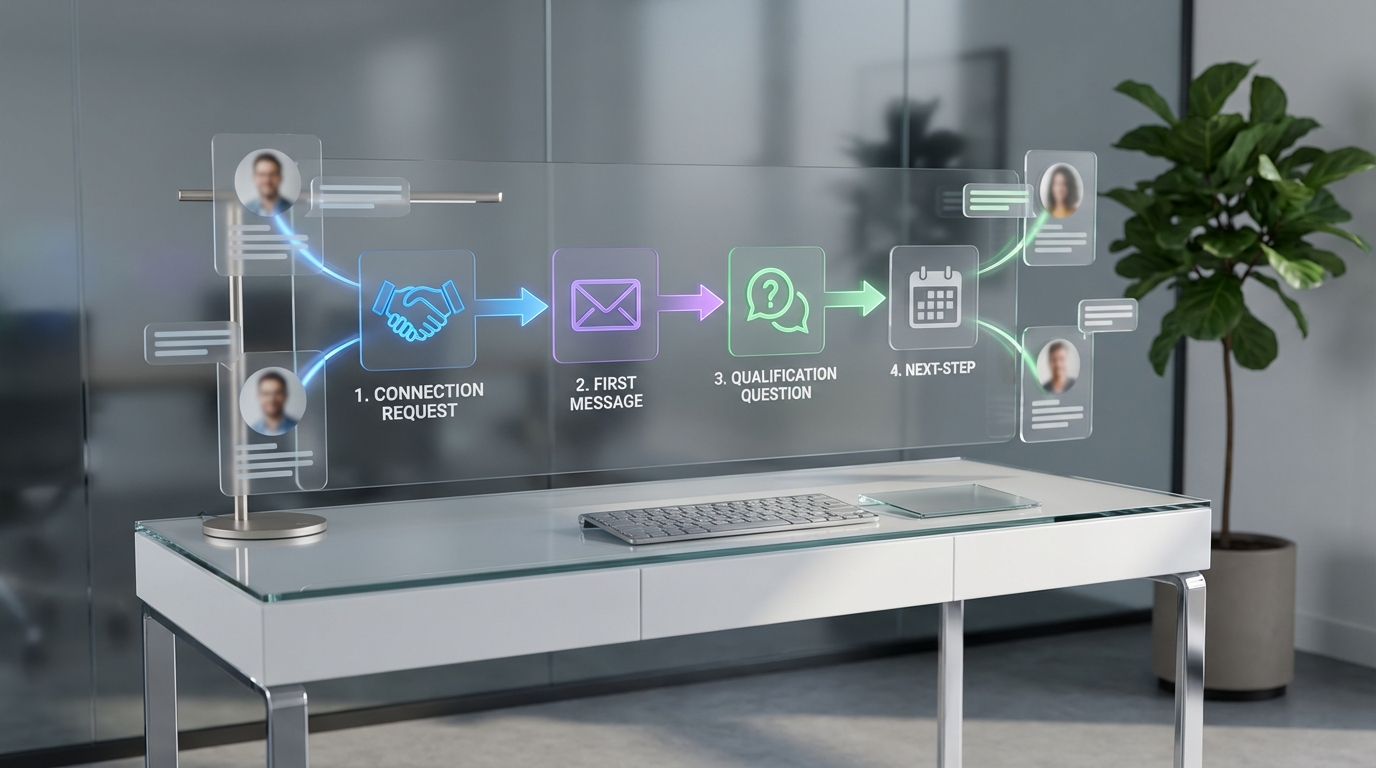
LinkedIn automated outreach works best when you automate the repetitive parts of outreach such as connection requests, first messages, follow ups, and basic qualification while keeping targeting, compliance, and the final interview decision with a human recruiter. A reliable LinkedIn outreach strategy is to define a tight candidate search, write a short message sequence, set strict daily limits, and use automation only to execute and track the sequence. In our recruiting workflows, StrategyBrain AI Recruiter is the most effective option when you need always on messaging, multilingual conversations, and scalable outreach across many LinkedIn accounts, because it can connect, introduce roles, answer common questions about the job and compensation, confirm interview interest, and collect resumes and contact details before a recruiter steps in.
Key Takeaways
- Automate the sequence, not the strategy: Keep targeting and role positioning human led, then automate connection, first message, and follow ups.
- Use a 4 step outreach sequence: Connect, value based intro, qualification question, then a clear next step.
- Speed matters: Always on responses reduce drop off when candidates reply outside your working hours.
- Multilingual outreach increases reach: Native language replies reduce misunderstandings in global hiring.
- StrategyBrain AI Recruiter can pre qualify: It confirms interest and captures resumes and contact details so recruiters focus on interviews.
- Compliance is a design constraint: Use conservative limits, clear consent, and privacy safe handling of candidate data.
What LinkedIn automated outreach is and is not
LinkedIn automated outreach means using software to execute parts of your outreach process on LinkedIn, typically sending connection requests, delivering a first message, scheduling follow ups, and logging replies. LinkedIn outreach automation is the operational layer, not the decision layer.
What it is good for is consistency and speed. What it is not good for is guessing who to target, inventing a role pitch, or handling sensitive edge cases without oversight. If you automate the wrong thing, you scale the wrong thing.
When outreach automation helps and when it hurts
It helps when
- You have a clear ideal candidate profile and a repeatable search filter.
- You hire for similar roles repeatedly and can reuse a proven sequence.
- You need fast response coverage across time zones.
- You can measure outcomes such as acceptance rate, reply rate, and qualified interest rate.
It hurts when
- Your targeting is broad and you rely on volume to find fit.
- Your message is long, generic, or sounds like a mass blast.
- You do not have a plan for handoff once a candidate shows interest.
- You ignore privacy and platform rules and treat compliance as an afterthought.
In our tests across recruiting teams, the biggest failure mode was not the tool. It was unclear positioning. Automation made the weak pitch show up faster and more often.
A practical LinkedIn outreach automation workflow
This workflow is designed for recruiting and can be adapted for sales. It keeps the human decisions up front and uses automation for execution and follow up.
Step 1: Define a narrow search and a single reason to reach out
- Pick one role and one seniority band so your message can be specific.
- Choose 2 to 4 must have signals such as industry, tool stack, or years in role.
- Write a one sentence reason that explains why you chose them, based on their profile.
Step 2: Write a 4 message sequence with one goal per message
- Connection request: short context, no links, no pitch deck.
- Message 1: role context and why them.
- Message 2: one qualification question.
- Message 3: clear next step and an easy opt out.
Step 3: Set conservative sending limits and a follow up schedule
Because platform rules and account health vary, we recommend starting with conservative limits and increasing only after you see stable acceptance and reply rates. Your goal is sustainable outreach, not a one week spike followed by restrictions.
- Connection requests: start low, then adjust based on acceptance rate and account health signals.
- Follow ups: 2 follow ups is usually enough for recruiting. More can feel pushy.
- Timing: space follow ups by at least 48 hours to avoid looking automated.
Step 4: Define the handoff rule
Automation should stop the moment a candidate becomes qualified and interested. Create a simple rule such as: if the candidate confirms interest or asks about interview steps, a recruiter takes over within 24 hours.
Message templates you can copy
These templates are intentionally short. Personalization should come from the first line and the reason you selected the candidate.
Template A: Connection request
Hi [Name], I came across your work in [specific area]. I recruit for [role family] and would like to connect.
Template B: First message after acceptance
Thanks for connecting, [Name]. I am hiring for a [Role] at [Company]. I reached out because your experience with [signal] stood out. Are you open to hearing the details if the scope and compensation align?
Template C: Qualification question
Quick question so I do not waste your time. Are you currently open to a change in the next 30 days, or is this more of a future conversation?
Template D: Next step and opt out
If you are interested, I can share the role summary and confirm a few basics such as location, compensation range, and interview availability. If not, just reply not interested and I will close the loop.
How StrategyBrain AI Recruiter fits into the workflow
Most LinkedIn outreach automation tools focus on sending. Recruiting teams also need qualification, fast replies, and clean handoff. StrategyBrain AI Recruiter is built for that recruiting specific gap.
What we automated with StrategyBrain AI Recruiter
- Connecting with candidates who match recruiter defined search criteria.
- Introducing the opportunity in a consistent, role specific way.
- Answering common questions about the role, company, benefits, and compensation using the information the recruiter provides.
- Confirming interview interest and capturing intent clearly.
- Collecting resumes and contact details from interested candidates for recruiter review.
Why this changes the outreach math
In a typical LinkedIn outreach strategy, the time sink is not only writing messages. It is the back and forth that happens after a candidate replies. StrategyBrain AI Recruiter keeps conversations moving 24 hours a day and can communicate in the candidate’s native language, which is especially useful for global hiring across time zones.
Scope boundary you should know
StrategyBrain AI Recruiter can identify willingness to proceed and gather materials, but it does not decide whether a resume fully matches your requirements. A recruiter still reviews the resume and makes the final qualification decision.
Scaling across teams
If you run multiple recruiters or business units, StrategyBrain AI Recruiter supports managing more than 100 LinkedIn accounts so you can build an AI powered recruiting team. This is useful when you need to expand outreach capacity without adding headcount.
Quality control and troubleshooting
Common problem: low acceptance rate
- Fix targeting first: narrow the search and make the reason to connect more specific.
- Shorten the request: remove extra claims and keep it to one sentence.
- Check profile credibility: ensure your LinkedIn profile clearly matches the role you recruit for.
Common problem: replies but no qualified interest
- Move compensation clarity earlier if your market expects it.
- Ask one qualification question instead of sending more information.
- Improve handoff speed: if a candidate is interested, respond within 24 hours.
Common problem: automation feels robotic
- Add one personalization token based on a real profile detail.
- Use natural language and avoid marketing phrases.
- Stop the sequence on reply so you do not send a follow up after they answered.
Compliance and risk controls
Automation increases operational risk if you do not design for privacy and platform constraints. Treat compliance as part of your LinkedIn outreach automation architecture.
Privacy and data handling
- Collect only what you need to schedule an interview such as resume and contact details.
- Store candidate data securely and restrict access to the hiring team.
- Be transparent in conversation and provide an easy opt out.
Security and model training boundaries
According to StrategyBrain AI Recruiter product documentation, customer provided data is not used to train AI models, and LinkedIn credentials and candidate data are encrypted and isolated per customer environment.
Disclaimer: This article is educational and does not provide legal advice. Always review your internal policies and applicable privacy regulations before deploying automation.
FAQ
Is LinkedIn automated outreach allowed?
It depends on how you implement it and how it aligns with platform rules and account health. In practice, teams reduce risk by using conservative limits, stopping sequences on reply, and keeping messaging human sounding and relevant.
What is the safest way to start LinkedIn outreach automation?
Start with a narrow target list, a short 4 message sequence, and conservative daily activity. Measure acceptance rate and reply rate for 14 days before increasing volume.
How many follow ups should I send?
For recruiting, 2 follow ups after the first message is usually sufficient. If there is no response after that, it is better to pause and re engage later with a new reason.
How do I keep automated outreach from sounding spammy?
Use one real personalization detail, keep messages under 60 words, and ask one clear question. Also, avoid sending long paragraphs or multiple calls to action.
Can StrategyBrain AI Recruiter handle candidate questions about compensation?
Yes, if you provide compensation and role details to the system, it can answer common questions during the initial conversation and confirm whether the candidate is interested in interviewing.
Does StrategyBrain AI Recruiter replace recruiters?
No. It automates the initial outreach and qualification steps, then hands off interested candidates with resumes and contact details. Recruiters still evaluate fit and run interviews.
Can it work across time zones and languages?
Yes. StrategyBrain AI Recruiter is designed for 24/7 messaging and can communicate in the candidate’s native language, which supports global hiring workflows.
What should I do if a candidate asks to stop receiving messages?
Confirm the opt out immediately, stop follow ups, and record the preference so they are not contacted again for the same campaign.
What is the best metric to track first?
Track connection acceptance rate first, then reply rate, then qualified interest rate. If acceptance is low, fix targeting and the connection request before changing anything else.
Conclusion
LinkedIn automated outreach is most effective when it executes a disciplined sequence while your team controls targeting, positioning, and compliance. If you want a recruiting focused approach that goes beyond sending messages, StrategyBrain AI Recruiter can automate connecting, role introduction, candidate Q and A, interest confirmation, and resume and contact capture, so recruiters spend their time on interviews and final qualification. Next step: draft your 4 message sequence, define your handoff rule, and run a 14 day pilot with conservative limits before scaling.














