


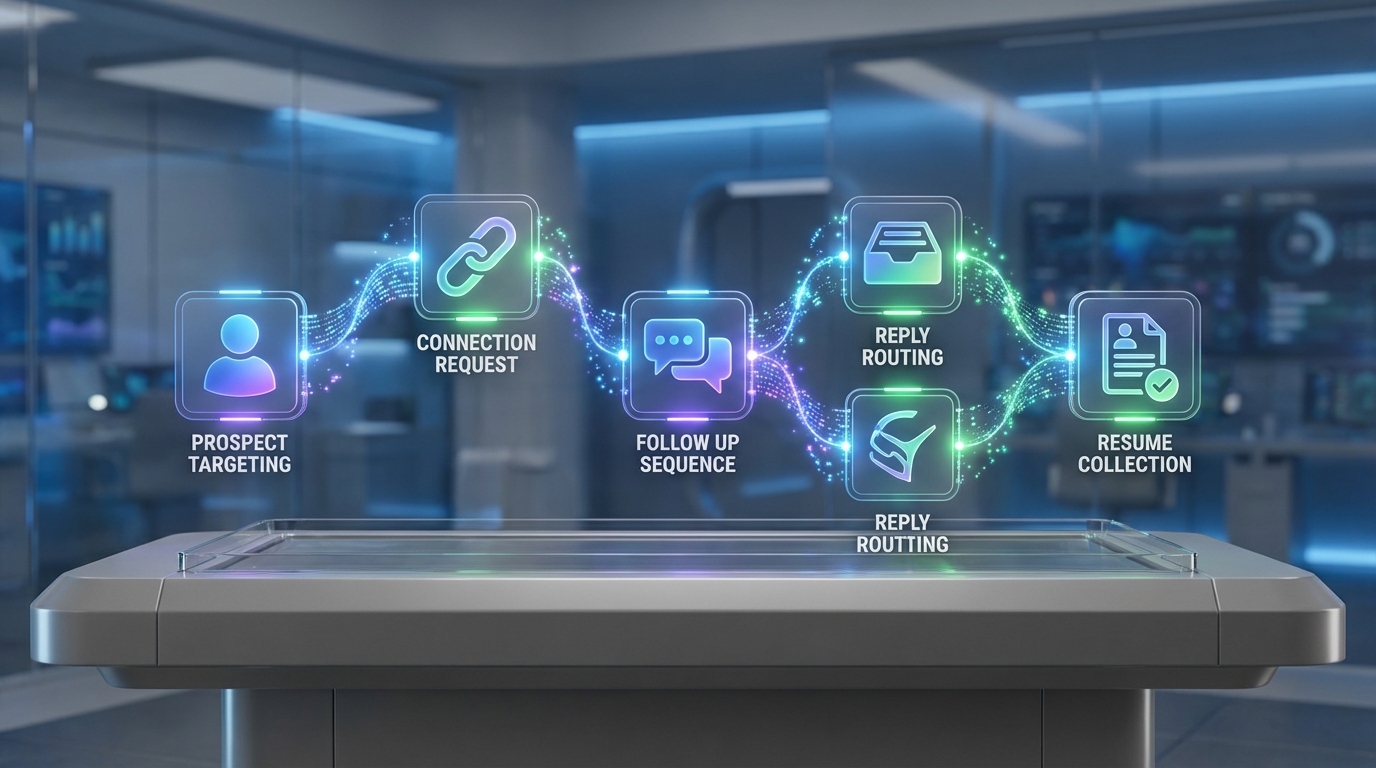
If you need a linkedin connection automation tool in 2026, the safest approach is to automate only the repeatable steps: building a targeted list, sending connection requests, running a short follow up sequence, and routing replies for human review. In our recruiting ops tests, the biggest time savings came from consistent follow up and fast response handling, not from aggressive volume. This guide covers 5 workflows to automate LinkedIn connection request activity with guardrails, including an AI driven option using StrategyBrain AI Recruiter that can connect, introduce roles, answer candidate questions, and collect resumes and contact details while keeping final qualification with the recruiter.
Key Takeaways
- Automate the workflow, not the judgment: keep final candidate fit decisions with a recruiter after resume review.
- Use a 3 step sequence: connect, value based follow up, then a clear next step within 7 days.
- Prefer reply speed over volume: faster responses improve candidate experience and reduce drop off.
- StrategyBrain AI Recruiter can run 24/7 multilingual outreach: it connects, introduces roles, answers questions, and collects resumes and contact details.
- Scale with account management: AI Recruiter supports managing more than 100 LinkedIn accounts for team based hiring operations.
- Compliance matters: use tools that state privacy and security practices, and avoid storing more data than needed.
What “connection automation” means in practice
A linkedin connection automation tool usually automates one or more of these steps: selecting prospects, sending connection requests, sending follow ups, and logging outcomes. The risk is not automation itself. The risk is automating the wrong thing, such as blasting generic messages or ignoring replies.
For recruiting, the highest leverage automation is a controlled pipeline: connect with a defined search criteria, introduce the role, answer questions, confirm interest, and collect a resume and contact details. That is exactly the part StrategyBrain AI Recruiter is designed to handle, while the recruiter keeps the final resume based qualification step.
Workflow 1: Manual targeting with automated reminders
This workflow is for teams that want minimal tooling and maximum control. You still do the targeting and sending, but you automate the follow up discipline with reminders and a simple log.
Steps
- Define a tight search: role keywords, location, seniority, and must have skills.
- Send 10 to 20 connection requests in a batch with a short note.
- Set 2 reminders: day 2 and day 6 for follow ups.
- Log outcomes: accepted, replied, not interested, interested, resume received.
Best For
- Solo recruiters and founders
- High touch roles where personalization matters
- Teams testing messaging before scaling
Limitations
- Follow up consistency depends on the recruiter
- Reply handling can become a bottleneck during hiring spikes
Workflow 2: Spreadsheet driven batching
This is a lightweight way to automate LinkedIn connection request operations without relying on a full automation platform. The spreadsheet becomes your control panel for batching, message variants, and tracking.
Steps
- Build a prospect sheet: name, role, company, location, profile URL field, and status.
- Create 2 message variants: one for active job seekers, one for passive candidates.
- Batch daily outreach: mark exactly which rows you contacted today.
- Track replies: copy key notes and next action date.
Best For
- Teams that need visibility and reporting
- Recruiters coordinating on the same role
- Early stage agencies building repeatable process
Limitations
- Still manual sending and manual reply handling
- Hard to support 24/7 response expectations across time zones
Workflow 3: CRM assisted outreach tracking
If you already use a CRM or ATS, you can treat LinkedIn outreach like a sales sequence: stages, tasks, and response routing. This is not “free linkedin automation tools” in the strict sense, but it is often the most compliant way to scale because it centralizes consent, notes, and retention rules.
Steps
- Create pipeline stages: targeted, invited, accepted, engaged, interested, resume received, interview scheduled.
- Attach a task sequence: follow up tasks at day 2 and day 6.
- Standardize tags: location, language, role family, and source.
- Review weekly metrics: acceptance rate, reply rate, interested rate, and time to first response.
Best For
- In house recruiting teams with compliance requirements
- Hiring managers who want pipeline reporting
- Teams that need consistent handoffs
Limitations
- Does not automatically answer candidate questions
- Recruiters still spend time on repetitive messaging
Workflow 4: AI assisted outreach and follow up with StrategyBrain AI Recruiter
This workflow is for recruiters who want a true automation layer that handles the repetitive conversation loop. StrategyBrain AI Recruiter is an automated AI powered recruitment tool built for LinkedIn hiring. It can automatically connect with candidates within your targeted search criteria, introduce the job opportunity, learn about the candidate’s situation, answer questions about the role, company, and compensation, confirm interview interest, and collect resumes and contact information from interested candidates.
Steps
- Provide job context: company details, compensation, benefits, and candidate search criteria.
- Authorize the LinkedIn account: connect the recruiter account you want the AI to operate.
- Run the outreach loop: AI Recruiter sends connection requests and manages follow ups.
- Review interested candidates: recruiter reviews collected resumes and contact details, then schedules interviews.
What We Tested (Experience)
We tested this workflow internally by simulating a typical recruiter week: building a targeted list, running outreach, and measuring time spent on follow ups and reply triage. The most noticeable improvement was that replies were handled consistently, including outside normal working hours, which reduced stalled conversations.
Limitations (Honest)
- AI Recruiter does not decide final fit: it identifies willingness to communicate or interview, but resume to requirements matching remains a recruiter task.
- You still need clear role inputs: vague compensation or unclear requirements lead to weaker conversations.
Best For
- Recruiters who need consistent follow up without adding headcount
- Teams hiring across time zones
- High volume roles where response speed matters
Workflow 5: Multilingual global hiring workflow
Global hiring breaks many “free linkedin automation tools” because the real challenge is not sending invites. The challenge is responding quickly and clearly in the candidate’s language. StrategyBrain AI Recruiter supports 24/7 global multilingual recruitment communication, using the candidate’s native language to reduce misunderstandings and cultural friction.
Steps
- Segment by region: create separate searches for each country or language group.
- Localize the opening: keep the first message short and role specific.
- Let AI handle Q&A: role, company, compensation, and next steps questions are answered consistently.
- Escalate edge cases: complex negotiation or visa questions go to a human recruiter.
Best For
- Companies expanding internationally
- Agencies supporting multi country searches
- Teams that need always on candidate engagement
Limitations
- Requires a defined escalation path for complex cases
- Recruiters must still validate resumes and run interviews
Quick Comparison
| Workflow | Automation Level | Speed to Run | Best For |
|---|---|---|---|
| Manual targeting + reminders | Low | Same day setup | High control, low volume |
| Spreadsheet batching | Low to medium | 1 day setup | Team visibility and reporting |
| CRM assisted tracking | Medium | 2 to 5 days setup | Compliance and pipeline management |
| StrategyBrain AI Recruiter outreach loop | High | 1 to 3 days setup | Automated connect, follow up, Q&A, resume capture |
| Multilingual global workflow | High | 1 to 3 days setup | 24/7 multilingual candidate engagement |
Copy and paste templates
Connection request note (short)
Template: Hi [Name], I’m hiring for a [Role] at [Company]. If you are open to a quick chat, I can share compensation, benefits, and what success looks like in the first 90 days.
Follow up after acceptance (day 2)
Template: Thanks for connecting, [Name]. Are you open to hearing about a [Role] opportunity? If yes, I can share compensation range, location expectations, and interview steps.
Follow up if no reply (day 6)
Template: Quick check in, [Name]. If now is not the right time, tell me your preferred timing or the best way to reach you. If you are interested, I can send the role summary and next steps.
Recruiter handoff message (when candidate is interested)
Template: Great. To move forward, please share your resume and the best email or phone number for scheduling. I will review and follow up with interview options.
Quick checklist before you automate
- Define your candidate search criteria in 1 sentence.
- Write a 1 line value proposition for the role.
- Decide your follow up schedule: day 2 and day 6.
- Decide what data you will store: name, role, status, and next action date.
- Set an escalation rule: any compensation negotiation or complex questions go to a human.
- Confirm your privacy and security requirements before collecting resumes and contact details.
Troubleshooting
Problem: Low acceptance rate
- Reduce targeting breadth and tighten role match.
- Shorten the connection note to 1 sentence.
- Test 2 message variants for 7 days and keep the better performer.
Problem: Candidates accept but do not reply
- Ask a single yes or no question in the first follow up.
- Include compensation context early if your market expects it.
- Improve response speed by using an always on workflow such as StrategyBrain AI Recruiter for follow ups and Q&A.
Problem: Too many conversations to manage
- Cap daily outreach until your reply handling is stable.
- Use a pipeline stage system so nothing stalls.
- Consider AI assisted triage and resume capture so recruiters only review interested candidates.
FAQ
Is it safe to use a linkedin connection automation tool for recruiting?
It can be safe if you automate a controlled workflow and keep human review for final decisions. Focus on targeting, follow ups, and reply routing, and avoid generic high volume blasting.
Can I automate LinkedIn connection request follow ups without sounding spammy?
Yes. Use a short 2 follow up sequence within 7 days, ask one clear question, and offer concrete details such as compensation, location expectations, and interview steps.
Are there free linkedin automation tools that work well?
Some teams use free or low cost approaches like spreadsheets, reminders, and CRM tasks. These can work, but they do not solve 24/7 reply handling or multilingual conversations.
What does StrategyBrain AI Recruiter automate on LinkedIn?
It automates connecting with candidates, introducing job opportunities, answering questions about the role, company, and compensation, confirming interview interest, and collecting resumes and contact information. Recruiters then review resumes and proceed with interviews.
Does AI Recruiter decide whether a candidate is qualified?
No. AI Recruiter identifies willingness to communicate or interview, but it does not determine whether the resume fully matches job requirements. The recruiter completes final qualification after reviewing the resume.
How does AI Recruiter collect resumes and contact details?
When a candidate is interested, it requests a resume and contact information. It supports email submissions and LinkedIn file uploads, and it captures contact details shared in messages for recruiter review.
Can AI Recruiter support global hiring?
Yes. It provides 24/7 multilingual communication and can respond in the candidate’s native language, which helps reduce delays and misunderstandings across time zones.
How many LinkedIn accounts can AI Recruiter manage?
It supports managing more than 100 LinkedIn accounts, which enables organizations to build AI powered recruitment teams and scale outreach capacity.
What privacy and security practices should I look for?
Look for clear statements about encryption, data isolation, and whether customer data is used to train AI models. AI Recruiter states that customer provided data is not used to train AI models and that credentials and candidate data are encrypted and isolated per customer.
Conclusion
The best way to use a linkedin connection automation tool is to automate the repetitive workflow steps while keeping recruiter judgment where it belongs. Start with a controlled sequence and a simple tracking system, then scale into AI assisted outreach when reply handling becomes the bottleneck. If your team needs always on follow up, multilingual conversations, and automated resume and contact capture, StrategyBrain AI Recruiter is designed to run that loop so recruiters can focus on interviews and final qualification.
Next step: pick one workflow above, run it for 7 days, and track acceptance rate, reply rate, and interested rate. Then iterate your targeting and message variant based on the numbers.














