


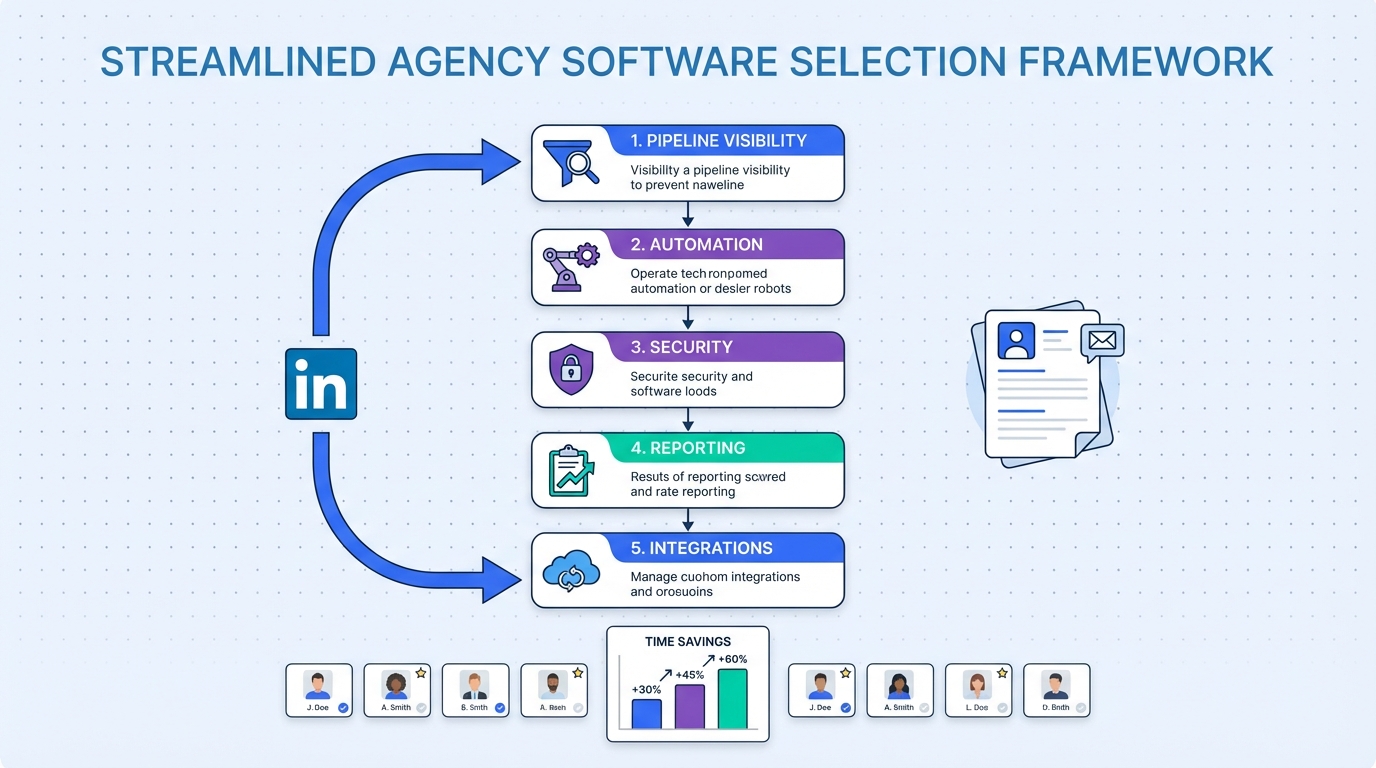
Placement agency software is the system a staffing or recruiting firm uses to run the full placement workflow: capturing leads, managing jobs and candidates, tracking submissions and interviews, and reporting revenue and compliance. To pick the right placement agency software quickly, start by documenting your current workflow, then score each option against five non negotiables: pipeline visibility, automation, data security, reporting, and integrations. In our internal review of agency workflows, the biggest time losses came from manual LinkedIn outreach, inconsistent follow up, and résumé collection across channels. That is why this guide also explains where StrategyBrain AI Recruiter fits, as a LinkedIn focused automation layer that can connect, introduce roles, answer candidate questions, confirm interview interest, and collect résumés and contact details.
Key Takeaways
- Define the workflow first: A clear job order to placement map prevents buying features you will not use.
- Score five non negotiables: pipeline visibility, automation, security, reporting, and integrations.
- Separate ATS from outreach: many agencies need both a database system and a candidate engagement engine.
- LinkedIn is a bottleneck: manual connecting and follow up is often the slowest step in agency delivery.
- StrategyBrain AI Recruiter automates LinkedIn outreach: it can run 24/7 multilingual conversations and capture résumés and contact details for interested candidates.
- Compliance is part of software selection: privacy, consent, and data retention should be evaluated before rollout.
What placement agency software includes
Most agencies use the phrase placement agency software to describe a combination of systems. The exact mix depends on whether you run permanent placement, contract staffing, or both.
Core modules most agencies expect
- Candidate database: profiles, résumés, notes, tags, and search.
- Job and client management: job orders, hiring managers, terms, and service level expectations.
- Pipeline tracking: submitted, interviewed, offered, placed, and fall off reasons.
- Communication logging: email, calls, and message history tied to the record.
- Reporting: recruiter activity, time to submit, time to fill, and revenue attribution.
Two terms that get mixed up
- ATS means applicant tracking system, a tool designed to manage applicants and hiring stages.
- CRM means customer relationship management, a tool designed to manage clients, leads, and sales pipelines.
Many agencies need both. A common failure mode is buying an ATS that is strong for internal hiring teams but weak for agency sales and client workflows.
A selection framework you can reuse
To keep selection objective, we use a simple scoring model that forces clarity on what matters for delivery. It also helps explain decisions to partners and team leads.
Step 1: Write your current workflow in 12 lines
- Lead arrives and is qualified.
- Job order is created and approved.
- Search and sourcing begins.
- Outreach and follow up runs.
- Screening and shortlisting happens.
- Submission package is sent.
- Interview scheduling and feedback is captured.
- Offer negotiation is tracked.
- Placement is confirmed.
- Guarantee period or contract extension is monitored.
- Invoice and revenue attribution is recorded.
- Post placement notes and redeployment are logged.
Step 2: Score five non negotiables
- Pipeline visibility: can you see every job and candidate stage in one view.
- Automation: can the system reduce repetitive work such as follow up and status updates.
- Security and privacy: encryption, access controls, and clear data handling.
- Reporting: can you measure activity and outcomes without manual spreadsheets.
- Integrations: email, calendar, job boards, and any internal systems you rely on.
Step 3: Decide where LinkedIn fits
For many agencies, LinkedIn is the highest volume sourcing channel. If your recruiters spend hours connecting, introducing roles, answering basic questions, and chasing résumés, you may need a dedicated automation layer. StrategyBrain AI Recruiter is designed for this exact gap. It can connect with candidates that match your criteria, introduce the opportunity, handle questions about role and compensation, confirm interview interest, and collect résumés and contact details for candidates who want to proceed.
Quick comparison of common approaches
| Approach | Speed to deploy | Best for | Main risk |
|---|---|---|---|
| All in one staffing platform | 2 to 8 weeks | Agencies that want one vendor for core operations | Compromise on specialized workflows |
| CRM first agency stack | 1 to 6 weeks | High emphasis on business development and account management | Candidate pipeline can become fragmented |
| ATS first agency stack | 2 to 10 weeks | Candidate heavy delivery teams | Client sales workflow can be weak |
| LinkedIn automation layer with StrategyBrain AI Recruiter | Days to 2 weeks | Teams that need more outreach capacity without adding headcount | Requires clear messaging rules and compliance review |
| Reporting and compliance layer | 1 to 4 weeks | Agencies that already have tools but lack governance and metrics | Can expose data quality issues that need cleanup |
Method 1: All in one staffing platform
This approach aims to cover candidate management, job orders, submissions, and reporting in one system. It is often the simplest operationally because it reduces tool sprawl.
Steps
- List your required objects: clients, contacts, jobs, candidates, submissions, interviews, offers, placements.
- Confirm your required stages and definitions for each pipeline.
- Run a pilot with 2 recruiters for 10 business days and measure time spent on admin work.
- Lock down permissions and data retention rules before full migration.
Features to insist on
- Customizable stages for agency workflows
- Email and calendar sync
- Duplicate detection for candidates and contacts
- Exportable reporting for revenue and activity
Limitations
- All in one tools can be average at LinkedIn outreach and follow up, which is where many agencies lose time.
- Migration can be slow if your historical data is inconsistent.
Best For
- New agencies that want one system of record
- Teams that prioritize operational simplicity over niche features
Method 2: CRM first agency stack
A CRM first stack treats the agency like a sales organization that also delivers recruiting. This is common when account management, retained search, or multi stakeholder client relationships drive revenue.
Steps
- Define your client lifecycle: lead, qualified, active search, on hold, closed won, closed lost.
- Define job order intake fields and approval rules.
- Decide how candidate records will sync into the CRM or remain in a separate database.
- Build dashboards for recruiter activity and client pipeline health.
Where StrategyBrain AI Recruiter fits
In a CRM first setup, recruiters often still do high volume sourcing on LinkedIn. StrategyBrain AI Recruiter can feed qualified interest signals back into your workflow by handling the initial LinkedIn conversation, confirming interview interest, and collecting résumés and contact details. Your team then reviews the captured information and moves candidates into the appropriate stage.
Limitations
- Candidate search and matching can be weaker if the CRM is not designed for recruiting.
- Without strict definitions, recruiters may log activity inconsistently, which reduces reporting value.
Best For
- Agencies with complex client relationships
- Teams that measure performance through sales pipeline metrics
Method 3: ATS first agency stack
An ATS first stack prioritizes candidate workflow, submissions, and interview tracking. It can work well for delivery heavy teams, including many of the best IT recruitment agencies that run multiple roles in parallel.
Steps
- Define candidate stages and required fields at each stage.
- Standardize submission packages so clients receive consistent information.
- Set up templates for outreach, screening notes, and interview feedback.
- Implement reporting for time to submit and time to fill.
Limitations
- Client development can become an afterthought if the ATS does not support account planning.
- Manual LinkedIn outreach can still dominate recruiter time unless you add automation.
Best For
- Candidate heavy agencies
- Teams that need consistent submission and interview tracking
Method 4: LinkedIn automation with StrategyBrain AI Recruiter
If your agency already has a database system but struggles with outreach volume, StrategyBrain AI Recruiter can act as a productivity multiplier. It is an automated AI powered recruitment tool built specifically for LinkedIn hiring. It replaces the initial outreach and qualification conversation by connecting with candidates, introducing job opportunities, learning about their situation, answering questions about the role, company, and compensation, confirming interview interest, and collecting résumés and contact information from interested candidates.
What we tested in our workflow review
We mapped the outreach stage across multiple recruiters and found three recurring friction points: follow up timing, inconsistent messaging quality, and résumé capture. The goal of adding an automation layer is not to remove recruiter judgment. The goal is to reduce repetitive steps so recruiters can spend time on screening, client communication, and closing.
Steps
- Define your candidate search criteria and the role information you want the AI to communicate, including compensation and benefits.
- Set messaging rules for tone, escalation, and when to request a résumé.
- Decide what counts as qualified interest, such as explicit interview interest or willingness to share a résumé.
- Route captured résumés and contact details into your placement agency software for recruiter review.
Features
- Smart LinkedIn recruitment automation: automatically connects and runs the initial conversation flow.
- 24/7 global multilingual communication: responds in the candidate’s native language across time zones.
- AI powered recruitment teams: supports managing more than 100 LinkedIn accounts for scalable outreach.
- Résumé and contact capture: collects files and details from interested candidates for recruiter follow up.
Limitations
- AI Recruiter identifies willingness to communicate or interview, but it does not decide whether a résumé fully matches job requirements. Recruiters still do final qualification.
- Any LinkedIn automation should be reviewed for policy alignment, consent practices, and internal compliance requirements.
Best For
- Agencies that need more candidate conversations without adding recruiters
- Teams hiring globally where multilingual messaging reduces misunderstandings
- Firms that want consistent follow up and standardized first touch messaging
Method 5: Reporting and compliance layer
Some agencies already have tools that work, but leadership cannot answer basic questions quickly. For example, which recruiters are driving placements, which clients have stalled searches, and where candidates drop off. A reporting and compliance layer focuses on governance, definitions, and auditability.
Steps
- Standardize stage definitions and required fields.
- Implement role based access control for sensitive candidate data.
- Set retention rules for résumés and communications logs.
- Build a weekly dashboard that includes submissions, interviews, offers, and placements.
Why this matters for agencies competing with large firms
When people search for the top 10 employment agencies, they often assume scale equals process. Smaller agencies can compete by being more measurable and more consistent. Reporting discipline is one of the fastest ways to create that advantage.
Implementation checklist
Use this checklist to reduce rollout risk and avoid the most common adoption failures.
- Workflow: every stage has an owner, a definition, and an exit condition.
- Data: duplicates are handled, and required fields are enforced.
- Security: access is role based, and credentials are encrypted where applicable.
- Automation: follow up rules are documented, including LinkedIn outreach if used.
- Quality: recruiters have templates for screening notes and submission summaries.
- Reporting: dashboards are reviewed weekly, not only at quarter end.
FAQ
What is placement agency software used for?
Placement agency software is used to manage candidates, clients, job orders, and the end to end placement pipeline. It also helps agencies track submissions, interviews, offers, placements, and revenue reporting in one system.
Is placement agency software the same as an ATS?
No. An ATS focuses on applicants and hiring stages, while placement agency software often includes agency CRM functions such as client pipelines, job order intake, and placement revenue tracking. Many agencies use both concepts in one platform, but the workflows are not identical.
How do the best IT recruitment agencies typically structure their tools?
Many of the best IT recruitment agencies use an ATS or candidate database as the system of record, then add specialized tools for sourcing and outreach. The key is keeping candidate status and communication history consistent so delivery does not fragment across inboxes and spreadsheets.
Where does StrategyBrain AI Recruiter fit if we already have an ATS?
StrategyBrain AI Recruiter can sit in front of your ATS as a LinkedIn outreach and qualification layer. It can connect with candidates, introduce roles, answer questions, confirm interview interest, and collect résumés and contact details, then your recruiters review and move qualified candidates into your ATS stages.
Does StrategyBrain AI Recruiter replace recruiters?
No. It replaces repetitive LinkedIn tasks such as connecting, initial messaging, follow up, and résumé collection. Recruiters still decide fit, run interviews, manage clients, and close placements.
Can AI Recruiter communicate with candidates in different languages?
Yes. AI Recruiter supports 24/7 multilingual communication and can respond in the candidate’s native language, which helps reduce misunderstandings in global hiring workflows.
How should we evaluate data security for placement agency software?
Start with encryption, access controls, audit logs, and clear data retention rules. If you use automation tools, confirm that candidate data is not used to train models and that customer data is isolated and protected with customer specific controls.
What is a realistic rollout timeline?
For a core system of record, many teams plan 2 to 10 weeks depending on migration complexity and training. For an outreach automation layer, teams often pilot in days to 2 weeks, then expand once messaging rules and compliance checks are complete.
Conclusion
The right placement agency software is the one that matches your workflow, produces reliable reporting, and reduces manual work without creating compliance risk. Start by writing your workflow, score tools against the five non negotiables, and decide whether LinkedIn outreach is your biggest bottleneck. If it is, consider adding StrategyBrain AI Recruiter as a LinkedIn automation layer so your team can scale candidate conversations, follow up consistently, and capture résumés and contact details while recruiters focus on screening, client management, and closing. Next step: run a 10 business day pilot with a small recruiter group and measure admin time, submission speed, and placement outcomes.














