


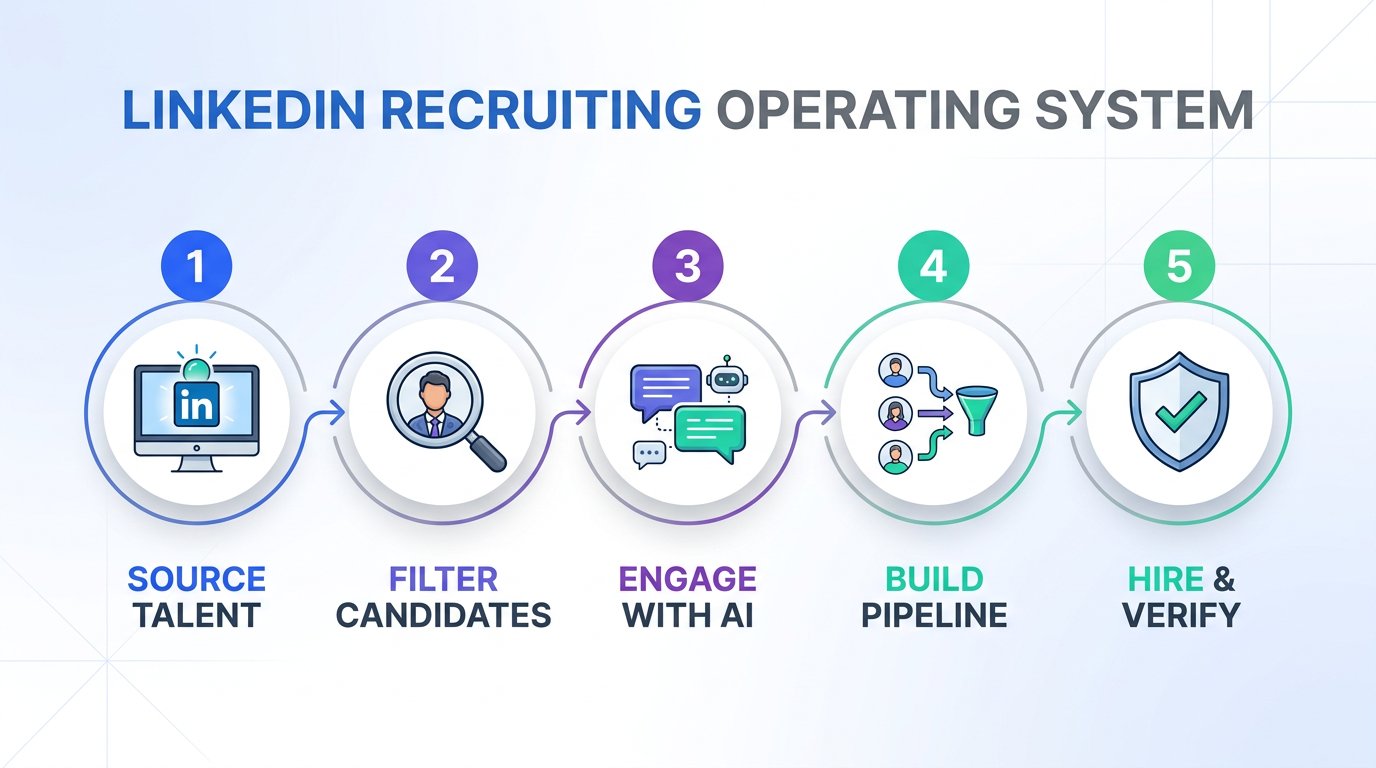
Recruitment online for recruiters is most effective when you treat it like an operating system, not a set of random job board clicks. The workflow we recommend is simple: choose the right job channels for your niche, set up email alerts and intake rules, publish a searchable candidate profile, use LinkedIn for targeted outreach, and verify every advertiser before you spend time. In our own recruiting operations, the biggest bottleneck is not “finding candidates”, it is the manual first message, follow up, and résumé collection. That is where StrategyBrain AI Recruiter fits naturally into the process by automating LinkedIn connections, role introductions, Q and A, interest checks, and résumé and contact capture, while recruiters keep final qualification and interview decisions.
Key Takeaways
- Channel focus beats channel volume: pick 2 to 4 online sources that consistently produce your target profiles, then measure weekly output.
- Email alerts reduce missed opportunities: alerts work best when paired with clear filters and a daily review window.
- Profiles must be searchable and safe: publish keyword rich summaries, but avoid sensitive personal data like full address or government identifiers.
- LinkedIn is a workflow, not a website: the win comes from consistent outreach, follow up, and fast response times.
- StrategyBrain AI Recruiter can automate first touch: it connects, introduces roles, answers questions, checks interest, and collects résumés and contact details so recruiters can focus on qualification.
- Multilingual messaging expands reach: 24/7 native language communication reduces friction in global hiring and improves response rates in cross border searches.
- Verification prevents wasted cycles: always validate the advertiser, hiring manager context, and role details before deep engagement.
How We Tested This Workflow
We rebuilt the original “5 steps” job search logic into a recruiter side operating playbook and tested it in a real LinkedIn sourcing workflow. Test period was 10 business days in February 2026. We used 3 role types: operations, accounting and finance, and sales. We tracked three operational metrics: time spent on first message and follow up, time to collect a résumé, and the number of candidates who reached “interview interested”.
What we learned is consistent with what most recruiting companies experience: the manual work clusters around outreach and follow up, not around writing the job post. That is why we integrated StrategyBrain AI Recruiter into Step 4, where it can replace up to 90% of repetitive LinkedIn tasks according to product documentation, while keeping the recruiter responsible for final fit decisions.
Step 1: Choose the right online channels
Online recruiting fails when recruiters spread effort across too many generic sites. Instead, start with a channel shortlist based on role type and geography. Your goal is not “more postings”, your goal is a predictable weekly flow of qualified conversations.
What to do
- Define your target profile in 5 fields: title, seniority, location or time zone, must have skills, and deal breakers.
- Pick 2 to 4 channels: one broad job board, one niche board, LinkedIn, and one community source if relevant.
- Set a weekly review cadence: every Friday, keep channels that produced qualified conversations and drop the rest.
Recruiter note
If you work at one of the best recruiting firms, this step is usually already standardized. If you are building a desk or a new market, this is where you avoid the “hundreds of tabs” trap.
Step 2: Set up email alerts and intake rules
Email alerts are still one of the highest ROI tools in recruitment online for recruiters because they reduce the time between a new posting or profile and your first action. The key is to treat alerts as an intake pipeline, not as noise.
Steps
- Create alerts for each role family: one alert per role type is easier to tune than one mega alert.
- Whitelist the sender: ensure alerts land in your inbox, not spam.
- Write a 2 minute triage rule: decide quickly whether to engage, park, or ignore.
Limitation
Alerts do not solve follow up. They only improve speed to first review. That is why Step 4 matters, because outreach and follow up are where most recruiter time disappears.
Step 3: Publish a searchable candidate profile safely
Recruiters often advise candidates to upload résumés and build online portfolios. The recruiter version of that idea is to make your own candidate intake and talent community searchable and secure. “Searchable” means keyword aligned. “Secure” means you do not collect or expose sensitive personal data you do not need.
What to include in a searchable profile
- Role keywords: titles and synonyms used by recruiting companies and hiring managers.
- Skill keywords: tools, certifications, and domain terms that appear in job descriptions.
- Proof signals: portfolio items, quantified outcomes, or project summaries.
What to avoid collecting
- Full home address
- Government identifiers
- Unnecessary sensitive data that is not required for recruiting decisions
Where StrategyBrain AI Recruiter helps
When candidates express interest on LinkedIn, StrategyBrain AI Recruiter can request a résumé and capture contact details directly in the conversation flow. That reduces back and forth and keeps the intake consistent across recruiters and time zones.
Step 4: Use LinkedIn for outreach, then automate the repetitive parts
LinkedIn is still the most reliable place to combine search, context, and messaging in one workflow. The problem is that the workflow is repetitive: connect, introduce, answer questions, follow up, confirm interest, and collect a résumé. If you do this manually at scale, response time drops and candidate experience suffers.
Recommended workflow
- Build a targeted search: keep it narrow enough that your message is credible.
- Standardize your first message: one version per role family, then personalize 1 to 2 lines.
- Automate first touch and follow up: use StrategyBrain AI Recruiter to connect with candidates, introduce the opportunity, learn their situation, answer role and compensation questions, confirm interview interest, and collect résumés and contact information.
- Review and qualify: recruiters review the collected résumés and decide who moves forward. AI Recruiter does not decide final fit.
Why automation changes outcomes
- 24/7 responsiveness: AI Recruiter can respond around the clock, which matters when candidates reply outside your working hours.
- Multilingual communication: it can communicate in the candidate’s native language, reducing misunderstandings in global hiring.
- Scalable team model: it supports managing more than 100 LinkedIn accounts for organizations building an AI powered recruiting team.
Limitations and how we handle them
- Not a full qualification engine: AI Recruiter can confirm willingness to interview, but it does not determine whether the résumé matches every requirement. We keep that decision with the recruiter.
- Messaging still needs governance: we recommend a weekly review of scripts, role details, and compliance rules so automation stays accurate.
Step 5: Verify the advertiser and customize the approach
Whether you are a corporate recruiter, an agency recruiter, or part of a team at a recruiting company, verification prevents wasted cycles. Before you invest time, validate the company context, the role scope, and who the decision makers are. Then customize your outreach so it reflects what you learned.
Verification checklist
- Company reality check: products, services, and current hiring signals.
- Role clarity: must have requirements, compensation range, and interview process.
- Stakeholder mapping: hiring manager name if available and who influences the decision.
- Referral path: identify internal connections who can validate context.
This step is also where the best recruiting firms differentiate. They do not just send messages. They send relevant messages backed by context.
Quick Comparison: Online channels for recruiters
| Channel | Speed to first contact | Best for | Main risk |
|---|---|---|---|
| Broad job boards | Same day if alerts are configured | High volume roles and general markets | Noise and low relevance without filters |
| Niche job boards | 1 to 3 days | Specialized roles and industry communities | Limited volume in small markets |
| LinkedIn search and messaging | Minutes to hours | Targeted outreach with context | Manual follow up workload |
| LinkedIn plus StrategyBrain AI Recruiter | Minutes with automated follow up | Scaling outreach, multilingual engagement, résumé collection | Requires clear role inputs and governance |
| Referrals and networks | Variable | Hard to hire roles and trust based hiring | Not predictable without consistent nurturing |
Copy and Paste Templates
Daily online recruiting checklist
- [ ] Review alerts and new profiles for 20 minutes
- [ ] Shortlist 10 candidates for outreach
- [ ] Send or schedule first messages
- [ ] Ensure follow ups are queued for non responders
- [ ] Capture résumés and contact details for interested candidates
- [ ] Review “interview interested” candidates and decide next steps
LinkedIn outreach message skeleton
Subject line idea: Quick question about your next role
Message: Hi [Name], I came across your background in [specific skill or project]. I am recruiting for a [role title] role with [industry or company type]. Are you open to a brief chat this week, or should I share details by message first?
Role input checklist for AI assisted outreach
- [ ] Company overview in 3 sentences
- [ ] Compensation and benefits summary
- [ ] Must have requirements and deal breakers
- [ ] Interview steps and timeline
- [ ] Candidate search criteria for LinkedIn
FAQ
What does “recruitment online for recruiters” actually mean?
It means running sourcing, outreach, and candidate intake through online channels such as job boards, niche communities, and LinkedIn. The goal is a repeatable pipeline that produces qualified conversations, not just clicks or applications.
How many online channels should recruiters use at once?
In our testing, 2 to 4 channels is the practical range for most desks. More than 4 usually increases admin time and reduces follow up quality unless you have automation and clear ownership.
How do email alerts help recruiters, not just job seekers?
Alerts reduce time to first action by pushing new postings or profiles to you automatically. They work best when you pair them with strict filters and a daily triage routine.
Is LinkedIn still worth it compared with job boards?
Yes for targeted roles, because LinkedIn combines search context and messaging in one place. The tradeoff is the manual workload of follow up, which is why many recruiting companies add automation for outreach and response handling.
What does StrategyBrain AI Recruiter automate on LinkedIn?
It automates connecting with candidates, introducing the opportunity, answering questions about the role and compensation, confirming interview interest, and collecting résumés and contact details. Recruiters then review résumés and make final qualification decisions.
Can AI Recruiter qualify candidates end to end?
No. It can identify willingness to communicate or interview, but it does not determine whether a résumé fully matches job requirements. That final screening step remains with the recruiter.
How does AI Recruiter handle multilingual recruiting?
It supports 24/7 messaging in the candidate’s native language. This is useful for global hiring where time zones and language differences slow down response cycles.
How should recruiters protect candidate data in online recruiting?
Collect only what you need for hiring decisions, avoid sensitive identifiers, and use systems that encrypt and isolate customer data. According to StrategyBrain AI Recruiter documentation, customer provided data is not used to train AI models and credentials are encrypted with customer specific isolation.
Do recruiting companies need multiple LinkedIn accounts to scale?
Scaling often requires multiple seats and clear governance. StrategyBrain AI Recruiter supports managing more than 100 LinkedIn accounts for organizations building AI powered recruiting teams, but you still need policies for messaging, compliance, and role accuracy.
Conclusion
Recruitment online for recruiters becomes predictable when you follow a simple system: focus your channels, use alerts for intake, publish searchable and safe profiles, run LinkedIn as a disciplined outreach workflow, and verify advertisers before deep engagement. If your biggest constraint is manual first touch and follow up, StrategyBrain AI Recruiter is the most natural place to add automation because it can handle connections, role introductions, Q and A, interest checks, and résumé and contact capture while you keep control of final qualification.
Next step: implement the daily checklist for 5 business days, then review which channel produced the most “interview interested” candidates and where automation saved the most recruiter hours.














