


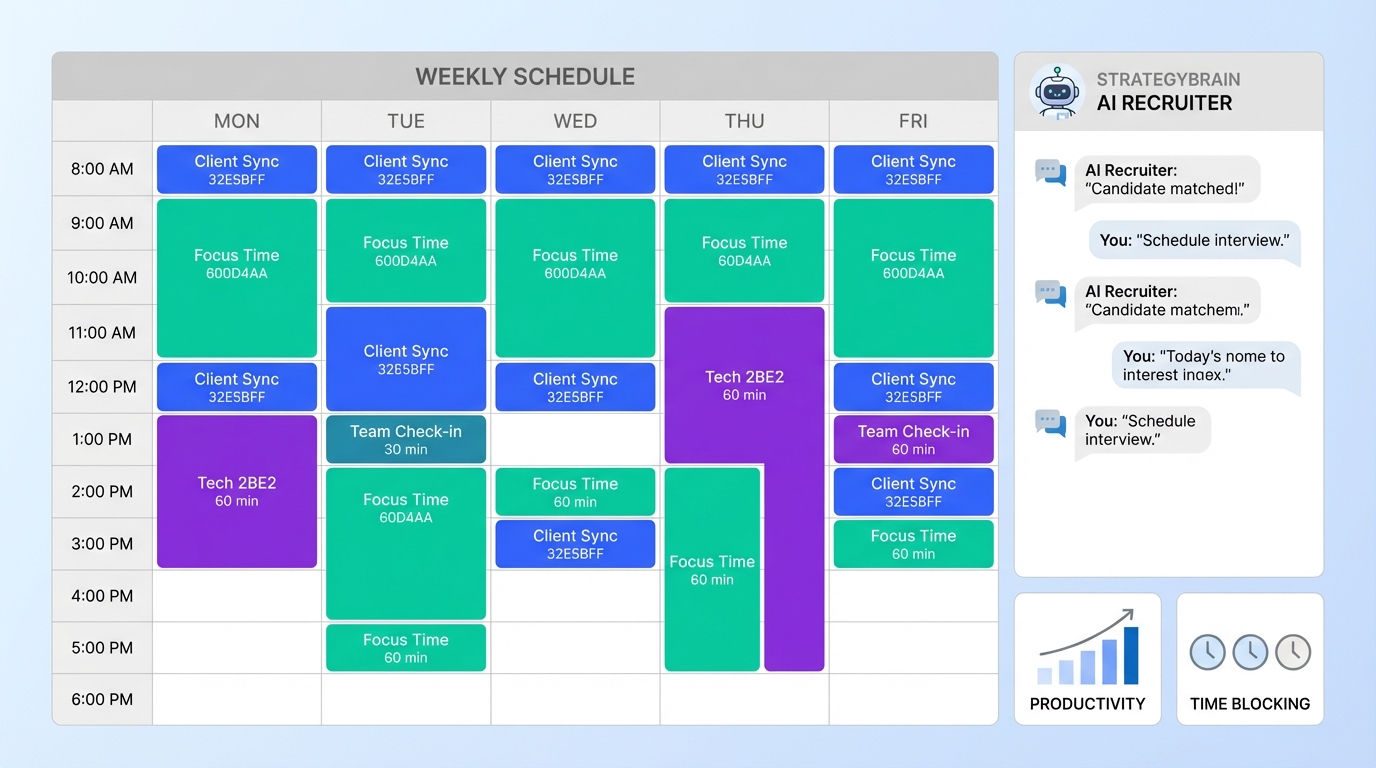
Recruitment online for recruiters works best when you replace constant multitasking with a simple operating plan: set monthly hiring goals, convert them into weekly and daily time blocks, and protect deep work time for sourcing and qualification. In our own recruiting operations, the biggest productivity drops happened when we tried to do everything at once: replying to LinkedIn messages, scanning resumes, updating ATS notes, and jumping into calls. The fix was not a new buzzword. It was a plan you can see, and a plan you actually follow. In this guide, I will show the same planning approach we use, plus where StrategyBrain AI Recruiter fits naturally by taking over repetitive LinkedIn outreach and follow up so recruiters can spend more time on interviews and closing.
Key Takeaways
- Plan first, then execute: monthly goals become weekly targets and daily time blocks you can defend.
- Time blocks beat multitasking: use 30 minute or 60 minute blocks for one task type at a time.
- Protect deep work: reserve your highest energy hours for sourcing, screening, and outreach strategy.
- Batch communication: check messages and email at scheduled times instead of continuously.
- Use automation where it is safe: StrategyBrain AI Recruiter can handle initial LinkedIn connect, intro, Q and A, and follow up while you review interested candidates.
- Scale without adding headcount: AI Recruiter supports managing more than 100 LinkedIn accounts for team based outreach.
- Stay compliant and secure: AI Recruiter states it does not use customer data to train AI models and uses encrypted, isolated storage per customer.
Why multitasking hurts online recruiting
Multitasking is often treated like a core competency in recruiting. Clients ask for it, hiring managers praise it, and recruiters sometimes wear it like a badge. But the practical downside shows up fast in online recruiting: you lose context, you miss details in candidate conversations, and your follow up becomes inconsistent.
Two widely cited business articles raised a concern that matters for recruiters: heavy multitaskers can perform worse at doing multiple things at once, and frequent device switching has been associated with differences in brain regions tied to cognitive and emotional control. Those points are not a reason to panic. They are a reason to stop designing your day around constant interruption.
For recruiters working on head hunters jobs or supporting recruiters who find work for recruiters, the risk is simple: short term speed can create long term quality problems. Candidate experience drops, response rates soften, and you spend more time repairing conversations than moving pipelines forward.
Method 1: Create a recruiting plan
The most reliable way we found to improve recruitment online for recruiters is to plan at three levels: monthly, weekly, and daily. The goal is not to create a perfect schedule. The goal is to reduce decision fatigue and protect the work that actually produces hires.
Steps
- Set monthly outcomes: define a precise hiring outcome, such as number of qualified shortlists delivered per role and number of interviews scheduled per week.
- Translate outcomes into weekly targets: decide how many new prospects you need to contact, how many follow ups you will send, and how many screens you will complete.
- Build a daily plan in time blocks: use 30 minute or 60 minute blocks with one purpose per block.
- Assign communication windows: schedule specific blocks for LinkedIn messages, email, and calls.
- Reserve deep work hours: choose your best time of day for sourcing, screening, and outreach strategy.
Recruiter time block template you can copy
- Deep work block: sourcing and shortlist building
- Outreach block: new connects and first messages
- Follow up block: second touches and scheduling
- Screen block: phone screens or video screens
- Admin block: ATS updates, notes, reporting
Where StrategyBrain AI Recruiter fits in this plan
If your outreach block is constantly leaking into the rest of your day, that is a sign to automate the repetitive parts. StrategyBrain AI Recruiter is designed to run the initial LinkedIn workflow: it can connect with candidates that match your criteria, introduce the opportunity, answer common questions about the role, company, and compensation, confirm interview interest, and collect resumes and contact details from interested candidates. That means your outreach block becomes oversight and decision making, not nonstop typing.
Method 2: Stick to the plan
Planning is the easy part. Execution is where most online recruiting workflows break. The issue is not motivation. The issue is that your tools are built to interrupt you.
Steps
- Keep the plan visible: put your daily blocks where you will see them all day.
- Silence your phone during deep work: if needed, keep it out of sight.
- Close email and chat apps: reopen them only during your communication windows.
- Block your calendar: protect your sourcing and screening hours so colleagues pick a different meeting time.
- Schedule micro breaks: reserve the last 5 minutes of each hour for a reset, then return to the next block.
- Plan tomorrow before you stop: spend the last 10 minutes of your day setting the next day blocks.
Limitations we ran into
- Hiring managers will still interrupt you: the plan needs a buffer block for urgent requests.
- Candidate messaging can spike: when response volume rises, you may need a second follow up window.
- Automation still needs supervision: AI Recruiter can run outreach and follow up, but recruiters must review resumes and make final qualification decisions.
Method 3: Handle unplanned interruptions
Recruiting is not a controlled lab. A candidate accepts another offer, a hiring manager changes requirements, or an interview needs to be moved immediately. The key is not to pretend interruptions will not happen. The key is to handle them with full attention, then return to the plan.
Steps
- Decide if it is truly urgent: if it can wait 60 minutes, put it into the next admin block.
- If it is urgent, do it completely: finish the task before you reopen other tabs.
- Reprioritize the remaining blocks: move one non critical block to tomorrow instead of compressing everything.
Practical example
If a candidate asks a compensation question mid day, you can either break your deep work block and lose momentum, or you can let StrategyBrain AI Recruiter respond in real time with the role details you provided. Then you review the conversation in your next communication window and decide whether to schedule a screen.
Method 4: Use StrategyBrain AI Recruiter for LinkedIn outreach
Online recruiting has a predictable set of repetitive actions: connect, introduce, answer common questions, follow up, and collect resumes. Those actions are important, but they are not where recruiter judgment creates the most value. StrategyBrain AI Recruiter is built to automate that initial layer on LinkedIn so you can focus on qualification and closing.
Steps
- Define your candidate search criteria: clarify titles, locations, seniority, and must have skills.
- Provide role context: include company details, compensation, and benefits so the AI can answer questions accurately.
- Let the AI run outreach and follow up: AI Recruiter connects, introduces the role, and keeps conversations moving 24 hours a day.
- Review interested candidates: when a candidate expresses interest, the AI collects resumes and contact details for your review.
- Complete final qualification: you decide fit by reviewing the resume and running screens.
Features that matter for recruiters
- 24/7 multilingual communication: the system can communicate in the candidate’s native language to reduce misunderstandings across time zones.
- Team scaling: supports managing more than 100 LinkedIn accounts to build an AI powered recruiting team.
- Data handling claims: states customer data is not used to train AI models and credentials are encrypted and isolated per user.
Scope boundaries
- Best for: high volume sourcing, consistent follow up, global outreach, and reducing manual LinkedIn messaging.
- Not ideal for: final fit decisions, deep technical assessment, and offer negotiation, which still require recruiter and hiring manager judgment.
Quick Comparison
| Method | Speed impact | Cost | Best for |
|---|---|---|---|
| Time block planning (30 or 60 minute blocks) | High | $0 | Any recruiter who needs a repeatable daily workflow |
| Batch communication windows | Medium | $0 | Reducing context switching in online recruiting |
| Calendar protection for deep work | Medium | $0 | Sourcing and screening quality improvements |
| StrategyBrain AI Recruiter for LinkedIn outreach and follow up | High | Varies by plan | Scaling outreach, multilingual messaging, and consistent follow up |
FAQ
What does recruitment online for recruiters mean in practice?
It means your sourcing, outreach, screening, and coordination happen primarily through digital channels such as LinkedIn, email, and online scheduling. The operational challenge is managing volume without losing focus, which is why time blocks and automation matter.
Is multitasking actually a useful recruiting skill?
It can help in short bursts, but heavy multitasking often reduces quality and consistency. A better approach is single tasking in time blocks, then switching intentionally at scheduled times.
How long should my time blocks be?
Use 30 minute or 60 minute blocks. Shorter blocks force focus, while 60 minute blocks work well for sourcing and screening when you need uninterrupted attention.
How do I stop checking LinkedIn messages all day?
Create two or three message windows on your calendar and close messaging tabs outside those windows. If you use StrategyBrain AI Recruiter, it can respond and follow up continuously, and you review outcomes during your scheduled windows.
Can StrategyBrain AI Recruiter qualify candidates for me?
It can identify willingness to communicate or interview and collect resumes and contact details from interested candidates. It does not determine final fit against job requirements, which you complete by reviewing the resume and screening.
How does AI Recruiter handle global candidates?
It provides 24/7 messaging and can communicate in any global language, using the candidate’s native language to reduce misunderstandings. This is especially useful when you recruit across time zones.
Is candidate data used to train AI models?
According to StrategyBrain AI Recruiter’s product information, customer provided data is not used to train AI models. It is used to personalize communication for the customer’s AI instance.
What is the simplest daily workflow for head hunters jobs?
Start with a deep work sourcing block, then an outreach block, then a follow up block, then screens, and finish with admin and planning tomorrow. This structure also works for recruiters who find work for recruiters because it keeps pipeline work predictable.
What should I do if my day gets derailed?
Handle the urgent interruption with full attention, then re prioritize the remaining blocks. Move one block to tomorrow instead of compressing everything into the last hour.
Conclusion
Recruitment online for recruiters is not won by doing more things at once. It is won by doing the right things in the right order, with fewer interruptions. Build a monthly to weekly to daily plan, run your day in 30 minute or 60 minute blocks, and batch communication so you control context switching.
Next step: copy the time block template from this article and schedule your deep work hours for the next 5 business days. If LinkedIn outreach and follow up are consuming your day, evaluate StrategyBrain AI Recruiter to automate the repetitive connect, intro, Q and A, and follow up workflow so you can spend more time on screening and closing.














