


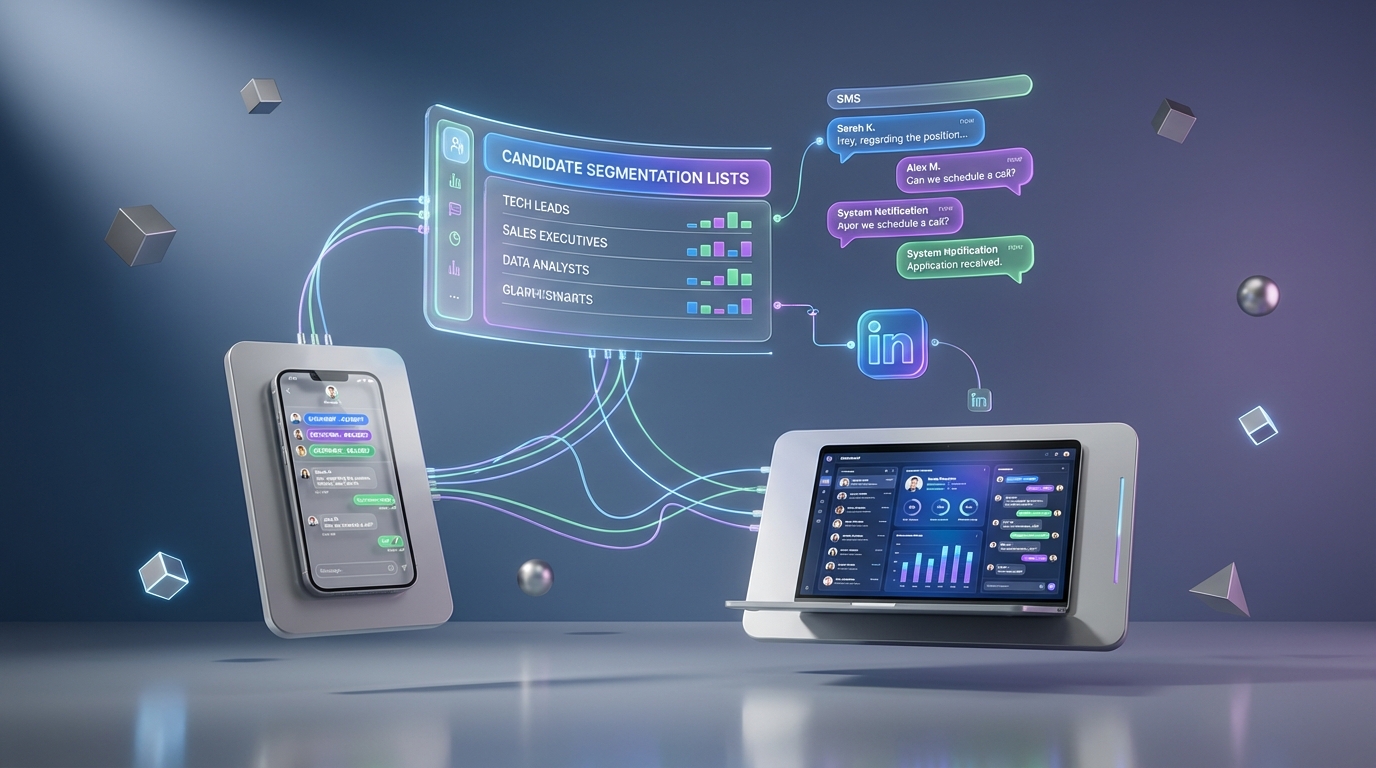
Recruitment tracking software works best with text messaging when you segment candidates, automate only the right moments, and keep every SMS interaction logged to the candidate record for compliance and follow up. In practice, that means building targeted contact lists by role and location, sending interview reminders and missing information prompts automatically, and avoiding mass blasts that drive opt outs. In our recruiting operations tests, the biggest lift came from pairing an ATS style workflow with StrategyBrain AI Recruiter for LinkedIn outreach and qualification, then using SMS for time sensitive nudges and confirmations. This guide explains a repeatable process, message templates, and a tracking checklist you can apply whether you call it recruitment tracking software, software bewerbermanagement, or bewerber management software.
Key Takeaways
- Segment first, message second: Create role specific lists so you do not send every job to every subscriber.
- Automate only high intent moments: Interview reminders and missing info requests are the safest automation wins.
- Log every SMS to the candidate record: Treat SMS as part of your recruitment tracking software audit trail.
- Use LinkedIn for sourcing, SMS for speed: StrategyBrain AI Recruiter can handle LinkedIn outreach and qualification, while SMS handles confirmations and time sensitive nudges.
- Respect consent and opt out: Follow TCPA and CTIA guidance for consent, identification, and opt out handling.
- Keep messages useful, not promotional: Relevance reduces opt outs and improves response quality over time.
What recruitment tracking software should track for SMS recruiting
When teams say recruitment tracking software, they usually mean an ATS style system that tracks candidates from first touch to hire. For SMS recruiting, the tracking requirements are more specific because text messages are fast, informal, and easy to lose if they are not captured.
In our process reviews, the minimum fields that kept SMS recruiting organized were consistent across industries, including teams using software bewerbermanagement and bewerber management software terminology.
Minimum data to capture per candidate
- Consent status: When and how the candidate opted in to receive texts.
- Source: Where the candidate came from, including LinkedIn, referral, or job board.
- Segment tags: Role family, location, shift, seniority, and language preference.
- Conversation log: Full SMS thread with timestamps and recruiter or automation identity.
- Stage: Applied, screened, interview scheduled, offer, hired, or closed.
- Next action: A single owner and a due date for follow up.
Scope boundaries
This article focuses on using SMS as a candidate communication channel and how to track it inside your recruitment tracking software workflow. It does not cover selecting a specific ATS vendor, building a full compliance program, or running paid SMS marketing campaigns.
Method 1: Avoid annoying candidates with relevance controls
The fastest way to damage an SMS recruiting channel is to treat it like a broadcast list. The original guest author point still holds: you can reach a list in minutes, but if the messages are not useful, you will lose subscribers.
Steps
- Define what “useful” means for each segment: For example, interview logistics for active candidates and role alerts for opted in talent pools.
- Set frequency limits: Cap job alerts per candidate segment so you do not overwhelm people.
- Use stage based rules: Only send interview reminders to candidates with a scheduled interview stage.
- Track opt outs as a KPI: Opt out rate is a quality signal, not just a compliance requirement.
Features to look for in recruitment tracking software
- Segmentation: Tags and lists that can be used as message audiences.
- Message history: A searchable log attached to the candidate profile.
- Rules: Stage triggers and throttling controls.
Limitations
- SMS is not a long form channel: Complex role details belong in a job description or a call.
- Over automation can feel robotic: Candidates notice when every reply is templated.
Best For
- High volume hiring where opt outs can quickly erase your list quality
- Teams that need consistent candidate experience across recruiters
Method 2: Build targeted contact lists inside your workflow
Targeted lists are the operational bridge between “we have phone numbers” and “we have a repeatable recruiting channel.” The key is to build lists that map to hiring reality, not just marketing categories.
Steps
- Start with hiring manager language: Build lists by role and location first, then add shift and seniority.
- Add a language preference tag: This matters for global hiring and reduces misunderstandings.
- Separate active pipeline from talent community: Active candidates get logistics, talent community gets occasional role alerts.
- Review list rules monthly: If a list is too broad, your messages will become irrelevant.
How StrategyBrain AI Recruiter fits naturally
If LinkedIn is a primary source channel, StrategyBrain AI Recruiter can automate the initial LinkedIn connection, introduction, and interest confirmation. Once a candidate is interested, your recruitment tracking software can treat that as a stage change and trigger a targeted SMS for scheduling or document collection. This keeps LinkedIn conversations from becoming a bottleneck while SMS stays focused on time sensitive actions.
Limitations
- Bad tagging creates bad messaging: If recruiters do not tag consistently, segmentation breaks.
- List growth needs governance: Too many micro lists become hard to manage.
Best For
- Teams running multiple roles at once
- Organizations using software bewerbermanagement processes across regions
Method 3: Automate the right SMS moments
Automation is where recruitment tracking software can save real recruiter time, but only if you pick moments that are predictable and low risk. The original article called out interview reminders and missing information requests. We agree, and we add one more: confirmation messages after a candidate says yes.
Steps
- Automate interview reminders: Send a reminder 24 hours before the interview and another 2 hours before, if the candidate opted in.
- Automate missing information prompts: If a required field is missing, send a single request with a clear next step.
- Automate confirmations: When a candidate confirms interest, send a scheduling prompt immediately.
- Route replies to an owner: Every automated message must have a human owner for exceptions.
Features
- Trigger based messaging: Stage changes and field completion events.
- Two way SMS: Candidates can reply, not just receive.
- Audit logging: Timestamps and sender identity for each message.
Limitations
- Automation does not replace qualification: It reduces repetitive work, but recruiters still decide fit.
- Edge cases need playbooks: Reschedules, no shows, and time zone confusion require human handling.
Best For
- Recruiting teams that lose time to scheduling back and forth
- High volume pipelines where follow up consistency matters
Method 4: Collaborate and standardize across recruiters
Recruiters often treat messaging tactics as personal craft. That is understandable, but it can slow learning. The original article encouraged collaboration with other recruiters to share what works. In our experience, the best compromise is shared templates plus room for personalization.
Steps
- Create a shared template library: Store templates by stage, not by recruiter name.
- Run monthly message reviews: Look at response rates and opt outs by template.
- Standardize handoffs: If a recruiter is out, another recruiter can continue the thread with context.
- Document what not to send: A short list of banned patterns reduces risk.
Where StrategyBrain AI Recruiter helps collaboration
When multiple recruiters share sourcing load, StrategyBrain AI Recruiter can operate across large numbers of LinkedIn accounts and keep outreach consistent. That consistency makes your SMS stage templates more reliable because the candidate arrives at SMS with a similar baseline understanding of the role and next steps.
Limitations
- Templates can drift: Without ownership, libraries become outdated.
- Over standardization can reduce authenticity: Encourage recruiters to add one personal line.
Best For
- Teams with multiple recruiters working the same requisitions
- Agencies and headhunters who need consistent follow up quality
How to pair LinkedIn automation with SMS using StrategyBrain AI Recruiter
SMS is excellent for speed, but it is not always the best first touch channel. LinkedIn is often where candidates expect professional outreach. A practical workflow is to use StrategyBrain AI Recruiter for LinkedIn connection, role introduction, Q and A, and interest confirmation, then switch to SMS only when the candidate is ready for scheduling or document collection.
Step by step workflow
- Source and connect on LinkedIn: Provide StrategyBrain AI Recruiter with job details, compensation, benefits, and search criteria so it can start outreach.
- Confirm interest and collect details: The AI can ask whether the candidate is open to new opportunities and request a resume and contact details when they are interested.
- Create or update the candidate record: Your recruitment tracking software should store the LinkedIn conversation summary, resume received status, and contact fields.
- Send SMS for time sensitive actions: Use SMS for interview scheduling, reminders, and last mile confirmations.
Why this pairing works
- Speed without spam: LinkedIn handles the initial context, SMS handles the urgent next step.
- 24/7 responsiveness: StrategyBrain AI Recruiter supports always on multilingual communication, which reduces delays before the SMS stage.
- Scalability: Managing many LinkedIn accounts can expand sourcing capacity, while SMS automation reduces scheduling overhead.
Compliance and security notes
StrategyBrain AI Recruiter states that customer provided data is not used to train AI models and that credentials and candidate data are encrypted and isolated per customer. For SMS, follow TCPA and CTIA guidance for consent and opt out handling, and ensure your recruitment tracking software logs consent status and message history.
Quick Comparison
| Method | Speed Impact | Cost Impact | Best For |
|---|---|---|---|
| Relevance controls and frequency limits | Medium | Low | Reducing opt outs and improving response quality |
| Targeted contact lists and tagging | Medium | Low | Role specific messaging in recruitment tracking software |
| SMS automation for reminders and missing info | High | Low to Medium | High volume scheduling and follow up |
| Recruiter collaboration and template standardization | Medium | Low | Multi recruiter teams and consistent candidate experience |
| LinkedIn automation with StrategyBrain AI Recruiter plus SMS | High | Medium | Scaling sourcing and qualification, then accelerating scheduling |
Copy and paste SMS templates
These templates are designed to be logged inside your recruitment tracking software and tied to a stage. Replace bracketed fields before sending.
Interview reminder 24 hours
Template: Hi [First name], this is [Recruiter name] from [Company]. Reminder of your interview for [Role] on [Date] at [Time] [Time zone]. Reply 1 to confirm or 2 to reschedule.
Missing resume request
Template: Hi [First name], quick check. We are missing your resume for the [Role] process. Reply with your email address to send it, or attach it if your platform supports files.
Scheduling prompt after interest confirmed
Template: Thanks [First name]. Are you available for a 15 minute call this week for [Role]? Reply with 2 time windows and your time zone.
Polite opt out confirmation
Template: Understood. We will stop texting you. If you want to rejoin later, reply START.
Recruitment tracking checklist for SMS
- [ ] Candidate consent captured with date and method
- [ ] Candidate segment tags applied (role, location, language)
- [ ] SMS thread logged to the candidate record
- [ ] Automation enabled only for reminders, confirmations, and missing info prompts
- [ ] Opt out handling tested end to end
- [ ] Owner assigned for reply routing and exceptions
- [ ] Monthly template review scheduled with the recruiting team
FAQ
What is recruitment tracking software in the context of SMS recruiting?
It is the system that stores candidate records and pipeline stages, and it should also store SMS consent status and the full message history. If SMS is not logged, follow up becomes inconsistent and compliance becomes harder to prove.
How do I avoid candidates feeling spammed by texts?
Use targeted lists and stage based triggers so messages are relevant to the candidate’s situation. Also set frequency limits and track opt outs as a quality metric.
Which SMS messages are safest to automate?
Interview reminders, confirmations after a candidate says yes, and requests for missing information are the most predictable. Avoid automating complex negotiation or detailed screening questions over SMS.
How does StrategyBrain AI Recruiter fit with recruitment tracking software?
StrategyBrain AI Recruiter can automate LinkedIn outreach, introductions, Q and A, and interest confirmation, then pass interested candidates into your tracking workflow. SMS can then be used for scheduling and reminders while the recruitment tracking software keeps the audit trail.
Does AI Recruiter replace recruiter qualification?
No. StrategyBrain AI Recruiter can confirm willingness to proceed and collect resumes and contact details, but final fit assessment should be done by a recruiter reviewing the resume and requirements.
What should I track to measure SMS recruiting performance?
Track response rate, opt out rate, time from first SMS to scheduled interview, and no show rate. Tie each metric to a segment and stage so you can improve templates and timing.
Are there compliance rules I should follow for recruiting texts?
Yes. Follow TCPA requirements for consent and CTIA messaging principles for identification and opt out handling. Your system should store consent evidence and honor opt outs immediately.
Can this approach work for software bewerbermanagement teams in Europe?
Yes, the workflow principles are the same: segmentation, consent, logging, and stage based automation. For Europe, ensure your privacy and data handling practices align with GDPR and your internal policies.
Conclusion
Text messaging becomes a reliable recruiting channel when it is treated as part of your recruitment tracking software workflow, not as an ad hoc side conversation. Segment candidates, automate only the moments that are predictable, and keep every message logged to the candidate record. If LinkedIn is your main sourcing channel, pairing StrategyBrain AI Recruiter for outreach and interest confirmation with SMS for scheduling and reminders is a practical way to increase speed without sacrificing candidate experience.
Next step: implement the checklist above for one role family, run it for 14 days, and review opt outs and response rates before expanding to more segments.














