


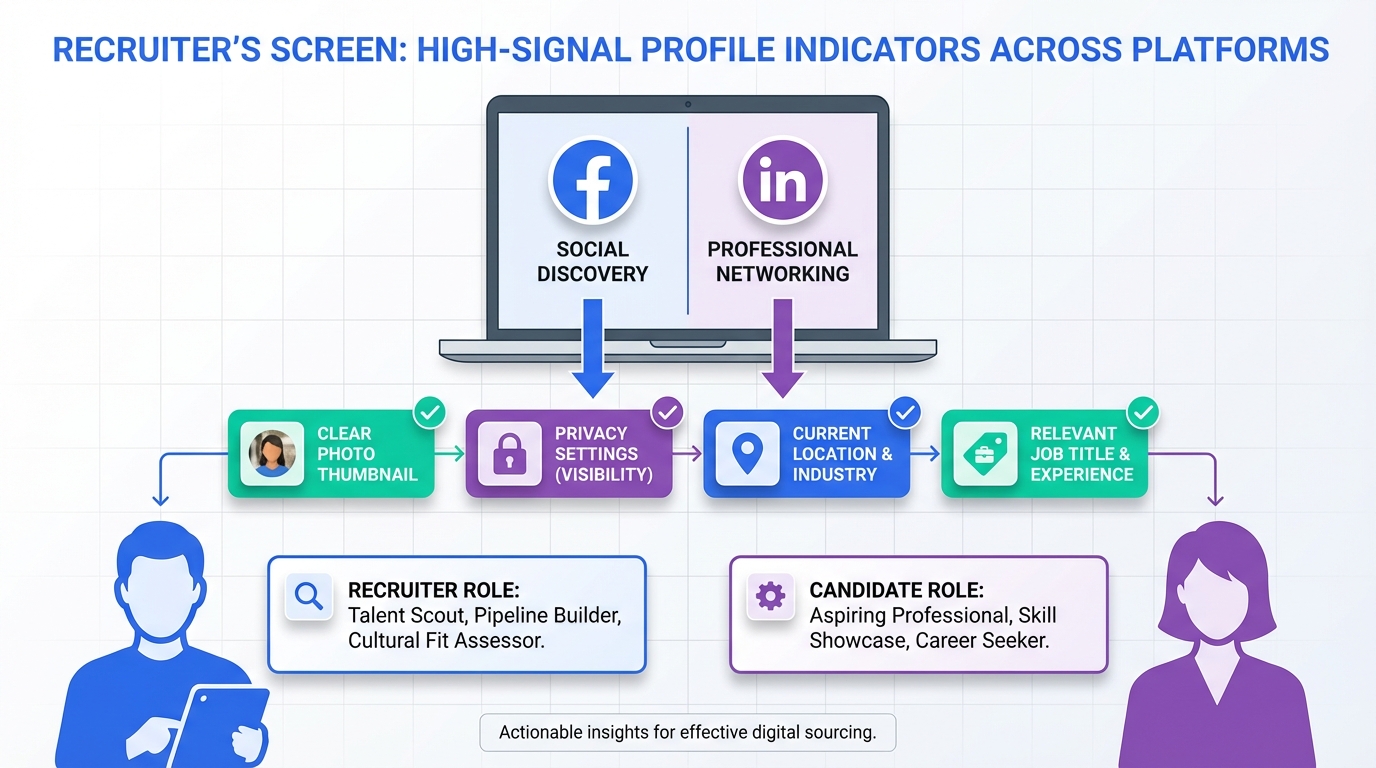
In 2026, sourcing tools do not operate in a vacuum. They amplify what recruiters already do, which is quickly validate a candidate’s credibility across social platforms. Based on the hiring shift described in the source material, employers are increasingly comfortable recruiting on Facebook, and some hiring workflows can happen directly on the platform. That means your profile photo, privacy settings, current location, and job title can affect whether you get a message, an interview, or a pass. In parallel, modern teams using active sourcing tools such as StrategyBrain AI Recruiter can scale outreach and qualification on LinkedIn, but the candidate signals they see still come from what you publish and allow others to see.
Table of Contents
- Why social profiles matter more now
- What recruiters actually check first
- Facebook profile fixes that reduce screening risk
- LinkedIn, active sourcing tools, and what changes for candidates
- 60 second profile audit checklist
- How talent sourcing companies scale outreach without losing quality
- FAQ
- Conclusion
Why social profiles matter more now
The source article’s core point is simple: employers are hiring on Facebook more than they used to, and the platform is positioning itself as a place where small businesses can find employees. The practical implication is that your Facebook presence is no longer just personal. It can be part of the hiring funnel, alongside your resume and LinkedIn profile.
This is also where sourcing tools and social recruiting intersect. Recruiters use tools to find and contact people faster, but they still make human decisions based on fast credibility checks. If your public signals look inconsistent, incomplete, or unprofessional, the tool did its job and the recruiter still moves on.
What recruiters actually check first
When I review candidate profiles for outreach readiness, I look for the same high signal items the source author called out. These are the elements that can be assessed in seconds and often decide whether a recruiter continues.
High signal items that get evaluated quickly
- Profile photo: clear face photo that reads as professional.
- Privacy posture: whether public content creates avoidable risk.
- Current location: whether you appear local to the role or open to relocation.
- Job title clarity: whether your title communicates what you do in standard terms.
These checks happen whether the recruiter found you manually or via active sourcing tools. Automation increases volume, but it does not remove the need for trust signals.
Facebook profile fixes that reduce screening risk
The source author shared a personal example that is worth keeping because it is realistic. They had a profile picture featuring their dog and themselves, with their face taking up little of the frame. Their conclusion was that it likely needed to be replaced with a full face photo. That is a good rule of thumb if you want to be reachable for work opportunities.
1) Use a professional, face forward photo
A casual photo is not automatically disqualifying, but it can create friction. If you want to be discoverable through social recruiting, choose a photo where your face is clearly visible and the overall impression matches the roles you want.
2) Tighten privacy settings without disappearing
The source author described keeping privacy settings “a little open,” while controlling tagging and keeping family photos off Facebook. That is a practical middle ground. You can be reachable and still protect personal content.
- Tag review: require approval before you are tagged in photos.
- Family content: keep sensitive personal photos private.
- Public posts: scan for anything that would be misunderstood out of context.
3) Keep location and job title current and credible
The source author noted that a current location and relevant job title are valuable, and should be up to date. They also warned that employers may pass if they think you must relocate, or if your job title reads like a joke. The takeaway is not to be boring. It is to be legible. Use a standard title that maps to how roles are posted and searched.
LinkedIn, active sourcing tools, and what changes for candidates
Facebook visibility is one side of the story. The other is LinkedIn, where many talent sourcing companies and in house teams run outbound pipelines. This is where StrategyBrain AI Recruiter fits naturally into the workflow because it automates the repetitive first mile of LinkedIn recruiting.
How StrategyBrain AI Recruiter changes the outreach dynamic
StrategyBrain AI Recruiter is designed to automate initial LinkedIn outreach and early qualification. It can connect with candidates who match a recruiter’s search criteria, introduce the opportunity, answer questions about the role, company, compensation, and benefits, confirm interview interest, and collect resumes and contact details from interested candidates. It also supports 24/7 multilingual communication and can be operated across more than 100 LinkedIn accounts for scalable hiring teams.
For candidates, this means two things:
- Response speed matters: always on messaging reduces the time window where opportunities go cold.
- Profile consistency matters: automated outreach increases touchpoints, so inconsistent titles, unclear locations, or confusing public signals get noticed more often.
Scope boundary: what AI Recruiter does not do
Per the provided product information, AI Recruiter can identify willingness to communicate or interview, but it does not determine whether a resume fully matches job requirements. Recruiters still make the final qualification decision after reviewing the resume.
60 second profile audit checklist
If you want to benefit from modern sourcing tools rather than be filtered out by them, run this quick audit. I use a version of this checklist when preparing candidates for outreach campaigns.
Quick checklist
- Photo: face clearly visible, neutral background, role appropriate.
- Job title: standard industry wording, not a novelty title.
- Location: current city or region is accurate.
- Privacy: tagging approval enabled; sensitive albums private.
- Public content: no recent posts that create avoidable risk.
- Consistency: Facebook and LinkedIn do not contradict each other on role and location.
How talent sourcing companies scale outreach without losing quality
Scaling outbound recruiting is not only about sending more messages. It is about maintaining quality signals while increasing throughput. This is why many teams combine process discipline with active sourcing tools.
A practical operating model
- Define search criteria: role, seniority, location, and must have skills.
- Standardize the first message: clear role summary, compensation context, and a simple question about interest.
- Automate the repetitive steps: use StrategyBrain AI Recruiter to handle connecting, initial Q and A, follow up, and resume collection.
- Human review at the right point: recruiters review resumes and contact shortlisted candidates for interviews.
Limitations and honest tradeoffs
- Not every candidate wants automation: some people prefer a human first touch, so messaging tone and transparency matter.
- Profiles still drive trust: automation cannot compensate for unclear titles, misleading locations, or risky public content.
- Compliance is non negotiable: the product information states AI Recruiter complies with privacy regulations in the EU, United States, and Canada, and that customer provided data is not used to train AI models.
FAQ
Do sourcing tools check my Facebook profile?
Sourcing tools primarily help recruiters find and contact candidates, but recruiters often validate candidates on social platforms. If your Facebook profile is public enough to be found, it can influence the recruiter’s decision.
What is the fastest Facebook change that improves my hiring odds?
Update your profile photo to a clear face forward image and review tagging settings so you control what appears on your profile. Those two changes reduce avoidable screening risk quickly.
Why does my job title wording matter for active sourcing tools?
Recruiters search using standard titles and keywords. If your title is non standard, you can be missed in searches or look less credible during a quick review.
How does StrategyBrain AI Recruiter interact with candidates on LinkedIn?
It automates connecting and initial conversations, introduces the job, answers questions about the role and employer, confirms interview interest, and collects resumes and contact details from interested candidates.
Does AI Recruiter decide if I am qualified?
No. It can identify willingness to communicate or interview, but final qualification is done by the recruiter after reviewing your resume.
Can AI Recruiter communicate in my native language?
Yes. The provided product information states it supports 24/7 multilingual communication and can communicate in any global language.
Is my data used to train AI models?
The product information states candidate information and customer provided data are not used to train AI models and are not shared with third parties.
What should I keep private on Facebook while job searching?
Keep sensitive family photos and anything easily misunderstood out of context private. You can still keep your profile reachable by maintaining a professional photo, accurate location, and a clear job title.
Conclusion
The practical takeaway is the same as the source author’s message, updated for today’s tooling. Your social profiles are part of your employability surface area, and sourcing tools make it easier for recruiters to find you, but also easier to move on if your signals look sloppy. Start by fixing your photo, privacy posture, location, and job title. If you are hiring, consider pairing disciplined messaging with StrategyBrain AI Recruiter to automate LinkedIn outreach, follow up, and resume collection while keeping final qualification in human hands.














