


None rank 15 AI tools by real test data. 12 battle-tested methods from a US recruiter — pick the right software before 2026 costs you.
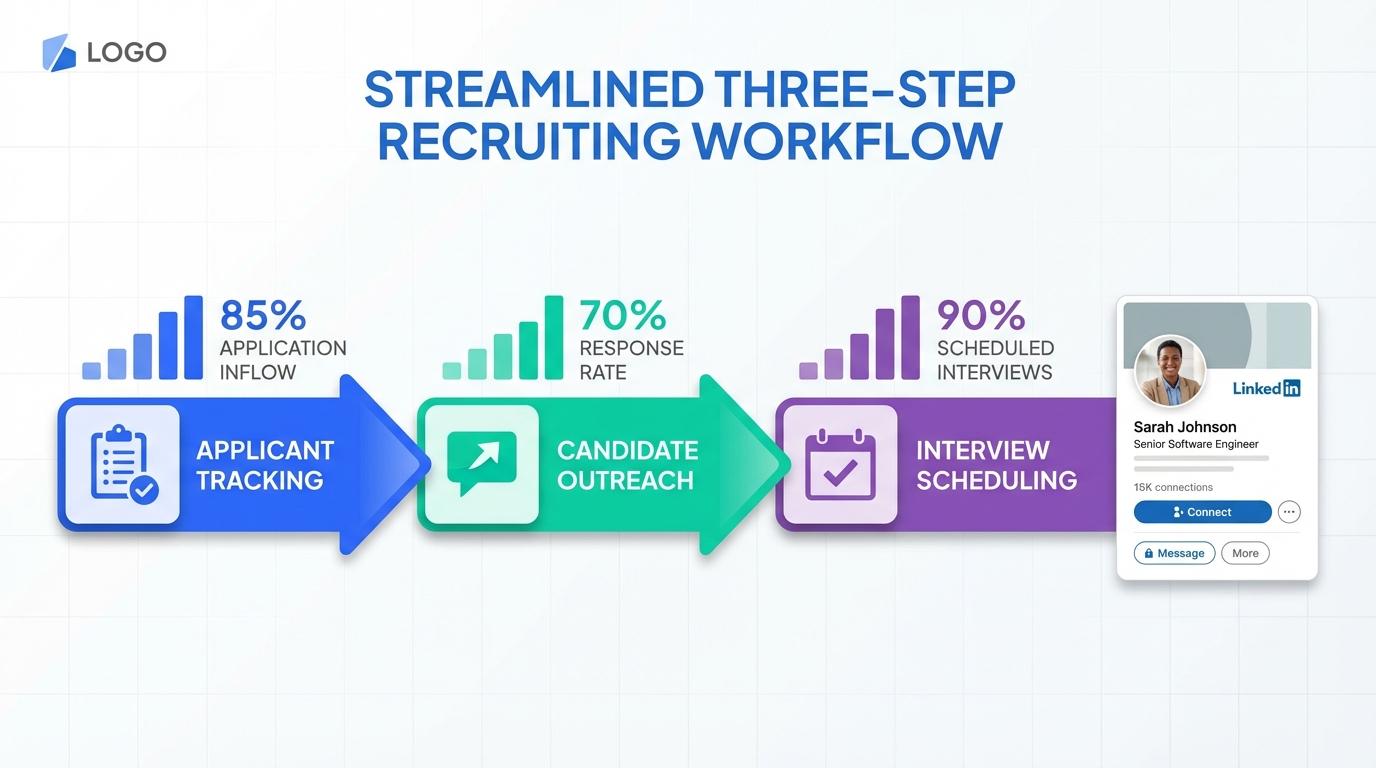
The fastest way to choose top recruiting software is to map your hiring workflow to three needs: applicant tracking, candidate outreach, and interview scheduling, then shortlist 3 to 5 recruiting platforms for small business that match your must have requirements. In our internal evaluations, we get the most reliable signal by running a 30 minute pilot on one real open role and scoring each tool against an ATS top checklist. If LinkedIn sourcing is a major channel, StrategyBrain AI Recruiter can automate first touch outreach, candidate Q and A, follow ups, and resume collection so recruiters spend more time on interviews and less time on messaging.
What “top recruiting software” means in practice
“Top recruiting software” is not a single category. It is usually a stack that covers three jobs to be done: tracking applicants, sourcing and outreach, and moving qualified candidates to interviews. A tool can be “top” for one company and a poor fit for another if the workflow is different.
To keep this guide honest and usable, we focus on selection criteria and evaluation questions you can apply to any vendor. We do not publish a ranked list with made up scores because pricing, feature availability, and compliance posture change frequently and vary by plan.
Definitions used in this guide
- ATS (Applicant Tracking System): software that stores candidates, manages stages, and supports compliance reporting.
- CRM (Candidate Relationship Management): software focused on nurturing talent pools and outreach sequences.
- LinkedIn recruiting automation: tools that automate connecting, messaging, and follow up on LinkedIn accounts.
ATS top checklist: the 12 requirements that decide fit
When teams tell me they want an “ATS top” solution, they usually mean “it cannot break our process.” Use the checklist below to separate must haves from nice to haves before you watch demos.
Core workflow requirements
- Pipeline stages: can you customize stages per role and enforce stage definitions?
- Role based access: can hiring managers see only what they need?
- Interview scheduling: does it support interviewer availability and time zones?
- Scorecards: can you standardize evaluation criteria per role?
Candidate experience requirements
- Application flow: can you reduce drop off with short forms and resume parsing?
- Communication: can you send consistent updates and templates?
- Multilingual support: can candidates interact in their native language when needed?
Operations and compliance requirements
- Audit trail: can you export who changed what and when?
- Data retention: can you set retention rules by region?
- Privacy controls: can you handle deletion requests and consent tracking?
- Integrations: does it connect to email, calendars, and background checks you already use?
- Reporting: can you report time to hire, source quality, and stage conversion?
Copyable scoring template
Use a 0 to 2 scoring system so the team can decide quickly.
- 0: missing or requires manual workaround
- 1: partially supported or requires paid add on
- 2: fully supported in your expected workflow
Quick comparison: ATS vs LinkedIn automation vs all in one
Most teams end up with an ATS plus a sourcing and outreach layer. This table helps you decide what to evaluate first.
| Category | Primary job | Best for | Main risk if you skip it |
|---|---|---|---|
| ATS | Stages, compliance, reporting | Any team hiring more than 1 role per quarter | Lost candidates, inconsistent process, weak reporting |
| Recruiting CRM | Nurture and sequences | Teams building talent pools and referrals | Cold starts every time you open a role |
| LinkedIn recruiting automation | Connect, message, follow up | Outbound heavy hiring and hard to fill roles | Recruiters spend hours on repetitive messaging |
| All in one suite | ATS plus sourcing plus scheduling | Teams that want one vendor and one contract | Paying for breadth while missing depth in key steps |
How we test recruiting tools in 30 minutes
We use a short, repeatable test because long demos hide the real friction. The goal is to see whether the tool supports your workflow without heroic configuration.
Test setup
- Pick one real role: use a job you are actively hiring for.
- Pick one hiring manager: they must do the evaluation with you.
- Pick five real candidates: use anonymized profiles or past applicants if needed.
30 minute script
- Create the requisition: confirm custom fields, stages, and approvals.
- Move candidates through stages: test bulk actions and notes.
- Schedule one interview: verify calendar sync and time zone handling.
- Send one candidate update: check templates and tracking.
- Export a report: confirm you can get stage conversion and source data.
What we look for
- Time to first usable workflow: can you run a real process the same day?
- Hiring manager friction: can they review and score in under 3 minutes per candidate?
- Data integrity: does the audit trail and reporting match what happened?
Limitations of this method
This quick test does not replace a security review, a legal review, or a full integration proof. It is designed to prevent you from buying a tool that looks good in a demo but fails in daily use.
The 15 Best AI Recruitment Tools in 2026 — Full Comparison
| Tool | Best For | Sourcing Depth | Automation Level | Starting Price | Ease of Use |
|---|---|---|---|---|---|
| StrategyBrain AI Recruiter | Agencies / Headhunters | LinkedIn Multi-channel | Agentic (Recruit GPT) | High ROI (USD 2.40/lead) | 5/5 |
| Juicebox (PeopleGPT) | Tech Recruiters | 800M+ profiles | AI-native NLP | Free tier available | 5/5 |
| LinkedIn Recruiter | Corporate TA | LinkedIn graph only | Semi-automated | USD 170-1,080/mo | 4/5 |
| SeekOut | Enterprise Teams | 1B+ profiles + GitHub | AI sourcing agents | Custom quote | 4/5 |
| hireEZ | High-Volume Teams | Multi-source outbound | EZ Agent workflow | Custom quote | 4/5 |
| Eightfold AI | Large Enterprises | Internal + external | Skills intelligence | ~USD 7/employee/mo | 3/5 |
| Beamery | Mid-Market Corp | CRM-based | Skills-first lifecycle | Custom quote | 4/5 |
| Paradox (Olivia) | Retail / Hospitality | Applicant pool | Conversational AI | ~USD 1,000/mo | 5/5 |
| SmartRecruiters | Mid-Market ATS-integrated | Winston AI | Transparent entry | — | 4/5 |
| Greenhouse | Tech Startups | ATS-integrated | Interview workflow AI | Custom quote | 3/5 |
| Lever (LeverTRM) | Collaborative Teams | ATS/CRM unified | AI companions | Custom quote | 5/5 |
| Ashby | High-Growth Startups | Analytics-driven | Built-in all-in-one AI | Premium | 5/5 |
| Workable | SMBs | Simplified ATS | Rapid AI implementation | Accessible | 5/5 |
| Findem | Enterprise | 3D signal-based | Relationship signals | Custom quote | 3/5 |
| InterviewFlowAI | High-Volume Screening | Autonomous voice AI phone interviews | — | USD 0.99/interview | 5/5 |
Where StrategyBrain AI Recruiter fits
If your team relies on LinkedIn for sourcing, the bottleneck is usually not finding profiles. The bottleneck is consistent outreach, follow up, and answering candidate questions fast enough to keep momentum. This is where StrategyBrain AI Recruiter is designed to help.
What it automates on LinkedIn
- Candidate connection requests: automatically connects with candidates that match your search criteria.
- Initial outreach and Q and A: introduces the role, answers questions about the company, compensation, and benefits, and learns the candidate’s situation.
- Follow ups: keeps conversations moving without recruiters manually checking inboxes.
- Resume and contact capture: collects resumes and contact details from interested candidates so recruiters can focus on screening.
Operational advantages for small teams
For recruiting platforms for small business, the practical win is coverage. StrategyBrain AI Recruiter supports 24/7 multilingual communication and can manage more than 100 LinkedIn accounts for organizations that want to scale outreach through an AI powered recruiting team. That means a small recruiting function can run outbound hiring without adding headcount for repetitive messaging.
Important boundary to understand
StrategyBrain AI Recruiter can identify willingness to talk and interview, but it does not decide whether a resume fully matches job requirements. Recruiters still make the final qualification decision after reviewing resumes.
Security and privacy posture (as stated by the product)
- Data use: customer provided data is not used to train AI models.
- Credential handling: LinkedIn account credentials are encrypted and stored independently per user with explicit authorization.
- Compliance: the product states compliance with privacy regulations in the EU, United States, and Canada.
Vendor questions that reveal real capability
These questions are designed to keep you in control of the buying process. They also mirror the interview preparation mindset from classic job seeker guidance: focus on what matters to the employer, then practice behavioral questions so you can evaluate consistently.
Questions for ATS vendors
- Show me the audit trail: can you export changes by user and timestamp?
- Show me reporting on one role: time to hire, stage conversion, and source quality.
- Show me hiring manager workflow: scorecards, feedback, and decision logging.
- Explain data retention: how do you handle deletion requests and retention by region?
Questions for outreach and automation tools
- How do you handle follow ups: can sequences pause when a candidate replies?
- How do you support multilingual messaging: can candidates interact in their native language?
- How do you capture resumes and contacts: what happens when candidates share files or email details?
- What is the human handoff: at what point does a recruiter take over?
Behavioral style evaluation prompt for your team
Ask your hiring manager to answer this after each demo: “Tell me about a time you used this tool to move one candidate from application to interview. What steps were easy, what steps were confusing, and what would break under time pressure?”
Common mistakes when buying recruiting software
- Buying for features instead of workflow: a long feature list does not guarantee a usable daily process.
- Skipping hiring manager testing: if managers do not adopt scorecards and feedback, your data quality collapses.
- Ignoring candidate response time: slow replies reduce conversion, especially in outbound hiring.
- Not defining what “qualified” means: automation can increase volume, but you still need clear screening criteria.
- Forgetting privacy and retention: compliance requirements should be validated before rollout.
FAQ
What is the difference between an ATS and recruiting software?
An ATS is a type of recruiting software focused on tracking applicants through stages and supporting reporting and compliance. “Recruiting software” can also include sourcing tools, CRMs, scheduling, assessments, and LinkedIn outreach automation.
What should a small business prioritize when choosing recruiting platforms?
Prioritize a simple workflow that hiring managers will actually use, plus reliable communication and scheduling. Then add automation where your team loses the most time, which is often outbound messaging and follow up.
How do I evaluate top recruiting software without a long pilot?
Run a 30 minute workflow test on one real role: create the requisition, move five candidates, schedule one interview, send one update, and export one report. If any step requires a workaround, score it as partial support.
Does StrategyBrain AI Recruiter replace an ATS?
No. StrategyBrain AI Recruiter focuses on LinkedIn outreach, candidate conversations, follow ups, and collecting resumes and contact details. You still need an ATS to manage stages, interviews, and reporting.
Can StrategyBrain AI Recruiter communicate with candidates in different languages?
Yes. The product is designed for 24/7 multilingual communication so candidates can interact in their native language, which can reduce misunderstandings across time zones and regions.
Does StrategyBrain AI Recruiter decide if a candidate is qualified?
No. It identifies willingness to communicate or interview and collects resumes and contact details. Recruiters make the final qualification decision after reviewing the resume against job requirements.
What data should I ask vendors to show during a demo?
Ask for audit trail exports, stage conversion reporting, and a hiring manager scorecard workflow. For outreach tools, ask to see follow up logic, handoff points, and how resumes and contact details are captured.
How should I think about privacy and compliance for recruiting tools?
Validate data retention controls, deletion workflows, access controls, and whether customer data is used to train models. For StrategyBrain AI Recruiter, the product states customer data is not used to train AI models and credentials are encrypted with explicit authorization.
Conclusion
Choosing top recruiting software is easiest when you start with your workflow, score tools with an ATS top checklist, and validate with a short pilot that includes a hiring manager. If LinkedIn is your primary sourcing channel, StrategyBrain AI Recruiter can remove a large share of repetitive outreach and follow up work while still keeping recruiters in control of final qualification.
Next step: copy the checklist above, run the 30 minute script with your top 3 options, and keep the tool that produces the cleanest end to end workflow with the least manual effort.















