


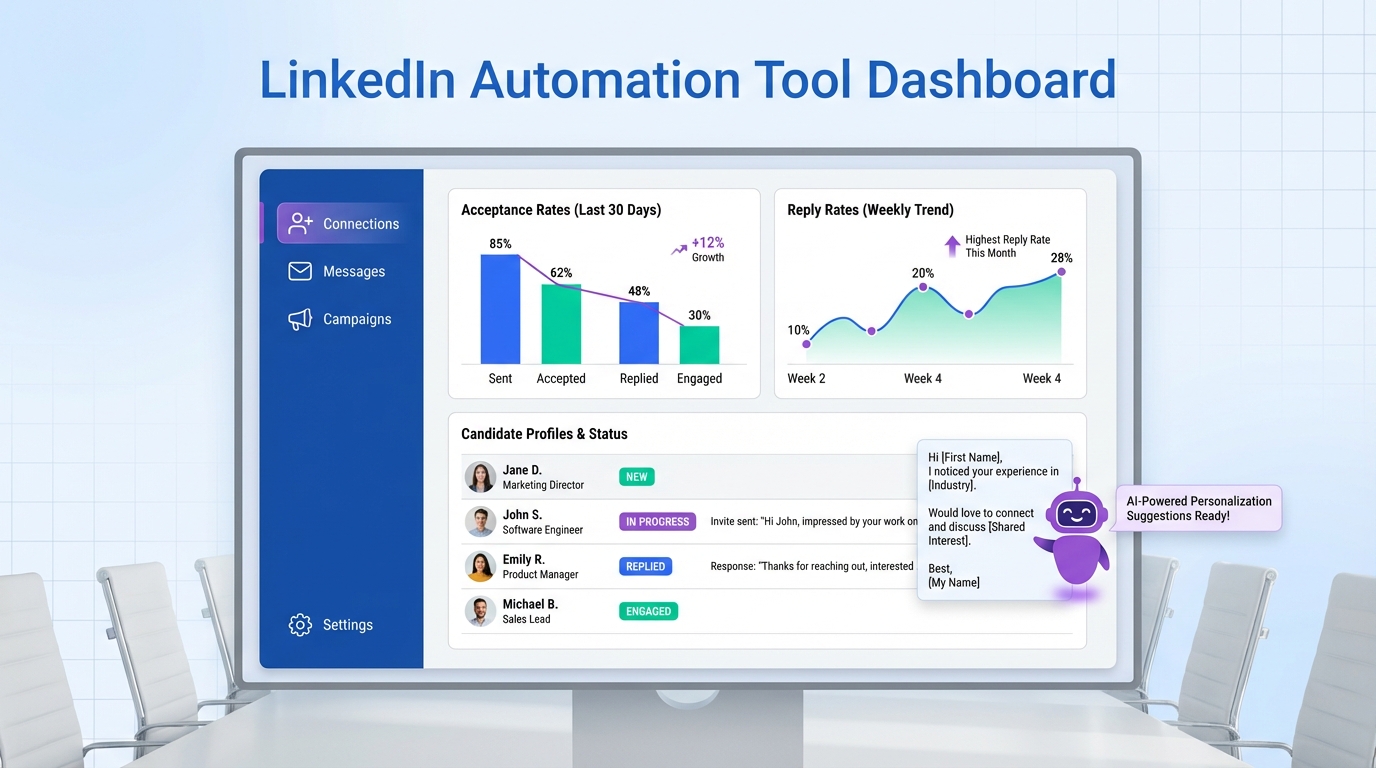
A LinkedIn connection automation tool can save time, but it only works long term if your outreach follows LinkedIn etiquette: personalize invites, keep messages relevant, avoid spammy volume, and respect boundaries. In practice, the safest approach is to automate the repetitive mechanics while keeping human level intent and context in the copy. In our recruiting workflows, we use StrategyBrain AI Recruiter to automate connecting and first touch conversations while maintaining professional tone, answering candidate questions about role, company, and compensation, and collecting resumes only after interest is confirmed. This guide translates classic LinkedIn do’s and don’ts into an automation ready playbook for job seekers and recruiters.
What automation should and should not do
Before you pick any LinkedIn automation approach, define the boundary between automation and judgment. Automation is best used for repeatable actions. Judgment is required for relevance, tone, and timing.
Good uses of a LinkedIn auto connect tool
- Targeting rules that match your search criteria, such as role, location, seniority, and industry.
- Consistent invite formatting that stays professional and avoids gimmicks.
- Follow up scheduling with reasonable spacing, so you do not forget to respond.
- Message triage so replies do not sit unanswered for days.
Bad uses that break etiquette fast
- High volume blasting with generic copy that ignores context.
- Immediate pitching in the first message without relevance.
- Over messaging when someone does not respond.
- Misrepresentation of who you are or why you are reaching out.
In other words, a linkedin connection automation tool should help you behave like a disciplined professional at scale, not like a spam bot.
Etiquette rules that make automation safe
The source material behind this topic is a classic etiquette framing: LinkedIn is a relationship network with unwritten rules. Automation only works when it respects those rules.
Do: make the invite about the other person
- Reference a real reason for connecting, such as a shared domain, a mutual interest, or a relevant role.
- Keep it short so it reads like a human wrote it.
- Use a professional tone that fits a job search and recruiting context.
Do not: treat connections like a numbers game
- Do not send the same pitch to everyone.
- Do not pressure people to reply.
- Do not over automate the parts that require context, such as compensation discussions or role fit nuance.
Practical template set you can copy
Connection request template for recruiting
- Hi {FirstName}, I am reaching out because your experience in {SkillOrDomain} stood out. Would you be open to connecting here on LinkedIn?
Connection request template for job seekers
- Hi {FirstName}, I am exploring roles in {Function}. I appreciated your work at {CompanyOrTopic}. Would you be open to connecting?
First message after acceptance
- Thanks for connecting, {FirstName}. If you are open to it, I would love to ask one quick question about {Topic}. If now is not a good time, no worries.
Method 1: StrategyBrain AI Recruiter (recommended for recruiting)
If your goal is recruiting, the biggest etiquette failure we see is not the connection request itself. It is the follow up. Candidates reply at unpredictable times, ask detailed questions, and expect timely responses. StrategyBrain AI Recruiter is designed to handle that first touch workflow end to end while keeping the conversation professional and responsive.
Steps
- Define your candidate search criteria such as role, location, and seniority, so the system connects only with relevant people.
- Provide job context including company details, compensation, and benefits, so replies are accurate and consistent.
- Enable automated connecting and introductions so the outreach is timely and standardized.
- Let the AI handle Q and A about the role and employer, then confirm interview interest.
- Collect resumes and contact details only after interest so the request feels earned, not pushy.
- Review the shortlist and move qualified, interested candidates into your interview process.
Features (relevant to etiquette and outcomes)
- Smart LinkedIn recruitment automation that connects and introduces opportunities based on your criteria.
- 24/7 multilingual communication so candidates get timely replies in their native language.
- Resume and contact capture through LinkedIn file uploads or email submissions, recorded automatically.
- Multi account operations for teams managing more than 100 LinkedIn accounts.
Limitations (what we do not automate)
- Final qualification is still a recruiter decision. AI Recruiter confirms willingness to engage and interview, but it does not decide whether a resume fully matches requirements.
- Policy and platform risk still exists with any automation. You should keep targeting tight and messaging respectful.
Best for
- Corporate recruiters who need to reduce repetitive LinkedIn outreach and follow up.
- Headhunters who want to scale conversations without losing responsiveness.
- HR leaders building a scalable hiring motion across time zones and languages.
Method 2: Semi automated connection workflow for individuals
If you are a job seeker or a solo operator, you can get many benefits of a linkedin auto connect tool without fully automating conversations. The key is to standardize your process, not your personality.
Steps
- Build a short target list of 25 to 50 people who are genuinely relevant to your goal.
- Write 3 invite variants based on context, such as alumni, same function, or hiring manager.
- Send invites in small batches and stop when acceptance rate drops for 2 consecutive batches.
- Reply within 24 hours to any response, even if it is a polite decline.
- Track outcomes with a simple sheet: sent, accepted, replied, meeting booked.
Features
- Repeatable targeting and messaging rules.
- Clear follow up timing that prevents over messaging.
- Simple measurement so you can improve copy without guessing.
Limitations
- This approach is slower than full automation.
- It requires discipline to avoid sending generic messages when you are busy.
Best for
- Job seekers building relationships and personal brand on LinkedIn.
- Founders doing targeted business development with high relevance.
Method 3: Manual high trust outreach
Sometimes the best “automation” choice is none. If you are reaching out to a small number of high value contacts, manual outreach can outperform any LinkedIn connection automation tool because it maximizes relevance.
Steps
- Read the profile and pick 1 specific detail to reference.
- Ask for a small next step such as a quick question, not a meeting request.
- Follow up once after 7 days, then stop.
Best for
- Executive search and senior roles.
- Warm introductions and referrals.
- Situations where trust matters more than speed.
Quick comparison
| Method | Speed | Automation depth | Best for |
|---|---|---|---|
| StrategyBrain AI Recruiter | Fast | Connect + message + follow up + resume capture | Recruiting teams that need scalable LinkedIn outreach |
| Semi automated workflow | Medium | Process automation, human messaging | Job seekers and solo operators |
| Manual high trust outreach | Slow | No automation | High value contacts and senior hiring |
Troubleshooting
Problem: low acceptance rate
- Fix targeting first by narrowing criteria to people who are clearly relevant.
- Remove the pitch from the invite. Save it for later, if at all.
- Improve the first line with a real reason to connect.
Problem: people accept but do not reply
- Ask one question that is easy to answer in 1 sentence.
- Reduce follow ups to 1 message after 7 days.
- Use always on responsiveness for recruiting. This is where StrategyBrain AI Recruiter helps because it replies 24/7 and can handle multilingual conversations.
Problem: candidates ask about compensation and details
- Prepare a consistent answer that matches your approved job information.
- Do not guess. If you do not have the detail, say you will confirm.
- Use structured job context so your automated messaging stays accurate. AI Recruiter is designed to answer role, company, and compensation questions based on recruiter provided inputs.
FAQ
Is a LinkedIn connection automation tool safe to use?
It can be safer when it enforces etiquette rules like relevance, respectful pacing, and clear identity. Any automation still carries platform and policy risk, so keep targeting narrow and messaging professional.
What is the difference between LinkedIn automation and an AI recruiter?
LinkedIn automation usually focuses on actions like connecting and sending sequences. An AI recruiter focuses on the conversation layer, answering questions, confirming interest, and collecting resumes and contact details after a candidate opts in.
Can StrategyBrain AI Recruiter collect resumes on LinkedIn?
Yes. When a candidate expresses interest, AI Recruiter requests a resume and captures it when the candidate uploads a file on LinkedIn or sends it by email. It also captures contact details shared in the conversation.
Does AI Recruiter decide if a candidate is qualified?
No. AI Recruiter confirms willingness to communicate or interview, but final qualification against job requirements is done by the recruiter after reviewing the resume.
How does multilingual messaging help LinkedIn recruiting?
It reduces friction when candidates prefer to communicate in their native language. AI Recruiter supports always on multilingual communication so candidates can get timely replies across time zones.
What should I avoid saying in an automated connection request?
Avoid aggressive selling, vague networking claims, and anything that sounds copied and pasted. Keep it short, specific, and centered on a legitimate reason to connect.
How many follow ups should I send after connecting?
For most professional contexts, 1 follow up after 7 days is enough. If there is no response after that, stop and move on to protect your reputation.
What is the fastest way to improve reply rates?
Ask one easy question that is relevant to the recipient and can be answered quickly. In recruiting, fast replies also depend on responsiveness, which is why an always on assistant like AI Recruiter can help.
Conclusion
A linkedin connection automation tool is only as effective as the etiquette rules behind it. Automate the mechanics, keep the message human, and treat every connection like the start of a professional relationship. If you are recruiting at scale, StrategyBrain AI Recruiter is built for LinkedIn outreach that connects, answers candidate questions, confirms interest, and collects resumes and contact details after opt in, while leaving final qualification to recruiters. Next step: pick one method above, run it for 14 days, and review acceptance and reply rates before increasing volume.














