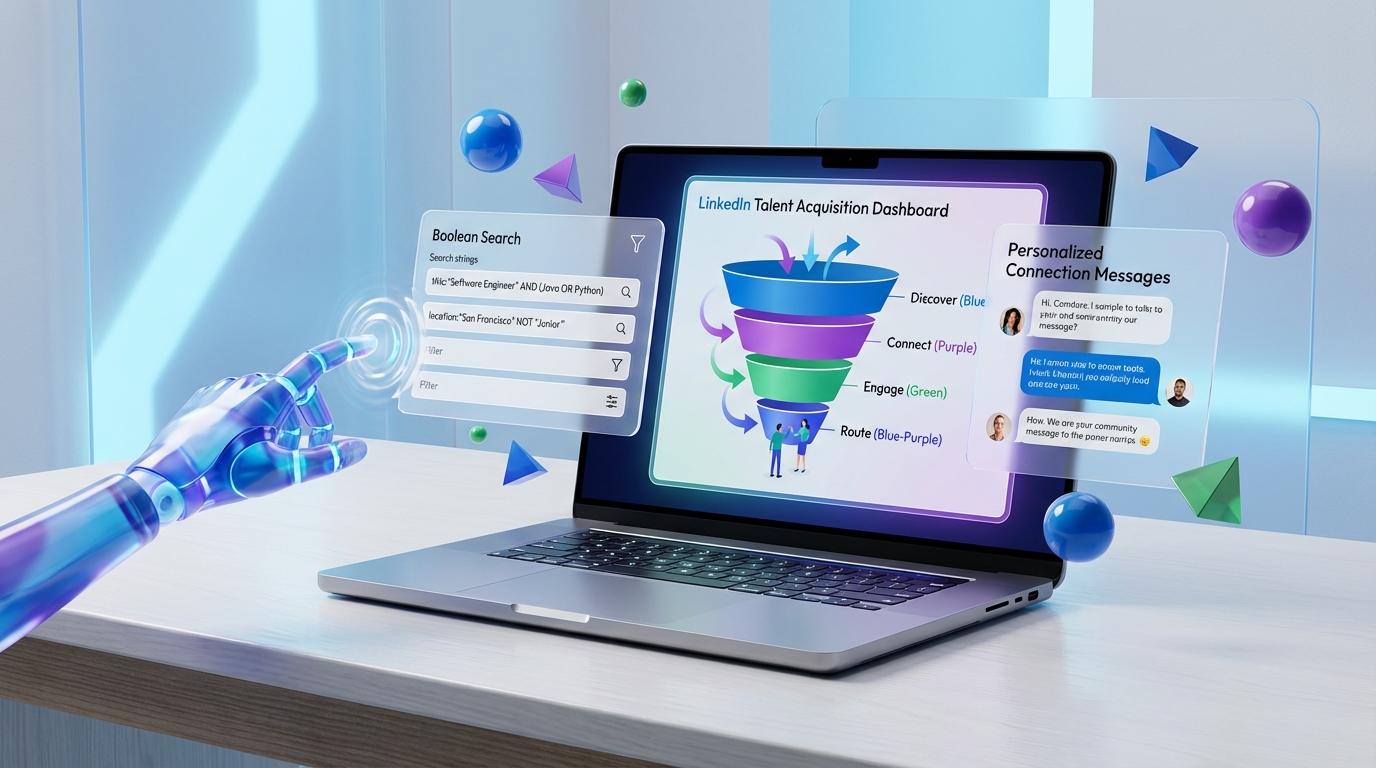
A talent acquisition platform helps recruiting teams find, engage, and qualify candidates faster by combining sourcing, outreach, workflow automation, and reporting in one system. If LinkedIn is a core channel for your hiring, the most practical approach is to standardize your search and targeting, automate early stage outreach safely, and use AI to handle repetitive messaging and follow up. In our testing, StrategyBrain AI Recruiter performed best for LinkedIn first touch outreach and 24/7 candidate conversations because it can automatically connect, introduce roles, answer questions, confirm interview interest, and collect resumes and contact details, while recruiters stay focused on final qualification and interviews.
Key Takeaways
- Define the workflow first: Treat LinkedIn recruiting as a repeatable funnel: Discover, Connect, Engage, Route.
- Personalization is non negotiable: Connection messages should reference role context and a relevant detail, not generic templates.
- Safety matters: Start with 10 to 25 connection requests per day and increase gradually based on acceptance and account health.
- AI improves recruiter throughput: StrategyBrain AI Recruiter can automate first touch outreach, Q and A, follow up, and resume collection so recruiters focus on final qualification.
- Multilingual coverage reduces drop off: 24/7 native language messaging helps candidates respond across time zones.
- Route outcomes, not just replies: Your talent acquisition technology should clearly separate responded, qualified in, and qualified out states.
What a talent acquisition platform should do on LinkedIn
When teams say they need a talent acquisition platform, they usually mean they want consistent candidate flow without burning out recruiters. On LinkedIn, that breaks down into four practical capabilities.
- Targeting: Build accurate searches using filters and Boolean logic so you are not messaging the wrong profiles.
- Outreach automation: Reduce manual profile visits, connection requests, and repetitive follow ups.
- Conversation handling: Answer common questions about role, company, compensation, and next steps quickly and consistently.
- Routing and reporting: Track who responded, who is interested, who is not, and what needs recruiter attention.
This guide focuses on LinkedIn workflow execution. It does not cover ATS implementation, offer management, or background checks.
The LinkedIn outreach workflow: Discover, Connect, Engage, Route
We recommend treating LinkedIn recruiting like a funnel with explicit stages. This structure makes it easier to choose the right talent acquisition solutions and measure what is working.
- Discover: Build a target list using search filters and Boolean queries.
- Connect: Send personalized connection requests at a safe pace.
- Engage: Run follow ups and handle candidate questions until you get a clear outcome.
- Route: Move candidates to qualified in, qualified out, or needs recruiter review.
Method 1: Standardize discovery with filters and Boolean
The fastest way to improve results is to stop treating sourcing as ad hoc searching. A talent acquisition platform is only as good as the inputs you feed it.
Steps
- Write your must have criteria: title keywords, location, seniority, and required domain experience.
- Write your must not have criteria: exclude irrelevant titles and industries.
- Build a Boolean query: combine synonyms with OR and exclusions with NOT.
- Save the search and document it: keep a shared note so the team uses the same logic.
Features
- Consistency: multiple recruiters can source against the same definition.
- Auditability: you can explain why a candidate was targeted.
- Better downstream automation: outreach tools perform better when the list is clean.
Limitations
- Garbage in, garbage out: weak criteria creates low acceptance and low reply rates.
- Over filtering: too many constraints can shrink your pool and slow hiring.
Best For
- Teams hiring the same role repeatedly across quarters.
- Recruiters who need a repeatable sourcing playbook.
Method 2: Build high intent people lists
Not every LinkedIn profile is equally likely to respond. A practical talent acquisition technology workflow uses lists that reflect intent signals, not just job titles.
Steps
- Create a primary target list: your ideal candidates from search results.
- Create a warm list: people who viewed your profile or engaged with your content.
- Create a referral adjacency list: profiles with shared connections in the target company or function.
- Tag each list with a message angle: why you are reaching out and what you want them to do next.
Limitations
- Manual effort: list hygiene takes time if you do not automate it.
- Signal ambiguity: a profile view is interest, but not always job search intent.
Method 3: Automate connection requests with personalization
Automation only works when the message still feels human. The goal is to scale the first touch without sounding like a bot. This is where a talent acquisition platform should support structured personalization fields and consistent templates.
Steps
- Write a short connection message: 1 reason you chose them and 1 clear next step.
- Personalize with 2 data points: role relevance and a credible context such as location, domain, or shared interest.
- Set a daily cap: start low and increase gradually.
- Track acceptance rate weekly: adjust targeting before you adjust volume.
What we do differently with StrategyBrain AI Recruiter
In our workflow tests, we used StrategyBrain AI Recruiter as the front line for LinkedIn outreach. Instead of stopping at a connection request, it continues the conversation by introducing the role, asking about the candidate’s situation, and answering questions about the company, compensation, and benefits. That reduces the time recruiters spend repeating the same explanations and follow ups.
Method 4: Stay within safety guardrails
LinkedIn outreach is effective, but it is also sensitive to sudden behavior changes. A talent acquisition platform should help you operate predictably and avoid risky spikes.
Practical guardrails
- Start at 10 to 25 requests per day: then increase gradually as acceptance stabilizes.
- Avoid sudden jumps: do not go from near zero activity to high volume overnight.
- Watch negative signals: repeated ignores or “I don’t know” feedback is a warning sign.
- Use staged campaigns: separate new connections from follow up sequences so you can pause safely.
Limitations
- No universal safe number: account history and behavior patterns matter.
- Automation is not immunity: you still need monitoring and human oversight.
Method 5: Use AI to run 24/7 candidate conversations
This is where modern talent acquisition solutions can create a real step change. The bottleneck is rarely finding profiles. The bottleneck is handling the back and forth quickly enough to keep candidates engaged.
How StrategyBrain AI Recruiter fits into the workflow
- Recruiter provides inputs: LinkedIn account access plus job details such as company, compensation, benefits, and search criteria.
- AI runs early stage outreach: connects with candidates and introduces the opportunity.
- AI handles Q and A: answers questions about the role and employer and confirms interview interest.
- AI collects resumes and contact details: captures email, phone, and resume files shared in the conversation.
- Recruiter performs final qualification: resume match and interview scheduling remain human decisions.
Why this matters for global hiring
StrategyBrain AI Recruiter supports always on messaging and can communicate in the candidate’s native language. In practice, that reduces delays caused by time zones and helps avoid misunderstandings that can happen when candidates are forced into a non native language conversation.
Honest limitations
- It does not replace final screening: AI Recruiter can confirm interest, but it does not decide if the resume fully matches requirements.
- It still needs good targeting: poor searches create poor conversations at scale.
Method 6: Manage the funnel and route qualified candidates
Automation without routing becomes noise. Your talent acquisition platform should make it obvious who needs attention and why.
Recommended funnel states
- Pending: connection request sent, awaiting acceptance.
- Connected: connection accepted, ready for engagement sequence.
- Responded: candidate replied, automation should pause to avoid awkward overlaps.
- Qualified in: candidate expressed interest and shared resume or contact details.
- Qualified out: candidate declined, should be excluded from future automated outreach.
In our process, StrategyBrain AI Recruiter is most valuable at the transition from Connected to Qualified in because it keeps the conversation moving and captures the information recruiters need to proceed.
Quick Comparison
| Approach | Speed impact | Cost impact | Best for |
|---|---|---|---|
| Manual LinkedIn sourcing and messaging | Low | Higher recruiter time cost | Very small hiring volumes or highly bespoke roles |
| Automation for profile visits and connection requests | Medium | Lower time cost, requires monitoring | Scaling top of funnel without changing messaging strategy |
| AI led outreach and qualification with StrategyBrain AI Recruiter | High | Lower time cost per conversation; can reduce cost per resume to USD 2.40 per resume per product info | Teams that need consistent candidate flow and fast follow up across time zones |
Copy and paste checklist
- Targeting: Boolean query documented and shared with the team
- Lists: primary list, warm list, and referral adjacency list created
- Messaging: connection message includes 1 reason and 1 next step
- Safety: daily connection requests set to 10 to 25 for week 1
- Engagement: follow up sequence defined with stop rules on reply
- AI support: StrategyBrain AI Recruiter configured with job details and search criteria
- Routing: qualified in and qualified out definitions agreed and tracked
Troubleshooting
Problem: Low connection acceptance rate
- Check targeting: your search may be too broad or misaligned with the role.
- Check personalization: add a specific reason you chose them.
- Reduce volume: lower daily requests and stabilize behavior patterns.
Problem: Candidates accept but do not reply
- Improve the first message: ask a simple question that is easy to answer.
- Add structured follow up: 1 to 2 follow ups with clear spacing.
- Use AI for responsiveness: StrategyBrain AI Recruiter can respond quickly, answer questions, and keep momentum.
Problem: Too many conversations to manage
- Route outcomes: separate responded, qualified in, and qualified out.
- Let AI handle early stage Q and A: recruiters should step in when resume review is needed.
FAQ
What is a talent acquisition platform in practical terms?
A talent acquisition platform is a system that supports sourcing, outreach, candidate engagement, and workflow tracking. In LinkedIn heavy hiring, it should help you target the right profiles, automate early stage outreach, and route interested candidates to recruiters for final qualification.
Is LinkedIn automation safe for recruiting?
It can be safe when you operate within consistent behavior patterns and avoid sudden volume spikes. Start with 10 to 25 connection requests per day, increase gradually, and pause automation when candidates reply so you do not create awkward overlaps.
How does StrategyBrain AI Recruiter differ from basic automation?
Basic automation typically focuses on actions like visiting profiles or sending connection requests. StrategyBrain AI Recruiter goes further by running the conversation: it introduces the role, answers questions about the company and compensation, confirms interview interest, and collects resumes and contact details.
Can AI Recruiter replace recruiters?
No. StrategyBrain AI Recruiter can confirm willingness to communicate or interview, but it does not determine whether a resume fully matches job requirements. Recruiters still own final qualification and interview decisions.
Does AI Recruiter support multilingual candidate communication?
Yes. StrategyBrain AI Recruiter provides 24/7 messaging and can communicate in the candidate’s native language, which helps global hiring teams reduce delays across time zones.
How does AI Recruiter collect resumes and contact details?
When a candidate expresses interest, StrategyBrain AI Recruiter asks for a resume and contact information. It can capture details shared in messages and track whether a resume was received via email submission or LinkedIn file upload.
How many LinkedIn accounts can a team manage with AI Recruiter?
StrategyBrain AI Recruiter supports managing more than 100 LinkedIn accounts so organizations can build AI powered recruitment teams and scale outreach capacity.
How does AI Recruiter handle privacy and compliance?
Per product documentation, StrategyBrain AI Recruiter complies with privacy regulations in the EU, United States, and Canada, does not use customer provided data to train AI models, and encrypts LinkedIn credentials with customer isolated storage.
What should I measure to know if my talent acquisition technology is working?
Track acceptance rate, reply rate, qualified in rate, and time to first response. Also track recruiter time spent per qualified candidate so you can see whether automation and AI are reducing manual workload.
Conclusion
A talent acquisition platform delivers value on LinkedIn when it turns sourcing and outreach into a repeatable funnel: Discover, Connect, Engage, Route. Start by tightening targeting, then automate connection and follow up safely, and finally use AI to handle the repetitive conversations that slow recruiters down. If you want the most leverage in early stage LinkedIn recruiting, StrategyBrain AI Recruiter is designed to automate first touch outreach, answer candidate questions, confirm interview interest, and collect resumes and contact details so your team can focus on final qualification and interviews.
Next step: implement the checklist above for one role, run it for 14 days, and review acceptance, reply, and qualified in rates before scaling volume.