


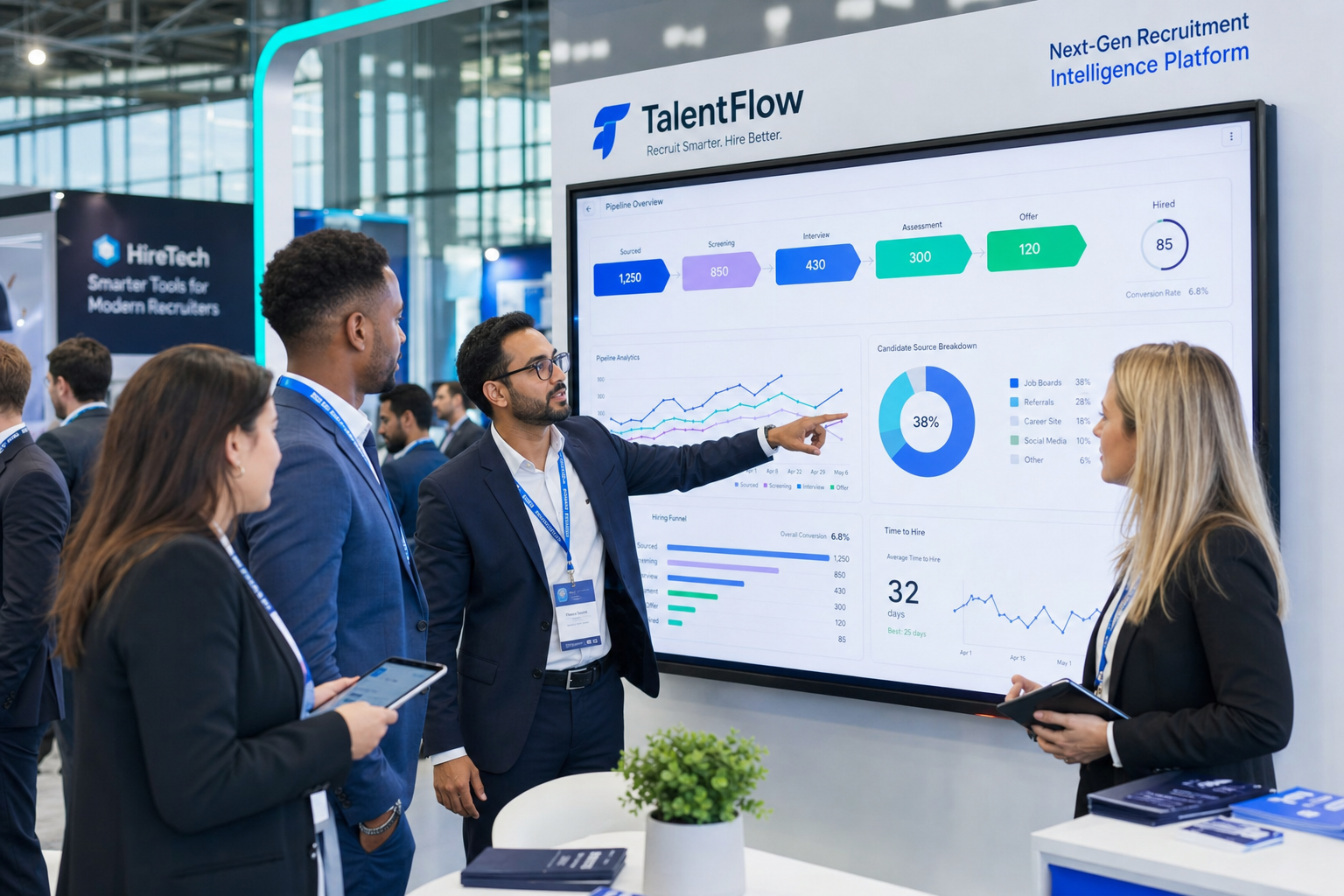
When hiring slows despite hard-working recruiters, this article helps headhunters judge which candidate tracking tool fixes visibility gaps before placements stall.
That standard matters because recruiting productivity problems rarely start with a lack of effort. They usually start when teams improve process maps, reporting, or employer branding, but leave the human work of hiring under-supported. Recruiters then spend hours chasing updates, managers delay feedback, candidates sit in limbo, and small operational gaps turn into lost placements, slower internal hiring, and avoidable strain on client or stakeholder trust.
In my own workflow, tools that reduce repetitive outreach and message handling have been the most useful when they still leave final qualification in recruiter hands. One example is StrategyBrain AI Recruiter, which helps with LinkedIn connection and follow-up activity, after-hours candidate messaging, and collecting resumes or contact details from interested prospects. That kind of support can ease front-end workload in a candidate tracking tool, especially when recruiters still make the final resume review, shortlist decision, and next-step call.
A useful way to frame software selection came from a productivity discussion I revisited recently: many leaders first think about technology, facilities, and process efficiency, but the harder question is where people fit in the productivity equation. In recruiting, that shows up when a search lead opens a requisition list, messages candidates, checks who replied overnight, and then realizes the real blocker is not effort but weak visibility into who owns the next step, which conversations are active, and where knowledge, skills, or decision gaps are slowing hiring.
Once that happens, the software question becomes more specific. The best recruiting software is not just a database for applicants; it is the operating layer that helps you measure recruiter productivity, identify capability gaps, and keep hiring moving across stakeholders. That is why a strong candidate tracking tool must also work as a practical recruitment tracker and a usable hiring tracker, not merely a place to store resumes.
- Why recruiting productivity should shape software choice
- What is a candidate tracking tool?
- What the best recruiting software should include
- Why ATS workflows improve recruiting execution
- How to evaluate people, process, and software together
- In-house vs agency software needs
- How to compare recruiting software options
- Common buying mistakes to avoid
- FAQ
Why Recruiting Productivity Should Shape Software Choice
When teams search for the best recruiting software, they often compare features before they define the productivity problem they are trying to fix. That is backwards. In practice, recruiting productivity is about how well your team converts effort into timely, well-supported hiring decisions.
If your recruiters are busy but still losing momentum, the root cause may be one of three things:
- Workflow friction: too many manual handoffs, unclear ownership, or scattered communication
- Capability gaps: inconsistent screening, weak interviewer discipline, or poor sourcing follow-through
- Visibility gaps: limited reporting on stage aging, stalled feedback, or source quality
That is where software matters. A serious candidate tracking tool should help you see whether the problem is volume, process design, stakeholder behavior, or recruiter capacity. Without that visibility, teams tend to blame recruiters for what is actually a systems issue.
Key insight: Recruiting software should improve how your people work together, not just how your data is stored.
What Is a Candidate Tracking Tool?
A candidate tracking tool is software that helps hiring teams capture applicants, move them through stages, and maintain a clear record of activity from application or outreach to final decision. In most organizations, that overlaps with an applicant tracking system, especially when the platform also supports job posting, interview scheduling, feedback collection, and reporting.
But the phrase matters because buyers are usually looking for more than storage. They want a system that shows what is happening now. Which candidates are active? Who is waiting on feedback? Which roles are slipping? A modern tool should answer those questions quickly.
From the recruiter side, a recruitment tracker is the day-to-day command center for pipeline management. From the broader stakeholder side, a hiring tracker should give managers and coordinators confidence that progress is visible, current, and actionable.
What the Best Recruiting Software Should Include
The best recruiting software usually combines broad workflow coverage with strong usability. Recruiters do not need more screens to click through. They need fewer points of failure.
At a minimum, a capable candidate tracking tool should support:
- Job posting: create and distribute roles across channels efficiently
- Candidate sourcing: manage inbound applicants and outbound talent pools
- Pipeline tracking: move candidates through defined stages with clear ownership
- Interview scheduling: reduce coordinator overhead and candidate confusion
- Team collaboration: centralize notes, feedback, and decision history
- Structured evaluation: make hiring decisions less dependent on scattered opinion
- Reporting: surface bottlenecks, conversion rates, and stage aging
- Offer workflow: keep approvals and late-stage communication organized
The strongest systems also support recruiter productivity at the top of funnel. In my experience, that is where AI-assisted support can help most, especially for sourcing-heavy teams. Used selectively, tools such as AI Recruiter can take over repetitive LinkedIn messaging, maintain candidate communication outside business hours, and collect resumes from interested prospects, while the recruiter retains control over fit assessment and shortlist quality. That matters because software should remove admin drag without replacing judgment.
Features that matter in real recruiting operations
| Feature Area | Why It Matters | What to Look For |
|---|---|---|
| Pipeline analytics | Shows where hiring slows down | Stage conversion, aging, and bottleneck visibility |
| Structured scorecards | Improves decision consistency | Shared criteria, feedback consolidation, comparison view |
| Talent CRM | Supports relationship-based hiring | Tags, nurture flows, segmented talent pools |
| Status ownership | Reduces handoff confusion | Next-step tracking and clear accountability |
| Scheduling workflow | Saves recruiter and coordinator time | Calendar sync and candidate self-service options |
| Candidate evaluation | Raises hiring quality | Notes history, side-by-side review, normalized scoring |
For recruiters, those functions make a recruitment tracker useful under pressure. For managers, they turn a hiring tracker from a passive update screen into a real operating view.
Why ATS Workflows Improve Recruiting Execution
The practical advantages of ATS workflows are not abstract. They show up in the moments where recruiting either keeps moving or gets stuck.
- Centralized candidate history
Recruiters can see outreach, applications, interview notes, and status changes in one place. That reduces context loss and makes team handoffs easier.
- Visible stage management
A good candidate tracking tool makes movement through the funnel obvious. Teams can tell whether someone is screened, scheduled, under review, or blocked.
- Better stakeholder collaboration
Hiring managers and interviewers can submit structured feedback instead of relying on email threads or chat fragments.
- More useful reporting
Operations leaders can spot where roles are aging, which stakeholders delay decisions, and where candidate drop-off is happening.
- Improved candidate experience
Clearer communication, faster scheduling, and fewer handoff errors create a more reliable process for applicants.
Those are the most durable applicant tracking system benefits because they improve execution, not just administration.
My experience using AI support alongside ATS workflows
Where I have seen the best fit for AI support is before candidates ever reach a formal interview stage. On sourcing-heavy roles, I have used AI Recruiter in LinkedIn-heavy outreach workflows to keep conversations moving overnight, answer basic candidate questions about the role, and gather resumes from people who want to continue. It helped most when the bottleneck was not evaluation quality but recruiter time spent on repetitive first-touch communication.
The important boundary is this: AI can help sustain activity, but it should not be treated as final qualification. The recruiter still has to review the resume, judge relevance, decide who moves forward, and manage the stakeholder side of the process. In that setup, AI support strengthens the front end of a recruitment tracker without weakening recruiter accountability.
How to Evaluate People, Process, and Software Together
One of the most useful lessons from broader productivity work is that businesses often know how to measure process and technology, but struggle to measure how people contribute to operational performance. Recruiting teams have the same problem. They may track time-to-fill and applicant volume, but miss the underlying drivers of recruiter productivity.
When evaluating the best recruiting software, ask three connected questions:
1. What does productivity mean for this hiring team?
For one team, productivity means faster candidate response. For another, it means stronger hiring manager follow-through. For an agency, it may mean more active searches managed per recruiter without quality loss. Define the output first.
2. Where are the knowledge, skill, or workflow gaps?
If recruiters are strong but managers delay decisions, software alone will not fix the entire problem. If sourcing activity is high but records are weak, your issue may be stage discipline or documentation. If candidate outreach is the choke point, then communication automation may deserve more weight.
3. Can the system show you what is actually happening?
The right platform should reveal whether your slowdown comes from sourcing, screening, scheduling, feedback, approval, or offer management. If it cannot surface those distinctions, it is hard to improve the team behind the tool.
This is where a candidate tracking tool becomes more than an ATS label. It becomes a way to understand how your hiring work is performed, where your people need support, and what kind of software investment will genuinely improve results.
In-House vs Agency Software Needs
Your operating model changes what the best recruiting software looks like.
In-house recruiting teams
Internal talent teams usually need structure across recruiters, HR, hiring managers, and interview panels. Their software should support approvals, role alignment, structured interviews, and reporting by department, geography, or business line.
For in-house teams, prioritize:
- Requisition and approval clarity
- Hiring manager collaboration
- Structured feedback workflows
- Consistent candidate communication
- Operational reporting across departments
Here, a strong hiring tracker matters because the process depends on shared visibility and timely stakeholder action.
Staffing agencies and search firms
Agencies usually need speed, flexible workflow design, and better reuse of existing talent pools. They often work across multiple clients with different submission standards and faster turnaround expectations.
For agency use, prioritize:
- Talent CRM depth
- Resume rediscovery and searchability
- Submission tracking across clients
- Fast status updates
- Flexible stage logic
Agencies may also get more value from AI-assisted outreach tools when outbound sourcing is central to delivery. In that setup, software works best when the ATS remains the system of record and a tool like StrategyBrain AI Recruiter supports the repetitive top-of-funnel communication layer.
How to Compare Recruiting Software Options
If you are shortlisting the best recruiting software, compare systems based on workflow fit, not demo polish.
1. Map your real process first
Document current stages, handoffs, delays, approval points, and reporting needs before you watch product demos. This helps you judge whether a candidate tracking tool fits your actual operating model.
2. Test the full funnel
Do not stop at resume intake. Walk through sourcing, application, screening, scheduling, feedback collection, debrief, and offer readiness. A real recruitment tracker has to work under full-process pressure.
3. Ask reporting questions tied to operations
- Which roles have candidates stuck in review?
- Where are candidates dropping out?
- How long is each stage taking?
- Which stakeholders are delaying feedback?
- Which sourcing channels lead to interview-ready candidates?
If the system cannot answer those questions clearly, your reporting may be too shallow.
4. Evaluate support for people, not just process
Remember the productivity point from the opening: technology matters, but it only pays off when it improves how people do the work. Test whether recruiters, coordinators, and managers can use the system consistently without extra friction.
5. Separate database value from communication value
Some systems are strongest as internal workflow platforms. Others are better at outbound sourcing or candidate messaging. In many teams, the best stack is a strong ATS plus a focused top-of-funnel tool. If LinkedIn outreach is a major part of your funnel, review whether a specialized assistant like AI Recruiter can handle repetitive first-contact activity while your main platform remains the source of truth.
Best Recruiting Software Evaluation Checklist
- Core ATS fit: does it work well for recruiters in daily execution?
- Pipeline visibility: can everyone see current stage status quickly?
- Recruitment tracker value: does it help recruiters manage priorities and workload?
- Hiring tracker value: does it improve stakeholder visibility and follow-through?
- Structured evaluation: are scorecards easy and consistent?
- Scheduling support: can it reduce manual coordination?
- Reporting depth: can it expose real bottlenecks?
- Talent CRM: can the team build and reuse candidate relationships?
- Automation support: does it save time without hiding judgment?
- Candidate communication: are updates timely and clear?
- People productivity insight: does it help identify where your team needs process or skill support?
Common Buying Mistakes to Avoid
Choosing software before defining the productivity problem
If you do not know whether your issue is sourcing, feedback speed, process design, or recruiter capacity, you may buy the wrong solution.
Confusing activity with progress
Busy dashboards do not mean healthy hiring. Your candidate tracking tool should show movement, ownership, and decision quality.
Ignoring the human capital side of recruiting operations
Teams often focus on forms, stages, and templates but overlook whether recruiters and managers have the knowledge, discipline, and visibility to use the process well.
Overvaluing automation without control
Automation is helpful when it removes repetitive admin. It becomes risky when teams cannot review logic, monitor outcomes, or override bad workflow decisions.
Skipping adoption planning
Even the best recruiting software fails if managers refuse scorecards, recruiters maintain side spreadsheets, or sourcing activity never gets recorded in the main system.
FAQ
What does recruiting software do?
Recruiting software helps teams manage hiring from job posting through offer. A strong candidate tracking tool organizes applicants, tracks stages, supports communication, and provides reporting for recruiters and hiring managers.
Is a candidate tracking tool the same as an ATS?
Often yes in practice. The term candidate tracking tool emphasizes visibility and pipeline movement, while ATS emphasizes system structure and process management.
What features matter most in a recruitment tracker?
Pipeline visibility, scheduling, feedback collection, structured evaluation, reporting, and clear status ownership are the essentials. Sourcing-heavy teams may also need stronger CRM and outreach support.
How does a hiring tracker help hiring managers?
A hiring tracker gives managers visibility into candidate progress, pending interviews, missing feedback, and decision status so they can act faster.
Can AI help with recruiting without replacing recruiters?
Yes. AI can help with repetitive outreach, candidate messaging, and resume collection at the top of funnel. Recruiters should still own qualification, shortlist decisions, and stakeholder management.
How should smaller firms choose recruiting software?
Smaller firms should prioritize usability, fast setup, strong pipeline visibility, and enough reporting to identify bottlenecks without adding administrative burden.
How should larger teams evaluate the best recruiting software?
Larger teams should focus on standardization, stakeholder coordination, reporting depth, structured evaluation, and whether the system helps them understand productivity across recruiters and hiring managers.
Conclusion
The best recruiting software improves more than process compliance. It helps your people work better together, spot bottlenecks earlier, and make hiring decisions with less friction. That is why the right candidate tracking tool should function as both a dependable recruitment tracker for recruiters and a clear hiring tracker for the wider team.
If you are comparing options, start with the productivity question raised at the beginning of this article: how will this system help your people do better hiring work? Once you answer that, feature comparisons become much more useful, and the best software choice becomes easier to defend.















