


Evaluating automatiser linkedin gets easier here: headhunters can spot safer workflows, preserve context, and avoid weak follow-up.
That distinction matters more than most teams admit. Agency recruiters lose hours when LinkedIn sourcing, message replies, résumé collection, and ATS updates all live in different places. In-house talent teams feel the same drag when hiring managers want faster pipelines but candidate outreach starts to look generic. The cost is not only time. It shows up in missed follow-ups, weaker candidate trust, inconsistent notes, duplicated effort, and a brand that feels transactional instead of selective.
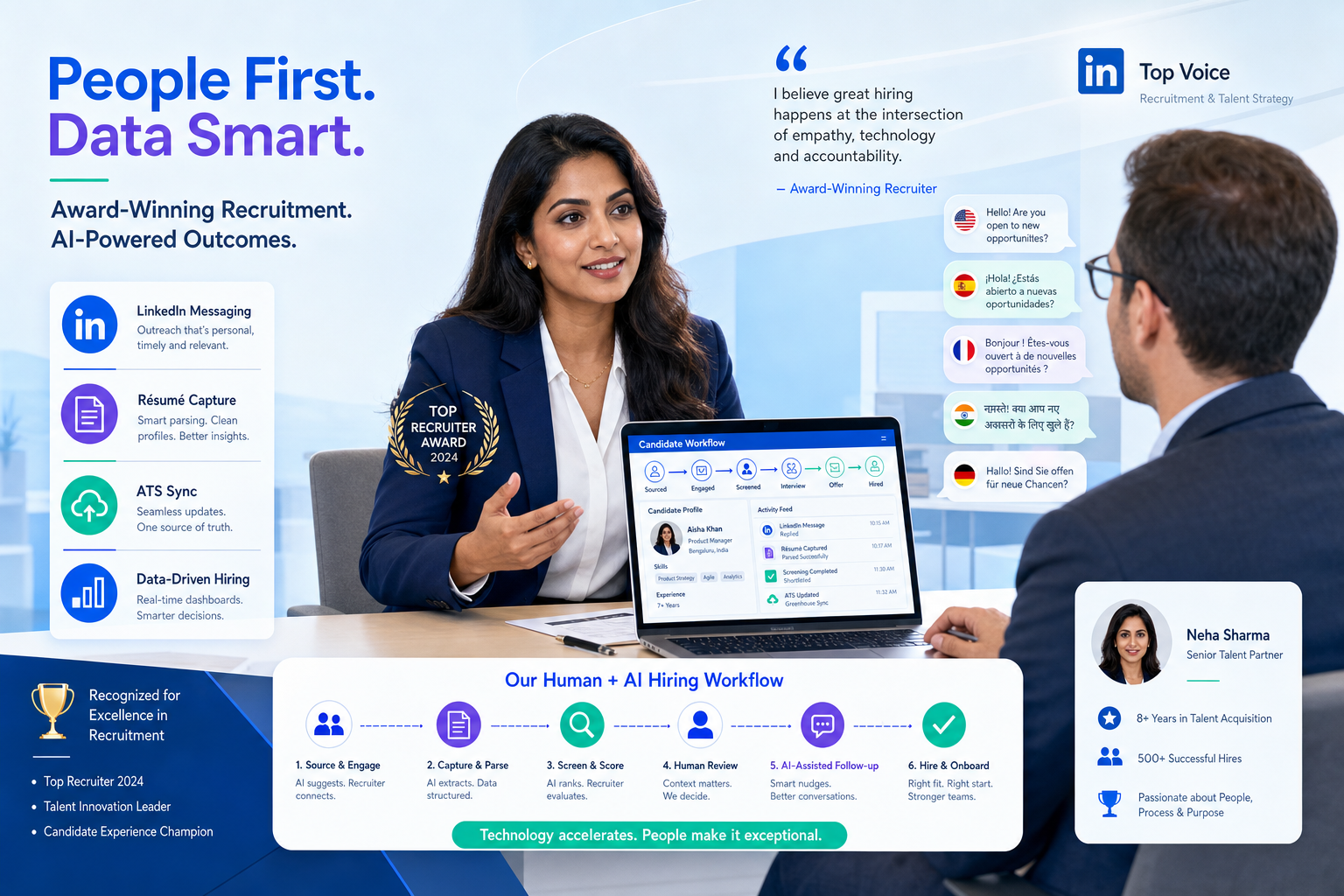
One reason I keep recommending workflow support over risky account automation is that tools built for recruiter-assist use cases can remove the repetitive work without pretending to replace recruiter judgment. In my own testing, StrategyBrain AI Recruiter was most useful when I needed help with multilingual candidate communication, after-hours reply handling, and collecting résumés or contact details from interested prospects. That matters for LinkedIn-heavy hiring because the system can keep conversations moving while the recruiter still owns shortlist review, final qualification, and the next step decision.
You can see why this matters by looking at the kind of career path that often lands in a difficult search. Consider a finance leader whose background does not fit one tidy box: Big 4 audit, a move abroad for international experience, a return into transaction advisory work, then a jump into business intelligence and operations, and only later a move into a startup CFO seat. Recruiting that profile is never just about title matching. The recruiter has to piece together why the shift made sense, which capabilities carried across, and how to present the opportunity in a way that respects the candidate's own logic.
In that kind of search, two concrete tasks happen back to back: first the recruiter reviews scattered notes on functional depth, operational ownership, and industry changes; then they return to LinkedIn replies to see who asked about scope, funding stage, or investor exposure. If those steps are disconnected, the nuance gets lost. The same profile that looks "illogical" on the surface may actually be ideal once you understand the larger business story. That is exactly where recruitment automation tools help. The practical challenge behind automatiser linkedin, automated prospecting, and even ideas borrowed from teams that automate sales is turning fragmented outreach into a structured workflow that preserves context.
Table of Contents
- Why context matters in recruitment automation
- How to automatiser linkedin safely
- The workflow stages worth automating
- What complex career-arc searches teach recruiters
- Recruitment automation tool categories to compare
- Three software approaches recruiters compare
- My experience using StrategyBrain AI Recruiter
- Best practices for human-centered automation
- Common mistakes to avoid
- FAQ
Why context matters in recruitment automation
Experienced recruiters know that the hardest searches are rarely the highest-volume ones. They are the searches where a candidate's path only makes sense once you understand the business context behind each move. That is why automation in recruiting should be designed to preserve the full story around a prospect, not flatten it into activity counts.
Think about the finance operator who spends seven years in audit, picks up international experience, moves into M&A due diligence, then shifts into business intelligence and later operations before stepping back into finance leadership. A recruiter cannot evaluate that profile by keyword matching alone. The real work is identifying transferable strengths: analyzing large data sets, translating findings into decisions, influencing operators, and working across growth stages. Automation should make it easier to capture and reuse that context across the pipeline.
In practice, that means the best recruitment automation tools support:
- Context retention through notes, tags, and conversation history
- Automated prospecting that helps prioritize likely-fit profiles rather than blast everyone
- Message drafting support that reflects career logic and role scope
- Reply handling so candidate questions do not disappear across inboxes
- Résumé and contact capture after interest is confirmed
- ATS or CRM sync so the wider hiring team can act on the same information
This is also why recruiters should be careful when borrowing tactics from software designed to automate sales. Sales workflows can teach valuable habits around sequencing, segmentation, and follow-up discipline, but recruiting requires a stronger grip on timing, trust, and candidate motivation.
How to automatiser linkedin safely
For most recruiting teams, automatiser linkedin should mean structuring the work around LinkedIn, not pushing the platform itself into unsafe autopilot. That is an important operational and compliance distinction.
The lower-risk approach is to automate adjacent tasks such as:
- Tracking candidate status after manual profile review
- Logging conversations and notes into a recruiting system
- Drafting initial outreach for recruiter approval
- Sending reminders for follow-up windows
- Capturing résumés and contact information from interested candidates
- Reporting on response patterns, segment quality, and recruiter workload
What recruiters should avoid is the assumption that more automated activity automatically produces better hiring outcomes. On LinkedIn, that mindset can create account risk, poor candidate experience, and messaging that sounds detached from the actual opportunity.
Key insight: Safe LinkedIn automation in recruiting is mostly workflow automation outside the platform, with humans still responsible for qualification, judgment, and relationship tone.
The workflow stages worth automating
The most effective teams automate by stage, not by hype. When you break the process down, the value becomes easier to evaluate.
Sourcing and segmentation
Recruiters often begin with manual search, referrals, prior pipelines, and LinkedIn discovery. Automation becomes useful once those profiles need to be grouped by seniority, function, geography, relocation willingness, industry exposure, or stage-fit. For example, a startup CFO search may require one segment of candidates with public-market reporting exposure and another with broad operational ownership in smaller companies. Good systems make those distinctions usable.
Outreach preparation
This is where many teams underinvest. A message should reflect why the role makes sense for the candidate, not just why the role matters to the company. In complex searches, that often means referencing a candidate's move from technical depth into broader business responsibility. Drafting support can help, but recruiters still need to verify relevance and tone.
Follow-up sequencing
Most outreach pipelines do not fail at first contact. They fail because no one consistently manages the second and third touchpoint. Thoughtful sequencing solves that. The recruiter decides the cadence and can pause once a candidate responds. This is one of the most useful ways automated prospecting supports quality without sacrificing control.
Candidate reply handling
Replies often come after working hours, across time zones, and in multiple languages. If the recruiter has to manually catch every response, the process slows down quickly. This is one area where AI-assisted recruiting tools can be helpful, especially for handling basic role questions, collecting next-step information, and keeping interested candidates warm until the recruiter reviews the conversation.
Record syncing and reporting
Recruiters need one source of truth. If LinkedIn messages, résumés, internal notes, and pipeline stages all sit in separate systems, even strong recruiters become less consistent. Automation should pull those threads together so hiring teams can see source quality, response trends, and stalled handoffs.
What complex career-arc searches teach recruiters
The reference scenario above is useful because it highlights a recruiting reality many teams overlook: strong candidates are not always linear candidates. A finance leader who started in a Big 4 environment, spent time in audit, developed M&A diligence skills, then moved into business intelligence and digital operations before taking a CFO post may look unusual in a keyword filter. To a skilled recruiter, that path can signal adaptability, data fluency, strategic storytelling, and operational judgment.
There is another lesson in that journey. At one point, the move was not about climbing a standard finance ladder. It was about expanding the skill set and understanding how different parts of a business connect. Later, that broader view made the candidate more credible in a startup environment where the CFO role touched finance, investor communication, legal, HR, and operational problem solving. For recruiters, this means the hiring workflow must capture more than résumé chronology. It must preserve the reason behind each move.
That is why recruitment automation tools should help recruiters answer questions like:
- What larger capability story links this candidate's moves?
- Which candidate questions are really about role scope, not compensation?
- Who needs follow-up first based on seriousness of interest?
- Where should outreach stop because the fit is superficial?
- Which notes need to be visible to hiring managers before interviews start?
Once you look at recruiting this way, the search intent behind automatiser linkedin becomes clearer. Recruiters are not really asking for a robot to replace them. They are asking for a system that can keep pace with nuanced searches without dropping the context that makes a candidate worth pursuing.
Recruitment automation tool categories to compare
Most teams do better when they compare categories rather than chase one all-in-one promise.
1. ATS and recruiting CRM systems
These tools remain the operational backbone. Their core value is stage visibility, shared notes, collaboration, and reporting. If your outreach process is active and outbound-heavy, your ATS or recruiting CRM should not just store applicants. It should support talent pools, conversation history, and recruiter accountability.
2. LinkedIn workflow assistants
This category supports recruiters working heavily from LinkedIn. The best options help with communication continuity, profile organization, follow-up management, and résumé capture. In the context of automatiser linkedin, this is usually where practical value lives.
3. Sequencing and outreach systems
These tools bring structure to follow-up timing, template management, and response tracking. Recruiters should prefer systems that allow pause-on-reply controls, segmentation rules, and human review rather than volume-first sending.
4. Enrichment and data hygiene tools
Clean data matters more than flashy outreach features. If titles, notes, geographies, and contact details are inconsistent, recruiters waste time re-qualifying the same profiles. Automation should reduce that friction.
5. Reporting and analytics tools
Leaders need to know which roles stall, which segments respond, and where recruiter effort is being lost. This is especially important when teams adopt methods inspired by automate sales operations and need to verify that recruiting quality is not slipping.
Three software approaches recruiters compare
Because this topic is software-driven, most buyers end up comparing three broad approaches: general sales engagement platforms, recruiting workflow platforms, and AI-supported LinkedIn recruiting tools. The right choice depends on team size, hiring model, and how central LinkedIn is to your process.
| Software approach | Strengths | Trade-offs | Best fit | How it works with StrategyBrain AI Recruiter |
|---|---|---|---|---|
| General sales engagement platforms | Strong sequencing, cadence control, activity dashboards, familiar logic for outbound teams | Often built to automate sales at higher volume than recruiting can comfortably support; can feel impersonal for candidate outreach; pricing may be hard to justify for smaller recruiting teams | Large teams with mature outbound operations and non-LinkedIn channels | Can sit alongside AI Recruiter when recruiters need LinkedIn-specific conversation handling while keeping broader outbound reporting elsewhere |
| Traditional ATS with CRM modules | Strong pipeline visibility, collaboration, compliance controls, shared records | LinkedIn-side workflow support is often limited; recruiter experience can feel admin-heavy; automation tends to be stronger after profiles enter the system | In-house TA teams and agencies that need process control first | Works best when StrategyBrain AI Recruiter is used to keep LinkedIn conversations active, then passes interested candidates and documents into the system of record |
| AI-supported LinkedIn recruiting tools | Better fit for candidate communication, multilingual replies, after-hours responsiveness, résumé capture, and LinkedIn-heavy sourcing | Needs clear recruiter oversight; should be evaluated carefully for workflow design, compliance posture, and account handling; not a substitute for final screening | Headhunters, agencies, and outbound recruiters who live in LinkedIn daily | Best when the recruiter uses it as a first-response and workflow continuity layer while retaining control over shortlist judgment and interview progression |
From a use-experience perspective, this comparison matters. Sales-first systems can be powerful but often push recruiters toward throughput metrics. ATS-first setups provide governance but may not solve the communication gap. AI-assisted LinkedIn tools can close that gap if used with strong human review.
My experience using StrategyBrain AI Recruiter
I have become more cautious over time about any technology that promises to replace recruiter work entirely, especially on LinkedIn. What I found more useful with StrategyBrain AI Recruiter was not the fantasy of full autopilot. It was the practical help in the messy middle of outbound recruiting: candidates replying after hours, international prospects preferring their native language, and early-interest conversations that would otherwise sit unanswered until the next day.
In one LinkedIn-heavy workflow, I used it as a support layer rather than a decision-maker. The tool helped continue candidate communication, answer routine role questions, and request résumé or contact details once interest was clear. That removed a surprising amount of manual back-and-forth. I still reviewed the conversation history, assessed the résumé, and decided who moved forward. That division of labor felt right. It kept the recruiter accountable while reducing the lag that normally hurts response quality.
Another useful lesson was around multilingual outreach. For cross-border hiring, the biggest bottleneck is often not sourcing but momentum. Candidates respond outside your working hours, and if their questions go unanswered too long, intent cools off. The always-on communication side of AI Recruiter can help there. So can the ability to centralize collected information before the recruiter returns to review serious candidates. For teams trying to automatiser linkedin in a way that still feels recruiter-led, that is a more credible use case than blind mass automation.
If you want to understand the conversation flow examples and where the tool fits operationally, the public conversation cases and setup walkthroughs are worth reviewing. They make it easier to evaluate whether your team needs full workflow support, after-hours coverage, or just help with early-stage LinkedIn engagement.
Best practices for human-centered automation
The safest and most effective automation setups tend to follow the same rules.
- Start with role logic. Define what makes a candidate's path coherent before launching outreach.
- Segment before you sequence. Outreach quality improves when follow-up is built around candidate type, not one generic cadence.
- Use AI for continuity, not judgment. Let systems keep conversations moving, but keep shortlist decisions with recruiters.
- Capture résumé and contact data cleanly. Early interest is easy to lose if information arrives in scattered channels.
- Keep one source of truth. ATS or recruiting CRM records should reflect what happened on LinkedIn.
- Measure response quality, not just send volume. Recruiting outcomes depend on fit and trust more than activity totals.
These habits become especially important when working searches that involve non-linear executives, startup leaders, or cross-functional operators. The more unusual the background, the more valuable disciplined context management becomes.
Common mistakes to avoid
Most recruiting automation mistakes are process mistakes first.
- Treating candidates like leads. The structure of automated prospecting is useful, but the tone of candidate engagement must stay selective and respectful.
- Over-valuing title matches. Some of the strongest prospects have career arcs that only make sense once you read the moves in sequence.
- Automating first-touch messaging too aggressively. Volume can hide weak role-candidate logic.
- Letting LinkedIn and ATS data drift apart. This creates confusion for both recruiters and hiring managers.
- Expecting AI to qualify final fit. Interest, availability, and document capture can be assisted; final evaluation still belongs to the recruiter.
- Copying sales automation without adaptation. Techniques built to automate sales need adjustment before they fit candidate outreach.
FAQ
What does automatiser linkedin mean for recruiters?
In practical recruiting terms, automatiser linkedin usually means automating the workflow around LinkedIn rather than trying to hand all on-platform activity to a bot. That includes message drafting, follow-up reminders, reply handling, résumé collection, and ATS syncing.
Can automated prospecting work in recruiting?
Yes, when it supports segmentation, prioritization, and follow-up discipline. Automated prospecting works best when recruiters still control the shortlist, message quality, and next-step decisions.
Should recruiters use tools built to automate sales?
Sometimes, but carefully. Tools designed to automate sales often bring useful sequencing logic, yet they may be too volume-oriented for candidate outreach. Recruiters should check whether the system supports personalization, pause logic, and shared hiring records.
Where do AI-supported LinkedIn tools help most?
They are especially useful for after-hours replies, multilingual communication, collecting candidate information, and keeping early conversations active until a recruiter reviews them.
Does AI replace recruiter judgment in these workflows?
No. The best use of AI in recruiting is to reduce repetitive communication work and administrative lag. Recruiters should still assess fit, review résumés, and decide who moves into interviews.
What should I compare when choosing recruitment automation tools?
Compare workflow control, LinkedIn fit, data capture, ATS integration, conversation visibility, multilingual support, and whether the tool improves candidate experience rather than just activity volume.
Conclusion
The real value of recruitment automation tools is not that they make recruiting automatic. It is that they make recruiting more structured where structure matters most. For teams searching ways to automatiser linkedin, the winning setup usually combines recruiter judgment with better communication continuity, cleaner data capture, more reliable follow-up, and stronger context around candidate decisions.
That is why the best automation stacks look less like account autopilot and more like disciplined workflow design. If your hiring depends on nuanced outreach, non-linear executive talent, or LinkedIn-first sourcing, use automation to preserve the story behind the profile and to keep good candidates moving without losing the human signal that closes them.















