


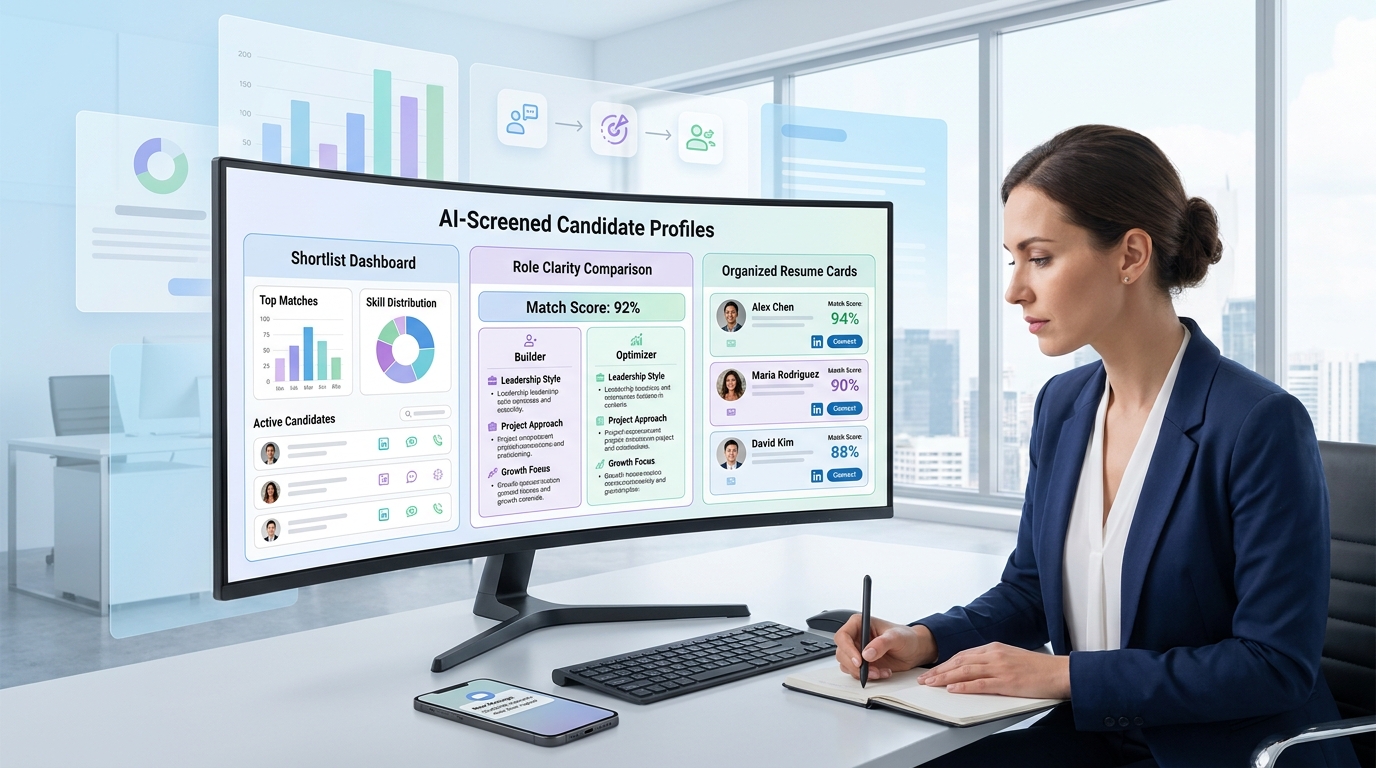
Cleaner shortlists start when recruiters use this article to judge ai resume screening tools against role clarity, not vague criteria.
That sounds simple, but in practice this is where screening breaks down. A recruiter working a growth-stage search and an in-house TA lead filling a highly governed leadership role do not need the same screening logic, yet many teams still run both through vague criteria, overloaded job descriptions, and inconsistent resume review habits. The cost shows up fast: slow shortlists, missed candidates, hiring manager friction, weak candidate experience, and too much time spent re-reading applications that should have been easier to sort.
In my own workflow, I have found that automation helps most when it removes repetitive front-end communication without pretending to replace recruiter judgment. That is where StrategyBrain AI Recruiter has been useful in LinkedIn-heavy searches: it can keep candidate outreach moving, respond across time zones, and collect resumes and contact details from interested people while I stay responsible for final qualification, resume assessment, and who actually advances. In other words, it supports the top of funnel so screening decisions start with cleaner, faster inputs rather than inbox chaos.
You can see the same logic in senior finance hiring. When a company says it needs a CFO, the real question is not just who looks impressive on paper. It is whether the business needs a builder who can create reporting structure from scratch during fundraising and cash-runway pressure, or an operator who can manage compliance, board materials, audit readiness, and capital planning at scale. Before the search even starts, someone has to stop, review the company stage, define what the leader is actually being hired to solve, and separate true must-haves from nice-to-haves.
That moment of clarity matters because the resumes can look strong in very different ways. One candidate may show startup modeling, founder partnership, and scenario planning for a Series B path. Another may show public-company controls, investor relations, and multi-team finance leadership. If the intake call, search brief, and screening criteria are sloppy, the recruiter ends up sorting polished resumes without a reliable frame for fit. That is exactly the kind of problem AI candidate screening can either improve or make worse.
The lesson carries directly into ai candidate screening. The best ai resume screening tools do not rescue a confused requisition; they work when recruiters know whether they are screening for a builder, an optimizer, or something in between. That is also the practical answer to how to get past ai resume screening: candidates need resumes that make the right kind of fit obvious, not merely keyword-heavy. The rest of this article breaks down how screening works, where it helps, where it fails, and how both recruiters and candidates can handle it more intelligently.
- Start With Role Clarity Before Screening
- What Are AI Resume Screening Tools?
- How AI Candidate Screening Works in Practice
- Why Recruiters Use AI Screening
- Where LinkedIn Outreach Supports Better Screening
- How to Get Past AI Resume Screening
- Optimize for the System and the Recruiter
- Common Myths About AI Screening
- Responsible AI, Bias, and Human Oversight
- What Hiring Teams Should Look For
- FAQ
Start With Role Clarity Before Screening
One of the most useful recruiting habits from executive search is pausing before the search opens and asking what the hire must actually solve. That sounds obvious, but it is still one of the main reasons screening quality varies so much between teams.
In leadership hiring, a company may say it needs a CFO, but the recruiting brief really points in two different directions. A startup or scale-up may need a finance leader who can build basic systems, manage burn, support fundraising, and work through ambiguity. A larger or more regulated business may need someone who can optimize a mature function, manage controls, support board scrutiny, and lead planning at scale.
The same pattern shows up across hiring. Before turning on AI screening, define which version of the role you are hiring for.
- Are you hiring a builder? Someone to create process, establish structure, and work with incomplete information.
- Are you hiring an optimizer? Someone to manage complexity, improve an existing system, and operate in a more mature environment.
- Are you hiring a hybrid? Someone who needs enough range to build in some areas while scaling others.
If that distinction is missing, the screening output becomes noisy. The tool may surface candidates with polished but mismatched backgrounds, while stronger but differently worded resumes fall lower than they should.
Practical takeaway: AI screening performs best after the recruiter defines business stage, core outcomes, must-have evidence, and the difference between essential and preferred criteria.
What Are AI Resume Screening Tools?
AI resume screening tools are software features that parse, categorize, compare, and prioritize resumes against a role’s criteria. In practical recruiting terms, they help turn a large application pool into a manageable review set.
Depending on the setup, the system may identify title overlap, relevant skills, years of experience, certifications, industry background, location fit, or other structured requirements. In many organizations, it does not make the final hiring decision. It supports recruiters by ranking, tiering, or flagging applications for review.
That is why people often blur together terms like ATS, AI screening, fit scoring, candidate matching, and skills-based hiring. They are related parts of the same hiring workflow, not completely separate ideas.
Working definition
AI candidate screening is the use of software to compare applicant information with employer requirements so recruiters can sort, rank, or prioritize candidates before or during human review.
How AI Candidate Screening Works in Practice
Most screening workflows are less mysterious than candidates assume. The process is usually structured matching, not mind reading. The software is trying to connect resume content with defined role requirements.
- Resume intake and parsing: the resume is converted into structured data such as work history, education, skills, certifications, and dates.
- Criteria matching: the system compares that data against job-description language, required qualifications, screening questions, and role-specific rules.
- Ranking or grouping: applicants may be scored, tiered, or sorted based on how closely they appear to align.
- Recruiter review: the recruiter checks context, validates fit, and decides who moves forward.
Where teams struggle is not usually at the idea of parsing. It is earlier, at the point where the role criteria are still muddy. If a requisition mixes early-stage builder responsibilities with enterprise governance expectations, the output will reflect that confusion.
| Stage | What the system looks for | What recruiters should verify |
|---|---|---|
| Parsing | Readable structure, clean section labels, standard dates | Whether the resume content was extracted correctly |
| Matching | Skills, titles, experience, certifications, role language | Whether the criteria reflect the real job, not a wish list |
| Ranking | Strength of alignment across required signals | Whether strong but non-obvious candidates are being missed |
| Human review | Overall fit signals available in the application | Credibility, scope, context, and actual readiness to interview |
Why Recruiters Use AI Screening
Recruiters do not adopt screening tools because automation sounds modern. They adopt them because hiring volume creates delay, and delay damages hiring quality.
- Faster first-pass review: less time spent on obvious mismatches.
- More consistent triage: shared criteria reduce random variation between reviewers.
- Cleaner shortlists: hiring managers can begin with candidates whose resumes show documented relevance.
- Better documentation: screening logic and review steps are easier to trace.
- More room for recruiter judgment: time can shift from sorting to evaluating.
That last point matters most. Good automation should create more space for real recruiting work, not less. It should help recruiters spend energy on nuance, market feedback, candidate motivation, and stakeholder alignment.
Where LinkedIn Outreach Supports Better Screening
Screening quality also depends on how candidates enter the process. In a lot of searches, especially hard-to-fill or passive-talent hiring, the top-of-funnel problem starts before a resume is ever parsed. Outreach gets delayed, messages pile up after hours, resumes arrive in scattered places, and recruiter attention gets split between sourcing conversations and formal qualification work.
That is why I treat outreach support and screening support as connected, even though they are not the same thing. When I used AI Recruiter on LinkedIn-centric searches, the benefit was not that it magically judged candidate fit for me. It was that it kept first-contact activity moving, answered common candidate questions, and captured resumes and contact details from people who wanted to continue. That reduced dead time and made the next screening step cleaner.
Three capabilities are especially relevant here:
- Automated LinkedIn outreach and follow-up: useful when recruiters are juggling multiple live searches and cannot manually keep every thread warm.
- 24/7 multilingual candidate communication: helpful when the talent pool spans regions, time zones, or language preferences.
- Resume and contact capture from interested candidates: valuable because recruiter review starts faster when the handoff from conversation to application is organized.
I would still emphasize the boundary: outreach automation is not final screening. The recruiter still reviews the resume, judges relevance, and decides whether the candidate fits the role as defined.
For teams exploring this side of workflow design, the product walkthrough is useful for understanding how LinkedIn automation and resume collection can support, rather than replace, the screening stage.
How to Get Past AI Resume Screening
The best answer to how to get past ai resume screening is not to outsmart the system. It is to make your actual fit easier to recognize.
Candidates usually struggle for one of three reasons: the resume is too generic, the formatting creates parsing issues, or the document describes the wrong version of the role. That last issue is easy to underestimate. If the employer needs a builder and your resume reads like a caretaker of mature systems, or vice versa, you may be screened lower even if you are talented.
1. Tailor the resume to the role’s real version
Start by asking what kind of hire the employer is making. Are they looking for someone to build, stabilize, optimize, or scale? Then highlight experience that matches that version of the role. This is much more effective than dropping in isolated keywords.
2. Mirror job-description language naturally
Use relevant terms when they are true to your background. If the posting emphasizes stakeholder management, forecasting, compliance, technical recruiting, or process design, reflect that language in context. Matching works better when the wording connects to actual experience.
3. Keep the format ATS-friendly
Use standard headings such as Summary, Experience, Education, and Skills. Avoid design elements that can break parsing, including heavy graphics, unusual text boxes, and overly decorative multi-column layouts.
4. Put the strongest evidence near the top
If the role depends on certain certifications, industry experience, systems exposure, or leadership scope, make that visible early. Recruiters and systems both respond better when the key signal is not buried.
5. Show scope, not just buzzwords
Good resumes explain what you owned, what environment you worked in, and why the work mattered. Strong bullets beat generic claims every time.
- Weak: “Experienced finance leader with strong communication skills.”
- Better: “Built budgeting and reporting processes for a growth-stage company while partnering with founders on cash planning and investor updates.”
Optimize for the System and the Recruiter
Candidates now need to satisfy two readers: the system that structures and matches information, and the recruiter who interprets it.
| Goal | What helps the system | What helps the recruiter |
|---|---|---|
| Relevance | Matching titles, skills, and role language | Examples that prove related work |
| Clarity | Standard headings and readable formatting | Fast scanning and logical flow |
| Credibility | Consistent terminology across sections | Specific responsibilities and visible scope |
| Progression | Clean dates and structured work history | Career development and context |
If you optimize only for the system, the resume may feel robotic once a person reads it. If you optimize only for the recruiter, the document may not surface quickly enough in a high-volume process. The goal is balance.
Common Myths About AI Screening
Myth 1: AI screening is mostly looking for AI-written resumes
In most real recruiting workflows, the more immediate task is matching and ranking against job criteria. Generic, vague, or badly formatted resumes are usually the bigger problem.
Myth 2: Hidden keywords are a smart tactic
They are risky and unnecessary. Manipulative formatting or irrelevant keyword blocks can damage trust and may create compliance concerns.
Myth 3: Better design always improves results
Not in screening. If the layout hurts parsing, a visually polished resume can perform worse than a simpler one.
Myth 4: Once the system scores you, the decision is final
Strong recruiting teams still use human review, especially for edge cases, transferable backgrounds, and high-value roles.
Responsible AI, Bias, and Human Oversight
No experienced recruiter should talk about AI screening without talking about governance. The real question is not whether automation exists. It is whether the process is accountable.
- Define criteria before opening the role: vague job descriptions create vague ranking.
- Review for false negatives: strong candidates can be missed when criteria are too rigid or poorly framed.
- Use human override: recruiters need authority to re-evaluate unusual but relevant profiles.
- Audit for fairness: monitor whether filters create patterns that deserve review.
- Keep the business context visible: screening should support the company’s actual hiring need, not an inflated specification.
This is where the executive-search lesson from the CFO example is useful again. If you do not know what the business needs at its current stage, the technology cannot solve that confusion for you.
What Hiring Teams Should Look For
When evaluating ai resume screening tools, ask whether the workflow helps recruiters make better decisions, not just faster ones.
- Transparent matching logic: can you explain why a resume surfaced or dropped?
- Configurable role criteria: can the team separate true must-haves from preferred qualifications?
- Reliable parsing: does the system handle common resume formats without constant cleanup?
- Human review controls: can recruiters adjust, override, or re-check rankings?
- Workflow fit: does the tool support the way your team actually sources, screens, and hands off candidates?
For LinkedIn-driven searches, also ask whether your outreach process is helping or hurting downstream screening. In some teams, adding structured communication support with AI Recruiter improves the quality and speed of recruiter review simply because candidate responses, resumes, and contact data arrive in a more organized way.
FAQ
How do AI resume screening tools decide who moves forward?
They typically compare resume content with role requirements such as skills, titles, certifications, years of experience, and screening criteria. The output is usually a ranking or shortlist for recruiter review, not a final hiring decision on its own.
How can candidates get past AI resume screening without gaming the system?
Tailor the resume to the real job, use relevant language naturally, keep formatting simple, and make the strongest evidence easy to find. The goal is accurate matching, not manipulation.
Do recruiters still matter if AI is screening first?
Absolutely. Recruiters define criteria, review context, spot transferable experience, and make judgment calls that software alone should not own.
What formatting is safest for AI screening?
A clean, readable layout with standard headings, consistent dates, and straightforward bullet points is usually safest. Avoid graphics, unusual tables, and design-heavy templates that can break parsing.
Can LinkedIn outreach automation replace resume screening?
No. Outreach automation can help start conversations, answer common questions, and collect resumes faster, but the recruiter still needs to review those resumes and decide who fits the role.
Can AI screening increase bias?
It can if the criteria or review process are poorly designed. That is why strong teams combine automation with human oversight, fairness checks, and clearly defined job requirements.
Conclusion
The best ai resume screening tools are not magic filters. They are only as useful as the hiring brief behind them. If the team knows whether it needs a builder, an optimizer, or a hybrid profile, screening becomes more accurate, more explainable, and more useful to recruiters and candidates alike.
For employers, that means defining the role before relying on automation. For candidates, it means writing a resume that shows the right kind of relevance clearly. And for recruiters working LinkedIn-heavy searches, it often means pairing better screening discipline with better outreach workflow support so resumes arrive faster, cleaner, and with less manual chasing.














