


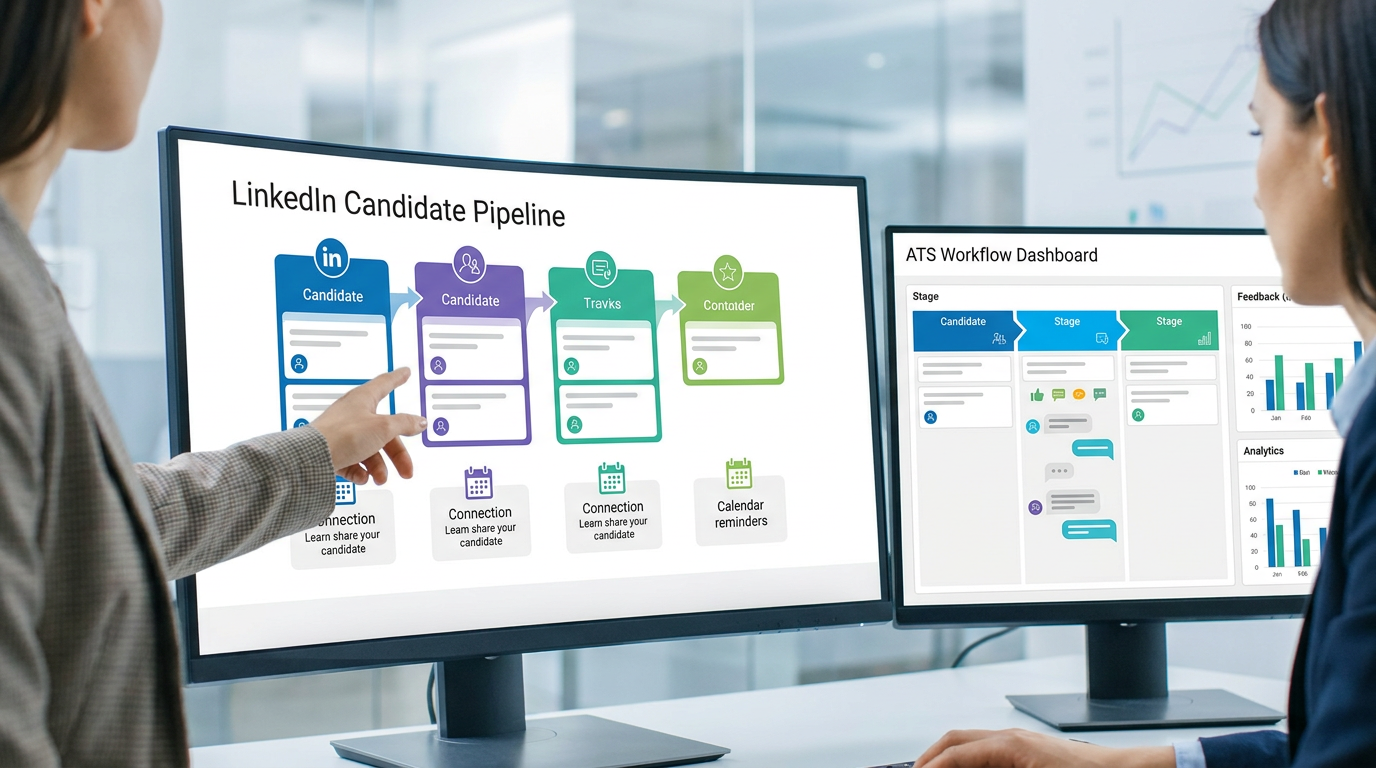
When ATS for recruiters hides process gaps, this article helps headhunters judge workflow fit, protect candidate speed, and avoid admin-driven hiring mistakes.
That distinction matters because most hiring pain does not start with software features. It starts when recruiters, hiring managers, and founders mistake admin volume for thoughtful hiring. The result is familiar: promising candidates wait too long, feedback gets trapped in inboxes, sourcing activity is not logged properly, and smaller firms quietly lose placements, credibility, and margin because no one can see the full workflow clearly.
In my own work, I have found that an AI-supported workflow can reduce that pressure when it is tied to the right operating system. For outreach-heavy recruiting, StrategyBrain AI Recruiter is useful for handling repetitive LinkedIn connection requests, role introductions, and after-hours candidate replies, especially when time zones or language barriers slow the team down. It does not replace recruiter judgment; I still review the résumé, decide who moves forward, and make the final call on fit and next steps.
A useful way to think about this comes from another profession entirely. There are fields where outsiders cling to tired myths: that the people doing the work are only administrative, not strategic; that they do not shape innovation; that they sit far from the real business. Recruiters hear similar assumptions all the time when hiring teams treat talent acquisition as scheduling and résumé traffic rather than decision support.
Once you see that pattern, the real software question becomes clearer. If recruiting is more than inbox management, then the right system cannot just collect applicants. It has to support business context, stakeholder alignment, and consistent execution. That is where searches for ats hr meaning and ats system meaning usually lead: people are really trying to understand whether an ATS is just a database or the operating layer for modern recruitment automation tools.
Table of Contents
- Why ATS myths still hurt recruiting teams
- What an ATS actually means for recruiters
- Where recruitment automation tools fit into ATS workflows
- What good recruiting software should do in practice
- Benefits that show up in real hiring work
- Common ATS myths worth dropping
- How to choose the right ATS for your team
- Practical recruiting use cases
- ATS vs HRIS
- FAQ
Why ATS myths still hurt recruiting teams
One reason recruiting software gets evaluated so poorly is that many teams still carry myths about the recruiter’s role. The assumption is often that recruiting is mostly reactive administration: post a job, review applicants, arrange interviews, and push paperwork forward. That view is as misleading as the old stereotype that accountants only crunch numbers and never influence innovation, social priorities, or core business decisions.
In practice, experienced recruiters do much more. They interpret hiring demand, pressure-test job scope, advise on market reality, protect candidate experience, and help leaders make decisions with incomplete information. If that is the real job, then the ATS cannot be judged only by whether it stores résumés. It has to help recruiters act as operators and advisors.
This is also why poor-fit automation creates frustration. If a tool automates outreach or application flow but does not feed the larger process cleanly, the team still ends up chasing notes, reconciling spreadsheets, and repairing broken handoffs. Recruitment automation tools are valuable only when they support the recruiter’s strategic role rather than flatten it into ticket processing.
What an ATS actually means for recruiters
An applicant tracking system is the software layer that manages hiring activity from opening a role through offer decision, and in some organizations through onboarding handoff. When people search for ats hr meaning, they are usually asking whether the ATS belongs to HR or recruiting. The practical answer is both, but its daily power sits closest to talent acquisition.
The phrase ats system meaning points to the same concept. It is the system that publishes jobs, receives applications, stores candidate records, tracks status changes, captures interview feedback, and records decisions in a structured way. For recruiters, that means less dependence on memory, fewer side trackers, and better visibility when several stakeholders touch the same requisition.
I usually advise teams to define the ATS as their hiring system of record. That internal definition matters. Once recruiters, coordinators, and hiring managers agree that candidate status lives in one place, the process becomes easier to audit, easier to improve, and harder to derail through scattered communication.
Practical takeaway: If your ATS is treated as a passive archive, automation will feel shallow. If it is treated as the operational source of truth, automation becomes useful.
Where recruitment automation tools fit into ATS workflows
Recruitment automation tools should sit around the ATS, not compete with it. The ATS provides the workflow, stage definitions, recordkeeping, and reporting backbone. Automation then reduces repetitive effort inside that structure: parsing résumés, routing approvals, triggering reminders, updating stakeholders, scheduling steps, and standardizing communication.
That becomes especially important in outreach-driven work. In one search cycle, I used StrategyBrain AI Recruiter to keep LinkedIn conversations moving after office hours, answer candidate questions in a timely way, and collect résumés from interested people while I focused on shortlist review and calibration with hiring managers. The benefit was not that it made decisions for me. The benefit was that it removed the dead time between first interest and recruiter review.
That kind of support is most useful when three conditions are true. First, candidate communication volume is high. Second, recruiters are losing time to repetitive introductory exchanges. Third, the team still has a clear human decision point for résumé review, qualification, and interview movement. Without that last condition, automation can create activity without control.
So when evaluating ATS for recruiters, ask a simple question: does this workflow help me spend more time on judgment and less time on preventable coordination? If the answer is no, the tool may be digitizing work without truly improving it.
What good recruiting software should do in practice
Feature lists are easy to inflate, so I prefer to evaluate recruiting software by whether it supports the actual shape of the work. The best systems help recruiters move between context, action, and decision without losing history or stakeholder alignment.
1. Keep the hiring process visible
The ATS should make stage definitions, ownership, pending actions, and approvals obvious. When teams do not share one process view, candidate movement slows and reporting becomes unreliable.
2. Support strategic search, not just storage
A good system makes candidate records reusable. Recruiters should be able to search by skill, location, prior conversations, source, and pipeline status. One of the strongest applicant tracking system benefits is that past effort becomes future talent access instead of wasted sourcing history.
3. Reduce communication drag
Templates, reminders, and interview coordination are basic now, but they still matter. Delayed or inconsistent communication is one of the fastest ways to weaken candidate trust.
4. Make collaboration easy for non-recruiters
Hiring software is not only for recruiters. Managers and interviewers need a low-friction way to review candidates, leave feedback, and understand what is waiting on them. If they avoid the system, the process falls back into email.
5. Connect with the rest of the stack
Integrations with calendars, HRIS, assessments, and onboarding tools prevent duplicate work and broken handoffs. An ATS that stands alone too rigidly often creates more admin than it removes.
6. Show what is actually happening
Leadership questions are usually operational: where are candidates dropping off, which managers are late with feedback, how long are roles sitting at each stage, which sources convert. The ATS should answer those without manual reconstruction.
When I review tools, I care less about the longest feature list and more about whether the workflow reflects how recruiters actually operate under pressure.
Benefits that show up in real hiring work
The real advantages of applicant tracking system adoption are not abstract. They appear in the everyday moments where hiring either keeps moving or quietly stalls.
- Clearer accountability: Everyone can see who owns the next action on a role or candidate.
- Fewer lost interactions: Notes, outreach history, and feedback stay attached to the record rather than disappearing into personal inboxes.
- Faster response cycles: Automation handles reminders, status changes, and communication triggers that otherwise depend on memory.
- Better decision support: Recruiters can compare stage movement, source quality, and process bottlenecks using actual data.
- Stronger candidate experience: People hear back faster and encounter fewer avoidable delays.
- Cleaner handoff to HR: Once a candidate is hired, the process can move into the employee system with less manual re-entry.
These are the benefits that matter most to lean teams. When headcount is tight, process quality has to do more work, and the ATS becomes the structure that protects recruiter capacity.
Common ATS myths worth dropping
Myth 1: An ATS is mainly a rejection machine.
That idea persists because some teams overuse filters or poorly designed knockout questions. In reality, the ATS exists to organize, document, and manage workflow. Recruiters still need to interpret experience, motivation, context, and stakeholder fit.
Myth 2: ATS tools matter only for large enterprises.
Smaller teams often feel the pain sooner. One or two recruiters managing multiple searches can lose control quickly without a shared system of record.
Myth 3: Automation always makes hiring colder.
Bad automation does. Good automation removes dead air. Routine updates, interview reminders, and initial outreach handling can be automated while high-trust conversations remain personal.
Myth 4: Recruiters only need admin software, not strategic workflow software.
This is the most expensive myth. If recruiters are expected to advise on market conditions, candidate quality, and hiring risk, then their primary system has to support judgment, not just documentation.
That last myth echoes the broader professional stereotype we opened with. Just as other functions are underestimated when people see only the surface task, recruiters are undervalued when the workflow hides their influence on innovation, team capability, and business direction.
How to choose the right ATS for your team
If you are comparing ATS for recruiters, start with operating reality rather than the sales demo. The best recruiting software is the one your team can use consistently under normal pressure, not only the one that looks polished in a scripted walkthrough.
Questions worth asking during selection
- Can recruiters manage the full hiring workflow without side spreadsheets?
- Can hiring managers review candidates and submit feedback quickly enough to maintain momentum?
- Does the system work as a reliable system of record for candidate status and decision history?
- Can outreach, scheduling, and communication automation fit inside the process without creating duplicate data?
- Will reporting answer the operational questions leadership actually asks?
- Can the system support both current hiring volume and more complex workflows later?
Also test for adoption risk. A sophisticated tool is not a good fit if recruiters need too many workarounds or managers find the review process irritating. In recruitment operations, usability is not cosmetic. It is what determines whether process discipline survives contact with real workload.
Quick evaluation table
| Area | What to Check | Why It Matters |
|---|---|---|
| Workflow | Stage design, ownership, approvals, automations | Creates process consistency across roles |
| Candidate data | Resume parsing, search, history, notes | Turns past sourcing effort into reusable talent data |
| Collaboration | Manager review, interviewer feedback, visibility | Reduces bottlenecks caused by stakeholder delay |
| Communication | Templates, reminders, updates, outreach support | Protects candidate experience and recruiter time |
| Integrations | HRIS, calendar, assessments, onboarding | Prevents duplicate entry and broken handoffs |
| Reporting | Conversion, source quality, time-in-stage | Supports process improvement and hiring planning |
Practical recruiting use cases
High-volume application flow
When inbound volume is heavy, recruiters need triage structure more than brute force effort. An ATS helps separate review, progression, and communication so the team does not confuse activity with movement.
Search and headhunting workflows
Agency recruiters and headhunters often rely on highly personal outreach, but that does not remove the need for disciplined records. The ATS should track submissions, contact history, résumé collection, and client-facing status clearly. If LinkedIn sourcing is a major part of your desk, pairing the ATS with AI Recruiter can help keep first-touch and follow-up conversations active while you focus on qualification and shortlist decisions.
Cross-functional professional hiring
For roles involving several interviewers or nuanced stakeholder input, the ATS keeps everyone aligned on what stage the candidate is in, what feedback is missing, and what decision is actually pending. That protects momentum in searches where delay often signals indecision rather than caution.
Global or after-hours candidate communication
When candidates reply outside local business hours, momentum can disappear overnight. In those cases, I have found value in using StrategyBrain AI Recruiter for multilingual and round-the-clock message handling to keep the conversation alive until I can review the response personally. Again, the recruiter remains responsible for fit assessment and the interview decision.
Recruiting operations review
Ops leaders need evidence, not anecdotes. If the ATS is used consistently, it becomes easier to identify where stage definitions are weak, where managers are slow, and where automation is helping versus simply adding noise.
What is the difference between ATS and HRIS?
This is where many searches around ats hr meaning come from. An ATS manages the candidate side of the process before hire: jobs, pipelines, interviews, feedback, offers, and decision records. An HRIS usually takes over after hire to manage employee records, payroll-related data, benefits administration, and broader people operations.
For recruiters, the distinction is operational. The ATS should go deep on hiring workflow. The HRIS should maintain accurate employee data once the person joins. They often connect, but they should not be treated as interchangeable systems.
Rule of thumb: candidates live in the ATS; employees live in the HRIS.
FAQ
What does ATS stand for?
ATS stands for applicant tracking system. It is software used to manage job openings, applications, candidate stages, interview feedback, and hiring decisions.
What is ats system meaning in simple terms?
ats system meaning refers to the software system recruiters and HR teams use to organize the hiring process from application to offer decision.
What is ats hr meaning?
ats hr meaning usually refers to the role an ATS plays within HR. It supports HR process control, but its main day-to-day use is typically within recruiting and talent acquisition.
How does an ATS help recruiters?
It gives recruiters one place to manage candidate data, stage movement, communication history, interview feedback, and reporting. It also supports automation for repetitive steps.
Does an ATS replace recruiter judgment?
No. Strong ATS workflows reduce admin and improve visibility, but recruiters still evaluate résumés, assess fit, manage stakeholders, and decide who progresses.
Can recruitment automation tools work without an ATS?
They can, but the workflow usually becomes fragmented. Without a reliable system of record, automation often creates more activity than clarity.
What is the difference between ATS and HRIS?
An ATS manages recruiting before hire. An HRIS manages employee records and broader HR administration after hire.
Conclusion
The biggest mistake teams make with recruitment automation tools is assuming the technology question is only about speed. It is really about operating design. ATS for recruiters delivers value when it helps the recruiter function as more than an administrator: as a coordinator, advisor, and decision partner.
That is why the myths matter. When hiring teams underestimate the strategic role of recruiting, they buy software that records activity but does not support judgment. A better ATS creates visible workflow, structured collaboration, reusable talent data, and automation that removes friction without removing accountability.
If you are reviewing recruiting software now, use that standard. Look for a system that can serve as your hiring system of record, connect cleanly to the rest of your stack, and support practical automation in the places where your team repeatedly loses time. That is what turns software from a compliance tool into a real recruiting advantage.














