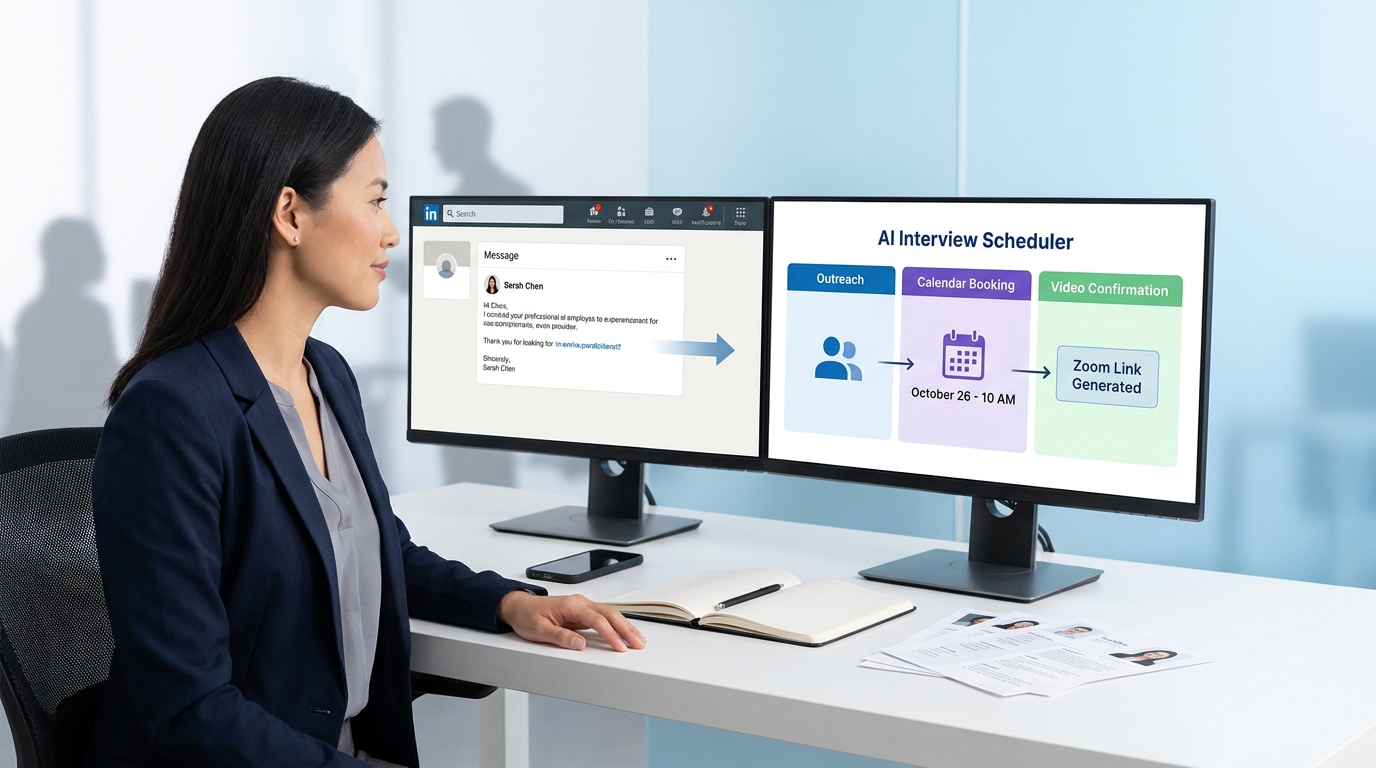
This guide helps recruiters turn niche-fit hiring and flexible project intake into faster, more reliable interview coordination.
That tension is familiar in recruiting. The same teams trying to move quickly on specialized talent often lose time in the least strategic part of the process: outreach follow-up, availability checks, interview handoffs, and rescheduling. For a boutique search firm, that means consultants spend billable hours on calendar cleanup instead of candidate assessment. For an internal talent team, it means slower shortlists, more stakeholder friction, and a process that feels less polished to candidates who already have options.
One way to reduce that drag is to use AI Recruiter as part of the front end of the workflow, especially when recruiters are juggling specialist searches and after-hours candidate replies. In practice, it can help automate initial LinkedIn outreach, keep candidate conversations moving across time zones, and collect resumes or contact details from interested people before scheduling begins. The recruiter still makes the final judgment on fit, reviews the resume, and decides who should move into screening or interview stages.
The underlying issue looks a lot like the decision process consultants go through when they consider project-based work. Someone with deep ERP, regulatory, or M&A experience does not want to be treated like a generic applicant. They are weighing risk against flexibility, deciding whether the assignment matches their niche, and judging whether the people on the other side understand the work. While the recruiter is trying to line up an exploratory call, the candidate is deciding if this is worth time away from billable work or another contract conversation.
That is where interview scheduling becomes more than a calendar feature. If your process for specialized hiring cannot support quick responses, clear ownership, and a credible path from first contact to live conversation, you lose momentum before the real assessment begins. In modern ai hiring software, scheduling has to support that early trust-building process, then connect smoothly to screening, panel interviews, and the interview tools your team already uses.
Table of Contents
- Why specialist hiring makes scheduling harder
- What automated interview scheduling actually means
- How it works inside ai hiring software
- How role fit and candidate flexibility affect booking
- How scheduling connects to best video interview software and online interview platforms
- Features to evaluate before you buy
- A practical comparison framework
- Implementation advice for recruiting teams
- Common mistakes to avoid
- FAQ
Why specialist hiring makes scheduling harder
In general hiring, delays are frustrating. In niche hiring, they are expensive. Candidates with specialized experience often think like consultants even when they are pursuing permanent roles: they know their market value, they know where they add the most impact, and they are selective about who gets their time.
That creates a simple operational truth. The more specialized the role, the less tolerance there is for messy coordination. When a recruiter cannot quickly explain the next step, offer clear time options, or keep stakeholder availability aligned, the process starts to feel uncertain. Candidates may not formally withdraw, but they disengage, postpone, or give priority to another conversation.
This is one reason automated interview scheduling is increasingly discussed as part of broader ai hiring software. Teams do not just need a booking link. They need a workflow that respects the fact that specialized candidates are evaluating the opportunity at the same time the employer is evaluating them.
From experience, the most common pain points in this type of hiring are:
- Slow handoffs between sourcing, screening, and interview setup
- Unclear ownership when recruiters, coordinators, and hiring managers all touch the process
- Weak communication around interview format, timing, or rescheduling
- Lost momentum when candidates reply outside business hours and no one follows up quickly
- Fragmented tools that separate candidate records, calendars, messaging, and evaluation
That is why scheduling should be treated as an operational layer of recruiting, not a minor administrative task.
What automated interview scheduling actually means
In practical recruiting terms, automated interview scheduling is a workflow that lets a candidate book, confirm, reschedule, or cancel interviews without a recruiter manually coordinating every step. The software checks interviewer availability, applies scheduling rules, creates meeting invites, and triggers follow-up communication.
In stronger setups, that workflow is not isolated. It sits inside ai hiring software alongside candidate messaging, stage progression, interview plans, and feedback collection. That matters because scheduling quality depends on context: who the candidate is, what stage they are in, which interview panel is needed, and what needs to happen after the meeting.
For recruiters handling specialist or project-style talent, this context is especially important. A first conversation may need to involve a practice lead, a hiring manager, or a technical stakeholder. The system should know which path applies before the candidate sees booking options.
So the right definition is simple: automated scheduling should remove administrative friction while keeping hiring logic intact.
How it works inside ai hiring software
The best way to understand the workflow is to follow a common scenario. A recruiter identifies an interested candidate, reviews the resume, and decides they should move into a first conversation. The system then launches the scheduling process based on role type, stage rules, and interviewer requirements.
Typical workflow steps
- The recruiter advances the candidate in the hiring workflow.
- The system identifies the correct interview stage and required participants.
- Calendar integrations check interviewer availability.
- A self-scheduling link or slot selection prompt is sent to the candidate.
- The candidate books a time within predefined rules.
- Meeting invites, reminders, and interview instructions are created automatically.
- If something changes, the candidate or recruiter can reschedule inside the same workflow.
- After the interview, evaluation forms and follow-up actions are triggered.
This is also where sourcing and scheduling connect. In some teams, the hardest part is not creating an interview slot. It is getting from first outreach to qualified interest without losing response momentum. That is where a tool like StrategyBrain AI Recruiter can help upstream by continuing candidate conversations, capturing resumes, and surfacing interested prospects for recruiter review before the scheduling stage starts. Used this way, it supports the workflow rather than replacing recruiter judgment.
As you compare ai hiring software, look closely at operational details such as self-scheduling, rescheduling, interviewer swaps, meeting buffers, and calendar sync. Those are not minor features. They are what determine whether the process works in real hiring conditions.
How role fit and candidate flexibility affect booking
One useful lesson from consulting-style career decisions is that people rarely assess opportunities on title alone. They weigh flexibility, risk, niche fit, compensation logic, and the credibility of the people presenting the work. Recruiting teams should assume the same mindset exists during interview scheduling, especially for experienced candidates.
That means speed matters, but relevance matters just as much. If the scheduling message feels generic, if the panel is unclear, or if the process looks overly rigid for a complex role, the candidate starts questioning the opportunity before the interview even happens.
To avoid that, teams should ask a few practical questions before automating any stage:
- Is this role specialized enough that the candidate expects a tailored first conversation?
- Does the interview format match the decision being made at this stage?
- Are we giving the candidate enough context to decide whether this interview is worth their time?
- Do we need recruiter-led scheduling for confidentiality or stakeholder complexity?
Not every interview should be fully self-serve. Executive searches, retained assignments, and multi-stakeholder specialist roles often need more recruiter control. Good software supports that mix instead of forcing the same booking model on every requisition.
How scheduling connects to best video interview software and online interview platforms
Automated scheduling is often evaluated together with interview delivery tools. That is why buyers researching best video interview software and online interview platforms also care about booking workflows, reminders, and evaluation handoffs.
In practice, there are several interview formats that change what the scheduling system needs to support.
One-way video interviews
In a one-way setup, candidates receive prompts and submit recorded responses on their own time. The scheduling requirement may be lighter, but the workflow still needs invitation links, completion windows, reminders, and structured review steps. This format is often useful in early-stage volume hiring.
Live video interviews
Live interviews need stronger coordination. Candidate time zones, interviewer availability, joining instructions, and meeting links all have to line up. This is where automated scheduling delivers immediate value and where weak tooling becomes obvious very quickly.
Asynchronous review workflows
Some online interview platforms support flexible candidate completion while allowing internal reviewers to score responses later. In that case, the most useful systems connect submission, review, and evaluation rather than treating the interview as a disconnected event.
When assessing best video interview software, do not separate interview format from scheduling quality. A platform may support live and one-way interviews, but if booking, rescheduling, and panel management are weak, recruiter workload stays high.
Practical takeaway: If your process includes both specialized hiring and higher-volume screening, prioritize tools that connect self-service booking, live interview setup, browser-based access, and post-interview evaluation in one workflow.
Features to evaluate before you buy
Most software pages describe scheduling in broad terms. In implementation, the details decide whether your team gains time or just moves complexity into another interface.
1. Self-scheduling with real controls
Candidates should be able to choose from approved availability without seeing the complexity behind the scenes. Recruiters should be able to set rules by role, location, hiring stage, or interviewer group.
2. Rescheduling and cancellation paths
Interviews change. Good systems make those changes easy without breaking the process or creating duplicate admin work. This matters even more in searches where candidates are balancing current work, client commitments, or multiple opportunities.
3. Interviewer swaps and panel flexibility
Busy hiring teams need the ability to replace interviewers quickly while keeping the stage structure intact. If the system cannot handle this well, recruiters end up rebuilding interviews manually.
4. Meeting buffers and availability rules
Buffers protect interviewer time and make the candidate experience feel more deliberate. Look for controls around prep time, wrap-up time, blackout windows, and working-hour logic.
5. Calendar and workflow integrations
The scheduling layer should stay connected to candidate records, stage movement, and interview plans. If your team has to maintain the same information in multiple places, the automation is incomplete.
6. Candidate messaging and reminders
Confirmation emails, reminders, joining instructions, and change notifications should flow automatically. This is especially relevant for distributed teams using online interview platforms across different time zones.
7. Evaluation support after the meeting
Scheduling should not stop at the calendar invite. Strong systems connect interviews to scorecards, reviewer collaboration, and next-step decisions. That is also a key factor when evaluating best video interview software.
A practical comparison framework
Instead of asking for a generic shortlist, use a comparison framework tied to how your team actually hires. This is especially important if your recruiters handle a mix of general roles, specialist searches, and project-style talent.
| Evaluation area | What to check | Why it matters |
|---|---|---|
| Workflow context | Stage triggers, interview plans, candidate records | Keeps scheduling tied to actual hiring steps |
| Calendar sync | Real-time availability, buffers, conflict handling | Reduces booking errors and manual checks |
| Candidate self-service | Booking links, rescheduling, cancellations | Improves speed without removing recruiter oversight |
| Specialist hiring fit | Flexible ownership, tailored interview paths | Important when candidates are evaluating niche fit |
| Video support | Live, one-way, asynchronous, browser-based options | Aligns scheduling with best video interview software use cases |
| Evaluation workflow | Scorecards, review routing, collaboration | Prevents interviews from becoming isolated events |
| Upstream sourcing support | Outreach follow-up, candidate replies, resume capture | Helps recruiters move interested talent into scheduling faster |
One operational lesson worth keeping in mind: if your team loses candidates before the first interview is booked, your scheduling issue may actually start upstream. Sourcing responsiveness, qualification handoff, and contact capture all affect interview velocity.
Implementation advice for recruiting teams
Buying software is easier than implementing it well. Teams get the most value when they define the hiring logic first and automate second.
Map interview types before launch
Document each stage clearly: recruiter screen, hiring manager call, one-way video submission, technical panel, final interview, or client-facing assessment. If you skip this, the automation will mirror existing confusion.
Define ownership
Recruiters, coordinators, and hiring managers should know who controls availability, who approves panel changes, and who handles candidate exceptions. Ambiguous ownership is one of the biggest causes of scheduling friction.
Write better candidate-facing communication
Templates should explain what the interview is, how to prepare, how to reschedule, and what technology is required. This is especially important when using best video interview software or browser-based online interview platforms.
Automate selectively
Not every stage should be self-serve. For confidential searches, senior hires, or complex stakeholder interviews, a recruiter may need to manage the coordination more closely.
Review the upstream workflow too
In my own experience, scheduling performance improves when the handoff from outreach to screening is tightened first. If candidate replies are scattered across LinkedIn and email, or resumes arrive inconsistently, interview automation never gets clean inputs. That is why using AI Recruiter for early conversation continuity can be useful in searches where response timing matters. It helps keep initial engagement organized, but the recruiter still decides who is genuinely worth interviewing.
Common mistakes to avoid
Even experienced teams weaken the value of scheduling automation through design mistakes that are easy to miss during demos.
- Treating scheduling as a standalone fix: if it is disconnected from sourcing, messaging, and evaluation, recruiters still do cleanup by hand.
- Ignoring candidate decision logic: specialized candidates assess role fit and flexibility before they commit to an interview.
- Over-automating sensitive stages: a rigid self-booking flow can feel impersonal in executive or high-trust searches.
- Choosing video tools without workflow depth: polished interview delivery does not help much if coordination is still manual.
- Skipping ownership design: if nobody knows who handles changes, every reschedule becomes a mini-escalation.
- Neglecting after-hours response patterns: candidate momentum drops when interested people reply outside business hours and hear nothing back.
The broader point is that ai hiring software should reduce friction without flattening recruiter judgment. The best systems make the process easier to run while preserving the moments where human judgment matters most.
FAQ
How does automated interview scheduling work?
It uses workflow rules, calendar integrations, and candidate messaging to offer available time slots, confirm bookings, and manage changes. It works best when connected to broader ai hiring software so interview stages, interviewer plans, and follow-up actions stay aligned.
Can candidates self-book or reschedule interviews?
Yes. Many systems allow candidates to choose from approved time slots through booking links and update interviews without long email threads. Recruiters can still control which stages are self-serve and which require manual coordination.
How does this connect to best video interview software?
Scheduling and interview delivery should work together. If you are reviewing best video interview software, check whether it supports live interview setup, reminders, joining instructions, and evaluation handoffs alongside the actual interview experience.
What should I look for in online interview platforms?
Look for support for live interviews, one-way video, browser-based access, reminders, rescheduling, and structured review. The strongest online interview platforms connect those pieces instead of handling only the interview event itself.
Is automated scheduling enough on its own?
No. It helps most when it is connected to sourcing, messaging, screening, and evaluation. If the handoff into scheduling is messy, the calendar workflow alone will not fix the process.
Where can AI Recruiter help in this workflow?
It is most useful before scheduling begins, especially for LinkedIn outreach, ongoing candidate replies, and collecting resumes or contact details from interested prospects. The recruiter still reviews fit, decides who advances, and owns the final interview decision.
Conclusion
Automated interview scheduling is not just about removing email back-and-forth. It is about protecting momentum when candidates are actively judging whether your opportunity deserves their time. That becomes even more important in specialist hiring, where niche fit, flexibility, and recruiter credibility all influence whether an interview gets booked at all.
For most teams, the best answer is not a standalone calendar tool. It is a connected workflow inside ai hiring software that supports sourcing handoffs, candidate communication, interview setup, and evaluation. And if your process also depends on live or asynchronous interviews, your review of best video interview software and online interview platforms should include scheduling quality, not just interview delivery features.
In practice, the teams that benefit most are the ones that combine automation with judgment: let software handle coordination, let recruiters handle fit, and make sure the candidate experience still feels intentional from first reply to final interview.