


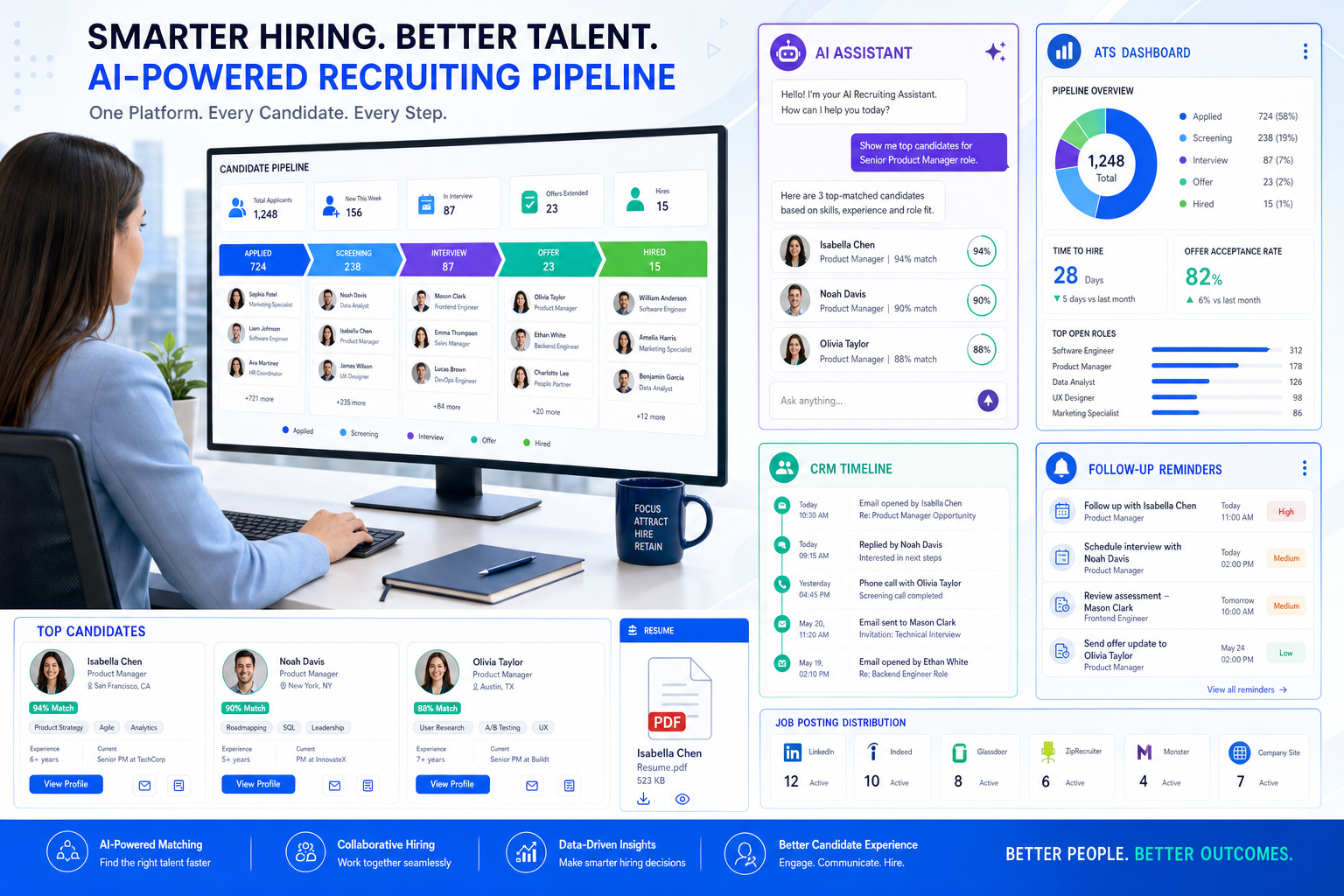
This article helps agency leaders assess free employment agency software before poor records and missed follow-up damage delivery.
That sounds simple, but this is where many recruiting teams lose time and trust. A solo recruiter forgets why a candidate was parked three weeks ago. A small agency owner cannot see which jobs are moving because notes sit in inboxes. An in-house recruiter posts roles quickly, yet misses the bigger issue: nobody has a clean record of conversations, hiring manager expectations, or next actions. The cost is not just slower hiring. It is duplicated outreach, weaker candidate experience, poor handoffs, and commercial risk when clients expect tighter control.
That is also why I have become more practical about where automation helps. In my own workflow, StrategyBrain AI Recruiter has been most useful not as a replacement for recruiter judgment, but as a way to keep early outreach moving when LinkedIn replies come in after hours, across time zones, or in different languages. Its always-on messaging, multilingual communication, and automated collection of resumes and contact details help reduce the first-layer chasing that clogs a desk. The recruiter still has to review the resume, judge fit, and decide whether to push the process forward.
The easiest way to understand why this matters is to look at a familiar evaluation moment. A professional sits down to write a self-assessment and suddenly has to reconstruct the year: what they actually owned, how their role supported team goals, where they improved a process, and what outcomes they can prove. Their manager is busy, check-ins were limited, and now a task that should have been straightforward becomes difficult because the evidence is scattered.
Recruiting software creates the same problem in reverse. If your system does not preserve dialogue, clarify role ownership, connect activity to measurable outcomes, and show how one person’s work supported the wider team, then the software is not really helping your workflow. That is why buyers searching for the best recruiting software often end up comparing free employment agency software, free job posting software, and free job portal software without first asking whether the system can preserve the operating context recruiters need every day.
Table of Contents
- What the best recruiting software actually does
- The software terms buyers mix up most often
- A better evaluation framework: dialogue, role, numbers, team
- Why agencies usually need ATS plus CRM
- Free recruiting software feature matrix
- Best recruiting software by use case
- Free plan limits to watch closely
- How free job posting software really works
- How to choose without overbuying
- Common mistakes during selection
- FAQ
What the best recruiting software actually does
When recruiters search for the best recruiting software, they are rarely looking for the same thing. A staffing agency may need client records, candidate rediscovery, and submission tracking. An internal talent team may care more about approvals, career pages, and reporting. A startup may mainly want free job posting software that keeps applications from falling into email chaos.
From an operator’s perspective, the best platform is the one that reduces manual work across five pressure points: sourcing, applicant tracking, communication, posting distribution, and reporting. The strongest systems do more than store resumes. They preserve the kind of working memory recruiters need when priorities shift fast.
That is where the day-to-day advantages of applicant tracking system tools become real. You can see who applied, who replied, who was submitted, who needs follow-up, and where a role is stuck. Those are the practical applicant tracking system benefits that prevent dropped candidates and confused stakeholders.
- For recruiters: you need searchable records, notes, reminders, and clear pipeline stages.
- For agency owners: you need visibility into desk activity, client progress, and handoffs.
- For HR leaders: you need permissions, approvals, and reporting discipline.
- For hiring managers: you need simple feedback loops and obvious next steps.
The software terms buyers mix up most often
One reason software selection goes wrong is that buyers use different labels for different problems. Before comparing tools, define the categories in plain English.
ATS
An applicant tracking system for recruiters manages jobs, applications, resumes, stages, and hiring activity. Its main role is process control.
CRM
A recruiting CRM manages relationships over time. It supports passive talent, client contacts, business development, and longer follow-up cycles.
Career portal
A career portal is the place where candidates browse jobs and apply. In many searches, this is what people mean by free job portal software.
Job wrapping
Job wrapping pulls jobs from one source and republishes them elsewhere so postings stay updated without repeated manual entry.
XML feed
An XML feed is a structured file used to send job data between systems for distribution or synchronization.
API
An API is a connection layer between systems. It matters when your workflow depends on automation, sync, or partner integrations.
Understanding these definitions helps buyers avoid a common mistake: assuming that free employment agency software, free job posting software, and free job portal software all solve the same operational problem. They do not.
A better evaluation framework: dialogue, role, numbers, team
The most useful lesson from performance self-assessment is not about HR forms. It is about information quality. When people have to prove what they did, they rely on four things: a record of dialogue, clarity about role, evidence in numbers, and a connection between personal work and team outcomes. I use the same framework when evaluating recruiting systems.
1. Dialogue: does the system preserve meaningful recruiting conversations?
Recruiters work in moving conversations, not static records. Candidate intent changes. Hiring manager priorities shift. Client urgency rises and falls. Good software should make those interactions visible without forcing people to hunt through inboxes and separate tools.
This is where I found AI Recruiter genuinely useful in LinkedIn-heavy sourcing environments. When candidates responded outside business hours, the system kept the exchange moving, answered routine role questions, checked whether the person was open to a conversation, and captured resume or contact details for later review. That meant I came back to cleaner handoffs instead of half-finished threads. Final fit assessment still sat with me, which is exactly how it should work.
2. Role: does the software make ownership clear?
One of the fastest ways a recruiting process breaks is when nobody knows who owns the next move. The best recruiting software makes role clarity visible: recruiter, account manager, hiring manager, coordinator, or interviewer. If ownership is vague, follow-up gets delayed and accountability becomes political.
3. Numbers: can you measure outcomes without detective work?
Recruiting teams need more than activity counts. They need enough structure to answer practical questions: how many applicants became interviews, how many submissions got feedback, which sources produce useful pipelines, and where jobs stall. This is where the applicant tracking system benefits move from convenience to management value.
4. Team: does the platform show how individual actions support the wider hiring effort?
Strong recruiters do not work in isolation. They support client delivery, hiring manager communication, employer branding, and team continuity. Good software should show that connection. A polished dashboard means very little if the system cannot demonstrate how one recruiter’s work supports the full process.
Practical takeaway: If your system cannot retain conversation history, show ownership, quantify outcomes, and connect desk activity to team goals, it will struggle under real recruiting pressure even if the posting features look impressive.
Why agencies usually need ATS plus CRM
For most agencies, standalone ATS software solves only part of the problem. It may track active applicants well, but agencies also need to manage clients, prospects, candidate pools, redeployment opportunities, and long-tail follow-up. That is why buyers looking for free employment agency software should usually evaluate ATS and CRM capability together.
Agency recruiting is not a sequence of isolated reqs. It is relationship work layered on top of process work. A recruiter may source a candidate, submit them to one client, re-engage them months later for another role, and at the same time update a business development conversation tied to the account. ATS-only platforms often become too narrow in that environment.
If your workflow includes any of the following, ATS-only software may create friction:
- Tracking client contacts and vacancy ownership
- Managing business development activity
- Rediscovering older candidates for new roles
- Keeping notes across long hiring cycles
- Matching one candidate to multiple roles over time
- Coordinating delivery and account management in one process
For staffing teams, the advantages of applicant tracking system software increase sharply when candidate records and relationship history live together.
Free recruiting software feature matrix
Instead of comparing vendor claims, compare software categories and the free-plan patterns they usually follow.
| Software Type | Best Fit | Free Plan Pattern | Agency Suitability | Posting Strength | CRM Depth | Portal Support | Likely Upgrade Trigger |
|---|---|---|---|---|---|---|---|
| Basic ATS | Small internal team | Often available with user or job caps | Low to medium | Usually basic | Light | Basic jobs page | Need more users or reporting |
| ATS + CRM | Staffing agency | Sometimes available in starter form | High | Medium to strong | Strong | Often included | Need automation or scale |
| Posting-first platform | Startup or occasional hiring | Common | Low | Strong | Minimal | Often included | Need better pipeline control |
| Career portal software | Employer brand focus | Partial free access in some cases | Low to medium | Depends on integrations | Minimal | Strong | Need ATS depth |
| Agency operations suite | Growing recruiting firm | Less common as truly free | Very high | Medium to strong | Strong | Usually included | Free caps become restrictive |
This comparison is more useful than a generic top-10 list because it reflects workflow reality. A lightweight platform may work as free job posting software but still fail as an applicant tracking system for recruiters if search, notes, ownership, and client context are weak.
Best recruiting software by use case
1. Best for staffing agencies: ATS plus CRM with strong history tracking
If you run a staffing desk, the strongest option is usually all-in-one free employment agency software that combines candidate tracking, client records, outreach history, and job management. The real value is continuity: one searchable place for role context, relationship context, and delivery progress.
What to test: search quality, activity history, submission tracking, and whether you can rediscover older candidates fast.
2. Best for small businesses: simple ATS with a clean career page
Smaller employers usually need a manageable pipeline and an easy way to collect applications. Here, free job portal software can be a practical fit if it includes a branded jobs page tied to a simple ATS.
What to test: ease of use for non-recruiters, hiring manager logins, and whether feedback can be collected without friction.
3. Best for startups: free job posting software with a clear upgrade path
Startups often begin by prioritizing speed. They want to publish jobs, collect applicants, and avoid losing responses. Free job posting software can work well at this stage if it still includes basic stages, notes, and communication visibility.
What to test: whether the workflow still holds once applications rise from a few roles to many.
4. Best for internal HR teams: structured workflows and reporting
Internal talent teams need consistency across departments. The best recruiting software here usually supports approvals, reporting, permissions, and career site management more than agency-style CRM depth.
What to test: seat limits, active job limits, reporting access, and approval flows.
5. Best for sourcing-heavy teams: software that works with LinkedIn outreach operations
If a large share of your pipeline starts on LinkedIn, your stack needs more than an ATS. You need a clean handoff from outreach to recruiter review. In my experience, that is where AI Recruiter workflows can complement your recruiting software well. The messaging layer keeps engagement moving, while the ATS remains the source of truth for hiring decisions, notes, and stage control.
What to test: whether outreach responses, resumes, and contact details can be captured cleanly enough for recruiter follow-up.
Free plan limits to watch closely
The biggest selection mistake I see is confusing “free” with “fully usable.” Most no-cost plans are entry points, not complete agency systems.
When reviewing free employment agency software or free job posting software, look closely at these restrictions:
- Seat caps: often only one or two users
- Active job caps: limits on open requisitions
- Resume parsing limits: manual work after a threshold
- Restricted integrations: email, calendar, or posting sync locked to paid tiers
- Limited reporting: basic dashboards only
- Branding constraints: limited career page customization
- Database limits: weaker search depth or storage caps
- Automation limits: reminders and workflow rules not included
Those restrictions matter because they directly affect the same four evaluation areas discussed earlier: dialogue, role clarity, numbers, and team visibility. If the free plan breaks any of those, it will likely create spreadsheet workarounds within a few months.
How free job posting software really works
Many buyers use free job posting software as a catch-all term, but there are several different setups behind it.
1. ATS with manual posting support
The system stores the role and candidate pipeline, but recruiters still post manually to selected boards.
2. Posting-first software with multi-board distribution
This setup pushes one job to multiple channels and usually suits smaller teams that value speed over deep CRM structure.
3. Distribution through feeds or integrations
Here the system uses an XML feed, API, job wrapping, or another sync method to move jobs into external channels.
For buyers, the key question is simple: how do jobs actually reach outside channels, and how reliably do applicants flow back into the pipeline? Without that answer, free job portal software can look stronger in a demo than it feels in practice.
The most useful posting setup usually combines:
- One place to create the job
- A branded portal or career page
- Distribution to selected channels
- Reliable tracking back into the ATS
- Enough data quality to keep integrations working
How to choose without overbuying
If you are evaluating the best recruiting software, start with workflow fit rather than raw feature count.
- Map your hiring model. Agency, internal HR, startup, or sourcing-led operation.
- List your must-have workflows. Candidate tracking, client management, scheduling, portal support, sourcing, or reporting.
- Apply the dialogue-role-numbers-team test. This is the fastest way to expose shallow tools.
- Test a real recruiter path. Create a job, post it, collect applications, move a candidate, and chase feedback.
- Check upgrade triggers early. Seats, jobs, automation, CRM, or integrations usually force the move.
In agency environments, I would still prioritize searchability, notes, and relationship continuity over shiny promises. In sourcing-heavy teams, I would also test how your ATS works alongside AI Recruiter on LinkedIn, especially if reply speed and global communication are already bottlenecks.
Common mistakes during selection
- Confusing posting reach with ATS strength. Distribution does not guarantee usable pipeline management.
- Confusing a career portal with full recruiting software. A good jobs page does not replace recruiter workflow control.
- Ignoring agency commercial needs. If clients and business development matter, ATS-only software may be too thin.
- Skipping the free-plan detail review. User caps and job caps usually hurt sooner than expected.
- Assuming all integrations work the same way. Feed-based, partner-based, and native posting setups are operationally different.
- Over-automating the wrong step. Outreach support can help, but final candidate judgment must stay with the recruiter.
That last point matters. The best systems remove repetitive motion while preserving human decision quality. In my own use, AI-supported sourcing helped most when it handled repetitive LinkedIn conversation flow and resume capture, not when it tried to replace fit evaluation.
FAQ
Is free employment agency software really free?
Sometimes, but usually with practical limits. Most free options restrict users, active jobs, integrations, reporting, or automation.
What is the difference between free ATS, free job posting software, and free job portal software?
A free ATS manages applicants and stages. Free job posting software focuses on publishing jobs. Free job portal software usually refers to the candidate-facing jobs page or application portal. Some tools overlap, but they are not the same promise.
Can free recruiting software support staffing agencies?
Yes, but only if it includes enough CRM structure for candidate and client relationship management. Agencies usually need more than applicant tracking alone.
Does free job portal software include a branded career page?
Often yes, but the depth varies. Some systems provide a simple hosted page, while others support stronger branding and better application flow.
Can free job posting software distribute jobs to external channels?
Sometimes. It depends on whether distribution is manual, native, partner-based, or feed-based.
Where does LinkedIn outreach automation fit into recruiting software?
It usually works best as a companion workflow for sourcing-heavy teams. For example, StrategyBrain AI Recruiter can keep candidate conversations moving and collect resumes, while the ATS remains the decision and tracking system.
When should a team upgrade from free recruiting software?
Usually when the free limits start creating workarounds: more users, more active roles, stronger reporting needs, deeper search, or necessary integrations.
Conclusion
The best recruiting software is not the platform with the longest feature list. It is the one that protects context, clarifies ownership, captures outcomes, and supports the wider team workflow. That is the real test behind free employment agency software, free job posting software, and free job portal software.
If you use that lens, software selection gets easier. You stop asking only where jobs can be posted and start asking whether the system helps a recruiter remember, prove, and act on what happened. In real recruiting operations, that difference matters far more than a polished demo.















