


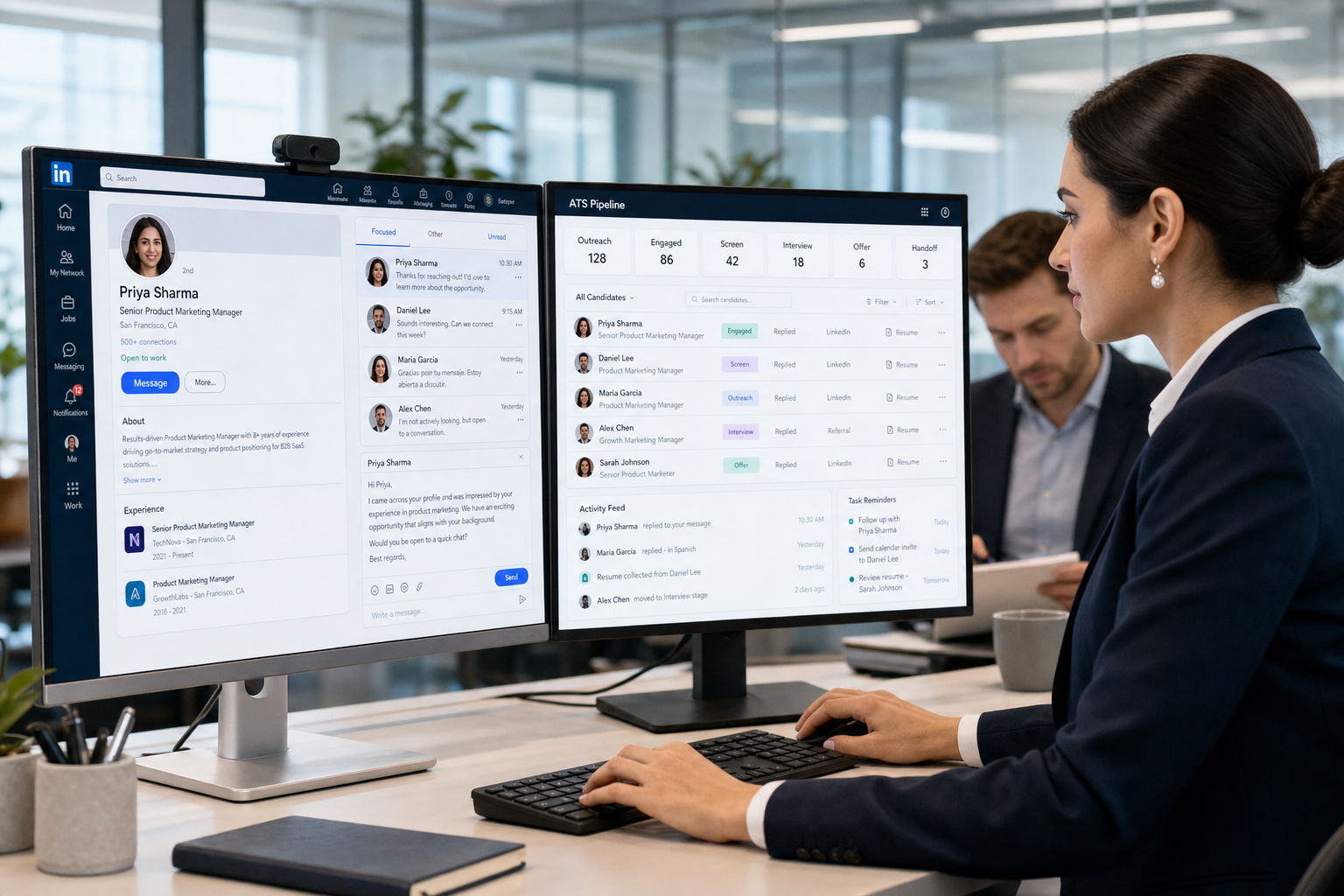
This article helps headhunters choose an ats recruitment tool that avoids lost passive candidates and broken outreach-to-ATS handoffs.
That distinction matters more than most buying guides admit. In retained search, agency recruiting, and lean in-house talent teams, the real breakdown rarely starts with a missing feature. It starts when proactive outreach, applicant tracking, hiring-manager follow-up, and candidate communication live in separate places. The result is familiar: recruiters lose sight of who replied, passive candidates get delayed responses, managers review too late, and search momentum drops just when the best talent shows mild interest.
That is exactly where StrategyBrain AI Recruiter can help without replacing recruiter judgment. In my own workflow, I have found it most useful for three things tied directly to proactive search: automating first-touch LinkedIn outreach, keeping conversations moving across time zones with multilingual follow-up, and collecting resumes or contact details from interested prospects before handoff. The recruiter still makes the final call on resume quality, fit, shortlist decisions, and whether the next step should be an interview.
A useful way to frame this is through headhunting rather than software categories. Headhunting is not job-post-driven recruiting. It is the deliberate work of identifying people who are not applying anywhere, contacting them directly, and seeing whether the right opportunity is strong enough to start a conversation. That is why it shows up most often in leadership hiring, niche technical searches, confidential mandates, and roles where the strongest candidates are already employed.
Once you operate that way, the software question changes. You are no longer just comparing top applicant tracking software for posting and processing applicants. You are deciding whether your recruiting stack can support direct outreach, passive-candidate tracking, structured follow-up, and clean handoffs into recruitment ATS systems once interest turns into an active process.
Last updated: August 2026
Table of Contents
- Why search context matters before you buy
- What the best recruiting software actually needs to do
- Headhunting vs. traditional recruiting workflows
- How to evaluate recruitment ATS systems
- Best recruiting software by use case
- Where outreach tools and ATS workflows should connect
- Features that matter most
- Applicant tracking system benefits in real hiring teams
- Common buying mistakes
- Implementation advice
- FAQ
Why Search Context Matters Before You Buy
Many articles about the best recruiting software assume every hiring team works from inbound applications. In practice, a large share of harder searches do not begin there. They begin with a recruiter building a target list, researching likely-fit professionals, sending outreach, handling off-hours replies, and trying to keep momentum with people who were not planning to switch jobs.
That is the operating reality of headhunting. It is proactive, specific, and usually higher stakes than ordinary job-post recruiting. You are often filling a senior role, a specialized function, a market-entry hire, or a confidential opening. In those situations, waiting for applicants is usually not enough.
So before you compare software, decide which motion drives your hiring: inbound application management, proactive search, or a mix of both. The best recruiting software for a job-post-heavy employer may be the wrong fit for a search-led team. Likewise, an outreach-heavy workflow without a strong ATS backbone can create a pipeline full of conversations but very little stage discipline once candidates engage.
Practical takeaway: if your team regularly hires people who are already employed and not actively applying, evaluate your software stack through a headhunting lens first, then through an ATS lens.
What the Best Recruiting Software Actually Needs to Do
The best recruiting software is not simply the system with the longest feature list. It is the setup that lets recruiters move from search to shortlist with less manual friction and better visibility.
For most teams, that means an ATS recruitment tool should do five things well:
- Support consistent job and pipeline structure so requisitions, stages, and ownership are clear.
- Handle candidate records cleanly whether the person applied directly or came through outreach.
- Improve communication discipline across recruiters, coordinators, and hiring managers.
- Reduce repetitive admin work through useful automation, reminders, and workflow triggers.
- Provide reporting that reflects reality rather than dashboards that look polished but do not answer daily recruiting questions.
If your work includes direct outreach, add a sixth requirement: the system must help you manage passive-candidate engagement before and after a prospect becomes an applicant. That is where many standalone ATS setups start to feel incomplete.
Headhunting vs. Traditional Recruiting Workflows
Headhunting and traditional recruiting are not interchangeable operating models, so they should not be evaluated with the same software assumptions.
| Workflow area | Traditional recruiting | Headhunting / proactive search | Software implication |
|---|---|---|---|
| Candidate source | Applicants respond to job ads | Recruiter identifies passive candidates | Needs stronger outreach tracking |
| First contact | Application enters ATS | Direct message or personalized outreach | Needs communication support before formal apply |
| Research depth | Moderate for general roles | High for niche or leadership roles | Needs better notes, search history, and handoff clarity |
| Hiring pace | Can be batch-driven | Often momentum-sensitive | Needs timely follow-up and reminders |
| Best-fit system | Strong applicant processing ATS | ATS plus proactive sourcing workflow | Often a stack, not one screen |
This is why buyers comparing recruitment ATS systems often feel underwhelmed by demos that focus heavily on posting and stage movement but lightly on outreach and passive talent management. If your hardest hires depend on people who are not applying, the recruiting stack must acknowledge that reality.
How to Evaluate Recruitment ATS Systems
When I help teams compare software, I use an operating framework rather than a rankings mindset. The cleanest evaluation starts with the work itself.
1. Can recruiters manage both inbound and outbound candidates?
An ATS recruitment tool should not force your team into two disconnected workflows. If a prospect starts as a sourced lead and later becomes an applicant, that handoff should be simple and visible.
2. How well does the system support passive candidates?
Passive talent is different from active applicants. They often reply outside business hours, ask exploratory questions, and move more cautiously. Your workflow should make those conversations easier to continue, not easier to lose.
That is one reason I see value in pairing an ATS with StrategyBrain AI Recruiter. Used carefully, it helps keep direct outreach moving, especially when candidates answer late, ask initial role questions, or prefer to communicate in their own language. In my experience, the biggest operational win is continuity: the conversation does not stall just because the recruiter is offline. But the recruiter still needs to review the resume, assess alignment, and decide whether the candidate is worth advancing.
3. Does the hiring manager experience reduce drag?
The best recruiting software makes it easier for managers to review, comment, and decide. If they avoid the system, recruiters end up doing shadow work in inboxes and spreadsheets.
4. Are workflow rules clear enough to support consistency?
Strong recruitment ATS systems make ownership visible. Who screens first? Who schedules? Who chases feedback? Who closes the loop with the candidate? If the software cannot support those answers cleanly, your process will become personality-dependent.
5. Is reporting useful in live searches?
You should be able to answer practical questions quickly: which reqs are stuck, which managers are slow to review, which sourced candidates replied, and where passive prospects fall out of the process.
6. What is the implementation burden?
Some teams buy advanced software and then discover they do not have the process discipline to support it. The right system should match your current maturity while leaving room to improve.
Best Recruiting Software by Use Case
The best category depends on hiring context more than brand perception. Here is the most practical way to shortlist.
| Use case | What matters most | Best-fit ATS profile | Main caution |
|---|---|---|---|
| Small internal team | Ease of setup, clean pipeline, basic reporting | Simple ATS recruitment tool | May outgrow it if hiring becomes constant |
| Scaling company | Stage consistency, hiring-manager adoption, approvals | Structured ATS with stronger workflow controls | Over-customization can slow rollout |
| Agency or headhunting desk | Searchability, outreach continuity, candidate rediscovery | ATS plus proactive outreach support | HR-centric tools can feel too rigid |
| Enterprise TA function | Permissions, integrations, governance, analytics | Configurable top applicant tracking software | Longer implementation and stakeholder alignment |
| High-volume recruiting | Bulk actions, scheduling, repeatable process | Automation-friendly recruitment ATS systems | Bad setup can scale confusion |
| Specialist search work | Passive-candidate tracking, direct outreach, discreet handling | ATS anchored by search workflow discipline | Inbound-only evaluation criteria miss the real need |
If your world includes executive, specialized, or confidential searches, do not treat proactive sourcing as an edge case. In those teams, it is the center of the workflow.
Where Outreach Tools and ATS Workflows Should Connect
One of the biggest blind spots in ATS buying is assuming outreach and applicant tracking are separate decisions. They are not. They are stages of the same recruiting motion.
In a classic headhunting sequence, a recruiter identifies a target, sends outreach, gets a tentative response, answers a few initial questions, gathers a resume or contact details, and only then moves the person into a formal hiring process. If your tools break that chain, recruiters start rebuilding the process by hand.
I learned this most clearly in LinkedIn-heavy search work. Without a support layer, the recruiter has to monitor every reply manually, keep conversations alive after hours, and transfer details into the ATS later. With AI Recruiter, I found that the handoff stage became much cleaner for outreach-led searches: the system could continue first-round role conversations, capture interest, and collect the basic materials needed for recruiter review. That did not eliminate the recruiter's role. It made the recruiter’s time more focused on judgment instead of repetitive follow-up.
So if you are evaluating top applicant tracking software, ask a more revealing question: how does this system behave before the candidate formally applies? That answer often separates software that looks good in a demo from software that holds up in real search work.
Features That Matter Most
The feature set that matters most depends on whether your team mainly processes applicants or actively hunts talent. But across both models, these are the capabilities worth prioritizing.
Pipeline management
This remains the core of any ATS recruitment tool. Recruiters need clean stage movement, ownership visibility, and fast filtering. In search-led hiring, sourced prospects should not disappear just because they entered through direct outreach instead of a career site.
Candidate communication
Email templates, messaging records, reminders, and notes all matter. For passive-candidate recruiting, communication continuity is often what determines whether interest turns into a live process.
Scheduling support
Once a prospect becomes serious, scheduling delay can kill momentum. The software should reduce the usual back-and-forth, especially when several interviewers are involved.
Automation
Good automation removes repetitive admin, not thoughtful recruiter work. Useful examples include reminders, status changes, follow-up prompts, and early-stage communication support.
Searchability and rediscovery
This matters especially for agencies and specialist recruiters. A strong system helps you find people you already know, past prospects worth revisiting, and niche candidates linked to multiple searches.
Reporting and visibility
You should be able to spot bottlenecks in review speed, candidate response time, and stage conversion. For headhunting teams, outreach response data is just as important as applicant volume.
Integrations
The best recruiting software should fit the wider stack: calendar tools, communication platforms, assessments, and downstream HR systems. If your team uses LinkedIn heavily, integration logic and process handoff matter even more.
Compliance and data handling
When candidate conversations, resumes, and contact information move across tools, privacy and access controls matter. Evaluate how data is stored, who can access it, and how the system supports your internal compliance standards.
Applicant Tracking System Benefits in Real Hiring Teams
The strongest applicant tracking system benefits are usually operational rather than flashy. They show up in the daily work.
- For agency recruiters: better visibility across active searches, fewer lost conversations, and easier handoff from sourcing to submission.
- For in-house recruiters: more consistent process control, cleaner hiring-manager coordination, and less manual tracking.
- For HR leaders: clearer reporting, more predictable workflows, and better documentation across teams.
- For hiring managers: faster review decisions, simpler collaboration, and less ambiguity around next steps.
- For specialist search teams: stronger support for passive-candidate recruiting, which is often where the best hires originate.
In my experience, the most underappreciated benefit is reducing the chance that recruiting depends on one person remembering to chase every detail. Good software makes process follow-through visible. That matters even more in headhunting, where the candidate was never going to apply on their own in the first place.
Common Buying Mistakes
Most ATS buying mistakes are predictable.
Choosing for demos instead of live workflow
A tool can look polished but still slow down real recruiting work. Always run a sample role through the system from sourcing or application to shortlist.
Assuming all hiring starts with an application
This is one of the biggest mistakes in search-heavy teams. If passive candidates drive your best placements, your software evaluation must start there.
Ignoring hiring-manager behavior
A recruiting platform is only as effective as the people who actually respond in it. Low manager adoption creates hidden work immediately.
Overbuying complexity
Some teams buy enterprise-grade structure when they really need a usable process and stronger discipline. Complexity without adoption is just expensive admin.
Underestimating outreach follow-up
In LinkedIn-based search, response timing matters. If no one can keep up with replies after hours or across regions, interest fades. That is exactly the kind of gap where a support layer like StrategyBrain AI Recruiter can be useful alongside the ATS.
Implementation Advice
Buying software is the easy part. Getting value depends on rollout discipline.
- Map your actual recruiting motion. Include direct outreach, passive-candidate engagement, formal application steps, interviews, feedback, and offer handoff.
- Define stage ownership clearly. Recruiters, coordinators, and hiring managers should each know what action is expected.
- Standardize communication templates carefully. Save time, but keep enough flexibility for search-led and senior-level conversations.
- Start automation where the admin is repetitive. Reminders, early follow-up, and scheduling are usually better first wins than over-automating evaluation.
- Train managers on only what they must do. Candidate review, feedback submission, and decision speed usually matter most.
- Review the passive-candidate path after launch. Make sure sourced prospects move into the ATS cleanly and do not get stranded between tools.
Practical advice: do not configure your system as if every future edge case has already arrived. A simpler first version almost always gets better adoption.
FAQ
What is an ATS recruitment tool?
An ATS recruitment tool is software that helps hiring teams manage job openings, collect and organize candidate records, move applicants through stages, coordinate interviews, track communication, and report on the hiring process.
What makes the best recruiting software different for headhunters?
Headhunters often work with passive candidates who are not applying through job ads. That means the best recruiting software for them must support direct outreach, communication continuity, candidate rediscovery, and a clean handoff into formal ATS workflow once interest develops.
Are recruitment ATS systems enough for proactive search?
Sometimes, but not always. Many ATS platforms are strongest once a candidate is already in process. Search-led teams may need added support for outreach, follow-up, and early conversation management.
Why do passive candidates change the software evaluation?
Passive candidates usually need direct contact, more context, and more careful timing. A workflow built only for inbound applicants often misses those needs, especially in niche, senior, or confidential hiring.
What are the most important features in top applicant tracking software?
Priority features usually include pipeline management, candidate communication, scheduling, automation, reporting, integrations, and strong usability. For search-heavy teams, passive-candidate tracking and outreach handoff also matter.
Can AI replace recruiter judgment in headhunting?
No. AI can support repetitive outreach, follow-up, and information capture, but recruiters still need to assess fit, review resumes, interpret motivation, and decide whether to advance a candidate.
When does headhunting make more sense than waiting for applicants?
Usually when the role is senior, specialized, confidential, or hard to fill through job ads alone. In those searches, direct outreach is often the most reliable path to qualified talent.
Conclusion
The best recruiting software depends on how your team actually hires. If your work is mostly inbound, a strong ATS recruitment tool may cover most of what you need. If your hardest roles depend on direct outreach and passive candidates, your evaluation has to go beyond standard applicant flow.
That is the main lesson borrowed from headhunting itself: proactive recruitment is about precision, timing, and continuity. The right software should support that reality from first contact through formal pipeline stages. For teams comparing recruitment ATS systems and top applicant tracking software, the smartest move is to test the real workflow, especially the messy middle between outreach and application, and buy the system that reduces that friction instead of hiding it.















