


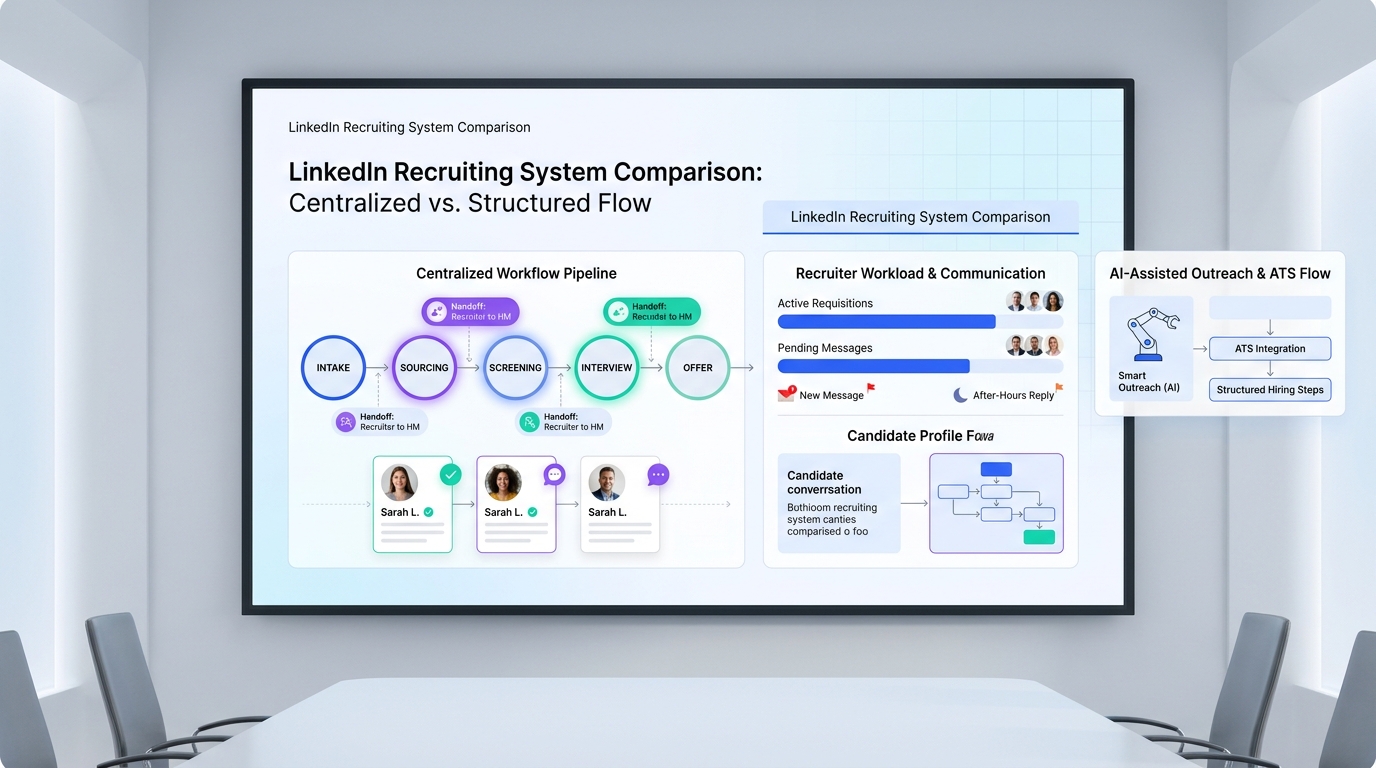
When hiring spikes, this article helps recruiting leaders compare recruiting systems by coverage, handoffs, and response risks.
That matters more than most software demos admit. When requisitions stack up, candidate replies arrive after hours, and hiring managers still expect fast shortlists, recruiting friction spreads quickly. Recruiters lose track of who needs a follow-up, agency owners risk missed placements, in-house teams create uneven candidate experiences, and overloaded colleagues start covering for broken process instead of doing higher-value recruiting work. The operational damage is not just slower hiring. It shows up in recruiter burnout, inconsistent communication, delayed decisions, and a brand that feels disorganized to candidates and managers alike.
In that kind of pressure, I have found that workflow support matters more than feature theater. Tools like StrategyBrain AI Recruiter can reduce the most repetitive parts of LinkedIn outreach by handling initial candidate messaging, after-hours follow-up, and multilingual communication while the recruiter keeps control of final résumé review, qualification, and interview decisions. Used that way, it does not replace recruiter judgment. It gives the recruiter back the time needed to make better calls, especially when multiple roles need attention at the same time.
A useful way to think about software selection comes from a familiar staffing problem outside recruiting software conversations: approving too many time-off requests during a busy period. Leaders want people to take leave, but they also need enough coverage to keep the business moving. The tension is not whether time off is good. It is how to create a clear request process, identify critical roles that must stay covered, and communicate decisions in a way that protects both the individual and the team.
Recruiting teams face the same balancing act when hiring demand peaks. One recruiter is juggling candidate replies, another is out, several managers want interviews scheduled now, and the pipeline cannot simply pause because a key person is unavailable. In that moment, the real issue is coverage: who owns each candidate, how quickly handoffs happen, what rules govern prioritization, and whether your system makes the next action obvious. That is exactly why the best recruiting software discussion should start with workload visibility and process control, not just with a long feature list.
If you are comparing recruiting systems, that opening scenario gives you a better lens than vendor marketing does. The strongest tools in the recruiting software industry help teams balance recruiter capacity, candidate communication, hiring manager expectations, and coverage for critical workflows. For larger TA and HR teams, the same logic carries into human resources recruiting software decisions, where integration, governance, and handoff to HR operations matter just as much as sourcing or applicant tracking.
- The best recruiting software is usually the system that preserves workflow coverage when hiring volume spikes or recruiter capacity drops.
- Modern recruiting systems often combine ATS functionality with sourcing, automation, communication, reporting, and collaboration tools.
- A practical software review should test how a real requisition moves from intake to offer when the team is busy, not just when conditions are ideal.
- Human resources recruiting software should be judged on ecosystem fit, handoff quality, and governance as much as on recruiter-facing features.
- AI support is most useful when it handles repetitive outreach and follow-up while recruiters keep control over qualification and hiring decisions.
Table of Contents
- Why busy hiring teams need better recruiting systems
- What recruiting software includes today
- A better way to compare recruiting systems
- Features that matter when recruiter coverage gets tight
- Where ATS benefits show up in day-to-day hiring
- Best recruiting software by team type
- AI support, LinkedIn workflows, and after-hours response
- HR and HCM integration considerations
- How to think about cost without guessing
- A practical selection process
- Common buying mistakes
- FAQ
Why busy hiring teams need better recruiting systems
Many recruiting software projects start with a complaint about admin work. In practice, the deeper reason teams buy is that they need coverage. They need a system that keeps recruiting moving when candidate volume rises, when one recruiter is overloaded, when managers are slow to respond, or when key team members are out of office.
That is the useful lesson from the time-off management scenario above. The challenge is not just granting or denying requests. It is setting clear rules, protecting critical roles, communicating quickly, and making sure the team can still operate without creating burnout for everyone else. Replace vacation coverage with pipeline coverage and you have a very accurate picture of real hiring operations.
From an operator's perspective, the best recruiting software helps answer practical questions fast: Who owns this candidate? What stage are they in? Who is waiting on feedback? Can someone else step in if the original recruiter is unavailable? If your current process cannot answer those questions in minutes, your team likely has a workflow problem before it has a sourcing problem.
What recruiting software includes today
Recruiting software is the broad category for tools that support the hiring workflow from job intake through offer and, in some cases, through the handoff into onboarding. Depending on the platform, that can include job posting, applicant tracking, sourcing, candidate messaging, interview scheduling, scorecards, analytics, and integrations with HR systems.
An applicant tracking system for recruiters is usually the core of those recruiting systems. It holds candidate records, pipeline stages, ownership, notes, approvals, and hiring team feedback. In simpler environments, the ATS may cover most of what the team needs. In more mature environments, it sits inside a broader talent acquisition stack that adds outreach automation, CRM-style talent pools, and HR connectivity.
That is why comparisons in the recruiting software industry can be confusing. Buyers often think they are choosing between an ATS and recruiting software, when the real choice is usually between a narrower ATS-centered tool and a broader platform with more coverage across sourcing, automation, reporting, and operational handoff.
A better way to compare recruiting systems
When teams are busy, weak process design shows up immediately. So instead of comparing recruiting systems by feature count alone, compare them by how well they preserve coverage and clarity when pressure increases.
| Evaluation Area | What to Look For | Why It Matters Under Load |
|---|---|---|
| Pipeline Ownership | Clear candidate owner, backup visibility, recruiter assignments | Prevents candidates from stalling when one recruiter is unavailable |
| Applicant Tracking | Custom stages, approvals, rejection reasons, audit trail | Keeps handoffs consistent across jobs and teams |
| Communication | Email workflows, messaging history, follow-up reminders | Protects candidate experience during busy periods |
| Sourcing | Talent pools, rediscovery, search filters, outreach tools | Supports proactive coverage when inbound slows |
| Scheduling | Calendar syncing, interviewer coordination, reminders | Reduces hidden delays caused by back-and-forth |
| Collaboration | Scorecards, notes, role-based access, hiring manager views | Stops feedback from getting lost across channels |
| Analytics | Time-to-stage, source quality, bottleneck reporting, workload views | Shows where the process breaks when volume increases |
| Integrations | HRIS, HCM, onboarding, background checks, calendar tools | Prevents rework during final handoff |
In vendor demos, ask for one realistic requisition to move from intake to offer while a recruiter is away or overloaded. That single scenario reveals more than a polished feature tour because it forces the platform to show how it handles coverage, not just ideal-state workflow.
Features that matter when recruiter coverage gets tight
1. Clear request and approval flow for hiring work
The reference scenario around time-off requests highlights something recruiting leaders often overlook: teams work better when expectations are explicit. The same applies to recruiting systems. A good platform should make intake requests, stage movement, approvals, and feedback deadlines visible so that everyone knows what happens next.
If the software relies on side conversations, inbox searches, or recruiter memory to move a candidate forward, your process is too fragile for busy hiring periods.
2. Visibility into critical roles and urgent coverage needs
In the original time-off problem, managers first identify roles that always need coverage. Hiring teams should think the same way about requisitions. Some roles are business-critical, hard to replace, or tied to revenue or operations. Your recruiting software should make it easy to surface those roles, prioritize them, and rebalance recruiter effort without losing candidate history.
This is one area where strong applicant tracking workflow matters more than a flashy interface.
3. Candidate communication that does not collapse after hours
Busy teams often lose momentum because candidate replies come in outside recruiter working hours. That is especially true in outbound recruiting and LinkedIn-based sourcing. In my own workflow, I have used AI Recruiter to keep initial conversations moving when I could not reasonably monitor messages all evening. It helped handle first-touch outreach, answer common role questions, and collect contact details or résumés from interested prospects, while I still reviewed the profile and decided whether to move the person into formal screening.
That distinction matters. Automation should preserve responsiveness, not outsource judgment.
4. Collaborative coverage instead of individual heroics
The time-off reference also stresses collaborative planning. In recruiting, that means the system should make it easy for another recruiter, coordinator, or manager to see the current state of a pipeline and pick up the next action without guessing. Shared notes, stage history, and centralized communication reduce the dependency on one person remembering everything.
That is one of the most practical advantages of applicant tracking system discipline. It replaces informal memory with visible process.
5. Alternatives and rerouting when the first plan fails
When managers cannot approve a specific vacation request, they often offer alternative dates. Recruiting software should support the hiring equivalent: alternate interview windows, substitute interviewers, backup owners, or redirected candidate communication paths when the first plan breaks down. Software that supports these reroutes helps teams protect candidate experience even when the schedule changes.
Where ATS benefits show up in day-to-day hiring
The advantages of applicant tracking system software are most obvious when pressure rises. In calm periods, a team can survive with spreadsheets, inboxes, and chat. In busy periods, that setup starts dropping context.
- Better visibility: Recruiters and hiring managers can see who owns each step.
- Faster coordination: Feedback, approvals, and stage movement happen in one place.
- Process consistency: Common workflows reduce improvisation when the team is stretched.
- Improved reporting: Leaders can spot where coverage is weak or delays are stacking up.
- Stronger candidate experience: Communication stays more timely and less erratic.
These applicant tracking system benefits are especially valuable when one recruiter is out, several interviews need to be rearranged, or leadership suddenly reorders hiring priorities. The system becomes the operational memory of the team.
Best recruiting software by team type
Small businesses and lean internal teams
Small teams usually do not need the broadest suite. They need recruiting systems that are easy to launch, easy to maintain, and reliable under pressure. Prioritize usability, stage visibility, scheduling, and basic automation. For these buyers, the best recruiting software often wins by removing friction, not by offering the most modules.
Enterprise HR and talent acquisition teams
Enterprise environments usually require stronger controls around approvals, permissions, data structure, analytics, and regional process variation. Here, human resources recruiting software becomes part of a larger operating model. Integration with HRIS, HCM, onboarding, and workforce planning systems is often just as important as recruiter productivity features.
Staffing agencies and search firms
Agency teams need speed, candidate search depth, client responsiveness, and the ability to keep multiple pipelines moving at once. They often benefit from outreach support and candidate rediscovery features more than purely inbound-focused workflows. If the system cannot support outbound recruiting and rapid handoff between recruiters, it will likely feel limiting very quickly.
High-volume hiring teams
High-volume environments need repeatable communication, mobile-friendly workflows, fast screening support, and efficient scheduling. These teams should pay close attention to drop-off points, candidate response speed, and workflow automation under scale.
Recruiters working heavily on LinkedIn
If a meaningful share of your sourcing work happens on LinkedIn, your software evaluation should include how well the broader stack supports outreach volume, after-hours replies, and recruiter follow-up discipline. In that specific scenario, I have seen the most value from pairing a structured ATS with AI Recruiter workflows built for LinkedIn communication. The tool handled repetitive opening conversations and multilingual exchanges across time zones, but I still owned candidate judgment, shortlist quality, and interview progression. For headhunters and lean teams, that division of labor is often more realistic than expecting recruiters to personally sustain every first-touch conversation at all hours.
AI support, LinkedIn workflows, and after-hours response
A major theme in the recruiting software industry is automation, especially around sourcing and candidate engagement. That can be useful, but only if you evaluate it with the same practical lens as the time-off coverage problem: does it actually preserve team capacity without creating new risks?
For LinkedIn-heavy workflows, the answer can be yes when automation is limited to the right layer. I do not want software making final hiring decisions. I do want support with repetitive first-contact work, timely follow-up, and keeping candidate conversations alive outside my immediate working window. That is where StrategyBrain AI Recruiter has been helpful in practice. It can maintain candidate messaging, introduce the opportunity, collect résumé or contact information from interested candidates, and keep communication moving in the candidate's language. Then the recruiter steps in for real evaluation.
That model is particularly useful when the team is trying to avoid the recruiting equivalent of approving too much leave at once: more active conversations than the available recruiter capacity can properly support. AI can help cover the communication gap. It should not be the final arbiter of fit.
Why integration matters in human resources recruiting software
Modern human resources recruiting software is rarely a standalone decision. Candidate data often needs to move into onboarding, employee records, compliance workflows, workforce reporting, or broader HCM processes. If that handoff is manual, the operational cost grows quickly.
This matters most when teams are already stretched. Manual re-entry, duplicated documents, and disconnected records create the same kind of coverage gap the opening scenario warned about. Work still gets done, but only because people compensate for process weakness.
For HR leaders, integration questions should be tested early. Ask what moves automatically, what still requires admin effort, and what breaks when process ownership shifts from recruiting to HR operations.
How to think about cost without guessing
When buyers search for the best recruiting software, they naturally want pricing clarity. But judging by subscription cost alone is a mistake. Total cost includes implementation time, admin overhead, user adoption, reporting setup, integration work, and the hidden expense of process workarounds.
A cheaper system can become expensive if it creates coverage gaps that recruiters patch manually. A broader system can also become poor value if the team never uses the extra complexity. In real buying decisions, mismatch is usually more costly than headline price.
Evaluate cost against three things: your hiring volume, your workflow complexity, and your team's ability to adopt the tool well. That framing leads to better decisions than feature-count comparisons alone.
A practical selection process
If you are leading a software review, keep the process grounded in actual hiring pressure. The strongest selection exercises are built around real operational constraints, not abstract capability lists.
- Map your recruiting coverage risks. Identify where work stalls when volume rises or someone is unavailable.
- Document your rules. Clarify intake, approvals, ownership, feedback timing, and escalation paths.
- Define your critical roles. Decide which requisitions require the strongest visibility and backup support.
- Run a real demo flow. Ask vendors to show a requisition moving from open to hired while team capacity is constrained.
- Include recruiters and hiring managers. Daily users will see workflow weaknesses fastest.
- Test communication support. Especially for LinkedIn-heavy teams, evaluate response management and outreach continuity.
- Check HR handoff early. Make sure the software fits the broader ecosystem before final selection.
In my experience, the right platform is rarely the one with the loudest positioning. It is the one that still feels usable when the team is tired, the inbox is busy, and several moving parts need to stay covered at once.
Common buying mistakes
- Buying for ideal conditions only. Many teams test software in a calm scenario instead of a busy one.
- Confusing feature breadth with operational fit. More modules do not automatically mean better recruiting systems.
- Ignoring coverage and backup workflow. Software should still work when the original recruiter is unavailable.
- Overvaluing AI language. Automation is helpful only when recruiter control remains clear.
- Underestimating communication flow. Candidate experience suffers quickly when follow-up is inconsistent.
- Skipping integration detail. Human resources recruiting software must connect cleanly with the rest of the HR stack.
FAQ
What is recruiting software?
Recruiting software is a category of tools that helps teams manage hiring workflows such as sourcing, applicant tracking, scheduling, collaboration, candidate communication, offers, and system handoff into related HR processes.
How is recruiting software different from an ATS?
An applicant tracking system is usually the workflow core inside broader recruiting systems. The ATS manages candidate records, stages, and team actions, while broader recruiting software may also include sourcing, analytics, automation, and integrations.
What are the main advantages of applicant tracking system software?
The main advantages of applicant tracking system software are visibility, process consistency, faster coordination, clearer ownership, and better reporting. Those benefits become especially important during high-volume or understaffed periods.
Which features matter most in the best recruiting software?
The most important features usually include pipeline visibility, applicant tracking, sourcing support, communication history, scheduling, collaboration tools, reporting, and integration with HR systems. The right mix depends on team size and hiring complexity.
What should small teams look for in recruiting systems?
Small teams usually benefit from simplicity, fast implementation, ease of use, and strong core workflow control. Overly complex tools can create more admin burden than value.
What should enterprise teams look for in human resources recruiting software?
Enterprise teams should look for governance, role-based permissions, robust reporting, scalable process design, and strong integration with HRIS, HCM, onboarding, and compliance systems.
Can AI improve recruiting workflows?
Yes, when it supports repetitive work such as outreach, follow-up, and candidate communication without replacing recruiter judgment. The best use cases preserve speed while keeping qualification and final decisions in human hands.
How should teams compare recruiting software vendors?
Use a real requisition scenario, include periods of constrained recruiter capacity, and test workflow fit, communication support, reporting, integrations, and hiring manager usability. That approach usually reveals the strongest option more clearly than a generic demo does.
Conclusion
The best recruiting software is not just the platform with the most features. It is the system that keeps hiring work covered when the team is busy, the schedule changes, or recruiter capacity gets stretched. That is the real lesson behind the time-off management analogy: clear rules, protected critical coverage, collaborative planning, and timely communication are what keep operations healthy.
If you evaluate recruiting systems through that lens, you will make better choices. You will look beyond marketing language and test whether the software actually supports ownership, visibility, candidate communication, and HR handoff. In a crowded recruiting software industry, that is still the clearest path to choosing human resources recruiting software your team will actually trust and use well.














