


When candidate CRM gaps keep passive talent cold, this article helps recruiting leaders judge what preserves pipeline memory and avoids repeat sourcing.
Without that structure, the damage shows up quickly: promising passive candidates go cold, silver medalists disappear into old inbox threads, recruiters repeat the same sourcing work, and small search firms lose hours that should have gone into judgment, client advice, and shortlist quality. In-house teams feel it differently but just as sharply. Hiring managers get thin pipelines, recruiting leaders lose confidence in forecasting, and employer brand suffers when follow-up arrives late or with no memory of the last conversation.
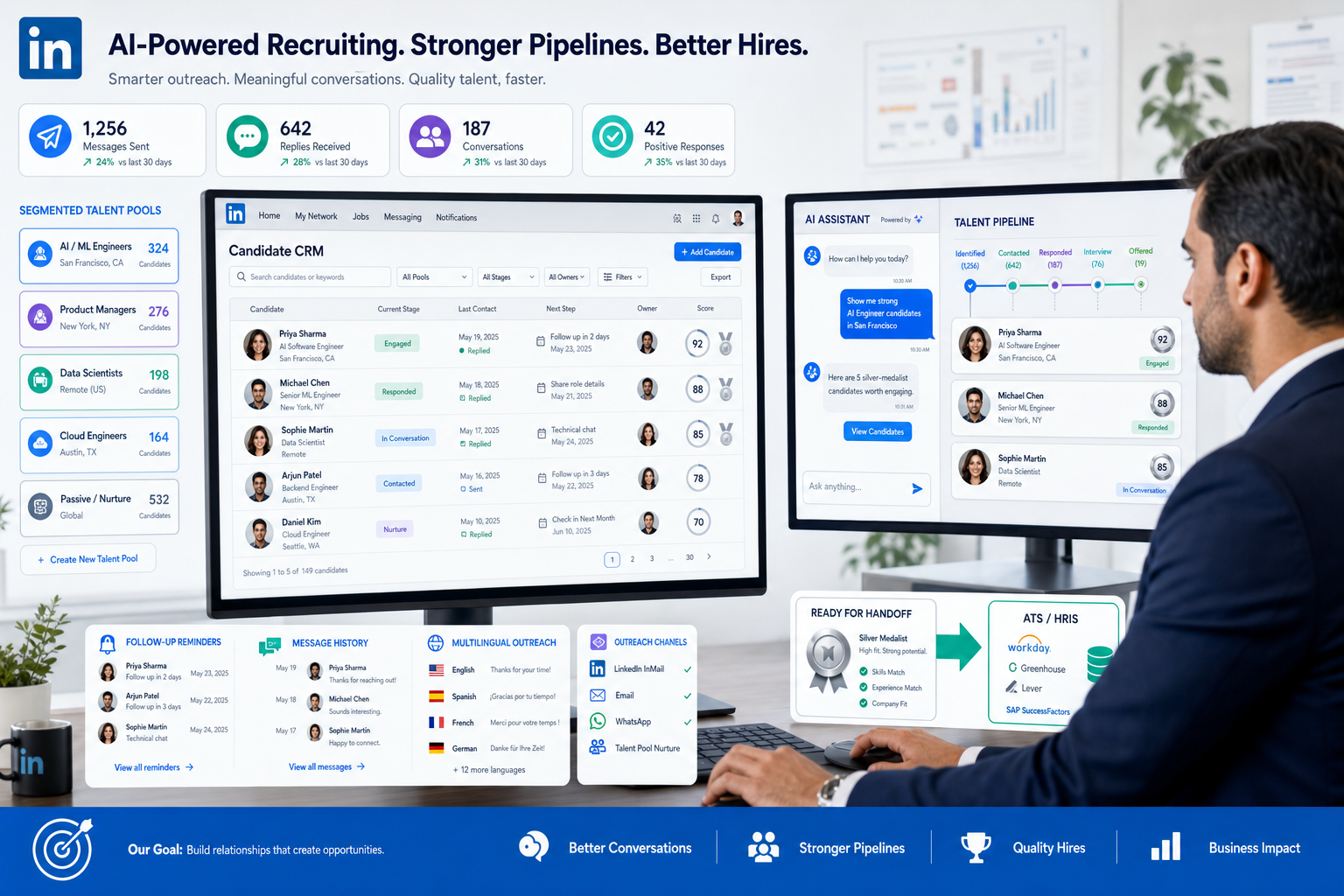
That is why I now pay closer attention to AI-supported workflow than I did a few years ago. In my own outbound process, StrategyBrain AI Recruiter has been most useful where candidate relationship management usually breaks down first: consistent first-touch outreach, after-hours follow-up, and multilingual candidate replies that would otherwise sit too long. It can handle repetitive LinkedIn messaging and collect resumes or contact details from interested people, while the recruiter still owns the real work that matters most—resume review, fit judgment, and the decision on whether to move someone into a live search.
The underlying issue is not just speed. It is vision. A well-known career talk once framed change in a simple sequence: first see the future clearly, then believe it is reachable, then train the brain to act on it. That logic maps surprisingly well to recruiting. A recruiter may already know the kind of talent community they want by year-end, the client niche they want to dominate, or the passive pipeline they need before a hard role opens. But once the daily work begins, they are still toggling between LinkedIn messages, notes, spreadsheets, old ATS records, and half-finished follow-ups.
The failure happens in the gap between intention and execution. You can picture a stronger desk, better candidate relationships, and a more reusable network, then still lose momentum because there is no system that helps you act on that vision every day. In recruiting terms, that is exactly where a candidate CRM either proves its value or exposes its absence.
If you are comparing the best recruiting software, that opening problem is the real buying lens: which tools help you see your future pipeline, believe your current database is still usable, and execute the follow-up rhythm required to keep candidates warm. From there, the practical questions become clearer—what a candidate CRM should do, how it differs from an ATS, what candidate relationship management best practices actually hold up, and how to identify the best candidate relationship management software for your team.
- Why Pipeline Vision Matters in Recruiting Software
- What Candidate CRM Means in Modern Recruiting
- Candidate CRM vs Applicant Tracking System
- What the Best Recruiting Software Should Actually Do
- How to Evaluate Candidate CRM Software
- Best Candidate Relationship Management Software Types
- Candidate Relationship Management Best Practices
- How to Choose and Implement the Right System
- FAQ
Why Pipeline Vision Matters in Recruiting Software
Most recruiting software evaluations start too late in the process. Teams compare features only after they feel operational pain, but the stronger approach is to start with the future state you are trying to build. Do you want recruiters spending less time re-finding people they already know? Do you want a healthier bench of passive candidates before a requisition lands? Do you want past finalists, referrals, event contacts, and sourced prospects to stay visible instead of aging out in separate tools?
That is where the idea of seeing, believing, and executing becomes useful. First, see the intended recruiting model clearly. Second, believe your process can actually preserve relationship value over time. Third, choose software that helps recruiters execute that model consistently, not just document it after the fact.
In practice, the best recruiting software supports long-cycle relationship building, not only transactional hiring. That is especially true for headhunters, agency recruiters, and lean in-house teams that cannot afford to restart every search from zero.
Practical takeaway: If your recruiting system only becomes useful when someone applies, it is helping too late for many of the roles that are hardest to fill.
What Candidate CRM Means in Modern Recruiting
A candidate CRM is recruiting software designed to help teams attract, organize, segment, and nurture talent before those people become active applicants. Instead of treating recruiting as a chain of open roles and submitted resumes, candidate relationship management treats talent as a long-term asset.
That distinction matters because the best recruiting software does more than store records. It helps recruiters build talent pools, run targeted outreach, preserve conversation history, track engagement, and re-engage candidates when timing changes. For headhunters, that means a stronger desk. For internal talent acquisition teams, it means less dependence on cold starts and inbound luck. For hiring managers, it means faster access to known people when the business moves.
In real workflows, candidate relationship management usually supports three recurring jobs:
- Build reusable talent pools around recurring roles, client niches, or hard-to-find skills
- Nurture passive and previously engaged candidates with relevant follow-up over time
- Reconnect with known talent when new roles, market shifts, or career timing create new interest
The best candidate relationship management software should therefore be broader than an email tool. Many recruiting teams now expect searchable pools, campaign support, event capture, SMS or chat follow-up, analytics, and AI assistance to be part of the CRM layer.
Candidate CRM vs Applicant Tracking System
A common recruiting tech mistake is assuming a candidate CRM and an applicant tracking system do the same job. They do not. They are connected, but they serve different phases of the hiring motion.
An ATS is mainly built to manage active applicants after a role is open and a candidate has entered the formal process. It handles job posting, application flow, interview stages, feedback, approvals, and compliance records. A candidate CRM is built for the stage before that. It helps recruiters stay in touch with people who are not ready to apply yet, were runners-up in a previous search, or may fit a future opening better than a current one.
| Function | Candidate CRM | Applicant Tracking System |
|---|---|---|
| Primary purpose | Build and maintain talent relationships | Run active hiring workflows |
| Best suited for | Passive candidates, re-engagement, long-term pools | Applicants, interview process, offers |
| Core activity | Segmentation, outreach, nurture, events | Pipeline stages, reviews, team coordination |
| Main value | Preserved engagement history | Structured selection and control |
| Key handoff | Candidate shows active interest | Candidate enters formal hiring stages |
The strongest setups link both systems well. Relationship-building happens in the CRM, then candidate context moves cleanly into the ATS when interest becomes active. If that history disappears during transfer, your recruiting process loses one of the main reasons CRM exists in the first place.
What the Best Recruiting Software Should Actually Do
When buyers look for the best candidate relationship management software, feature overload can distract from what matters. The practical test is whether the tool improves the recruiting motions that usually fail between intention and execution.
1. Turn talent pooling into something recruiters can actually use
A pool is only valuable if it is searchable, segmented, and tied to future hiring logic. Recruiters should be able to separate prior finalists, niche sourced prospects, referral talent, alumni candidates, and event contacts. If everyone lands in one database with poor tagging, the CRM becomes storage, not leverage.
2. Support relevant outreach instead of bulk messaging
Good candidate relationship management depends on timing and relevance. The software should support communication by job family, location, seniority, skill area, language, or prior interaction. A strong candidate CRM helps scale outreach without making it feel careless.
3. Preserve interaction history
Recruiters need more than a name and resume. They need to know when they last spoke to someone, which role they discussed, whether the candidate replied, and what concerns or preferences surfaced. That continuity is what lets a recruiter resume a real relationship instead of starting over awkwardly.
4. Automate repetition without removing recruiter judgment
Automation is valuable when it handles reminders, follow-ups, and repetitive touches that otherwise get dropped. It becomes a problem when it creates obvious spam or pushes unqualified people forward. In my own testing, AI works best when it takes over the repetitive front end and returns control to the recruiter at the moment real judgment is needed.
That is where AI Recruiter fits most naturally in a candidate CRM workflow. I found it especially useful for LinkedIn outreach that would otherwise stall overnight or across time zones. It can continue the conversation, answer basic role questions, and gather resumes or contact details from interested candidates. What it does not replace—and should not replace—is the recruiter's responsibility to evaluate the resume, test fit against the brief, and decide whether the person belongs in a shortlist.
5. Connect CRM activity to ATS movement
If a candidate engages for months and then applies, that pre-application history should not vanish. The best recruiting software preserves notes, source details, campaign participation, and key interactions so the hiring team sees the full story.
6. Deliver analytics that improve action
Recruiters do not need dashboards for their own sake. They need evidence about which pools are active, which re-engagement campaigns produce replies, where candidates stall, and whether talent communities are growing more useful over time.
7. Handle multilingual and after-hours communication when relevant
This matters more now than many teams admit. If your candidate market spans regions or if replies often come outside recruiter working hours, slow response can break momentum. Software that supports always-on candidate engagement can reduce that gap without lowering the quality threshold for who actually moves forward.
How to Evaluate Candidate CRM Software
Use a scorecard that reflects recruiting outcomes, not just product marketing. That keeps the software conversation tied to actual desk performance.
| Evaluation Area | What to Look For | Why It Matters |
|---|---|---|
| Talent pooling | Tags, segmentation, saved searches, dynamic lists | Makes future pipelines reusable |
| Outreach tools | Email, LinkedIn workflow support, SMS, landing pages, forms | Supports passive candidate engagement |
| Automation | Sequences, reminders, triggers, reactivation workflows | Protects recruiter capacity |
| AI support | Message assistance, sourcing support, response handling | Reduces repetitive work |
| Unified candidate profiles | Notes, conversation history, source data, resumes | Preserves relationship context |
| ATS continuity | Clean handoff into active hiring stages | Avoids losing pre-application value |
| Analytics | Pool health, campaign response, conversion trends | Improves decision-making |
| Team usability | Permissions, notes, collaboration, process clarity | Drives adoption across recruiters and ops |
| Compliance and data handling | Privacy controls, consent support, secure storage practices | Reduces operational risk |
One extra test I recommend during demos: ask to see a passive candidate sourced on LinkedIn, nurtured over time, contacted again later, and then moved into the ATS with full history intact. That single path reveals more than most feature tours.
Best Candidate Relationship Management Software Types
Because the right choice depends on hiring motion, it is more useful to compare software categories than to chase a universal winner. Here are the main types of systems recruiters usually evaluate.
1. Enterprise talent community platforms
Best for large organizations hiring across functions and locations. These tools usually emphasize branding, landing pages, event capture, segmentation, and reporting at scale.
Best fit: enterprise TA teams, recruiting operations, high-volume planning.
2. Agency relationship-first CRMs
These systems focus less on employer brand and more on deep candidate history, searchable records, business development overlap, and fast rediscovery of prior prospects.
Best fit: search firms, contingent agencies, specialist headhunters.
3. ATS-plus-CRM platforms
Some teams prefer a single environment rather than separate systems. This can simplify training, reporting, and handoff, though CRM depth may be lighter than in specialist tools.
Best fit: mid-sized teams that value simplicity and tight workflow continuity.
4. Sourcing-led recruiting tools
These platforms are stronger when the recruiting model depends on finding, engaging, and re-engaging people proactively rather than processing inbound volume.
Best fit: proactive sourcers, technical recruiters, scarcity-market hiring teams.
5. High-volume nurture systems
When the challenge is scale, these tools emphasize automation, segmented audiences, event workflows, and fast movement from interest to application.
Best fit: hourly hiring, seasonal hiring, distributed operations.
6. LinkedIn-heavy outreach support tools
For teams whose candidate generation depends heavily on LinkedIn, workflow support around connection, messaging, follow-up, and resume capture becomes especially important. This is where I have seen StrategyBrain AI Recruiter complement a broader candidate CRM well. It does not replace the CRM database or the ATS, but it can keep outbound conversations moving in the channel where many recruiters lose consistency.
Best fit: LinkedIn-dependent headhunters, global outreach desks, lean sourcing teams.
7. Event and community-driven CRM systems
If talent pipeline building depends on webinars, campus events, niche communities, or referral campaigns, event workflow support becomes a core requirement.
Best fit: campus hiring, community recruiting, talent marketing programs.
8. Data-governed recruiting ops systems
Some teams care most about governance, profile quality, integration control, and reporting consistency. For them, process discipline matters as much as frontline outreach.
Best fit: recruiting operations, HR systems owners, compliance-conscious teams.
The lesson across these categories is simple: the best recruiting software is the one that matches your actual hiring model. A mismatch creates busywork even if the feature list looks impressive.
Candidate Relationship Management Best Practices
The strongest candidate relationship management best practices come from process discipline, not software alone. Good tools amplify good habits; they do not create them by themselves.
Start with future hiring demand
Create pools based on roles, skill clusters, markets, and likely future need. That reflects the “see it first” principle from the opening: recruiters should know why a pool exists before they start adding names to it.
Make belief operational
If recruiters do not trust the system, they stop using it. Belief in this context means confidence that notes are current, segments are meaningful, and prior outreach is visible. Without that trust, people go back to inbox memory and private spreadsheets.
Train execution into the workflow
This is where many teams fail. Set clear routines for follow-up, reactivation, pool cleanup, and ATS handoff. Candidate relationships decay when maintenance depends on individual memory alone.
Segment before you message
Do not send one generic update to everyone in your CRM. Relevance matters. Prior finalists should not receive the same message as cold outbound prospects or event leads.
Build a silver medalist program
Past near-hires are one of the most underused assets in recruiting. Keep them warm with periodic check-ins, content, or carefully timed alerts when a closer-fit role opens.
Use automation carefully
Automate reminders, sequences, and first-touch consistency where useful, but keep real decision points in human hands. That balance is one reason AI-assisted outreach can work well when used responsibly.
Protect candidate context during handoff
When a nurtured candidate becomes an active applicant, notes, message history, source details, and prior objections should move with them. Otherwise, the hiring team loses the context that made the relationship valuable.
Review pool health, not just campaign metrics
Open rates alone can be misleading. Better indicators include reply quality, reactivation success, pool freshness, and how often nurtured candidates become viable contenders.
How to Choose and Implement the Right System
If you are actively evaluating the best recruiting software, use a buying process rooted in workflow reality.
- Define the future-state hiring model. Are you trying to reduce cold-start recruiting, improve reuse of known talent, or build stronger outbound consistency?
- Audit where execution currently breaks. Common failures include poor segmentation, missing follow-up, weak LinkedIn continuity, and context loss at ATS transfer.
- List the non-negotiable workflows. Examples include talent pooling, re-engagement, multilingual outreach, silver medalist nurture, and handoff into active hiring stages.
- Evaluate AI by job to be done. Ask whether it handles real recruiting repetition or just adds another interface.
- Test continuity across systems. The candidate story should remain visible from first contact to formal process.
- Check recruiter adoption risk. Complicated software fails when frontline recruiters do not trust or use it.
- Plan training around discipline, not buttons. The team needs standards for naming, note quality, segmentation, and reactivation timing.
In implementation, I have found that teams get more value when they stop treating LinkedIn outreach, candidate CRM, and ATS work as separate universes. A practical setup often looks like this: use a candidate CRM as the source of truth for long-term relationship value, use AI-supported outreach where repetitive front-end messaging is slowing recruiters down, and let the recruiter step in decisively at the point of qualification and shortlist judgment. If your work is especially LinkedIn-heavy, the AI Recruiter workflow examples are a useful way to think about where automation helps and where it should stop.
Implementation advice: The right system should help recruiters act on the pipeline they say they want, not just report on the pipeline they failed to maintain.
FAQ
What is the difference between candidate CRM and ATS?
A candidate CRM supports relationship building before someone applies, while an ATS manages active applicants once they enter the formal hiring process. The best recruiting software usually connects both.
Who needs candidate relationship management software?
Any team that hires repeatedly, depends on passive talent, or wants to reuse prior candidate relationships can benefit. That includes headhunters, agencies, in-house recruiters, and recruiting operations teams.
What features matter most in the best candidate relationship management software?
The most important features usually include segmentation, talent pooling, outreach support, automation, searchable profiles, analytics, and clean ATS handoff. For some teams, multilingual and after-hours communication support also matters.
Can AI help with candidate CRM?
Yes, especially with repetitive front-end work such as initial outreach, follow-up, response handling, and resume capture. But recruiter judgment should still control qualification, fit assessment, and shortlist decisions.
How do candidate relationship management best practices improve results?
They make the CRM usable over time. Strong segmentation, regular re-engagement, disciplined note-taking, and clear handoff rules help recruiters turn old contacts into future hires instead of losing them to inactivity.
What makes a system one of the best recruiting software options?
Not the biggest feature list. The best systems align with your hiring model, preserve relationship context, reduce repetitive work, and help recruiters execute consistently on the candidate relationships they want to build.
Conclusion
The search for the best recruiting software becomes clearer once you stop asking which tool has the most features and start asking which one helps your team turn recruiting intent into repeatable action. A modern candidate CRM sits at the center of that shift.
The deeper lesson from the opening is still the right one: first see the pipeline you need, then build belief that your process can preserve candidate value, then choose tools that help your team execute that vision every day. That is the practical bridge between strategy and workflow, and it is also the difference between a database that grows stale and a recruiting system that keeps producing hires.
For headhunters, hiring teams, and recruiting leaders, the best candidate relationship management software is the one that keeps relationships visible, outreach disciplined, and transitions into formal hiring clean. If your team relies heavily on LinkedIn, adding targeted AI support such as StrategyBrain AI Recruiter can strengthen that motion further—provided the recruiter remains responsible for the final call.














