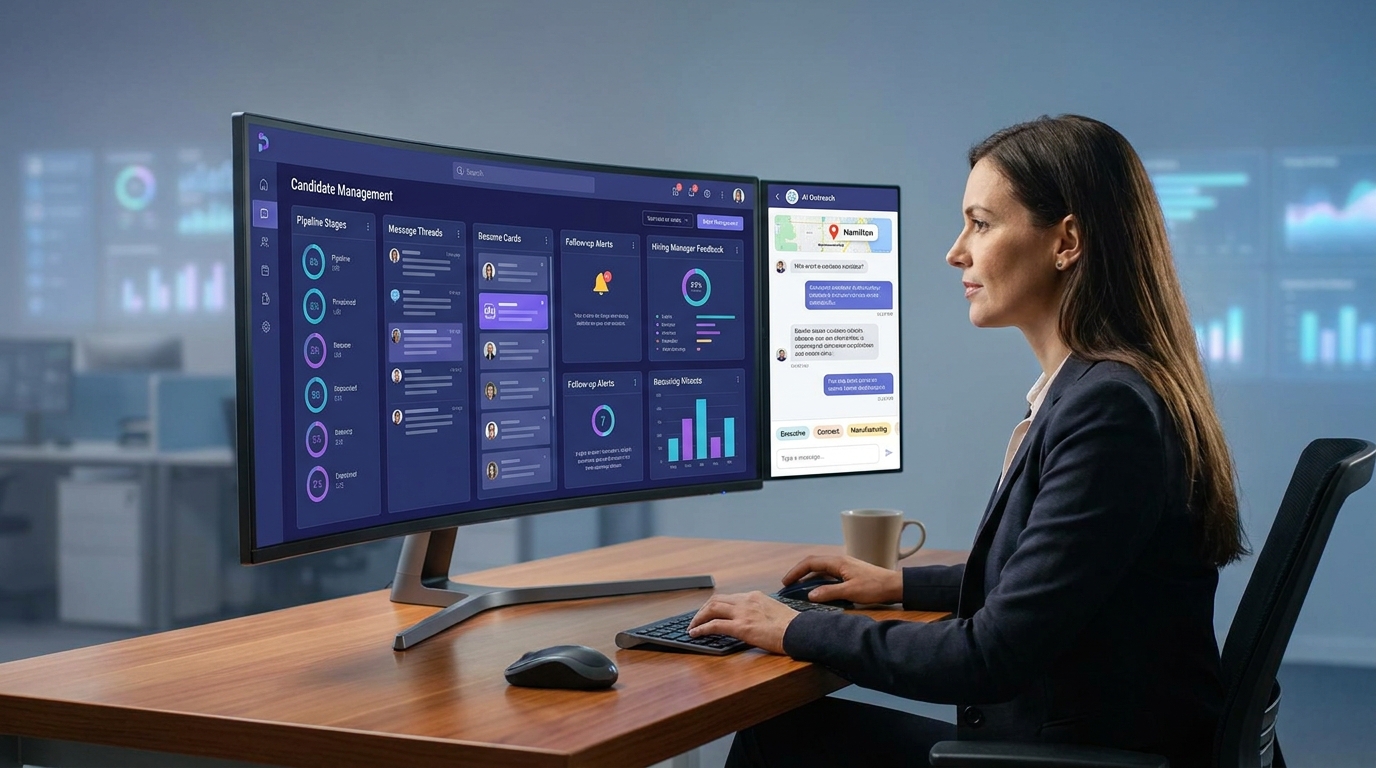
When candidate flow breaks, this article helps recruiting leaders evaluate candidate management software to prevent lost context and stalled hires.
That sounds obvious until a real desk gets busy. A solo recruiter can lose track of who replied, which hiring manager still owes feedback, and whether a strong candidate was sourced for a permanent search, a contract assignment, or an executive brief. For a small agency owner, that means missed placements and slower billing. For an in-house recruiter, it means stalled reqs, candidate drop-off, and hiring managers who stop trusting the process. For enterprise teams, the same breakdown turns into poor reporting, messy handoffs, and compliance risk.
In my own workflow, I have found that StrategyBrain AI Recruiter helps most when the bottleneck is repetitive outreach and after-hours candidate follow-up, especially on LinkedIn. Its always-on messaging, multilingual communication, and automatic collection of resumes or contact details can keep conversations moving while the recruiter stays responsible for final judgment, resume review, and next-step decisions. That division of labor matters: automation handles repetition, while the recruiter still owns fit and credibility.
You can see why this matters in a market like Hamilton, Ontario. It is a large and growing hiring center in the Greater Toronto and Hamilton Area, with more than 580,000 residents and a mix of industrial, administrative, finance, HR, manufacturing, executive, and creative hiring needs. Local recruiters there do not all work the same desk. One firm may be juggling accounting and HR placements across Hamilton, Halton, Guelph, and Kitchener-Waterloo, while another is trying to fill engineering and skilled-trades roles for advanced manufacturing, and another is handling temporary coverage for seasonal production gaps.
Once that work starts, the real strain shows up in motions recruiters know well: checking which candidate answered a LinkedIn message last night, updating stages for a direct-hire shortlist, logging a resume that arrived by email instead of the platform, and reminding a client or hiring manager that interview feedback is still missing. In a market with contract, temp, project, and executive recruiting happening at the same time, the question is no longer just who the top recruiters are. It becomes which workflows, and which candidate management software, help a team keep candidate flow, recruiter context, and hiring decisions under control.
That is why the best recruiting software should be evaluated through candidate movement first. The Hamilton-style mix of permanent, temporary, executive, and specialist recruiting makes a useful opening lens because it exposes the exact selection problem many teams face: do you need a focused applicant tracking workflow, CRM-style nurturing, or a broader talent management system? The answer depends less on marketing labels and more on how your team manages context, volume, and follow-up.
- Candidate management software is the most practical lens for comparing the best recruiting software because it focuses on pipeline control and recruiter execution.
- Markets with mixed hiring needs, like manufacturing, executive search, office staffing, and creative recruiting, expose where simple ATS setups break down.
- The best talent management software is not always the best recruiting choice if your immediate need is cleaner candidate flow and faster recruiter follow-up.
- A talent management system makes sense when recruiting must connect tightly with onboarding, learning, performance, or workforce planning.
- AI-supported recruiting workflows can reduce repetitive messaging and resume collection, but recruiters still need to own fit, judgment, and final decisions.
- What the Best Recruiting Software Really Means
- Why a Mixed Hiring Market Is a Good Test
- Candidate Management Software vs ATS vs CRM vs Talent Management System
- How Experienced Recruiters Evaluate Recruiting Software
- Where Recruiting Software Helps in Daily Workflow
- How I Use AI Recruiter Support Without Handing Over Judgment
- Best Fit by Team Type and Hiring Model
- A Practical Selection Process
- Common Buying Mistakes
- FAQ
What the Best Recruiting Software Really Means
When recruiters search for the best recruiting software, they are usually not looking for the biggest feature list. They are looking for fewer lost candidates, cleaner handoffs, faster responses, and better visibility into what happens between first contact and offer. That is why candidate management software is a stronger anchor than a generic vendor ranking.
In practice, recruiting teams rarely work in one mode. A desk may move between direct hire, temporary staffing, executive search, replacement hiring, and proactive sourcing. Software that looks polished in a demo often struggles once recruiters need to switch between those motions without losing context. The best systems are the ones that make these transitions manageable.
That is also where search intent starts to blend. Buyers often compare ATS tools, recruiting CRM platforms, sourcing workflows, and broader suite products under the same search. Some are really looking for recruiter-facing execution. Others are evaluating whether recruiting should sit inside a larger talent management system. The article works through that difference from a recruiter operations perspective, not a software brochure perspective.
Why a Mixed Hiring Market Is a Good Test
The Hamilton recruiter landscape is useful not because you need to hire in Hamilton specifically, but because it shows how different recruiting models collide inside one regional market. One agency may specialize in accounting, finance, HR, office administration, and executive search across nearby Ontario regions. Another may focus on engineering and skilled trades in advanced manufacturing. Another may be built around temporary staffing, payrolling, and urgent workforce coverage. Others may specialize in creative, digital, or project-based hiring.
That mix matters because software requirements change with it. A recruiter filling payroll, AP, HR generalist, or controller roles needs different tagging, communication, and candidate history than a team covering temporary line staffing in food production. An executive recruiter needs long-thread relationship memory. A creative recruiter needs portfolio-aware workflow and often more nuanced screening notes. A staffing team placing contract workers quickly needs speed and response discipline above almost everything else.
If your software cannot handle that variation, recruiters fall back to inboxes, spreadsheets, side notes, and disconnected sourcing tools. Once that happens, candidate history becomes partial, manager visibility gets worse, and the pipeline stops being trustworthy. That is exactly why mixed markets are such a good stress test for any candidate management software evaluation.
Candidate Management Software vs ATS vs CRM vs Talent Management System
These categories overlap, but experienced recruiting teams should still define them clearly before comparing options.
Candidate management software
Candidate management software is the broad operational category. It supports application intake, sourcing records, stage movement, recruiter notes, communication history, scheduling, and pipeline visibility. If your goal is to keep candidate flow under control, this is the most useful buying frame.
Applicant tracking system for recruiters
An applicant tracking system is usually the process engine for live requisitions. It handles job posting, applications, dispositions, stage changes, scorecards, and offer workflow. The strongest applicant tracking setups create accountability and consistency, especially when multiple recruiters or hiring managers are involved.
CRM or TRM functionality
Recruiting CRM and talent relationship management tools matter when the desk is not purely reactive. If your recruiters revisit silver-medalist candidates, nurture passive prospects, or maintain pipelines by region, role family, or readiness, CRM-style capability becomes essential. This is especially relevant for specialist, executive, and agency recruiting.
Talent management system
A talent management system sits at a broader organizational level. It can include recruiting, onboarding, performance, learning, succession, compensation, and workforce analytics. Sometimes that breadth is exactly what the business needs. Other times, teams end up buying suite complexity when the real problem was weak recruiter workflow and poor pipeline follow-up.
| Category | Main Purpose | Best Fit | Watch-Out |
|---|---|---|---|
| Candidate management software | Move and organize people through hiring workflows | Recruiting teams that need end-to-end pipeline control | Depth varies widely by vendor |
| ATS | Run structured live hiring processes | Teams hiring against active requisitions | Can be weak for long-term nurturing |
| CRM / TRM | Build and re-engage talent pipelines over time | Sourcing-heavy and relationship-led recruiting | May not replace ATS execution |
| Talent management system | Connect recruiting with the wider employee lifecycle | Organizations standardizing HR processes across functions | May be too broad for teams solving immediate recruiting pain |
In other words, the best talent management software may be right for a CHRO-led platform strategy, but not for a recruiting manager trying to stop candidate leakage this quarter.
How Experienced Recruiters Evaluate Recruiting Software
The most reliable way to assess the best recruiting software is to score it against real recruiter motions, not vendor category labels.
1. Requisition and job distribution control
Can the team create, approve, and publish openings without creating duplicate admin work? Recruiters should be able to see which roles are active, stale, approved, or waiting on stakeholder action.
2. Candidate pipeline clarity
This is the core of candidate management software. Recruiters need clean stage movement, visible bottlenecks, structured notes, bulk actions, and a reliable history of who contacted whom and when.
3. Support for mixed recruiting models
The Hamilton example makes this visible. If one desk handles temporary coverage, direct hire, and specialist search, the system should not force every workflow into the same shallow pipeline. Recruiters need enough flexibility to manage different motion types without losing data discipline.
4. Communication workflow
Good software should make it easier to reach people, follow up, and preserve the conversation trail. This matters as much for candidate experience as for recruiter productivity. Delayed communication is one of the fastest ways to lose qualified people.
5. Hiring manager usability
If managers cannot review candidates, leave useful feedback, or see next steps easily, recruiters end up carrying the process manually. That is not a software problem in theory. It becomes a capacity problem in practice.
6. Reporting that answers operational questions
The reporting layer should tell you where candidates stall, which roles are aging, where approvals are slow, and which teams consistently create delays. If reports only look good in dashboards but do not support decision-making, the system is underperforming.
7. Integration and handoff quality
Recruiting software has to connect with calendars, email, HRIS tools, assessments, onboarding, and compliance processes. Weak integrations create duplicate work and partial records, which is exactly what candidate management software is supposed to prevent.
Where Recruiting Software Helps in Daily Workflow
The most important benefits are usually practical rather than dramatic. The best recruiting software helps teams do ordinary hiring work with less friction.
- Centralized candidate history: no more hunting through inboxes for the latest reply or resume version.
- Cleaner stage control: recruiters can see where people are stuck and what action is missing.
- Faster follow-up: reminders, templates, and structured workflows reduce lag time.
- Better collaboration: hiring managers, recruiters, and coordinators work from the same record.
- More reliable reporting: drop-off, aging roles, and bottlenecks become visible.
- Stronger governance: records are easier to review, audit, and hand off.
These are the real day-to-day benefits that matter whether you are running an agency desk, internal TA function, or staffing operation. In markets with multiple role types and placement models, those benefits become even more important because the cost of inconsistency goes up quickly.
How I Use AI Recruiter Support Without Handing Over Judgment
I am cautious about automation claims in recruiting, but I am not skeptical of useful workflow support. The difference is whether the tool removes repetitive work without pretending to replace recruiter judgment.
In LinkedIn-heavy sourcing cycles, I have used AI Recruiter as support for the parts of the process that tend to drain time without improving decision quality: initial outreach, after-hours replies, basic role explanations, and collection of resumes or contact details from interested prospects. When that traffic is handled consistently, I can spend more time reviewing actual fit, pressure-testing candidate motivation, and deciding who should move forward.
What I like about that setup is the boundary. The system can maintain communication momentum, including multilingual responses when geography or time zones make recruiter coverage harder, but it does not replace recruiter evaluation. I still decide whether the resume aligns, whether the candidate belongs in the shortlist, and whether the hiring team should invest interview time. For teams that live inside LinkedIn sourcing, that is a practical support model rather than a fantasy model.
If your workflow problem is candidate response speed rather than ATS structure, tools like this AI Recruiter approach can complement candidate management software well. It is especially useful when recruiters cover multiple searches, work across time zones, or need conversations to continue after business hours without losing professionalism or context.
Best Fit by Team Type and Hiring Model
Small agencies and independent recruiters
Smaller firms usually need speed, low admin overhead, and a system that preserves relationship history without requiring a full ops team to maintain it. Strong candidate management software often matters more here than suite breadth. If the desk depends heavily on LinkedIn sourcing, pairing a lean ATS with AI-supported outreach can be more practical than buying a large platform.
Mid-market internal recruiting teams
These teams often need a balance of workflow control, automation, analytics, and collaboration. They usually have enough hiring volume that manual follow-up and partial reporting become a real problem, but not so much enterprise complexity that every process must be centralized inside a broad HR suite.
Enterprise and multi-region organizations
At this level, a talent management system may make more sense because recruiting often needs to feed onboarding, internal mobility, learning, and workforce analytics. Even then, recruiting leaders should verify that recruiter usability is strong enough. Suite breadth does not guarantee good recruiting execution.
High-volume and hourly hiring teams
These teams need speed, mobile-friendly workflows, automation, scheduling support, and manager usability. Candidate drop-off often happens because the process is too slow or too confusing, not because the top of funnel is weak.
Specialist, executive, and relationship-led recruiting
This is where CRM-style features become critical. Long-cycle recruiting depends on memory: who was approached, who was interested, who paused for the right timing, and who should be revisited later. For these teams, the best recruiting software often blends ATS structure with deeper nurturing capability.
A Practical Selection Process
If you are evaluating software seriously, keep the process grounded in real work.
- Map the actual workflow. Start from sourcing or application intake and document where follow-up, feedback, approvals, or handoffs break.
- List your hiring motions. Separate direct hire, contract, temp, executive, and pipeline-building work if they differ materially.
- Define whether your main need is ATS control, CRM nurturing, or a broader talent management system.
- Bring recruiters into the demo. End users spot friction faster than steering committees do.
- Test communication and history capture. Mixed hiring models fail when context gets lost.
- Inspect reporting with live questions. Ask the software to show stalled roles, aging stages, and follow-up gaps.
- Evaluate AI as workflow support, not magic. If it cannot clearly reduce repetitive work while keeping recruiter accountability intact, it is noise.
A simple scorecard can help: workflow depth, communication support, candidate history, collaboration, analytics, integrations, and governance. That framework is more useful than generic top-10 lists because it reflects how recruiting teams actually succeed or fail.
Common Buying Mistakes
- Buying suite breadth to solve recruiter execution problems: a broad platform can still leave candidate flow messy.
- Ignoring mixed-use reality: teams often recruit across permanent, contract, and specialist roles even when procurement assumes one workflow.
- Overvaluing demo polish: pretty UX does not guarantee strong stage control or candidate history.
- Separating sourcing from pipeline visibility: when outreach lives outside the main record, context gets lost.
- Assuming AI replaces evaluation: it can support follow-up and communication, but recruiters still need to own fit and decision quality.
- Not testing hiring manager adoption: if managers avoid the tool, recruiters inherit manual chasing again.
The best recruiting software decisions usually come from honesty about workflow weaknesses. In many teams, the real issue is not lack of features. It is a lack of visibility, consistency, and follow-through.
FAQ
What is candidate management software?
Candidate management software is the set of tools used to organize, communicate with, track, and move candidates through the hiring process. It often includes ATS functions and may also include CRM-style nurturing features.
How is candidate management software different from a talent management system?
A talent management system is broader. It may include recruiting, onboarding, performance, learning, compensation, and succession planning. Candidate management software stays focused on hiring workflow and pipeline execution.
What makes the best recruiting software for agencies?
Agencies usually need fast searching, strong candidate history, flexible pipelines, communication visibility, and support for different placement types such as contract, permanent, or executive work.
When does the best talent management software make more sense?
The best talent management software becomes more relevant when recruiting must connect tightly with onboarding, internal mobility, workforce planning, and broader HR processes across the organization.
Can AI improve recruiting without replacing recruiters?
Yes. AI can help with outreach, reply handling, resume collection, and repetitive communication tasks. Recruiters should still make final judgments on fit, shortlist quality, and hiring decisions.
Why does a mixed hiring market matter in software selection?
Because it reveals whether the software can handle real variation. Teams that recruit across office, industrial, executive, temporary, or creative roles need systems that preserve context across different workflows instead of forcing everything into one shallow process.
Conclusion
The best recruiting software is not the one with the loudest category claim. It is the one that helps your team maintain candidate flow, recruiter context, and decision visibility across the real mix of hiring work you do.
For most teams, that means starting with candidate management software as the primary lens, then deciding whether you also need CRM-style nurturing or a broader talent management system. If you evaluate through actual workflow pressure instead of generic feature sprawl, you will make a better decision and use the system more effectively once it is live.