


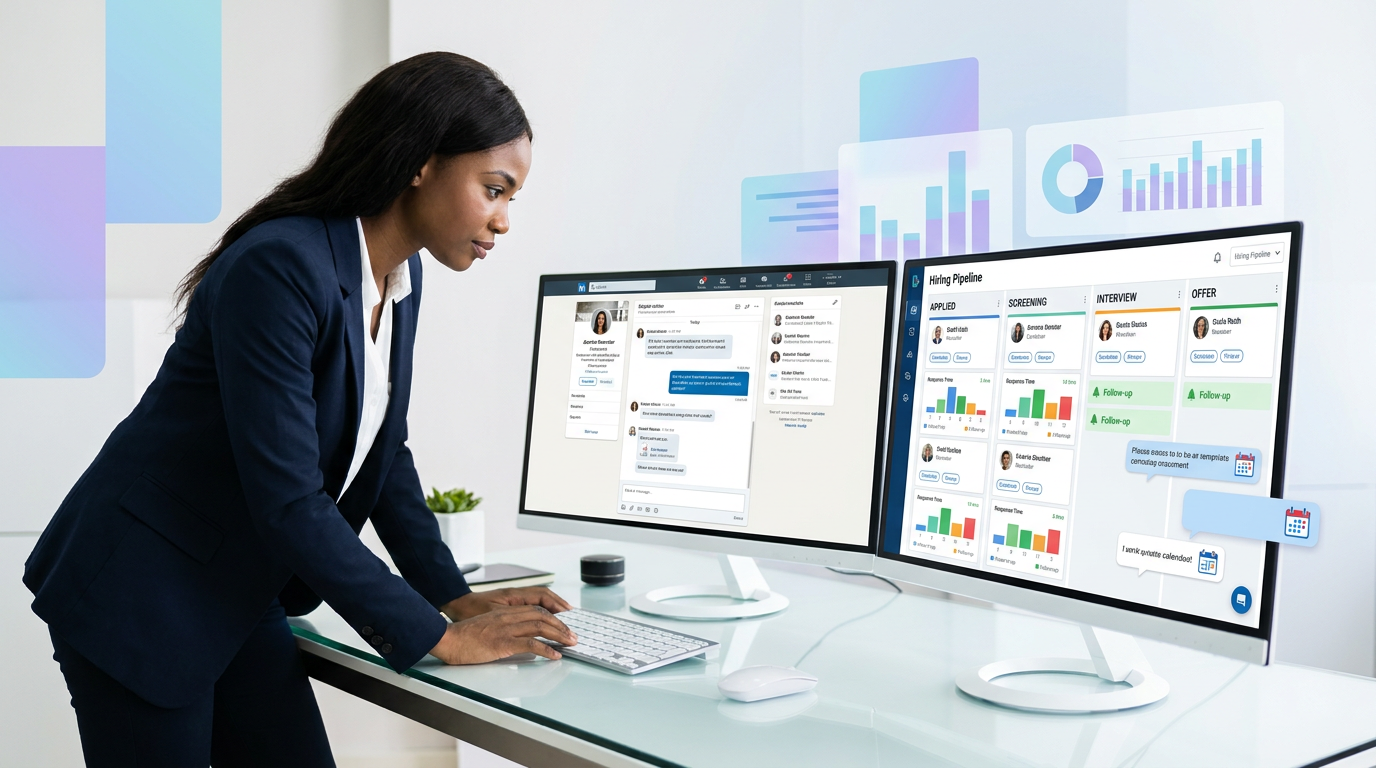
When summer slowdowns stall hiring, headhunters can use this article to judge employee recruitment software by momentum risk and avoid losing strong candidates.
That matters more than many teams admit. In-house recruiters, agency desks, and small search firms often lose strong candidates not because the market is empty, but because hiring rhythm breaks at the wrong time. Summer pauses, delayed feedback, scattered outreach, and weak follow-up create real damage: candidates accept other offers, hiring managers lose confidence in the pipeline, and employer brand suffers when people feel the process has gone quiet.
In that kind of gap, workflow support matters as much as sourcing. I have found that AI Recruiter is most useful when a team needs to keep candidate conversations moving outside normal recruiter hours, continue multilingual outreach across markets, and capture resumes or contact details from interested people without losing momentum. It does not replace recruiter judgment; the recruiter still reviews the resume, decides who is qualified, and owns the next step. But for repetitive top-of-funnel LinkedIn work, it can reduce the silence that causes opportunities to cool off.
The summer hiring problem is a good example. Many employers assume they can ease off in June, let July and August drift, and restart in fall when everyone is back at full speed. In practice, that creates the opposite advantage. Fall becomes crowded, project-based teams finish assignments and re-enter the market at the same time, and candidates who might have been reachable in a quieter month are suddenly weighing multiple options.
What happens next is operational, not theoretical. A recruiter opens a live requisition list, sees promising people who replied before vacation season, tries to reconstruct the last LinkedIn exchange, chases a hiring manager for shortlist feedback, and realizes the process has effectively been put on hold without anyone saying so. That is exactly where the best recruiting software matters: not as a resume warehouse, but as employee recruitment software with CRM discipline, collaborative hiring software structure, and hr talent software visibility that keeps timing from turning into pipeline loss.
Quick answer: The best recruiting software is the platform that helps your team maintain hiring momentum when the market gets noisy or your internal process slows down. In practical terms, that means strong applicant tracking, recruiting CRM functionality, scheduling support, structured collaboration, useful analytics, and automation that keeps candidates engaged without removing human judgment.
- Why Hiring Timing Changes Software Requirements
- What Recruiting Software Includes Beyond a Basic ATS
- What “Best Recruiting Software” Really Means
- Key Features to Look for in Employee Recruitment Software
- What Matters Most in Collaborative Hiring Software
- How AI Helps Without Replacing Recruiter Judgment
- Applicant Tracking System Benefits in Real Hiring Work
- A Practical Recruiting Software Comparison Framework
- What Actually Drives Recruiting Software Cost
- How to Choose the Right Platform for Your Team
- Common Mistakes Buyers Make
- FAQ
Why Hiring Timing Changes Software Requirements
One of the most overlooked buying mistakes is evaluating recruiting tools as if hiring demand were evenly distributed all year. It rarely is. Summer slowdowns, end-of-project transitions, leadership vacations, and fall hiring spikes all change how your process performs under pressure.
When hiring teams pause outreach or delay decisions during summer, they often assume the candidate market is pausing too. It is not. Strong candidates may actually be more open to conversations when their current workload is lighter and they have space to think about their next move. If your team goes quiet, another employer can secure that attention first and carry the relationship through to offer stage before your process restarts.
That is why the best recruiting software should be evaluated against timing risk. Can it help recruiters keep candidate conversations alive? Can hiring managers review shortlists quickly? Can previous applicants be reactivated when market demand shifts? Can your team onboard before the busy fall period instead of trying to hire into it? These are software questions because they are workflow questions.
In my own process, the most practical support has come from pairing an ATS or CRM workflow with targeted LinkedIn automation where it makes sense. Used carefully, StrategyBrain AI Recruiter can help continue first-touch messaging, answer basic role questions, and collect resumes from interested candidates while I focus on calibration calls, shortlist review, and final qualification. That is especially helpful when the team wants to avoid the candidate drift that often happens in July and August.
What Recruiting Software Includes Beyond a Basic ATS
Recruiting software is the broader category. It usually includes job posting, applicant tracking, candidate communication, interview coordination, pipeline management, reporting, and workflow automation. An applicant tracking system is often the core, but it is not always enough on its own.
An ATS is typically focused on receiving applicants, organizing them by stage, and maintaining a structured hiring record. A recruiting CRM adds more outbound and relationship-driven functions, such as talent pools, re-engagement campaigns, and rediscovery of previous candidates. Modern employee recruitment software often combines both because employers need one system that supports active applicants and passive prospects at the same time.
That distinction matters most when hiring conditions become competitive. If your team hires only occasionally, a lighter ATS may be enough. If you are balancing outbound sourcing, recurring hiring, or seasonal competition, you need more than stage tracking. You need a system that helps your team preserve context, follow up consistently, and keep stakeholders aligned.
- ATS focus: applications, stage movement, compliance, hiring records
- Recruiting CRM focus: sourcing, talent pools, nurture workflows, candidate rediscovery
- Full recruiting platform focus: ATS + CRM + scheduling + collaboration + analytics + integrations
What “Best Recruiting Software” Really Means
The phrase best recruiting software sounds universal, but in recruiting operations it really means best for the way your team hires. A startup trying to fill priority roles quickly will value different things than a distributed enterprise, a staffing agency, or a specialist headhunter handling relationship-based search.
In actual buying discussions, the strongest systems are usually judged across six areas: workflow coverage, usability, collaboration, automation, integrations, and reporting. Buyers increasingly want one platform that reduces handoffs between sourcing, screening, scheduling, feedback, and approvals. That is why category pages now blur ATS, recruiting CRM, and broader hiring platform language.
From an operator perspective, “best” should mean three outcomes. Recruiters can move fast without losing candidate quality. Hiring managers can participate without becoming the bottleneck. Leadership can see where the process is slowing down before that delay turns into lost hires. If a platform cannot support those outcomes, its feature list matters less than the demo suggests.
| Evaluation Area | What Strong Software Does | What Recruiters Should Check |
|---|---|---|
| Workflow coverage | Supports posting, screening, interviews, offers, and reporting | Where do spreadsheets or side tools still appear? |
| Usability | Makes pipeline actions clear and fast | Can recruiters and managers use it without extra training friction? |
| Collaboration | Centralizes scorecards, feedback, and approvals | Can decisions happen inside one process? |
| Automation | Removes repetitive work while keeping human review | Does it speed work without hiding weak candidates or weak process? |
| Integrations | Connects to calendars, HRIS, assessments, and communication tools | Will it fit your existing stack? |
| Analytics | Shows bottlenecks, source quality, and funnel health | Can you explain hiring outcomes with confidence? |
Key Features to Look for in Employee Recruitment Software
When teams evaluate employee recruitment software, they often overvalue headline features and undervalue process fit. The better approach is to review the system in the same order that work actually moves.
1. Job posting and requisition control
A strong platform should make it easy to publish roles across channels, organize job descriptions, and route approvals before a job goes live. This is especially important for companies that hire across multiple teams or locations.
2. Applicant tracking system for recruiters
This remains the core of daily recruiter execution. Recruiters need stage management, search, filters, notes, communication history, disposition reasons, and bulk actions. One of the most important applicant tracking system benefits is replacing fragmented inboxes and spreadsheets with a shared source of truth.
3. Recruiting CRM and talent pipelines
If your team hires repeatedly for similar functions, silver-medalist candidates should not disappear after one process. Good hr talent software helps recruiters build talent pools, tag role-relevant profiles, and re-engage previous applicants when priorities reopen.
4. Screening support without over-automation
Screening tools should help with triage, not pretend to replace judgment. Knockout questions, resume organization, structured reviews, and matching support can improve speed, but recruiters still need to assess nuance, motivation, and context.
5. Interview scheduling and coordination
Scheduling is one of the most common hidden time drains. Strong recruiting software syncs with calendars, reduces back-and-forth, and gives recruiters and coordinators one place to track interview activity. This matters even more when stakeholders are in and out during summer or peak hiring periods.
6. Offers, approvals, and workflow automation
Offers often slow down because approval ownership is unclear. Good systems create structure around sign-off, routing, and status updates. This is one of the real advantages of applicant tracking system design at scale: less manual chasing near the finish line.
7. Reporting and analytics
Software should show more than stage counts. It should help your team understand source quality, conversion rates, manager responsiveness, and delay points. If your process tends to stall during certain months or between interview and offer, analytics should make that visible.
8. Integrations
At minimum, most teams should check connections to job boards, calendars, HRIS platforms, assessments, background checks, and communication tools. Weak integrations create duplicate entry and poor handoffs after hire.
What Matters Most in Collaborative Hiring Software
Collaborative hiring software reflects how hiring actually works. Recruiters run process, hiring managers shape requirements, interviewers evaluate specific areas, and HR keeps workflow and policy consistent. Without structure, every delay compounds.
The practical need is simple: feedback must be easy to submit, easy to compare, and difficult to lose. If feedback sits in chats, inboxes, or memory, recruiters spend too much time rebuilding context and too little time moving the process forward.
- Shared scorecards: support consistent evaluation criteria
- Structured feedback forms: improve signal quality and reduce vague comments
- Role-based access: gives managers visibility without exposing unnecessary data
- Approval routing: helps when headcount or offer terms need sign-off
- Notes and activity history: preserve context in one place
- Hiring manager views: make shortlist review easier and faster
This is also where seasonal timing shows up again. If hiring managers go on leave, projects close, or business priorities shift, a collaborative system lets someone else step in without restarting the process from memory. That is one reason collaborative hiring software should be treated as a requirement rather than a nice extra.
How AI Helps Without Replacing Recruiter Judgment
AI is now a standard part of recruiting software evaluation, but buyers should separate useful assistance from inflated claims. In real recruiting work, AI is most helpful when it reduces repetitive communication and administrative effort while leaving decisions with recruiters and hiring managers.
Useful use cases include sourcing support, outreach drafting, candidate re-engagement, interview summaries, and initial conversation handling. Those functions can improve recruiter capacity, especially when inbound volume is high or outbound follow-up needs to continue across time zones.
That is the main reason I pay attention to tools like AI Recruiter. In LinkedIn-heavy workflows, it can continue conversations, answer common candidate questions about a role, and gather resumes or contact details from interested people while I stay focused on qualification and shortlist judgment. In cross-border searches, the multilingual capability is also practical because it reduces the friction that often slows early-stage engagement. What it does not do, and should not be asked to do, is make the final call on candidate fit.
Practical takeaway: Ask one direct question during evaluation: which steps are genuinely automated, and which still require recruiter or hiring manager review? Clear answers usually indicate mature workflow design.
Applicant Tracking System Benefits in Real Hiring Work
Because so many searches still begin with ATS terminology, it is worth being explicit about the practical value. A strong ATS does more than collect applications. It gives recruiting teams operational consistency.
For recruiters, one of the biggest applicant tracking system benefits is pipeline visibility. You can see who is active, who needs follow-up, where candidates are stuck, and which stages are repeatedly delayed. That becomes especially useful when market timing matters and you cannot afford to let strong candidates sit unattended.
For hiring managers, the benefit is structure. Instead of asking for updates through email, they can review candidates, submit feedback, and move decisions inside a shared process. For HR and TA leaders, the biggest value is consistency across teams that would otherwise hire in very different ways.
- Better organization: records, notes, communication, and stage updates live in one place
- Faster coordination: recruiters and managers work from the same information
- More consistent evaluation: structured stages reduce improvisation
- Clearer reporting: funnel performance is easier to assess
- Workflow automation: repetitive admin work decreases
- Improved candidate experience: fewer dropped handoffs and fewer silent delays
Those are the reasons ATS language remains central in search behavior. Even when buyers want broader recruiting software, they still expect the reliability of a strong tracking foundation.
A Practical Recruiting Software Comparison Framework
If you are building a shortlist, compare systems against the full hiring workflow rather than relying on generic “best of” labels. The framework below is a better way to assess the best recruiting software for your environment.
| Comparison Category | What to Evaluate | Who Cares Most |
|---|---|---|
| Applicant tracking | Stage design, candidate search, notes, history, bulk actions | Recruiters, coordinators |
| Recruiting CRM | Talent pools, rediscovery, nurture workflows, outbound organization | Sourcers, TA leads, headhunters |
| Collaborative hiring | Scorecards, feedback, approvals, manager visibility | Recruiters, managers, HR |
| AI support | Outreach help, summaries, screening assistance, conversation handling | Recruiters, TA operations |
| Scheduling | Calendar sync, coordinator workflow, self-scheduling support | Recruiters, coordinators, candidates |
| Analytics | Source quality, stage conversion, bottleneck reporting | TA leaders, HR leaders |
| Integrations | Job boards, HRIS, assessments, background checks, communications | Operations, HR, IT |
| Ease of adoption | Training needs, workflow clarity, manager usability | Everyone involved in hiring |
A simple internal scoring model works well here: rate each category by business importance and current pain level. A team that loses momentum during vacation periods may rank collaboration and automation higher than advanced CRM features. A sourcing-heavy firm may do the reverse. This is how experienced operators avoid being over-persuaded by polished demos.
What Actually Drives Recruiting Software Cost
Exact pricing varies widely, but recruiting software cost is usually driven by scope, user count, workflow complexity, reporting depth, integrations, and whether CRM or AI functions are included.
The more useful buying question is not “Which tool is cheapest?” but “Which tool removes the most expensive friction in our process?” If a lower-cost platform still leaves your recruiters managing follow-up in spreadsheets, approvals in email, and sourcing conversations in disconnected tools, the operating cost is often higher than it first appears.
That is also why AI add-ons should be reviewed carefully. In some workflows, they are mostly cosmetic. In others, such as outbound-heavy LinkedIn hiring, they can be meaningfully helpful. My own view is that tools like StrategyBrain AI Recruiter make the most sense when your team loses time in repetitive first-touch messaging, after-hours candidate replies, or multilingual outreach that would otherwise sit untouched until the next workday.
How to Choose the Right Platform for Your Team
The best way to choose hr talent software is to begin with your hiring motion, not the label on the category page.
- Map your real workflow. Document approvals, posting, sourcing, screening, interviews, offers, and handoff to onboarding.
- Identify timing risks. Note where momentum usually dies: vacations, manager delays, offer approvals, or rediscovery of past candidates.
- Separate ATS needs from CRM needs. If you rely on repeat hiring or outbound sourcing, both matter.
- Test collaborative hiring in detail. Do not just review the recruiter view. Check scorecards, visibility, and manager usability.
- Evaluate AI by use case. Ask whether it helps your actual bottleneck, such as sourcing, outreach, summaries, or candidate response handling.
- Audit integrations before signing. Calendar, HRIS, assessments, and communications matter after launch, not just during demos.
- Run one live scenario. Test a real requisition, a real shortlist, a real interview loop, and a real approval path.
For most teams, the strongest final question is this: will the platform help us move good candidates through the process faster without making decisions sloppier? If the answer is yes, you are close to the right choice.
Common Mistakes Buyers Make
Even experienced recruiting teams make avoidable mistakes when comparing the best recruiting software. Most come from evaluating labels instead of workflow behavior.
- Confusing ATS coverage with full recruiting capability: applicant tracking alone does not solve sourcing, re-engagement, or collaboration problems
- Ignoring seasonal process behavior: software that seems fine in a calm period may fail when managers are unavailable or candidate competition rises
- Overvaluing AI claims: vague automation promises are not the same as useful workflow support
- Underestimating manager adoption: if hiring managers dislike the interface, bottlenecks stay in place
- Skipping integration review: disconnected calendars or weak HRIS handoffs create hidden admin work
- Not testing real scenarios: live use reveals friction that demos hide
The teams that choose well usually test software against a real hiring moment where delay would hurt. That is the lesson behind summer hiring too: process speed matters most when complacency is tempting.
FAQ
What is recruiting software?
Recruiting software is a platform that helps organizations manage hiring from job posting through candidate selection. It often includes applicant tracking, recruiting CRM functions, scheduling, analytics, workflow automation, and tools that support recruiter and hiring manager collaboration.
How is recruiting software different from an ATS?
An ATS mainly tracks applicants and hiring stages. Recruiting software is the broader category and may also include sourcing, talent pipeline management, nurture tools, scheduling, analytics, and collaborative hiring features. Many modern platforms combine both.
Why does timing matter when choosing employee recruitment software?
Because hiring is not evenly paced all year. Seasonal slowdowns, project endings, and fall hiring spikes expose workflow weaknesses. The right employee recruitment software helps teams maintain communication, preserve candidate momentum, and coordinate decisions before timing turns into lost hires.
What features matter most in collaborative hiring software?
The most important features are shared scorecards, structured feedback forms, role-based access, notes, approval workflows, and clear hiring manager views. These make decisions faster and more consistent.
How should teams evaluate AI in recruiting software?
Look for practical support in repetitive work such as outreach, re-engagement, summaries, or candidate response handling. Then confirm where recruiter judgment still applies. AI should improve execution, not replace final qualification decisions.
What are the main applicant tracking system benefits?
The main benefits are better organization, stronger visibility into the pipeline, faster coordination, more consistent evaluation, workflow automation, and clearer reporting. In practice, these help teams run a more reliable and candidate-friendly process.
Conclusion
The best recruiting software is not just the platform with the longest feature list. It is the one that helps your team hire well when timing, coordination, and candidate attention are all under pressure.
That usually means choosing employee recruitment software with a strong applicant tracking foundation, recruiting CRM capability, analytics, integrations, and genuine collaborative hiring software support. If your workflow also depends heavily on outbound LinkedIn recruiting or after-hours candidate engagement, AI-assisted tools such as AI Recruiter can complement that stack by keeping top-of-funnel activity moving while recruiters retain final screening and decision ownership.
Start with your real hiring rhythm. Look at where candidates go cold, where managers delay, and where recruiters lose context. Then evaluate each platform against those pressure points. That is how you choose hr talent software that improves hiring in practice, not just in a demo.














