


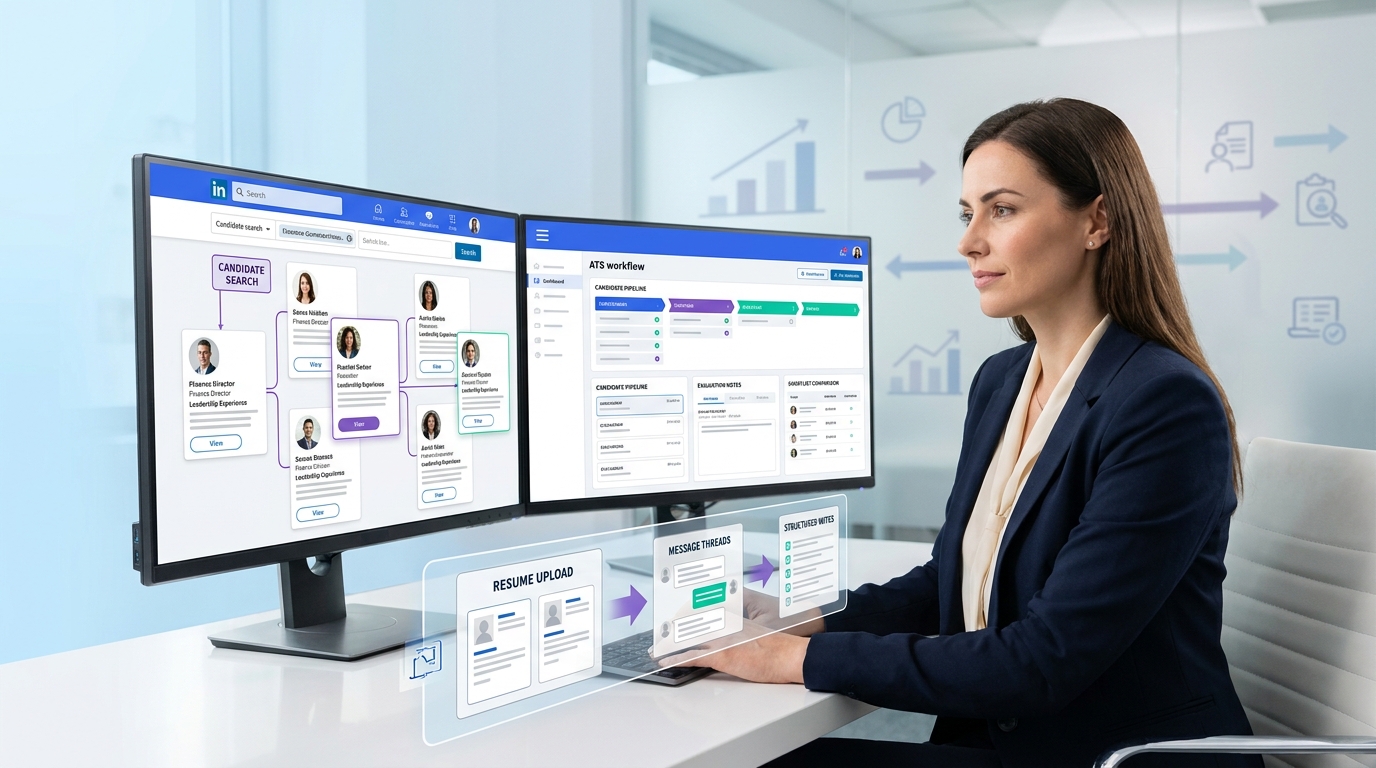
When recruiters ask how do you use LinkedIn for recruitment, this article shows how to avoid title-only shortlists and build a workflow that preserves deeper candidate judgment.
Without that alignment, recruiters lose more than time. Outreach happens in one place, candidate notes sit in another, resumes arrive after hours, and the hiring manager still wants a clear shortlist by the next check-in. For a solo recruiter, that means missed follow-ups and weak handoffs. For a small agency owner, it means lower consultant output and inconsistent client updates. For an internal talent team, it often means slower hiring, duplicated messaging, and a weaker candidate experience.
That is why I now treat LinkedIn as part of a broader operating system rather than a standalone channel. In my own workflow, StrategyBrain AI Recruiter has been most useful when I need help with three specific problems: keeping candidate conversations moving after hours, handling multilingual outreach more smoothly, and collecting resumes or contact details from interested prospects without forcing recruiters to do every first-step message manually. The recruiter still owns the real decision-making, including resume review, fit assessment, and whether the candidate should move forward.
You can see why this matters in a role like a contract controller search. The challenge is not just finding someone with technical finance depth. The person stepping into that assignment may need to assess a period-end close process immediately, sort out priorities in the first week, establish credibility with an existing team, and respond well to constructive feedback while operating in a fast-moving environment. Those are not surface-level hiring questions, and they rarely show up cleanly in a LinkedIn headline.
If your sourcing process cannot capture those deeper evaluation points from the first outreach onward, the whole search gets distorted. Recruiters start filtering by title alone, hiring managers receive profiles without enough context, and important signals about leadership, process improvement, or coachability get buried in inbox threads. That is exactly why the best recruiting software matters: it helps you connect how do you use LinkedIn for recruitment with how to recruit people and keep recruiting employees through a more disciplined workflow.
Table of Contents
- Why LinkedIn sourcing needs recruiting software
- What contract-controller hiring teaches recruiters
- How do recruiters use LinkedIn inside a real workflow?
- What features matter in the best recruiting software?
- Three recruiting software options to compare
- How to recruit people with a LinkedIn-led system
- Common mistakes when recruiting employees
- A practical selection checklist
- FAQ
Why LinkedIn sourcing needs recruiting software
Recruiters often ask about the best recruiting software when what they really mean is this: how do we stop good sourcing work from turning into scattered admin? LinkedIn is strong for discovery and first contact, especially for passive talent, but it does not replace the need for structure. If your team is serious about how do you use LinkedIn for recruitment, the answer usually starts with software that can capture conversations, organize pipeline movement, support recruiter judgment, and keep hiring stakeholders aligned.
That is especially true on searches where the visible profile is only the first layer. In finance, operations, leadership, and specialist roles, the recruiter often needs to understand how a candidate handles process review, stakeholder alignment, team leadership, mistakes, and feedback. Those are workflow signals, not just sourcing signals.
Key insight: The best recruiting software does not replace recruiter thinking. It preserves it by making sure sourcing activity, evaluation notes, next steps, and team feedback stay connected.
What contract-controller hiring teaches recruiters
The reference point from contract controller hiring is useful because it exposes a truth many recruiters learn the hard way: strong hiring decisions come from structured evaluation, not just profile matching. A good contract controller may need to walk into an organization, assess the period-end close process, identify where the team is strong or weak, decide what matters most in week one, and gain trust quickly enough to lead without long runway.
That gives recruiters a much better lens for evaluating software too. If a role depends on process judgment, leadership credibility, and adaptability, your software should help preserve those themes from the start. Otherwise, LinkedIn outreach becomes disconnected from what the hiring team actually needs to learn.
Evaluation criteria should start earlier than the interview
On searches like this, I do not wait until formal interviews to start gathering evidence. I want outreach notes, candidate replies, resume files, and recruiter observations connected in one place. If a candidate responds thoughtfully about stepping into a changing environment or fixing a messy close cycle, that context should not live only inside a LinkedIn thread.
First-week priorities matter in role calibration
One of the strongest screening signals in interim or contract leadership hiring is whether the person can explain what they would prioritize first. That same principle applies when learning how to recruit people effectively. Good recruiters calibrate around likely first-week realities, not just a wish-list job description.
Coachability and leadership are workflow issues too
The contract-controller example also reminds us that mistakes, feedback response, and trust-building are not soft extras. They are operational realities. Software should support structured notes, feedback capture, and hiring-manager visibility so these signals remain visible during selection.
How do recruiters use LinkedIn inside a real workflow?
The practical answer to how do you use LinkedIn for recruitment is not simply “search and message people.” The best recruiters use LinkedIn as the front end of a broader system.
1. Search for likely-fit talent
Start with role-based filters, skill signals, title variations, and location logic. For specialist hiring, this is often where the search begins, but not where the assessment ends.
2. Review profiles against business reality
Do not just scan titles. Look for evidence of scope, process ownership, change leadership, and progression. In controller searches, for example, a recruiter may need clues about systems exposure, team leadership, and process improvement history.
3. Start personalized outreach
Outreach should reference something concrete, not generic interest. Candidates respond better when the message reflects actual understanding of their background and the role challenge.
4. Capture responses and files immediately
This is where software matters most. In my experience using AI Recruiter, the biggest operational gain has been keeping early candidate engagement active when I am not online, while still making sure I review resumes and decide who deserves a serious screening conversation. That is useful in searches where prospects reply late, work across time zones, or prefer to communicate in their native language.
5. Move candidate status into the main system
Once a candidate shows interest, their source, notes, files, and next action need to sit inside the ATS or CRM. That is how teams avoid losing context between sourcing and shortlist review.
What features matter in the best recruiting software?
If you are comparing the best recruiting software, focus on whether the platform helps you preserve decision quality while reducing repetitive work.
| Feature | Why It Matters | What to Check |
|---|---|---|
| ATS pipeline management | Keeps active applicants and sourced talent organized | Clear stages, shared notes, easy status updates |
| LinkedIn workflow support | Prevents copy-paste recruiting | Smoother handoff from outreach to screening |
| Recruiting CRM | Supports passive-candidate nurture | Talent pools, reminders, candidate history |
| AI messaging support | Helps with repetitive first-touch communication | Human oversight, resume capture, multilingual use cases |
| Collaboration tools | Improves recruiter and manager alignment | Structured feedback, role scorecards, visibility |
| Reporting | Shows what is working | Source quality, conversion, time-to-fill |
Look for workflow depth, not just feature count
The wrong buying habit is choosing software based on the longest checklist. The better habit is asking whether the tool helps with the real work: sourcing, screening, stakeholder updates, and follow-through.
AI is strongest when it handles repetition
Used well, AI can support recruiting employees by taking pressure off first-response admin, after-hours communication, and basic information capture. It should not be trusted to make final fit decisions on its own.
Three recruiting software options to compare
For a topic centered on software, it helps to separate systems by use case. Below are three recognizable categories recruiters often compare when improving LinkedIn-led hiring workflows.
| Software Type | Best For | Pros | Limits | How it works with StrategyBrain AI Recruiter |
|---|---|---|---|---|
| Enterprise ATS platforms | Mid-market and larger internal teams | Strong compliance, workflow control, stakeholder visibility | Can feel heavy for lean teams; setup may be slower; cost usually higher | Useful as the system of record while StrategyBrain AI Recruiter supports LinkedIn outreach, late replies, and resume collection before recruiter review |
| Agency CRM/ATS platforms | Staffing firms and headhunters | Talent pool reuse, client process management, relationship tracking | May still require manual LinkedIn messaging; quality depends on recruiter discipline; pricing varies by seats | Works well when StrategyBrain AI Recruiter handles repetitive top-of-funnel LinkedIn conversations and the CRM stores recruiter judgment and client submissions |
| LinkedIn automation-focused recruiting tools | Sourcers, outbound-heavy teams, international hiring support | Faster outreach handling, after-hours continuity, multilingual communication | Needs recruiter oversight; not a full replacement for ATS structure; effectiveness depends on role targeting and message quality | This is where StrategyBrain AI Recruiter stands out, especially for recruiters who want LinkedIn-first automation while keeping final qualification in human hands |
From a user-experience standpoint, the main difference is whether the software reduces recruiter friction or adds another dashboard. From an outcomes standpoint, the question is whether more qualified conversations turn into more usable resumes and cleaner shortlists. From a cost standpoint, teams should evaluate total workflow efficiency rather than just seat price. And from a business-fit standpoint, small agencies, independent headhunters, and globally distributed hiring teams usually care most about top-of-funnel leverage, while larger employers often care more about controls and reporting.
I would not position one software category as universally best. In practice, the strongest setup is often a core ATS or CRM plus a LinkedIn-focused automation layer. That combination is especially helpful when your team keeps returning to the same problem: how do you use LinkedIn for recruitment at scale without sacrificing message quality or recruiter control?
How to recruit people with a LinkedIn-led system
If you want a practical operating model, this is the one I recommend.
- Define the role beyond the title. Document what success looks like in the first week, first month, and key transition points.
- Search systematically. Use title variants, skills, and adjacent backgrounds rather than relying on exact-title matches only.
- Send targeted outreach. Personalize around the actual role challenge, not a generic vacancy pitch.
- Use AI carefully where speed matters. For late replies, multilingual engagement, and initial information capture, tools like StrategyBrain AI Recruiter can reduce the repetitive LinkedIn workload.
- Keep recruiter review central. The recruiter should still assess resume quality, interpret nuanced experience, and decide next steps.
- Store evaluation notes in one place. Tie candidate replies back to role criteria such as leadership, process improvement, and adaptability.
- Review source quality. Measure which outreach patterns lead to serious conversations, resumes, interviews, and hires.
This is a realistic answer to how to recruit people when roles are too nuanced for keyword matching alone.
Common mistakes when recruiting employees
Treating LinkedIn as the entire hiring process
LinkedIn is a sourcing layer, not a complete recruiting system. Teams that forget that often lose candidate context and create weak handoffs.
Screening by title instead of role reality
The contract-controller lesson applies broadly here. If the role depends on first-week leadership, process evaluation, or trust-building, you need software and process that can keep those criteria visible.
Automating without reviewer control
Automation helps most when it supports communication flow and admin reduction. It becomes risky when teams assume messaging automation equals candidate qualification.
Ignoring feedback and coachability signals
Recruiters often capture technical notes but miss adaptability, response to feedback, and leadership maturity. Good software makes these observations easier to store and compare.
Failing to nurture passive talent
Many strong hires do not move on first contact. If your system cannot preserve prior conversations and follow-up timing, you restart too many searches from scratch.
A practical selection checklist
When comparing the best recruiting software, ask:
- Can it support a LinkedIn-led workflow without fragmenting the process?
- Does it help recruiters capture deeper evaluation points, not just contact data?
- Can it handle after-hours or multilingual candidate communication when needed?
- Does it keep the recruiter in charge of resume review and qualification?
- Will hiring managers actually use it for feedback and shortlist review?
- Does it fit your business type: agency, internal team, solo desk, or high-volume employer?
- Can it improve how you recruit people repeatedly, not just on one urgent role?
If the answer is yes across those points, the software is more likely to help with both daily sourcing and long-term recruiting employees effectively.
FAQ
How do you use LinkedIn for recruitment?
Use LinkedIn to identify talent, begin personalized outreach, and start early qualification conversations. Then move candidate data, files, and notes into your ATS or CRM so the process stays structured.
What is the best recruiting software for LinkedIn hiring?
The best option depends on your workflow. Most recruiters need a combination of ATS or CRM structure plus LinkedIn-supporting tools that reduce repetitive messaging and preserve recruiter oversight.
How does StrategyBrain AI Recruiter fit into a recruiting workflow?
It is most useful as a LinkedIn-focused support layer for candidate outreach, after-hours follow-up, multilingual communication, and resume or contact capture. Recruiters still need to review resumes and decide who should advance.
How do you recruit people for nuanced leadership or finance roles?
Start with role-specific criteria tied to actual job demands such as first-week priorities, process ownership, leadership style, and adaptability. Then use software that keeps those criteria visible from sourcing through interviews.
What is the biggest mistake when recruiting employees through LinkedIn?
The biggest mistake is assuming sourcing equals hiring. Without software to connect outreach, notes, stakeholder feedback, and next steps, strong prospects are easy to lose.
Conclusion
The best recruiting software is not the one with the loudest feature list. It is the one that helps recruiters turn LinkedIn activity into organized, higher-quality hiring decisions. For teams asking how do you use LinkedIn for recruitment, the strongest answer is to combine sourcing reach with software that preserves context, supports communication, and keeps recruiters in control of judgment.
That matters even more when the role is complex, the hiring team is busy, and the candidate story cannot be understood from a headline alone. Whether you are figuring out how to recruit people for specialist roles or improving a larger system for recruiting employees, software should make your process more deliberate, not more fragmented.














