


See how agency leaders can judge placement agency software against desk workflows to avoid slower submissions and lost context.
That sounds simple until a live desk gets busy. Small and midsize agencies often lose time in the same places: candidate replies arrive after hours, consultant notes sit in inboxes, a client call changes the brief, and no one is fully sure which shortlist is current. The cost is not just admin. It shows up in slower submissions, weaker candidate experience, missed follow-up, and recruiters spending prime business-development time on manual chasing instead of revenue work.
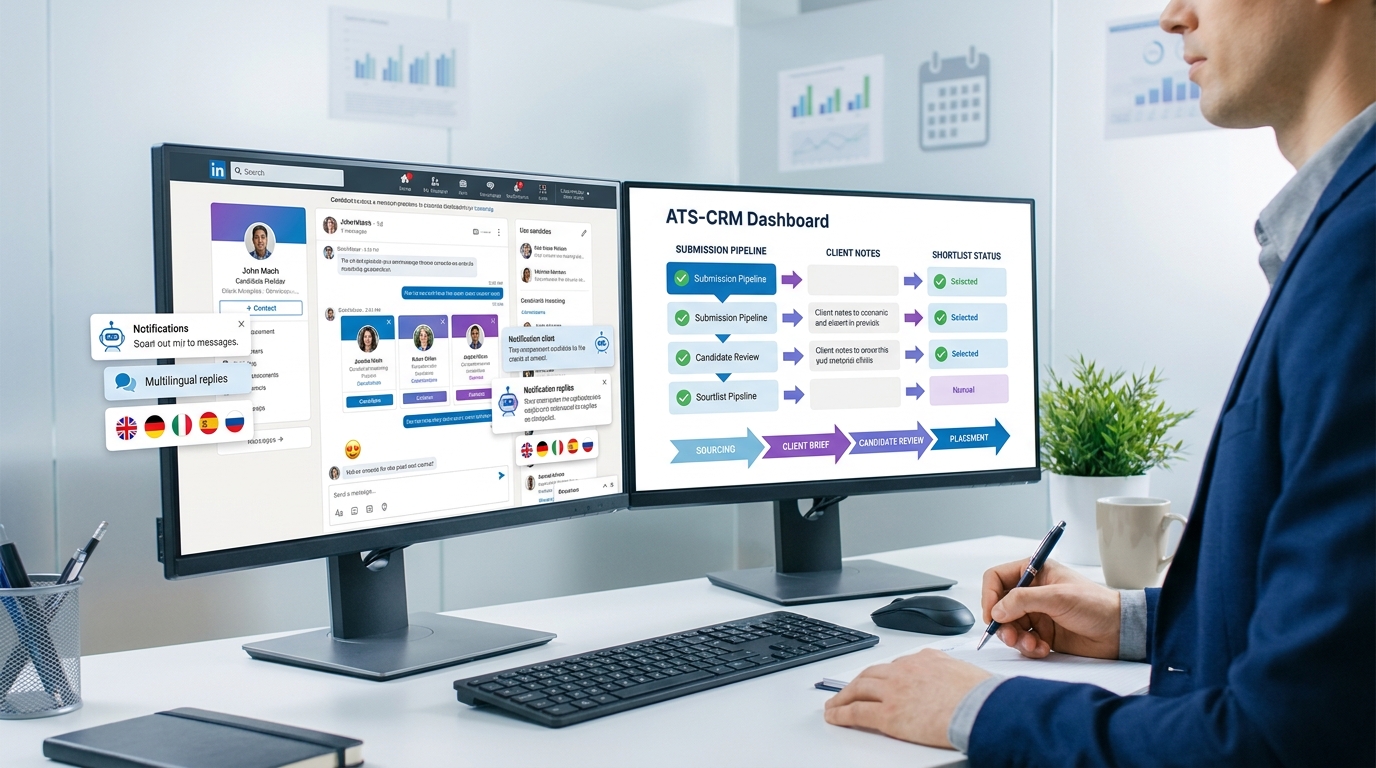
In my own workflow, tools that reduce that early-stage friction are the ones that actually earn a place beside the core ATS. I have found AI Recruiter useful when LinkedIn outreach volume rises and consultants cannot realistically answer every message in real time. Its always-on messaging, multilingual communication, and automated collection of resumes and contact details can keep conversations moving while the recruiter still owns the final resume review, shortlist judgment, and next-step decision.
The pressure is even clearer in project-based hiring. When a consultant candidate speaks with a client about a short-term mandate, the conversation is rarely about five-year career plans. It is about what problem needs fixing, how fast the person can ramp up, whether they have handled a similarly messy environment before, and what proof they can offer from earlier assignments. The discussion may last fifteen minutes or much longer, but it usually turns into a working conversation between professionals rather than a scripted interview.
That candidate-side reality matters for agencies because your recruiters have to capture and reuse all of that context across the desk. If your software employment agency stack cannot store the client problem, the assignment goal, the candidate's relevant examples, and the next action in one visible workflow, recruiters end up re-asking questions, duplicating notes, and losing momentum. That is exactly why the best recruiting software is not just a database decision. It is a workflow-fit decision for permanent, contract, and temporary staffing software environments.
Table of Contents
What the Best Agency Software Needs to Do
If you run a recruiting firm, the best recruiting software for your team will look very different from the system an internal HR department chooses. An in-house ATS usually supports one employer, one approval chain, and one hiring process. Placement agency software has to support candidates, clients, job orders, submissions, interviews, offers, placements, and repeat business across multiple accounts at once.
That distinction matters because many agencies buy software that looks polished in a demo but breaks down once real desk activity starts. Agency recruiters do not just need a place to store resumes. They need a system that supports recruit-to-placement work with enough commercial context to help them fill roles and grow accounts.
Key takeaway: If the platform cannot connect candidate activity, client history, job orders, and placement tracking in one workflow, it is unlikely to be complete placement agency software.
Core workflow an agency should expect
- Candidate sourcing and profile capture
- Resume parsing and searchable records
- Client CRM with contacts, notes, and activity history
- Job order intake and prioritization
- Submission tracking and interview coordination
- Offer, start-date, and placement records
- Reporting by recruiter, client, branch, and service line
Those are also the areas where software adoption creates practical gains: fewer handoff errors, cleaner notes, faster search, and better visibility into where work is stalling.
Why Consulting-Style Hiring Exposes Software Gaps
One useful way to evaluate agency software is to look at fast-moving consulting or contract hiring. In those searches, the client is often trying to solve a problem quickly, and the candidate conversation is sharply tied to short-term delivery. Recruiters must capture not only skills and availability but also the environment the candidate has succeeded in before, the kind of change they have driven, and how directly that maps to the current brief.
That creates a different data problem than standard applicant management. The recruiter needs to document what the company is experiencing, what the consultant is expected to achieve, which prior examples are relevant, and what concerns surfaced in discussion. If that information lives partly in email, partly in LinkedIn, and partly in personal notes, your team loses speed exactly when the client expects precision.
This is why the strongest agency systems combine ATS and CRM functions. The desk needs one place to move from a client contact, to a job order, to a candidate conversation, to a submission decision. Without that continuity, the agency does more remembering than recruiting.
A practical interview-to-placement pattern agencies should support
- The client explains the business problem or change mandate.
- The recruiter clarifies the assignment goal and urgency.
- The candidate discussion focuses on similar prior environments and results.
- The recruiter captures relevant examples and flags risks.
- The shortlist, feedback, and next steps are shared quickly with the client.
If your current system struggles with these steps, that is a software warning sign, not just a recruiter-discipline issue.
Core Features Agencies Should Prioritize
Feature lists are useful, but only when tied to real desk behavior. The best recruiting software is not the one with the longest checklist. It is the one your consultants can use without creating side spreadsheets and extra admin.
1. Unified ATS and CRM
This should be the first filter in any serious placement agency software review. Recruiters need to move from candidate to client, from client to job order, and from job order to prior submissions without losing context. When ATS and CRM workflows are disconnected, relationship intelligence gets lost and managers lose visibility into account activity.
2. Strong search, parsing, and candidate retrieval
Good agency software should make it easy to capture resumes, parse profiles, tag relevant skills, and search by experience, location, industry background, and availability. In contract and consulting-style hiring, speed matters, but so does the ability to surface candidates who have worked in similar environments.
My practical advice is simple: test search quality with your own records. If recruiters cannot retrieve credible candidates in seconds, adoption will suffer.
3. Job order and submission management
Agency work starts with a client brief, not with a generic vacancy field. The software should support intake notes, ownership, role priority, candidate submissions, interview scheduling, feedback loops, and offer progression. This is where visibility becomes operationally valuable. Team leads can see which roles are stuck and why.
4. Email, calendar, and communication tracking
Agency software should reduce memory dependence. Recruiters need reliable communication history, reminders, and activity logging. This matters even more when clients are hiring consultants or contractors quickly and candidate discussions become more detailed than a standard interview process.
- Email sync
- Calendar integration
- Task reminders
- Submission status updates
- Interview and feedback tracking
5. Reporting that reflects desk reality
Strong reporting should cover submissions, interviews, placements, starts, source quality, recruiter activity, client performance, and pipeline conversion. Without this, the software employment agency investment becomes hard to defend because leadership still cannot answer basic commercial questions.
6. Integrations that prevent downstream rework
Agencies often underestimate integration depth. Your front-end user experience may look good, but if the system cannot connect to email, sourcing channels, payroll tools, or back-office workflows, operations teams end up doing manual repair work later.
Temporary Staffing Software Requirements
Temporary staffing software needs more than a standard ATS plus CRM layer. Once a candidate is placed, the real operational work may just be beginning. Scheduling, assignments, timesheets, compliance documentation, and worker-status visibility become core requirements.
If your firm handles temporary or shift-based placements, keep that evaluation separate from your permanent desk checklist. A system that looks fine for direct-hire recruiting may create major friction once assignment management begins.
What temporary staffing software must handle
- Assignment and shift management
- Worker availability tracking
- Timesheets
- Compliance documents
- Contract lifecycle visibility
- Worker classification support
- Back-office and payroll connections
| Evaluation Area | Permanent Recruitment | Temporary Staffing |
|---|---|---|
| Candidate pipeline | Critical | Critical |
| Client CRM | Critical | Critical |
| Placement tracking | Critical | Critical |
| Scheduling | Helpful | Essential |
| Timesheets | Rarely needed | Essential |
| Compliance | Important | Essential |
| Back-office integration | Useful | Often essential |
For temp desks, one of the biggest system benefits is continuity across handoffs. Recruiters, coordinators, compliance teams, and operations should all be able to work from the same underlying record wherever possible.
Using AI Recruiter Alongside Your Core System
When agencies talk about the best recruiting software, they often mix two different needs: the system of record and the system that keeps top-of-funnel work moving. In practice, I treat those as related but separate decisions. The core ATS/CRM remains the source of truth, while tools like AI Recruiter can help manage the repetitive LinkedIn outreach and response layer that otherwise eats recruiter time.
In my experience, the most useful scenario is high-volume sourcing where candidates reply outside normal hours or in multiple languages. AI Recruiter can introduce the role, gauge whether the person is open to a conversation, answer basic questions, and collect resumes or contact details. What it should not replace is recruiter judgment. The consultant still decides whether the candidate's background actually fits the brief, whether the context is comparable, and whether the person belongs on a shortlist.
That distinction matters for agencies hiring into consulting-style assignments. Early communication can be automated, but relevance assessment still depends on a recruiter who understands the client problem. I have found the best results come when automation removes the back-and-forth that delays conversations, while the recruiter steps in for resume evaluation, deeper qualification, and client presentation.
- Useful for LinkedIn outreach at scale
- Helpful when candidate replies come after hours
- Supports multilingual communication across markets
- Captures resumes and contact details for recruiter follow-up
- Works best when paired with a solid placement agency software workflow
Best Fit by Agency Model
The best recruiting software depends on your operating model, not just your industry label. Different desks need different strengths.
Permanent recruiting firms
Perm-focused agencies should prioritize ATS and CRM depth, submission workflow, candidate search, interview coordination, and placement reporting. Business development visibility matters because desk performance often combines sales and delivery.
Temporary staffing firms
Temp firms need all of the above plus scheduling, assignments, timesheets, and compliance. If those functions are weak, the tool may still satisfy recruiters while creating downstream friction for operations.
Contract and consulting-focused desks
These desks need strong note capture, environment-specific qualification, assignment visibility, and clean handoffs from outreach to placement. This is where the lessons from consulting-style interviews become especially useful: your software must preserve context, not just status.
Executive search firms
Search teams tend to value relationship intelligence, discreet workflow control, and long-cycle reporting. Notes quality, client history, and shortlist rationale matter more than high-volume automation alone.
Multi-branch agencies
Multi-office firms need standardized structure without making local teams rigid. Permissions, branch reporting, ownership rules, and realistic data-entry expectations become critical.
Comparison Checklist
If you are building a shortlist, evaluate systems against the way your desks actually work.
- Map the full workflow. Start with client brief and end with placement, assignment start, or redeployment.
- Separate perm and temp requirements. Do not force one scorecard onto both models.
- Assess ATS and CRM together. Agencies need one operating workflow, not disconnected records.
- Test real scenarios. Use actual job orders, sample candidate histories, and real reporting questions.
- Review communication flow. Check what happens when outreach, replies, and interview updates span multiple channels.
- Validate integrations early. Email, sourcing channels, payroll, and back-office links should be checked before selection.
- Plan for adoption. The best system on paper still fails if recruiters avoid using it.
| Category | What to Look For | Why It Matters |
|---|---|---|
| Agency ATS | Search, parsing, pipeline, submissions | Supports recruiter execution |
| CRM | Client contacts, notes, job orders, history | Supports account growth and service quality |
| Placement workflow | Offers, starts, placement records | Supports revenue visibility |
| Temp operations | Scheduling, assignments, timesheets, compliance | Supports temporary staffing software needs |
| Communication support | Email, reminders, sourcing-channel continuity | Reduces missed follow-up |
| Analytics | Recruiter, client, branch, and source reporting | Supports management decisions |
Common Buying Mistakes
Buying software built mainly for internal HR
This is still the most common mismatch. The product may look strong for employer-side hiring but fail on client CRM, job-order depth, and placement tracking.
Ignoring the importance of context capture
In consulting, contract, and specialist hiring, recruiters need to store more than candidate status. They need to preserve what problem the client is trying to solve and why a candidate is relevant to that environment.
Underestimating temporary staffing complexity
Many firms assume they can add temp workflows later. In practice, weak scheduling or timesheet support quickly creates fragmented operations.
Chasing features instead of adoption
A long feature list is not the same as workflow fit. Include recruiters, team leads, and operations staff in evaluation. They usually spot friction faster than a procurement-only process.
Forgetting the top-of-funnel workload
Even a strong ATS can underdeliver if recruiters are overwhelmed by manual outreach and inconsistent message follow-up. This is one reason many agencies pair their core system with tools such as AI Recruiter for LinkedIn-heavy sourcing while keeping final selection decisions with the recruiter.
FAQ
What is placement agency software?
Placement agency software is recruiting software built for firms placing candidates with external clients. It usually combines ATS functions, client CRM, job-order management, submission tracking, placement records, and reporting.
How is agency software different from an in-house ATS?
Agency software supports multi-client workflows, business development, and placements. In-house ATS platforms typically focus on one employer's hiring process and approvals.
What does temporary staffing software need that perm software may not?
Temporary staffing software often needs assignment management, worker availability, scheduling, timesheets, compliance support, and back-office integration.
Should ATS and CRM be in the same system?
For most agencies, yes. A unified workflow reduces duplicate data entry, improves follow-up, and gives recruiters better visibility across client and candidate activity.
Where does AI Recruiter fit into an agency stack?
It can support LinkedIn outreach, candidate replies, multilingual communication, and resume collection at the top of the funnel. The recruiter should still own final qualification, resume review, shortlist decisions, and client-facing recommendations.
How should a software employment agency buyer evaluate vendors?
Start by mapping your workflow, then test systems with real recruiting scenarios. Evaluate context capture, reporting, integrations, and adoption risk before focusing on license cost alone.
Conclusion
The best recruiting software for agencies is the one that preserves context while helping recruiters move quickly. For most firms, that means placement agency software with strong ATS and CRM capability, reliable communication tracking, clear placement reporting, and enough flexibility to support different desk models.
If your business includes contract or shift-based hiring, temporary staffing software requirements should be weighed early, not added as a late-stage afterthought. And if your team relies heavily on LinkedIn sourcing, tools like AI Recruiter can help remove repetitive messaging work so consultants can focus on the part that still requires judgment: understanding the client problem, reviewing the resume, and deciding who is genuinely worth presenting.














