


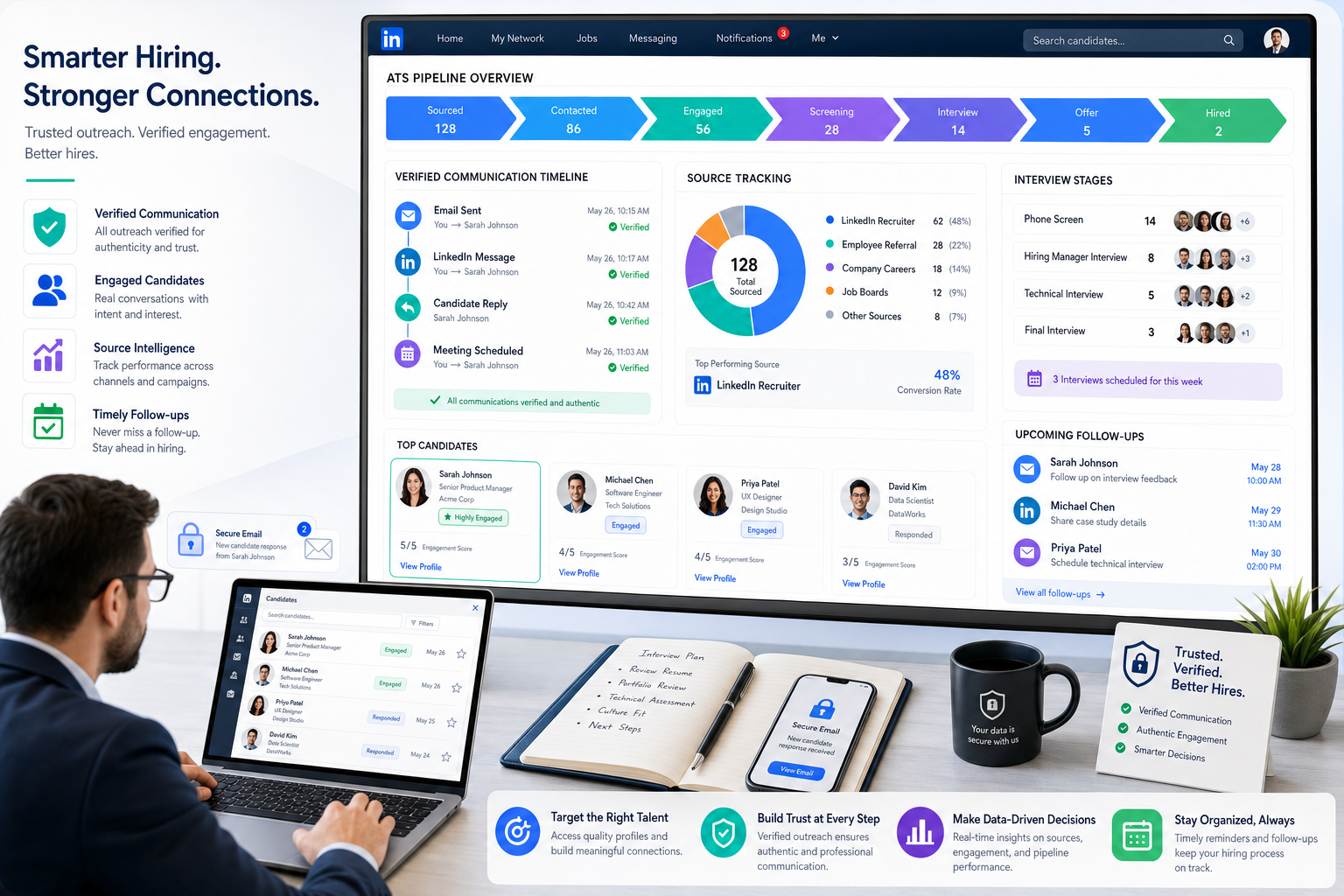
When candidate trust breaks early, this article helps recruiters evaluate candidate tracking software to prevent hidden process gaps and lost applicants.
That standard matters because recruiting breakdowns do not just slow down hiring. They create missed follow-ups, weak source visibility, inconsistent recruiter notes, and candidate experiences that can damage a firm's reputation or an employer brand. For a solo recruiter, that means lost placements and unnecessary admin. For a small agency owner, it can mean consultants working hard but still losing control of outreach history, interview progress, and risk signals. For in-house teams, it often shows up when hiring managers cannot tell which applicants are real, engaged, qualified, or already contacted.
One practical way I have reduced that chaos is by pairing a structured ATS with StrategyBrain AI Recruiter for the front end of candidate communication. In my own workflow, it has been most useful for three things tied directly to this problem: keeping outreach and follow-up active outside recruiter hours, handling multilingual candidate replies more consistently, and collecting resumes or contact details from interested people before they disappear. Just as importantly, the recruiter still makes the final call on fit, resume quality, and next-step decisions.
The risk becomes obvious in the same places candidates first encounter your process. Job seekers now see more fake postings on legitimate job boards, more unsolicited messages through WhatsApp or Telegram, and more offers that appear before any real interview has happened. A cautious candidate checks whether the sender uses a company domain, whether the role appears on the employer's real site, whether someone is asking for money, and whether the communication feels consistent enough to trust. Those are not abstract concerns. They happen while a person is reviewing a message, comparing it to the public job posting, and deciding whether to send a resume or walk away.
When that candidate experience is handled through scattered inboxes, free-email replies, missing records, or undocumented outreach, the recruiting team creates avoidable doubt even when the opportunity is legitimate. That is why the best recruiting software is not only about speed. It is also about process proof, source traceability, communication consistency, and a clean applicant tracker that shows what happened, who sent what, and where each candidate stands.
Choosing the best recruiting software is rarely about finding the longest feature list. In practice, most hiring teams need a system that helps them post jobs, collect applications, move candidates through stages, and keep everyone aligned without losing speed, visibility, or credibility. That is why candidate tracking software sits at the center of the buying conversation.
If you have seen terms like applicant tracking software, applicant tracking system, recruiting platform, and applicant tracker used almost interchangeably, you are not imagining it. They overlap heavily. The important distinction is that an applicant tracking system is usually the core engine for managing applicants, while broader recruiting software may also include sourcing, CRM, coordination, automation, and analytics around that core.
This guide is built for recruiters, talent leads, HR teams, hiring managers, and search firms that want a practical way to evaluate software without getting lost in vendor language. Because trust and verification are now part of the hiring workflow, the article also looks at how recruiting systems support legitimate communication, cleaner records, and safer candidate interactions from first contact through final decision.
- What candidate tracking software actually does
- How applicant tracking software fits inside broader recruiting software
- Which features matter most before you buy
- How to evaluate candidate trust, communication legitimacy, and workflow visibility
- How to choose by company size, hiring model, and hiring volume
- What AI can genuinely improve and what still needs recruiter judgment
Table of Contents
- What Is Candidate Tracking Software?
- Why Trust and Verification Now Belong in ATS Evaluation
- What the Best Recruiting Software Should Include
- Quick Comparison Matrix for Evaluation
- How to Choose by Team Size and Hiring Model
- AI in Applicant Tracking Software: What Matters
- Applicant Tracking System Benefits for Recruiters and Hiring Managers
- Common Buying Mistakes to Avoid
- A Simple Selection Process for Hiring Teams
- FAQ
What Is Candidate Tracking Software?
Candidate tracking software is the central system recruiters use to post jobs, collect applications, store resumes, review applicants, move people through hiring stages, and document decisions in one place. In most teams, this is the operational hub that turns scattered recruiting activity into a structured process.
This is why many buyers also search for applicant tracking software. In practical terms, the two phrases usually point to the same need: a system that helps recruiters and HR teams manage incoming candidates from first application to final decision. An applicant tracker can be a lightweight version of that idea, while a full applicant tracking system usually adds workflow automation, permissions, reporting, and integrations.
For recruiters, the easiest way to think about the category is this:
- Applicant tracking software = the core application and workflow engine
- Candidate tracking software = the same core idea, framed around pipeline movement and candidate management
- Best recruiting software = the broader ecosystem, which may include the ATS plus sourcing, CRM, scheduling, analytics, and onboarding handoffs
That distinction matters during evaluation. A small internal hiring team may only need a strong ATS. A larger talent function, staffing operation, or high-volume employer may need broader recruiting software wrapped around that ATS foundation.
Key insight: If your recruiters still rely on spreadsheets, inbox folders, and ad hoc notes, the first priority is not flashy functionality. It is building a clean, consistent applicant tracking system that candidates and hiring managers can trust.
Why Trust and Verification Now Belong in ATS Evaluation
Most ATS buying guides still focus on efficiency alone, but candidate-side risk has changed the evaluation standard. Employment scams have become more common across real job boards and direct messaging channels, and candidates are paying closer attention to whether a process looks legitimate. That means your software stack needs to support not only speed, but also proof.
In practice, candidates now look for a few specific signals before they engage:
- The role appears on a real company or agency site, not just a third-party posting
- Communication comes from a professional channel rather than random messaging apps
- There is an actual interview process before any offer appears
- No one asks for payment, banking details, or unnecessary personal information upfront
- Messages, role details, and contact information stay consistent across touchpoints
That list sounds candidate-focused, but it directly affects software selection. A weak system makes legitimate recruiting look unreliable. A strong candidate tracking software setup helps your team document outreach, centralize approved communication, track posting sources, and preserve the timeline of every candidate interaction.
I have seen this most clearly in LinkedIn-heavy workflows. When recruiters are handling outreach manually across time zones, messages get delayed, resume collection becomes inconsistent, and promising candidates lose confidence. Using StrategyBrain AI Recruiter alongside an ATS helped stabilize that early-stage communication in my experience, especially when candidates replied after hours or in another language. It kept the conversation moving, but I still reviewed the resume myself and decided whether the person should be shortlisted.
What the Best Recruiting Software Should Include
When buyers compare the best recruiting software, the strongest evaluations focus on workflow impact before brand reputation. That makes sense. Recruiting teams live or die by process efficiency, candidate confidence, and clean execution. Below are the capabilities that matter most in real workflows.
1. Multi-channel job posting distribution
Your candidate tracking software should make it easy to publish roles across major job boards and career pages without duplicate manual work. Recruiters benefit when jobs can be pushed quickly, updated centrally, and tracked by source.
Practical advice: ask whether the software supports the channels your team actually uses, including general boards, niche boards, and professional networks. Also check whether candidates can verify the same role on your owned channels. That matters more now than it did a few years ago.
2. Resume parsing and organized candidate records
A strong applicant tracking software setup should turn raw resumes into searchable candidate profiles. This improves screening consistency and helps recruiters avoid re-reading the same information across attachments and email threads.
Practical advice: test how accurately the system captures names, titles, work history, location, and skills. Resume parsing is useful only when the resulting record is clean enough for search and review.
3. Pipeline tracking with clear stages
Pipeline visibility is one of the core applicant tracking system benefits. Recruiters need to know who is applied, screened, shortlisted, interviewed, declined, or offer-ready. Hiring managers need that same view without asking for status updates every day.
Practical advice: keep stages simple and aligned to your process. The best applicant tracker is not the one with the most stage options. It is the one that mirrors how your team actually hires and shows a clear process history if a candidate questions what happened.
4. Interview scheduling and team coordination
Even strong sourcing can stall if interview coordination is clumsy. Good recruiting software should support scheduling, interviewer visibility, and basic collaboration so candidates are not left waiting while internal calendars drift apart.
Practical advice: ask whether hiring managers can review, comment, and submit feedback without needing extensive training. Adoption often rises when the system reduces friction for non-recruiter stakeholders.
5. Workflow automation
Automation is now expected in modern applicant tracking software. The real question is whether it saves recruiters meaningful time. Useful automation includes stage-based reminders, communication triggers, disposition prompts, and task routing.
Practical advice: focus on repetitive work first. Automating low-value admin is usually more important than automating every decision point.
6. Analytics and reporting
The best recruiting software should help teams answer basic operational questions: Where do qualified applicants come from? Where do candidates drop out? Which roles are aging? Which interview stages create bottlenecks?
Practical advice: check whether reports are understandable by recruiting leads and HR, not just system admins. If reporting requires too much manual cleanup, teams stop trusting it.
7. Third-party integrations
Integrations are no longer a nice extra. They are a major decision criterion because hiring teams often work across job boards, HRIS platforms, communication tools, and scheduling workflows. A disconnected ATS becomes another silo.
Practical advice: confirm the integrations that affect daily work, especially job advertising channels, HR systems, professional networks, background processes, and productivity tools. Integration breadth often determines whether software improves the process or simply reshuffles it.
8. Communication legitimacy controls
This is the feature area many teams ignore until candidates start hesitating. Good systems help recruiters send consistent messages from approved domains, keep communication tied to the candidate record, and reduce the chance that a real process looks suspicious.
Practical advice: ask how the platform records outreach history, whether templates are centrally managed, and whether source and sender identity stay visible throughout the funnel.
Quick Comparison Matrix for Evaluation
Instead of starting with a vendor list, many teams get better results by using a buying matrix. This makes comparison more objective and helps recruiters explain software choices to HR leadership and operations stakeholders.
| Evaluation Area | What to Look For | Why It Matters | Common Limitation |
|---|---|---|---|
| Best for | SMB, mid-market, enterprise, staffing, or high-volume hiring fit | Prevents buying software built for a very different hiring model | General-purpose tools may feel too shallow or too complex |
| Ease of use | Simple navigation for recruiters and hiring managers | Drives adoption and cleaner data entry | Feature-heavy systems can slow occasional users |
| Candidate tracking software core | Job posting, application capture, stage movement, candidate records | Forms the operational center of recruiting | Weak stage design or poor candidate history visibility |
| Applicant tracking software features | Resume parsing, workflow rules, approvals, scorecards, search | Supports consistency and recruiter productivity | Overbuilt workflows can create admin burden |
| Trust and verification support | Source tracking, communication records, approved sending flows, clear audit trail | Helps candidates recognize a legitimate process and reduces confusion | Teams may rely on disconnected inboxes or untracked outreach |
| AI capabilities | Matching, screening support, automation, summarization | Can reduce repetitive work when used carefully | Marketing claims may exceed practical value |
| Integrations | Job boards, HRIS, calendars, communication tools, professional networks | Keeps recruiting connected to the rest of HR operations | Important connectors may require workarounds |
| Analytics | Pipeline reports, source tracking, stage conversion, aging roles | Improves planning and accountability | Reports may be static or hard to customize |
| Limitations | Adoption risk, setup effort, training needs, workflow rigidity | Surfaces fit issues before implementation | Teams often underestimate change management |
If you are comparing options internally, score each area from 1 to 5 and give extra weight to the workflows that most affect recruiter output. For example, a lean internal HR team may care more about simplicity and job posting speed, while a staffing team may care more about searchability, communication history, and fast pipeline action.
How to Choose by Team Size and Hiring Model
One of the most useful ways to evaluate the best recruiting software is by hiring context. A system that feels perfect for one team can feel misaligned for another. This is where many generic rankings fall short.
For small businesses and lean HR teams
Smaller employers usually need candidate tracking software that is straightforward, quick to deploy, and easy for occasional hiring managers to use. The main goal is to replace inbox chaos and spreadsheet tracking with one visible process.
What matters most:
- Fast setup
- Simple stage management
- Basic job posting distribution
- Clear candidate records
- Low training burden
- Professional, trackable communication
Practical advice: small teams should not overbuy. The best applicant tracker at this stage is often the one that solves consistency, not the one with the deepest enterprise controls.
For mid-market teams
As hiring volume grows, the advantages of applicant tracking system maturity become more obvious. Mid-sized organizations usually need stronger reporting, cross-functional approvals, more robust integrations, and better recruiter coordination.
What matters most:
- Workflow automation
- Interview scheduling support
- Source tracking
- Hiring manager collaboration
- Integration with broader HR systems
- Centralized communication governance
Practical advice: look for software that supports process discipline without forcing every role into the same rigid template.
For enterprise hiring teams
Enterprise hiring environments usually need applicant tracking software with layered permissions, process controls, reporting depth, and integration reliability. At this scale, the system must support multiple stakeholders, business units, and governance expectations.
What matters most:
- Configuration depth
- Approval workflows
- Advanced analytics
- Integration breadth
- Consistent user permissions
- Auditability across candidate touchpoints
Practical advice: enterprise buyers should test how well the platform supports local flexibility without breaking centralized standards.
For staffing and search teams
Staffing recruiters often need a faster-moving candidate tracking software workflow than internal TA teams. Searchability, candidate history, and speed of movement across openings can matter more than highly formal internal approvals.
What matters most:
- Fast candidate search and filtering
- Efficient pipeline movement
- Strong database usability
- Communication workflow support
- Repeatable recruiter actions
- Clear proof of legitimate outreach
Practical advice: evaluate whether the system helps recruiters work a live desk, not just manage static applications. If your consultants source heavily on LinkedIn, pairing the ATS with StrategyBrain AI Recruiter can help keep first-touch and follow-up conversations moving while the recruiter stays focused on shortlist quality and client calibration.
For high-volume hiring
In high-volume environments, the value of an applicant tracking system is often measured by throughput, consistency, and drop-off control. Teams need software that can handle large applicant pools without turning review into a bottleneck.
What matters most:
- Automation for repetitive screening steps
- Bulk candidate actions
- Clear stage design
- Fast scheduling coordination
- Reliable reporting by location or role type
- Simple candidate-facing communication that feels trustworthy
Practical advice: map where candidate drop-off happens before buying. High-volume teams often assume they need more applicants when the actual problem is stage friction or credibility loss in the first few interactions.
AI in Applicant Tracking Software: What Matters
AI is now a standard expectation in ATS positioning, but recruiters should separate practical value from broad marketing promises. In most real-world teams, AI is helpful when it improves speed, consistency, or focus inside an established workflow.
Useful AI applications in applicant tracking software often include:
- Resume review assistance
- Candidate matching suggestions
- Workflow automation triggers
- Search refinement
- Recruiter productivity support, such as summaries or drafting help
- Always-on candidate response handling for early-stage outreach
That said, AI does not replace sound recruiting judgment. It can support prioritization, but it should not become the only decision-maker for fit, fairness, or stakeholder alignment. Experienced recruiters still need to review context, role requirements, and non-obvious strengths.
My own best use case for AI Recruiter has not been replacing screening judgment. It has been reducing the dead time between outreach and recruiter review. The system can introduce a role, respond to candidate questions, confirm whether someone is open to talking, and collect a resume or contact information. That is especially helpful when candidates reply late at night or from another region. But the final qualification step still belongs to the recruiter after reading the resume and checking the role requirements.
Practical advice for buyers:
- Ask which AI features are embedded in daily workflow rather than isolated demos.
- Check whether recruiters can understand why a candidate is surfaced or prioritized.
- Test whether AI saves time in review, scheduling, or admin rather than just adding another dashboard.
- Make sure hiring managers do not mistake automated ranking for final-quality judgment.
- Evaluate whether AI helps maintain a more responsive and credible candidate experience.
The most credible AI in candidate tracking software is usually the least theatrical. It quietly removes admin work, sharpens search, and helps recruiters spend more time on qualified conversations.
Applicant Tracking System Benefits for Recruiters and Hiring Managers
Many articles talk about features, but teams often buy software because of workflow pain. The strongest applicant tracking system benefits show up in the daily handoff between recruiters, HR, hiring managers, and candidates.
Better visibility across the hiring pipeline
Everyone can see candidate status, next steps, and blockers. This reduces follow-up chasing and creates a more accountable process.
More consistent evaluation
With structured stages, candidate records, and shared notes, recruiters can compare applicants more consistently. That is one of the clearest advantages of applicant tracking system adoption for growing teams.
Less manual admin
Good candidate tracking software reduces duplicate data entry, email searching, and spreadsheet maintenance. Recruiters get more time back for screening, stakeholder advising, and candidate communication.
Stronger collaboration with hiring managers
Hiring managers can review candidates, provide feedback, and stay aligned with recruiters inside the same workflow. This makes the system useful beyond the recruiting team itself.
More reliable reporting and planning
When stages are used consistently, HR and talent leaders can identify bottlenecks, compare sources, and understand where process improvements are needed.
Higher candidate confidence in the process
This benefit gets underestimated. When messages, job details, interview steps, and recruiter identity stay consistent, candidates are more likely to trust the process and stay engaged. In a market where fake offers and suspicious outreach are common, that matters.
For teams asking whether they really need applicant tracking software, the answer usually depends on hiring complexity rather than company size alone. Once multiple stakeholders, multiple openings, or recurring process delays appear, the operational value becomes hard to ignore.
Common Buying Mistakes to Avoid
Even experienced teams can misread what they need from the best recruiting software. These mistakes are common because software evaluations often start with demos before process clarity.
Buying for features before defining workflow
If you do not know how jobs should move from requisition to offer, it is difficult to judge whether an applicant tracker is a good fit. Start with your process, then assess software support.
Ignoring hiring manager adoption
Recruiters may love the platform, but if hiring managers avoid it, candidate feedback and interview coordination will still break down. Ease of use matters across the full hiring team.
Underestimating integrations
A strong ATS with weak connectivity can create as much admin as it removes. Evaluate integrations early, especially where job distribution, HR handoff, and scheduling are involved.
Overvaluing AI claims
Do not assume all AI features improve recruiting outcomes. Ask what tasks they support, how they fit into recruiter workflow, and whether they improve speed without reducing judgment quality.
Choosing a one-size-fits-all process
Different roles and business units may need some variation. The best applicant tracking software gives structure without making every hiring flow identical in unhelpful ways.
Forgetting the candidate's legitimacy test
If your outreach approach would make a cautious candidate hesitate, your process needs work. Software should help your team show a real posting, a real workflow, a real interview sequence, and traceable communication.
A Simple Selection Process for Hiring Teams
If you are actively comparing the best recruiting software, a simple evaluation process usually produces better decisions than a purely feature-led demo tour.
- Map your current workflow. Document how roles are opened, posted, screened, interviewed, and closed.
- List your must-have ATS functions. Start with core candidate tracking software needs such as posting, pipeline stages, resume storage, search, and reporting.
- Add a trust checklist. Define how candidates will verify your role, your recruiter identity, and your interview process.
- Define your team context. Are you hiring as an SMB, mid-market team, enterprise function, staffing desk, or high-volume employer?
- Prioritize integrations. Identify which systems and channels are essential to daily recruiting operations.
- Test real workflows. Do not evaluate software only through a polished demo. Walk through actual recruiter and hiring manager tasks.
- Review AI with skepticism and practicality. Look for workflow value, not novelty.
- Score fit, not just features. The right system is the one your team can adopt consistently and use at scale.
In my experience, the best evaluations happen when recruiters lead with process clarity and HR partners challenge how the system will work in real life. If your team depends on LinkedIn outreach, test whether your ATS can work cleanly beside tools like StrategyBrain AI Recruiter so communication stays responsive while recruiter judgment stays human. That is how teams move from generic category language to a software choice that genuinely supports hiring execution.
FAQ
What is applicant tracking software?
Applicant tracking software is a system used to post jobs, collect applications, organize resumes, track candidates through hiring stages, and store recruiting activity in one central place. It gives recruiters and hiring managers a shared workflow instead of relying on email threads and spreadsheets.
Is candidate tracking software the same as an applicant tracking system?
In most buying conversations, yes, the terms are very close. Candidate tracking software usually describes the same central workflow hub as an ATS. The broader term best recruiting software may include that ATS plus sourcing, CRM, analytics, and additional recruiting tools.
Why does candidate trust matter when choosing recruiting software?
Because job scams and suspicious outreach patterns have made candidates more cautious. Software that supports clear job posting visibility, documented communication, and a real interview process helps legitimate recruiting teams keep candidates engaged.
Do small businesses need an applicant tracker?
Small businesses often benefit from an applicant tracker once hiring involves multiple openings, repeated candidate communication, or several reviewers. Even a lean team gains structure, visibility, and consistency when candidate information is managed in one system instead of scattered across inboxes and documents.
What features matter most in candidate tracking software?
The most important features usually include job posting distribution, resume parsing, pipeline tracking, interview coordination, automation, analytics, integrations, and communication traceability. The right priority order depends on your hiring volume, team size, and how much recruiter time is currently lost to manual admin or poor visibility.
How should recruiters evaluate AI in applicant tracking software?
Recruiters should look for AI that improves practical workflow, such as screening support, candidate matching, search, summaries, or automation. The best test is whether it saves time inside real hiring activity. If the feature sounds impressive but does not improve day-to-day execution, it is not a buying advantage.
Where can AI Recruiter fit into a recruiting workflow?
It can support the outreach and response layer around sourcing, especially on LinkedIn, by introducing opportunities, answering candidate questions, and collecting resumes or contact details from interested people. The recruiter should still review the resume, assess fit, and decide whether to move the candidate forward.
How do you choose the best recruiting software for your team?
Start with your hiring process, not the vendor list. Define must-have ATS functions, identify key integrations, include candidate trust requirements, segment your needs by team size and hiring model, and test real workflows with recruiters and hiring managers. The best fit is the software your team can adopt consistently and use confidently.
Conclusion
The best recruiting software is not simply the system with the widest category footprint. It is the one that gives your team a dependable operating model for attracting applicants, reviewing resumes, moving candidates through the pipeline, and maintaining confidence that the process is real, clear, and well run. For most organizations, that starts with strong candidate tracking software.
If you are weighing options now, focus on the core: how the system handles applicant flow, recruiter work, hiring manager collaboration, automation, analytics, integrations, and communication legitimacy. From there, assess whether the platform also delivers the broader recruiting software capabilities your team actually needs. That approach will help you choose applicant tracking software that supports real hiring performance, not just a polished demo.















