


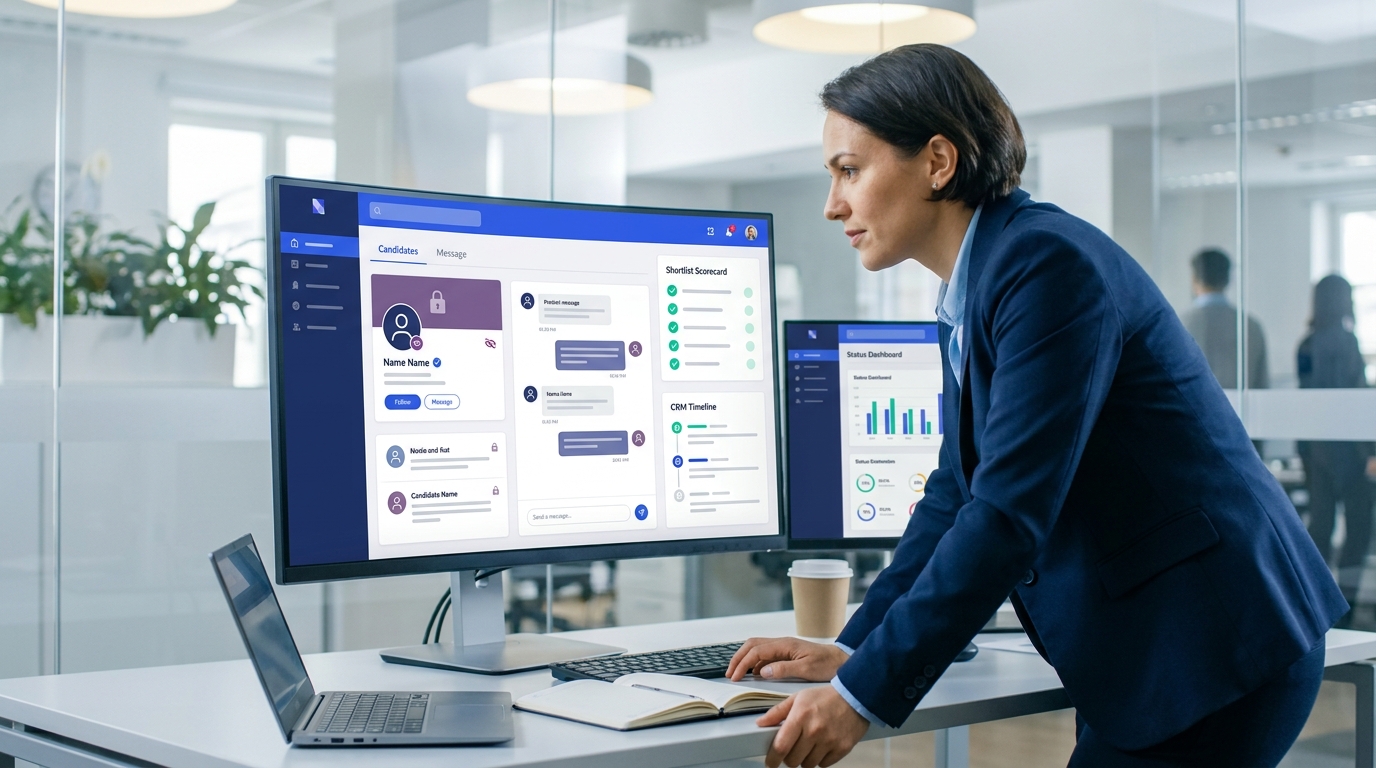
When confidential hiring stalls, this article helps recruiters judge an ai recruiting tool by discretion, follow-through, and shortlist quality.
That matters most when a team is not filling a routine role but trying to reach senior talent who are already successful, selective, and cautious about every conversation. For a small agency owner, the wrong system means consultants waste hours chasing replies and updating records by hand. For an individual headhunter, it can mean losing momentum with passive candidates because follow-up happens too late. For an in-house recruiting lead handling a confidential leadership hire, weak workflow can create reputational risk, inconsistent communication, and poor visibility for stakeholders who need confidence without noise.
In that gap between speed and discretion, I have found tools like StrategyBrain AI Recruiter useful as workflow support rather than as a substitute for recruiter craft. Its always-on candidate messaging, multilingual communication, and automated first-touch outreach can reduce repetitive LinkedIn work when a search depends on timely engagement across time zones. In my own use, the value was not that it made final decisions for me; it did not. The recruiter still has to review the resume, assess relevance, judge fit, and decide who moves forward.
The pressure becomes clearer in executive search. When a CEO or board is replacing a finance leader or another highly visible executive, access and confidentiality are not side issues; they are the assignment. The recruiter is not just posting a role and waiting. They are mapping a market, approaching leaders who are not actively looking, logging sensitive conversations, and protecting both the candidate's standing and the client's internal stability while the search is still quiet.
Then the workflow strain starts showing up in ordinary actions: checking which outreach thread last moved, confirming whether a passive candidate asked for discretion, updating notes after a market call, and making sure the shortlist reflects more than who replied fastest. That is where software choice becomes strategic. The best recruiting software for this kind of work is rarely just a database. It is a system that supports confidential search, relationship depth, and disciplined follow-through, whether you are comparing an ai recruiting tool, recruitment agency software, or the best recruitment crm software for long-cycle hiring.
Table of Contents
Why search teams choose software differently
The phrase best recruiting software means different things depending on the hiring environment. For internal talent acquisition teams, it often points to requisition control, interview scheduling, and HR integration. For staffing firms, it usually means a blend of ATS and CRM with client-side workflow. But for retained search, leadership hiring, and other high-trust assignments, software has to do something more difficult: help recruiters move quickly without making the process feel exposed, generic, or transactional.
That difference is easy to underestimate. Executive and specialist searches often involve candidates who are performing well in their current roles and are not willing to risk careless outreach, weak record-keeping, or a leaked conversation. In that setting, software is not just about productivity. It supports access, confidentiality, objectivity, assessment discipline, and risk control.
This is one reason many firms that focus on senior hiring evaluate tools through workflow reality instead of feature volume. A platform may look strong in a demo, but if it cannot preserve nuanced notes, track discreet outreach history, help recruiters rediscover prior conversations, and maintain confidence across client stakeholders, it will not fit the assignment.
Decision criteria borrowed from executive search
One useful way to evaluate the best recruiting software is to borrow the same judgment standards that leaders use when selecting an executive search partner. That lens is more practical than a generic software checklist because it starts with how difficult hiring actually works.
1. Can the system help you reach people you do not already have?
In search work, access matters because the strongest candidates are often passive. In software terms, that means your stack should support proactive outreach, talent rediscovery, and searchable relationship history. A modern ai recruiting tool can help with first-touch communication and response handling, but it still needs to sit inside a workflow where recruiters control targeting and qualification.
2. Can it preserve confidentiality?
For leadership and sensitive hires, confidentiality protects both candidate trust and client stability. Good software should make it easier to restrict visibility, centralize communication history, and reduce off-system messaging. If outreach, notes, and resume collection live in scattered places, the risk is not only inefficiency. It is loss of control.
3. Does it support objective decision-making?
Search firms are often brought in because internal stakeholders are too close to the problem. Software should help by structuring notes, surfacing pipeline comparisons, and making evaluation clearer. That does not remove human judgment; it gives judgment a better operating environment.
4. Can it help attract selective talent?
Senior candidates usually have choices. Software should support personalized outreach, complete candidate history, and cleaner handoffs so conversations feel informed rather than scripted. This is where the best recruitment crm software separates itself from a generic contact database.
5. Does it support real assessment work?
The right hire is rarely the person who simply looks strongest on paper. Search teams need room for market notes, stakeholder calibration, long-form comments, and evidence gathered over several conversations. A system that only tracks stages can miss the substance of the search.
6. Does it reduce risk over the full lifecycle?
Bad hires at senior level are expensive in time, trust, and momentum. Good software reduces risk by improving follow-through, documentation, shortlist quality, and stakeholder visibility. That matters just as much in agency and growth-stage recruiting as it does in board-level search.
Practical takeaway: If your team recruits in high-trust or long-cycle environments, evaluate software the way you would evaluate a search process: access, discretion, objectivity, assessment depth, and risk control first, features second.
ATS vs CRM vs AI recruiting tool
Many buying mistakes happen because teams compare unlike systems. Before choosing the best recruitment crm software or broader recruitment agency software, separate the core categories.
Applicant tracking system for recruiters
An ATS manages applicants tied to active jobs. It is the system of record for applications, stages, interviews, and hiring decisions. The main advantages of applicant tracking system adoption are consistency, visibility, and cleaner handoffs. In-house teams usually feel these benefits first because they manage multiple interviewers, approvals, and compliance requirements.
The daily applicant tracking system benefits are straightforward: recruiters can see where each candidate sits, hiring managers can review feedback in one place, and operations teams can report on bottlenecks more accurately.
Recruitment CRM
A recruitment CRM is built for relationship-led recruiting rather than application handling alone. It stores long-term candidate history, outreach records, market mapping notes, and talent pools not tied to one open role. This matters for executive search, agency recruiting, and specialist sourcing.
That is also why the best recruitment crm software should not behave like a generic sales CRM. Recruiters need submissions, pipelines, candidate notes, placement logic, and re-engagement workflows that reflect hiring reality.
AI recruiting tool
An ai recruiting tool usually supports one or more friction-heavy tasks: sourcing, initial outreach, response handling, scheduling, database cleanup, rediscovery, or matching. Some tools are embedded into a broader suite. Others sit on top of the ATS or CRM.
The best use of AI is narrow and practical. It should reduce repetitive workload while keeping the recruiter in control of qualification, judgment, and next-step decisions.
Features that matter in real recruiting work
When teams search for the best recruiting software, they often drown in long feature lists. A better evaluation method is to ask which features protect search quality, recruiter time, and candidate trust.
1. Relationship memory
Strong systems preserve the full context of a candidate relationship: prior outreach, notes from exploratory calls, compensation signals, relocation concerns, and timing. This is especially important in executive search and agency work, where the same person may be relevant across several assignments over multiple years.
2. Confidential communication support
If your team handles sensitive hires, the platform should support controlled outreach, centralized records, and clear ownership. This is not just a nice-to-have. It is part of risk management.
3. Search and rediscovery
A modern ai recruiting tool should help recruiters find strong candidates faster, especially inside their own database. Rediscovery is one of the highest-value workflows because it lets recruiters reuse existing relationship equity instead of rebuilding every shortlist from zero.
4. Outreach and follow-up automation
Recruiters lose disproportionate time on first-touch messages, late-night replies, and back-and-forth qualification threads. That is where AI-assisted messaging can help. For example, I have used AI Recruiter to keep initial LinkedIn communication moving after hours, collect resumes from interested candidates, and maintain continuity when responses come in across different time zones. It was most useful on high-volume outreach sprints and cross-border searches where waiting until the next morning would have slowed momentum. The AI handled repetitive communication, but I still reviewed resumes myself and decided who entered the real shortlist.
5. Scheduling and handoff control
Scheduling becomes more painful as stakeholder count rises. Leadership hiring often involves executives with tight calendars, and delays can weaken candidate engagement. Good software reduces this friction without turning the process into a black box.
6. Reporting that reflects real outcomes
Reporting should answer practical questions: Which outreach channels convert into live conversations? Where are passive candidates dropping out? Which stages stall because of hiring manager delay? Agency leaders may also need to connect recruiter activity to submissions, placements, and client delivery performance.
7. Integrations that prevent duplicate work
If your ATS, CRM, email, calendar, and sourcing workflow do not connect well, adoption drops quickly. Integration depth matters just as much as automation claims.
Best recruiting software by use case
The right setup depends on the work model, not just company size.
| Use Case | Best-Fit Software Type | What to Prioritize | Main Risk if Weak |
|---|---|---|---|
| In-house hiring teams | ATS with workflow automation | Approvals, interview coordination, reporting, HR integration | Process inconsistency and poor visibility |
| Staffing firms | Recruitment agency software with ATS + CRM | Client workflow, submissions, outreach, placements | Candidates tracked well but clients managed badly |
| Executive search | Best recruitment crm software with deep relationship history | Confidentiality, market mapping, long-cycle notes, shortlist discipline | Shallow records and weak assessment context |
| High-volume recruiting | ATS plus ai recruiting tool | Screening support, scheduling, bulk communication | Recruiter overload and slow follow-up |
| Global outreach teams | CRM or ATS with multilingual AI communication support | After-hours response handling, resume capture, time-zone coverage | Lost replies and inconsistent candidate experience |
For in-house hiring teams
If you run internal recruiting, start with ATS strength. Your team needs process control, hiring manager visibility, and integration with broader HR systems. The advantages of applicant tracking system adoption are strongest when multiple stakeholders need one shared process.
For staffing firms and agencies
True recruitment agency software should support both candidate and client workflow. Agencies do not just move applicants through stages. They manage job orders, submissions, interviews, placements, and business relationships at the same time.
For executive search teams
The best recruitment crm software for search work emphasizes discretion, nuanced records, and long-horizon relationship building. Recruiters should test whether the system can actually support market intelligence and assessment discipline, not just contact storage.
For high-volume and outbound-heavy teams
An ai recruiting tool becomes more valuable when speed, volume, and time-zone coverage matter. Used well, it can keep first-touch outreach moving, answer routine questions, and collect candidate information without forcing recruiters to stay online constantly.
How I use AI support without losing judgment
My own rule is simple: let AI handle repetition, not responsibility. On LinkedIn-heavy projects, I have used StrategyBrain AI Recruiter to automate initial connection attempts, respond to candidate questions after hours, and gather resumes and contact details from people who wanted to continue. That was especially helpful when the search involved international prospects or when candidate replies came in long after a recruiter's workday ended.
What I liked in practice was not the idea of replacing recruiter interaction. It was the reduction in admin drag. Instead of manually repeating the same first-touch steps, I could spend more time reviewing profile quality, spotting weak-fit resumes, refining the shortlist, and preparing candidates for serious conversations. For headhunters and agency recruiters, that matters because the real value is still in judgment, calibration, and trust.
For teams exploring this kind of support, the useful starting point is narrow: use AI for repetitive sourcing and messaging workflows first, then expand only if the handoff back to the recruiter stays clear. If you want to see how those LinkedIn workflows are structured, the setup overview and the broader headhunter usage notes are the most relevant references.
Comparison checklist
If you are evaluating the best recruiting software, use a process grounded in actual recruiter work.
- Define the hiring model. Internal hiring, agency recruiting, executive search, and high-volume recruiting need different strengths.
- List the moments where work breaks down. Is it sourcing, confidentiality, handoff, follow-up, client visibility, or assessment notes?
- Check ATS depth. Even with an ai recruiting tool, the system of record still matters.
- Check CRM depth. If your work depends on relationships over time, test whether the platform behaves like true best recruitment crm software.
- Stress-test outreach workflows. Can the system support personalized communication without making the process feel mechanical?
- Review integrations. Email, calendars, LinkedIn workflows, interview tools, and HR systems should work together cleanly.
- Run a live scenario. Use a realistic search or req from intake through shortlist, interview, and offer.
- Involve the real users. Recruiters, sourcers, hiring managers, and operations leads will see different weaknesses.
This method usually makes the applicant tracking system benefits more obvious because it ties software value to recruiter execution, not vendor claims.
Common buying mistakes
Buying for sourcing demos alone
A sourcing engine can look impressive while the downstream workflow remains weak. If notes, follow-up, assessment, and reporting are clumsy, recruiter time still gets lost.
Choosing agency software that ignores the client side
Many firms adopt something that tracks candidates adequately but does not support job orders, submissions, or account visibility. Real recruitment agency software has to cover both sides of the desk.
Confusing a contact database with a recruitment CRM
The best recruitment crm software should support candidate history, search nuance, outreach logic, and placement workflow. A general CRM can be customized, but that does not mean recruiters will enjoy using it.
Overtrusting AI claims
An ai recruiting tool should be easy to supervise. If the system creates outreach that recruiters cannot review, explain, or refine, it adds risk instead of reducing work.
Ignoring confidentiality and stakeholder confidence
Leadership hiring often carries internal and external sensitivity. Software that scatters records or makes status visibility messy can undermine trust even if it appears feature-rich.
FAQ
What is the best recruiting software for executive search?
Usually a recruitment CRM or combined ATS + CRM setup that supports confidential outreach, long-term candidate history, market mapping, and detailed assessment notes. Search teams need relationship depth more than basic applicant processing.
How is an AI recruiting tool different from an ATS?
An ATS manages jobs, applicants, and stages. An ai recruiting tool usually helps with tasks like sourcing, outreach, scheduling, matching, or candidate communication. The two often work best together.
What should agencies look for in recruitment agency software?
Agencies should prioritize candidate management, client workflow, job-order tracking, submissions, outreach history, and placement support. If a platform only handles applicants, it may not be enough for a full desk.
What makes the best recruitment CRM software?
The best recruitment crm software preserves relationship context, supports recruiter workflows, enables rediscovery, and helps teams manage long-cycle talent pipelines without losing nuance.
What are the main advantages of applicant tracking system adoption?
The key advantages of applicant tracking system use are process consistency, stage visibility, cleaner collaboration, and better reporting. The core applicant tracking system benefits also include fewer missed handoffs and stronger control over open roles.
Can AI help without replacing recruiter judgment?
Yes. That is usually the best use case. AI can take on repetitive messaging, first-touch communication, scheduling support, and resume capture, while recruiters remain responsible for evaluation, shortlist decisions, and final hiring judgment.
Final thoughts
The best recruiting software is not the one with the most aggressive positioning. It is the one that matches the pressure points of your actual hiring work. In routine hiring, that may be a disciplined ATS. In agency environments, it is often stronger recruitment agency software. In retained search and long-cycle recruiting, it is usually the best recruitment crm software with room for discretion, context, and real assessment. And where outreach volume is the real bottleneck, the right ai recruiting tool can remove repetitive LinkedIn work without taking judgment away from the recruiter.
If you evaluate software through the lens of access, confidentiality, objectivity, relationship depth, and risk control, you will make a far better choice than if you shop by feature list alone. That is the standard experienced recruiters usually return to, especially when the assignment matters most.














