


When candidate interest slips between outreach and follow-up, this article helps headhunters judge human resource recruitment software and avoid slower pipelines.
That matters because recruiting work rarely breaks down in one dramatic place. More often, it slips. A promising prospect replies after hours and waits too long. A recruiter loses the thread between sourcing, follow-up, and résumé collection. A hiring manager gets partial context instead of a clean record. For small agency owners, that means wasted billable time and weaker consultant capacity. For solo recruiters, it means more admin and less real recruiting. For in-house teams, it means slower pipelines, inconsistent candidate experience, and handoff problems once someone is ready to move.
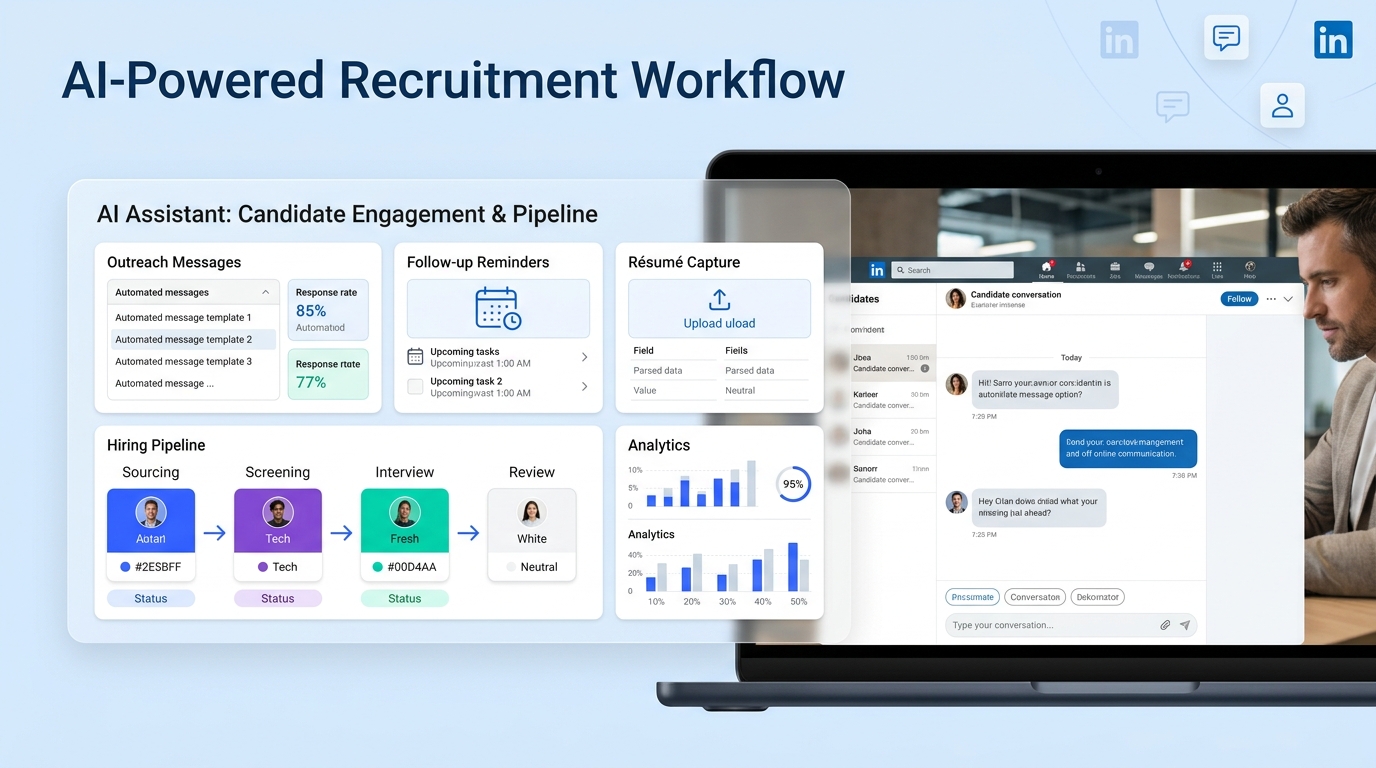
In my own workflow, I have found that StrategyBrain AI Recruiter helps most when the bottleneck sits between first outreach and recruiter follow-up. Its always-on candidate messaging, multilingual communication, and automatic résumé and contact capture can keep conversations alive while the recruiter still owns shortlist judgment, résumé review, and the next decision. That kind of support does not replace recruiting judgment; it protects it from being buried under repetitive LinkedIn tasks.
The logic is familiar if you have ever recruited for contract-heavy functions. Candidates weighing a six-month accounting assignment, for example, are not only comparing pay. They are thinking about who they will meet, whether the role opens doors to a new industry, whether the company is worth a trial run, and whether the work broadens their skills enough to justify the move. In that moment, the recruiter is not just filling a requisition. They are managing a career decision that depends on timing, context, and responsive communication.
If that recruiter has to manually chase every reply, explain the role repeatedly, and sort contact details from scattered messages, the opportunity can cool before the human conversation really starts. That is exactly where the best recruiting software earns its place. It should help preserve relationship momentum in the front end of hiring, then connect cleanly to the broader systems used by HR, operations, and finance. For teams comparing standalone tools, modules from hr software companies, and human resource information systems software, the real question is which system keeps that chain intact.
Table of Contents
- Why software fit matters more than feature count
- What human resource recruitment software actually covers
- Where recruiting software and HR systems overlap
- A better way to compare recruiting platforms
- Best recruiting software by hiring scenario
- Features that really affect recruiter output
- Why ATS structure still matters
- How I use AI support in the outreach layer
- How to choose the right platform
- Common buying mistakes
- FAQ
Why Software Fit Matters More Than Feature Count
Recruiters often hear the same question phrased three different ways: what is the best recruiting software, which ATS should we buy, or should we just use the recruiting module inside our HR system? On paper, those look like similar evaluations. In practice, they solve different problems.
When I have worked on hiring that depends on fast candidate engagement, especially with passive talent or contract-oriented roles, the first failure point is usually not offer management or onboarding. It is early-stage momentum. Candidates exploring a short-term move often want quick clarity about scope, team, industry exposure, and whether the opportunity can lead somewhere. If your system cannot support that front-end motion, recruiters end up doing more manual work while candidates get less context.
Key insight: The best recruiting software is the one that supports the candidate decision process and the recruiter workflow at the same time, without creating extra cleanup for HR later.
What Is Human Resource Recruitment Software?
Human resource recruitment software is the technology used to manage hiring from requisition through candidate movement and, in some cases, into onboarding. Depending on the platform, that can include sourcing, outreach, job posting, applicant tracking, interview scheduling, collaboration, offer steps, reporting, and handoff into HR records.
The category gets messy because buyers use the term broadly. Some mean a recruiter-first system built around sourcing and pipeline control. Others mean a recruiting module bundled into a larger HR environment. Both may technically qualify, but they are not equal in day-to-day recruiting use.
That distinction matters most when your hiring depends on more than inbound applications. A recruiter working contract roles, niche searches, or multilingual outreach needs software that keeps outreach organized and responses moving. A steady-state HR team hiring lower volume roles may care more about simple requisition flow and employee-record continuity.
Where Recruiting Software and HR Systems Overlap
One useful way to compare platforms is to separate the front end of hiring from the back end of employment administration.
| Category | Primary Strength | Best Fit | Typical Tradeoff |
|---|---|---|---|
| Recruiting software | Sourcing, candidate movement, recruiter workflow | Teams that need pipeline control and stronger outreach execution | May require more integration work downstream |
| Applicant tracking system | Structured candidate stage management | Organizations needing consistency, visibility, and process discipline | Some ATS tools are lighter on proactive sourcing |
| HRIS | Employee records and onboarding continuity | Companies that want hiring inside a broader people system | Recruiting functions may feel basic for active talent teams |
| HRMS | Broader HR administration and compliance support | Larger organizations standardizing multiple HR workflows | Recruiter usability can be secondary to admin consistency |
| All-in-one suites from hr software companies | Operational simplicity across HR processes | Teams consolidating vendors and data ownership | Less flexibility for recruiter-specific workflows |
If your core pain sits in candidate response time, sourcing follow-up, or recruiter workload, standalone recruiting tools usually deserve a closer look. If your pain sits in duplicate entry, employee setup, and system sprawl, broader human resource information systems software may be enough.
A Better Way to Compare Recruiting Platforms
The reference point I keep coming back to is how candidates evaluate opportunities. Contract candidates often care about five practical outcomes: the people they will meet, whether the assignment opens a new sector, whether the company is a good trial run, whether they will gain new skills, and whether the short-term move can turn into something longer. Recruiters need software that helps communicate and track those factors, not just store applicants.
That is a better buying lens than feature inflation. Ask whether the software helps your team do the following:
- Respond while candidate interest is still warm
- Keep role context and conversation history in one place
- Collect contact details and résumés without manual chasing
- Let recruiters decide quickly which candidates deserve deeper review
- Pass clean data into onboarding or HR records when someone accepts
Once you frame the problem this way, category confusion starts to clear. The best recruiting software is not simply the system with the longest roadmap. It is the one that matches your hiring motion.
Best Recruiting Software by Hiring Scenario
1. Small businesses with occasional hiring
Smaller employers usually benefit from simplicity. If one HR generalist or founder is handling recruiting, software should make posting, reviewing, and coordinating easier without requiring a long implementation cycle.
- Prioritize ease of use over deep customization
- Look for clear applicant tracking and manager collaboration
- Consider whether onboarding should sit in the same system
- Avoid enterprise workflow complexity you will not maintain
For this group, a recruiting module inside broader HR software can work if hiring is steady but light.
2. Growing teams that need stronger recruiter leverage
This is where dedicated recruiting software often wins. As hiring volume rises, the hidden cost of manual follow-up becomes obvious. Recruiters need faster pipeline movement, better sourcing support, cleaner coordination, and less spreadsheet dependence.
- Check sourcing and outreach support
- Review automation for reminders, status changes, and communication triggers
- Make sure hiring manager feedback is easy to capture
- Test reporting on bottlenecks and stage aging
Growth-stage organizations often feel recruiting strain before they feel broader HR-system strain.
3. Teams balancing talent acquisition with HR operations
Some organizations do not need a highly specialized sourcing machine. They need a reasonable recruiting workflow that connects to onboarding, payroll, and employee records with minimal friction. In those cases, platforms from hr software companies can be a practical fit.
- Evaluate requisition-to-onboarding continuity
- Review permissions for recruiters, managers, and HR ops
- Check how candidate data becomes employee data
- Confirm whether reports span pre-hire and post-hire processes
The compromise is often reduced recruiting depth in exchange for cleaner operations.
4. Contract-heavy or project-driven recruiting environments
This use case deserves more attention than it usually gets. When candidates are weighing short-term assignments, recruiters need speed and context. They may be selling access to decision-makers, exposure to a new industry, a chance to test a company before committing, or a way to build new skills. That means the software must support responsive communication and organized follow-up, not just application intake.
- Prioritize candidate communication history
- Look for strong tracking of outreach and replies
- Review how the platform handles passive and semi-active talent
- Test whether recruiters can separate warm interest from real qualification
5. Enterprise hiring with governance requirements
Larger organizations usually need role-based access, standardized approvals, stronger compliance support, and dependable data integrity. Here, configuration and auditability matter as much as front-end UX.
- Assess workflow logic across departments or geographies
- Review reporting depth and audit trails
- Test integrations with HR, calendars, and assessments
- Validate the experience for hiring managers, not just recruiters
Features That Really Affect Recruiter Output
Whether you are reviewing a specialist platform or broader human resource information systems software, these are the capabilities that tend to shape real-world adoption.
Job distribution
Centralized posting saves time, but it matters most when edits and approvals stay manageable. Basic distribution is enough for some teams; others need broader channel control.
Candidate sourcing and pipeline management
Good software helps recruiters work proactively, not just receive applications. It should support prospects, referrals, silver-medalist candidates, and active applicants in one visible flow.
Interview coordination and team collaboration
The system should reduce chasing. Hiring managers need a simple way to review, comment, and stay aligned. If they avoid the tool, recruiters end up rebuilding process visibility manually.
Workflow automation
Automation matters when it removes repetitive admin such as reminders, status updates, follow-up triggers, and routine communication. It should create time for judgment, not bury the process in rules.
Onboarding handoff
Once a candidate accepts, clean transfer matters. If your recruiting layer cannot send accurate information downstream, HR pays the price in duplicate entry and cleanup.
Analytics
Useful reporting answers practical questions: where replies stall, how long candidates sit in stage, which hiring managers delay progress, and which roles create the most recruiter work.
Integration support
Recruiting does not happen in isolation. Calendars, communication tools, background processes, and HR systems all affect whether the software feels like a workflow hub or another silo.
Why ATS Structure Still Matters
Many teams casually treat ATS software as old infrastructure, but the advantages of applicant tracking system workflows are still central to disciplined hiring.
- Consistency: Candidates move through defined stages instead of scattered inboxes.
- Visibility: Recruiters and hiring managers can see what is happening without asking around.
- Collaboration: Notes, résumés, and actions live in one record.
- Speed: Scheduling and follow-up become easier to manage.
- Compliance support: Structured workflows create clearer records.
- Reporting: Teams can spot process friction before it becomes loss.
The most overlooked applicant tracking system benefits show up in exactly the kind of scenario raised earlier: when a candidate is making a time-sensitive decision and the recruiter needs a complete record of what has been discussed, what has been sent, and what needs to happen next.
How I Use AI Support in the Outreach Layer
I do not think AI should make final hiring decisions, and I do not use it that way. Where I have found it useful is in preserving response speed during the messy middle between first contact and recruiter review. On LinkedIn especially, that stretch creates a lot of hidden admin.
My experience with AI Recruiter has been most valuable in searches where candidates reply outside business hours or across languages. The tool can continue the early conversation, explain the opportunity at a basic level, collect résumés, and capture contact details while I keep control of whether the person actually fits the brief. That division of labor is important. The recruiter still qualifies, interprets the résumé, and decides who moves forward.
For teams doing active sourcing, the biggest gain is continuity. Instead of losing a thread because nobody answered quickly enough, the conversation stays alive until a human recruiter can step in. If you want to understand the workflow in more detail, the product overview and tutorials at StrategyBrain and this setup walkthrough are useful starting points.
Practical takeaway: AI support works best in recruiting when it protects momentum in repetitive outreach, while the recruiter keeps ownership of fit, relationship depth, and final movement.
How to Choose the Right Platform
- Map your hiring motion. Separate inbound application handling from proactive sourcing and follow-up. Many buying mistakes start when teams lump them together.
- Define where candidate momentum currently breaks. Is it first response time, interview scheduling, hiring manager feedback, or onboarding handoff?
- Compare user groups separately. Recruiters, hiring managers, and HR ops use the system for different reasons.
- Decide how much specialization you need. If outreach continuity drives results, a standalone recruiting layer may be worth it. If system consolidation matters more, broader HR platforms may win.
- Test the ATS-to-HRIS handoff. Ask what happens after acceptance, not just before it.
- Review integrations early. Calendar sync, communication tools, and employee-data transfer can make or break adoption.
- Price the workflow, not the label. Include setup time, maintenance, training, and recruiter admin load in your evaluation.
A useful demo exercise is to run two very different scenarios through each platform: one steady inbound role and one opportunity that needs recruiter-led outreach and candidate nurturing. That comparison usually reveals whether the software truly supports your team or just looks polished in a generic presentation.
Common Mistakes to Avoid
Confusing category names with workflow fit
Do not assume all recruiting systems solve the same problem. Some are built for applicant administration; others are built for active talent work.
Buying based on a long feature checklist
Recruiting software fails more often from weak adoption than from missing edge-case features.
Ignoring candidate decision context
Especially in contract, project, or transitional hiring, candidates are weighing more than compensation. Your system should help recruiters preserve that context.
Forgetting the data handoff
Even strong front-end recruiting tools can create HR friction if the move into onboarding is clumsy.
Expecting automation to replace recruiter judgment
Good software should reduce repetitive work. It should not replace the recruiter's role in assessing fit, interpreting nuance, and guiding the relationship.
Conclusion
The search for the best recruiting software gets easier once you stop chasing a universal winner and start evaluating where your hiring process actually loses momentum. Human resource recruitment software can mean a recruiter-first platform, a classic ATS, or a hiring layer inside broader human resource information systems software. Each has a place.
If your team depends on responsive outreach, candidate nurturing, and organized pipeline control, dedicated recruiting tools usually provide more leverage. If your main goal is continuity from requisition to employee record, broader suites from hr software companies may be the better fit. The right choice is the one that supports the way candidates evaluate opportunities and the way recruiters actually work.
That is the standard I would use: choose software that keeps early conversations moving, keeps recruiter judgment visible, and keeps downstream HR work clean.
FAQ
What is the difference between recruiting software and an HRIS?
Recruiting software is mainly designed for hiring workflows such as sourcing, applicant tracking, interview scheduling, and offer management. An HRIS is primarily built for employee records and core HR administration. Some HRIS tools include recruiting, but they may not offer the same depth for active talent acquisition.
When is standalone human resource recruitment software better than a suite?
It is usually better when recruiter productivity, sourcing, candidate communication, and pipeline control are the main pain points. Suites are often stronger when the company values system consolidation and clean employee-data continuity.
How do hr software companies compare with specialist recruiting vendors?
Broader HR vendors often offer convenience and unified records, while specialist recruiting vendors usually provide more flexibility for sourcing, automation, and recruiter workflows. The tradeoff is depth versus simplicity.
What role does human resource information systems software play in recruiting?
Human resource information systems software often supports requisition approval, basic applicant handling, onboarding, and employee record creation. It is most useful when the business wants one connected people system and does not need highly specialized recruiting workflows.
What are the biggest applicant tracking system benefits?
The main benefits are process consistency, visibility into candidate stages, easier team collaboration, stronger reporting, and cleaner compliance records. For recruiters, an ATS reduces scattered communication and manual tracking.
Can AI help without replacing recruiter judgment?
Yes. AI is most useful in repetitive tasks such as first-response messaging, follow-up continuity, and résumé or contact capture. Recruiters should still make the final call on fit, prioritization, and who moves forward.
How should companies think about pricing?
Look beyond subscription cost. Review implementation effort, integrations, training, admin time, and whether the platform actually reduces recruiter workload. A cheaper tool can cost more if it creates process friction.














