


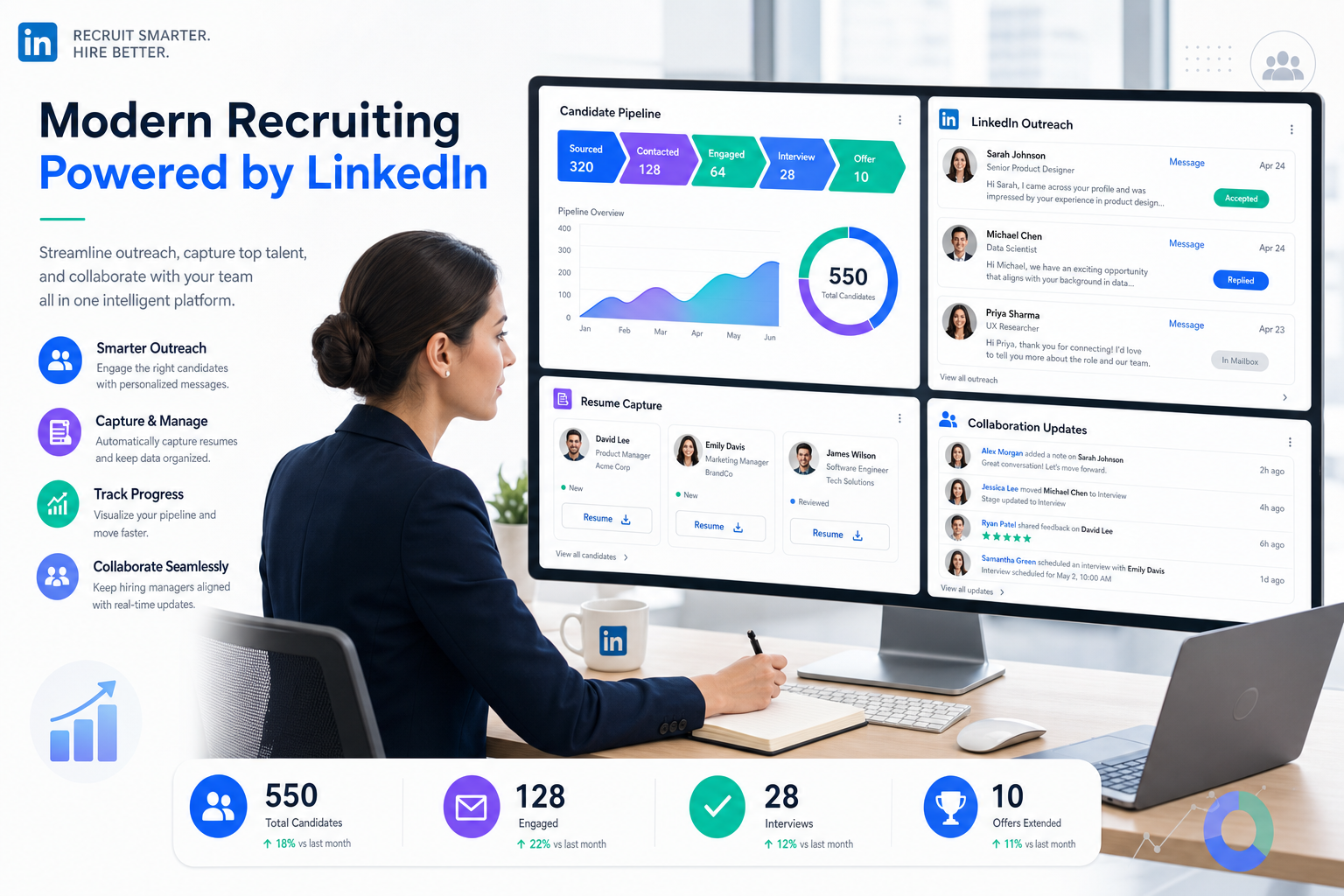
When follow-up slips and records scatter, this article helps recruiting leaders judge recruiting platform fit before losses grow.
That matters because most recruiting teams do not lose time in one dramatic failure. They lose it in dozens of small breaks: outreach that gets buried after hours, resumes sitting in inboxes instead of the pipeline, hiring managers waiting on updates, and recruiters rebuilding candidate history from scattered notes. For a solo recruiter, that means slower placements and strained client trust. For a small agency owner, it means lower desk productivity and less room to scale. For in-house teams, it means delayed hiring, weaker candidate experience, and unnecessary process drift.
In my own sourcing workflow, one of the more useful support layers has been StrategyBrain AI Recruiter when the bottleneck is repetitive LinkedIn outreach and after-hours candidate replies. It can keep conversations moving, respond across languages, and collect resumes or contact details from interested candidates while the recruiter still handles final resume review, fit judgment, and the decision on who should move forward. Used that way, it does not replace recruiting judgment; it protects it from being consumed by manual message handling.
A helpful way to frame software selection comes from an older workplace wellness discussion that argued health programs were not just perks for large employers, but practical operating systems for preventing bigger productivity losses. The same logic shows up in recruiting. When a hiring team realizes stress, inactivity, and poor support structures are already affecting output, the work starts with basics: identify the real operational problem, separate essential support from nice-to-have extras, and build a program that can expand over time instead of trying to buy everything at once.
In recruiting terms, that moment usually arrives when the team is already doing the work manually: opening requisitions, chasing hiring manager feedback, replying to passive talent at night, logging resumes, and trying to keep a clean candidate record while priorities keep shifting. That is exactly where recruiting platforms earn or lose their value. The best recruiting software is not just a feature bundle. It is the system that helps your team reduce friction, support consistent execution, and add the right layers over time, whether you need a general recruiting platform, one of several recruiting platforms for comparison, or a more specialized tech hiring platform.
Table of Contents
- Why the best recruiting software depends on workflow health
- How recruiting platforms differ by function
- How experienced recruiters evaluate software
- Three software approaches recruiters compare most often
- Best recruiting software by hiring scenario
- What matters in a tech hiring platform
- Where the ATS fits, and where it does not
- Common buying mistakes
- A practical selection process
- FAQ
Why the Best Recruiting Software Depends on Workflow Health
One lesson worth borrowing from workplace wellness thinking is that support systems should be judged by the operational problems they prevent, not by whether they look impressive on paper. In that original context, the point was simple: poor employee health creates measurable productivity loss, so a company needs practical support, not symbolic perks. Recruiting software should be evaluated the same way.
If your team is overwhelmed by manual sourcing, inconsistent follow-up, weak reporting, or hiring-manager delays, you are not really shopping for “more features.” You are trying to improve the health of the hiring workflow.
That is why the strongest recruiting platform usually does four things well:
- Creates a clear system of record so candidates do not disappear between inboxes, spreadsheets, and chat threads
- Reduces repetitive labor such as outreach, scheduling, reminders, and status chasing
- Improves collaboration so recruiters, coordinators, and hiring managers work from the same process
- Scales in layers so a team can start with core needs and add sourcing, automation, or technical hiring depth later
This is also why experienced buyers rarely ask only which tool has the most functionality. They ask which software removes the most friction from the work they actually do every day.
Key insight: The best recruiting software behaves less like a flashy add-on and more like a stable operating system for hiring.
How Recruiting Platforms Differ by Function
A lot of confusion in software buying comes from comparing products across categories. Some are built to track applicants. Others are built to source passive talent. Others handle outreach automation or technical hiring workflows. You can call all of them recruiting platforms, but they do not solve the same problem.
1. Applicant tracking systems
An ATS is usually the process backbone. It tracks jobs, applicants, hiring stages, feedback, approvals, and basic reporting. For many teams, it is the minimum structure required to stop hiring from living in email and spreadsheets.
The biggest applicant tracking system benefits are operational: cleaner pipeline visibility, more standardized steps, better shared records, and easier reporting. Those gains matter most once multiple recruiters or departments are hiring at the same time.
2. Recruitment CRM platforms
A CRM layer is better suited to proactive hiring. It helps teams nurture talent pools, re-engage silver medalists, segment prospects, and keep track of relationship history over time. If your hiring motion depends on outreach instead of inbound applicants, this category matters more than adding extra ATS stages.
3. Sourcing and outreach tools
These tools focus on candidate discovery, enrichment, messaging, and response handling. In practice, they become important when the top of funnel is your real bottleneck.
That is also where recruiter-facing automation can help. For example, I have used AI Recruiter as a support layer when I needed outreach to keep moving outside my own working hours. The useful part was not “AI” as a buzzword. It was the very practical benefit of keeping candidate conversations alive, especially on LinkedIn, while I stayed responsible for the actual shortlist and client-facing decision.
4. Technical recruiting systems
A dedicated tech hiring platform is designed for specialized hiring where title matching alone is too shallow. These systems often emphasize skills discovery, semantic search, technical profile signals, and structured screening support.
5. All-in-one recruiting suites
Some recruiting platforms combine ATS, CRM, sourcing, scheduling, automation, and analytics in one environment. The upside is cleaner data flow and fewer handoffs. The downside is that one module may be excellent while another is only adequate.
In my experience, broad suites work best when cross-functional consistency matters more than depth in one narrow workflow. If technical sourcing or LinkedIn outreach is your real bottleneck, a specialized layer can still make sense.
How Experienced Recruiters Evaluate Software
When buyers ask me how to assess the best recruiting software, I usually suggest a discipline borrowed from good program design: start with the problem, identify the essential support elements, and only then compare delivery methods.
That means evaluating software against the daily realities of recruiting work, not just against a polished demo.
| Evaluation Area | What to Look For | Why It Matters |
|---|---|---|
| Workflow fit | Support for sourcing, screening, scheduling, feedback, and reporting | Prevents recruiters from building workarounds outside the system |
| Ease of adoption | Simple UI, manageable setup, clear permissions | Strong features fail if hiring managers avoid using them |
| Automation quality | Outreach support, reminders, stage triggers, response handling | Reduces repetitive admin without hiding decision logic |
| Search depth | Boolean, semantic search, skills matching, filters | Improves candidate discovery in hard-to-fill roles |
| Candidate record integrity | Clean syncing, centralized notes, resume capture | Stops data loss across tools and inboxes |
| Collaboration | Scorecards, approvals, interviewer visibility | Keeps recruiter and hiring manager behavior aligned |
| Analytics | Pipeline conversion, source performance, time in stage | Supports operating decisions instead of vanity reports |
| Cost structure | Seat-based, modular, or usage-based pricing | Helps teams avoid overbuying before process maturity |
| Compliance and security | Data controls, privacy handling, access security | Critical when candidate data moves across multiple systems |
The healthiest buying process also separates three different questions:
- What problem are we trying to reduce?
- Which users need support most urgently?
- What can we add later instead of buying now?
That last point is important. Like a wellness program, a recruiting system can be built over time. Teams do not need every capability on day one. They need the right foundation and a credible expansion path.
Three Software Approaches Recruiters Compare Most Often
Most teams comparing recruiting software are really choosing between three approaches: a general ATS-first setup, a LinkedIn-centric automation layer, or a broader all-in-one recruiting suite. Each has trade-offs in day-to-day use.
1. ATS-first recruiting software
Best for: teams that need process control first
Strengths: ATS-first tools usually create the quickest improvement in visibility, structured stages, and reporting discipline. They help small teams stop losing track of applicants and give larger organizations a shared process backbone.
Limitations: they often feel weak for proactive sourcing, long-term candidate nurturing, or heavy outbound work. Recruiters can still end up doing too much message handling outside the platform.
Cost pattern: typically predictable, often per-seat or tiered by company size, but feature depth may depend on paid modules.
Where it fits: startups, in-house HR teams, and operations-minded recruiting teams that need consistency before scale.
How it works with StrategyBrain: this is often the cleanest pairing. The ATS remains the system of record, while StrategyBrain AI Recruiter handles repetitive LinkedIn outreach, multilingual candidate replies, and resume capture for interested prospects before the recruiter brings qualified candidates into the structured process.
2. LinkedIn-focused automation software
Best for: agency recruiters, sourcers, and teams that live in outbound hiring
Strengths: this category can dramatically reduce time spent connecting, introducing opportunities, handling candidate replies, and collecting contact details. It is especially useful when candidates answer after hours or across time zones.
Limitations: it is not a substitute for final qualification. Recruiters still need to review resumes, assess fit, and decide who should move to interview. It also cannot replace a proper system of record if the team needs reporting and compliance structure.
Cost pattern: often attractive for productivity, but buyers should look closely at whether billing depends on seats, accounts, or usage volume.
Where it fits: boutique search firms, independent recruiters, and in-house teams hiring for hard-to-fill roles.
How it works with StrategyBrain: among tools in this category, StrategyBrain AI Recruiter is particularly relevant when the workflow challenge is high-volume LinkedIn outreach plus around-the-clock response handling. My own takeaway is that it saves the most value when I treat it as a force multiplier for sourcing, not as a replacement for recruiting judgment.
3. All-in-one recruiting suites
Best for: mid-market and enterprise teams wanting fewer systems
Strengths: one vendor, unified data, shared workflows, and less need to stitch together ATS, CRM, and analytics manually.
Limitations: broad coverage can come at the expense of best-in-class sourcing depth or specialized tech hiring support. Recruiters may still want a separate top-of-funnel layer.
Cost pattern: usually the highest total commitment, especially once admin, implementation, and premium modules are included.
Where it fits: larger organizations where governance, permissions, and integration stability matter as much as recruiter speed.
How it works with StrategyBrain: even in suite-heavy environments, some teams add an outreach automation layer for specific hard-to-fill roles, then feed interested candidates back into the main recruiting platform for structured progression.
Practical takeaway: If your recruiters spend more time generating candidate conversations than processing inbound applicants, ATS-first buying alone will not solve the problem.
Best Recruiting Software by Hiring Scenario
The right software choice becomes clearer when you align it to hiring conditions instead of searching for one universal winner.
For startups building process from scratch
A startup usually needs simplicity, speed of setup, and enough structure to prevent missed follow-up. The best recruiting platform here is one that introduces discipline without enterprise complexity.
Priorities:
- Core ATS workflow
- Scheduling and feedback collection
- Basic sourcing support
- Clean candidate status visibility
- Affordable expansion path
This is similar to starting a wellness initiative with practical essentials rather than a fully built corporate program. Start with what reduces immediate workflow risk.
For growing agency teams
Agencies often hit a stage where candidate generation, ownership tracking, and follow-up speed matter more than extra internal approvals. In that environment, recruiting platforms need stronger sourcing and CRM behavior, not just applicant storage.
Priorities:
- Fast search and tagging
- Outreach sequencing
- Resume and contact capture
- Candidate relationship history
- Flexible workflow control by desk or client
This is also where I have seen the most practical use for AI Recruiter in LinkedIn-heavy sourcing. If your desk depends on reply speed and volume, the ability to continue candidate conversations overnight can protect momentum that individual recruiters often lose.
For mid-market internal talent teams
Mid-sized companies usually need a balance of process consistency and proactive sourcing. A basic ATS may no longer be enough, but a huge suite may still be unnecessary.
Priorities:
- ATS plus CRM-style nurturing
- Hiring manager collaboration tools
- Automation for reminders and outreach
- Reporting by role, team, and stage
- Stable HRIS and calendar integrations
For enterprise organizations
Large teams need governance, permissions, reliable integrations, and reporting discipline. The best recruiting software in this setting should be judged as infrastructure, not just recruiter tooling.
Priorities:
- Security and privacy controls
- Admin flexibility
- Localization and complex workflows
- Exportable reporting
- Strong support for adoption and change management
What Matters in a Tech Hiring Platform
A general recruiting platform can support technical roles, but a real tech hiring platform should do more than move software engineers through generic stages.
For technical hiring, I look for strength in four areas.
Developer-focused search signals
Technical talent often cannot be found through title matching alone. Search needs to account for stack, specialization, project signals, and adjacent skills.
Skills-based matching
Good technical hiring increasingly depends on understanding what a candidate can do, not just where they worked. Strong recruiting platforms should help recruiters surface transferable technical capability.
Structured evaluation support
A technical workflow should make screening criteria, interviewer responsibilities, and assessment handoffs visible. Otherwise, candidate quality gets lost in inconsistent evaluation.
Fast outreach and response handling
Technical candidates often respond outside business hours and across regions. That makes communication speed more important than many teams expect. If your recruiters rely on LinkedIn sourcing, automation support can be useful here, provided the recruiter still controls fit assessment and next-step decisions.
In other words, the best tech hiring platform is not just good at finding engineers. It keeps sourcing, screening, and hiring-manager calibration connected.
Where the ATS Fits, and Where It Does Not
Many buyers still use “ATS” and “recruiting platform” interchangeably. They overlap, but they are not the same thing.
What an ATS does well
An applicant tracking system for recruiters is strong at:
- Tracking applicants by stage
- Centralizing resumes and feedback
- Managing approvals and visibility
- Standardizing hiring flow
- Supporting basic reporting
The advantages of applicant tracking system adoption are real because they reduce process chaos. But those benefits are mostly organizational benefits.
Where an ATS may fall short
Most ATS products are not especially strong for outbound sourcing, long-term nurture, LinkedIn response handling, or technical profile discovery. If your hiring motion depends heavily on direct outreach, an ATS alone can leave recruiters doing too much work outside the system.
How to think about ATS benefits realistically
Applicant tracking system benefits do not automatically improve hiring quality. They improve control, consistency, and visibility. Hiring quality still depends on recruiter judgment, candidate engagement, and calibrated evaluation.
That is why many teams end up combining a core ATS with one or more specialized recruiting platforms rather than expecting one tool to do everything equally well.
Common Buying Mistakes
Most software disappointment begins in the buying process, not after launch.
- Confusing symptoms with root problems
If scheduling is painful, the real issue may still be weak process design or poor data flow across tools.
- Buying too much, too early
Like workplace support programs, recruiting systems work better when they solve real needs first and expand over time.
- Ignoring recruiter time outside formal stages
A lot of work happens before a candidate ever enters the ATS. If your software ignores sourcing and follow-up labor, adoption will suffer.
- Overestimating AI and underestimating judgment
Automation can assist with search, outreach, and response handling, but recruiters still need to own fit assessment and decision quality.
- Not testing real workflow scenarios
Demos rarely reveal what happens when a candidate replies at 11 p.m., sends a resume by message, asks detailed role questions, or needs multilingual communication.
- Failing to plan the collaboration layer
Software fails when recruiters use one process and hiring managers use another.
A Practical Selection Process
If you want a better decision, use a selection process that mirrors real recruiting work.
Step 1: Diagnose the workflow like an operating problem
Map where candidates enter, where work stalls, and where information gets lost. Treat this like you would any business system issue: identify the pressure points first.
Step 2: Define essential support elements
Borrowing again from the logic behind effective support programs, break your needs into layers. For example:
- Foundation: ATS, pipeline visibility, feedback collection
- Productivity: scheduling, reminders, reporting
- Growth: sourcing automation, CRM nurture, semantic search
- Specialization: tech hiring platform features or multilingual outreach
Step 3: Test a live scenario
Ask whether the system can handle a realistic workflow: source candidates, send outreach, manage replies, collect resumes, move qualified people into structured review, and update hiring managers without duplicate admin.
Step 4: Separate recruiter value from manager value
A tool can be loved by recruiters and ignored by hiring managers, or the reverse. Score both groups separately.
Step 5: Review long-term fit
The right platform should support the next 12 to 24 months of growth, not just solve this quarter's loudest pain.
FAQ
What is the best recruiting software?
The best recruiting software is the one that matches your hiring workflow, keeps candidate records clean, supports collaboration, and reduces repetitive work without hiding key decisions from recruiters.
How is a recruiting platform different from an ATS?
An ATS tracks applicants through a structured process. A recruiting platform is broader and may include sourcing, CRM, automation, analytics, and technical hiring workflows.
What are the main applicant tracking system benefits?
The biggest applicant tracking system benefits are centralized records, cleaner stage visibility, more consistent hiring steps, and easier collaboration across recruiters and hiring managers.
When do teams need more than one recruiting platform?
Usually when the ATS handles process control well, but sourcing, candidate engagement, or technical hiring still create major bottlenecks.
What should I look for in a tech hiring platform?
Look for strong search signals, skills-based matching, structured screening support, and enough workflow clarity to keep recruiters and technical interviewers aligned.
Can AI help with recruiting without replacing recruiters?
Yes. Used properly, AI can help with outreach, reply handling, resume collection, note summarization, and prioritization, while recruiters still own qualification, judgment, and next-step decisions.
Where does StrategyBrain AI Recruiter fit?
It fits best as a sourcing and communication support layer for LinkedIn-heavy workflows, especially when teams need after-hours response handling, multilingual communication, and automated collection of resumes or contact details before human review.
Conclusion
The best recruiting software is rarely the platform with the longest feature list. It is the one that improves the health of your hiring operation in a measurable, practical way.
If your core issue is process control, start with a strong ATS foundation. If your problem is proactive sourcing and candidate response speed, evaluate recruiting platforms that help recruiters keep outreach moving without losing record quality. If your challenge is engineering or specialist roles, give the tech hiring platform category its own evaluation.
That is the most useful way to compare recruiting platforms: not by asking which tool claims to do everything, but by asking which system removes the most friction from the work your team actually does.















