


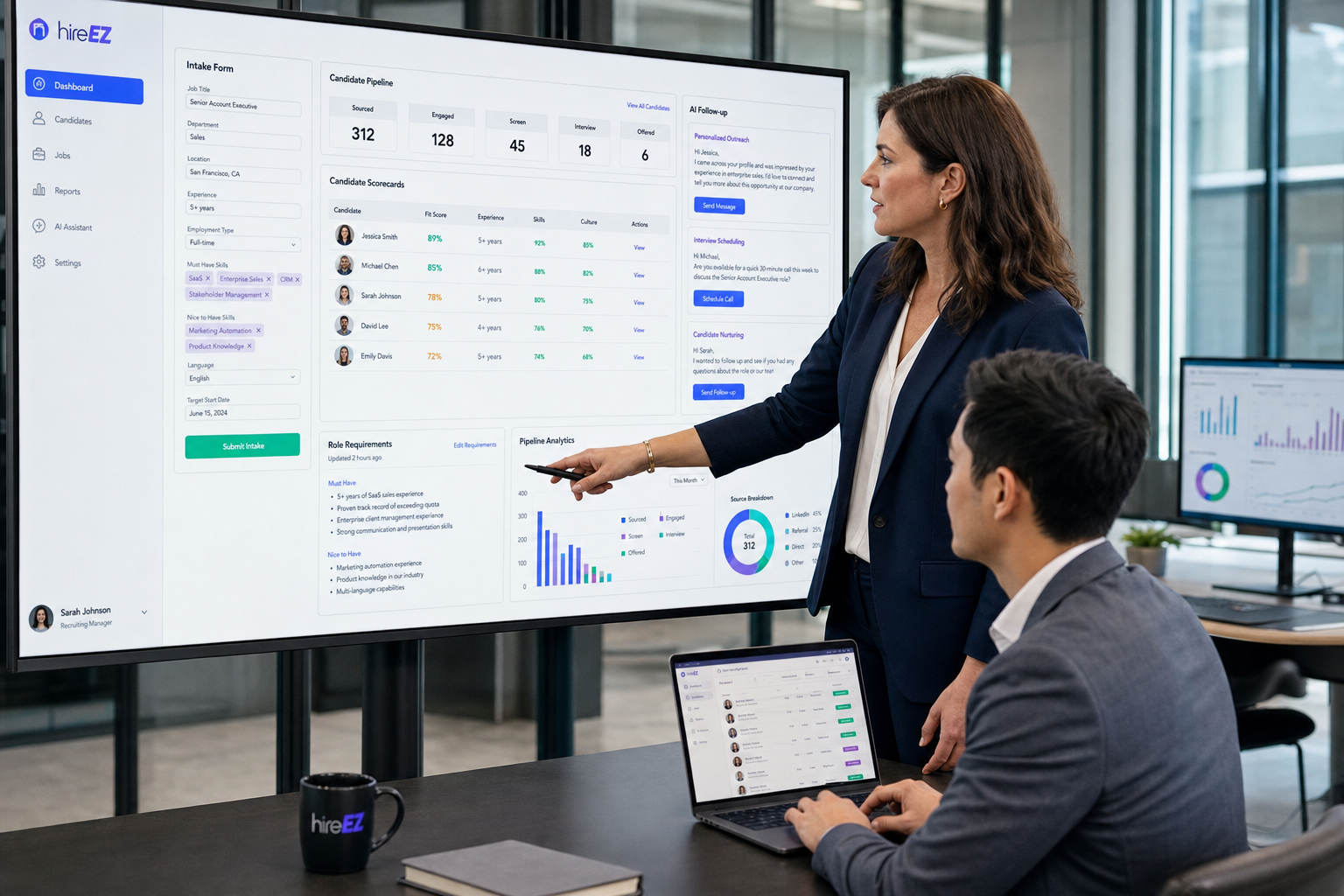
When stale role briefs slow hiring, this article helps recruiting leaders judge hiring systems by job clarity so they can avoid wasted interviews and rework.
When that clarity is missing, the damage shows up quickly. Agency recruiters waste outreach on candidates who were never right for the real brief. In-house teams move applicants through stages based on outdated job descriptions, loose manager preferences, or conflicting stakeholder opinions. For founders handling small business recruiting, the result is familiar: slower hiring, more candidate drop-off, avoidable rework, and tense handoffs between recruiters and hiring managers.
That is also where AI-supported workflow can help if it is used in the right place. In my own process, I have used StrategyBrain AI Recruiter to reduce repetitive top-of-funnel messaging, maintain follow-up after hours, and keep candidate conversations moving while I focused on the part software should not own: final judgment, resume review, and whether a person truly matches the role. For teams doing LinkedIn-heavy outreach, its multilingual communication and always-on response flow can relieve pressure when recruiter time is being consumed by repetitive contact and coordination rather than actual evaluation.
The problem becomes obvious the moment a role opens without real analysis behind it. A hiring manager asks for a replacement in a fast-changing technical or regulated function, the recruiter opens the requisition, checks the existing description, and realizes it no longer reflects the tools, reporting lines, or success measures of the current job. Then the recruiter starts calling for stakeholder input, compares old notes with current workflows, and tries to separate essential skills from inflated wish lists before sourcing even begins.
That sequence is not an edge case. It is what happens when roles evolve faster than hiring documents do. Digital tools change, compliance expectations shift, and cross-functional demands grow, but the recruiting process still starts from stale assumptions. In that situation, the question is not only how to write a better job description. It is how to choose a hiring system that captures job analysis, keeps requirements current, and helps recruiters and managers screen against real work instead of guesswork.
If you are searching for the best recruiting software, that is the lens I recommend using first. Most teams talk about features before they verify role clarity, but in practice the stronger hiring system is the one that supports the full chain: intake, job analysis, candidate tracking, team feedback, and practical decision-making. That matters even more in small business recruiting, where every wasted interview and every unclear requirement carries a visible operating cost.
- The best recruiting software is only as good as the job clarity feeding into it.
- A modern hiring system should support role intake, requirement alignment, evaluation structure, and team coordination.
- For smaller teams, usability and adoption matter more than long enterprise feature lists.
- AI can reduce repetitive sourcing and messaging work, but recruiters still need to own final screening and hiring judgment.
Table of Contents
- Why job clarity should come before software demos
- What a hiring system really includes
- What makes the best recruiting software
- The features that support better role definition
- A practical comparison framework
- What small business recruiting teams actually need
- Where AI helps and where recruiters still decide
- How to implement without overbuying
- FAQ
Why job clarity should come before software demos
In experienced recruiting teams, software selection usually goes wrong for one simple reason: the team starts by comparing tools before agreeing on how roles should be defined. The reference point should not be a feature grid. It should be the quality of the hiring inputs.
Job analysis is the discipline behind those inputs. It means documenting the real responsibilities, skills, tools, working conditions, reporting relationships, and performance expectations of a role. That sounds basic, but it is the foundation of effective hiring because recruiters can only screen accurately when the role itself has been properly understood.
In fast-changing markets, especially technical, regulated, or growth-stage environments, old job descriptions expire quickly. Teams keep hiring from recycled requirements while the real work has already shifted. A good hiring system helps prevent that by making role intake structured, stakeholder feedback visible, and evaluation criteria easier to standardize.
Why this matters more now
- Roles are evolving faster: technology, process changes, and cross-functional expectations alter jobs faster than many teams update hiring docs.
- Skills shortages demand precision: inflated requirements shrink the talent pool and slow recruiting.
- Retention starts with clarity: people stay longer when job expectations are accurate from the start.
- Fairness depends on definition: clearer criteria reduce subjective screening and inconsistent interviewer judgment.
So before asking which platform is “best,” ask a more useful question: does this system help us define the role well enough to hire well?
What a hiring system really includes
A hiring system is more than an applicant database. In practice, it is the operating setup that connects role definition, candidate movement, interviewer participation, and final decision control. Most teams buy this in the form of an applicant tracking system, but the real value comes from how the software supports the process before and after applications arrive.
At minimum, a strong hiring system should help teams:
- Open roles with clear intake requirements
- Document essential responsibilities and success criteria
- Track applicants through consistent stages
- Collect structured interviewer feedback
- Preserve communication history and ownership
- Report on pipeline bottlenecks and process delays
If a platform does the tracking part well but leaves role definition vague, recruiters still end up screening against unstable standards. That is why the best recruiting software often feels less like a feature showcase and more like a system for keeping everyone aligned on what the job actually is.
What makes the best recruiting software
The best recruiting software is not the product with the biggest capability list. It is the one that fits your hiring volume, your team habits, and your level of process maturity. For most recruiting teams, especially those handling small business recruiting, six criteria matter more than flashy demos.
- Usability: recruiters and hiring managers should be able to use it without constant retraining.
- Role intake structure: the system should make job scoping, approval, and requirement alignment easier.
- Workflow fit: stages, scorecards, and ownership should match your real process.
- Collaboration support: feedback collection should be structured enough to reduce delays and bias.
- Integration value: email, calendar, sourcing, and reporting connections should reduce duplicate work.
- Cost fit: the platform should solve present workflow problems without forcing unnecessary complexity.
From experience, the biggest difference-maker is whether the software supports disciplined hiring behavior. If it improves intake quality, candidate visibility, and response speed, it will usually outperform a more complex system with poor adoption.
The features that support better role definition
Because role clarity is upstream from sourcing and screening, I look for software features that support a practical form of job analysis inside day-to-day recruiting work. That does not mean turning recruiters into compensation analysts. It means giving the team a repeatable way to define the role before pipeline activity starts.
1. Structured intake forms
Good software should capture more than title and headcount. It should help teams document purpose of the role, key tasks, required tools, critical competencies, and what success looks like in the first months.
2. Stakeholder input in one place
When manager notes, recruiter comments, and operational feedback are split across documents and emails, roles become distorted. A strong hiring system keeps those inputs visible and easier to reconcile.
3. Separation of essential vs. preferred criteria
This is one of the most useful safeguards against overloading a role. If the platform makes it easy to distinguish required qualifications from aspirational ones, recruiters can protect the talent pool from unnecessary narrowing.
4. Role-specific scorecards
Scorecards should reflect the actual competencies that matter, not generic interview habits. This improves screening consistency and gives hiring managers a shared evaluation frame.
5. Update discipline
The software should make it easy to revisit and refresh role criteria after organizational changes, tool changes, or compliance shifts. Static descriptions are one of the quietest causes of poor hiring accuracy.
Practical takeaway: If your system cannot help your team define what the role is, it will struggle to help your team decide who fits it.
A practical comparison framework
Use this framework to compare any hiring system under consideration. It is especially useful for recruiters who want to evaluate software against workflow reality instead of marketing language.
| Evaluation Area | What Good Looks Like | Why It Matters for Recruiters | Why It Matters for Small Teams |
|---|---|---|---|
| Job intake | Clear role briefing, required vs preferred criteria, approval visibility | Stronger sourcing accuracy from the start | Less confusion when founders or managers hire inconsistently |
| Ease of use | Simple navigation and low training burden | Faster adoption across recruiters and managers | Critical when no HR systems specialist exists |
| Pipeline visibility | Live stage tracking, ownership clarity, easy filtering | Prevents stalled candidates and hidden delays | Helps lean teams avoid process gaps |
| Collaboration | Structured feedback, notes, and role-based access | Keeps decisions more consistent | Supports managers who hire only occasionally |
| Automation | Scheduling, reminders, messaging support, status updates | Reduces repetitive admin load | Useful when one recruiter wears multiple hats |
| Reporting | Funnel visibility and bottleneck analysis | Shows where hiring breaks down | Supports fast process correction |
| Integrations | Works with email, calendar, and sourcing workflows | Reduces manual copying | Keeps operations lightweight |
| AI support | Practical help with outreach, screening prep, and admin | Improves recruiter throughput | Can extend capacity without adding headcount |
What small business recruiting teams actually need
In small business recruiting, the temptation is to buy for future complexity instead of current discipline. That usually leads to slow rollout and weak adoption. Most small teams do not need an elaborate architecture. They need a system that keeps roles clear, pipelines visible, and managers accountable.
The practical essentials are usually:
- A simple role-opening and approval process
- A central candidate pipeline with visible ownership
- Structured interview feedback
- Basic reporting on delays and drop-off
- Useful integrations with everyday tools
- Enough automation to reduce repetitive administrative work
If you are a founder or HR lead, one useful test is this: could an occasional hiring manager log in, understand the role, review the candidate, and leave usable feedback without needing a separate training manual? If not, the system may be too heavy for your actual operating model.
Where AI helps and where recruiters still decide
AI belongs in the evaluation process now, but only when it solves an actual recruiting bottleneck. In my own work, I have found the biggest value in the parts of hiring that are repetitive but time-sensitive: sourcing outreach, candidate follow-up, and message handling across time zones.
That is where AI Recruiter can fit alongside a broader hiring system. For LinkedIn-based workflows, I have used it to keep conversations active when I could not stay in the inbox all day, to respond in candidates' native languages when needed, and to collect resumes and contact details from interested prospects before I stepped in for actual evaluation. The practical benefit was not that it replaced recruiting judgment. It was that it protected recruiter time for the parts that still require human assessment.
Useful AI support usually falls into three categories:
- Outreach and follow-up: keeping candidate conversations moving without constant manual sending
- Administrative acceleration: reducing repetitive reminders, handoffs, and status chasing
- Screening support: helping organize information so recruiters can review faster
What AI should not do is become a substitute for role definition. If the job is poorly scoped, automation only helps the team move faster in the wrong direction.
A practical way to test AI value
Run one live workflow and ask four questions:
- Did it save real recruiter time on repetitive work?
- Did it improve candidate responsiveness or continuity?
- Did it create extra review burden?
- Did recruiter judgment remain clearly in control?
If those answers are positive, AI support is probably useful. If not, it may be more demo-friendly than operationally valuable.
How to implement without overbuying
Most teams overbuy when they select for a future org chart instead of today’s hiring motion. A better method is to map the system against one current workflow and one realistic growth scenario.
- Define your hiring motion: occasional, recurring, or multi-department hiring.
- Audit role clarity: where are job definitions outdated, vague, or overloaded?
- List true bottlenecks: sourcing, alignment, feedback speed, scheduling, or reporting.
- Test with a real role: use an active requisition, not a polished demo example.
- Check manager adoption: software recruiters like but managers avoid will not hold process discipline.
- Review AI in context: assess whether automation supports the actual workflow pain point.
When launching a new hiring system, keep the first version simple. Limit stages, define ownership, create role-specific scorecards, and review pipeline delays regularly. Standardization matters because it is what turns software from a record-keeping tool into a working recruiting process.
FAQ
Is a hiring system the same as an applicant tracking system?
Not exactly. A hiring system is the broader operating model for recruiting, while an applicant tracking system is the software category most teams use to manage candidate stages, records, and team feedback. In practice, the ATS is usually the core software layer inside the larger hiring system.
Why does job analysis matter when choosing recruiting software?
Because the quality of hiring decisions depends on the quality of role definition. If your software cannot support structured intake, requirement alignment, and clear evaluation criteria, it may track candidates efficiently without helping you assess the right ones.
What does a small business actually need in recruiting software?
Most small teams need ease of use, candidate pipeline visibility, clear role intake, interview coordination, feedback collection, and lightweight reporting. For small business recruiting, those basics usually matter more than deep enterprise customization.
Are AI features worth paying for?
They can be, especially when they reduce repetitive outreach, follow-up, or admin work. Their value depends on whether they improve a real workflow. Recruiters should still own final screening, resume review, and next-step decisions.
How often should role requirements be updated?
For stable roles, a review every 18 to 36 months may be enough. For roles affected by technology, regulation, or organizational change, annual review is often safer. If the business has restructured or the work itself has changed, update immediately.
Conclusion
The best recruiting software does not begin with features. It begins with clarity about the role, the workflow, and the decisions your team needs to make well. That is why the strongest hiring system is usually the one that supports job analysis, candidate tracking, collaboration, and realistic adoption in the same operating flow.
For recruiters, that means choosing software that helps you define roles accurately, move candidates consistently, and preserve judgment where it matters. For teams focused on small business recruiting, it means resisting complexity that looks impressive in demos but adds friction in daily use. Get the role right, then choose the system that helps your team hire against reality.















