


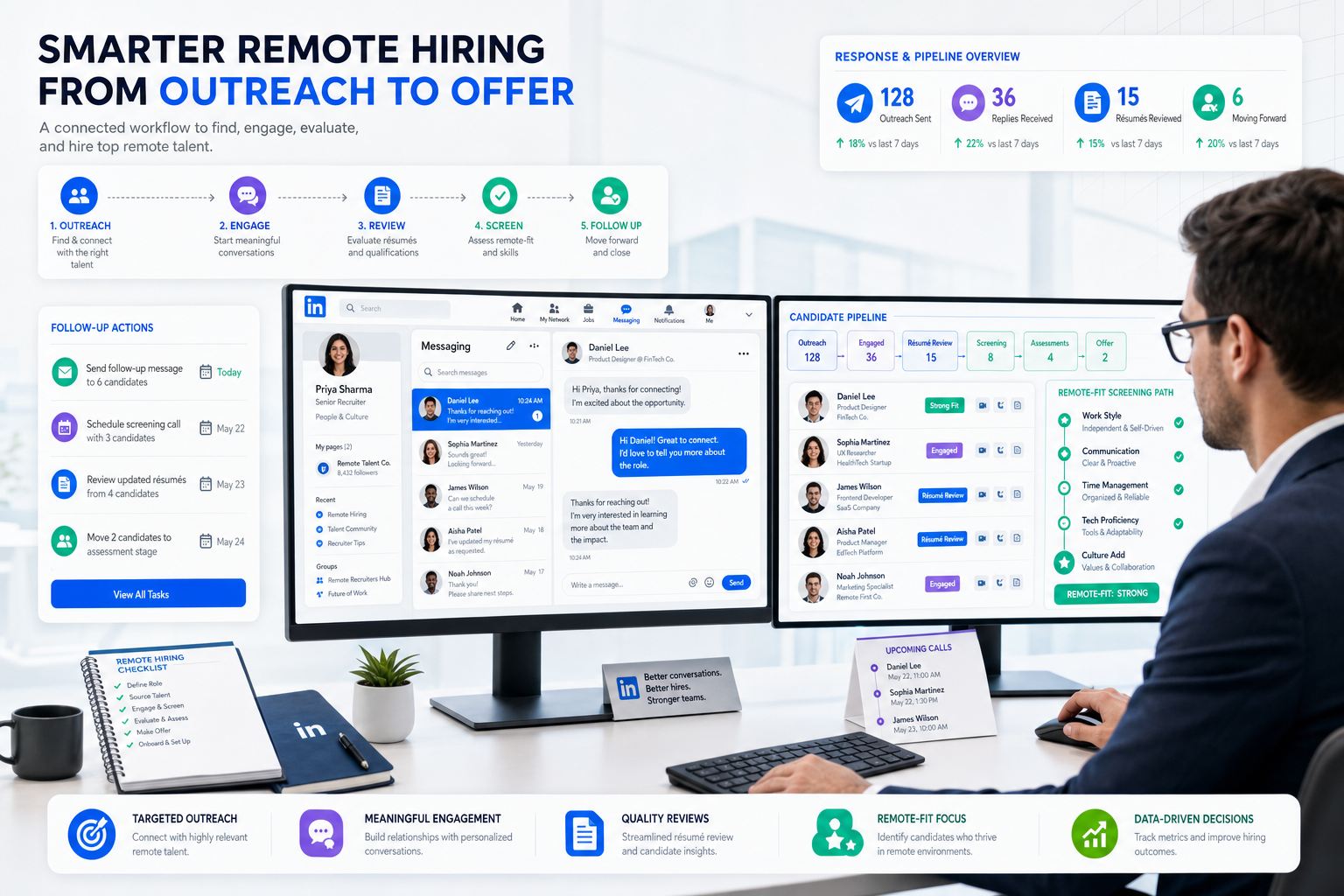
When LinkedIn recruiting stalls on vague remote expectations and scattered follow-up, this article helps headhunters build a workflow that screens fit early and avoids losing warm candidates.
That matters because LinkedIn hiring breaks down in familiar ways when remote expectations are vague. Recruiters waste time chasing replies that never turn into interviews, hiring managers review interested profiles that later reject the work model, and smaller search firms lose margin when candidate conversations, résumé requests, and status updates sit across inboxes, spreadsheets, and memory instead of one dependable workflow.
I have found that StrategyBrain AI Recruiter is most useful when the problem is not sourcing reach alone but repetitive LinkedIn messaging around availability, interest, work situation, and résumé collection. In my own LinkedIn workflow, using AI Recruiter to keep candidate conversations moving after hours and across time zones reduced the number of warm leads going cold before screening, while I still handled final résumé review, qualification judgment, and interview decisions myself.
A candidate considering a remote role usually weighs the opportunity the same way any professional weighs working from home: Will the schedule really be flexible, will they be isolated from the team, will the work spill into personal life, and is the company set up to support remote collaboration or just using "remote" as a label? Those questions appear before the first interview is complete, and they shape whether a LinkedIn reply turns into a serious conversation.
Once that candidate starts asking about communication habits, home-office expectations, responsiveness, and how the team stays in the loop, the recruiter has to do at least two things in sequence: answer clearly and record the signal accurately. That is the transition point where knowing how do you use LinkedIn for recruitment becomes more than posting jobs. It becomes a process question tied to recruiting employees, hiring staff, and deciding what the best recruiting software should handle for you.
- How do you use LinkedIn for recruitment?
- Why remote-work fit changes LinkedIn recruiting
- A practical LinkedIn recruiting workflow
- How to post a LinkedIn job that filters better
- How to search and message candidates effectively
- How employer presence affects response rates
- When LinkedIn needs recruiting software support
- Software options for LinkedIn-heavy recruiting
- Best setup by hiring stage and team size
- Common LinkedIn recruiting mistakes
- FAQ
How do you use LinkedIn for recruitment?
You use LinkedIn for recruitment by combining visibility, targeted search, relevant outreach, and disciplined follow-up. In practice, that means defining the role clearly, posting a job people can understand quickly, improving employer credibility, sourcing with filters, messaging candidates with context, and moving qualified people into a structured process instead of managing everything in scattered chats.
For one-off hiring, a lean process may be enough. For ongoing recruiting employees, especially when remote or hybrid expectations affect candidate decisions, LinkedIn works best as the sourcing and conversation layer while recruiting software handles status tracking, notes, résumé capture, screening consistency, and collaboration with hiring managers.
Key insight: LinkedIn starts the relationship, but the best recruiting software protects it from getting lost between first reply and final decision.
Why remote-work fit changes LinkedIn recruiting
The reference point many recruiters miss is that candidates do not evaluate remote opportunities only by title or pay. They often think through the same trade-offs people associate with working from home: more flexibility and less commuting on one side, but possible isolation, blurred boundaries, and weaker connection to the team on the other. A widely cited Gallup finding from 2016 reported that 43% of respondents spent at least some time working remotely, and that broader normalization still shapes candidate expectations today.
That creates a practical recruiting implication. When you are hiring staff into remote-capable roles, the first LinkedIn conversation is not just about skill match. It is also about whether the company can support the way the work is actually done. Candidates want clues about responsiveness, team communication, autonomy, schedule flexibility, and whether they will be left out of the loop.
For recruiters, this changes what “good process” looks like. You need a hiring brief that covers work model and team habits, outreach that addresses the real shape of the role, and a system for capturing concerns early. Otherwise, you may fill the top of funnel with interested profiles that disappear once the remote-work details come into focus.
A practical LinkedIn recruiting workflow
If you want a reliable answer to how do you use LinkedIn for recruitment, start with a workflow that reflects how candidates actually decide.
- Clarify the role beyond the title. Define outcomes, required skills, reporting line, work model, schedule expectations, and how the team collaborates.
- Write the job post to pre-qualify. The strongest LinkedIn posts explain not just tasks but how the work gets done, especially for remote and hybrid positions.
- Check your visible employer signals. Candidates will inspect the company page, recruiter profile, and current team activity before replying.
- Source with narrow logic first. Use title, function, skills, location, and adjacent background patterns rather than one broad keyword search.
- Message with context. Explain why the role fits their background and mention the work setup if it is a meaningful part of the opportunity.
- Handle early qualification consistently. Capture availability, interest level, current work situation, and any remote-work concerns in one place.
- Move active candidates into a trackable system. This is where the best recruiting software stops small process failures from becoming lost candidates.
- Review weekly. Look at reply quality, résumé conversion, interview yield, and where candidates drop out.
In my own process, the handoff between LinkedIn conversation and structured review is where speed matters most. I have used StrategyBrain AI Recruiter to support the repetitive part of that handoff: candidate introductions, follow-up, collecting contact details, and keeping conversations active while I focused on shortlisting. It did not replace recruiter judgment, but it did reduce the dead time between initial interest and the moment I could review a résumé seriously.
How to post a LinkedIn job that filters better
Many teams treat LinkedIn job posting as an awareness step. In reality, it should also improve self-selection. That is especially important when recruiting employees for roles where autonomy, flexibility, and communication style affect success.
What a stronger LinkedIn job post should include
- Recognizable job title: Use language candidates actually search.
- Business context: Explain what the company needs this hire to accomplish.
- Work model details: State whether the role is remote, hybrid, or on-site and what that means in practice.
- Team interaction expectations: Clarify meetings, collaboration rhythm, and response expectations.
- Required vs preferred qualifications: Help candidates assess fit honestly.
- Hiring process overview: Briefly explain what happens next.
If you are hiring staff for distributed teams, this level of clarity does more than improve applicant quality. It also reduces later friction around expectations that candidates often associate with work-from-home success or failure, such as structure, availability, and team connection.
For best results, write the opening lines of the post around outcomes and operating reality, not generic employer branding. Candidates decide quickly whether the role seems legitimate and well run.
How to search and message candidates effectively
For many roles, LinkedIn becomes valuable when inbound applications are not enough. Strong sourcing means identifying likely success patterns and testing them systematically.
How to search with better precision
- Titles: Start with direct matches, then expand into adjacent titles.
- Skills: Use skills to catch people whose profiles use different title language.
- Location: Match search radius to your actual work model and legal hiring scope.
- Industry: Apply industry filters when domain experience matters.
- Seniority: Keep outreach level-appropriate.
When I am sourcing for remote-capable roles, I also look for profile signals that suggest comfort with independent work and distributed teams. That does not mean overreading profile details, but it does mean asking better questions earlier.
How to message candidates without sounding transactional
Good outreach answers three questions fast: why them, why this role, and why now. If the opportunity includes remote flexibility, mention the relevant operational details instead of treating “remote” as the full pitch.
This is another area where AI Recruiter can help. I have used it to maintain timely responses, gather résumé submissions, and continue candidate communication outside normal work hours. The tool can keep momentum, but the recruiter still needs to decide whether the résumé actually matches the brief and whether the candidate should move into interviews.
How employer presence affects response rates
Even the best outreach underperforms when the employer side looks thin or unconvincing. Candidates considering remote or flexible roles often look harder at communication signals because they are trying to predict what everyday work will feel like.
What your LinkedIn presence should communicate
- Clarity: A simple explanation of what the business does.
- Credibility: Active leadership or recruiter profiles that look real and current.
- Team visibility: Enough evidence that collaboration exists beyond a job ad.
- Hiring relevance: Signs that the opening is active and not stale.
The work-from-home comparison is useful here. People are more likely to accept flexibility when they believe structure still exists. Your LinkedIn presence should signal both opportunity and operating discipline.
When LinkedIn needs recruiting software support
LinkedIn is a strong channel, but it is not a full operating system for hiring. Once your team is handling multiple openings, shared review, remote candidate questions, or meaningful sourcing volume, software support becomes necessary.
Signs LinkedIn alone is no longer enough
- You are hiring staff across several roles at once.
- You need one place for notes, candidate status, and ownership.
- You are losing replies because follow-up depends on individual inbox habits.
- You need structured capture of interest, résumé receipt, and contact details.
- You want cleaner coordination between recruiter and hiring manager.
- You need reporting on where sourcing converts and where it stalls.
This is where the topic of best recruiting software becomes practical rather than theoretical. The right setup should support candidate communication, preserve context, and reduce repetitive manual work without pretending that software alone can make hiring decisions.
Software options for LinkedIn-heavy recruiting
Because this article is about software use as much as process, it helps to separate the main categories recruiters compare. Below is a practical view of three widely recognized options for LinkedIn-heavy recruiting, plus where a LinkedIn automation layer can complement them.
| Software | Best For | Strengths | Trade-offs | Works Well With |
|---|---|---|---|---|
| LinkedIn Recruiter | Direct sourcing and recruiter seat productivity | Strong search, profile discovery, familiar workflow | Can become message-heavy and manual at scale; candidate management still needs process discipline | An ATS and a LinkedIn automation support layer for follow-up |
| Greenhouse | Structured in-house hiring teams | Mature ATS workflow, interview kits, collaboration, reporting | Best once process is already defined; not a sourcing engine by itself | LinkedIn sourcing plus tools that keep conversations active before formal application |
| Lever | Teams blending ATS and CRM-style recruiting | Strong relationship management, pipeline visibility, collaboration | Requires discipline to keep data clean; may be more than very small teams need | LinkedIn outreach and candidate re-engagement workflows |
From a user-experience perspective, LinkedIn Recruiter is usually the most natural place to start if your question is purely how do you use LinkedIn for recruitment. Greenhouse and Lever become more valuable once your challenge is not finding people, but managing them consistently through interviews and decisions.
On the cost side, the main issue is rarely software sticker price alone. The bigger operational cost comes from recruiter time spent on repetitive LinkedIn tasks, delayed follow-up, and lost candidate intent. That is where a tool like StrategyBrain AI Recruiter can fit as a collaboration layer: it supports LinkedIn conversations, role introductions, and résumé collection, while your ATS remains the system of record and the recruiter remains responsible for final qualification.
For business type and scale, smaller agencies and independent headhunters often feel the value first because they live directly inside LinkedIn outreach volume. Larger internal teams often feel the value when after-hours responses, multilingual communication, or distributed hiring start stretching recruiter capacity.
What to evaluate in the best recruiting software
- LinkedIn workflow support: Does it help at the exact point where candidate replies need action?
- Candidate management: Can the team see status and history clearly?
- Automation boundaries: Does the software reduce repetitive work without obscuring accountability?
- Collaboration: Can hiring managers and recruiters stay aligned?
- Fit for team size: Is it usable for your actual hiring volume, not just impressive on a feature sheet?
Best setup by hiring stage and team size
Independent recruiters and small agencies
If your business lives inside outreach, the biggest risk is losing momentum between candidate reply and recruiter action. A practical stack is LinkedIn for sourcing, a lightweight ATS or CRM for tracking, and workflow support for repetitive messaging and résumé capture.
Growing in-house teams
When recruiting employees across departments, you usually need LinkedIn for discovery and an ATS for structure. At this stage, software should reduce ambiguity around ownership, work-model alignment, and screening notes.
Larger recruiting organizations
For higher-volume hiring staff, especially across regions or languages, the strongest setup is often layered: sourcing channel, ATS, collaboration process, and communication support that keeps candidate conversations moving without requiring recruiters to be online at all hours.
Common LinkedIn recruiting mistakes
1. Treating remote interest as equal to role commitment
Candidates may reply because the role sounds flexible, not because the full opportunity fits. Screen for operating expectations early.
2. Writing job posts that hide the real work model
If the role depends on structured check-ins, overlapping hours, or independent execution, say so. That improves self-selection.
3. Letting replies sit too long
One of the clearest lessons from LinkedIn-heavy recruiting is that interest decays quickly. Responsiveness is part of conversion.
4. Keeping candidate context in too many places
When notes live across chats, email, and memory, judgment weakens. This is where the best recruiting software earns its place.
5. Assuming automation should replace recruiter assessment
Tools can help with messaging, follow-up, and résumé capture. They should not replace final fit evaluation, stakeholder alignment, or hiring decisions.
FAQ
Is LinkedIn good for recruiting employees?
Yes. LinkedIn is one of the most useful channels for recruiting employees because it combines job visibility, profile search, and direct outreach. It works best when paired with a structured follow-up process and, for many teams, recruiting software that tracks candidate progress.
How do you hire staff on LinkedIn more effectively?
Start with a clear role brief, write a specific post, improve employer credibility, source with filters, send contextual outreach, and track all active conversations. If the role is remote or hybrid, address work-model expectations early.
What is the best recruiting software for LinkedIn-heavy hiring?
There is no single best option for every team. LinkedIn Recruiter is strong for sourcing, while systems like Greenhouse and Lever are better for structured pipeline management. If your bottleneck is repetitive LinkedIn communication, an automation layer such as StrategyBrain AI Recruiter can support that part of the workflow.
When do I need software beyond LinkedIn?
You usually need more than LinkedIn when you are managing multiple roles, shared interviewer feedback, high message volume, or time-sensitive follow-up. That is when candidate management and workflow consistency become more important than sourcing reach alone.
Can AI help with LinkedIn recruiting without replacing recruiters?
Yes. AI can help with repetitive communication, résumé collection, and after-hours responsiveness. Recruiters should still own final screening, résumé evaluation, and interview decisions.
Conclusion
If your starting question is how do you use LinkedIn for recruitment, the strongest answer is not just “search better” or “post more jobs.” It is to understand what candidates are evaluating, especially in roles shaped by remote-work expectations, and then build a workflow that keeps those conversations organized from first message to final decision.
That is why the topic of best recruiting software belongs in the same discussion. LinkedIn helps you find people and start the relationship. Software helps you protect response speed, preserve context, and support better decisions while recruiting employees and hiring staff at a level that is repeatable.
For many teams, the right setup is not LinkedIn versus software. It is LinkedIn plus the right software layer, plus recruiter judgment where it matters most.















