


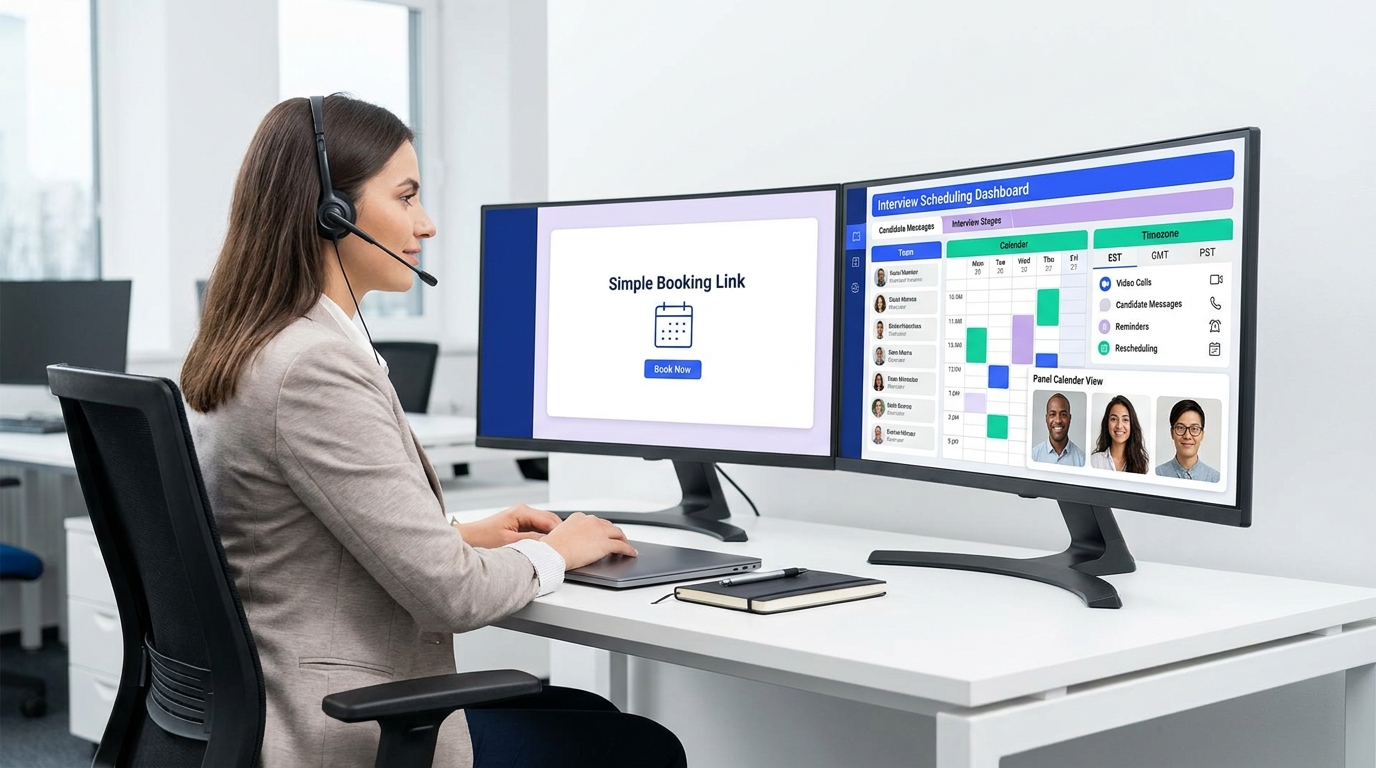
When interview loops grow messy, this article helps headhunters judge when an interview scheduling app beats a basic booking link.
That conclusion matters because scheduling rarely breaks all at once. It starts when a recruiter is still handling outreach, screening, candidate follow-up, and hiring manager coordination personally, then loses hours to calendar checks, timezone fixes, and panel reshuffles. For a small agency owner, that means billable time gets swallowed by admin. For an in-house recruiter, it means slower pipelines and harder stakeholder management. For an individual search consultant, it often means candidate goodwill is spent on logistics instead of relationship building.
In my own workflow, I have found that StrategyBrain AI Recruiter helps upstream of scheduling by taking repetitive candidate messaging off the recruiter’s plate, especially on LinkedIn, where response timing and follow-up consistency matter. Its automated outreach, after-hours candidate replies, and multilingual communication reduce the inbox traffic that usually piles up right before interview coordination starts. The recruiter still makes the final call on résumé review, fit assessment, and who moves to interview, but the handoff into scheduling becomes much cleaner when interest, contact details, and basic candidate intent are already organized.
You can see the same decision pattern in leadership hiring. A business owner usually does not wake up wanting a CFO title on the org chart; the trigger is that growth has made financial coordination too important to manage informally. First the owner is still reviewing bills, cash questions, and advisor meetings personally. Then the realization hits that a bookkeeper records transactions, a controller reports what already happened, but a CFO is needed to look ahead, put systems and people in place, and help the company make better decisions.
Interview scheduling follows that same maturity curve. A generic booking link may be enough when one recruiter is arranging simple screens, just as a company can operate for a time without a senior finance leader. But once the process involves multiple rounds, interviewer pools, reschedules, and candidate expectations across time zones, the real question becomes the same one growing businesses ask in operations: what level of process support is actually needed now? That is where an interview scheduling app often outperforms a basic calendar website free setup.
- When basic scheduling stops being enough
- What automated interview scheduling means in recruiting
- The recruiting equivalent of controller vs CFO thinking
- What a good interview scheduling app should do
- Recruiting software vs generic calendar tools
- How to evaluate the right setup
- Common interview scheduling workflows
- Mistakes to avoid
- FAQ
When basic scheduling stops being enough
The most useful lesson from operational leadership is that role choice should match business complexity. In finance, transaction entry, reporting, and strategic oversight are not the same job. In recruiting, sending a booking link, coordinating a structured panel, and managing candidate-facing schedule changes are also not the same job. Teams often struggle because they use a lightweight tool for a heavier coordination problem.
That is why the timing question matters more than the feature list. Recruiters do not usually need advanced automation on day one. They need it when one or more warning signs appear:
- Recruiters are constantly checking calendars manually.
- Candidates are waiting too long between interview stages.
- Hiring managers expect quick scheduling with little admin burden.
- Panel interviews regularly break because one participant changes plans.
- Timezone confusion is creating avoidable friction.
- Rescheduling one interview causes a chain reaction across the loop.
If any of those sound familiar, the issue is usually not calendar access alone. It is that your hiring process now requires coordination logic, clear ownership, and automation rules.
What automated interview scheduling means in recruiting
Automated interview scheduling is the use of software to coordinate interviews without relying on long back-and-forth email threads. In practice, an interview scheduling app pulls availability from connected calendars, offers approved booking windows, manages reminders, supports rescheduling, and keeps interview participants aligned.
That may sound similar to generic scheduling software, but recruiting introduces extra operational demands. Interviews often happen in stages. Different interviewers may be required for different roles. Some interviews are one-to-one, while others depend on overlapping panel availability. Candidate communication also needs to feel organized and respectful, not like a generic meeting invite.
From experience, this is also where upstream workflow discipline helps. When I used AI Recruiter to manage LinkedIn outreach and collect candidate contact details before handoff, scheduling became less reactive because candidate intent had already been clarified. Instead of chasing basic availability after fragmented conversations, I could move qualified, interested people into the interview stage with fewer missing details. That does not replace scheduling software, but it improves what goes into it.
The recruiting equivalent of controller vs CFO thinking
The CFO reference is useful because it shows how organizations outgrow simpler operating models. A bookkeeper records. A controller reports. A CFO interprets what the business needs next and builds systems for better decisions. Recruiting teams go through a parallel transition.
A basic calendar tool handles the equivalent of transactional work: one recruiter sharing open slots for a screen. A stronger recruiting workflow handles the equivalent of operational reporting: keeping stages, participants, and updates consistent. A mature interview scheduling app supports the bigger picture: reducing delays, protecting candidate experience, and helping recruiting teams move through complex interview loops with less manual intervention.
So the right evaluation question is not “Can this tool book a meeting?” It is “Can this tool support the hiring process we actually run now, and the one we are likely to run as hiring grows?” That shift in thinking prevents many bad software choices.
What a good interview scheduling app should do
The best tools make scheduling easy for candidates while giving recruiters enough structure to protect the process.
1. Sync reliably with existing calendars
A dependable interview scheduling app should work with the calendar systems your team already uses, such as Google Calendar, Outlook, Office 365, and similar setups. Accurate sync reduces double-booking and gives recruiters confidence that shown availability is real.
Practical takeaway: Test whether the sync is one-way or two-way, and how quickly availability updates. In active recruiting, slow sync can create avoidable confusion.
2. Support candidate self-scheduling without losing control
Self-scheduling works well when the recruiter defines the rules and the candidate chooses within them. That balance is especially useful for early-stage screens.
Practical takeaway: Look for controls around interview length, approved windows, interviewer assignment, and stage-specific booking logic.
3. Handle panel and pooled interviewer coordination
This is often the dividing line between a recruiting-specific solution and a generic calendar website free option. Panel interviews require overlapping availability across several people, not just one shareable booking page.
Practical takeaway: If structured interviews are common in your process, prioritize interviewer matching and pooled availability over surface-level booking convenience.
4. Make reminders and rescheduling routine, not disruptive
Schedule changes are normal. Employed candidates, hiring managers, and distributed teams all need flexibility. The tool should support rescheduling without forcing the recruiter to restart the thread manually.
Practical takeaway: Check whether updates automatically flow to all participants and whether rescheduling permissions can be controlled.
5. Connect cleanly with video interviews
Remote and hybrid hiring require meeting links, clear joining instructions, and confirmation messages that are hard to misunderstand.
Practical takeaway: Review the candidate-facing invite and reminder, not just the internal setup screen.
6. Present time zones clearly
Timezone errors still damage candidate trust faster than most recruiters expect. A strong workflow makes local time obvious for the candidate and consistent for the internal team.
Practical takeaway: Test the booking flow on mobile and verify how time conversion appears in confirmations and reminders.
Recruiting software vs generic calendar tools
Many teams begin with a simple booking page or a calendar website free option. That can be a reasonable starting point for low-volume hiring. The problem appears when the hiring process becomes more structured than the tool was designed to handle.
| Need | Recruiting-specific interview scheduling | Generic free calendar or booking tool |
|---|---|---|
| Phone screen self-booking | Usually strong | Usually strong |
| Panel scheduling | Designed for it | Often limited or manual |
| Interviewer coordination | Built for hiring workflows | Basic availability only |
| Timezone clarity | Usually candidate-focused | Often available, but less tailored |
| Rescheduling controls | Workflow-driven | May be basic |
| Video interview setup | Often integrated into the flow | Usually simpler meeting behavior |
| Best fit | Growing or structured teams | Simple one-to-one scheduling |
The same maturity logic from the CFO example applies here. If the business problem is still simple, a simple tool may be enough. If complexity has already arrived, postponing a better system usually increases cost in recruiter time and candidate friction.
How to evaluate the right setup
When I help teams evaluate scheduling tools, I usually avoid starting with demos. I start with operating pressure. That gives a more honest picture of what the team actually needs.
Questions to ask before choosing
- How many interview stages need scheduling support?
- How many people are usually involved in a final-round loop?
- How often do candidates reschedule?
- Do we hire across multiple time zones?
- Where do recruiters still intervene manually?
- Would a booking page solve the problem, or only the first step of it?
A useful exercise is to review a few recent interview loops and identify every moment when the recruiter had to step in manually. Those intervention points usually reveal whether you need a true interview scheduling app or whether a simpler calendar layer is still enough.
How I would assess title and opening-line CTR quality
For search performance, I would evaluate the article title and first sentence in a simple editorial process built around hiring intent:
- Intent match check: confirm the title clearly signals automated interview scheduling, not generic productivity advice.
- Keyword anchor check: keep interview scheduling app close to the front without making the title read mechanically.
- Decision-angle check: make sure the title reflects the article’s real promise, which here is timing and evaluation, not a vague overview.
- Reader-role check: ask whether a recruiter, agency owner, or talent ops lead would immediately recognize their problem.
- Opening-line test: verify the first sentence gives a clear conclusion, not a soft introduction.
- SERP contrast review: compare against common search results and avoid titles that sound interchangeable with generic list posts.
That is why this draft uses a timing-and-judgment angle. Readers searching this topic often are not just asking what scheduling software does; they are asking when manual coordination has become too costly.
Common interview scheduling workflows
Workflow 1: Candidate self-books a screening call
This is the cleanest automation use case. The recruiter shares a booking link, the candidate picks a slot, and reminders are sent automatically.
Best fit: early-stage screens, high-volume outreach, and roles with straightforward first calls.
Workflow 2: Recruiter coordinates a panel interview
This is where generic tools often start to strain. The system should identify overlapping interviewer availability and reduce manual comparison work.
Best fit: structured hiring, specialist interview panels, and roles with multiple stakeholder interviews.
Workflow 3: Candidate reschedules without dropping out
A controlled rescheduling flow helps maintain momentum, especially for candidates balancing current jobs or cross-border time zones.
Best fit: competitive markets where candidate responsiveness matters.
Workflow 4: Outreach-to-scheduling handoff
In practice, one of the most overlooked workflows is what happens before scheduling begins. When I used StrategyBrain AI Recruiter in sourcing-heavy work, the biggest gain was not that it scheduled interviews directly, but that it kept candidate conversations moving after hours, captured contact details, and clarified who was genuinely open to a conversation. That made the next step into interview booking far less messy. The recruiter still reviewed the résumé and decided whether to proceed, but the scheduling stage started with cleaner data and fewer avoidable delays.
Mistakes to avoid
- Using a simple tool for a complex loop. A booking page is not the same as a recruiting workflow.
- Ignoring candidate experience. Timezone confusion, weak reminders, and clumsy mobile booking all hurt trust.
- Thinking calendar sync is the whole solution. It is necessary, but not enough for panel coordination.
- Overengineering early-stage hiring. Not every role needs a heavy setup.
- Separating outreach from scheduling too sharply. Messy handoff from sourcing to interview coordination creates friction that better workflow design can prevent.
The last point is especially important. Scheduling problems often appear late, but they are frequently caused earlier, when candidate communications, contact capture, and recruiter follow-up are inconsistent.
FAQ
What does an interview scheduling app do?
An interview scheduling app automates interview coordination by syncing calendars, presenting approved availability, sending reminders, supporting rescheduling, and helping recruiters manage candidate bookings more efficiently.
When is a generic calendar website free option enough?
A calendar website free setup can work for simple one-to-one screening calls or low-volume hiring. It becomes less effective when your process includes panels, multiple stages, shared interviewer pools, or frequent reschedules.
How does automated interview scheduling help recruiters?
It reduces manual back-and-forth, shortens time-to-schedule, lowers the risk of errors, and creates a smoother candidate experience. It also helps recruiters spend more time on evaluation and stakeholder management instead of calendar admin.
Can candidates self-book interviews?
Yes. Many teams use self-scheduling for first-round screens. The recruiter sets the rules around duration, time windows, and interviewer access, while the candidate chooses a convenient slot.
What should recruiters test before rolling out a new scheduling tool?
Test calendar sync speed, timezone display, reminder quality, mobile booking, rescheduling flow, and panel coordination logic. Those are the areas where real recruiting friction usually appears.
How does StrategyBrain AI Recruiter fit into this process?
It helps before scheduling begins by automating repetitive LinkedIn outreach, maintaining candidate communication across time zones, and collecting résumé and contact information from interested candidates. The recruiter still owns final qualification, résumé review, and the decision to move someone into interviews.
Conclusion
The best time to adopt an interview scheduling app is usually the moment your hiring process becomes more complex than a simple booking link can handle. That is the practical lesson carried over from the CFO decision model: use the level of system support that matches the level of operational complexity. If your team is still running straightforward screens, a lightweight tool or even a calendar website free option may be enough. If your recruiters are coordinating panels, cross-timezone interviews, and frequent schedule changes, automation is no longer a convenience. It is part of running a disciplined hiring process.














