


When headhunters compare talent sourcing tools, this article shows how to avoid workflow bottlenecks that slow replies, tracking, and placements.
That matters because most recruiting teams do not lose time on search alone. They lose it while switching between channels, chasing replies after hours, resending role context, updating spreadsheets, and trying to remember which passive candidate already saw which message. For a solo headhunter, that means slower desk production and missed placements. For a small agency owner, it means uneven delivery and weaker client confidence. For an in-house recruiter, it often shows up as delayed shortlists, duplicate outreach, and a talent pool that never becomes reusable.
In my own workflow, one practical way to reduce that drag has been to use StrategyBrain AI Recruiter for the repetitive part of LinkedIn communication while keeping recruiter judgment where it belongs. It can handle first-touch outreach, after-hours replies, and multilingual back-and-forth when candidates respond in their own time, while I still review resumes, assess fit, and decide who should move forward. If you want to see how that automation is framed, the product overview here is a useful reference point rather than a replacement for recruiter decision-making.
The pressure behind that kind of setup is familiar. A recruiter today is expected to coach candidates, collect role requirements from clients or hiring managers, stay visible on social channels, and keep the top of funnel active at the same time. There are targets to hit, people to call, posts to schedule, interviews to coordinate, and applications to track. When all of that sits on one person or a small team, the day gets consumed by admin before meaningful candidate conversations even begin.
That is exactly why the conversation about talent sourcing tools has moved beyond one platform or one search database. The real evaluation question is no longer just where to find profiles. It is which sourcing tools help recruiters search, personalize, schedule, nurture, and track without losing control of candidate quality. A strong candidate sourcing solution should support that whole operating rhythm, especially when LinkedIn remains useful but no longer covers the full workflow by itself.
- Why sourcing has to go beyond LinkedIn alone
- From productivity stack to sourcing system
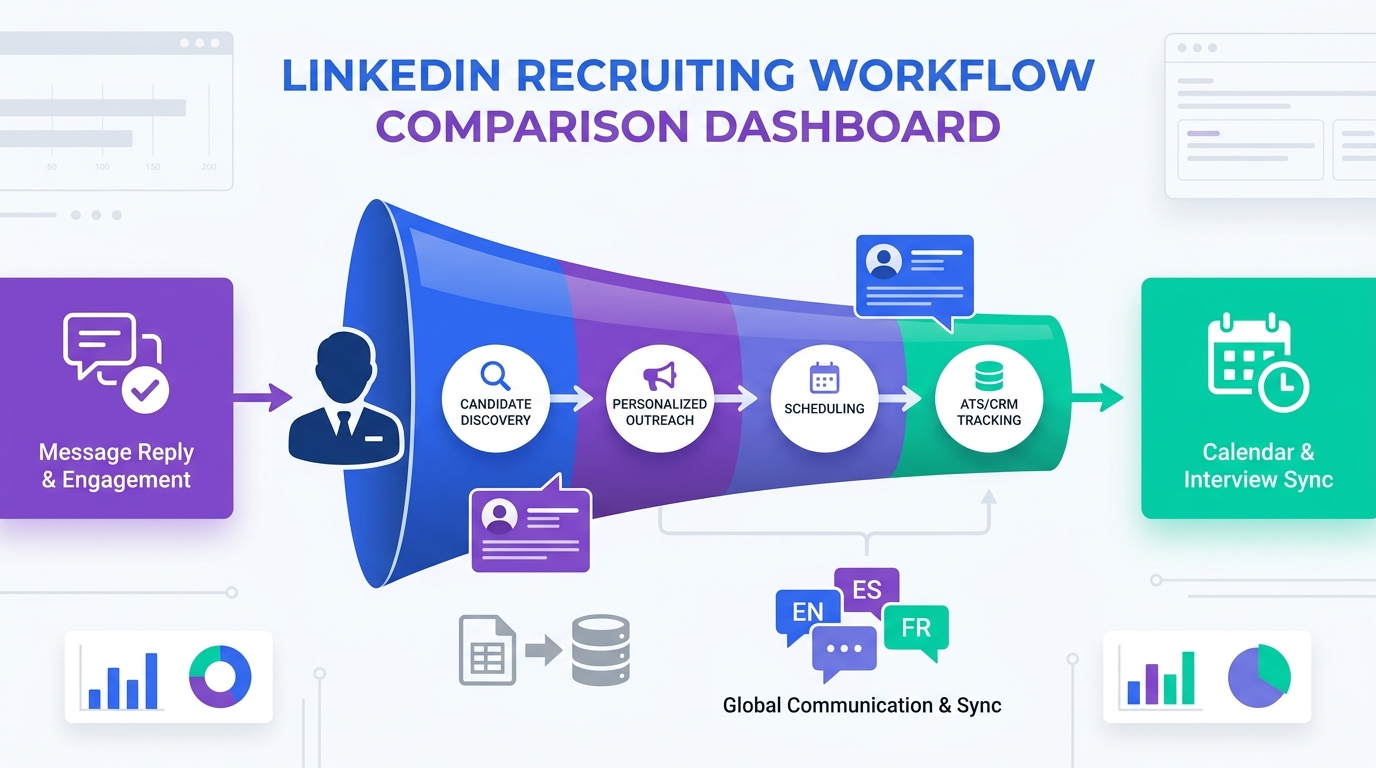
- The modern workflow: find, personalize, schedule, track
- Features to compare in talent sourcing tools
- Three supporting tools around the workflow
- Why ATS and CRM connection matters
- Privacy, compliance, and candidate trust
- How to choose the right candidate sourcing solution
- Common buying mistakes
- FAQ
Why sourcing has to go beyond LinkedIn alone
LinkedIn is still a meaningful channel for recruiters. It is where many professionals maintain visibility, and it remains one of the easiest places to start a search. But the daily work described above exposes its limit: a channel is not the same thing as a system.
When recruiters rely too heavily on one source, the bottleneck usually appears in one of four places:
- Search reach narrows because qualified people leave different signals across the web, not just one profile platform.
- Personalization quality drops because recruiters are rushing to send volume instead of building relevant outreach.
- Follow-up gets inconsistent when replies arrive after hours, across time zones, or in different languages.
- Tracking breaks down because candidate history, outreach status, and next steps live in disconnected systems.
That is why experienced teams increasingly evaluate talent sourcing tools as part of a broader sourcing operation. They want software that supports candidate discovery, communication, scheduling, record management, and analytics together rather than forcing recruiters to stitch everything manually.
Key insight: The best non-LinkedIn sourcing strategy is not anti-LinkedIn. It simply treats LinkedIn as one input inside a larger, more disciplined sourcing process.
From productivity stack to sourcing system
One useful lesson from older recruiting productivity advice is that recruiters never needed only one tool. They needed different tools for different jobs: a place to reach professionals, a way to personalize outreach, a way to schedule content, a way to assess fit, a way to book meetings, and a way to track candidate progress. That logic still holds, but today the market expects far tighter integration.
What used to be a loose collection of productivity apps is now closer to an operating model. In practice, a modern candidate sourcing solution should help with:
- finding people across multiple channels
- adding useful context before outreach
- supporting personalized engagement at scale
- managing scheduling and follow-up discipline
- moving cleanly into ATS and CRM records
That shift is important because recruiters are judged on outcomes, not on how many tabs they had open. A sourcing stack that feels productive in isolation can still fail if it creates handoff friction later.
The modern workflow: find, personalize, schedule, track
When I assess talent sourcing tools, I usually come back to four stages that mirror the real recruiter day described earlier: finding candidates, personalizing outreach, coordinating next steps, and tracking everything well enough to reuse the work later.
1. Find candidates across channels, not just one network
The first test is search breadth and search usability. Recruiters need discovery methods that go beyond manual profile hunting on a single platform. Good systems support role-based filters, geography, function, and signals that help surface passive candidates from more than one source.
For niche roles, that matters even more. The best prospects are often scattered across multiple public footprints, prior applicant records, and old CRM segments. A sourcing workflow that only searches new profiles will miss part of the market.
2. Personalize outreach in a way candidates can feel
Personalization is not just a copywriting preference. It is a response-rate issue and a credibility issue. Years ago, recruiters could get away with broad email blasts or generic calls. That works less and less now, especially with passive candidates.
The most effective sourcing tools support personalization without making the recruiter do everything manually. That may include structured messaging, sequencing, reminders, and context fields that make the outreach specific to the candidate's background. In some workflows, personalized video can also help, especially when the recruiter wants to explain a role or show that the outreach is not mass-produced.
My own view is practical: automation should reduce repetitive effort, but relevance still comes from the recruiter. Even when I use AI Recruiter to handle repetitive LinkedIn conversations and after-hours replies, I still control the search criteria, the role narrative, and the final decision about who is actually qualified.
3. Schedule next steps without calendar drag
Scheduling is easy to underestimate until volume increases. Interview coordination, intro calls, and client updates can eat into the day faster than sourcing itself. If calendars are not aligned, candidate momentum drops and recruiters spend more time chasing availability than moving the process forward.
That is why scheduling support belongs in the sourcing conversation. Even if it sits outside the core sourcing database, it directly affects conversion from outreach to actual conversation.
4. Track activity well enough to reuse your pipeline
The final stage is where many workflows break. Recruiters may source well and even get replies, but if those records do not flow back into the ATS or CRM cleanly, the same work has to be redone later. This is where sourcing stops being a top-of-funnel activity and becomes an operating discipline.
Tracking should answer simple but critical questions: who was contacted, who replied, what was discussed, what language or time-zone considerations came up, and who should be re-engaged for the next similar role. Without that record, candidate relationships get reset every time.
Features to compare in talent sourcing tools
Below is the framework I find most useful when comparing non-LinkedIn talent sourcing tools. It is less about marketing claims and more about whether the software supports the actual recruiter workflow.
| Feature Area | What to Evaluate | Why It Matters |
|---|---|---|
| Search coverage | Channels, role depth, geography, filters | Broadens access beyond one platform |
| Search usability | Boolean support, natural-language search, shortlist speed | Reduces time spent refining queries |
| Profile context | Freshness, enrichment, duplicate handling | Improves message relevance and reduces wasted effort |
| Outreach support | Sequencing, personalization aids, reminders | Helps recruiters stay consistent without sounding generic |
| Conversation continuity | Reply handling, after-hours coverage, multilingual support | Prevents response delays and missed engagement windows |
| Scheduling readiness | Calendar links, handoff support, meeting coordination | Moves interested candidates into real conversations faster |
| ATS + CRM sync | Field mapping, activity logging, duplicate controls | Keeps sourcing work reusable |
| Analytics | Source quality, reply patterns, funnel creation | Shows what is actually creating pipeline |
| Compliance controls | Retention, deletion, permission logic, auditability | Protects trust and reduces legal risk |
For agency leaders and recruiting managers, the best buying conversations usually start with one question: where does our current workflow break first? If the answer is outreach consistency, then search depth alone will not solve the problem. If the answer is lost candidate history, then a shiny front-end sourcing tool without strong sync will create more mess, not less.
Three supporting tools around the workflow
Because this topic is about software use, it helps to separate a core candidate sourcing solution from adjacent tools that support the workflow. These are not substitutes for sourcing software, but they often shape recruiter productivity around it.
1. Buffer for social scheduling
Buffer is useful when recruiters or agency owners want to maintain a steady stream of content without posting manually every day. From a usability perspective, it is straightforward and light enough for individual recruiters or small teams. On effect, it helps maintain social presence, which can support inbound awareness and employer or personal brand visibility. On cost, teams usually consider this type of tool relatively accessible compared with larger recruiting platforms. It tends to fit small and mid-sized businesses that want consistency without a dedicated social team.
Its limitation is that it is not a sourcing system. It does not search for candidates, manage outreach logic, or qualify interest. In practice, I see it as complementary to a tool such as StrategyBrain AI Recruiter: Buffer can keep the recruiter visible, while AI Recruiter can manage repetitive LinkedIn outreach and replies once the sourcing motion starts.
2. Calendly for interview scheduling
Calendly solves a real coordination problem. The user experience is simple, and the effect is immediate when a recruiter is booking intro calls or interviews at volume. It is generally easy to justify from a cost perspective because it saves manual back-and-forth. It fits almost any business size, from solo recruiters to enterprise teams, because calendar friction is universal.
Its weakness is the same as Buffer's: it handles one part of the workflow, not the whole sourcing cycle. It works best alongside talent sourcing tools that can pass warm candidates into a scheduling step at the right moment. In my own process, that means using AI-supported outreach first, then moving interested candidates into a calendar workflow only after I have confirmed that the role conversation is worth advancing.
3. monday.com for lightweight workflow visibility
monday.com can be helpful for teams that want a flexible project view across recruiting tasks, campaigns, or hiring priorities. The interface is approachable, and teams often like it because it can be adapted without a heavy implementation cycle. It may support visibility into goals, workload, and campaign planning, especially for small agencies or internal teams managing multiple moving parts.
The tradeoff is that it is not an ATS and not a true sourcing database. If used too heavily as a recruiting record system, it can become a workaround rather than a solution. I would treat it as an operational layer around recruiting work, not as the place where candidate sourcing should live. When paired sensibly with outreach automation and ATS records, it can still be useful.
Why ATS and CRM connection matters
The reference scenario that opened this article included more than search pressure. It included candidate coaching, role intake, social activity, scheduling, and application tracking. That mix is exactly why ATS and CRM integration matters so much.
In simple terms:
- ATS manages applications, interviews, and formal hiring stages.
- CRM stores relationship history and re-engagement context.
- Talent sourcing tools drive discovery, initial outreach, and early activation.
Those three layers need to work together. Otherwise, a recruiter can have strong top-of-funnel activity and still fail to create lasting pipeline value. The practical goal is to reduce swivel-chair recruiting: no repeated data entry, no searching for old notes, and no guessing whether someone was already contacted.
This is also where an AI-supported workflow can help if used carefully. In my case, using StrategyBrain AI Recruiter has been most helpful when candidates reply late, across geographies, or in a language that would otherwise slow the first exchange. That keeps the conversation alive, but I still decide whether the resume matches the brief and whether the person should enter the formal recruiting process.
Privacy, compliance, and candidate trust
Any serious evaluation of sourcing tools has to include privacy and compliance. Recruiters are handling personal data, communication histories, resumes, and often contact details sourced from multiple systems. Efficiency gains are not worth much if the process weakens trust or creates retention and deletion problems later.
At minimum, teams should review:
- how candidate data is sourced and refreshed
- how records can be deleted, suppressed, or updated
- how retention periods are controlled
- how outreach preferences are respected
- how activity is logged for audit and accountability
Candidate trust matters operationally, not just legally. Respectful data handling improves response quality because candidates can tell when a recruiter is organized and transparent.
How to choose the right candidate sourcing solution
If you are comparing a new candidate sourcing solution, start with the recruiter day, not the vendor pitch. The opening case in this article showed the actual issue: too many responsibilities stacked into one workflow with too little control over handoffs.
- Map the real work. List how your team finds candidates, personalizes outreach, handles replies, schedules conversations, and records outcomes.
- Find the first breaking point. Is it search reach, message relevance, after-hours responsiveness, scheduling drag, or record-keeping?
- Separate channel from system. A platform can be useful without being sufficient. Decide what your core system still needs to do around it.
- Test recruiter control. Automation should save time on repetitive work, but recruiters should still own shortlist quality, resume review, and next-step decisions.
- Check integration depth. The ability to move activity into ATS and CRM cleanly often matters more than one extra search feature.
- Review candidate experience. Speed helps, but trust, clarity, and relevance matter just as much.
For headhunters, the adoption test is simple: does the tool free up more time for assessment and relationship work, or does it just create another dashboard to maintain?
Common buying mistakes
Choosing based on database size alone
Access to more profiles sounds attractive, but if your team cannot personalize outreach, manage responses, and track history, the extra volume does not become pipeline.
Ignoring the communication layer
Many teams evaluate search quality and forget that passive candidate conversion depends on what happens after discovery. Delayed replies, weak follow-up, and lost context can waste good search work quickly.
Treating scheduling as someone else's problem
When candidate interest is real, delays in coordinating next steps can kill momentum. Scheduling should not be an afterthought if speed-to-conversation matters.
Using project tools as a substitute for sourcing infrastructure
Workflow boards can be helpful, but they are not enough by themselves. Recruiting teams still need a system of record and a repeatable sourcing process.
Automating without recruiter oversight
Good automation reduces repetitive effort. It does not replace judgment on fit, readiness, or how to present a role. That boundary matters both for quality and for candidate trust.
FAQ
What are talent sourcing tools used for beyond LinkedIn?
They help recruiters find candidates across multiple channels, enrich records, run outreach, coordinate follow-up, and track activity so talent pools can be reused instead of rebuilt from scratch.
Are sourcing tools different from an ATS?
Yes. An ATS manages applicants and hiring stages. Talent sourcing tools work earlier in the funnel by helping teams discover and activate prospects, especially passive candidates.
What should a candidate sourcing solution include?
At a minimum, strong search, usable filters, outreach support, tracking, and integration with ATS or CRM systems. The best fit depends on where your current sourcing process breaks down.
How important is personalization in sourcing tools?
Very important. Generic outreach lowers response quality. Good tools make personalization easier at scale, but the recruiter still needs to shape the message and assess relevance.
Can AI help with LinkedIn sourcing without replacing recruiters?
Yes. Used carefully, AI can handle repetitive messaging, after-hours responses, and multilingual communication while recruiters keep control over resume review, fit assessment, and next-step decisions.
Conclusion
The most useful way to think about talent sourcing tools is not as a search shortcut, but as a workflow decision. Recruiters already know how to find people. The harder problem is keeping discovery, outreach, scheduling, and tracking connected well enough to build repeatable pipeline.
That is why the best sourcing tools and the right candidate sourcing solution are the ones that protect recruiter time for judgment, not admin. If your team starts by identifying where the day actually breaks, you will make a much better software decision than if you start with profile volume alone.














