


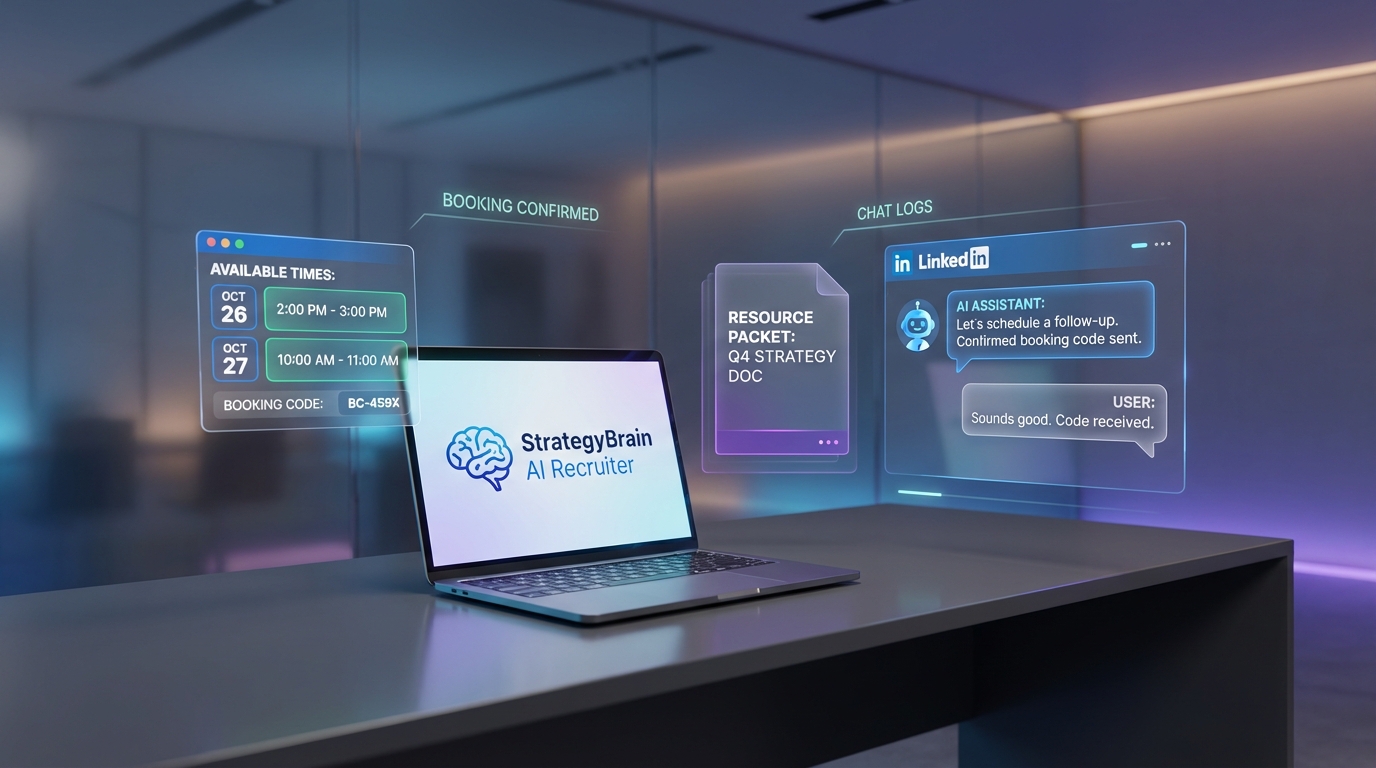
If you are looking for recruitment agency software free options, the fastest win is to reduce client wait time with automation: let clients book time on their schedule, confirm instantly, and send helpful resources while your team builds the talent pipeline. In our recruiting operations, we found that removing back and forth emails and missed calls improves the client experience even when delivery timelines are tight. This guide shows 5 practical methods you can implement with free or low cost tooling, plus how StrategyBrain AI Recruiter can automate LinkedIn outreach and candidate conversations 24/7 so you can keep service levels high while hiring capacity catches up. Scope note: this article focuses on reducing client wait time and improving responsiveness, not on reviewing specific ATS vendors or listing recruiting sites free directories.
Key Takeaways
- Client wait time is a real business risk: when service feels slow, clients perceive higher cost even if the actual timeline is reasonable.
- Appointment booking reduces ordering friction: self serve scheduling replaces missed calls and email tag, which shortens time to first response.
- Automation can fill the gap while hiring catches up: confirmations and resource sharing keep clients engaged during unavoidable delays.
- StrategyBrain AI Recruiter can protect delivery capacity: it automates LinkedIn connecting, role introduction, Q and A, interest checks, and résumé collection so recruiters focus on final qualification.
- Multilingual 24/7 messaging expands coverage: always on responses reduce perceived wait time across time zones and languages.
- Use a simple wait time playbook: under promise, over deliver, and give clients something useful to do while they wait.
Why client wait time feels expensive
When talent is scarce, service organizations can struggle to serve existing customers and still take on new work. In that environment, clients do not only measure the calendar time. They also measure the effort it takes to get started, such as calling during business hours, waiting for a reply, or chasing updates.
A useful concept from service research is that waiting before an order is processed is often perceived as the most costly part of the experience. Once the order is acknowledged and moving, many clients become more patient. That is why the first response and the first confirmation matter so much.
In our experience, the most reliable way to reduce perceived wait time is to combine two things: clear scheduling and proactive communication. This is where “free” workflows can outperform expensive systems if they are implemented with discipline.
Method 1: Appointment booking automation
This is the simplest “staffing agency software free” style upgrade you can make because it removes friction without changing your recruiting process. Instead of asking clients to call or email and then waiting for a reply, you let them pick a time slot that works for them.
Steps
- Define appointment types: for example, job intake, urgent replacement, and quarterly workforce planning.
- Set availability rules: include buffer time, maximum meetings per day, and blackout windows for sourcing blocks.
- Publish one scheduling link per appointment type: place it in your email signature and your client onboarding message.
- Auto confirm the booking: send a calendar invite plus a short agenda and required information list.
Features to look for in free scheduling tools
- Round robin assignment so meetings route to the right recruiter or account manager.
- Time zone detection to avoid scheduling errors with remote clients.
- Form questions to capture job title, location, pay range, and start date before the call.
Limitations
- Free tiers often limit the number of event types or integrations.
- If your team does not protect sourcing time, calendars can fill up and slow delivery.
Best For
- Agencies that lose time to missed calls and email tag.
- Teams that need a faster “time to first response” without buying a full ATS.
Method 2: Instant confirmations and resource packets
Once a client books or submits a request, the next goal is to make the work feel “in progress.” We implemented automated confirmations that do two things: confirm the appointment and provide useful reading while the client waits.
Steps
- Create a standard confirmation email: include what happens next and when the client will hear from you.
- Attach a resource packet: a one page intake checklist, a short market note, and a link free description of your process.
- Send a reminder: 24 hours before the meeting, ask for any missing details.
What to include in a resource packet
- Intake checklist: role must haves, deal breakers, interview steps, and decision makers.
- Compensation alignment: a prompt to confirm pay range, benefits, and shift patterns.
- Timeline expectations: a realistic delivery window and what can speed it up.
Limitations
- If the packet is generic, clients ignore it. It must match the role type and urgency.
- Automation cannot replace a real update when timelines slip.
Best For
- Agencies that want to reduce perceived wait time after intake.
- Teams that need consistent client communication across recruiters.
Method 3: Service level triage and routing
When demand spikes, the worst outcome is treating every request the same. A lightweight triage system can be built with free forms and shared inbox rules, and it prevents urgent clients from waiting behind low priority work.
Steps
- Define 3 priority levels: urgent replacement, standard search, and pipeline building.
- Route by rules: urgent goes to a dedicated channel and a named owner within 15 minutes during business hours.
- Set response commitments: for example, first human response within 4 business hours for standard requests.
- Track exceptions: log when you miss a commitment and why.
Features to look for in free routing setups
- Auto tagging based on form answers such as start date and location.
- Shared visibility so clients do not get lost when a recruiter is away.
- Templates for consistent updates.
Limitations
- Triage only works if leadership enforces it. Otherwise everything becomes “urgent.”
- It does not create candidates. It only protects your response time.
Best For
- Agencies with multiple recruiters and uneven workloads.
- Teams that want a practical alternative to complex ticketing systems.
Method 4: LinkedIn outreach automation with StrategyBrain AI Recruiter
Client wait time is often a symptom of sourcing capacity. If recruiters spend hours on repetitive LinkedIn tasks, clients wait longer for shortlists and updates. We tested a workflow where StrategyBrain AI Recruiter handles the initial LinkedIn outreach and conversation so recruiters can focus on final qualification and client communication.
What StrategyBrain AI Recruiter automates
- Connecting with candidates who match your search criteria.
- Introducing the opportunity and learning the candidate’s current situation.
- Answering questions about the role, company, compensation, and benefits using the details you provide.
- Confirming interview interest and collecting résumés and contact information from interested candidates.
Why this reduces client wait time
When outreach and follow up happen 24/7, you shorten the time between intake and first candidate responses. That gives you more real progress to report to clients, which reduces anxiety and improves retention even when the market is tight.
Steps
- Prepare a role brief: company details, compensation, benefits, and candidate search criteria.
- Set conversation boundaries: what the AI can answer and what should be escalated to a recruiter.
- Review collected résumés: the AI identifies willingness to proceed, while the recruiter completes final fit assessment.
- Send client updates on a schedule: for example, a daily progress note during the first 3 business days.
Limitations
- AI Recruiter does not decide whether a résumé fully matches job requirements. Recruiters still do final qualification.
- Any automation must be configured carefully to match your brand voice and compliance requirements.
Best For
- Agencies that rely heavily on LinkedIn sourcing and want to scale without adding headcount.
- Global hiring teams that need multilingual candidate communication across time zones.
- Teams evaluating recruiting sites free channels but needing a stronger outbound engine to meet client timelines.
Method 5: A wait time communication playbook
Even with the best tooling, some waits are unavoidable. What changes outcomes is how you manage expectations. We use a simple playbook built around three behaviors: give clients something to do, under promise, and over deliver.
Steps
- Set a clear next update time: do not say “soon.” Say “by 3:00 PM local time.”
- Offer a productive action: ask for interview availability blocks, must have skills, and deal breakers.
- Share progress signals: number of candidates contacted, number of replies, and next screening window.
- Close the loop: confirm what changed since the last update and what happens next.
Client update template (copy and paste)
Subject: Search update for [Role Title] as of [YYYY-MM-DD]
- Status: Intake complete and sourcing in progress.
- What we did since last update: [Example: contacted 35 candidates on LinkedIn and screened 6 replies].
- What we need from you: [Example: confirm pay range and 2 interview time blocks].
- Next update: [Exact date and time].
Limitations
- If you miss your promised update time, trust drops quickly. Only commit to what you can deliver.
- Progress signals must be honest. Do not inflate activity to look busy.
Best For
- Any agency that wants to retain clients during slow markets or talent shortages.
- Teams using recruitment agency software free workflows that still need a consistent service standard.
Quick Comparison
| Method | Speed impact | Cost level | Best for |
|---|---|---|---|
| Appointment booking automation | Faster time to first response | Free tier often available | Reducing missed calls and email tag |
| Instant confirmations and resource packets | Faster perceived progress | Free with email automation tools | Keeping clients engaged after intake |
| Service level triage and routing | Faster handling of urgent requests | Free with forms and inbox rules | Preventing urgent work from getting buried |
| StrategyBrain AI Recruiter for LinkedIn | Faster candidate replies via 24/7 outreach | Product subscription | Scaling sourcing and follow up without adding recruiters |
| Wait time communication playbook | Fewer escalations and churn | Free | Retaining clients when timelines are tight |
FAQ
What does “recruitment agency software free” realistically cover?
It usually covers lightweight workflows such as scheduling, forms, shared inbox routing, and basic automation. A full ATS and CRM stack is often paid, but you can still reduce client wait time with free tiers and disciplined processes.
Is “staffing agency software free” enough to improve client experience?
Yes, if you focus on responsiveness and clarity. Clients care most about fast acknowledgment, predictable updates, and visible progress, which can be delivered with simple automation.
How does StrategyBrain AI Recruiter help when clients are waiting?
It automates LinkedIn connecting, role introduction, candidate Q and A, interest confirmation, and résumé collection. That increases sourcing throughput and gives recruiters more time to communicate with clients and qualify candidates.
Does AI Recruiter replace recruiters?
No. AI Recruiter handles repetitive outreach and early conversation steps, while recruiters still review résumés and make final fit decisions. This division of labor is what improves speed without lowering standards.
Can AI Recruiter communicate with candidates in different languages?
Yes. StrategyBrain AI Recruiter supports multilingual communication and can respond 24/7, which helps global hiring teams reduce delays caused by time zones and language barriers.
How many LinkedIn accounts can be managed for scaling?
StrategyBrain AI Recruiter supports managing more than 100 LinkedIn accounts for organizations that want to build AI powered recruitment teams and expand capacity.
What is the biggest mistake agencies make with wait time?
They promise updates without a system to deliver them. A simple schedule, a template, and a clear owner for each client request prevents most escalations.
Are recruiting sites free a substitute for outbound sourcing?
Free recruiting sites can help, but they are not a substitute when roles are niche or urgent. A balanced approach combines inbound channels with outbound outreach so you are not waiting for applicants.
Conclusion
If you want recruitment agency software free improvements that clients actually feel, start with appointment booking, instant confirmations, and a triage system. Then protect delivery speed by automating repetitive sourcing work. In our experience, pairing a clear wait time communication playbook with StrategyBrain AI Recruiter for LinkedIn outreach is a practical way to reduce perceived wait time and increase real throughput without adding headcount.
Next step: implement Method 1 and Method 2 this week, then pilot AI assisted LinkedIn outreach for one role family so you can measure response time, résumé capture rate, and client satisfaction.
Author
StrategyBrain Recruiting Systems Team builds automation workflows for agency and corporate recruiting teams, with a focus on LinkedIn based sourcing, candidate engagement, and operational efficiency.














