


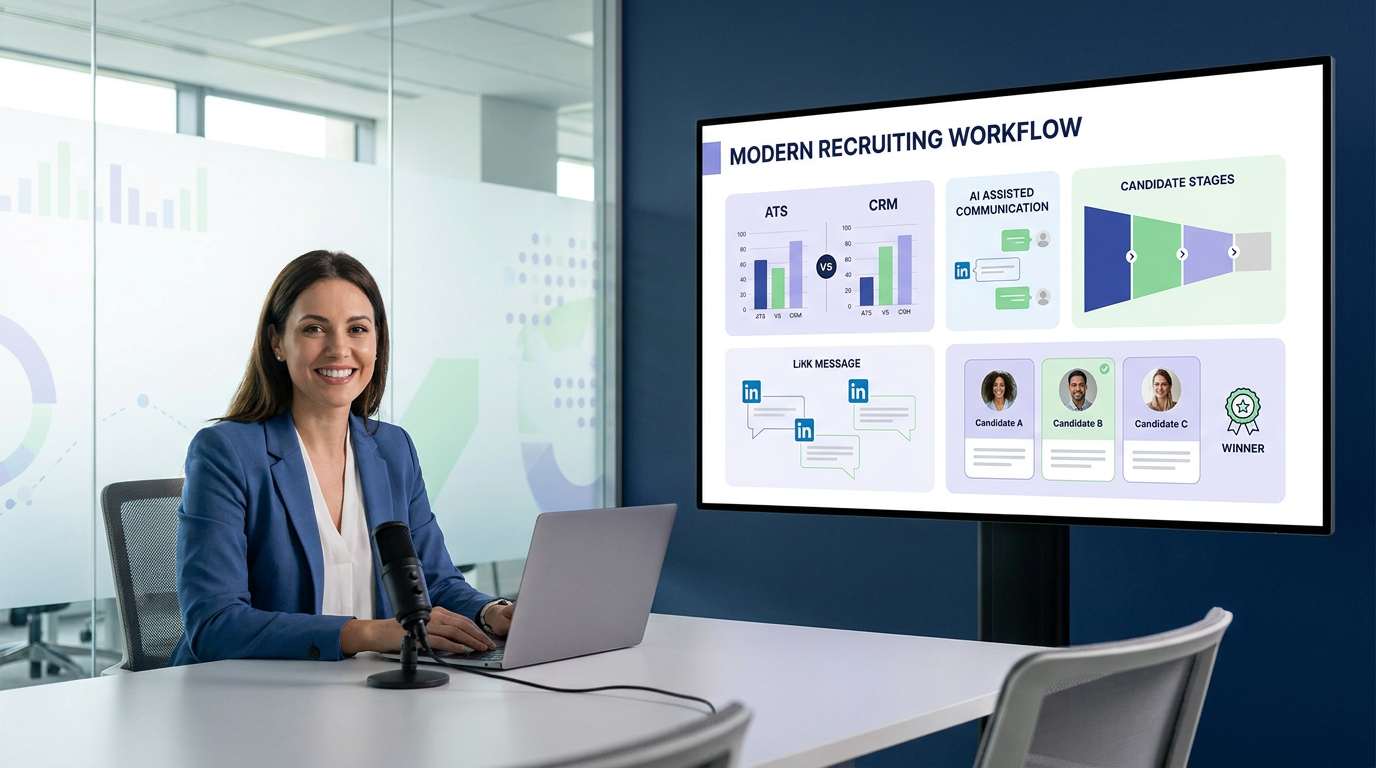
When recruiter workflows start hiding candidate fit, this article helps agency leaders judge recruitment online for recruiters without buying the wrong system.
That pressure shows up long before a hire is made. Agency recruiters lose hours chasing replies across LinkedIn, email, and spreadsheets. In-house teams miss candidate intent because notes sit in inboxes instead of a shared system. Smaller search firms feel it in cash flow and client confidence when strong prospects go cold, hiring managers wait too long for updates, and recruiters spend more time reconstructing conversations than moving qualified people forward.
In my own workflow, tools that actually reduced this drag were the ones that handled repetitive communication without taking away recruiter control. I have found AI Recruiter most useful when LinkedIn outreach volume rises, after-hours candidate replies pile up, and multilingual messaging becomes a bottleneck. Its value is practical: it can keep candidate conversations moving, collect resumes and contact details from interested people, and support continuous outreach coverage, while the recruiter still decides who is worth a real review, who belongs in a shortlist, and what the next step should be.
A useful way to think about software selection comes from executive search itself. In a finance leadership conversation published as an interview with a CFO who moved through large and smaller beverage businesses, the real lesson was not software at all. It was how much success depends on understanding the operating model, the revenue logic, the expectations behind the role, and the trust needed across non-specialist stakeholders. In recruiting, the same thing happens when a recruiter starts a search, opens a new requisition, reviews the first outbound replies, and then realizes the team lacks one shared view of candidate history, business context, and next actions.
That is why choosing the best recruiting software is not mainly a feature hunt. It is a decision about whether your system helps recruiters capture context, communicate clearly with non-recruiting stakeholders, and manage recruitment online for recruiters without losing the human judgment that separates a good process from a rushed one. It also explains why people searching for the best recruiting firms or best job recruiters are often asking a parallel question: what combination of tools, process, and expertise actually produces better hiring decisions?
- What good recruiting software actually solves
- ATS vs recruiting CRM in real recruiter workflows
- Why context matters before features
- Core features to evaluate
- Candidate experience and communication control
- LinkedIn workflow and AI support
- A practical selection framework
- Common buying mistakes
- Software vs firms vs individual recruiters
- FAQ
What good recruiting software actually solves
Recruiters often begin with a search for the best recruiting software, but the real need is usually broader. They are trying to control a process that now stretches across sourcing, outreach, resume capture, scheduling, notes, hiring-team alignment, and reporting. In other words, they are trying to make recruitment online for recruiters work at a pace that still preserves candidate quality and stakeholder trust.
The market labels can be misleading because recruiting software is not one product category. It can include an applicant tracking system, a recruiting CRM, sourcing tools, interview scheduling, analytics, candidate communications, and workflow automation. Each piece matters differently depending on whether you run executive search, in-house hiring, agency recruiting, or high-volume talent acquisition.
The executive-search lesson from the CFO interview is useful here: moving from a large company to a smaller one changes expectations because context changes. Software selection works the same way. A platform that feels strong in a high-volume internal recruiting team may feel rigid in a retained search environment. A tool that looks efficient for outbound sourcing may struggle when hiring managers need approvals, structured feedback, and audit visibility.
That is also why adjacent searches like best recruiting firms and best job recruiters should be separated from software evaluation. Firms and individual recruiters provide labor, judgment, market access, and persuasion. Software provides infrastructure. Strong recruiting operations usually need clarity on both.
ATS vs recruiting CRM in real recruiter workflows
If there is one distinction buyers need to understand early, it is the line between an ATS and a recruiting CRM. Without that distinction, software demos blur together and evaluation becomes superficial.
What an ATS does well
An ATS is designed to manage the formal hiring process once a candidate enters an active requisition. It typically handles job posting, applications, stage tracking, interview scheduling, feedback collection, offer workflow, permissions, and reporting. The applicant tracking system benefits here are operational: cleaner handoffs, better visibility, and less dependence on disconnected spreadsheets or inbox notes.
For recruiters, the main advantages of applicant tracking system tools are process discipline and shared accountability. If multiple recruiters, coordinators, HR partners, and hiring managers touch the same role, an ATS gives the team one place to see who has applied, who owns the next step, and where delays are building.
What a recruiting CRM does well
A recruiting CRM is better at relationship-driven work before a formal application exists. It supports candidate sourcing, segmentation, talent pools, nurture campaigns, reminders, and re-engagement. If your recruiting model depends on outbound search, silver-medalist pipelines, or long-cycle relationship building, CRM depth matters more than many teams realize.
In practical recruitment online for recruiters, the CRM is often where future hiring strength is built, while the ATS is where current process discipline is enforced.
When you need both
Many recruiters do not need to choose one or the other in absolute terms. They need to decide whether one platform can do both adequately or whether connected systems are the safer route.
- ATS-first fits teams with process-control issues, approval complexity, and hiring-manager coordination problems.
- CRM-first fits teams whose main challenge is pipeline creation before jobs open.
- ATS plus CRM fits agencies, executive search firms, and proactive in-house teams running continuous sourcing and relationship management.
Why context matters before features
The interview with the finance leader highlighted a pattern recruiters know well: experience alone is not enough if the person does not understand the business model, stakeholder expectations, and how to communicate with non-specialists. When software buyers skip that same contextual work, they often choose tools that look modern but fit the wrong operating model.
Before comparing feature lists, define the decision environment. Are you filling repeatable operational roles, niche specialist positions, or executive hires? Is your team mostly inbound, mostly outbound, or split across both? Do hiring managers need only candidate review, or do they need structured collaboration throughout the process? The best recruiting software should reflect those realities.
This is where many agency owners and recruiting leads make the wrong call. They buy for headline automation instead of recruiter workflow. But recruiters do not win by automating everything. They win by knowing which work should be systematized and which work still requires judgment, relationship reading, and role-specific context.
Practical takeaway: Strong recruiting systems do more than store applicants. They preserve business context, keep communication traceable, and help recruiters explain hiring decisions to people outside recruiting.
Core features to evaluate
Once process context is clear, feature evaluation becomes much more useful. The right question is not whether the platform does a lot. It is whether it removes friction from real recruiting work.
| Feature Area | What to Look For | Why It Matters |
|---|---|---|
| ATS workflow | Custom stages, approvals, scorecards, role controls | Keeps active hiring processes structured |
| Recruiting CRM | Talent pools, tags, nurture sequences, reminders | Supports long-term outbound recruiting |
| Candidate sourcing | Search, imports, outreach support, ownership tracking | Improves top-of-funnel pipeline building |
| Resume capture | Easy file intake, contact capture, profile creation | Reduces manual data entry |
| Scheduling | Calendar sync, self-serve booking, reminders | Removes admin bottlenecks |
| Reporting | Source quality, conversion, aging, stage velocity | Shows where process breaks down |
| Candidate communication | Templates, personalization, status updates, message history | Protects candidate experience and team visibility |
| Automation | Task routing, reminders, status triggers | Reduces repetitive recruiter work |
| Security and permissions | Role-based access, auditability, privacy controls | Supports compliance and operational trust |
For most teams, the foundation remains the same. The applicant tracking system benefits still matter because every downstream decision depends on a reliable record of candidate movement, feedback, and ownership. Fancy sourcing layers do not compensate for a weak core workflow.
Candidate experience and communication control
Candidate experience is often discussed as branding, but recruiters know it is really a workflow issue. A poor experience usually starts with operational gaps: duplicated questions, unclear status, inconsistent scheduling, or delayed replies.
In a healthy recruitment online for recruiters setup, software should make it easier for candidates to apply, respond, schedule, and stay informed. It should also help recruiters avoid one of the most common hidden failures in hiring: losing good candidates because communication was too slow or fragmented.
What good candidate workflows look like
- Applications are simple and mobile-friendly.
- Recruiters can see message history in one place.
- Candidates get updates at meaningful stages.
- Scheduling does not require excessive back-and-forth.
- Hiring teams use structured feedback instead of scattered notes.
The link to the opening case is direct. When a recruiter has to understand role context, candidate intent, and stakeholder expectations all at once, communication quality becomes part of decision quality. Software should help the team maintain both.
LinkedIn workflow and AI support
For many recruiters, LinkedIn is where the workflow breaks first. Outreach starts there, replies arrive there, and intent signals often sit there too long before anyone updates the main system. That is why AI support is most useful when it acts as workflow assistance rather than automated decision-making.
I have used StrategyBrain AI Recruiter in exactly that kind of environment: outbound-heavy searches where candidate replies arrive outside working hours, where multilingual communication matters, and where the recruiter needs resumes and contact details gathered before deciding who deserves a deeper call. What I liked most was not the promise of replacing recruiting judgment. It was the ability to keep early-stage conversations moving, respond continuously, and collect candidate materials while I stayed focused on shortlist quality and hiring-manager calibration.
That matters because recruiter time is rarely lost in one dramatic place. It disappears in dozens of small actions: checking who replied, sending another message, asking for a resume, clarifying whether someone is open to move, and manually transferring details into a system. AI-assisted LinkedIn workflow can reduce that drag when it is used to support outreach and handoff rather than to make final fit decisions.
Where AI support helps most
- Initial outreach: keeping first-touch conversations active at scale.
- After-hours follow-up: reducing lag when candidates respond outside recruiter working time.
- Multilingual communication: lowering friction in cross-border hiring.
- Resume and contact capture: making interested-candidate handoff cleaner.
If you want to see how this type of workflow is explained in practice, the three-step setup overview and the conversation examples are useful references. The important boundary, though, is unchanged: recruiters still review the resume, judge fit, and decide whether to interview.
A practical selection framework
The best software decisions usually come from a short, disciplined scorecard rather than a broad vendor popularity contest.
1. Define your recruiting model first
Clarify whether your team runs retained search, contingent recruiting, internal talent acquisition, high-volume hiring, or niche specialist search. This mirrors the business-context lesson from the opening case: if you do not understand the operating model, feature comparison becomes misleading.
2. Identify where workflow currently breaks
Is the main problem sourcing? Candidate follow-up? Hiring-manager visibility? Resume capture? Scheduling? Reporting? This tells you whether you need stronger ATS structure, deeper CRM behavior, better communication tools, or AI-assisted top-of-funnel support.
3. Test a real recruiter scenario
Ask for a demo that starts with an open role and moves through sourcing, outreach, candidate response, resume capture, scheduling, hiring-team review, and reporting. Watch closely for duplicate data entry, unclear ownership, and communication gaps.
4. Review communication quality directly
Test status emails, candidate updates, message logs, and scheduling flows. If the software cannot preserve communication context, recruiters and hiring managers will start working outside the system again.
5. Validate reporting against actual decisions
Reports should help answer practical questions: which source produces quality candidates, where response rates drop, which stages slow down, and which recruiters or hiring teams need process support.
6. Check implementation reality
A broad platform can still fail if the team cannot configure it or if recruiter adoption stays low. Simpler systems often outperform richer ones when they match real behavior more closely.
Common buying mistakes
- Confusing software depth with recruiter usefulness. A long feature list is not the same as workflow fit.
- Ignoring the ATS vs CRM distinction. This creates avoidable gaps in either process control or sourcing quality.
- Overtrusting automation. AI should assist communication and workflow, not replace final recruiter judgment.
- Skipping stakeholder context. Hiring managers, coordinators, and recruiters do not use systems in the same way.
- Underestimating communication history. Lost context creates slow follow-up and poor candidate experience.
- Choosing for one search type only. Teams with mixed hiring models need flexibility.
- Treating software and service providers as the same purchase. They solve different problems.
Most of these mistakes reflect the same root issue seen in the opening case: people evaluate tools without first understanding the task environment, the stakeholder expectations, and the decision pressure inside the workflow.
Software vs best recruiting firms vs best job recruiters
Search behavior often mixes these categories, so it helps to define them clearly.
Recruiting software
This is your operating infrastructure. It supports recruitment online for recruiters through applicant tracking, candidate relationship management, communication, scheduling, reporting, and automation.
Best recruiting firms
These are external partners hired for capacity, expertise, specialization, or market access. Companies use them when internal bandwidth or niche search capability is limited.
Best job recruiters
These are individual practitioners whose value comes from judgment, relationship-building, candidate assessment, and persuasion. Their quality depends partly on their tools, but they are not interchangeable with those tools.
Many employers need a mix of all three. Software creates process leverage. Firms and recruiters provide search capability and market intelligence.
FAQ
What is the difference between an ATS and a recruiting CRM?
An ATS manages active hiring stages, applications, interview workflow, and reporting. A recruiting CRM supports sourcing, outreach, talent pooling, and long-term candidate engagement. Many teams need both.
What are the biggest applicant tracking system benefits?
The biggest applicant tracking system benefits are visibility, process consistency, structured collaboration, and cleaner reporting. These matter most when multiple stakeholders are involved in the same hire.
What are the main advantages of applicant tracking system tools for agencies?
The main advantages of applicant tracking system tools for agencies are candidate ownership tracking, stage clarity, team coordination, and easier client-side reporting. Agencies often also need CRM strength because their work is more relationship-driven.
Can AI help with LinkedIn recruiting without replacing recruiters?
Yes. AI can assist with repetitive outreach, after-hours responses, multilingual messaging, and resume capture. Recruiters should still review resumes, assess fit, and decide whether candidates move forward.
How should teams choose the best recruiting software?
Start with your hiring model, identify where workflow currently breaks, and test software against real recruiter tasks. The best recruiting software is the platform that supports your process clearly enough for recruiters, hiring managers, and candidates to use it consistently.
Conclusion
The best recruiting software is not the one with the most modules or the loudest automation claims. It is the system that helps recruiters hold onto context, communicate clearly, and move candidates through the process without losing judgment. That is the real standard behind strong recruitment online for recruiters.
If your work depends heavily on LinkedIn outreach, candidate follow-up, and early-stage resume capture, AI-supported workflow can make a meaningful difference when used carefully. If your environment is more structured and approval-heavy, ATS discipline may matter more. Either way, the right choice comes from understanding your recruiting model first, then matching software to the work instead of the other way around.















