


This guide helps search leaders evaluate recruiting systems, protect role context, and avoid workflow gaps that slow hiring.
That distinction matters more than many buyers expect. In recruiting, the work usually breaks down not because a team lacks a database or a pipeline view, but because context gets lost between sourcing, candidate conversations, client expectations, and handoffs. For a solo search consultant, that means missed replies and weaker relationships. For a small agency owner, it means inconsistent execution across desks. For an internal talent team, it means slower hiring, confused hiring managers, and a candidate experience that feels generic at the exact moment a role needs nuance.
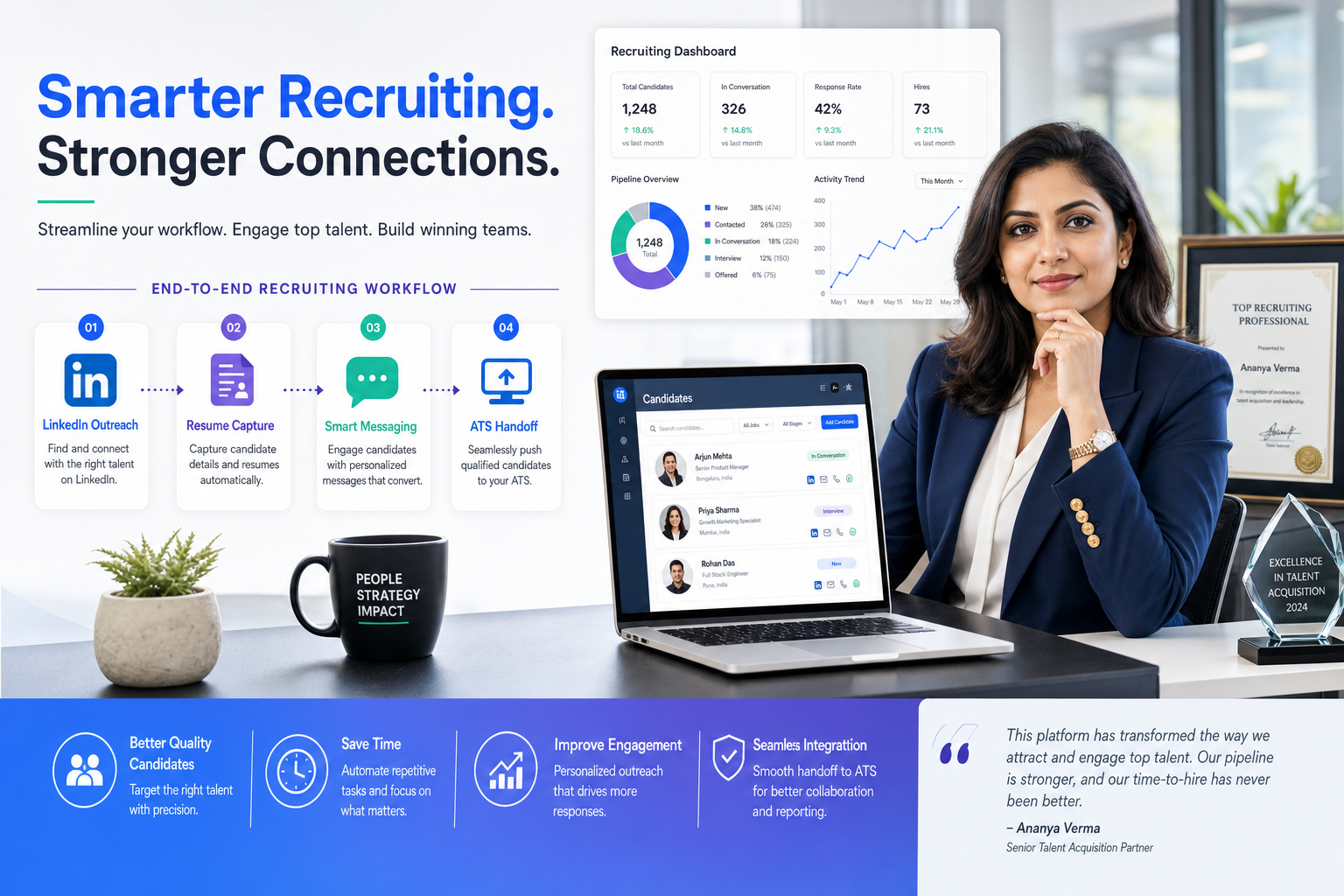
That is also why I have become more practical about where AI belongs in the stack. Used carefully, StrategyBrain AI Recruiter can take repetitive LinkedIn outreach and after-hours candidate messaging off the recruiter’s plate, while still leaving final judgment, resume review, and next-step decisions with the human recruiter. In my own testing, the most useful parts were not flashy ranking claims but the ability to keep candidate conversations moving, collect contact details and resumes from interested people, and respond across time zones without making the recruiter live in LinkedIn all night. For teams doing active sourcing, that can relieve a real bottleneck before the ATS or CRM even comes into play.
A good example of the deeper issue comes from the kind of recruiter profile many search firms like to hire: someone who has worked inside a function before moving into recruitment. Think of an accountant-turned-recruiter joining a search team and suddenly drawing on experience from enterprise accounting, oil and gas services, wealth management, nonprofits, media, and private companies. The value is obvious. That recruiter can talk credibly about month-end close, team structure, and the difference between growth-stage chaos and a mature finance operation. But the workload changes immediately too: conversations need to be logged, candidate fit has to be explained in plain business terms, and every promising reply has to stay connected to the original role and client context.
What makes that scene useful for software evaluation is not the biography itself. It is the sequence of recruiting actions around it: reviewing a new search brief, matching it to prior industry knowledge, replying to candidate questions about the role, collecting resumes from interested prospects, and translating client process detail into candidate-facing language. When those steps happen across LinkedIn messages, inboxes, spreadsheets, and a weak ATS, context slips. When they happen inside well-designed recruiting systems, the recruiter can preserve nuance instead of losing it in admin. That is the real question behind the best recruiting software, especially for teams comparing human resources recruiting software and top talent acquisition software across different hiring models.
Table of Contents
- What the best recruiting software actually means
- Why search teams lose context without the right system
- ATS vs CRM vs talent suite vs HR platform
- How to choose recruiting systems by use case
- Features that matter in daily recruiter work
- Where LinkedIn automation and AI fit
- Dedicated recruiting software or full HR suite?
- A practical software selection process
- Common buying mistakes
- FAQ
What the best recruiting software actually means
If you are comparing the best recruiting software, the first step is getting clear on what you are actually buying. In practice, recruiting systems can mean an applicant tracking system, a recruiting CRM, a broader talent acquisition suite, or recruiting inside a full HR platform. Buyers often use those labels interchangeably, but they solve different workflow problems.
That distinction becomes important as soon as your recruiters need to do more than move applicants from stage to stage. A search consultant with domain expertise, like the accountant-turned-recruiter example above, does not just process candidates. They interpret the role, explain the client environment, revisit past prospects, answer nuanced questions, and keep conversations warm over time. Software that only tracks applicants may not support that well. Software that only automates outreach may create volume without preserving context.
For HR leaders and agency operators evaluating human resources recruiting software, the better question is this: what kind of hiring motion are you running? Steady internal hiring, specialist search, high-volume recruiting, and relationship-driven sourcing all place different demands on the system. The best tool is the one that supports your real operating model, not the one with the longest feature page.
Practical takeaway: Start with how recruiters actually work in your environment: where candidate conversations begin, who needs visibility, what context must be preserved, and which steps create delays.
Why search teams lose context without the right system
Recruiting leaders often talk about speed, but context is usually the hidden failure point. A recruiter may know exactly why a candidate from one finance team fits a fast-growing client while another does not, yet that judgment becomes hard to scale if it lives only in memory or scattered notes.
This is one reason experienced recruiters from operating backgrounds often become strong search professionals. They can recognize differences in team structure, process maturity, leadership expectations, and work style. In the cleaned reference material, the recruiter's accounting background mattered because it helped her understand client systems and explain those details to candidates. That is a small point on the surface, but it maps directly to software choice. Good recruiting systems help recruiters capture and reuse that context. Weak systems reduce nuanced matching to basic stages and keywords.
In my experience, this is where software decisions start to affect outcomes. If the recruiter cannot easily connect sourcing history, candidate messaging, resume collection, hiring-stage movement, and client notes, they end up repeating work or letting warm leads go cold. If they can keep those pieces joined, they spend more time advising and less time reconstructing what happened.
That is also where I have found AI Recruiter useful as a layer around LinkedIn-heavy sourcing rather than a replacement for the ATS. It can keep initial outreach moving, answer straightforward role questions, and gather resume or contact information from interested candidates while the recruiter focuses on evaluating fit. That matters most when candidate replies arrive after hours or across regions. The recruiter still decides who progresses, but the workflow no longer stalls at the first-touch stage.
ATS vs CRM vs talent suite vs HR platform
Buyers often compare all recruiting software as if it were one category. It is not. Understanding the difference early makes every later decision easier.
| Category | Primary Purpose | Best For | Watchouts |
|---|---|---|---|
| Applicant Tracking System (ATS) | Manage applicants through the hiring pipeline | Teams focused on requisitions, interview stages, and offers | May be weaker in proactive sourcing and long-term nurture |
| Recruiting CRM | Build and engage talent pools before people apply | Search teams and TA groups doing outbound sourcing | Needs strong ATS connection to avoid handoff friction |
| Talent Acquisition Suite | Combine ATS, CRM, automation, analytics, and often onboarding | Mid-market and enterprise hiring teams | Can require more implementation discipline |
| HR Platform with Recruiting | Handle recruiting within a broader HR system of record | Organizations prioritizing HR platform consolidation | Recruiting workflows may be less flexible for specialist teams |
An applicant tracking system for recruiters remains the foundation for many teams because it introduces process discipline. It centralizes applicants, standardizes stages, keeps hiring teams aligned, and reduces inbox-driven coordination. Those are durable advantages of applicant tracking system adoption, especially for organizations moving away from spreadsheets.
But ATS discipline alone is not always enough. If your recruiters are actively sourcing, revisiting past candidates, nurturing talent pools, or handling detailed role questions before application, you may also need CRM capabilities or a wider suite. For buyers looking for top talent acquisition software, this is often the real dividing line: are you mainly processing inbound demand, or are you actively creating pipeline?
How to choose recruiting systems by use case
The most useful way to evaluate recruiting systems is by use case, not by a single ranked list. Different hiring models create different operational priorities.
Small businesses and lean HR teams
Smaller organizations usually need software that is simple to launch and easy to maintain. Their first gains come from basic applicant tracking system benefits: organized applicants, visible interview stages, and cleaner communication with hiring managers.
If you are buying human resources recruiting software for a lean team, focus on usability, clear workflows, and whether the software helps managers participate without constant recruiter intervention.
Mid-market talent acquisition teams
Mid-market teams often sit in the uncomfortable middle: too complex for a basic ATS, but not ready to overbuild. They usually need structured approvals, reusable workflows, reporting, scorecards, and some level of candidate relationship management.
This is where the advantages of applicant tracking system design need to extend beyond pipeline stages into collaboration and analytics. If recruiters repeatedly fill similar roles, talent pools and rediscovery become increasingly valuable.
Enterprise and global teams
Large organizations typically need governance, permissions, localization, analytics, and integration depth. For them, the best recruiting software is less about appearance and more about whether it can support complexity without losing consistency.
That includes support for regional workflows, internal mobility, compliance considerations, and enterprise reporting. In this segment, top talent acquisition software often means a suite or carefully integrated stack rather than one lightweight point tool.
Staffing firms and search teams
Agency recruiters and headhunters work differently from most internal TA teams. They need fast search, candidate rediscovery, outreach history, submission management, and strong relationship tracking across many concurrent searches.
For them, the strongest recruiting systems support a reusable candidate database and preserve role context well. This is where the reference example is especially relevant. A recruiter who can explain a client’s finance process, team environment, or growth stage is only as effective as the system that lets them retain and share that knowledge across searches.
High-volume hiring environments
Teams hiring at scale for frontline, seasonal, or distributed roles need speed and simplicity. In these settings, long applications, scheduling delays, and poor mobile experiences can quickly reduce yield.
The best recruiting software for high-volume work usually emphasizes automation, screening workflows, and quick progression. Here, workflow friction is expensive, so test the candidate experience as seriously as the recruiter view.
Features that matter in daily recruiter work
When teams compare recruiting systems, they often overfocus on surface impressions and underweight the workflows that actually create daily friction. The better approach is to assess how the software supports the recruiter’s real sequence of work.
1. Requisition setup and job distribution
The platform should make it easy to open a role, manage approvals, and distribute job information accurately. This matters because confusion often begins at the source: different versions of role requirements, compensation notes, or hiring priorities circulating in different places.
2. Candidate tracking and stage management
This is the core of any applicant tracking system for recruiters. Review how stages are configured, how candidates move, how feedback is collected, and whether stale records become visible before they turn into missed opportunities.
3. Searchable candidate history
For specialist recruiters, one of the most important applicant tracking system benefits is being able to revisit prior candidates with full context. Search history, notes, previous outreach, and role fit explanations should be easy to find and reuse.
4. Messaging and sourcing support
Compare how the software supports outbound work, especially if LinkedIn is a major sourcing channel. This is where point tools or AI layers may complement the ATS rather than replace it.
In practice, I have found that StrategyBrain AI Recruiter fits best when recruiters are spending too much time on repetitive first-touch LinkedIn work. It can introduce opportunities, keep candidate conversations active in different languages, and surface resumes and contact details from people who want to proceed. That does not replace evaluation. It simply means the recruiter arrives at the review step with more of the admin already handled.
5. Interview and stakeholder coordination
Good software should reduce scheduling friction and centralize hiring feedback. Hiring managers should be able to participate without needing a training manual or constant reminders from recruiting.
6. Offer workflow and onboarding handoff
The best systems make it easier to route approvals, generate offers, and pass data into onboarding without duplicate entry. These are practical applicant tracking system benefits that become more visible as hiring volume increases.
7. Reporting and analytics
If leadership asks where pipeline slows down, which sources convert, or how long searches remain open, your reporting layer matters. For many teams comparing top talent acquisition software, analytics quality is what separates a usable system from a strategic one.
Practical takeaway: In demos, ask to see one real workflow from outreach or application through offer, including notes, handoffs, reporting, and how candidate context is preserved.
Where LinkedIn automation and AI fit
AI now shows up in almost every recruiting software conversation, but it helps to separate useful workflow support from inflated marketing claims.
Where AI helps most
- First-touch outreach: keeping sourcing conversations moving when recruiter capacity is tight
- After-hours response coverage: replying when candidates answer outside business hours
- Multilingual communication: reducing friction in cross-border sourcing and follow-up
- Resume and contact capture: moving interested people into the recruiter’s review queue faster
- Workflow nudges: reducing avoidable admin delays
Those are practical gains, especially for headhunters and sourcing-heavy teams. The best results usually come when AI removes repetitive communication work without taking away the recruiter’s judgment.
Where teams should stay cautious
AI should not decide who is a fit simply because someone replied positively. In the product materials for AI Recruiter, even the automation model stops short of final qualification. That is the right boundary. The recruiter still needs to review the resume, interpret the client brief, and decide whether the candidate belongs in process.
For buyers of human resources recruiting software, that is a healthy evaluation principle in general. Ask what the AI actually improves: recruiter speed, response coverage, handoff quality, or recommendation accuracy. If the answer is vague, treat it as noise rather than value.
Questions worth asking
- What exact recruiter task does this feature reduce?
- Can the recruiter review and override the output easily?
- Does the tool preserve context or only create message volume?
- How does it fit with the ATS or CRM already in use?
- Who still owns final candidate judgment?
Dedicated recruiting software or full HR suite?
One of the biggest buying decisions is whether to choose a dedicated recruiting platform or use recruiting inside a broader HR system.
When a dedicated recruiting system makes sense
A dedicated platform is often the better choice when hiring is strategic, recruiter workflows are specialized, or the team needs stronger sourcing, CRM, and analytics capability. If your recruiters live in search, outreach, and candidate relationship work, dedicated recruiting systems usually offer more depth where it matters.
When an HR suite makes sense
A broader HR platform may be the better fit when the organization values one system of record, simpler administration, and a cleaner handoff into onboarding and employee data. Smaller HR teams often prefer this model because operational ownership is easier.
| If this matters most... | Lean toward... |
|---|---|
| Specialist recruiter workflows | Dedicated recruiting system |
| One employee system of record | HR suite with recruiting |
| Strong sourcing and nurture capability | Dedicated ATS + CRM or suite |
| Basic hiring with low complexity | Recruiting inside broader HR platform |
| Advanced TA analytics | Talent acquisition suite or integrated stack |
For buyers evaluating recruiting systems, the practical decision is whether recruiting depth or platform consolidation matters more. Workarounds are acceptable only if they are truly occasional. If they are constant, they are usually telling you the category is wrong.
A practical software selection process
The best recruiting software decisions are usually disciplined rather than dramatic. Teams buy better when they test real workflows and define requirements tightly.
1. Map the actual recruiting motion
Document where roles originate, how sourcing begins, how candidate context is recorded, who needs visibility, and where decisions typically slow down.
2. Identify the main failure point
Some teams need ATS discipline. Others need better outbound sourcing support. Others need cleaner reporting or stronger manager adoption. Do not start with a huge feature list before you know the core problem.
3. Run realistic demo scenarios
Ask vendors to show a hard-to-fill role, a candidate returning from an older search, and a recruiter explaining a nuanced client environment to a candidate. That last test matters more than buyers sometimes realize, because it reveals whether the system can preserve the kind of context the reference example highlighted.
4. Evaluate by role, not just admin view
Recruiters, hiring managers, coordinators, and administrators all use the system differently. Strong human resources recruiting software works across all of them.
5. Include implementation and workflow maintenance
Many buyers underestimate change effort. If you are comparing top talent acquisition software, include admin upkeep, reporting maintenance, integration reliability, and training burden in the evaluation.
Common buying mistakes
Even experienced recruiting teams make avoidable mistakes when comparing the best recruiting software.
- Choosing by category label instead of workflow need: ATS, CRM, and suite buyers often want different outcomes
- Confusing automation with judgment: candidate response is not the same as candidate fit
- Ignoring context preservation: systems should retain why someone fit, not just where they sat in a stage
- Overbuying complexity: advanced configuration only helps if the team will use it
- Underestimating manager adoption: a system that recruiters like but managers avoid will still create delays
- Failing to assess LinkedIn-heavy sourcing workflows: some teams need an AI layer or sourcing support before ATS value is fully realized
In my experience, the strongest buying teams keep coming back to one principle: software should remove friction from the recruiting process you actually run. That includes preserving business context, not just creating neat pipelines.
FAQ
What is recruiting software?
Recruiting software is technology used to support hiring workflows such as job posting, applicant tracking, sourcing, candidate messaging, interview coordination, offers, and reporting. It may be an ATS, a recruiting CRM, a talent suite, or a recruiting module inside an HR platform.
How is recruiting software different from an ATS?
An ATS is usually the core system for managing applicants through the hiring process. Recruiting software is the broader category and can include CRM, sourcing, automation, analytics, and onboarding connections.
What are the main applicant tracking system benefits?
The main applicant tracking system benefits are process visibility, centralized candidate records, more consistent workflows, easier collaboration, and cleaner reporting. For many teams, the biggest win is reducing manual coordination.
What are the advantages of applicant tracking system adoption for recruiters?
The main advantages of applicant tracking system adoption are pipeline clarity, searchable candidate history, better communication with hiring teams, and less time lost to inboxes and spreadsheets. A strong applicant tracking system for recruiters also improves follow-through.
What features matter most in human resources recruiting software?
The most important features usually include requisition workflows, candidate tracking, searchability, sourcing support, messaging, interview coordination, offer management, onboarding handoff, analytics, and integrations. The right priorities depend on your hiring model.
What is the best recruiting software for search firms?
Search firms usually need recruiting systems that combine candidate database strength, outreach support, contextual notes, fast search, and strong workflow visibility. If LinkedIn sourcing is central, many firms also benefit from an AI communication layer that supports but does not replace recruiter judgment.
Do AI recruiting tools improve outcomes?
They can improve efficiency in sourcing, follow-up, multilingual communication, and admin-heavy tasks. They work best when they reduce repetitive work while leaving final candidate evaluation to recruiters.
Final thoughts
The search for the best recruiting software becomes easier once you stop treating the category like one thing. Some teams need a clean ATS. Some need a CRM-rich recruiting motion. Some need recruiting inside a broader HR platform. And some need an ATS plus sourcing support that keeps LinkedIn-driven outreach moving without overwhelming the recruiter.
The accountant-to-recruiter example at the start is a useful reminder of what software is really supporting. Good recruiting depends on context, judgment, and relationship handling. The right recruiting systems make those strengths easier to apply consistently. They do not replace recruiter expertise. They protect it from getting lost in the workflow.














