


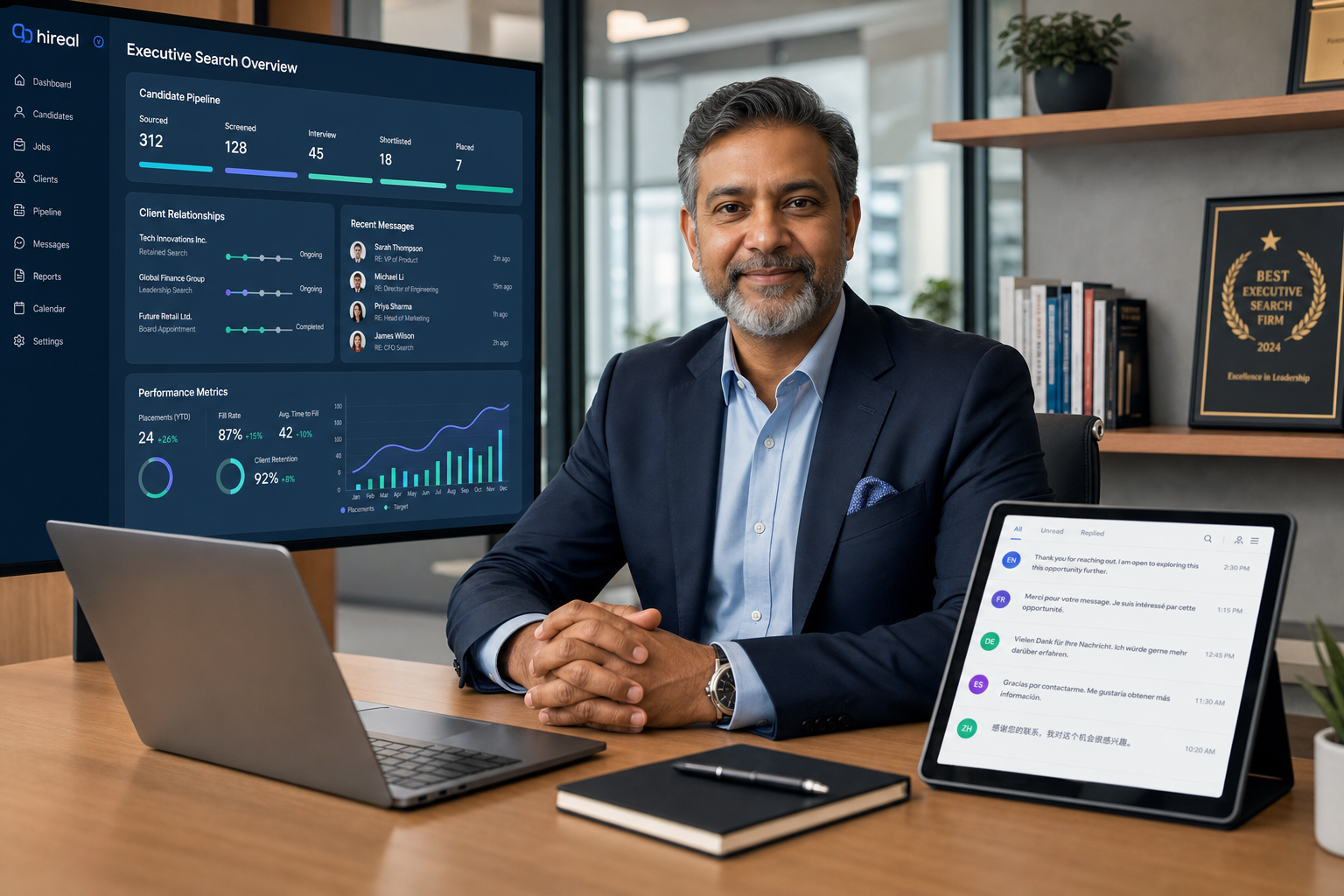
When search leaders assess recruitment tracking software, this guide helps them spot workflow gaps that erode trust, stall searches, and hide context.
That matters because search work rarely breaks down in the obvious places. It breaks down when candidate interest lives in one inbox, client context lives in someone’s memory, and the handoff from sourcing to shortlist to stakeholder alignment depends on heroic follow-through. For a solo recruiter, that means missed momentum. For a small agency owner, it means weaker delivery and harder client retention. For an in-house talent lead, it means hiring managers lose trust when updates arrive late or without context.
In my own workflow, tools that reduce the first layer of repetitive messaging have been the most useful, especially when outreach volume climbs. StrategyBrain AI Recruiter is relevant here not because it replaces recruiter judgment, but because it can handle always-on candidate outreach, multilingual replies, and résumé collection across LinkedIn conversations that would otherwise sit untouched after hours. I still want recruiters making the final call on fit, reading the résumé themselves, and deciding whether a person should move forward, but taking the repetitive front end off the desk can noticeably clean up the rest of the hiring flow.
A useful way to think about this came to mind from a senior executive search hire announcement I read a while back. The piece centered on an experienced recruitment and HR sales leader joining an established search firm in April 2021, not as a generic recruiter addition but as someone expected to work closely with leadership, deepen high-growth client relationships, and help expand an already functioning executive search practice. The attraction was not just the role title. It was the combination of trusted brand, collaborative culture, strategic partnerships, and the chance to build within a team that already served scale-up and start-up clients going through change.
That is exactly the kind of moment where software problems become visible. When a senior search leader steps into an executive function, the work is immediately relational and operational at the same time: reviewing active client needs, tracking where founder and CEO conversations stand, reconnecting with prospects, and coordinating across permanent, interim, and search lines of business without dropping context. If your system cannot hold relationship history, candidate movement, and team visibility in one place, the quality of the search starts depending on individual memory. That is why evaluating the best recruiting software is really about choosing recruitment tracking software that supports search work as it is actually done, including regional buying language such as software bewerbermanagement and even navigational queries like paycor recruiting sign in that reveal how users approach recruiting systems in practice.
- Why search teams need better systems
- What recruitment tracking software really includes
- ATS vs CRM vs HRIS for recruiting teams
- Features that matter most in the best recruiting software
- Three recruiting software approaches to compare
- Applicant tracking system benefits in real operations
- How to choose the right system
- Common buying mistakes
- FAQ
Why search teams need better systems
The opening case is worth staying with for a moment because it reflects how recruiting work really scales. In executive search and growth-stage hiring, a recruiter is not just processing applicants. They are protecting trust with founders, keeping relationship history intact, managing sequencing across multiple stakeholders, and making sure timing does not kill a viable search.
When a new senior leader joins a search function, they usually inherit a mix of active mandates, dormant relationships worth reviving, and adjacent business lines that need better coordination. That makes the software question more strategic than many teams expect. A weak system does not only slow administration; it obscures the full commercial and delivery picture.
In other words, the best recruiting software for a search team is the one that helps people understand the whole engagement, not just the next task. That includes business context, long-term client goals, candidate history, and internal collaboration patterns.
Practical takeaway: if your recruiters can only see candidates and not the surrounding relationship context, you do not have a strong search workflow yet. You have fragmented records.
What recruitment tracking software really includes
Recruitment tracking software is the operating layer that helps recruiters move candidates, prospects, and stakeholder actions through a hiring process without losing visibility. In a narrow sense, buyers often mean an ATS. In practice, modern recruiting teams usually need a blend of applicant tracking, communication history, pipeline reporting, scheduling support, and collaboration controls.
That distinction matters because many teams start with the search term best recruiting software but are actually trying to solve several different problems at once:
- Keeping active applicants organized
- Managing outreach and relationship history
- Giving hiring managers or clients cleaner visibility
- Reducing repetitive admin work for recruiters
- Creating a dependable handoff into onboarding or HR operations
If you recruit across Germany or support DACH stakeholders, you may see the term software bewerbermanagement. In most cases, buyers are looking for the same core outcome: a structured Bewerbermanagementsystem that centralizes applicant flow, communication, and job administration in one controlled environment.
The reason this language matters is simple. Regional terminology often signals slightly different stakeholder expectations, especially around process clarity, data handling, and adoption by HR teams beyond the recruiter seat.
ATS vs CRM vs HRIS for recruiting teams
One of the biggest mistakes in software evaluation is comparing unlike categories and expecting one tool label to cover every workflow. A team says it wants recruitment tracking software, but the pain may sit in three very different places.
| System Type | Primary Purpose | Best Fit | What to Evaluate |
|---|---|---|---|
| ATS | Move active candidates through defined stages | Teams hiring against open roles with structured steps | Stage design, scorecards, interview workflow, reporting, permissions |
| Recruiting CRM | Manage long-term prospect relationships | Sourcing-heavy teams and repeat hiring environments | Segmentation, nurture workflows, outreach history, searchability |
| HRIS | Support employee records and post-hire operations | Organizations focused on onboarding and people administration | Data handoff, approvals, employee records, system governance |
For executive search, growth-stage hiring, and agency-style recruiting, ATS and CRM capability often need to work together. That is the lesson hidden inside the opening case: the role was not just about filling one requisition. It involved relationship management, strategic growth, and coordination across multiple service lines. An ATS alone may track active candidates well, but a search team also needs to preserve relationship intelligence before and after a live role exists.
HRIS capability becomes more important after offer acceptance. It matters, but it should not distract from the immediate operating question: where is the team losing control today?
What each stakeholder usually cares about
- Recruiters: speed, searchable records, communication continuity, manageable pipelines
- Agency owners or search leaders: client visibility, relationship protection, delivery consistency, team productivity
- HR leaders: documentation, process integrity, reporting, downstream handoff
- Hiring managers: simple review workflows, timely updates, fewer status chases
Features that matter most in the best recruiting software
When people ask about the best recruiting software, I usually steer them away from feature volume and back toward recruiter reality. The best systems support the parts of the day that quietly consume time and break continuity.
1. Pipeline tracking that reflects real search work
A good system should show not only where a candidate sits, but also who owns the next move and how long a file has been idle. Search teams need to see active stages clearly without turning every search into manual spreadsheet triage.
- Custom stages by role type
- Clear ownership and aging visibility
- Fast bulk updates
- Role-based filters for recruiter workload
2. Relationship history in one place
This is especially important for executive search and repeat client work. A recruiter may revisit a candidate or client conversation months later. If notes, outreach, and prior context are buried in private inboxes, your team is rebuilding trust from scratch every time.
That is one of the least flashy but most important applicant tracking system benefits: continuity.
3. Structured collaboration with hiring stakeholders
The search leader in the opening case was joining an established firm partly because of its collaborative culture and the ability to work closely with leadership. Your software should support that same behavior operationally.
- Shared candidate reviews
- Simple feedback capture
- Stakeholder visibility into status
- Reminder workflows for delayed input
4. Automation that removes repetitive work
Not every automation claim deserves attention, but the useful ones are obvious in practice. Candidate routing, reminders, template control, and stage-based updates can save real time. For LinkedIn-heavy sourcing, I have found AI Recruiter particularly relevant when the bottleneck sits in repetitive first-touch communication. It can continue candidate conversations after hours, answer common role questions, and collect résumés or contact details from interested people before I step in for review. That does not replace recruiting judgment; it gives the recruiter cleaner inputs.
I have also liked this model for multilingual outreach. In international hiring, especially when a team serves multiple markets, recruiter delay often comes from language and time-zone friction rather than poor intent. That is where an AI-supported workflow can help without pretending to own the final assessment.
5. Reporting that answers operating questions quickly
Strong recruitment tracking software should help leaders answer ordinary but critical questions:
- Where are candidates dropping out?
- Which searches are stalling?
- Which stakeholders delay feedback most often?
- How is recruiter workload distributed?
If a team cannot answer those without exporting everything to spreadsheets, the software is not doing enough.
6. Integrations that preserve workflow continuity
Even the best recruiting software rarely works alone. Evaluate integrations with calendars, email, communication tools, sourcing channels, assessments, and downstream HR systems. For buyers reviewing software bewerbermanagement options, integration often becomes a deciding factor because recruiting spans more formal HR processes and cross-office coordination.
Three recruiting software approaches to compare
Because this topic is software-focused, it helps to compare a few recognizable approaches rather than speaking only in theory. The goal is not to crown a universal winner, but to understand what different categories do well and where they create friction.
1. Enterprise HR suite with recruiting module
This approach is often attractive to larger employers that want recruiting connected tightly to broader HR operations. The upside is governance, shared employee data structure, and cleaner post-hire handoff. The downside is that recruiter usability can feel secondary if the suite was built primarily around HR administration.
Pros
- Strong HR alignment
- Better downstream employee data continuity
- Useful for organizations with formal controls
Cons
- Can feel rigid for search-heavy recruiting teams
- Often slower to configure around nuanced sourcing workflows
- May require more process discipline from occasional users
Best for: mid-size to enterprise employers with strong HR operations.
How it works with StrategyBrain AI Recruiter: this can be a practical combination when the suite handles records and approvals while StrategyBrain AI Recruiter supports repetitive LinkedIn outreach and initial candidate engagement before recruiters move qualified interest into the core system.
2. Standalone ATS built for recruiting teams
This is usually the strongest fit when your immediate pain is candidate movement, hiring manager coordination, and recruiter productivity inside active roles. Usability is often better than an all-in-one HR suite, and implementation can be cleaner for growing companies.
Pros
- Better recruiter-centric workflows
- Clearer pipeline management
- Faster hiring manager adoption in many cases
Cons
- May need extra tools for proactive sourcing or CRM-style nurturing
- Some reporting layers remain shallow
- Post-hire handoff may depend on integrations
Best for: small to mid-market employers and agencies with structured active hiring.
How it works with StrategyBrain AI Recruiter: this pairing is useful when the ATS handles process control and AI Recruiter handles labor-intensive front-end LinkedIn conversations, résumé capture, and follow-up continuity outside office hours.
3. CRM-forward sourcing platform
This model suits teams whose advantage comes from long-term relationship management, repeat searches, and proactive talent mapping. Search firms and internal sourcing functions often prefer stronger CRM behavior than a traditional ATS offers.
Pros
- Better talent pooling and prospect history
- Stronger support for repeat search work
- Useful for executive search and market mapping
Cons
- Can be weaker in formal applicant workflow
- Sometimes requires parallel process tools
- Hiring manager workflows vary widely by platform
Best for: executive search firms, agency recruiters, and sourcing-heavy internal teams.
How it works with StrategyBrain AI Recruiter: this combination can be especially effective for LinkedIn-driven sourcing. A CRM can store and segment relationships, while AI Recruiter keeps first-touch outreach, candidate questions, and contact collection moving at scale until a human recruiter takes over the shortlist decision.
One caution here: if your research starts drifting into navigational searches such as paycor recruiting sign in, recognize that you may no longer be doing category comparison. You may simply be trying to access an existing system or resolve a support need. That is useful operationally, but it is not the same as evaluating the best recruiting software.
Applicant tracking system benefits in real operations
The most credible advantages of applicant tracking system adoption show up in ordinary execution, not demo theater.
- Fewer dropped conversations: communication history stays visible when recruiters hand off work.
- Better search continuity: client and candidate context is easier to preserve across longer cycles.
- Cleaner collaboration: stakeholders can review, comment, and act without creating parallel email threads.
- More dependable follow-through: reminders, status control, and ownership reduce silent stalls.
- Improved reporting: leaders can spot slow stages and recurring process failures earlier.
- Scalable output: teams can handle more activity without increasing admin at the same rate.
These are also the real applicant tracking system benefits that support adoption. Recruiters do not keep using software because a vendor promised transformation. They keep using it when it reliably saves time and protects context.
Field note: the easiest way to test a system is to run a live search scenario through it. Start with outreach, move to response handling, log stakeholder feedback, and check whether the software still feels clear on day ten, not just minute ten.
How to choose the right system
Choosing recruitment tracking software gets easier when you evaluate the work behind the job opening, not just the opening itself. The executive search example from the introduction is helpful because it shows that recruiting value sits in relationships, business understanding, and coordination, not simply record keeping.
Step 1: Define the actual operating failure
Be precise. Good examples include:
- Recruiters lose track of candidate status across multiple searches
- Client relationship history is fragmented
- Hiring managers delay feedback and no one can see the bottleneck clearly
- LinkedIn outreach volume outpaces recruiter capacity
If the issue is front-end sourcing load, an AI-supported outreach tool may deserve a place in your stack. If the issue is active workflow discipline, your ATS layer matters more.
Step 2: Map the full search lifecycle
Do not stop at application tracking. Map the work from business intake through longlist, outreach, response handling, shortlist review, stakeholder alignment, and offer movement.
That broader map is often where gaps appear. In search environments, the software must support not just candidate progression but also strategic context around the role and client.
Step 3: Separate must-haves from future ambitions
Many teams overbuy. If your recruiters still struggle with stage control, communication history, and follow-up ownership, those basics matter more than aspirational feature layers.
Step 4: Test recruiter and stakeholder experience separately
Recruiters, hiring leaders, and HR operations use the same system differently. Ask each group to complete realistic tasks.
- Can recruiters update and search records quickly?
- Can stakeholders review and respond without training fatigue?
- Can leadership pull useful reports without manual reconstruction?
Step 5: Evaluate adoption risk honestly
The best recruiting software is not the one with the most theoretical power. It is the one your team will use consistently enough to keep the process inside the system.
Common buying mistakes
Confusing activity storage with workflow support
Some systems hold information well but do little to move the work. Search teams need both memory and momentum.
Buying for unusual edge cases
Design around the work that drives most of your recruiting volume, not the rare exception that appears twice a year.
Ignoring relationship-heavy recruiting
The opening case makes this plain: senior search work depends on trust, partnership, and continuity. If your tool treats every record like a one-time applicant, it will frustrate higher-value recruiting work.
Letting login or support queries distort strategy
A query like paycor recruiting sign in usually indicates account access intent, not buyer research. Keep navigational needs separate from selection criteria.
Assuming automation removes recruiter responsibility
It should not. Helpful automation reduces repetitive front-end work, but recruiters still need to assess the résumé, judge fit, and decide the next action.
FAQ
What is recruitment tracking software?
It is software that helps recruiters organize and move candidates through hiring while preserving communication history, workflow visibility, and stakeholder coordination.
Is an ATS the same as the best recruiting software?
Not always. An ATS may be the core of the system, but many teams also need CRM-style relationship management, integrations, and reporting to support real recruiting work.
How should I think about software bewerbermanagement?
It is a German-market term commonly used for applicant management systems that centralize job postings, candidate records, and recruiting communication. In buying terms, it often overlaps with ATS evaluation.
When does AI-supported recruiting help most?
Usually when recruiters are losing time to repetitive outreach, after-hours replies, multilingual candidate questions, and résumé collection before human review. In those scenarios, tools such as StrategyBrain AI Recruiter can support the workflow while recruiters retain final decision-making responsibility.
What does paycor recruiting sign in mean as a query?
It is generally a navigational search from someone trying to access a login page or support path, not someone comparing categories of recruiting software.
Conclusion
The best recruiting software is the system that helps recruiters protect context while moving searches forward. That is the real lesson from the executive search opening case: when recruiting becomes strategic, relationship-heavy, and collaborative, software has to support more than status fields.
Start with your actual failure points, decide whether they sit in active applicant flow, relationship management, or downstream HR operations, and then test systems against real recruiter behavior. If you also have heavy LinkedIn outreach demands, an AI-supported layer such as StrategyBrain AI Recruiter can complement a core ATS by keeping candidate conversations moving until a recruiter is ready to make the human call.














