


Workflow drift usually starts quietly, and this article helps recruiters judge which ats for recruiters will prevent lost fit signals, slower placements, and avoidable hiring friction.
That matters because recruiting rarely breaks in one dramatic moment. More often, it slips. A candidate file sits in email instead of the system, a hiring manager reviews an outdated resume version, a recruiter cannot see which applicants were strongest on paper versus strongest in conversation, and the team loses time deciding what should have been obvious. For small firms, solo recruiters, and internal talent teams, those misses become cost, slower placements, weaker candidate experience, and strained client or stakeholder trust.
In my own workflow, tools that reduce repetitive outreach and resume collection have helped most when they support, rather than replace, recruiter judgment. That is where StrategyBrain AI Recruiter can be useful alongside an ATS: it can automate candidate messaging on LinkedIn, keep conversations moving across time zones, and collect resumes or contact details from interested candidates, while the recruiter still handles final resume review, fit assessment, and next-step decisions.
That distinction becomes obvious when you think about how specialist recruiters actually read candidate material. In finance hiring, for example, experienced recruiters are often looking for a few specific signals before they ever schedule a call: whether the resume is clear and chronological, whether recent experience connects to the role, and whether the candidate shows concrete career highlights instead of generic responsibilities.
They also want outcomes, not just task lists. If an analyst claims strong spreadsheet skills, the resume should show where that capability mattered. If a candidate led a project, the document should show what changed because of it. When resumes are too long, too vague, or missing measurable achievements, recruiters spend more time reconstructing fit by hand. That is exactly the kind of friction that exposes whether your recruiting stack is helping your team evaluate talent or simply storing documents.
If you are comparing the best recruiting software, that opening scenario is the real buying context. The best platform is not the one with the longest feature list. It is the one that helps recruiters capture better candidate information, move it through a repeatable process, and review it with the same clarity they expect from a strong resume. That is especially relevant when comparing an ats for recruiters, reviewing the best ats systems for small business, and pressure-testing ats software price against actual workflow value.
Table of Contents
What Good Recruiting Software Actually Solves
The best recruiting software should help a recruiter do three things well: collect the right candidate information, organize it in a way that supports good judgment, and keep the hiring process moving without manual chaos. That sounds basic, but many systems only solve the storage part.
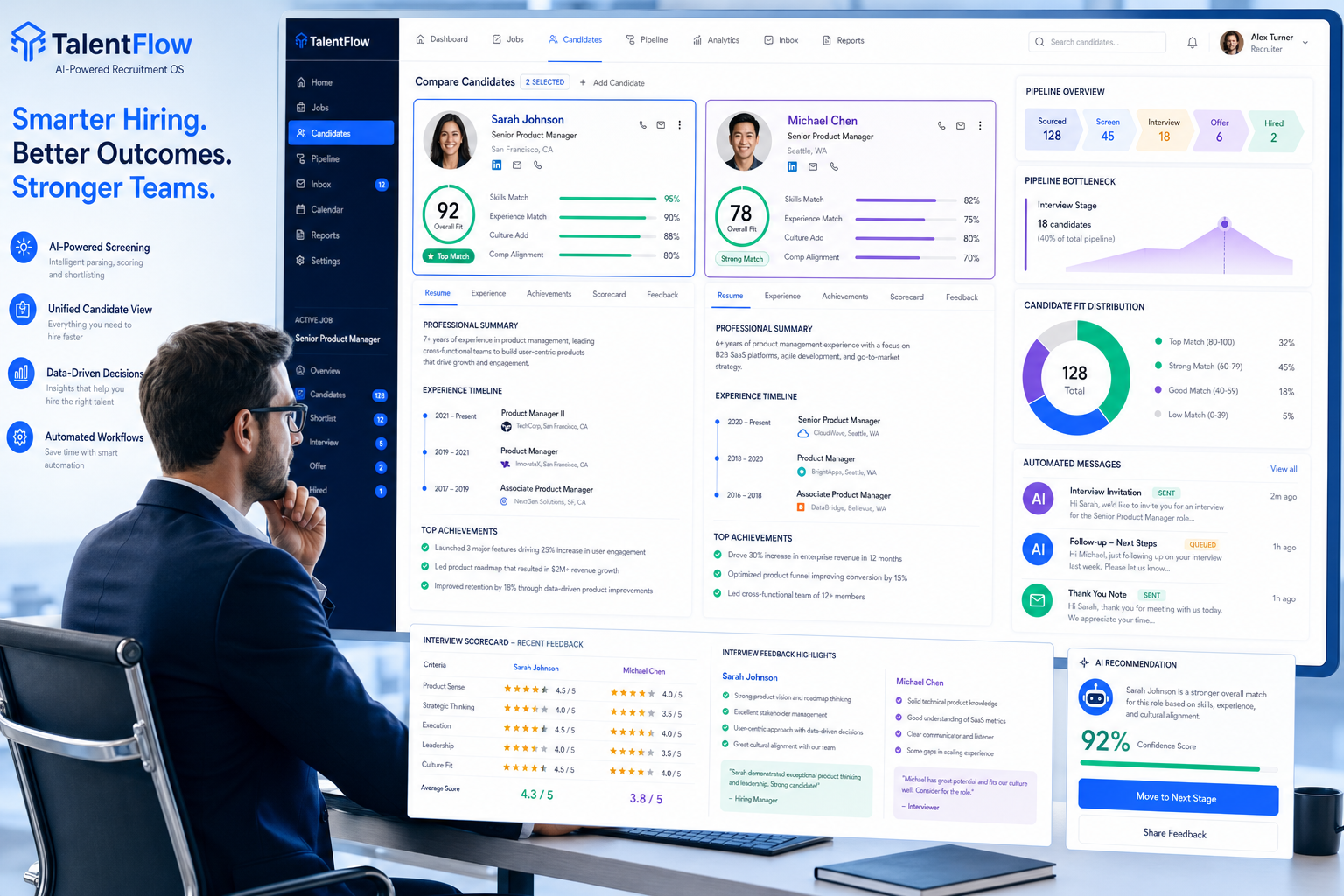
In practice, a strong ats for recruiters does more than hold resumes. It supports a repeatable process for posting jobs, tracking applicants, scheduling interviews, managing feedback, and showing what is actually happening inside the pipeline. The operational value appears when recruiters no longer have to piece together candidate history from inboxes, spreadsheets, and side notes.
The core applicant tracking system benefits usually include:
- Candidate tracking across every pipeline stage
- Job posting workflows that reduce duplicate work
- Interview scheduling with less back-and-forth
- Resume parsing so candidate data is searchable
- Structured feedback collection for better decisions
- Automation for reminders, status updates, and repetitive admin
- Analytics for time-to-fill, stage conversion, and recruiter workload
From experience, the real test is simple: does the system help your team identify the strongest candidates faster, or does it create one more layer between recruiter judgment and hiring action?
The Resume Test for ATS Selection
One useful way to evaluate an applicant tracking system for recruiters is to ask whether it supports the same standards a good recruiter uses when reading a resume. The reference point is practical: clarity, relevance, highlights, and outcomes.
1. Clarity should survive the system
Good resumes are usually clear, chronological, and easy to scan. Your ATS should preserve that clarity, not bury it under poor parsing, weak formatting, or cluttered candidate views. If recruiters have to open attachments repeatedly because parsed data is unreliable, the system is slowing evaluation.
2. Recent and relevant experience should be easy to spot
Recruiters usually want to see whether the candidate’s latest work connects to the open role. The best systems make recent experience visible quickly through clean profile views, searchable fields, and meaningful tags or filters.
3. Career highlights should not get lost
Strong candidates often stand out through specialization, technical tools, certifications, industry exposure, or functional strengths. A recruiter-first ATS should make those highlights easy to capture and compare, whether they come from the resume, sourcing notes, or screening conversations.
4. Achievements matter more than vague responsibilities
Outcome-focused resumes are easier to sell internally because they show impact. The same principle applies to hiring systems: they should help teams document what matters, not just that a conversation happened. Notes, scorecards, and screening records should make it easier to compare evidence of performance.
This is one reason the best ATS decisions often come from workflow observation, not marketing claims. If the system cannot support fast, evidence-based review of candidate information, it will not feel like the best recruiting software once the team is under hiring pressure.
Types of ATS for Recruiters
Not every ATS is built for the same recruiting model. Before comparing options, decide which operating style best fits your work.
Recruiter-first ATS
This type of ats for recruiters focuses on sourcing support, pipeline movement, scheduling, candidate review, and collaboration. It is usually the strongest fit for internal recruiting teams or search professionals who need execution depth.
ATS plus relationship-management workflow
Some recruiters, especially in agency or search settings, need more than applicant tracking. They need ways to manage longer-term candidate relationships, reusable talent pools, and client-specific workflows.
All-in-one HR suite with ATS module
These systems can make sense when broader HR consolidation matters more than recruiter workflow sophistication. They may be useful for companies prioritizing simplicity across onboarding, people records, and core HR operations.
Lightweight ATS for lean teams
This is where many best ats systems for small business evaluations belong. Smaller teams often need quick setup, straightforward workflows, and low admin burden more than deep customization.
A common buying mistake is assuming one of these categories is inherently better. Usually, the right answer depends on who runs hiring day to day and how much recruiting complexity the system must absorb.
Quick Comparison Table
Use a practical scoring framework when comparing systems. It keeps demos focused on workflow fit instead of feature theater.
| Comparison Field | What to Check | Why It Matters |
|---|---|---|
| Best for | Small business, internal TA, agency, or high-volume hiring | Prevents buying the wrong workflow model |
| Candidate record quality | Parsed resume view, chronology, searchability | Supports faster fit assessment |
| Highlights capture | Tags, custom fields, screening notes | Helps recruiters compare strengths clearly |
| Achievement tracking | Scorecards, notes, structured feedback | Improves evidence-based decisions |
| Job posting | Single workflow or multi-channel distribution | Reduces admin work |
| Interview scheduling | Calendar coordination and reminders | Saves recruiter and manager time |
| Automation | Emails, tasks, status triggers | One of the biggest applicant tracking system benefits |
| Integrations | Email, calendar, HRIS, assessments | Affects real-world usability |
| Reporting | Pipeline health, source data, conversion | Shows where hiring slows down |
| Starting price | Entry plan and user or job limits | Essential for understanding ats software price |
A useful demo habit is to bring three sample resumes: one strong, one average, and one messy. Ask the vendor to show how each would look in the system, how a recruiter would compare them, and how hiring manager feedback would be captured.
Best ATS Systems for Small Business
The phrase best ats systems for small business often gets reduced to cost alone, but that is too narrow. Small teams usually need software that is affordable, learnable, and resilient enough to support manager-led hiring without constant recruiter cleanup.
For a small business, the best ats for recruiters usually has:
- Fast setup without a long implementation cycle
- Simple workflows that hiring managers can follow
- Clear candidate records that make resume review easy
- Basic automation for reminders and communication
- Useful reporting without enterprise complexity
- Transparent pricing with fewer add-on surprises
Small teams feel the benefits quickly because they are often replacing fragmented hiring habits. Instead of storing resumes in email folders and reviewing candidates through scattered threads, the team gets one shared process and one cleaner source of truth.
If you are screening tools in this segment, ask:
- Can a hiring manager understand the candidate view in one sitting?
- Can the team see highlights and achievements quickly enough to make decisions?
- Will the system still make financial sense if hiring slows for a quarter?
Features That Matter Most
Feature lists get noisy fast, so focus on the functions that change recruiter execution.
Candidate tracking and pipeline visibility
This is the foundation of any applicant tracking system for recruiters. Recruiters need to move candidates through stages, search records, review communication history, and see where progress has stalled.
Resume parsing and candidate profile quality
This matters more than many buying teams expect. If the system cannot turn resumes into usable, structured candidate profiles, recruiters lose time re-reading attachments and manually reconstructing fit.
Structured notes, highlights, and feedback
A candidate may look promising because of niche software knowledge, industry exposure, or project impact. Good software helps capture those strengths consistently so they are not lost between sourcing, screening, and stakeholder review.
Interview scheduling
Scheduling friction slows hiring more than teams realize. Strong tools reduce coordination delays and keep everyone aligned on next steps.
Automation and workflow triggers
Useful automation includes reminders, stage-change emails, follow-up tasks, and coordination prompts. The goal is to remove repetitive work, not automate final judgment.
Analytics and reporting
The best recruiting software helps teams understand where hiring slows down, where candidates drop off, and whether recruiter bandwidth matches open demand.
Using AI Recruiter With an ATS
An ATS and an outreach automation tool solve different parts of the recruiting process, which is why pairing them can work well when used carefully. In my own testing, the most practical split is this: let the ATS own candidate records, pipeline stages, notes, and decision history, while AI Recruiter handles some of the repetitive top-of-funnel LinkedIn work that usually burns recruiter hours.
What I found useful about StrategyBrain AI Recruiter was not a vague promise of automation, but the specific fit for common sourcing bottlenecks. It can initiate candidate outreach on LinkedIn, continue conversations outside normal working hours, and collect resumes or contact details from candidates who are interested. That is especially helpful when you are juggling hard-to-reach passive talent, multilingual outreach, or late-night candidate replies that would otherwise sit untouched until the next day.
Just as important, it does not remove the recruiter from the critical evaluation step. The recruiter still decides whether the resume shows the right chronology, whether the most recent experience matches the role, and whether the candidate’s achievements are actually strong enough to move forward. In other words, it can reduce manual effort at the top of funnel while leaving the judgment-heavy work where it belongs.
For teams that rely heavily on LinkedIn sourcing, that collaboration model can be effective: outreach and resume capture stay active, while the ATS remains the place where candidate quality is reviewed and the process is managed.
ATS Software Price Explained
ATS software price is one of the most important buying questions because the visible starting rate rarely reflects the full operating cost.
Common pricing models
- Per recruiter: cost rises with each recruiting user
- Per employee: pricing ties to company headcount
- Per job: pricing depends on active openings
- Flat fee: one recurring rate for a defined feature set
When comparing ats software price, ask four practical questions:
- What does the entry tier really include? User, workflow, or reporting limits often matter more than the headline number.
- Which functions cost extra? Implementation, premium support, integrations, or advanced analytics may not be included.
- What is limited operationally? Cheaper plans may restrict automation, custom stages, or collaboration tools.
- What happens when hiring volume changes? Pricing can look efficient at today’s scale and become awkward at the next stage.
Practical buying note: ask vendors to price your likely next operating stage, not just your current one. That matters even more if you expect to move from ad hoc hiring into a formal recruiting process.
The smartest comparison is not lowest monthly spend. It is whether the system reduces enough manual review, coordination, and candidate loss to justify its place in your workflow.
How to Evaluate Options
A structured buying process is the best defense against shiny demos and weak implementation fit.
Step 1: Define your hiring model
List hiring volume, role complexity, recruiter involvement, and how many stakeholders touch each requisition.
Step 2: Map your real candidate-review workflow
Document how resumes arrive, how candidates are screened, what hiring managers need to see, and where notes or decisions currently get lost. This step often reveals whether your main pain point is sourcing, evaluation, coordination, or reporting.
Step 3: Test with realistic candidate material
Use resumes that vary in quality. Include one that is clear and achievement-focused, one that is overly long, and one that is relevant but poorly presented. The demo should show whether the software helps recruiters recover signal from messy inputs.
Step 4: Check recruiter and manager usability
An ats for recruiters still fails if hiring managers cannot review candidates or leave feedback efficiently.
Step 5: Review cost using real assumptions
Evaluate ats software price using your expected number of users, jobs, and workflow needs over the next year, not a stripped-down starter scenario.
Common Buying Mistakes
Even experienced teams can choose the wrong platform when they focus on the wrong signals.
Choosing software that stores candidates but does not support evaluation
If candidate review is clunky, recruiters spend more time reconstructing fit from resumes and side notes.
Buying broad HR coverage when recruiter workflow is the real need
A suite may look efficient, but if recruiter execution is weak, daily hiring quality suffers.
Ignoring hiring manager adoption
If managers cannot quickly understand candidate highlights, leave feedback, or compare applicants, the process still slows down.
Comparing starting prices without checking limits
This is one of the biggest errors in ats software price evaluation. Entry plans often hide meaningful restrictions.
Overvaluing AI labels
Automation is useful when it clearly supports sourcing, follow-up, or workflow continuity. It is less useful when it is presented as a substitute for recruiter judgment.
FAQ
How does an ATS for recruiters work?
An ats for recruiters centralizes candidate records, tracks applicants through stages, supports job posting, helps schedule interviews, organizes feedback, and gives teams a clearer recruiting process.
What are the main applicant tracking system benefits?
The main benefits are better visibility, less manual coordination, more consistent candidate handling, stronger collaboration with hiring managers, and easier reporting.
What matters most when comparing the best ATS systems for small business?
Focus on ease of use, candidate record clarity, setup time, light automation, and pricing transparency. Smaller teams usually need simplicity more than deep customization.
How should I think about ATS software price?
ATS software price should be evaluated against workflow value, not only monthly cost. Check plan limits, add-on fees, and how pricing changes with users, jobs, or hiring volume.
Can AI outreach tools replace recruiter judgment?
No. They can help with repetitive messaging, follow-up, and resume collection, but recruiters still need to review candidate experience, assess relevance, and decide next steps.
When should a team upgrade from spreadsheets or lightweight tools?
Usually when resumes, feedback, and candidate status are spread across email and shared docs, scheduling takes too long, or leaders need reporting that is difficult to produce manually.
Conclusion
The best recruiting software is the system that helps recruiters judge candidates clearly, run a consistent process, and reduce manual drag without adding unnecessary complexity. That is why the right buying lens is not just features. It is whether the software supports the way recruiters actually evaluate talent: recent relevance, visible strengths, and outcome-focused evidence.
If you are choosing an ats for recruiters, compare tools based on candidate record quality, workflow fit, manager usability, and realistic cost. That approach is usually more valuable than chasing broad feature lists, especially when reviewing the best ats systems for small business or trying to understand ats software price in practical terms.
Good recruiting systems do not just hold resumes. They help teams see the right candidates faster, make cleaner decisions, and keep hiring momentum intact.














