


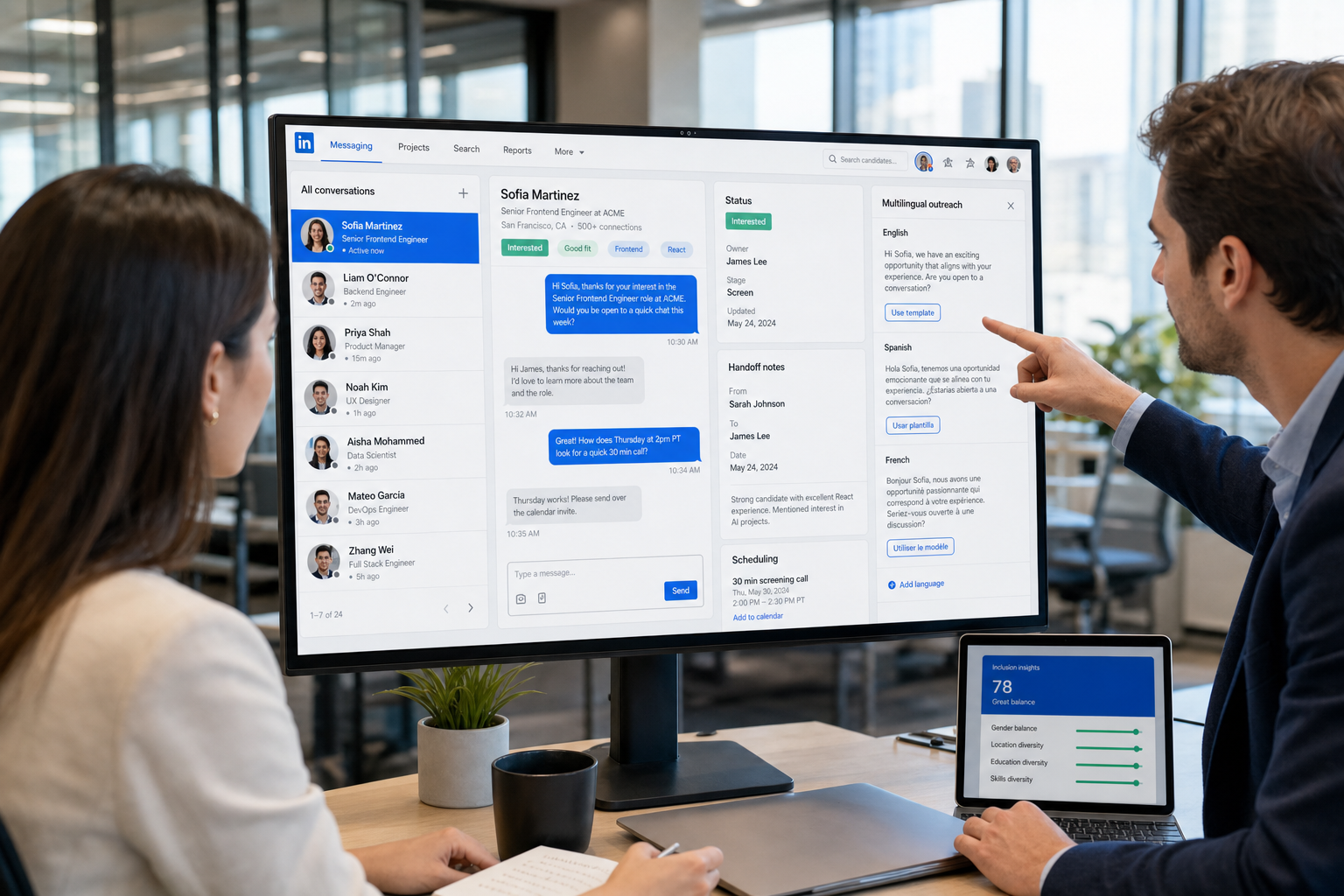
This guide helps headhunters judge hire platform options where context breaks, avoiding candidate trust and handoff mistakes.
That standard matters because recruiting breaks down fastest in situations where communication cannot be sloppy. A missed note, the wrong name in a message, unclear ownership, or an outreach sent without context can damage candidate trust, slow internal alignment, and create real risk for recruiters, small search firms, and in-house teams trying to help businesses hire well. In practice, the cost is not only time-to-fill. It is also candidate experience, hiring manager confidence, and the credibility of the recruiting function.
In my own workflow, tools that reduce this kind of friction tend to earn a place in the stack. When I have needed help with repetitive outreach, after-hours replies, and multilingual candidate communication on LinkedIn, StrategyBrain AI Recruiter has been useful as a support layer rather than a replacement for recruiter judgment. Its strength is handling first-touch messaging, ongoing follow-up, and résumé or contact collection at scale, while the recruiter still makes the final call on fit, résumé review, and next steps. That distinction matters whenever hiring technology touches sensitive communication.
Think about a common HR moment that has nothing to do with software demos and everything to do with real workplace judgment. An employee tells HR they are transgender and wants support on what happens next. The task is immediately human and operational at the same time: confirm the right name and pronouns, understand what stays private, decide who needs to know, update internal records carefully, and avoid turning a personal disclosure into workplace gossip. The original inclusion guidance around this kind of situation also points to practical changes such as gender-neutral bathrooms, more inclusive language, flexible dress expectations, and training for both HR and employees.
Now place that same pressure inside recruiting operations. If your team cannot consistently capture preferences, conversation history, stage ownership, and who said what to whom, the problem is bigger than etiquette. It becomes a software selection issue. The best recruiting software is not just a database; it is a hire platform that helps recruiters preserve context, support respectful communication, and coordinate actions across a broader hiring technology stack as businesses hire across more teams, geographies, and candidate expectations.
Why context matters in recruiting software
One useful lesson from HR inclusion work is simple: respectful process depends on accurate context. When an employee shares something personal, HR cannot improvise with scattered notes and inconsistent communication. Recruiting is similar. Candidates expect teams to remember prior conversations, handle details carefully, and communicate in ways that reflect the role, timing, and relationship.
That is why I rarely evaluate the best recruiting software by feature count alone. I look first at whether the system supports careful work under pressure. Can recruiters see communication history in one place? Can hiring managers act without creating duplicate messages? Can coordinators schedule interviews without losing nuance? Can the platform help teams standardize inclusive language and candidate handling rather than relying on memory?
The strongest hire platform choices usually improve three things at once:
- Context retention so recruiters are not guessing about candidate preferences or prior conversations
- Process consistency so teams do not handle sensitive or high-stakes communication differently by person
- Operational speed so care does not become an excuse for delays
Those are not abstract benefits. They affect response quality, employer brand, and recruiter efficiency every week.
What recruiting software should include in a real workflow
Recruiting software is broader than applicant storage. In most live environments, a modern system touches sourcing, outbound communication, job posting, career pages, pipeline stages, interview scheduling, collaboration, reporting, and sometimes onboarding. Buyers often use different labels, but when they search for the best recruiting software, they are usually trying to assemble a practical hire platform that supports end-to-end work.
That becomes more important when candidate communication is not purely transactional. A recruiter may need to manage outreach tone, preference tracking, status changes, or handoffs between HR, TA, and hiring managers. An applicant tracking system can support stage movement well, but stage movement alone does not solve relationship management or communication quality.
From an operating perspective, the clearest benefits show up when software reduces preventable friction such as:
- Duplicate outreach from multiple team members
- Missing notes about candidate circumstances or preferences
- Slow handoffs between recruiter, coordinator, and hiring manager
- Inconsistent documentation that weakens compliance and reporting
- Scattered communication tools that make it hard to reconstruct what happened
In other words, the best recruiting software should help recruiters act with both speed and care. That balance is where good hiring technology earns its keep.
Best recruiting software by use case
Not every team needs the same system. Most buying mistakes happen when companies compare tools without first defining the hiring environment. The right hire platform for a small HR team is usually different from the right one for a staffing desk or an enterprise TA function.
| Use case | What matters most | Practical recommendation |
|---|---|---|
| Small business | Ease of use, fast setup, job posting, scheduling, clear records | Choose a simple hire platform that keeps all candidate communication visible and manageable |
| High-volume hiring | Automation, screening flow, templates, scheduling, reporting | Prioritize hiring technology that prevents recruiter overload and keeps candidate touchpoints organized |
| Staffing agency | Sourcing, relationship tracking, recruiter speed, client coordination | Look beyond ATS basics and assess CRM depth plus outreach workflow support |
| Enterprise team | Permissions, integrations, governance, analytics, process control | Focus on consistency across teams and the ability to document high-stakes interactions well |
Small business recruiting teams
Small businesses hire with fewer layers of support, so the software has to be easy for HR generalists and hiring managers to use. In these settings, one centralized hire platform often delivers the most value because it reduces tool switching and keeps communication history in one place.
My advice is to avoid overbuying. If the system is too complex, managers stop using it and recruiters end up maintaining the process manually anyway.
High-volume hiring environments
For high-volume teams, speed matters, but speed without clarity creates mistakes. The best recruiting software here should support automation, candidate sorting, message templates, and interview coordination without turning candidates into numbers. This is where strong hiring technology can reduce admin while preserving consistency in communication.
Staffing agencies and search firms
Agency recruiters often need more than stage-based tracking. They need talent pools, repeat outreach, relationship notes, and a practical way to manage candidate interest over time. A rigid ATS can feel too narrow for this model, especially when recruiters are handling sensitive searches or nuanced candidate motivations.
In my own agency-style work, LinkedIn outreach has been one of the biggest time drains, especially when replies arrive after hours or across time zones. Used carefully, AI Recruiter can help with first outreach, multilingual replies, and collecting résumés from interested candidates so the recruiter can spend more time on shortlist judgment and client calibration. I would still never outsource final qualification to automation, but I have found it useful for keeping response flow alive when manual follow-up would otherwise stall.
Enterprise talent acquisition teams
Enterprise teams need control as much as speed. Permissions, approvals, auditability, and standardized communication matter because more stakeholders are involved. Here, the best recruiting software is usually the one that makes it easier to coordinate recruiters, HR operations, legal, and hiring managers around a shared process.
Must-have features in a modern hire platform
Features are only meaningful if they map to real recruiting work. I generally recommend evaluating them through the same lens raised by the opening inclusion scenario: does the system help your team respond accurately, respectfully, and consistently?
1. Centralized candidate records
The platform should keep names, notes, communication history, and stage changes visible in one place. If recruiters must search inboxes and spreadsheets to recover context, the software is not doing enough.
2. Multi-channel job distribution and career pages
A strong hire platform should simplify job posting and candidate-facing presentation across channels. That matters whenever businesses hire across roles, locations, or business units.
3. Sourcing and relationship management
Good recruiting software should support both inbound and outbound work. Recruiters need structured talent pools, tags, and historical notes so promising people are not treated like strangers every time a new role opens.
4. Communication tools with traceable history
This is one of the most underrated areas in hiring technology. Communication should be visible, searchable, and easy to hand off. If the system cannot preserve context around outreach, candidate questions, or internal discussion, it becomes harder to recruit well.
5. Interview scheduling and team coordination
Scheduling is often where operational discipline breaks down. The best recruiting software reduces back-and-forth, surfaces interviewer responsibilities, and lets hiring managers move quickly without creating confusion.
6. Analytics that explain process health
Operational reporting should answer practical questions: where drop-off happens, which steps delay decisions, and where recruiters are carrying unnecessary manual work. Decorative dashboards are less useful than clear funnel visibility.
7. Automation with human checkpoints
Automation works best when it removes repetition but preserves reviewer control. That includes message sequencing, reminders, status routing, and early candidate engagement. It should not eliminate recruiter judgment on fit, readiness, or next steps.
That is also how I think about StrategyBrain AI Recruiter. The value is not that it decides who gets hired. The value is that it can take over repetitive LinkedIn outreach motions, reply continuously, and gather contact details from interested candidates while leaving the substantive decision to the recruiter.
8. Onboarding or downstream handoff support
If your TA-to-HR handoff is messy, software should reduce duplicate entry and preserve records through the transition. This matters even more when candidate identity details, documentation, or accommodation-related information must be handled with care.
Recruiting software vs ATS: what is the difference?
An applicant tracking system is usually the process engine for moving candidates through stages. Recruiting software is the broader category that may include an ATS plus sourcing, CRM-style tools, communication, scheduling, automation, analytics, and onboarding support.
That difference matters because many teams buy for stage control when the real problem is context management. If your biggest pain is approvals and status tracking, ATS requirements may be enough. If your biggest pain is fragmented outreach, lost notes, poor handoffs, or candidate communication quality, you need to evaluate the full hire platform and the surrounding hiring technology stack.
Simple rule: if your team keeps asking, “Where is the latest candidate context?” you are no longer solving only for ATS functionality.
How to choose the right platform
A disciplined process is more useful than a long shortlist. Here is the evaluation framework I recommend.
Start with your hiring model
Clarify your volume, role types, sourcing mix, recruiter headcount, and hiring manager involvement. Selection gets easier once you know whether your real challenge is pipeline administration, candidate engagement, or team coordination.
Identify where context gets lost
Look for the exact points where your process becomes unreliable. Common examples include unclear ownership, duplicate outreach, missing candidate notes, weak internal visibility, and message inconsistency.
Borrow a lesson from inclusion work: respect individual realities
The HR guidance behind transgender employee support is useful here because it emphasizes not assuming, letting the individual define boundaries, and documenting carefully. In recruiting terms, that means software should support preference capture, consistent records, and role-appropriate access to information. Systems that flatten all candidates into the same rigid workflow often create avoidable friction.
Test for inclusive and flexible communication
Ask whether your software supports respectful, personalized outreach at scale. This includes templates, but also editing control, visible history, and communication options across channels and languages. If you recruit internationally, multilingual support can be practical rather than optional.
Check implementation reality
Ask who configures workflows, how migration happens, what training is required, and how hiring managers will interact with the system. A good platform on paper can still fail if the team lacks capacity to maintain it.
Use scenario-based demos
During demos, do not accept a generic product tour. Ask vendors to show a complete scenario:
- A recruiter opens and posts a requisition
- A candidate receives outreach or applies
- Communication history is captured and shared
- A hiring manager reviews and comments
- An interview is scheduled
- A final decision is documented and reported
That is the easiest way to verify whether the software supports real recruiting behavior rather than just a polished presentation.
Implementation and rollout advice
Implementation determines whether a hire platform becomes an operating system or just another storage layer.
For recruiters
Agree early on how notes, stages, outreach history, and candidate preferences will be captured. If each recruiter uses the system differently, reporting becomes unreliable and handoffs weaken.
For HR leaders
Set ownership for workflow changes, permissions, templates, and data definitions. The best hiring technology supports discipline, but leaders still have to define the rules.
For hiring managers
Keep the manager experience simple. Most hiring managers need fast review, clear status visibility, and easy feedback entry. Overcomplicated interfaces reduce adoption.
For agency and search teams
Protect recruiter speed while formalizing communication records. Fast desks often revert to inboxes and spreadsheets when systems feel rigid. That is also why I sometimes separate core ATS control from outreach support. In a LinkedIn-heavy search workflow, AI Recruiter can carry repetitive first-contact work, but I still keep shortlist review, relationship nuance, and client-facing decisions in recruiter hands.
Common mistakes when comparing the best recruiting software
- Buying for a feature list instead of a workflow: start with your most common hiring motion, not the longest demo.
- Treating ATS scope as the whole problem: stage tracking is useful, but it does not solve sourcing or communication by itself.
- Ignoring communication quality: candidate trust often depends on consistent, respectful follow-up.
- Underestimating inclusion requirements: systems should help teams manage names, records, and access carefully.
- Overvaluing automation claims: ask where the recruiter still reviews, decides, and takes accountability.
- Skipping future-state planning: businesses hire differently as they grow, so your software should support both current and next-stage complexity.
FAQ
What is the best recruiting software for most teams?
There is no single best option for every team. The right choice depends on hiring volume, sourcing needs, internal coordination, and whether your biggest issue is stage management or broader communication workflow.
What is a hire platform?
A hire platform is a broader recruiting system that may include applicant tracking, sourcing, communication, scheduling, analytics, and onboarding support. It is usually evaluated as part of a larger hiring technology stack.
How is recruiting software different from an ATS?
An ATS mainly manages candidates through hiring stages. Recruiting software is the wider category that can also include sourcing, CRM functions, automation, reporting, and candidate communication tools.
What should small businesses prioritize?
Small businesses hire more effectively when the system is easy to use, quick to implement, and clear for both recruiters and hiring managers. Simplicity and visibility usually matter more than deep customization.
Can AI help without replacing recruiters?
Yes. AI can support repetitive work such as outreach, follow-up, and candidate organization, while recruiters keep control of fit assessment, résumé review, and final decisions.
When does LinkedIn outreach support become important?
It becomes important when recruiters depend heavily on outbound search, work across time zones, or lose momentum because manual reply management takes too much time. In those cases, a separate support tool can complement the main hire platform.
Final thoughts
The best recruiting software is not just the system with the most features. It is the hire platform that helps your team keep context intact, communicate well, and move quickly without becoming careless. The lesson from inclusion-focused HR work is relevant here: people processes fail when systems do not support respect, clarity, and follow-through.
If you are building a shortlist, compare tools by use case first, then by communication control, then by implementation readiness. That sequence tends to produce better decisions than feature marketing alone, especially as businesses hire through more complex workflows and expect more from their hiring technology.














