


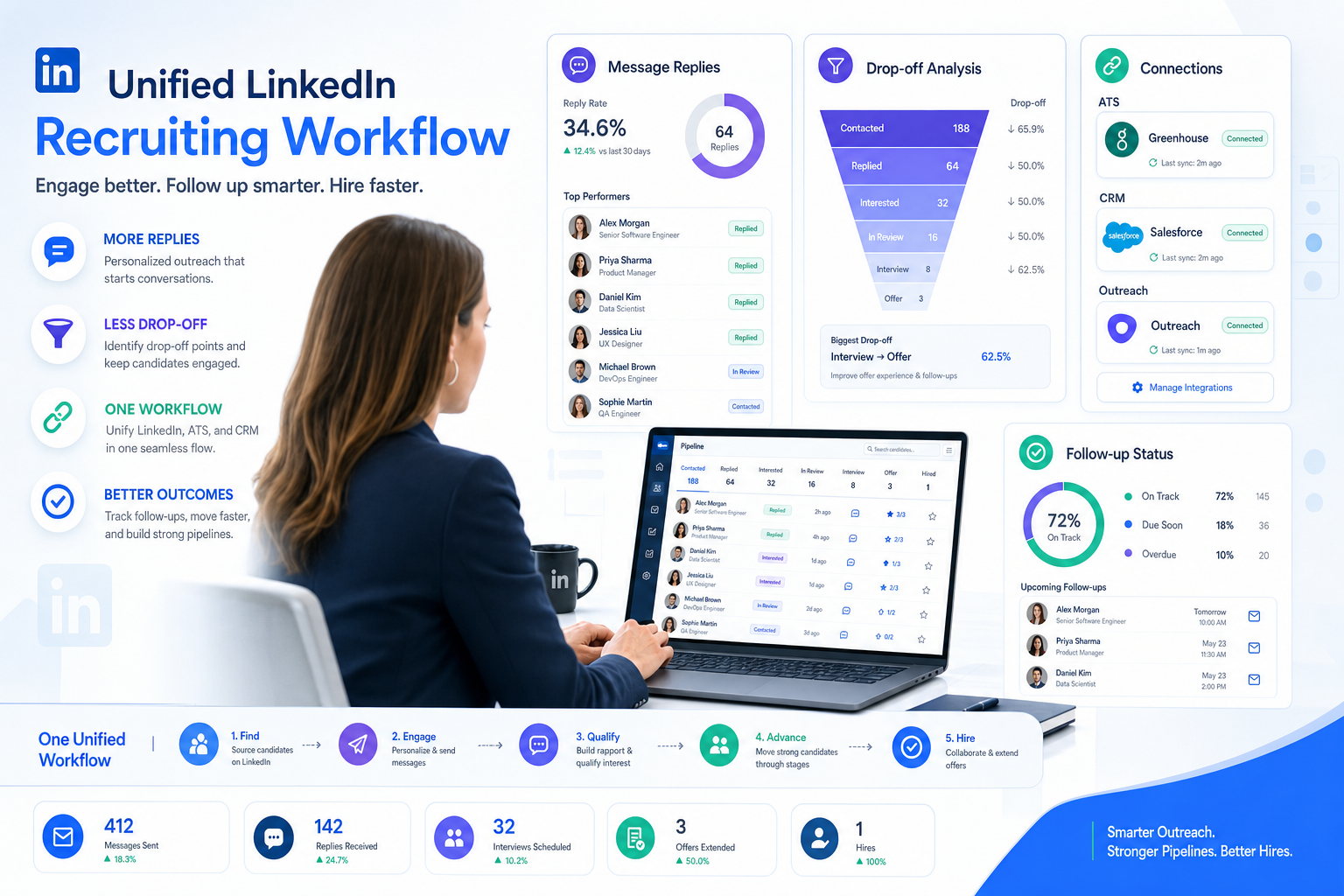
When follow-up gaps and tool sprawl slow placements, this article helps recruiting leaders judge which ai recruiting tool will reduce drop-off.
That matters because most recruiting breakdowns do not start with a bad search string. They start when candidate replies come in after hours, recruiter notes sit in inboxes, hiring managers lack context, and promising people disappear between outreach, screening, and follow-up. For a small agency owner, that means slower placements and weaker client confidence. For an individual recruiter, it means duplicated effort and missed conversations. For an in-house talent lead, it can damage employer brand just when competition for talent gets tighter.
I have found that an AI-supported workflow helps most when it handles the repetitive front end without pretending to replace recruiter judgment. In that context, AI Recruiter is relevant because it can keep candidate conversations moving around the clock, continue outreach on LinkedIn, and collect resumes or contact details from interested people while the recruiter still owns final review, fit assessment, and next-step decisions. That division of labor is practical: automation keeps momentum, while the recruiter decides who is actually worth progressing.
The underlying issue is not new. Years ago, HR leaders were already being pushed by the same pressures that still shape software decisions now: a continuing war for talent, multigenerational workforces, the need to re-engage talent pipelines, mobile-first candidate behavior, and rising dependence on integrated data. Picture the recruiting lead who has just reopened several requisitions and starts by checking response queues, updating candidate stages, and chasing prior outreach history across separate tools. A candidate has replied on mobile, another has asked for role details on social, and a hiring manager wants a clean shortlist before the day ends.
What slows that recruiter down is not one dramatic failure but a chain of small disconnects. The talent pipeline needs constant re-recruiting, but follow-up is uneven. Employer brand matters, but messages are inconsistent across channels. Data should simplify the workflow, yet the recruiter is still switching between an ATS, spreadsheets, LinkedIn messages, and reporting tabs just to understand who engaged, who dropped off, and who should move forward.
That scene is exactly why the search for the best recruiting software has changed. Teams are no longer choosing only an ATS or only a contact database. They are trying to solve the same structural problems exposed by those workplace trends: keep candidates engaged, support mobile and social communication, unify fragmented data, and make better decisions with cleaner records. That is where an ai recruiting tool, the best free crm for recruitment, and a true crm for staffing agency need to be evaluated as parts of one operating model rather than three unrelated purchases.
Table of Contents
- Why the Definition of Best Recruiting Software Changed
- A Trend-Based Checklist for Modern Recruiting Software
- Quick Comparison by Team Type
- What an AI Recruiting Tool Should Actually Improve
- What a CRM for Staffing Agency Teams Must Handle
- How to Evaluate the Best Free CRM for Recruitment
- ATS vs Recruiting CRM: Where Teams Get Stuck
- How to Choose Without Buying Another Silo
- Common Mistakes Recruiters Make
- FAQ
Why the Definition of Best Recruiting Software Changed
If you have worked in recruiting for any length of time, the pattern is familiar. Market conditions change, candidate expectations shift, and suddenly the tools that once felt adequate start creating friction. The old split between applicant tracking, CRM, outreach, sourcing, and reporting is harder to justify when talent teams are expected to move faster with fewer administrative gaps.
That is why the best recruiting software today usually looks like a connected operating system rather than a stand-alone database. It needs to support talent scarcity, ongoing candidate engagement, mobile communication, and decision-making based on live records instead of stale exports. Those priorities line up closely with the workplace trends HR teams were already responding to: stronger competition for talent, more channels to manage, and more pressure to unify data.
From a recruiting operations perspective, the best setup creates one source of truth. Recruiters can see where a candidate came from, what message they received, whether they replied, what stage they are in, and what the hiring manager said next. Agencies also need client-side visibility, while in-house teams need structured requisition and approval workflows.
Key takeaway: The best recruiting software is no longer the tool with the longest feature list. It is the system that reduces drop-off, protects recruiter time, and keeps candidate and client context intact across the full workflow.
A Trend-Based Checklist for Modern Recruiting Software
The trend lens is useful because it keeps evaluations tied to real recruiting pressure. Instead of asking whether a platform has AI, ask whether it helps with the operational realities that continue to matter.
1. Talent scarcity and pipeline durability
When competition for talent stays intense, the software should help you keep potential candidates warm instead of treating every search like a restart. This is where CRM functionality matters just as much as ATS workflow.
2. Candidate re-engagement
One of the clearest lessons from long-running labor market pressure is that recruiters must re-recruit their own database. Good software should make it easy to rediscover, segment, and follow up with people who were previously qualified but not placed or hired.
3. Mobile-first communication
Candidates reply from phones, often outside business hours. If your process depends on recruiters manually catching every response, speed suffers. Your software should support mobile-friendly communication records and consistent handoffs.
4. Social and brand consistency
Whether you are an agency or internal team, your outreach language and response speed shape how your market perceives you. Software should help recruiters maintain message consistency without turning every interaction into robotic copy.
5. Data integration and usable reporting
Recruiting data should help recruiters make decisions, not create another admin burden. Reporting has to connect activity, source, stage movement, and outcomes in a way that people on the desk can actually use.
6. Support for overwhelmed teams
The best systems reduce clicks, duplicate entry, and context switching. If a platform adds administrative complexity in the name of sophistication, recruiters will bypass it.
Quick Comparison by Team Type
There is no single winner for every use case. The right platform depends on how your team delivers recruiting work and where the handoff risks sit.
| Team Type | Main Pressure Point | What to Prioritize | Why AI Matters |
|---|---|---|---|
| Staffing agency | Managing both candidates and clients | Unified ATS + CRM, submissions, outreach history, BD visibility | Helps maintain follow-up volume without losing context |
| In-house talent team | Hiring manager coordination | Requisitions, approvals, interview workflow, reporting | Useful for screening support and process automation |
| Executive search | Long-cycle relationship depth | Search precision, notes, talent mapping, confidentiality | Best when it improves recall and research speed |
| Small recruiting team | Too much admin for too few people | Ease of use, fast setup, simple automation, low tool sprawl | Can absorb repetitive outreach and candidate replies |
| Enterprise recruiting | Governance across many stakeholders | Permissions, integrations, structured analytics, standardization | Needs to fit policy and reporting requirements |
What an AI Recruiting Tool Should Actually Improve
Buyers often over-focus on resume screening when they evaluate an ai recruiting tool. In practice, the more useful test is whether AI improves recruiter speed and record quality across several steps, not just one.
AI sourcing and outreach continuity
Useful AI should help recruiters sustain activity, especially where response timing matters. In my own testing of LinkedIn-heavy workflows, the biggest value has not been flashy copy generation. It has been keeping first-touch outreach and candidate replies from stalling overnight or across time zones. That is where AI Recruiter stands out as a practical layer for LinkedIn use: it can continue candidate conversations, introduce role basics, ask whether someone is open to hearing more, and gather resume or contact details for the recruiter to review later. The recruiter still decides fit, but the desk loses less momentum.
Search and matching that save real time
Matching should narrow the field intelligently without hiding why people surfaced. Ask your team to test common roles and difficult roles. If the ranking only works on obvious searches, it will not hold up in live desk conditions.
Resume capture and profile normalization
Strong systems turn documents and conversations into structured, searchable records. That remains one of the most practical applicant tracking system benefits: less manual cleanup and stronger rediscovery later.
Automated follow-up without losing human ownership
For hard-to-fill and agency environments, follow-up consistency is often more valuable than another dashboard. Automation should support reminders, sequences, and response handling while leaving final qualification and shortlist decisions to the recruiter.
Data hygiene and timeline clarity
The quieter AI features are often the most valuable. Clean timelines, updated contact records, and visible recency help recruiters avoid duplicate outreach and embarrassing misses.
Reporting that helps a desk leader act
Good reporting is not just for executives. Recruiters and team leads need to see where candidates are dropping off, where responses are strongest, and whether workflow bottlenecks are actually improving.
What a CRM for Staffing Agency Teams Must Handle
A crm for staffing agency use cases needs to do more than store contacts. It has to connect candidates, clients, jobs, submissions, outreach, and recruiter activity in one place. Otherwise, every desk creates its own workaround.
This is where many agency leaders make a costly mistake: they adopt an ATS that handles applicants reasonably well, then bolt on a generic sales CRM for accounts. On paper it seems efficient. In reality, recruiters end up reconciling candidate records, client notes, and job activity across separate systems that were never designed to share recruiting context.
A strong agency workflow should answer these questions without manual digging:
- Which candidates have already been contacted for this client or role?
- What response did they give, and when?
- Who submitted the profile, and what happened next?
- Which client relationships are active, stalled, or under-served?
- Can another recruiter pick up the desk without losing context?
If your team works heavily through LinkedIn, I also see value in pairing the main system of record with a dedicated automation layer for top-of-funnel messaging. Used carefully, AI Recruiter can keep those repetitive first-stage conversations moving so consultants spend more time reviewing actual interest and less time chasing unread messages. It works best as a workflow assistant, not as a replacement for recruiter judgment.
How to Evaluate the Best Free CRM for Recruitment
The phrase best free crm for recruitment attracts plenty of clicks because smaller teams want to avoid overcommitting early. That is sensible, but free plans should be judged by operational fit, not by the word free.
In my experience, free-start recruiting tools usually become limiting in the same few places:
- User limits: fine for solo use, weak for growing teams.
- Record caps: candidate pipelines grow faster than buyers expect.
- Automation restrictions: useful follow-up features are often paywalled.
- Reporting depth: enough for activity logging, not enough for management.
- ATS completeness: stage movement and collaboration may be partial.
| Evaluation Question | Why It Matters |
|---|---|
| Can it manage both candidates and clients? | Essential for agency workflows |
| Does it include real pipeline stages? | Separates a contact tool from recruiting software |
| Can multiple recruiters work from the same records? | Critical once the desk expands |
| Is outreach history easy to review? | Prevents duplicate contact and lost context |
| Does reporting help improve workflow? | Necessary for manager visibility |
If all you need is a pilot to move off spreadsheets, a free option can be useful. But if your workflow already reflects the pressures described earlier—re-engagement, mobile communication, integrated data, and recruiter overload—then the free tier should be treated as a test bed, not a final answer.
ATS vs Recruiting CRM: Where Teams Get Stuck
An ATS manages applicants tied to active jobs. A recruiting CRM manages relationships over time, including people who are not currently in process. The best recruiting software increasingly combines both because modern recruiting does not stay neatly inside one requisition.
An ATS-only approach can work for highly inbound environments. But once your team depends on proactive sourcing, nurture campaigns, candidate rediscovery, or agency-style desk management, CRM functionality becomes essential.
This is especially true for a crm for staffing agency requirement. Staffing teams need linked visibility across candidate interest, job progress, client activity, and recruiter follow-up. A generic CRM may store contacts well enough, but it rarely reflects the actual structure of recruiting work.
- ATS excels at: applications, workflow stages, interview process, hiring approvals.
- Recruiting CRM excels at: talent pools, long-term engagement, rediscovery, outreach history.
- ATS + CRM together excel at: full-funnel recruiting with cleaner reporting and fewer handoff gaps.
How to Choose Without Buying Another Silo
The cleanest software buying process is still to map your workflow before you compare features. If you skip that step, you end up buying for demos instead of daily use.
- Define your recruiting model. In-house, agency, search, or hybrid changes the shortlist immediately.
- Identify your real bottlenecks. Is the pain in sourcing, follow-up, coordination, or reporting?
- Test re-engagement and mobile response workflows. Those two areas expose weak systems quickly.
- Use live roles and live records. Demos hide data-quality problems.
- Check whether the software reduces context switching. If recruiters still need side spreadsheets, the platform is incomplete.
- Review AI inside the workflow. Does it help maintain momentum, or does it just decorate the interface?
- Make sure final human judgment stays clear. Automation should support recruiter work, not blur accountability.
For teams with a heavy LinkedIn sourcing mix, one additional test matters: can your workflow continue when recruiters are not actively online? That is one reason I keep returning to tools like AI Recruiter in top-of-funnel discussions. It is not because AI should make hiring decisions. It is because consistent initial communication, multilingual replies, and after-hours response handling can remove a real operational choke point while recruiters continue to own screening and shortlist decisions.
Common Mistakes Recruiters Make
Buying software around features instead of workflow strain
If the team is overwhelmed by fragmented communication and inconsistent follow-up, a feature-rich system that does not unify the workflow will not help much.
Choosing an ATS with no durable CRM layer
This usually creates a second purchase later, especially when sourcing and rediscovery become priorities.
Treating free as the same thing as cost-effective
The best free crm for recruitment is only cost-effective if it holds up under actual desk conditions. Otherwise, the hidden price is manual work and later migration.
Assuming AI is valuable only at the screening stage
In many teams, the bigger gains come earlier from outreach continuity, response handling, record capture, and data hygiene.
Trying to force a generic CRM into agency recruiting
A real crm for staffing agency needs recruiting-specific relationships, not just account and contact objects.
FAQ
What is the best recruiting software for most teams?
The best recruiting software is usually the platform that combines ATS and CRM functions in a way that matches your operating model. For agencies, that means client and candidate visibility together. For in-house teams, it means strong requisition and collaboration workflows.
What makes an ai recruiting tool genuinely useful?
The best ai recruiting tool improves more than screening. It should support sourcing, outreach continuity, resume capture, cleaner records, and better prioritization while leaving final hiring judgment to recruiters.
Is the best free crm for recruitment enough for a small team?
It can be enough for a pilot or a solo recruiter, but most teams outgrow free plans once they need more users, better reporting, stronger automation, or real ATS functionality.
What should a crm for staffing agency include?
It should connect candidates, clients, jobs, submissions, communication history, and recruiter activity in one environment. Without that structure, desk handoffs and reporting become unreliable.
Can LinkedIn automation fit into a responsible recruiting workflow?
Yes, when it is used to support repetitive outreach and response handling rather than to replace recruiter judgment. The recruiter should still review resumes, evaluate fit, and decide who advances.
Conclusion
The strongest recruiting software decisions still come back to a few recurring pressures: talent is competitive, candidate engagement is fragile, mobile communication is constant, and disconnected data slows everyone down. Those are not new trends, but they are still the reason teams replace weak systems.
If you are comparing the best recruiting software, start with workflow reality. If you are assessing an ai recruiting tool, look for practical gains in outreach, follow-up, and record quality. If you are searching for the best free crm for recruitment or a crm for staffing agency, test whether the platform can become the real system of record. That is the difference between software your recruiters tolerate and software they actually use.














