


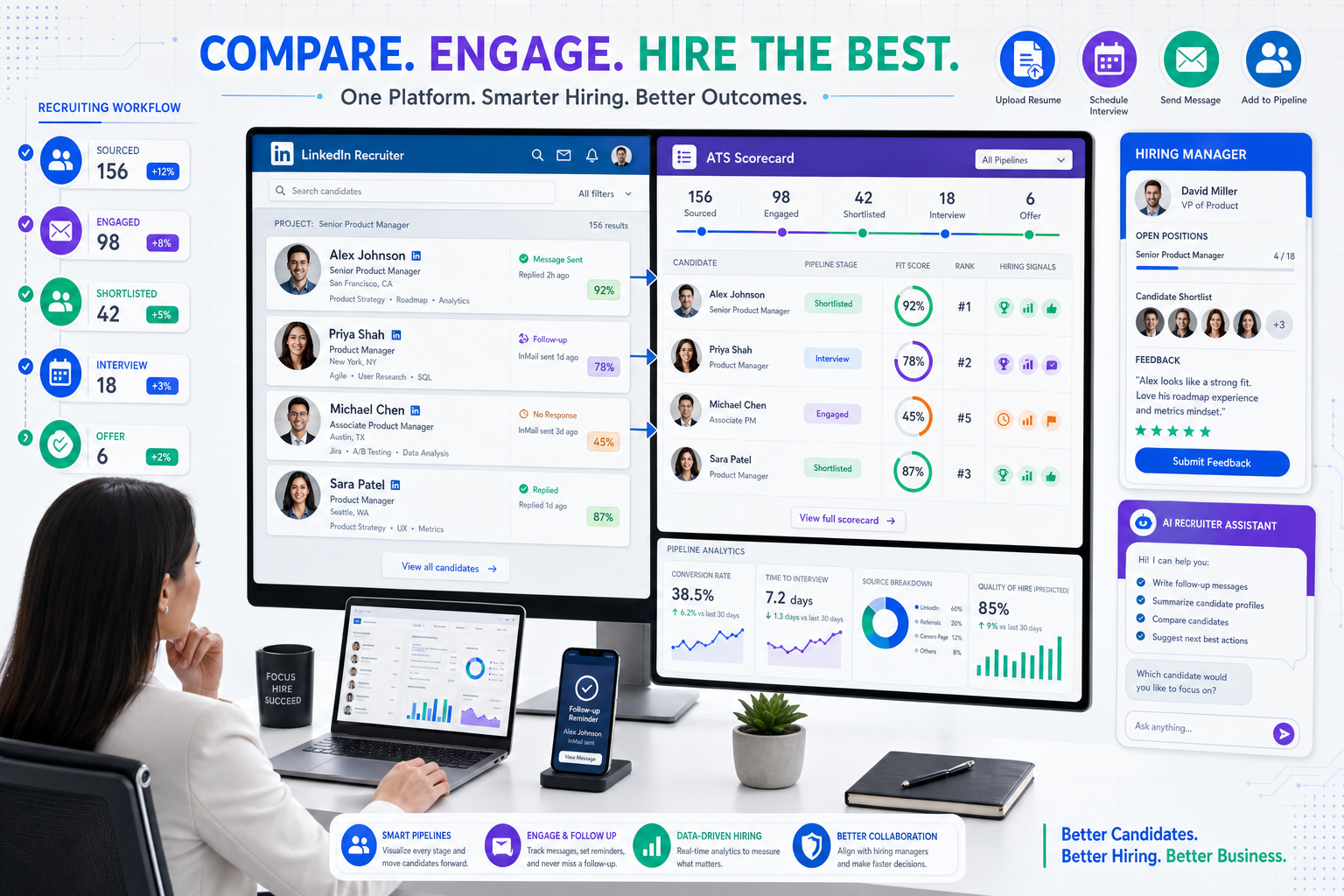
When workflow gaps keep candidates, managers, and data scattered, this article helps headhunters score an ats recruitment tool against real hiring bottlenecks.
That distinction matters more than most teams admit. Small agency owners lose billable hours when recruiters work from inboxes and spreadsheets, solo search consultants damage candidate follow-up when late replies slip through the cracks, and in-house talent teams frustrate hiring managers when nobody can see who owns the next step. The cost is not just slower hiring. It shows up in missed resumes, inconsistent outreach, weaker stakeholder trust, and a recruiting process that becomes harder to improve because the data is scattered.
In my own workflow, I have seen some of that pressure ease when repetitive sourcing communication is separated from final recruiter judgment. Tools such as StrategyBrain AI Recruiter can help with two especially practical bottlenecks: keeping candidate conversations moving after hours and collecting resumes or contact details from interested prospects at scale. For LinkedIn-heavy recruiting, its multilingual follow-up and always-on messaging can reduce dead time between outreach and response, while the recruiter still owns shortlist decisions, resume review, and whether a candidate moves forward.
The opening lesson from the reference case is not really about software first; it is about evaluation discipline. A finance leader who has already done the hard work of becoming a manager still reaches a moment where the next improvement depends on assessing the team in a structured way, using a scorecard rather than relying on vague impressions. The goal is twofold: understand how the team is performing now and build on the groundwork already in place so the group produces stronger results over time.
Recruiting teams reach the same moment more often than they expect. A recruiter opens the req list, checks which candidates replied overnight, updates stages, nudges a hiring manager for feedback, and realizes the real problem is not effort but the lack of a consistent way to evaluate the system behind the work. That is exactly where the search for the best recruiting software begins. To compare an ats recruitment tool well, you need a practical scorecard, a clear view of applicant tracking system features and benefits, and enough context from current applicant tracking system examples to build a shortlist that matches your hiring model.
- Why the best recruiting software needs a scorecard mindset
- What the best recruiting software really does
- Why an ATS recruitment tool matters in daily recruiting
- Applicant tracking system features and benefits
- Where LinkedIn workflows and AI support fit
- Best recruiting software by hiring use case
- ATS recruitment tool comparison scorecard
- Applicant tracking system examples
- Common mistakes when choosing recruiting software
- How to run a smarter selection process
- FAQ
Why the best recruiting software needs a scorecard mindset
Most software searches go wrong because the team starts with vendor positioning instead of internal evaluation. The scorecard idea from team assessment is useful here: before you judge the market, judge your own process. What is already working? Where is the workflow breaking? Which parts of the recruiting team need support, and which parts need clearer expectations rather than more technology?
That approach is more grounded than asking who has the most advanced demo. In practice, a recruiting system should be evaluated the same way an experienced manager evaluates a team: against current performance, expected outcomes, and the specific improvements needed next.
- Assess the current state: How are roles opened, candidates reviewed, interviews scheduled, and feedback captured today?
- Identify the necessary improvements: Which breakdowns are causing the most delay, rework, or poor candidate experience?
- Build on existing groundwork: Which processes are already solid enough that the software should reinforce them rather than replace them?
That scorecard mindset is why the ats recruitment tool discussion matters so much. If the ATS becomes the operating layer for your hiring process, then selecting it is less like buying a plug-in and more like setting standards for how the team works.
What the best recruiting software really does
The phrase best recruiting software sounds simple, but experienced recruiters know the answer changes by team structure. A retained search consultant, a corporate talent acquisition lead, and a high-volume recruiting coordinator are solving different workflow problems.
That said, the core of the category is still the ats recruitment tool. It acts as the system of record for recruiting activity, from requisition setup to candidate movement, interview logistics, offer tracking, and reporting. If that foundation is weak, every surrounding tool adds complexity instead of clarity.
The strongest systems do not just store candidate data. They create a repeatable operating model for the people involved in hiring. That means recruiters know the next action, hiring managers know when input is required, and leadership can see where momentum is slowing.
Key insight: The best recruiting software is not the one with the most features. It is the one your team can evaluate clearly, adopt quickly, and use consistently.
Why an ATS recruitment tool matters in daily recruiting
An ats recruitment tool matters because recruiting friction rarely comes from one dramatic failure. It comes from dozens of small handoff issues: candidate notes left in email, interview feedback stored in separate docs, a LinkedIn reply that never reaches the main record, or a hiring manager who cannot tell whether a role is waiting on them.
For recruiters, an ATS provides one visible pipeline. For coordinators, it reduces scheduling confusion. For hiring managers, it creates accountability around feedback and approvals. For leadership, it turns recruiting from anecdotal status updates into an operating process that can actually be measured.
Those are the practical reasons teams look for the best recruiting software. They are really looking for fewer dropped steps, more predictable collaboration, and a system that can support current hiring while making later improvement possible.
Applicant tracking system features and benefits
When people search for applicant tracking system features and benefits, they are usually trying to connect product capability to recruiter reality. A long feature list means very little unless it improves the day-to-day work of opening roles, moving candidates, coordinating interviews, and reporting outcomes.
Core ATS features worth scoring
- Job posting and distribution: Publish roles across channels without duplicate data entry.
- Career site management: Keep openings organized and present a more credible employer experience.
- Application intake: Capture applicants in one place with structured screening inputs.
- Pipeline management: Define stages, owners, and movement rules clearly.
- Interview scheduling: Reduce coordination delays between candidates and stakeholders.
- Feedback collection: Keep scorecards, notes, and decisions attached to the candidate record.
- Candidate communication: Standardize updates, reminders, and stage-based messaging.
- Offer workflow: Track approvals and final movement with less manual chasing.
- Reporting and analytics: Surface time to hire, source quality, stage conversion, and bottlenecks.
- Integrations: Connect with calendars, HR systems, assessments, sourcing tools, and communication channels.
Benefits recruiting teams actually feel
The biggest benefits are not abstract. Recruiters feel them when they stop rebuilding context across tools. Hiring managers feel them when the next step is obvious. Candidates feel them when communication is timely and organized.
- Faster movement through the funnel because statuses and owners are visible
- Lower admin burden because repetitive updates and reminders are automated
- Better hiring manager participation because feedback happens inside the workflow
- Cleaner candidate experience because communication is more consistent
- Stronger process discipline because every role follows a defined path
- More useful reporting because the data lives in one recruiting system
| Feature Area | Why It Matters | Main Beneficiaries |
|---|---|---|
| Pipeline management | Prevents stage confusion and unclear ownership | Recruiters, hiring managers |
| Scheduling tools | Reduces manual coordination and candidate drop-off | Coordinators, candidates |
| Communication workflows | Keeps outreach and updates more consistent | Recruiters, candidates |
| Reporting | Makes bottlenecks visible and measurable | HR leaders, recruiting ops |
| Integrations | Avoids duplicate work across systems | Entire hiring team |
Where LinkedIn workflows and AI support fit
For many recruiters, the ATS is only half the story. The other half is what happens before a candidate enters the formal pipeline, especially when sourcing on LinkedIn is a major part of the role. That is where manual work expands quickly: connection requests, first messages, follow-ups across time zones, after-hours replies, and the awkward gap between candidate interest and resume collection.
I have found that AI Recruiter is most useful when treated as a workflow support layer rather than a replacement for recruiter judgment. In LinkedIn-heavy searches, it can continue conversations, answer basic role questions, and collect resumes or contact information from interested prospects while the recruiter focuses on final qualification. That balance matters. The tool can keep top-of-funnel communication moving, but the recruiter still decides who actually matches the role.
Another practical benefit is coverage. Candidates often respond outside business hours, and those messages are easy to miss until momentum is gone. A system like StrategyBrain AI Recruiter can help maintain continuity, including multilingual communication for cross-border hiring, while the ATS remains the place where stage decisions, notes, and hiring team coordination live.
Used well, that combination solves a real operating problem exposed by the scorecard mindset: not every bottleneck is inside the ATS itself. Some happen before the candidate ever enters the formal process, and those delays should be evaluated as part of your overall recruiting software stack.
Best recruiting software by hiring use case
The best way to compare the market is by use case rather than by generic rankings. Software that feels excellent for one hiring model can feel heavy, rigid, or underpowered in another.
Small teams and early-stage hiring
Smaller businesses usually need a system that is easy to learn, fast to configure, and straightforward for occasional hiring managers. Here, simplicity is often a bigger advantage than deep customization.
What to prioritize: clean posting workflows, visible stages, easy interview coordination, and basic reporting.
Mid-market growth hiring
Growth-stage teams typically need stronger process control. Multiple departments, more stakeholders, and higher req volume create pressure for standardized scorecards, approvals, and reporting discipline.
What to prioritize: collaboration features, reusable workflows, reporting depth, and integrations with the broader HR stack.
High-volume recruiting
When applicant flow is heavy, small workflow inefficiencies multiply fast. The best recruiting software in this environment needs filtering power, automation support, and quick movement between stages.
What to prioritize: bulk actions, scheduling efficiency, communication templates, and reporting by role type or location.
Agency recruiting and search work
Agency teams often need speed, flexible workflow design, and stronger prospecting support outside the formal ATS record. This is where LinkedIn sourcing and follow-up workflows matter more than many corporate buyer guides admit.
What to prioritize: search speed, note visibility, collaboration across consultants, and systems that can work alongside sourcing support tools such as AI Recruiter for outreach continuity and resume capture.
Analytics-led recruiting operations
If leadership expects recruiting decisions to be evidence-based, then reporting quality becomes a deciding factor. The software has to show where the process is slowing, not just provide attractive dashboards.
What to prioritize: real funnel reporting, source tracking, time-to-hire visibility, and exports that answer operating questions.
ATS recruitment tool comparison scorecard
If you borrow one idea from the reference case, let it be this: evaluate software the way good managers evaluate teams, with a scorecard. That means comparing systems against the work you need them to improve, not against the marketing language around them.
- Map the current workflow. Start at requisition approval and end at offer or onboarding handoff.
- List the breakdowns. Note where speed, visibility, collaboration, or candidate communication fails.
- Define success by role. Recruiters, coordinators, hiring managers, and leaders need different outcomes.
- Score core features against real tasks. Use actual scenarios instead of generic demos.
- Include top-of-funnel sourcing friction. If LinkedIn follow-up is a recurring gap, assess support tools alongside the ATS.
- Validate reporting with real questions. Do not settle for dashboard screenshots.
- Check adoption risk. The best system on paper can still fail if stakeholders will not use it.
| Evaluation Area | Questions to Ask | What Good Looks Like |
|---|---|---|
| Usability | Can recruiters and managers use it without heavy training? | Fast adoption and low friction |
| Workflow fit | Does it reflect your actual hiring stages and ownership rules? | Minimal workarounds |
| Communication | How are candidate updates and internal feedback handled? | Clear, consistent messaging |
| Sourcing support | How does it connect with outbound recruiting workflows? | Smooth handoff from outreach to ATS |
| Reporting | Can you see time to hire, source quality, and bottlenecks? | Actionable data, not vanity charts |
| Scalability | Will the system still work if hiring volume grows? | Flexible admin controls and process stability |
Applicant tracking system examples
When buyers search for applicant tracking system examples, they are usually trying to understand the range of systems in the category rather than find a single universal winner. In practical terms, examples tend to fall into a few broad groups.
- Startup-friendly systems: usually lighter, faster to implement, and easier for lean teams to manage
- Mid-market platforms: often stronger in collaboration, approvals, and structured reporting
- Enterprise recruiting systems: typically built for governance, complex workflows, and large stakeholder groups
- Agency-oriented tools: often more flexible around search, relationships, and client-facing activity
Reviewing applicant tracking system examples is useful because it helps you recognize pattern differences. Some systems are designed around internal hiring discipline. Others are stronger when sourcing and recruiter-led relationship management drive results. That distinction should shape your shortlist more than any general market ranking.
If your team depends heavily on outbound sourcing, it is also worth looking at how the ATS will work with sourcing support layers. In that setup, the ATS remains the system of record, while tools such as StrategyBrain AI Recruiter can support LinkedIn communication continuity before final review and stage movement happen inside the ATS.
Common mistakes when choosing recruiting software
Most selection mistakes come from skipping disciplined evaluation. Teams rush from pain to product demo without building the scorecard in between.
- Buying for the presentation, not the workflow: polished demos often hide daily friction.
- Ignoring manager behavior: if hiring managers avoid the system, recruiters inherit more admin work.
- Treating sourcing and ATS work as separate worlds: the handoff from LinkedIn outreach to candidate record matters.
- Overvaluing AI claims: useful automation supports recruiter judgment; it does not replace final evaluation.
- Skipping reporting validation: analytics should answer operating questions clearly.
- Overbuying complexity: more configuration is not always better, especially for smaller teams.
That last point is where many teams get stuck. They assume the "best" platform must also be the most advanced. In reality, the better choice is often the one that improves current performance and leaves room to build stronger process habits later.
How to run a smarter selection process
If you want to choose the best recruiting software with confidence, run the decision as an operational review rather than a shopping exercise.
1. Start with the current state
Document how the team works now. This mirrors the original scorecard logic: evaluate where things stand before deciding what needs to improve.
2. Separate process gaps from capacity gaps
Some issues come from weak workflow design inside the ATS. Others come from too much repetitive sourcing activity outside it. Solve each problem at the right layer.
3. Use live recruiting scenarios in demos
Ask vendors to walk through posting, screening, scheduling, feedback, offer movement, and reporting using a realistic requisition. If outbound sourcing is central to your work, also test how candidate information moves from outreach into the ATS.
4. Pressure-test adoption early
Recruiters are not the only users. Hiring managers, coordinators, and leaders all need a system they can actually navigate without constant prompting.
5. Plan for workflow support, not just software purchase
In my experience, this is where combining an ATS with targeted workflow help matters. On searches with heavy LinkedIn outreach, I have used AI Recruiter to keep conversations active and collect interested candidate details while keeping formal evaluation inside the ATS. That division of labor worked because it matched the process: automation handled repetitive communication, and I handled resume review, qualification, and stakeholder decisions.
Practical takeaway: If two systems look close on paper, choose the one that best supports your actual workflow today and gives you the clearest path to improve it tomorrow.
FAQ
What does an ATS recruitment tool do?
An ats recruitment tool manages the recruiting process in one system. It usually covers job posting, applicant intake, pipeline stages, interview coordination, feedback, offer movement, and reporting.
Why is a scorecard useful when choosing recruiting software?
A scorecard keeps the evaluation tied to real workflow needs. It helps you compare systems against current performance, known bottlenecks, and the improvements your team actually needs next.
What are the main applicant tracking system features and benefits?
The most important features usually include posting, pipeline management, scheduling, feedback collection, communication workflows, analytics, and integrations. The main benefits are better visibility, less admin work, smoother collaboration, and stronger candidate experience.
How do applicant tracking system examples help buyers?
Applicant tracking system examples help buyers understand the range of options in the market. They make it easier to compare systems by use case, such as startup hiring, mid-market growth, enterprise governance, or agency recruiting.
Where does LinkedIn sourcing support fit with an ATS?
For many teams, LinkedIn sourcing happens before candidates enter the ATS. That is why outreach tools and ATS workflows should be assessed together. The sourcing layer keeps conversations moving, and the ATS records stages, decisions, and team collaboration.
Can AI replace recruiter judgment in the hiring process?
No. AI can reduce repetitive work such as outreach follow-up, basic candidate communication, or resume collection, but recruiters and hiring managers should still make final qualification, evaluation, and hiring decisions.
Conclusion
The best recruiting software is easier to find when you stop looking for a universal winner and start evaluating your hiring process with a scorecard mindset. That means understanding what is already working, identifying where your team is losing momentum, and selecting an ats recruitment tool that improves the process without adding friction.
If you are building a shortlist, focus on real workflow fit, validate the applicant tracking system features and benefits that matter most to your team, and use current applicant tracking system examples to compare use-case alignment rather than marketing claims. For LinkedIn-heavy recruiting, it is also worth considering how sourcing support tools such as StrategyBrain AI Recruiter can work alongside your ATS to keep outreach moving while recruiters stay in control of final judgment.














