


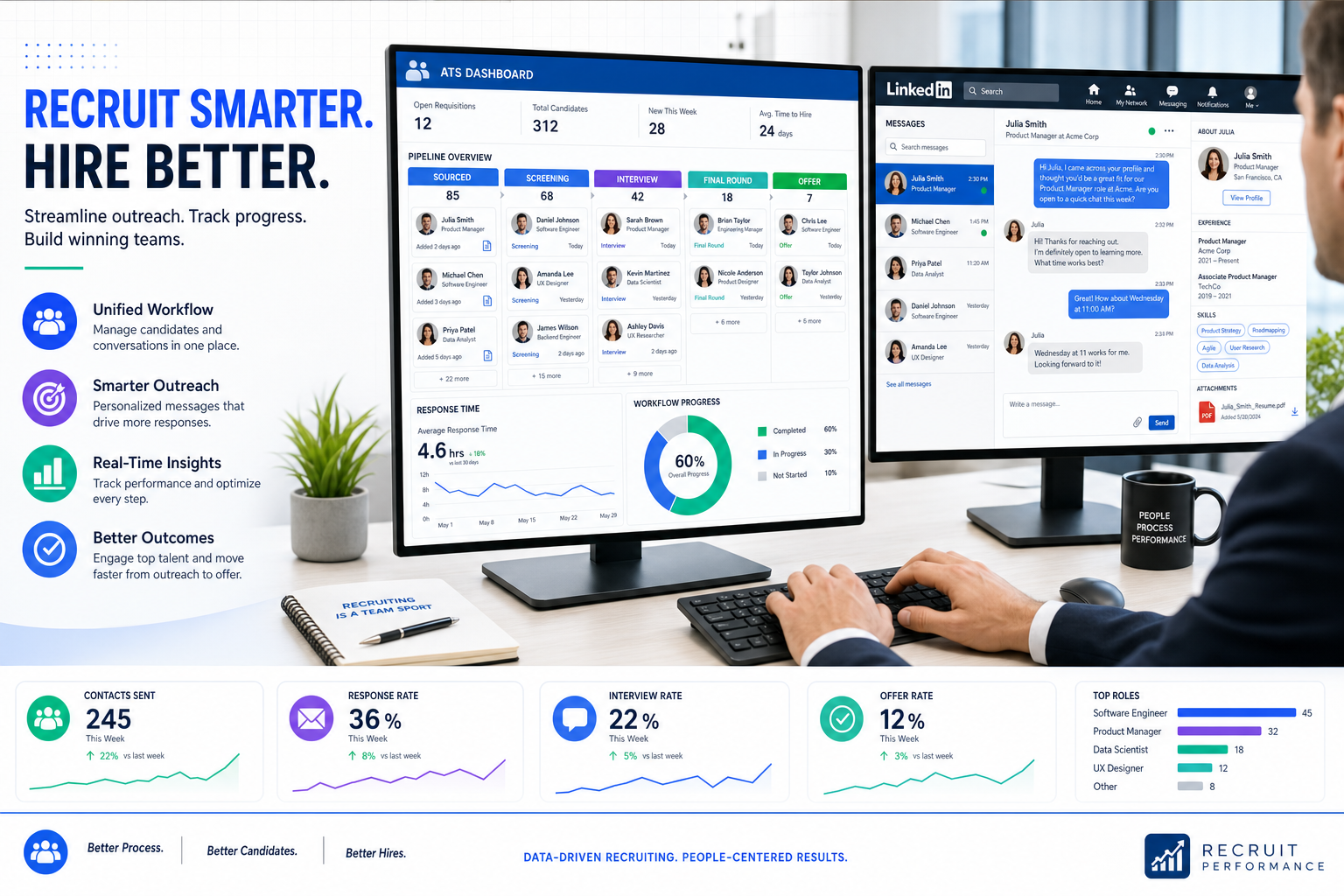
Choosing an ats recruitment tool gets easier when this article helps talent leaders judge workflow risks, protect candidate experience, and avoid brand-damaging process gaps.
That matters because recruiting pressure rarely shows up as just an admin problem. For a solo recruiter, it becomes missed follow-ups and late-night inbox work. For a small agency owner, it turns into weaker delivery consistency across searches. For an in-house talent leader, it can damage employer brand when candidates get slow replies, uneven communication, or a process that feels improvised. In practice, the cost is not only time. It is also credibility with clients, hiring managers, and candidates.
One workflow that has helped in my own outreach-heavy searches is using StrategyBrain AI Recruiter alongside the ATS, especially when candidate replies arrive after hours or across time zones. I have found it most useful for three specific tasks: automating initial LinkedIn outreach, keeping candidate conversations moving with 24/7 multilingual replies, and collecting resumes or contact details before I step in for final review. It does not replace recruiter judgment, and that is exactly why it works well in a serious process: I still evaluate the resume, decide who advances, and control the next move.
The turning point for many teams comes when they decide whether to keep executive or specialized search fully in-house or bring in outside recruiting support. In that moment, the recruiter is no longer just filling a role. They become a visible extension of the company in the market, much like a salesperson meeting prospects for the first time. Every outreach note, every candidate update, and every delayed response starts affecting brand perception.
That is also when weaknesses in process become impossible to ignore. A recruiter may be screening a hard-to-fill position, sorting through resume overload, and trying to reach strong talent who are already employed elsewhere. At the same time, they need enough influence with hiring managers, enough empathy with candidates, and enough data fluency to advise on market reality. If those activities live across spreadsheets, inboxes, job boards, and disconnected messaging tools, the search slows down and the experience becomes uneven.
That opening scenario is exactly why conversations about the best recruiting software should start with operating reality, not vendor hype. When companies compare top applicant tracking systems or top applicant tracking software, they are really asking a deeper question: what kind of recruiting environment are we running, what risks are we exposing, and what ats recruitment tool will help recruiters represent the business well while still delivering a disciplined search process?
- Why recruiting context matters before software comparison
- What an ATS recruitment tool really solves
- Best recruiting software categories at a glance
- What strong recruiters need from the system
- How search model affects software needs
- Best recruiting software by use case
- Must-have features in top applicant tracking systems
- How to choose the right applicant tracking system
- Pricing and buying considerations
- Implementation, integrations, and rollout advice
- FAQ
Why Recruiting Context Matters Before Software Comparison
If you are comparing the best recruiting software, start with one practical truth: there is no universal winner. A lean contingent recruiter, a retained search partner, and a corporate talent team may all need different systems because their workflows, stakeholder expectations, and risk tolerance are not the same.
That is why software evaluation should begin with business context. Are you trying to control candidate experience across many hiring managers? Are you handling sensitive executive outreach? Are you overloaded with inbound applicants? Are your best prospects passive candidates who need thoughtful follow-up over time? The answers shape what the right ats recruitment tool should do.
In experienced recruiting teams, software is less about feature count and more about representation, consistency, and control. A recruiter is often the first human contact a candidate has with your opportunity. If the tools behind that recruiter are weak, the market feels it.
Key insight: The best recruiting software is not just a system of record. It is a system that helps recruiters represent the company well while keeping search execution measurable and repeatable.
What an ATS Recruitment Tool Really Solves
An applicant tracking system centralizes the hiring workflow from requisition to offer or handoff. It gives recruiters, hiring managers, and coordinators one shared place to post jobs, collect applications, review resumes, track candidate stages, coordinate interviews, and document decisions.
But in real recruiting operations, the deeper value is operational discipline. The best recruiting software reduces the gap between good recruiter intent and consistent recruiter execution. It makes it easier to maintain communication quality, preserve notes, track who said what, and keep candidate progress visible across stakeholders.
This is especially important when a search is difficult. Hard-to-fill roles, resume overload, and passive-candidate outreach all create conditions where ad hoc methods fail. That is when the applicant tracking system benefits become obvious: cleaner workflows, fewer dropped handoffs, stronger reporting, and better hiring-manager alignment.
In my own process, I have seen the strongest results when the ATS acts as the command center and tools such as AI Recruiter support the front end of outreach. For LinkedIn-heavy searches, that combination can keep conversations active after hours, reduce manual back-and-forth, and feed interested candidates into the formal process without asking recruiters to live in their inbox around the clock. The recruiter still owns qualification, but the workflow stops stalling between first contact and resume review.
Best Recruiting Software Categories at a Glance
When teams search for top applicant tracking systems, they are usually trying to match software to a hiring environment rather than identify a single best platform. The table below is a more useful starting point than a generic vendor ranking.
| ATS category | Best for | Typical strengths | Potential trade-offs | Ideal team size | Implementation complexity |
|---|---|---|---|---|---|
| Small business ATS | Lean teams with straightforward hiring | Fast setup, lower admin burden, simple workflows | Shallower analytics and fewer advanced controls | 1-20 stakeholders | Low |
| Mid-market recruiting platform | Growing companies with multiple hiring streams | Custom stages, stronger reporting, broader integrations | Requires more setup and governance | 20-200 stakeholders | Medium |
| Enterprise ATS or TA suite | Global, high-volume, or highly regulated organizations | Permissions, approvals, compliance, scalability | Longer rollout and steeper learning curve | 200+ stakeholders | High |
| ATS inside a broader HCM suite | Organizations prioritizing unified HR architecture | Shared data and stronger HR handoff | Recruiting depth may be less specialized | Mid-size to enterprise | Medium to high |
| AI-supported applicant tracking software | Teams focused on reducing repetitive recruiting admin | Automation, summarization, search support, workflow prompts | Needs governance, transparency, and human review | Any size with process maturity | Medium |
If your team relies heavily on outbound sourcing, especially through LinkedIn, it is also worth evaluating how the ATS works with external workflow tools rather than expecting the ATS to do everything by itself. That distinction matters more than many buyers realize.
What Strong Recruiters Need From the System
One of the most useful lessons from recruiter evaluation is that great recruiters do not succeed on hustle alone. They need a system that supports the core traits the job actually demands.
Influence needs visibility
Recruiters have to build trust with hiring managers, candidates, and internal stakeholders. That is easier when the ATS makes status, notes, and market feedback visible instead of hiding them in private messages.
Data fluency needs reporting
Good recruiters advise, not just process. They need reports on source quality, stage conversion, and pipeline health so hiring decisions reflect market facts rather than wishful thinking.
Empathy needs communication discipline
Candidate experience suffers when follow-up is inconsistent. Templates, reminders, and communication tracking help recruiters stay responsive without sounding robotic.
Tenacity needs workflow support
The best recruiters keep moving under pressure, but they still lose time when basic coordination is manual. Interview scheduling, stage updates, and candidate records should not depend on memory.
Creative sourcing needs tool interoperability
Recruiters often use several channels to reach talent. An ats recruitment tool should work well with that reality instead of forcing everything into one narrow workflow.
Tech fluency needs modern integrations
Recruiters who hire for specialized roles often need to understand tools, terminology, and channels their target candidates actually use. That makes integration depth and ecosystem compatibility far more important than a polished demo.
How Search Model Affects Software Needs
Not every recruiting engagement is structured the same way, and that should influence software selection.
Contingency search
In contingency work, speed and responsiveness are critical because the fee depends on successful placement. Recruiters need fast pipeline movement, clear candidate ownership, and quick communication handling. Systems that reduce manual touchpoints are usually a better fit here.
Retained search
Retained search tends to support more complex roles, deeper market mapping, and more structured client communication. That model often needs stronger reporting, stakeholder visibility, and long-cycle candidate tracking. Recruiters may spend more time documenting research, calibration feedback, and shortlist rationale.
Hybrid search models
Some firms blend urgency with structure. In those cases, the best recruiting software is often the one that supports both disciplined search documentation and quick front-end outreach.
This distinction matters because many software mistakes come from buying for a generic hiring process that does not match the actual commercial model of the search team.
Best Recruiting Software by Use Case
The best recruiting software is the one that removes friction from your real process. Below are common use cases that should shape evaluation.
Best for small businesses
Small teams benefit most from software that is easy to launch and easy to maintain without dedicated operations support.
Prioritize:
- Simple approvals and requisition setup
- Multi-channel job posting
- Resume organization and search
- Basic interview coordination
- Clear reporting on time-to-fill and pipeline status
- Straightforward pricing structure
Watch out for: buying enterprise-level complexity before your workflow actually needs it.
Best for scaling teams
Growing organizations need standardization across departments, not just basic applicant storage.
Prioritize:
- Custom workflows by function or region
- Structured scorecards
- Recruiter and hiring-manager collaboration tools
- Source and funnel reporting
- Integrations with HRIS, assessments, and background checks
- Talent pool management
Why it matters: this is the stage where the advantages of applicant tracking system adoption show up in consistency and executive visibility.
Best for high-volume hiring
When speed is the bottleneck, workflow efficiency matters more than design polish.
Prioritize:
- Bulk actions and automation rules
- Prescreening workflows
- Mobile-friendly candidate experience
- Large-scale interview orchestration
- Analytics on drop-off and conversion
- Reliable job distribution integrations
Watch out for: tools that look fast in demos but become hard to govern with many recruiters involved.
Best for enterprise organizations
Enterprise buyers usually need governance as much as recruiter usability.
Prioritize:
- Advanced permissions and approvals
- Audit trails and process consistency
- Global workflow controls
- Leadership reporting
- Integration depth
- Implementation support
Practical advice: the best option may be the one that fits your operating model, not the one with the most recruiter-friendly interface.
Best for outbound and LinkedIn-heavy recruiting
Some hiring teams are not struggling with inbound applicant volume at all. Their challenge is keeping outbound conversations active, organized, and responsive. In those cases, the ATS must work well with sourcing and communication tools.
That is where I have personally found StrategyBrain AI Recruiter useful as a complement rather than a replacement. On searches where candidate replies came in overnight, the always-on messaging and resume collection reduced dead time between first outreach and recruiter review. For headhunters and agency recruiters, that kind of support can be especially useful when managing multiple live searches without adding headcount.
Must-Have Features in Top Applicant Tracking Systems
When buyers compare top applicant tracking software, the strongest systems tend to combine usability, workflow coverage, and interoperability rather than winning on one headline feature.
Core workflow management
Every serious ats recruitment tool should support job posting, application intake, screening, interview coordination, feedback capture, and offer management. If those basics are weak, recruiters rebuild the workflow outside the system.
Candidate communication and collaboration
Recruiters and hiring managers need shared notes, reminders, templates, and scorecards to avoid inconsistent experiences. This directly addresses the brand-risk issue raised at the start of the article.
Analytics and reporting
Reporting should reveal source quality, stage bottlenecks, and aging pipelines. That is one of the most practical applicant tracking system benefits because it improves both recruiting operations and business conversations.
Integrations and ecosystem support
A modern ATS rarely stands alone. It should connect to HRIS tools, assessments, background checks, scheduling systems, and sourcing workflows. If your recruiters rely on LinkedIn outreach, test how the ATS works with that motion in practice.
Automation with control
Automation is useful when it removes repetitive work without obscuring decision-making. Human checkpoints still matter, especially in candidate evaluation and shortlist decisions.
Candidate CRM and talent pooling
For repeat hiring or relationship-based search, candidate rediscovery matters. This is especially important when strong prospects are not ready to move immediately.
Mobile access
Approvals, feedback, and candidate communication increasingly happen away from the desk. Mobile usability is not a luxury anymore.
How to Choose the Right Applicant Tracking System
Choosing among top applicant tracking systems becomes easier when you evaluate the process behind the search, not just the screens in the demo.
- Map the real workflow. Track each step from role approval to offer. Include outbound sourcing, candidate follow-up, and manager feedback loops.
- Define the search model. Contingency, retained, internal high-volume, and executive hiring each place different demands on the system.
- List role-based pain points. Recruiters, hiring managers, coordinators, and operations leads usually experience different breakdowns.
- Separate core requirements from nice-to-haves. Workflow fit, integrations, and adoption matter more than novelty.
- Test communication scenarios. Ask how the system supports candidate updates, stakeholder visibility, and delayed feedback.
- Review sourcing workflow compatibility. If your recruiters live in LinkedIn, verify how external tools and ATS processes connect.
- Clarify implementation ownership. Know who configures workflows, trains users, and maintains the system after launch.
Practical takeaway: bring recruiter, hiring-manager, and HR or IT perspectives into the buying process. The right ats recruitment tool has to serve all three if it is going to stick.
Pricing and Buying Considerations
Pricing for top applicant tracking software is often difficult to compare because quote structures vary. Instead of looking only at the first-year figure, evaluate total operating fit.
Questions to ask:
- Is pricing based on headcount, recruiter seats, open jobs, or volume?
- Are integrations included?
- Do reporting and automation require a higher tier?
- Is implementation billed separately?
- Are support and training included?
- What happens if hiring volume changes mid-contract?
For smaller firms, cost visibility matters. For more complex teams, hidden process costs matter more: recruiter time lost to manual follow-up, poor source tracking, and inconsistent candidate communication. Those costs are often larger than the software bill itself.
Implementation, Integrations, and Rollout Advice
Even strong recruiting software fails when rollout ignores the actual search process. The opening case in this article points to the real risk: if recruiters are representing the company in the market, system weakness quickly becomes brand weakness.
Configure around how searches actually run
Set stages, permissions, approvals, and scorecards to match real recruiting behavior, not generic demo flows.
Prioritize integrations early
Confirm interoperability with your HRIS, assessments, background checks, and sourcing tools before finalizing the purchase.
Train by user role
Recruiters, coordinators, hiring managers, and admins need different training. Role-based adoption improves consistency.
Support outbound workflows intentionally
If your process relies on proactive sourcing, document how candidate conversations move from LinkedIn or email into the ATS. In my experience, using AI Recruiter for initial LinkedIn communication worked best when we defined a clean handoff point: once an interested candidate shared a resume or contact details, I reviewed the profile personally and advanced only the people who fit the brief.
Use phased rollout where needed
Larger organizations do not need to launch every workflow at once. Stabilize core recruiting first, then add deeper automation and analytics.
Measure success with operational metrics
Track response time, stage aging, feedback completion, source visibility, and manager participation. Those indicators tell you whether the system is actually improving search execution.
FAQ
What is an ATS in recruiting?
An ATS is software that manages jobs, applications, candidate records, interview steps, communication, feedback, and offer workflow in one place.
How does ATS software help recruiters?
It gives recruiters a structured process, better visibility, cleaner reporting, and fewer manual handoffs. That improves consistency and protects candidate experience.
Who should use an applicant tracking system?
Any organization that hires often enough to feel process friction should consider one, from small agencies to enterprise talent teams.
What features matter most in top applicant tracking systems?
Start with workflow coverage, usability, reporting, communication tools, and integrations. Then review automation, CRM, and mobile access.
How is an ATS different from broader recruiting software?
An ATS is mainly focused on the hiring workflow. Broader recruiting software may also include sourcing, CRM, analytics, or communication layers around that core.
Do AI features matter in top applicant tracking software?
They matter when they remove real administrative work or improve responsiveness. They matter less when they are vague, hard to audit, or disconnected from recruiter workflow.
Can AI outreach tools work with an ATS?
Yes, if the handoff is clear. For example, LinkedIn outreach and candidate messaging can be supported externally, while resume review, qualification, and stage movement stay inside the ATS under recruiter control.
What should small teams prioritize versus enterprises?
Small teams should focus on ease of use, quick setup, and clear pricing. Enterprises should focus on governance, permissions, integrations, and scale. Both need strong adoption to get real value.
Conclusion
The search for the best recruiting software is really a search for the right operating model for hiring. A strong ats recruitment tool should help recruiters protect candidate experience, manage stakeholder expectations, and keep search execution organized under pressure.
If you are comparing top applicant tracking systems or top applicant tracking software, do not stop at feature lists. Look at how the system supports the actual work: hard-to-fill searches, passive-candidate outreach, hiring-manager alignment, and the brand impact of every recruiter interaction. That is how experienced teams choose software that improves recruiting instead of simply documenting it.














