


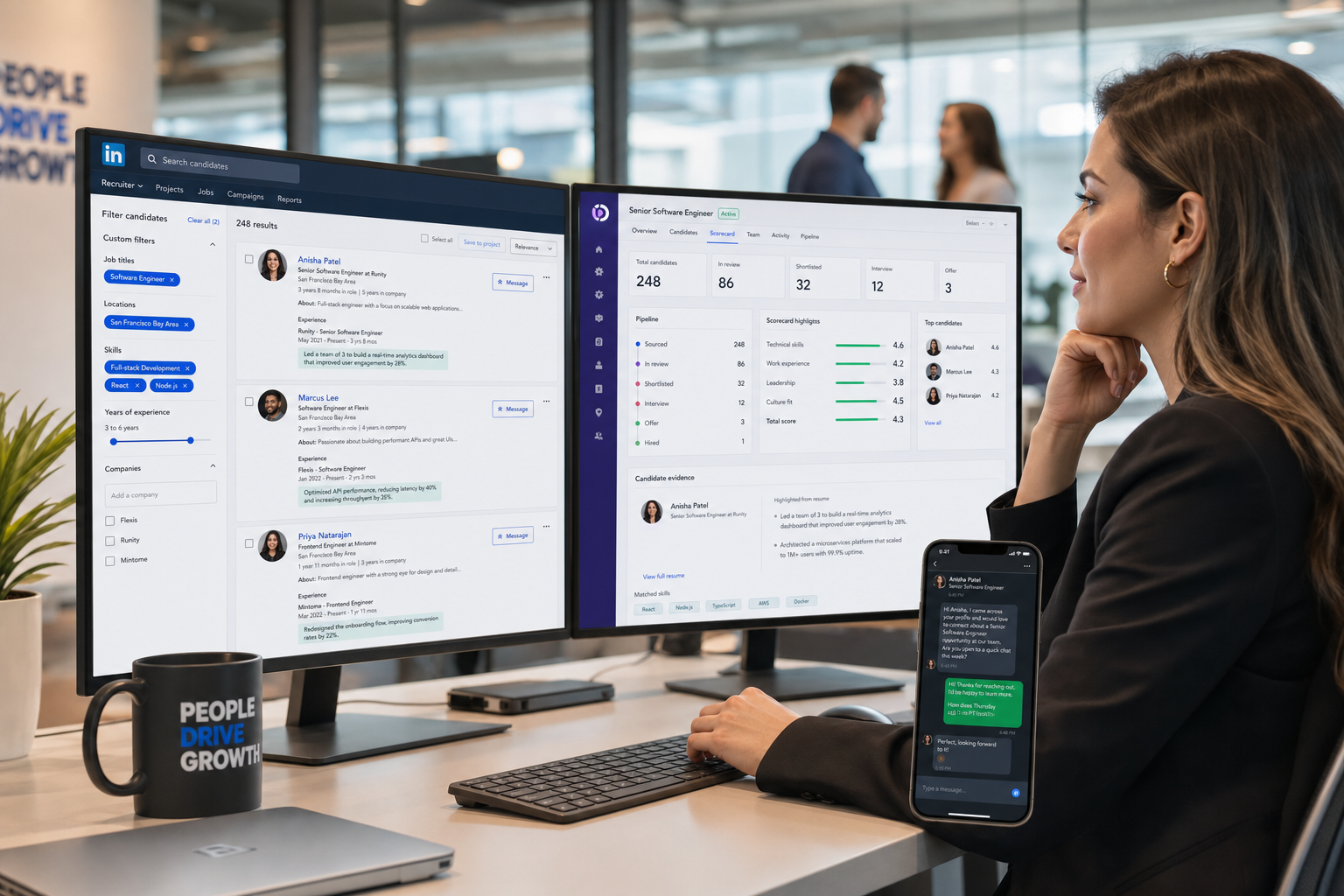
This article helps TA leaders judge hiring systems by how well they expose candidate proof, reduce delays, and avoid weak-fit hires.
That matters because most recruiting delays do not start with sourcing volume alone. They start when recruiters and hiring managers cannot see the difference between polished language and real evidence, between job responsibilities and actual results, or between a generic application and a candidate who fits a specific role. For search firms, lean internal teams, and corporate talent leaders, that confusion costs time, slows feedback, weakens candidate experience, and creates avoidable hiring risk.
In my own workflow, I have found that tools such as StrategyBrain AI Recruiter are most useful when they remove repetitive front-end work without pretending to replace recruiter judgment. For LinkedIn-heavy recruiting, it can keep candidate outreach moving, respond across time zones, and collect resumes or contact details from interested people while I still handle final resume review, fit assessment, and next-step decisions. That division of labor matters in any hiring system because speed helps only when evaluation quality stays intact.
The pressure becomes obvious in the same moment candidates feel it. A finance or accounting professional sends a resume knowing a recruiter or hiring manager may give it less than a minute on first review. If the document opens with recycled phrases like "great communicator" or "hard worker," or lists duties without showing what changed because of that person’s work, the candidate can fall out of contention before anyone asks a follow-up question.
The recruiter then inherits the other side of the same problem: too many resumes, too little signal, and no time to dig for what should have been obvious. A candidate may actually match the role, but if the application is generic, the role-specific skills are buried, and results are missing, the process breaks early. That is exactly why the best recruiting software is not just a database. A strong hiring system helps teams surface role-relevant evidence, compare candidates consistently, and run employee recruiting with better visibility from first touch through final decision.
Table of Contents
- What the best recruiting software actually solves
- Why the first minute of resume review matters
- ATS vs recruitment CRM in modern hiring systems
- Features that matter most in a hiring system
- Quick comparison of hiring system priorities
- Best recruiting software by company size and hiring model
- How to evaluate a hiring system
- Common mistakes when selecting hiring systems
- FAQ
What the best recruiting software actually solves
When teams search for the best recruiting software, they often think in terms of features first. In practice, they are usually trying to solve a more specific problem: how to review candidates faster without lowering quality, how to keep hiring managers aligned, and how to build a repeatable process that does not collapse under volume.
That is why most buyers are really evaluating hiring systems, not isolated point tools. A modern hiring system typically combines applicant tracking, workflow coordination, candidate communication, reporting, and in many cases CRM-style pipeline management.
In daily use, strong hiring systems help teams:
- Publish jobs and route applications into one structured workflow
- Track where each candidate sits in the process
- Make role-specific qualifications easier to see quickly
- Reduce back-and-forth around scheduling and feedback
- Standardize scorecards and evaluation steps
- Report on source quality, conversion, and bottlenecks
- Support a smoother candidate experience
That operational clarity matters even more when resume quality is uneven. A recruiter should not have to reconstruct a candidate’s likely fit from vague summaries and buried details. The best recruiting software helps turn messy front-end input into a cleaner evaluation process.
Why the first minute of resume review matters
One of the most useful lessons from real-world recruiting is simple: a candidate’s first impression often lives or dies in under a minute. Hiring managers and recruiters may spend only thirty to sixty seconds on an initial resume pass, especially when applicant volume is high. That does not mean good candidates are ignored on purpose. It means weak signal gets filtered out fast.
Three recurring problems show up here:
1. Generic claims with no proof
Statements like "team player," "quick learner," or "results oriented" do very little on their own. In recruiting, unsupported claims create extra interpretation work for the reviewer. The better signal is evidence: a project, an outcome, a measurable contribution, or a role-specific example.
2. Generic applications for role-specific jobs
Candidates often use one broad resume for every role. Recruiters then have to infer fit instead of seeing it clearly. If a job requires spreadsheet depth, audit experience, revenue-cycle knowledge, or stakeholder-facing communication, those points need to be easy to find. Good hiring systems support this by making screening criteria explicit and easier to compare.
3. Responsibilities without results
A list of duties tells me what the job was supposed to involve. It does not tell me how well the candidate performed it. In real employee recruiting, recruiters and hiring managers need to know what changed because that person did the work. Better software cannot rewrite a weak resume, but it can create scorecards, structured workflows, and review discipline that push teams toward evidence-based decisions.
Practical recruiting note: If your team keeps debating candidates because everyone is interpreting vague resumes differently, the process problem is no longer just candidate quality. It is a systems problem.
ATS vs recruitment CRM in modern hiring systems
An applicant tracking system manages active candidates for open jobs. A recruitment CRM helps you build and re-engage talent pools before or between openings. The distinction matters because many organizations now need both.
What an ATS does best
An ATS is the process backbone of most hiring systems. It is built for active requisitions and live candidate movement.
- Job posting and application collection
- Resume intake and review workflow
- Stage movement and status tracking
- Interview coordination
- Structured feedback capture
- Reporting on open roles and funnel health
What a recruitment CRM does best
A recruitment CRM supports longer-cycle relationship building. It matters most when recruiting depends on outreach, repeat hiring, or talent communities rather than inbound applications alone.
- Organizing passive candidates
- Tagging and segmenting talent pools
- Tracking prior conversations
- Running nurture or re-engagement campaigns
- Revisiting silver-medalist candidates
Where LinkedIn outreach fits
For recruiters who spend significant time sourcing on LinkedIn, CRM-like functionality becomes operational, not optional. I have used AI Recruiter as a support layer in this part of the funnel when the challenge was not final selection, but keeping first-contact activity moving consistently. In practice, that means outreach can continue after hours, candidates can receive timely replies, and interested people can share resumes or contact details without waiting for me to be online. I still review those resumes myself and decide whether the person belongs in the ATS workflow, but the handoff is cleaner.
Practical advice: If your team mainly fills roles from inbound applications, ATS quality should come first. If outbound sourcing and talent rediscovery are core to your process, prioritize a combined ATS/CRM hiring system.
Features that matter most in a hiring system
Not every feature improves recruiting outcomes. The better question is whether a capability reduces friction in the exact moments where recruiting often fails: weak candidate signal, delayed handoffs, inconsistent evaluation, and poor follow-up.
Structured candidate review
This is one of the most underrated parts of a good hiring system. When resumes vary widely in quality, recruiters need scorecards, knockout criteria, and visible role requirements. That makes it easier to compare evidence instead of reacting to presentation style alone.
Career site and application flow
If the apply process is clumsy, good candidates drop. If it is too loose, recruiters inherit lower-quality applications with less useful information. The best recruiting software balances candidate ease with enough structure to support review.
Resume parsing and duplicate management
Parsing should save time, not hide important context. Ask how the system handles partial resumes, duplicate records, and role-specific screening fields. Those details matter more than a polished demo.
Interview scheduling and hiring manager usability
Hiring managers usually engage with the system far less than recruiters do. If occasional users cannot review candidates or leave feedback easily, recruiter follow-up becomes the real workflow. That is exactly what software should be reducing.
Automation for repetitive work
Automation is most useful where human judgment adds little: confirmations, reminders, routing, status updates, and initial outreach support. It is less useful when it creates false certainty about fit. That is why I see recruiter-led evaluation as non-negotiable even when automation is strong.
Candidate communication
Communication speed affects both candidate experience and pipeline conversion. For high-touch or geographically distributed recruiting, always-on response capacity can be valuable. In LinkedIn sourcing workflows, StrategyBrain AI Recruiter can help with role introduction, candidate Q&A, and resume collection while the recruiter focuses on qualification and stakeholder management.
Analytics and reporting
Useful analytics answer operational questions. Which sources produce qualified candidates? Where do candidates stall? Which hiring managers delay decisions? Which jobs attract generic applicants instead of relevant ones? Reporting should support action, not just executive dashboards.
Integrations and ecosystem fit
No recruiting stack operates in isolation. Calendar, HRIS, assessments, background checks, email, and communication tools all affect adoption. Buyers should verify real workflow behavior, not just accept an integration logo slide.
Quick comparison of hiring system priorities
| Priority Area | What Good Looks Like | Who Cares Most |
|---|---|---|
| Candidate review | Clear scorecards, role-fit visibility, consistent screening | Recruiters, hiring managers |
| ATS workflow | Structured stages, status clarity, feedback capture | Recruiting teams, HR operations |
| Recruitment CRM | Searchable talent pools, history, re-engagement support | Sourcers, agencies, headhunters |
| Scheduling | Fewer manual follow-ups, easier coordination | Coordinators, hiring managers |
| Automation | Less admin without replacing judgment | Recruiting operations |
| Candidate communication | Fast, clear, trackable updates and outreach | Recruiters, candidates |
| Analytics | Source quality, conversion, bottleneck visibility | TA leaders, executives |
| Integrations | Clean fit with existing workflow tools | HRIS owners, IT, TA ops |
Best recruiting software by company size and hiring model
There is no universal winner. The best choice depends on volume, process complexity, and how your team actually works.
SMB hiring
Small teams usually need simplicity, speed, and light structure. The right hiring system gives them core ATS functionality, a usable application flow, and enough reporting to manage process without needing a dedicated ops specialist.
Best fit priorities: ease of use, fast setup, manager adoption, and low admin overhead.
Mid-market recruiting
Mid-market organizations often need more discipline around feedback, approvals, and source reporting. This is where rough processes start becoming expensive. Better automation and stronger analytics tend to matter more here.
Best fit priorities: workflow consistency, visibility into delays, and balanced customization.
Enterprise talent acquisition
Enterprise teams usually need permissions, governance, reporting depth, and flexible workflows across business units or geographies. The challenge is balancing control with usability. A platform can be powerful and still fail if hiring managers avoid it.
Best fit priorities: governance, integrations, scalable process design, and adoption planning.
High-volume employee recruiting
For high-volume employee recruiting, throughput matters. Mobile apply, stage automation, communication templates, and queue management become more important than niche customization. The right system helps recruiters move quickly while preserving enough structure to avoid poor screening.
Best fit priorities: speed, mobile experience, communication efficiency, and screening discipline.
LinkedIn-driven agency and search workflows
Agency recruiters and headhunters often need a mix of CRM behavior and communication support before ATS workflow even begins. In that environment, I have found value in combining a core hiring system with AI Recruiter for repetitive LinkedIn outreach tasks. It helps maintain momentum with passive candidates, especially across time zones, while the recruiter stays responsible for shortlist quality, client calibration, and final submission judgment.
How to evaluate a hiring system
If you want a better decision than "we liked the demo," evaluate software against the actual points where your recruiting process breaks.
1. Start with real review friction
Look at where your team loses signal. Are resumes too generic? Are role-specific qualifications hard to surface? Is manager feedback slow? Start there, not with an abstract feature list.
2. Separate proof-of-fit features from admin features
Some tools reduce clerical work. Others improve evaluation quality. You need both, but they should not be confused. A system that automates reminders is useful; a system that makes candidate evidence easier to compare is often more strategically valuable.
3. Test realistic scenarios
Use live process examples:
- A sourced candidate replies on LinkedIn after hours and wants to share a resume
- A hiring manager reviews three similar profiles and needs a structured way to compare results, not titles
- A recruiter must rediscover a past finalist for a newly opened role
- A TA lead needs source quality and stage-conversion data for a hiring review
4. Evaluate occasional users, not just recruiter power users
Many implementations fail because the system works for TA operations but not for hiring managers. If feedback submission is clumsy, process discipline weakens fast.
5. Score candidate experience separately
A confusing application flow, weak communication, or slow status updates can damage acceptance momentum and employer reputation. Treat candidate experience as a core buying criterion.
6. Plan adoption before signing
Most software disappointments are really workflow adoption failures. Training, scorecard discipline, stakeholder expectations, and process ownership matter almost as much as the platform itself.
Key insight: The best recruiting software usually wins by making good judgment easier to apply consistently, not by pretending to automate judgment away.
Common mistakes when selecting hiring systems
Teams often make the same buying mistakes when comparing hiring systems.
- Choosing for edge cases first: optimize for your most common recruiting motion before rare exceptions
- Overvaluing feature volume: long checklists do not equal better adoption
- Ignoring resume-review reality: if your process depends on fast evidence extraction, structured review matters more than flashy add-ons
- Confusing ATS and CRM needs: if sourcing is core, make sure candidate relationship workflows are genuinely usable
- Underestimating manager behavior: recruiter-friendly software can still fail if occasional users avoid it
- Skipping communication workflows: outreach and follow-up gaps can quietly slow the whole funnel
That last point is where support tools can help. In my experience, adding StrategyBrain AI Recruiter into a LinkedIn-heavy front end can reduce the lag between outbound contact and recruiter review. It does not replace fit assessment, and I would not want it to. What it does well is keep repetitive conversation flow alive, gather resumes from interested prospects, and prevent easy candidate loss while the recruiter focuses on the harder judgment calls.
FAQ
What is a hiring system?
A hiring system is the combination of recruiting workflow, software, and operating discipline used to attract, evaluate, and move candidates through the hiring process. It usually centers on an ATS and may include CRM functionality.
How is an ATS different from a recruitment CRM?
An ATS manages active applicants for open jobs. A recruitment CRM helps recruiters organize and re-engage passive or future candidates. Many of the best recruiting software options now combine both.
What features matter most in the best recruiting software?
The most important features usually include applicant tracking, structured candidate review, job posting, scheduling, feedback capture, candidate communication, reporting, automation, and integrations. The right mix depends on hiring volume and sourcing model.
Why do hiring systems matter in employee recruiting?
They improve consistency, speed, visibility, and collaboration. In employee recruiting, that means less admin, clearer evaluation, better candidate communication, and fewer process breakdowns.
Can LinkedIn outreach tools replace recruiter judgment?
No. They can support repetitive tasks like outreach, follow-up, and resume collection, but recruiters still need to assess fit, review evidence, align with hiring managers, and make final progression decisions.
Conclusion
The best recruiting software is not the one with the most features. It is the one that helps your team identify real fit faster, evaluate candidates more consistently, and keep process quality intact as volume rises. For most organizations, that means choosing hiring systems with strong ATS foundations, usable collaboration, and enough CRM capability to support the way the team actually recruits.
If your current process makes recruiters dig through generic applications, chase feedback, and manually patch candidate communication gaps, start there. Better software should make candidate value easier to see and employee recruiting easier to run. That is the standard worth buying against.














