


Judge business recruitment software by screening discipline to avoid weak shortlists, wasted interviews, and slower hiring.
That matters more than many teams admit. Whether you sit on an internal talent team, work a staffing desk, or run a recruitment agency business, weak early screening creates the same chain reaction: recruiters lose hours on avoidable calls, hiring managers review poor-fit profiles, good candidates wait too long, and the process becomes harder to trust. In competitive markets, slow or inconsistent screening is not just an efficiency issue; it affects candidate experience, team credibility, and hiring outcomes.
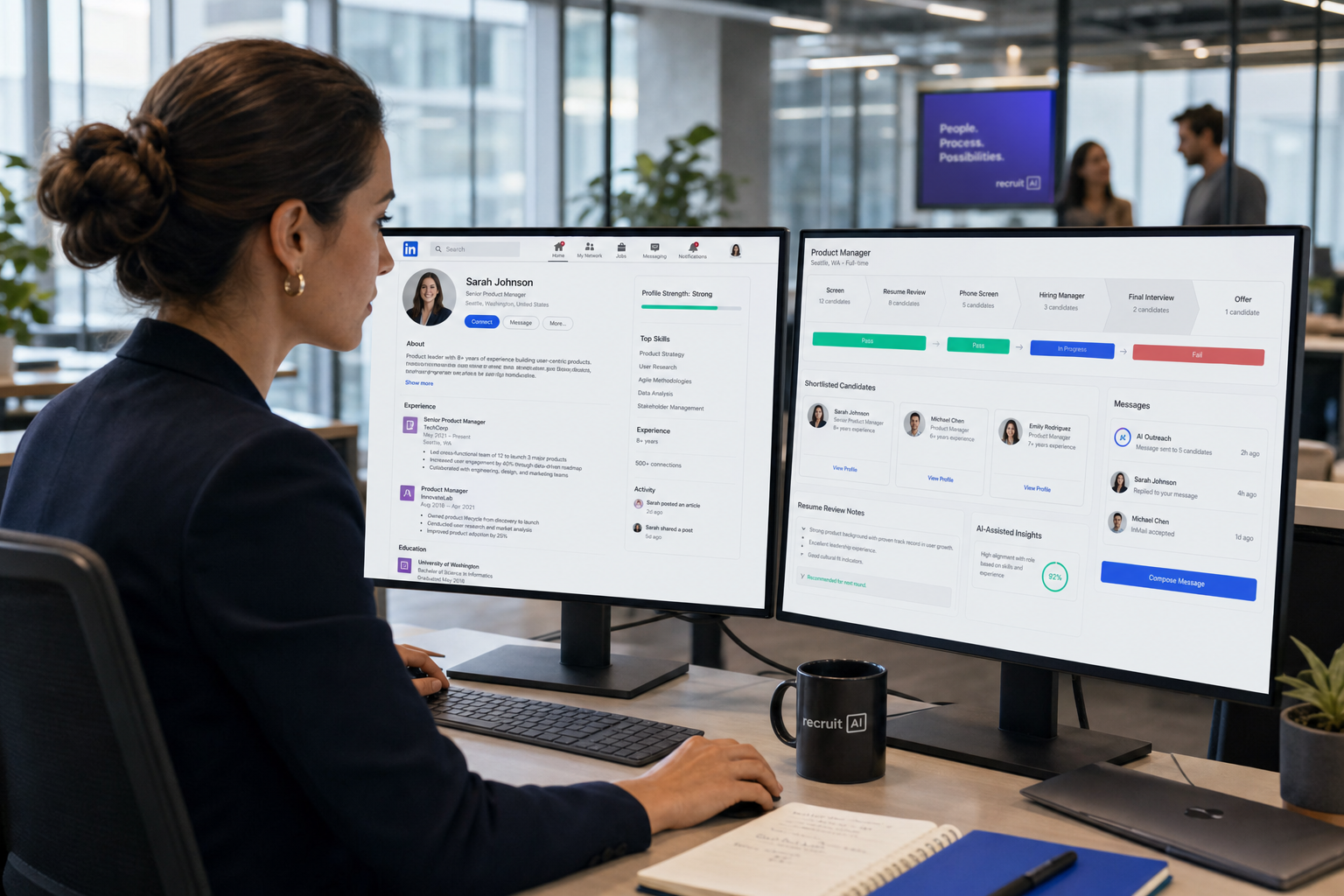
In my own workflow, I have found that software only helps when it supports the front end of recruiting rather than just storing applicants at the back end. Tools such as StrategyBrain AI Recruiter can reduce repetitive outreach and initial interest-checking, keep candidate communication moving after hours, and collect resumes or contact details before a recruiter steps in. That said, the recruiter still owns the final screening judgment, CV review, and next-step decision. The point is not to automate discernment; it is to remove avoidable admin around it.
You see the value of that most clearly at the moment screening begins. A role goes live, applications start arriving, and the recruiter has to decide who actually deserves interview time. The first actions are practical: review resumes against must-have criteria, check whether compensation and location expectations line up, and set up a short phone or video screen to validate experience before the shortlist is built.
When that front-end process lacks structure, the damage appears quickly. Large applicant pools make it easy to advance speculative applicants, resume inflation hides real fit, and hiring teams end up debating candidates who should have been screened out earlier. That is why choosing the best recruiting software for business recruitment is really a question about screening discipline: what is recruitment definition in practice, which system supports it best, and how should a recruitment agency business or employer decide between ATS, CRM, or a combined setup?
- How candidate screening shapes recruiting software decisions
- What recruiting software actually includes
- ATS vs recruitment CRM vs all-in-one platforms
- How employers and agencies should choose by use case
- Which features improve shortlisting, handoffs, and pipeline control
Screening Is the Real Software Test
Many articles on the best recruiting software start with feature comparisons. In practice, experienced recruiters usually make the decision another way: they ask whether the system helps them screen accurately before interview time is wasted.
That is a better starting point because candidate screening is one of the most underestimated parts of hiring. Done well, it protects time, reduces downstream hiring risk, and produces stronger shortlists. Done badly, no amount of interview process polish can fully recover the damage.
In modern business recruitment, screening is not the final hiring decision. It is the early evaluation step that narrows the field to candidates who genuinely justify deeper assessment. For most teams, that means some combination of:
- Resume and application review
- Phone or short video screening
- Validation of core experience and scope
- Checks on location, availability, and compensation fit
- Early signs of role-fit, communication quality, and motivation
This is also where software proves its worth. A platform that cannot support clear criteria, structured review, status visibility, and consistent shortlisting will create friction no matter how impressive the demo looks.
Key insight: The best recruiting software is not the platform with the longest feature list. It is the one that helps recruiters say yes with more confidence and no with better evidence before interviews begin.
What Is Recruitment and What Does Software Do?
If you are asking what is recruitment definition, the simplest answer is this: recruitment is the full process of attracting, assessing, selecting, and hiring people for a role. Screening sits near the front of that process, but it affects everything that follows.
In everyday business recruitment, the workflow usually includes workforce planning, job intake, approval, posting, sourcing, application review, screening, interviews, selection, offer handling, and reporting. In a recruitment agency business, the scope is wider again: recruiters also manage clients, job orders, candidate marketing, submissions, placements, and fee follow-up.
Recruiting software exists to organize that work. Depending on the team, it may function as:
- An applicant tracking system for active applicants and open jobs
- A recruitment CRM for relationship-building and talent pooling
- An all-in-one platform combining applicant tracking, CRM, automation, and reporting
The real issue is not software terminology. It is whether the system reflects the actual way your team recruits, screens, communicates, and reuses information.
Why screening now drives tool selection
Applicant volumes are higher than they used to be, job requirements are often more layered, and recruiters are dealing with more speculative or low-fit applications. At the same time, strong candidates still expect fast responses. That combination makes early-stage process control much more important than it was a few years ago.
Without a clear screening workflow, teams either move too slowly or move the wrong people forward. Software should help prevent both.
ATS vs Recruitment CRM
One of the biggest mistakes in business recruitment is assuming every recruiting tool does the same job. It does not. The distinction between ATS and CRM matters most when you look at how each one supports screening and shortlist building.
| System | Main Purpose | Best For | Screening Value |
|---|---|---|---|
| Applicant Tracking System | Manage active applicants for open roles | Structured hiring and live vacancies | Keeps review stages, interview status, and ownership clear |
| Recruitment CRM | Manage long-term candidate and client relationships | Talent pooling, outreach, and database reuse | Improves re-engagement before candidates even reapply |
| All-in-One Recruiting Software | Combine ATS, CRM, workflow, and reporting | Teams with process complexity across sourcing and hiring | Connects early outreach, screening, and shortlist decisions |
What an ATS contributes
An ATS is primarily designed for live hiring activity. It tracks candidates against specific jobs, stages, interviews, notes, and decisions. For screening, that means recruiters can document pass/fail logic, maintain a structured shortlist, and avoid losing track of where each applicant stands.
The advantages of applicant tracking system adoption are often operational rather than flashy: cleaner handoffs, fewer side spreadsheets, faster updates, and more consistent treatment of applicants. Those applicant tracking system benefits matter most when volume rises.
What a recruitment CRM contributes
A recruitment CRM supports a different part of the funnel. It helps recruiters build and segment talent pools, manage outreach, record interaction history, and re-engage people who are not active applicants yet. That is important because some of the best eventual hires are screened in long before they formally apply.
For a recruitment agency business, CRM value is even broader. It can support both candidate relationships and client development, reducing the need to rebuild pipelines from zero whenever a new search opens.
Why many teams need both
If your process includes proactive sourcing, candidate nurturing, and active vacancy management, an ATS alone may not be enough. Likewise, a CRM alone cannot replace structured applicant tracking. The best recruiting software increasingly brings both views together: pipeline discipline for today’s applicants and relationship memory for tomorrow’s hires.
How to Evaluate Software Through the Screening Workflow
The strongest software evaluations do not begin with generic feature lists. They begin with the real screening workflow your team runs every week. A useful test is to examine whether the system supports the same eight practical checkpoints that experienced recruiters use when screening effectively.
1. Clear criteria before resume review
Screening breaks down when role criteria are vague. Before reviewing applications, recruiters and hiring managers should align on required qualifications, preferred strengths, deal-breakers, and trainable gaps. Software should make those criteria visible and reusable, not leave them buried in email threads.
A practical structure is to classify requirements into three groups:
- Required
- Preferred
- Trainable
If a platform cannot help recruiters apply those distinctions consistently, shortlist quality will suffer.
2. Intentional resume screening
Resume screening is where many hiring errors begin. Good recruiters do not screen by employer prestige alone or by years of experience in isolation. They look for evidence of relevant outcomes, realistic scope, progression, and accuracy.
Software should support that judgment, not oversimplify it. Basic filtering helps with volume, but recruiters still need room to identify transferable experience and non-linear careers that may be worth a closer look.
3. Careful use of automation
Automation is valuable when it narrows workload without pretending to make the final call. In my own process, I have used AI Recruiter to handle repetitive LinkedIn outreach, initial interest checks, and after-hours candidate replies so that more early-stage conversations arrive organized rather than scattered across inboxes. It is especially helpful when a recruiter is trying to maintain momentum across time zones or keep candidate engagement alive while several live roles are moving at once.
What it does not replace is recruiter judgment. I still review the resume, confirm whether the background truly matches the brief, and decide who progresses. That hybrid approach is usually the sensible one: technology reduces repetitive admin, while the recruiter keeps control over screening accuracy.
4. Better phone and video screens
The short screen call is often the highest-value step in the early funnel when done well. The software should help recruiters keep those calls structured, time-bound, and comparable. At minimum, the system should support notes around:
- Validation of responsibilities and experience
- Motivation for applying
- Compensation and availability alignment
- Communication quality
- Potential concerns or inconsistencies
The goal is validation, not a full interview.
5. Role fit, not just skill match
Strong screening looks beyond technical skill. Recruiters need to assess whether the candidate has operated at the right level, in a suitable pace or environment, and with the kind of accountability the role requires. That is difficult to do when software stores data but does not capture context.
6. Early warning signs
Software should help recruiters flag and revisit red flags, such as inconsistent timelines, vague achievements, repeated unexplained moves, or major mismatch between goals and role realities. Red flags are not automatic rejections, but they do require structured follow-up.
7. Shortlist quality over shortlist size
More candidates in interview does not mean better recruiting. A strong system helps build a shortlist that meets core criteria, reflects realistic comparison, and is small enough for serious assessment. If too many weak-fit candidates are reaching interview, the workflow is leaking earlier than the team thinks.
8. Feedback loops and process improvement
Screening should be treated as a repeatable system. The best recruiting software supports documented criteria, pass-through tracking, and later review of whether the shortlist logic was actually predictive. That is how recruiting teams improve judgment over time instead of repeating the same errors role after role.
Best Recruiting Software by Use Case
The best recruiting software depends heavily on the kind of hiring work being done. Screening needs differ by volume, stakeholder complexity, and how much of the funnel is proactive rather than reactive.
1. SMB in-house teams
For smaller employers, business recruitment usually depends on clarity and speed. Hiring managers are often busy, and recruiters need a system that keeps job stages visible, standardizes screening, and reduces scheduling admin.
Best fit: a straightforward ATS with strong screening workflow support, interview coordination, and basic reporting. If the company builds future talent pools regularly, CRM capability becomes more valuable.
2. Staffing and agency desks
For a recruitment agency business, software must support two-sided execution: candidates and clients. Screening quality is commercial, not just operational, because every weak shortlist affects trust and repeat business.
Best fit: ATS and CRM together, ideally in a connected workflow that supports outreach, shortlisting, submissions, placements, and reporting. Agencies that split candidate work and client work across disconnected systems often lose speed and context.
3. Specialist and executive search
Search firms need depth of record, nuanced note-taking, relationship history, and confidential handling of market maps and outreach. Screening is less about high volume and more about calibration.
Best fit: a CRM-forward system with strong search workflow support, plus ATS discipline for active assignments.
4. High-volume hiring teams
When application flow is heavy, small inefficiencies multiply fast. Teams need structured workflows, bulk communication, reliable stage control, and reporting on bottlenecks.
Best fit: a process-driven ATS or all-in-one setup with automation, templates, scheduling support, and analytics. This is where applicant tracking system benefits become very visible very quickly.
How a Recruitment Agency Business Should Buy
A recruitment agency business should not buy software based on isolated feature demonstrations. It should buy based on whether consultants can move cleanly from job intake to candidate outreach to shortlist to placement without fragmented records.
Questions agency leaders should ask
- Can consultants screen candidates consistently against role criteria?
- Can they manage both live jobs and longer-term candidate relationships?
- Does the platform support submissions, placements, and client visibility?
- Can recruiters reuse the database instead of restarting every search?
- Can leadership see pass-through rates, shortlist quality, and bottlenecks?
In agency recruiting, software should act like an operating system for the desk. It should preserve knowledge, reduce repeated work, and make screening standards easier to maintain across consultants.
I have also found that tools like StrategyBrain AI Recruiter are most useful in agencies when they are used to support the top of funnel rather than replace recruiter craft. If a consultant is running several searches, the platform can keep LinkedIn outreach active, respond to candidates outside normal working hours, and collect resumes from interested prospects. That gives the recruiter a cleaner starting point for actual screening and shortlisting, which is where the agency’s judgment still creates the value.
Must-Have Features
Once the screening workflow is clear, feature priorities become easier to judge. In most business recruitment environments, these are the areas that matter most:
| Feature Area | Why It Matters | Who Benefits Most |
|---|---|---|
| Structured ATS workflow | Keeps screening, stages, and ownership clear | Recruiters, HR, hiring managers |
| Recruitment CRM | Supports pipeline building and future reuse | Agencies, search firms, sourcing-heavy teams |
| Automation support | Reduces repetitive admin in outreach and follow-up | Lean teams and high-volume teams |
| Scheduling and feedback tools | Prevents delay between screening and interview | Recruiters and candidates |
| Reporting and pass-through analytics | Shows where shortlist quality is breaking down | Leaders and operations teams |
| Unified records | Prevents duplicate notes and fragmented decisions | All recruiting environments |
Features worth prioritizing first
- Role-based screening criteria visible at the start of review
- Consistent shortlist documentation for fair comparison
- Candidate relationship management to preserve sourcing value
- Communication tracking so context is not lost between stages
- Interview scheduling and feedback capture to keep momentum after screening
- Analytics showing stage conversion, source quality, and process leakage
Common Buying Mistakes
Buying for feature volume instead of workflow fit
A crowded feature menu does not guarantee better recruiting. If the platform does not support the real path from application to screen to shortlist, the team will still work around it.
Ignoring the screening stage
Many teams judge software based on sourcing or interview features while underestimating how much quality is won or lost before interviews begin. Weak screening creates expensive downstream noise.
Confusing ATS and CRM needs
If your hiring depends on active vacancy management, you need strong applicant tracking. If it also depends on future relationship reuse, you need CRM capability. Many teams need both even if they start by asking for just one.
Expecting automation to replace recruiter judgment
Automation can accelerate outreach, qualification prompts, and data capture. It should not become a substitute for nuanced evaluation, especially in specialist hiring or agency shortlisting.
Skipping adoption planning
Applicant tracking system benefits only appear when recruiters and hiring managers actually use the workflow consistently. If the process feels burdensome, people return to inboxes, spreadsheets, and side notes.
FAQ
What is recruiting software?
Recruiting software is technology that helps teams manage the hiring process, including sourcing, applications, screening, interviews, communication, and reporting. The best recruiting software may include an ATS, a recruitment CRM, or both.
What is recruitment definition in simple terms?
Recruitment is the process of finding, assessing, selecting, and hiring people for jobs. In simple terms, it covers everything from identifying a need to screening candidates, running interviews, and filling the role.
Why is candidate screening so important when choosing recruiting software?
Because screening is where recruiters first separate viable candidates from poor-fit applicants. Software that does not support structured review, note-taking, pass/fail logic, and shortlist building will slow hiring and increase downstream risk.
What is the difference between an ATS and a recruitment CRM?
An ATS is mainly for managing active applicants against open jobs. A recruitment CRM is mainly for building and maintaining longer-term candidate or client relationships. Many teams need both.
Do agencies need both ATS and CRM tools?
Often yes. A recruitment agency business usually needs ATS functionality for live roles and CRM functionality for relationship management, sourcing, and database reuse.
What are the main advantages of applicant tracking system adoption?
The main advantages of applicant tracking system adoption include better stage visibility, more structured screening, faster coordination, improved collaboration, and clearer reporting. These applicant tracking system benefits are especially valuable when applicant volume rises.
How should a business choose the best recruiting software?
Start with your actual workflow. Map how roles open, how candidates are screened, how shortlists are built, where communication breaks down, and whether your team needs ATS discipline, CRM depth, or both.
Conclusion
The best recruiting software earns its place by improving the earliest decisions in the funnel, not by looking impressive in isolation. In business recruitment, that usually means helping recruiters define criteria clearly, screen applicants consistently, build stronger shortlists, and keep candidate movement visible from first contact to final decision.
If you hire internally, focus on speed, structure, and hiring manager coordination. If you run a recruitment agency business, look for a system that supports both candidate and client workflows without losing screening quality. And if you started with the question what is recruitment definition, remember that software should support the whole process, but it proves its value first at the screening stage.
Before making a purchase, test the system against a live hiring scenario: unclear criteria, high application volume, a shortlist decision, and a delayed manager response. The platform that handles that reality cleanly is usually much closer to the right answer than the one with the biggest promise list.














