


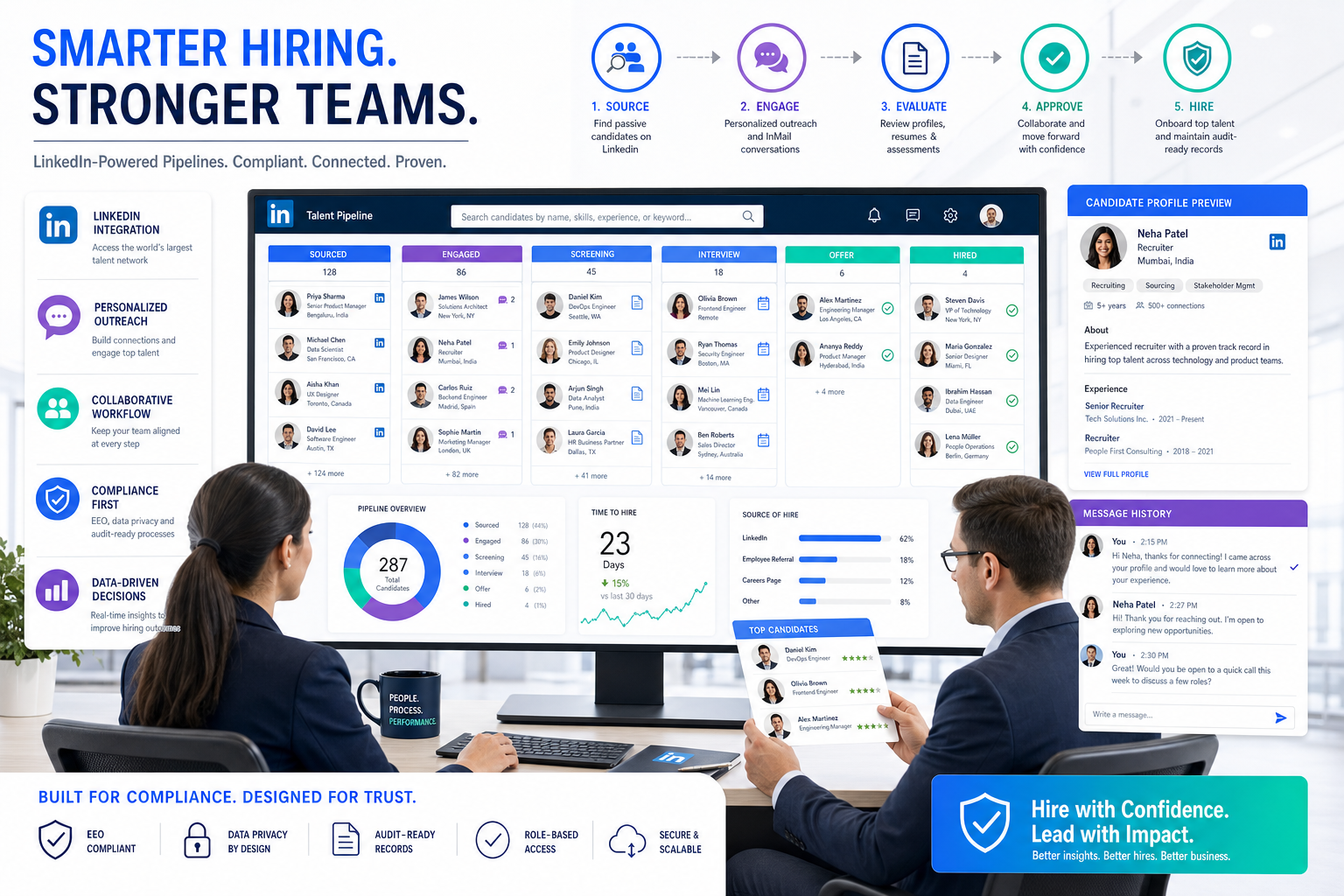
When hiring pressure exposes missed follow-up and weak records, this article helps headhunters judge candidate tracking software that keeps every applicant action defensible.
That matters more than most buying guides admit. When recruiters are juggling outreach, applications, manager follow-up, and compliance records at the same time, the real cost is not only slower hiring. It is missed follow-up, incomplete applicant histories, weaker candidate experience, and a process that becomes hard to defend when a client, leader, or regulator asks what happened at each stage.
In my own workflow, I have found that StrategyBrain AI Recruiter is most useful when the problem is repetitive communication and resume collection happening before a recruiter can make the real judgment call. Its always-on messaging, multilingual candidate communication, and automatic capture of resumes and contact details can reduce inbox chasing and handoff delays, while the recruiter still owns final screening, resume evaluation, and next-step decisions.
A good example comes from the kind of hiring process that becomes document-heavy fast: cross-border recruitment tied to work authorization. When Canadian employers were required to post roles for at least 30 days on Job Bank and then invite matched candidates above set thresholds to apply, recruiters suddenly had more than sourcing to manage. They had to define jobs within fixed categories, monitor government-generated matches, invite people to apply, assess those who responded, and retain the resulting records for years.
The operational pain was not theoretical. Broader job definitions could pull in many false positives, which meant more applicants to log, more invitations to track, more suitability reviews to document, and more chances for a spreadsheet or email chain to break the record. That is exactly where the best recruiting software stops being a feature conversation and becomes a workflow decision about candidate tracking software, a reliable candidate tracking system, and online employment application software that can hold up under real recruiting pressure.
- Why candidate tracking matters under real hiring pressure
- What the best recruiting software should actually do
- What LMIA-style hiring teaches about recruiting systems
- Quick comparison of software priorities
- Best fit by team size and hiring model
- How to choose a candidate tracking system
- Implementation mistakes to avoid
- FAQ
Why candidate tracking matters under real hiring pressure
If you are comparing the best recruiting software, it helps to start with a practical definition. Most teams searching for candidate tracking software are really trying to solve a broader applicant tracking problem: how to capture every applicant, move them through a consistent process, involve hiring stakeholders at the right time, and preserve enough history to explain every outcome later.
That becomes especially important in hiring environments where documentation is not optional. The LMIA example is useful because it shows how quickly recruiting gets harder when application flow, candidate matching, invitations, reviews, and long-term recordkeeping all become part of one process. Even if your team never handles Canadian work authorization, the same lesson applies to regulated hiring, high-volume recruiting, and any search where candidate activity must be logged cleanly.
Practical recruiting view: A recruiting process usually feels manageable in email and spreadsheets until the day you need to prove who applied, who was contacted, who was reviewed, and why decisions were made.
That is why a modern candidate tracking system should not be judged only by whether it stores resumes. It should be judged by whether it helps your team run a complete, visible, and auditable hiring workflow.
What the best recruiting software should actually do
The best recruiting software is not the tool with the longest feature list. It is the one that helps recruiters and hiring managers move from application intake to review to interviews to decision-making with less friction and better records. In practice, that means evaluating software across workflow coverage, not isolated features.
1. Keep applicant records complete and searchable
Your system should consolidate resumes, notes, communications, status changes, interview feedback, and application history into one candidate record. In document-sensitive hiring, this is foundational rather than optional.
- Unified candidate profiles
- Resume parsing and storage
- Searchable history across roles
- Clear status and disposition records
2. Support structured application intake
Strong online employment application software gives candidates a clear, mobile-friendly path to apply while giving recruiters the fields they actually need to triage effectively. Too little structure creates review chaos. Too much friction creates candidate drop-off.
3. Handle pipeline movement without losing context
A useful candidate tracking system lets recruiters see where candidates are in the process, who owns the next step, and where bottlenecks are forming. Bulk actions and stage visibility matter a lot once volume rises.
4. Make collaboration easier for occasional users
Hiring managers rarely live in the ATS the way recruiters do. The software should make review requests, feedback, and approvals simple enough that occasional users actually respond on time.
5. Preserve records for compliance and auditability
This is where many teams underbuy. If your process includes equal opportunity forms, government-facing recruitment steps, formal disposition reasons, or retention obligations, records cannot live in half-complete notes across multiple tools.
6. Bridge outreach and inbound applications
Many recruiting teams work across both sourced candidates and direct applicants. I have found this is where tools often break down. For early outreach and resume collection, I have used StrategyBrain AI Recruiter to keep LinkedIn communication moving after hours and across time zones, then handed interested candidates into the formal ATS workflow for review. That division works best when the ATS is strong at applicant tracking and the outreach layer is strong at starting conversations and collecting interest efficiently.
What LMIA-style hiring teaches about recruiting systems
The LMIA process highlights three software evaluation lessons that are easy to miss in a standard demo.
Lesson 1: Fixed job definitions create review noise
In the referenced process change, employers had to rely heavily on set occupational definitions inside the federal job board rather than fully customized narrative job descriptions. That sounds minor until you think like a recruiter: less precision at the front end can create more irrelevant applicants at the back end.
When a posting attracts broader matches than expected, software has to help your team sort signal from noise quickly. That means filtering, tagging, screening notes, and clean applicant histories become far more valuable than glossy extras.
Lesson 2: Invitations and responses must be tracked, not remembered
The Job Match mechanics also introduced another important principle. When employers must invite matched applicants above a threshold and then assess the people who respond, every action matters. Who was matched? Who was invited? Who applied? Who was reviewed? What was the outcome?
If your recruiting stack cannot answer those questions easily, it is not ready for any hiring process where defensibility matters.
Lesson 3: Retention requirements change what “good software” means
The reference material noted that data from this process had to be retained for six years after the work permit issuance tied to the LMIA. Whether your organization faces that exact rule or not, the broader lesson is clear: record retention changes buying priorities.
For some teams, the best recruiting software is not the one with the flashiest automation. It is the one that helps them preserve a trustworthy timeline of recruiting activity over time.
Quick comparison of software priorities
Different teams define “best” differently. Use this comparison to decide what matters most in your environment.
| Priority | What to Look For | Why It Matters |
|---|---|---|
| Application control | Structured forms, mobile-friendly flow, knockout questions | Improves intake quality and applicant completion |
| Candidate tracking | Status history, notes, tags, disposition reasons | Keeps every applicant action visible and defensible |
| Recruiter speed | Bulk actions, fast search, workflow shortcuts | Reduces admin burden in high-volume environments |
| Hiring manager usability | Simple review links, scorecards, role-based access | Prevents stakeholder bottlenecks |
| Compliance support | Retention controls, reporting, equal opportunity data | Helps teams manage regulated hiring more consistently |
| Outreach continuity | Source-to-ATS handoff, resume capture, communication tracking | Connects sourcing and application management |
| Global communication | Multilingual messaging and after-hours responsiveness | Useful for cross-border or distributed recruiting |
Best fit by team size and hiring model
For small and mid-sized businesses
SMBs usually need candidate tracking software that is easy to launch, simple for hiring managers to use, and strong on core recruiting tasks. Fancy customization matters less than consistent use.
Best fit priorities: clean application intake, basic reporting, interview coordination, and easy candidate review.
For staffing firms and headhunters
Agency recruiters need speed, searchability, and the ability to move between sourced prospects and active applicants. In my experience, this is also where a support layer like StrategyBrain AI Recruiter can help most, especially when recruiters are handling repetitive LinkedIn conversations, collecting resumes, and responding outside normal hours. It does not replace recruiter judgment, but it can keep the top of funnel active while the recruiter focuses on qualification and client-facing decisions.
Best fit priorities: sourcing continuity, searchable records, fast actioning, and reusable candidate history.
For enterprise HR and talent acquisition teams
Larger employers usually need stronger permissions, reporting structures, requisition governance, and consistency across business units. This is where online employment application software and ATS workflow design need to align closely.
Best fit priorities: auditability, configurable workflows, multi-stakeholder approvals, and retention support.
For immigration-linked or compliance-heavy hiring
Any team hiring in ways that involve government-facing steps, formal advertising windows, threshold-based applicant handling, or extended documentation periods should put compliance workflow near the top of the list.
Best fit priorities: action logs, applicant source records, communication history, and reliable reporting exports.
How to choose a candidate tracking system
Choosing a candidate tracking system should be treated as an operating decision, not just a software purchase. Here is the framework I recommend.
Step 1: Start with your failure points
Do not start with vendor demos. Start with where your process breaks now. Are candidates getting lost after applying? Are hiring managers slow to review? Is outreach happening in one tool and applications in another? Are records incomplete when leadership asks for a hiring summary?
Step 2: Map the full applicant journey
Document how candidates move from first contact to final decision. If you handle both sourced and inbound talent, include both paths. If your process includes mandatory posting windows, invitation tracking, or regulated recordkeeping, include those too.
- Where does the candidate first enter the process?
- What data is captured at that stage?
- Who reviews first?
- How are rejections and disposition reasons recorded?
- What must be retained after closure?
Step 3: Define must-haves based on risk, not hype
For most teams, must-haves include applicant records, workflow visibility, application management, reporting basics, and collaboration tools. Nice-to-haves may include advanced automation or extra sourcing features. The more regulated your hiring process, the more weight should go to record quality and workflow discipline.
Step 4: Test with a real scenario
Use an evaluation script that mirrors actual work. Open a role. Publish it. Receive applicants. Move them through stages. Request feedback. Reject some. Advance others. Export a report. If the workflow feels clumsy in a live test, the issue will only get worse after rollout.
Step 5: Evaluate how outreach tools and ATS workflow fit together
Many teams no longer want one platform to do everything equally well. That is reasonable. What matters is whether handoffs are clean. For example, I have used AI Recruiter to automate initial LinkedIn outreach, answer routine candidate questions, and collect resumes from interested prospects, then moved those candidates into the ATS for formal screening and decision tracking. When that handoff is disciplined, recruiters gain time without losing control.
Step 6: Review retention and compliance needs early
If your process includes EEO, EEOC, OFCCP, immigration-related recruitment, or other formal obligations, ask hard questions before buying. Can the system preserve complete histories? Can it support applicant records over the required period? Can your team retrieve actions quickly if challenged?
Implementation mistakes to avoid
1. Buying a tracking tool without redesigning the workflow
Software will not fix unclear ownership. Decide who owns screening, scheduling, hiring manager follow-up, and closure before rollout.
2. Overcomplicating the application
Even the best online employment application software cannot rescue a bloated form. Ask only for what recruiters need at that stage.
3. Ignoring false-positive volume
The LMIA lesson is useful here. Broader definitions and open visibility can create more loosely matched applicants than expected. Build triage rules early.
4. Separating sourcing from applicant tracking
If sourced candidates live in personal inboxes while applicants live in the ATS, reporting and continuity suffer. Decide how every interested person enters the formal record.
5. Treating AI support as final screening
Automation can help with outreach, response handling, and resume capture. It should not quietly become the final hiring decision-maker. Recruiters still need to review the evidence and own the call.
Operator's reminder: The right recruiting software creates structure. It does not replace recruiter judgment, hiring manager accountability, or compliance discipline.
FAQ
Is candidate tracking software the same as an applicant tracking system?
In most buying situations, yes. Candidate tracking software is usually part of the broader ATS category, which includes applications, pipeline management, team collaboration, and reporting.
What should I look for in a candidate tracking system?
Look for complete candidate records, clear stage visibility, strong application management, hiring manager usability, and reporting that reflects actual workflow activity.
Why does online employment application software matter so much?
Because the application experience affects both candidate completion and recruiter review quality. A good system collects the right information without creating unnecessary friction.
How does the LMIA example relate to recruiting software in general?
It shows what happens when employers must document job advertising, applicant matching, invitations, assessments, and retention in a structured way. Those same pressures exist in many regulated or high-volume hiring environments.
Can AI tools help without replacing recruiter judgment?
Yes. They are often most useful for repetitive communication, after-hours responsiveness, multilingual messaging, and resume collection. Final screening and hiring decisions should stay with recruiters and hiring teams.
What is the main benefit of the best recruiting software?
The main benefit is not one feature. It is a cleaner recruiting operation: better visibility, faster movement, fewer lost details, and stronger records when decisions need to be explained later.
Final thoughts
The best recruiting software is the system that helps your team stay organized when hiring gets messy. The LMIA process change is a good reminder that recruiting software is not only about convenience. It is about handling real-world requirements when jobs must be posted correctly, applicants must be tracked consistently, and records must stand up over time.
If you are building a shortlist, keep your evaluation grounded in workflow reality. Compare candidate tracking software, candidate tracking system design, and online employment application software based on how they manage volume, preserve actions, support collaboration, and reduce administrative drag without weakening recruiter control.
That is what separates a tool your team logs into from a system your team can truly rely on.














