


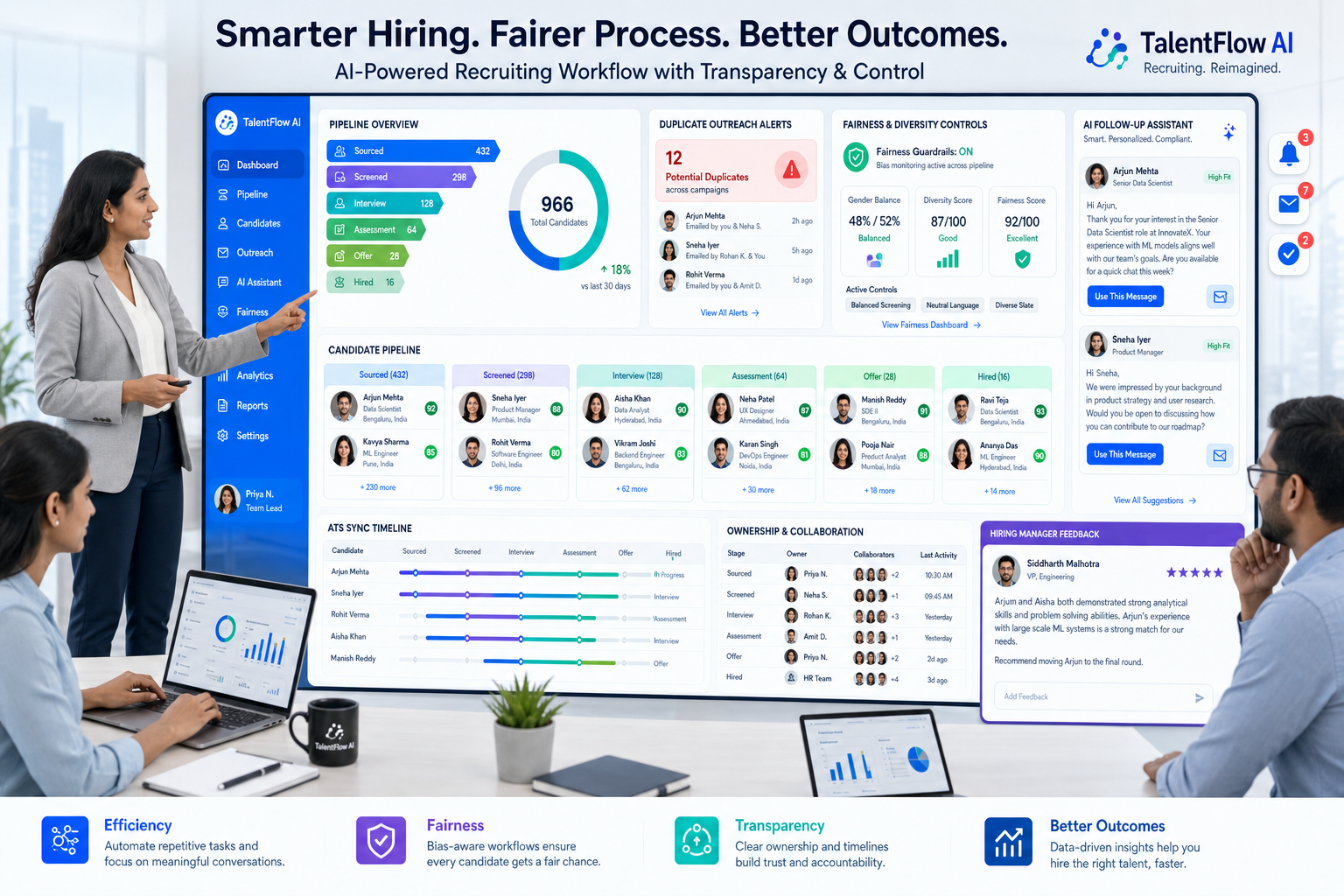
When evaluating an ai recruiting tool, recruiting leaders can spot workflow risks, compare fairness controls, and avoid hidden team friction.
That distinction matters more than most software demos admit. In recruiting, bad process does not only slow the desk down. It creates uneven candidate follow-up, inconsistent screening, missed handoffs with hiring managers, and internal friction when one recruiter hoards information while another is left chasing updates. For a small agency owner, that means weaker delivery and lower trust with clients. For an individual recruiter, it means more admin and more pressure to “win” through speed alone. For an in-house talent lead, it can damage candidate experience and make performance comparisons inside the team feel arbitrary rather than useful.
That is where a workflow-first system helps. In my own evaluation of AI-assisted sourcing, StrategyBrain AI Recruiter stood out less as a replacement for recruiters and more as a way to reduce the kind of repetitive LinkedIn work that often fuels unhealthy internal competition. Its automated candidate outreach, after-hours follow-up, and multilingual messaging can keep conversations moving while the recruiter still owns résumé review, judgment, and next-step decisions. If your bottleneck is chasing first replies and collecting contact details rather than making final assessments, an AI Recruiter workflow can take pressure off the top of funnel without weakening control.
You can see the underlying issue in everyday workplace competition. A team may start with good intentions by comparing output, celebrating wins, or pushing for faster results. But once the field stops feeling even, behavior changes. One recruiter is working warm inbound roles while another is buried in outbound sourcing. One person gets public recognition, another gets anxiety, and a lone hyper-competitive teammate may start guarding candidate information, withholding context, or trying to win attention instead of improving the process.
In recruiting operations, those same dynamics show up in very practical actions: a recruiter checks a requisition list, replies to a late LinkedIn message, updates a candidate stage, then realizes another teammate has already contacted the same profile without logging it. A hiring manager waits on feedback that never made it into the ATS. Someone looks productive because they move fast in private, while the rest of the team loses visibility. That is the transition point where “competition” stops being healthy motivation and becomes a software and workflow problem. It is also why choosing the best recruiting software, whether you need recruitment agency software or recruitment software for mid level growth, starts with fairness, transparency, and system discipline before flashy automation.
- What good recruiting software should solve first
- Healthy vs. toxic competition in recruiting teams
- Core features to compare in an AI recruiting tool
- What to look for in recruitment agency software
- What mid-sized teams need from recruitment software for mid level growth
- A practical software comparison framework
- Three common software approaches and their tradeoffs
- Pricing, demos, integrations, and buying questions
- AI governance, compliance, and fair hiring
- Common mistakes to avoid
- FAQ
What good recruiting software should solve first
Recruiters often begin with feature shopping: sourcing, scheduling, matching, reporting, interview kits, dashboards, and automation. In practice, the stronger buying question is simpler: what failure pattern are you trying to remove from the recruiting workflow?
From experience, the best recruiting software usually fixes five things before it does anything clever with AI:
- Uneven visibility into who contacted which candidate and when
- Messy stage management that leaves recruiters and hiring managers working from different realities
- Slow follow-up that hurts candidate engagement and lets motivated applicants go cold
- Unclear ownership inside agency desks or internal recruiting teams
- Weak reporting that turns performance review into opinion instead of evidence
That is why an ai recruiting tool should be assessed inside a full recruiting workflow. If your ATS is weak, AI can mask disorder for a while but not correct it. If your ATS is disciplined, AI can remove real manual load.
In other words, the best platform is not the one that makes the boldest promise. It is the one that keeps the recruiting process fair, trackable, and repeatable as volume grows.
Healthy vs. toxic competition in recruiting teams
The workplace competition lens is useful here because recruiting is full of scorekeeping. Teams compare placements, response rates, interviews booked, time-to-fill, and manager satisfaction. Some of that is healthy. It can sharpen execution, encourage better teamwork, and push recruiters to improve their own craft over time.
But competition becomes harmful when the playing field is uneven or the reward system is poorly designed. If recruiters are compared across completely different req loads, client quality, territories, or role difficulty, the software data may look objective while the actual comparison is distorted. The result is frustration, disengagement, or political behavior rather than better hiring outcomes.
Good recruiting systems help prevent that by making work visible. They show stage history, sourcing activity, response timing, and ownership rules clearly enough that leaders can distinguish effort from luck and process quality from raw volume.
In my view, one of the most underrated applicant tracking system benefits is not just organization. It is behavioral stability. A structured ATS reduces the incentive for recruiters to operate in silos, hide candidate activity, or rely on memory and inboxes as unofficial systems of record.
Key insight: The best recruiting software does not eliminate competition inside a hiring team; it makes that competition fairer, more transparent, and less destructive.
Core features to compare in an AI recruiting tool
Once your buying team is clear on the workflow problem, feature comparison becomes much easier. For most teams evaluating an ai recruiting tool, these are the categories that matter most.
1. ATS foundation and candidate history
An applicant tracking system for recruiters should centralize records, preserve feedback, track stages, and keep activity history visible. This is the operational layer that prevents duplicate outreach, lost notes, and fuzzy ownership.
The main advantages of applicant tracking system adoption usually show up here first: better handoffs, clearer accountability, and more confidence in the data.
2. Sourcing and first-touch automation
Top-of-funnel work is one of the easiest places to use AI well. Recruiters lose hours to repetitive connection attempts, intro messages, follow-ups, and basic candidate interest checks. Software that automates those early touches can create real efficiency if it still allows recruiter oversight.
That is why I found StrategyBrain AI Recruiter relevant for LinkedIn-heavy teams. It is designed to automate repetitive outreach tasks, continue candidate conversations outside recruiter working hours, and gather résumé or contact details from interested prospects. Used properly, that helps agencies and internal teams keep response handling consistent without pretending the AI should decide who gets hired.
3. Matching and screening support
Candidate matching can save time, especially on high-volume roles. But the software should explain recommendations in a way recruiters can challenge. Ranking is helpful; blind trust is not.
The practical test is whether matching shortens triage time while preserving professional judgment and fairness across candidates.
4. Scheduling and coordination
Scheduling is not glamorous, but it is often where candidate experience breaks down. Strong recruiting software reduces manual back-and-forth, syncs calendars cleanly, and keeps all parties informed.
In software reviews, always ask whether scheduling is truly embedded or dependent on brittle workarounds.
5. Workflow automation and alerts
Good automation supports discipline. Useful examples include reminders for stale candidates, interview feedback prompts, stage change triggers, and approval workflows.
This matters because many teams think they have a performance problem when they really have a follow-through problem.
6. Reporting and comparison integrity
If leaders are going to compare recruiters, reqs, clients, or teams, the system has to show enough context to make the comparison fair. Otherwise dashboards can intensify the exact type of workplace tension the process should reduce.
That is one reason the best applicant tracking system benefits include source quality reporting, stage conversion analysis, req aging, and workload visibility, not just candidate counts.
What to look for in recruitment agency software
Recruitment agency software has to support both delivery and commercial operations. Agencies do not only track candidates. They manage client relationships, submissions, ownership disputes, and placement progress across multiple accounts.
From an agency operator’s perspective, the strongest recruitment agency software usually includes:
- ATS + CRM functionality in one workflow
- Multi-client structure with permissions and account-level visibility
- Candidate ownership rules to prevent duplicate outreach and consultant conflict
- Email or outreach sequencing for both candidate engagement and business development
- Submission and placement tracking that reflects revenue reality
- Reporting by desk, consultant, client, and role
This is also where the competition theme becomes practical. Agencies with weak systems often reward whoever shouts loudest or moves fastest, even if the underlying data is incomplete. A stronger platform makes consultant performance easier to review on something closer to an even playing field.
For LinkedIn-centered agency workflows, I have seen the most value when outreach automation complements the ATS instead of replacing it. A tool like StrategyBrain AI Recruiter can help consultants handle repetitive sourcing conversations at scale, but the agency still needs proper software for ownership, submission tracking, and client reporting.
What mid-sized teams need from recruitment software for mid level growth
The search phrase recruitment software for mid level usually signals a team that has outgrown improvised hiring but does not want enterprise complexity. In practice, that means mid-sized or mid-market businesses that need more structure, more automation, and better reporting without a heavy rollout burden.
These teams usually need:
- Core ATS functionality that recruiters and hiring managers adopt quickly
- Simple automations that remove admin without requiring a full operations team
- Useful reporting on recruiter workload, source quality, and funnel leakage
- Clear approvals and permissions as hiring becomes more formal
- Integrations with calendars, email, HR systems, and assessments
The biggest buying mistake in this segment is overbuying for future sophistication. Mid-sized teams often assume that more features equal more maturity. In reality, a bloated system can create the same threat dynamic seen in unhealthy workplace competition: people feel monitored, burdened, and constrained rather than supported.
Right-sized software should make people feel challenged in a productive way, not threatened by complexity they cannot operationalize.
A practical software comparison framework
When I help teams build a shortlist, I prefer a workflow scoring model over vendor claims. The table below is a practical comparison structure for the best recruiting software.
| Evaluation Area | What to Check | Why It Matters |
|---|---|---|
| ATS foundation | Stage tracking, notes, activity history, feedback capture | Prevents hidden work and duplicate candidate handling |
| AI recruiting tool features | Outreach automation, screening support, matching, follow-ups | Reduces repetitive top-of-funnel work |
| Fairness of reporting | Workload context, req aging, source quality, conversion views | Makes internal comparisons more reliable |
| Scheduling | Calendar sync, candidate comms, panel coordination | Improves speed and candidate experience |
| Agency support | CRM, multi-client workflows, ownership rules, placements | Critical for recruitment agency software buyers |
| Mid-market fit | Fast implementation, predictable administration, useful defaults | Important for recruitment software for mid level teams |
| Compliance and auditability | Access control, action logs, privacy controls | Supports responsible hiring and reviewability |
Use a real requisition during demos and score each area against actual workflow. That is more reliable than broad promises about speed or transformation.
Three common software approaches and their tradeoffs
Rather than naming brands, it is usually more useful to compare the three software patterns buyers actually choose between.
1. All-in-one ATS suites
Pros: A single system of record, strong process control, cleaner reporting, fewer handoff gaps.
Cons: Can be expensive, slower to implement, and sometimes rigid for specialist sourcing workflows.
Best for: In-house teams that need governance, visibility, and end-to-end consistency.
How it works with AI outreach: Often benefits from pairing with a LinkedIn-focused automation layer when sourcing volume is high.
2. Agency ATS + CRM platforms
Pros: Better for multi-client work, consultant ownership, placements, and commercial reporting.
Cons: Candidate engagement automation may be weaker unless supplemented.
Best for: Staffing firms and search teams managing parallel client pipelines.
How it works with AI outreach: A targeted tool such as StrategyBrain AI Recruiter can handle repetitive LinkedIn messaging while the core platform manages records and ownership.
3. Point solutions for sourcing automation
Pros: Fast productivity gains, lighter setup, immediate help for outbound sourcing teams.
Cons: Limited system-of-record value, weaker downstream reporting, risk of disconnected workflows.
Best for: Teams whose main bottleneck is outreach volume rather than full-funnel management.
How it works with AI outreach: This is the category where specialized LinkedIn automation tends to fit best, provided recruiters still evaluate résumés and make the real qualification decision.
That last point matters. Any vendor can automate contact and response handling. The recruiter still has to decide whether the profile, résumé, and timing fit the role.
Pricing, demos, integrations, and buying questions
Exact prices vary, and many vendors do not publish enough detail to make meaningful comparisons. Even so, your buying process should force clarity.
Questions to ask about pricing
- Is pricing tied to seats, open jobs, employee count, or usage?
- Are AI features bundled or sold separately?
- What implementation and support costs sit outside the subscription?
- Will costs rise sharply if sourcing activity scales?
Questions to ask about integrations
- Does it connect smoothly with calendars and email?
- Can it support HRIS, onboarding, assessment, and background check workflows?
- Where will recruiters still need manual data entry?
Questions to ask in the demo
- Show how one recruiter sources, contacts, and moves a candidate through the process.
- Show what happens when two recruiters touch the same candidate.
- Show how a hiring manager leaves feedback and how reminders are triggered.
- Show the logic behind AI matching or outreach suggestions.
- Show reporting that reflects workload fairness, source quality, and bottlenecks.
That second question is especially important. It exposes whether the software reduces the kind of hidden competition and ownership confusion that can quietly poison recruiting teams.
AI governance, compliance, and fair hiring
Any serious review of an ai recruiting tool should include governance. Speed is useful. Speed without explainability is risky.
Look for:
- Human oversight in screening and advancement decisions
- Explainability around matching or ranking logic
- Auditability of actions and workflow changes
- Privacy controls for candidate records and communications
- Bias-conscious process design in how teams use recommendations
For example, one of the more reassuring points in the StrategyBrain AI Recruiter materials is the emphasis that customer data is not used to train outside models and that candidate information remains isolated and secured. That does not remove the need for buyer diligence, but it is the kind of operational question teams should be asking every vendor.
The larger principle is simple: AI should help recruiters handle repetitive tasks, not obscure how hiring decisions are made.
Common mistakes to avoid
Buying AI before fixing ownership rules
If your team does not know who owns a candidate, who updates stages, or who closes the loop with hiring managers, automation will magnify confusion.
Confusing healthy competition with good process
Leaderboards and activity counts can motivate people, but they do not replace disciplined workflows. Software should support fair comparison, not performative competition.
Choosing the wrong operating model
Recruitment agency software and in-house ATS platforms solve different problems. Agencies need CRM logic and placement tracking. Internal teams usually need approvals, hiring manager collaboration, and compliance visibility.
Overbuying in the mid-market
This is common in recruitment software for mid level evaluations. Bigger systems often look safer than they are. If usability suffers, adoption drops and reporting quality collapses with it.
Assuming outreach automation equals qualification
It does not. Even with advanced messaging support, recruiters still need to read the résumé, check alignment, and make the final judgment call.
FAQ
What is the best recruiting software for most teams?
The best recruiting software is usually the platform that fits your real workflow across ATS discipline, sourcing, communication, reporting, and collaboration. Ease of use and process clarity matter more than the most aggressive AI claim.
How is an AI recruiting tool different from an ATS?
An ATS is your system of record for candidates, stages, and hiring activity. An AI recruiting tool typically adds sourcing, messaging, screening support, matching, or scheduling assistance.
What should recruitment agency software include?
It should include ATS and CRM capabilities, multi-client workflows, ownership rules, submission tracking, placement visibility, and consultant-level reporting.
What does recruitment software for mid level usually mean?
It usually refers to recruiting software for mid-sized or mid-market teams that need more structure than startup tools but less complexity than enterprise platforms.
Can LinkedIn outreach automation replace a recruiter?
No. It can reduce repetitive outreach and follow-up work, but recruiters still need to assess résumés, validate fit, and decide next steps.
Conclusion
The search for the best recruiting software is not really about finding the most impressive feature list. It is about building a hiring workflow that stays fast without becoming chaotic, competitive without becoming political, and automated without becoming opaque.
If your team depends heavily on outbound sourcing, an ai recruiting tool that handles repetitive LinkedIn communication can be a strong layer in the stack. If you are an agency, protect ownership and client workflow first. If you are a mid-sized company, favor adoption and reporting clarity over enterprise excess. And in every case, choose software that helps recruiters compete with their own past performance more than with hidden process advantages.














