


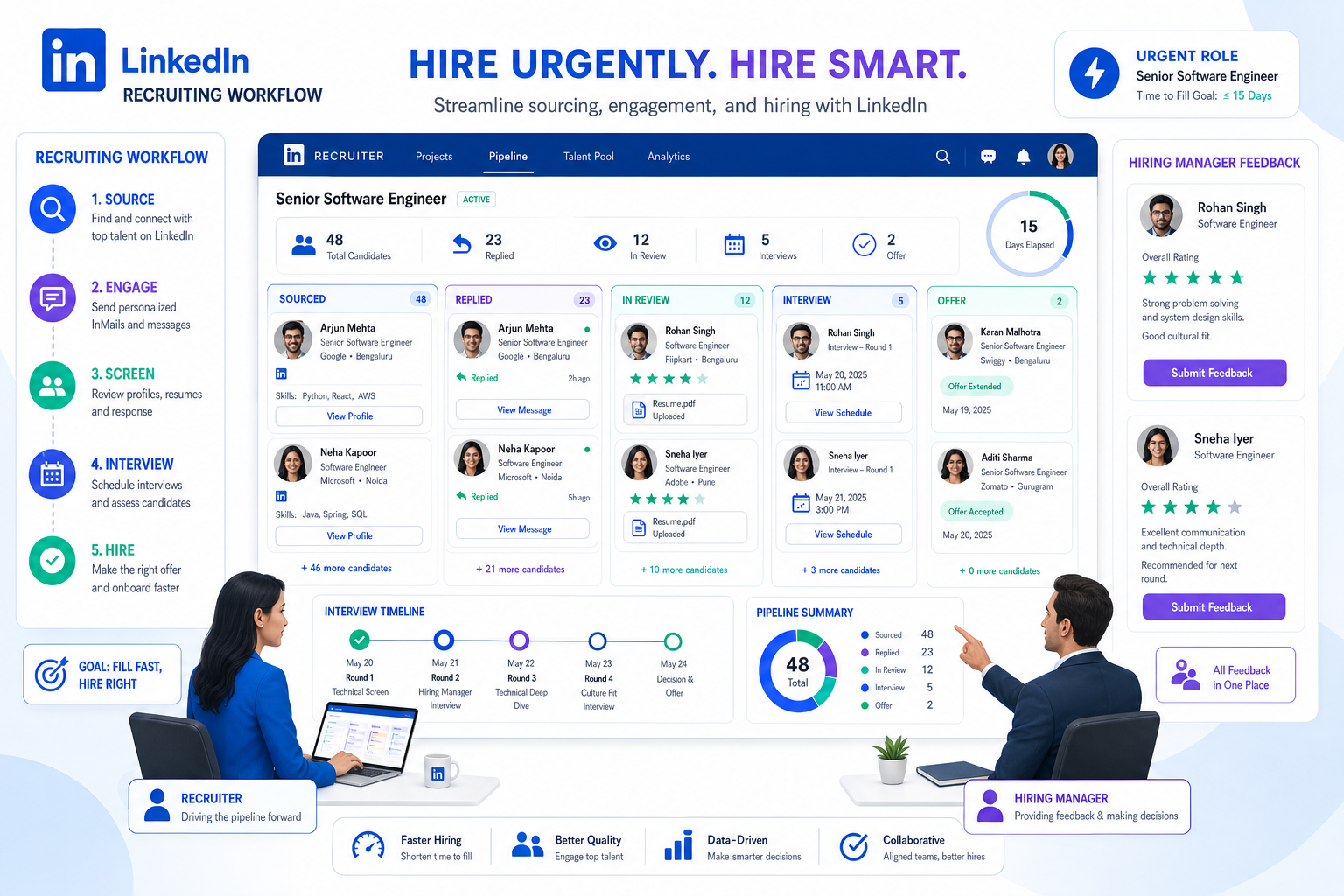
When urgent roles stay open, this article helps recruiting leaders judge a recruiting platform by gap coverage, workflow fit, and avoidable delays.
That standard matters most when a search is open, the hiring manager expects progress, and the role cannot sit vacant while recruiters juggle inboxes, spreadsheets, interview follow-ups, and scattered candidate notes. For small search firms, solo recruiters, and in-house talent teams, the damage is practical: slower submissions, weaker candidate experience, missed passive talent, higher admin load, and more pressure from clients or business leaders who need a real hire now rather than another status update.
In those moments, I have found that AI Recruiter is most useful when it handles the repetitive LinkedIn work that usually slows momentum first: connecting with relevant prospects, replying after hours, and collecting resumes or contact details from interested candidates. What matters is that the recruiter still owns final judgment, resume review, shortlist decisions, and the next live conversation, but the workflow stops depending on constant manual chasing.
You see the same pressure in another hiring scenario that looks different on the surface but creates the same operational gap. In finance hiring, companies can spend weeks looking for a permanent Controller or FP&A leader while the work itself keeps moving. Budgets are tighter, candidate expectations are misaligned, counteroffers are common, and employers still need someone to stabilize reporting, support a system change, or lead a project before the permanent hire arrives. The immediate answer is often an interim consultant who can step in fast, assess the situation quickly, and start work within days rather than weeks.
That is the point many recruiting teams miss when they evaluate software. The real test is not whether a recruiting platform can store applicants. It is whether it helps you bridge hiring gaps, support urgent searches, manage temporary and permanent pipelines together, and keep hiring moving while stakeholders wait for the right long-term decision. That is why the best job recruitment platforms and any serious tech hiring platform need to be judged on workflow coverage, speed, collaboration, and sourcing discipline rather than feature count alone.
If you are comparing the best recruiting software, you are probably not looking for another system that simply collects resumes. Most hiring teams need a recruiting platform that helps them source stronger candidates, coordinate interviews faster, keep hiring managers aligned, and create a smoother experience from first touch to offer, especially when business-critical roles cannot stay open for long.
This guide is written for in-house recruiters, talent acquisition leaders, agency recruiters, HR teams, and hiring managers who want practical selection criteria rather than generic software hype. In day-to-day recruiting operations, the strongest job recruitment platforms do more than applicant tracking. They connect sourcing, candidate relationship management, interview workflows, onboarding handoff, and reporting in one system people will actually use.
In this guide, you will learn:
- What recruiting software, a recruiting platform, and a talent acquisition platform usually mean in practice
- Why urgent hiring gaps expose weaknesses in many recruiting tools
- Which features matter most when evaluating job recruitment platforms
- How applicant tracking system workflows fit into a broader recruiting stack
- What to look for in a tech hiring platform for engineering and technical roles
- How to choose the best recruiting software for startups, SMBs, enterprise teams, and agencies
Quick answer: the best recruiting software is the one that combines applicant tracking, sourcing support, interview coordination, team collaboration, integrations, and candidate-friendly workflows in a way that matches your hiring volume, urgency, and process maturity.
- Why Hiring Gaps Change Software Requirements
- What Recruiting Software Really Includes
- Recruiting Platform vs ATS vs Talent Acquisition Platform
- Features That Matter Most in the Best Recruiting Software
- Applicant Tracking System Benefits for Recruiters and Hiring Teams
- How to Choose by Hiring Scenario
- What to Look for in a Tech Hiring Platform
- A Practical Evaluation Process
- Common Buying Mistakes
- FAQ
Why Hiring Gaps Change Software Requirements
One useful lesson from interim hiring is that urgency changes what good recruiting support looks like. When a company needs someone to keep reporting, systems, or leadership work moving before a permanent hire lands, the recruiting team cannot afford vague ownership or broken handoffs. The workflow has to support immediate action, short-term coverage, and long-term hiring in parallel.
That same logic applies well beyond finance roles. A recruiting platform should help teams manage a search when the ideal permanent candidate may take longer to find, but the business still needs progress now. In practice, that means recruiters may be balancing sourced prospects, active applicants, temporary specialists, hiring manager check-ins, and downstream onboarding steps at the same time.
Key insight: the best recruiting software is often easiest to recognize during urgent hiring gaps. If your system creates more manual coordination just when the business needs faster movement, it is not a real operating platform.
In my own workflow, this is where LinkedIn-heavy sourcing often becomes the first bottleneck. I have used StrategyBrain AI Recruiter to keep candidate conversations moving overnight and across time zones, especially when a search depended on passive talent rather than inbound applicants. The practical value was not replacing recruiter judgment. It was reducing the dead time between outreach, replies, interest checks, and resume collection so I could spend more of my day reviewing actual candidate quality and aligning with hiring managers.
What Recruiting Software Really Includes
Recruiting software is the set of tools a hiring team uses to attract, organize, assess, communicate with, and move candidates through the hiring process. In today’s market, buyers often use recruiting software, recruiting platform, and talent acquisition platform almost interchangeably, but the practical difference usually comes down to scope.
A basic system may focus mainly on applicant tracking, while a broader recruiting platform may also support sourcing workflows, candidate nurturing, interview scheduling, employer branding, and onboarding handoff. That distinction matters because many teams outgrow point solutions once hiring becomes more complex or business leaders expect the recruiting team to cover both immediate staffing needs and strategic pipelines.
From an operator’s perspective, the best recruiting software should reduce manual work without removing human judgment. The goal is not to automate recruiting end to end. The goal is to help recruiters spend less time on admin and more time on candidate quality, communication, and stakeholder alignment.
That is why software evaluation should start with workflow reality. Can your team source passive talent, track interim or contract options where needed, coordinate interviews, collect feedback, and keep communication consistent from first outreach to accepted offer? If not, you may have tools, but you do not yet have a functioning recruiting platform.
Recruiting Platform vs ATS vs Talent Acquisition Platform
One of the most common buying mistakes is evaluating every category as if it were the same. In practice, these labels overlap, but they serve slightly different needs.
| Category | Primary Focus | Best Fit | Practical Limitation |
|---|---|---|---|
| Applicant Tracking System | Pipeline management, requisitions, candidate records, compliance, workflow tracking | Teams that need process control and structured hiring stages | May be weak in sourcing, CRM, or candidate engagement |
| Recruiting Platform | ATS plus sourcing, communication, collaboration, scheduling, and reporting | Teams that want one system across more of the recruiting lifecycle | Can become heavy if workflows are not well configured |
| Talent Acquisition Platform | Broader strategic layer including employer branding, talent pools, analytics, and onboarding connections | Organizations with mature or multi-team hiring operations | May be more than a small team needs at the start |
For many buyers, the right question is not “Do we need an ATS or a recruiting platform?” It is “How much of our hiring workflow do we want one system to cover?” If your current pain point is disorganization, an ATS may be enough. If your real issue is tool sprawl, poor handoffs, slow sourcing response, and inconsistent communication, a broader recruiting platform is usually the better direction.
This is where the structure-first advantages of ATS design become clear. Searchable records, visible stages, ownership, and status control are foundational. But the best recruiting software builds on those strengths instead of stopping there, especially for teams handling hard-to-fill roles or urgent business coverage.
Features That Matter Most in the Best Recruiting Software
Most comparison pages group the category around a familiar set of capabilities, and that largely reflects what experienced teams really evaluate. If you want a recruiting platform that supports daily hiring work under pressure, start with these feature areas.
1. Candidate management and pipeline visibility
This is the operational core. Recruiters need clear stages, accurate statuses, easy resume review, duplicate handling, talent pool organization, and fast search across past applicants and prospects. Hiring managers need enough visibility to act without digging through email.
Practical advice: Ask whether the system makes it easy to answer basic questions in seconds: Who is waiting for feedback? Which roles are stuck? Which candidates are warm but not active? Which interim or contract leads are still viable if the permanent search slips?
2. Job posting distribution
The best job recruitment platforms simplify job publishing across career pages and multiple channels. That does not just save time. It also helps teams keep job descriptions consistent and improve transparency for candidates.
Practical advice: Review how easy it is to update a posting once and push that change everywhere. Fragmented job distribution creates version-control problems quickly.
3. Interview management and scheduling
Scheduling is one of the biggest hidden drains on recruiter time. Strong recruiting software should support interviewer coordination, calendar syncing, scorecards, and feedback collection in a way that keeps the process moving.
Practical advice: If scheduling still depends on manual back-and-forth for most roles, you are losing recruiter capacity and slowing candidate experience.
4. Collaboration and hiring manager workflows
Good hiring outcomes depend on shared expectations. A usable recruiting platform should make it easier for recruiters, hiring managers, interviewers, and HR to review profiles, leave structured feedback, and make decisions with context.
Practical advice: Test whether occasional users, especially hiring managers, can navigate the system without training-heavy workarounds.
5. Sourcing and outreach support
For many teams, especially agencies and technical recruiters, great hiring starts before an application exists. A serious recruiting platform should support sourced prospects, track outreach status, capture candidate replies, and preserve conversation history cleanly.
Practical advice: If your workflow depends heavily on LinkedIn outreach, evaluate how well the platform works alongside dedicated sourcing support. I have found AI Recruiter especially useful for repetitive prospect engagement, follow-up continuity, and resume capture, while the recruiter keeps the final screening call and fit assessment.
6. Assessments and evaluation support
Many teams now expect hiring tools to support assessments or connect them cleanly into the process. That matters even more for technical and specialized roles where qualification signals need to be more structured.
Practical advice: Look for workflows that help standardize evaluation without making the process feel robotic or too long for candidates.
7. Onboarding and post-offer handoff
Recruiting does not end at accepted offer. The best recruiting software often connects the hiring workflow to onboarding steps so candidates do not fall into an administrative gap after signing.
Practical advice: Ask how candidate records move from recruiting into downstream HR processes and who owns that handoff.
8. Integrations and stack consolidation
Many recruiting teams still work across disconnected tools for calendars, email, assessments, HR systems, and reporting. A strong recruiting platform should reduce that fragmentation.
Practical advice: Map your current workflow before demos. If a platform cannot connect to the systems your team uses every day, efficiency gains may never materialize.
9. AI-assisted functionality
AI has become an expected part of the category, but practical buyers should evaluate it carefully. The most useful applications today are usually screening assistance, sourcing support, outreach automation, scheduling help, and analytics summaries rather than full automation.
Practical advice: Ask whether AI features improve recruiter judgment, speed, and consistency. Be cautious of anything that promises to replace evaluation rather than support it.
10. Candidate experience tools
Human-centered hiring is not a soft extra. It is an evaluation criterion. Transparent job ads, respectful communication, timely updates, and smoother interview logistics all affect completion rates and employer reputation.
Practical advice: Review communication templates, portal experience, and feedback workflows from the candidate side, not just the admin view.
Applicant Tracking System Benefits for Recruiters and Hiring Teams
Because ATS functionality sits inside so many buying decisions, it helps to be explicit about the applicant tracking benefits that matter in real operations.
For recruiters, an ATS creates structure: one place for candidate data, consistent pipeline stages, easier requisition management, and cleaner collaboration with hiring managers. These are the core benefits when teams are trying to reduce administrative drag and keep urgent hiring gaps from turning into workflow chaos.
For HR and talent leadership, the benefits include better process visibility, easier reporting, clearer ownership, and more consistent hiring procedures across roles or departments. This matters especially when multiple recruiters or business units are hiring at once.
For hiring managers, the main benefit is faster access to organized candidate information and a simpler way to submit feedback. If the system works well, recruiters spend less time chasing comments and managers make decisions with better context.
For headhunters and agency-style recruiters, ATS structure can help manage high candidate volume, track outreach status, and separate active pipelines from nurtured talent pools. That said, agency teams often need stronger sourcing and CRM-style capabilities than ATS-only systems provide.
The best recruiting software turns these ATS strengths into a broader operating model. Instead of using applicant tracking only as a record system, strong teams use it as the workflow backbone for sourcing, communication, selection, and reporting.
How to Choose by Hiring Scenario
The best recruiting software depends heavily on hiring context. A useful recruiting platform for a ten-person hiring team may be the wrong fit for a startup founder making a few key hires each quarter.
Startups
Startups usually need speed, simplicity, and enough process to avoid chaos. The right recruiting platform should make job posting, candidate review, scheduling, and hiring manager feedback easy without forcing enterprise-level setup.
Recommendation: prioritize ease of use, fast implementation, and workflow clarity. For a small team, ATS benefits are strongest when they remove spreadsheets and inbox confusion immediately.
SMBs
SMB hiring teams often sit in the middle: too large for lightweight tools, but not resourced for complex administration. They usually benefit from job recruitment platforms that combine ATS structure with practical automation and integrations.
Recommendation: look for a recruiting platform that consolidates posting, interview coordination, feedback collection, and basic reporting in one place.
Enterprise hiring teams
Enterprise organizations usually need stronger governance, cross-team consistency, workflow customization, and integration with the broader HR tech stack. Candidate experience also becomes harder to standardize at scale.
Recommendation: evaluate platform flexibility, permissions, analytics, integration depth, and support for multiple workflows across functions or geographies.
Agency recruiting
Agency teams often need speed, searchable talent pools, outreach tracking, and the ability to manage many openings and client workflows at once. ATS structure matters, but sourcing efficiency matters just as much.
Recommendation: choose a recruiting platform that handles both active pipelines and relationship-based candidate management. If outreach volume is high, pairing your core system with StrategyBrain AI Recruiter can help maintain prospect communication after hours and across regions without turning every recruiter into a full-time follow-up machine.
Campus recruiting
Campus hiring brings event workflows, high volume, and candidate engagement demands. Teams need fast screening, coordinated communication, and clean handoffs between recruiters and business stakeholders.
Recommendation: prioritize candidate management, bulk actions, scheduling, and communication consistency.
High-growth technical hiring
When the challenge is engineering or specialized technical talent, generic workflows often break down. A tech hiring platform needs to support more targeted sourcing, clearer signal capture, and better coordination around technical evaluation.
Recommendation: test technical-role workflows during evaluation, not after rollout.
What to Look for in a Tech Hiring Platform
Technical recruiting has distinct workflow requirements, which is why buyers searching for a tech hiring platform often evaluate different strengths than general hiring teams. The issue is not just volume. It is candidate scarcity, qualification complexity, and the need for better signal quality earlier in the process.
Sourcing quality and passive-candidate discovery
Engineering and specialized technical hiring often depends on finding people who are not actively applying. A strong tech hiring platform should support sourcing workflows that help recruiters identify, organize, and revisit passive talent effectively.
Practical advice: ask how the system supports sourced prospects, not only applicants. Many teams buy recruiting software built mainly for inbound volume and then struggle with outbound technical hiring.
Technical-role workflows
Technical roles usually require more structured screening, interview panel coordination, and signal capture across multiple evaluation steps. The platform should make those workflows clear without creating unnecessary friction for candidates or interviewers.
Practical advice: test scorecards, interviewer kits, and stage design for engineering workflows specifically.
Signal-based outreach and candidate context
For technical talent, generic outreach underperforms. Recruiters need systems that help them track meaningful context, such as role fit, specialization, previous touchpoints, and response patterns, so outreach feels relevant rather than mass-produced.
Practical advice: evaluate whether outreach tools support personalization and follow-up discipline instead of simple email volume. If your team relies on LinkedIn for this work, an AI-assisted layer like AI Recruiter can keep the conversation moving, but recruiters still need to make the fit call after reviewing resumes and technical signals.
Assessment and interview alignment
A useful tech hiring platform should help teams connect screening, technical assessments, interview feedback, and final decision criteria. That does not mean overengineering the process. It means making evaluation standards visible and consistent.
Practical advice: if your engineering interviews feel inconsistent today, software alone will not fix that. Use the platform to support a better-defined process, not to substitute for one.
A Practical Evaluation Process for the Best Recruiting Software
When teams rush demos, they often buy based on feature lists instead of workflow fit. A better approach is to evaluate recruiting software against the actual operating problems your team needs to solve.
- Map your current workflow. Document where hiring slows down: sourcing, screening, scheduling, feedback, approvals, or handoff.
- Identify what your system must cover during a hiring gap. Can it support contract, interim, project-based, or hard-to-fill searches without losing visibility?
- Define baseline ATS requirements first. Separate what every system should do from the few capabilities that will actually change recruiter performance.
- Choose your use-case lens. Evaluate as a startup, SMB, enterprise team, agency, or technical hiring function rather than as a generic buyer.
- Run realistic demos. Ask vendors to walk through a live hiring scenario, not a polished overview.
- Include recruiters and hiring managers. The platform must work for frequent and infrequent users.
- Review candidate experience directly. Check communications, scheduling flow, and job ad clarity from the candidate side.
- Test integrations early. Workflow efficiency depends on how the system connects to the rest of your stack.
If your team is comparing the best recruiting software, this process usually reveals that usability and workflow alignment matter more than the longest feature list. It also surfaces whether your recruiting platform can help bridge real hiring gaps instead of just documenting them.
Common Mistakes to Avoid When Choosing Job Recruitment Platforms
Buying for future complexity instead of current needs
Some teams overbuy. A recruiting platform should leave room to grow, but if configuration becomes a project of its own, adoption suffers.
Choosing an ATS that does not support sourcing reality
This is especially common in technical hiring. If your team relies on outbound recruiting, the platform must support prospect management, not just applicant processing.
Ignoring urgent coverage scenarios
Many buyers evaluate around ideal permanent hiring flows only. But the harder test is what happens when a role stays open longer than planned and the business still needs work done. If the system cannot support flexible search paths, your recruiters will be forced back into manual workarounds.
Ignoring hiring manager usability
Recruiters may tolerate complexity that hiring managers will not. If manager adoption is weak, feedback quality and speed usually decline.
Treating AI as a replacement for recruiting judgment
AI-assisted features can help with screening, outreach, scheduling, and analytics, but human review still matters. Better tools should sharpen recruiter focus, not remove accountability.
Underestimating candidate experience
Slow updates, vague job ads, and messy scheduling weaken hiring outcomes. Candidate experience should be part of platform evaluation, not an afterthought.
FAQ
What is recruiting software?
Recruiting software is technology used to manage hiring workflows, including job posting, candidate tracking, interview coordination, team collaboration, and reporting. A modern recruiting platform often goes beyond basic applicant tracking by supporting sourcing, communication, and onboarding-related workflows.
How is a recruiting platform different from ATS software?
ATS software mainly focuses on structured candidate tracking and pipeline management. A recruiting platform usually includes ATS functionality but extends into sourcing, CRM-style talent engagement, scheduling, collaboration, analytics, and integrations.
What features matter most in the best recruiting software?
The most important features are candidate management, job posting distribution, interview management, applicant tracking, sourcing support, assessments, collaboration, onboarding handoff, integrations, and practical AI-assisted support. The right mix depends on whether your team is optimizing for volume, speed, consistency, or specialized hiring needs.
What works best for small businesses?
Small businesses usually benefit from a recruiting platform that is easy to implement, simple for hiring managers to use, and strong enough to replace spreadsheets, inbox tracking, and manual scheduling. The biggest ATS benefits for small teams are clarity, speed, and reduced administrative work.
Are AI recruiting tools worth it?
They can be, if the AI features are practical. Useful functions include screening assistance, sourcing support, outreach automation, scheduling, and analytics summaries. The best results usually come when AI supports recruiter decision-making rather than trying to automate the entire hiring process.
How do I choose a tech hiring platform?
Focus on sourcing quality, passive-candidate discovery, technical-role workflows, structured evaluation, and outreach personalization. A good tech hiring platform should help recruiters manage both inbound applicants and outbound prospects while keeping interview feedback organized and candidate communication respectful.
Conclusion
The best recruiting software is not simply the tool with the longest feature list. It is the recruiting platform that matches how your team actually hires, supports structured workflow without stopping at basic process control, and improves both recruiter efficiency and candidate experience.
If you are evaluating job recruitment platforms, start with your workflow, your hiring volume, your sourcing reality, and your most common breakdowns. Then choose a system that connects sourcing, tracking, collaboration, and communication in a way your recruiters and hiring managers will genuinely use. For technical teams, make sure your tech hiring platform can support passive-candidate discovery and structured technical workflows from day one.
And if your team spends too much time on repetitive LinkedIn outreach before the real evaluation work even begins, adding AI Recruiter alongside your core recruiting platform can help keep conversations moving while recruiters stay focused on final fit, shortlist quality, and hiring decisions. When a platform reduces tool sprawl, clarifies ownership, and helps your team respond faster during hiring gaps, it becomes more than software. It becomes part of a stronger hiring operation.














