


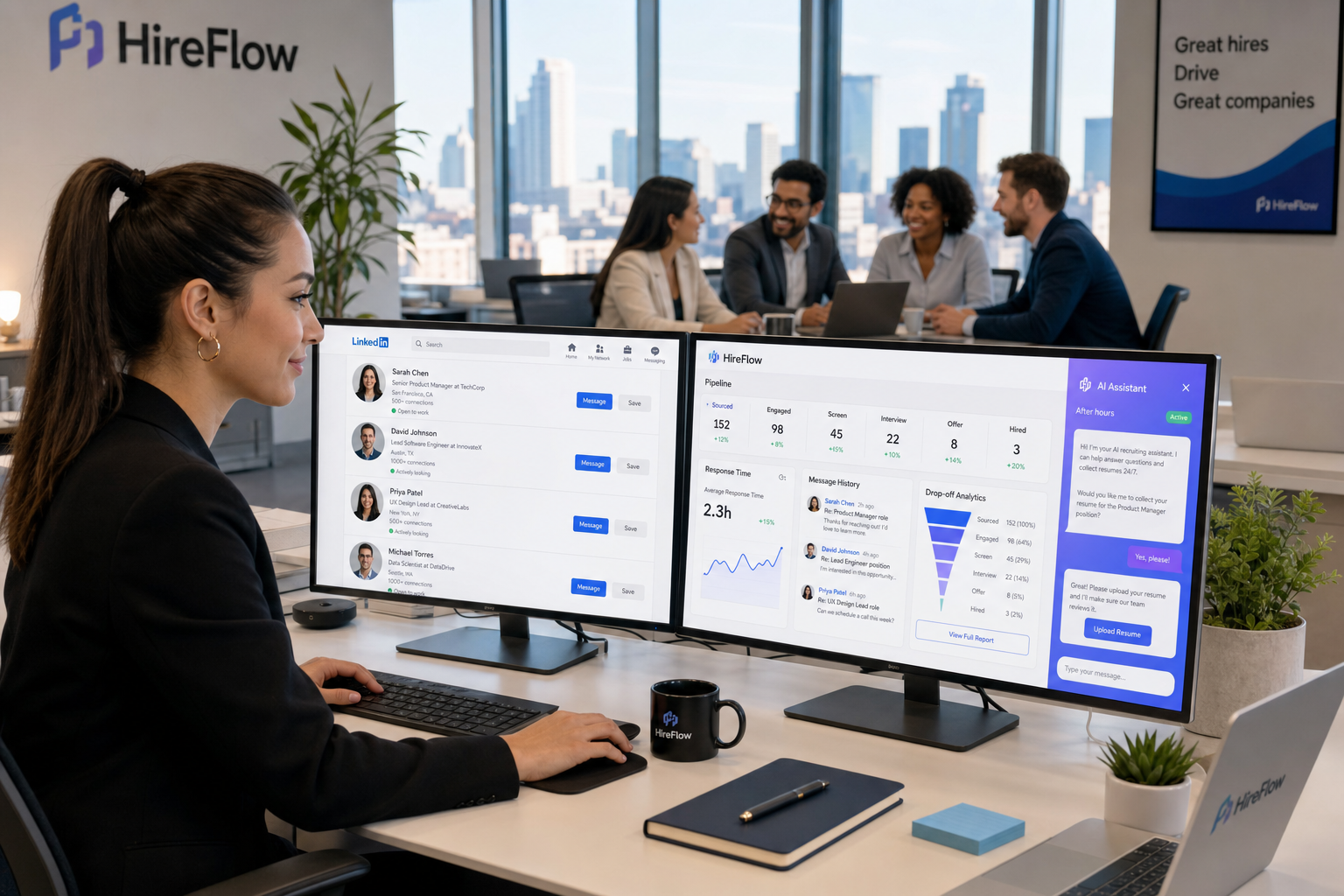
When free recruiting software slows replies or hides team signals, this article helps recruiting leaders judge fit, avoid candidate drop-off, and know when free stops working.
That matters more than most teams expect. In agency recruiting, in-house hiring, and founder-led hiring alike, the real cost of a weak system is not just extra admin. It shows up when good candidates wait too long for replies, hiring managers lose confidence in the process, recruiters miss context between conversations, and a promising role starts sending the wrong message about the team behind it. Once that happens, software choice becomes a reputation issue as much as an efficiency issue.
In my own workflow, one useful support layer for this problem has been StrategyBrain AI Recruiter. I do not use it as a substitute for recruiter judgment, because final qualification, resume review, and shortlist decisions still belong to the recruiter. What it does well is handle repetitive outreach, keep candidate conversations moving after hours, and collect resumes or contact details from interested people so the live recruiting team can focus on fit, motivation, and next-step decisions.
The pressure is easy to recognize in specialized hiring markets. In life sciences and biotech, for example, candidates are not only comparing compensation or title. They want to know whether they will matter, whether the work is meaningful, and whether the team they join supports innovation, development, and a credible culture. At the same time, the company is trying to hire for immediate delivery and long-term growth, while knowing that early hires shape culture, future hiring success, and even outside market perception.
That is exactly where recruiting software stops being a simple tracking tool and becomes an operating system for judgment. If your process has to preserve candidate interest, show team quality, support flexible hiring models, and keep DEI and collaboration visible, then the best recruiting software is not just feature-rich. It must also fit your workflow honestly, especially if you are starting with free hiring software or testing a free recruitment setup before investing further.
Quick answer: The best recruiting software is the system that helps your team communicate value, track candidates clearly, and move hiring decisions forward without losing context. The best free recruiting software is usually enough for lower-volume hiring, early-stage process building, and recruiter-led testing, but only if its limits do not weaken collaboration, candidate experience, or follow-through.
Table of Contents
- Why the best recruiting software starts with hiring context
- What “free” really means in recruiting software
- Why team quality and culture affect software choice
- Core ATS features that matter in real recruiting work
- How AI-supported workflow changes recruiter capacity
- A practical framework for comparing free hiring software
- Internal hiring, agency recruiting, and specialist search
- Operational benefits of applicant tracking systems
- Common limits of free recruitment software
- When it is time to upgrade
- Selection checklist
- FAQ
Why the best recruiting software starts with hiring context
When people search for the best recruiting software, they often start with feature comparisons. That is understandable, but experienced recruiters usually begin somewhere else: what kind of hiring decision are we trying to support?
In specialist recruiting, the answer is rarely just “track applicants.” Good hiring depends on understanding what the company offers, what the team needs now, and what it may need six or twelve months from now. That logic showed up clearly in life sciences recruiting discussions in 2021, where hiring was tied not only to headcount growth but to innovation culture, meaningful work, strategic direction, flexibility, and diversity. Those are not biotech-only concerns. They are the same pressures many modern recruiting teams face when they try to hire people who can actually move the business forward.
That is why the best recruiting software should be judged against three layers of recruiting reality:
- Immediate workflow: job posting, outreach, application capture, screening, scheduling, and stage movement.
- Team signaling: whether the process shows candidates that the organization is organized, serious, and respectful.
- Long-term hiring fit: whether the system still works when roles, collaboration needs, or sourcing channels become more complex.
If you skip the second and third layers, even a polished system can underperform. A tool may look strong in a demo but still fail your team because it cannot support the context candidates care about or the coordination recruiters actually need.
What “free” really means in recruiting software
One of the most common mistakes in software selection is assuming that every free offer means the same thing. In recruiting, it almost never does. For teams evaluating free recruiting software, there are usually three very different models.
1. Permanent free plan
This means the software can be used indefinitely without payment, but with restrictions. Those limits may apply to open jobs, users, candidate records, branding, reporting, or automation.
2. Free trial
A trial can be useful for testing workflow fit, but it is not long-term free hiring software. Teams often confuse short access to premium features with a workable free operating model.
3. Limited free use
Some tools are free only for one active role, a small number of applicants, or very basic candidate tracking. That can still be useful for occasional hiring or process testing, but it is not enough for every recruiter.
Before you treat any system as viable free recruitment software, ask the practical questions:
- How many active jobs can we run?
- How many applicants can we manage before the plan stops being usable?
- Can recruiters and hiring managers both work inside it?
- Are communication and scheduling included, or still manual?
- Does it provide any reporting at all?
- What breaks first when hiring volume rises?
That last question matters because free software is often most valuable as a discipline tool. It helps a team stop living in spreadsheets and inboxes. But that does not mean it can carry the full hiring operation forever.
Why team quality and culture affect software choice
The strongest idea in the reference material is simple: recruiting success starts with the team you are building, because early hires shape later hires. Strong people attract strong people. Weak hiring decisions send a signal too, and the market notices.
That observation is especially important when choosing the best recruiting software. A system does not create culture on its own, but it absolutely influences how culture is expressed in hiring. Candidates notice whether communication is thoughtful, whether interview steps feel coordinated, whether messages arrive on time, and whether the team seems clear about what kind of contribution matters.
In practical terms, software should support that credibility in four ways:
- Clear candidate communication so applicants do not feel ignored.
- Shared hiring visibility so hiring managers and recruiters are aligned.
- Structured evaluation so decisions are based on role needs, not process chaos.
- Context retention so the team remembers why a candidate was interesting in the first place.
This is one reason I am cautious when people ask only for the cheapest ATS. If the process makes the company look disorganized, the software is not really cheap. It is just shifting cost into slower hiring, weaker candidate trust, and avoidable recruiter cleanup later.
Core ATS features that matter in real recruiting work
If you are evaluating the best recruiting software, focus on the features that affect execution, not just sales-page vocabulary. Whether the tool is paid or free recruiting software, these are the functions that usually matter most.
Job posting and distribution
A strong system should let you publish roles efficiently and keep job information consistent. This matters when hiring urgency is high or multiple people are touching the same requisition.
Candidate sourcing and intake
The software should help centralize inbound and sourced candidates, whether they come from career pages, referrals, job boards, or recruiter outreach.
Screening questions
Even simple screening can save time. For many teams testing free hiring software, this is one of the first features that separates a usable tool from a glorified spreadsheet.
Pipeline management
Recruiters need visible stages, ownership, and status clarity. Hiring managers need to see what is happening without chasing updates by email.
Interview coordination
Scheduling support matters earlier than many teams expect. Delays here quickly hurt candidate experience, especially in competitive hiring markets.
Communication history
One of the biggest workflow failures in recruiting is losing conversation context. Software that keeps candidate communication visible across the team is far more useful than a system that only stores resumes.
Reporting
Even basic reports help answer operational questions: where candidates drop, which roles stall, and where response times are slipping.
Career pages and collaboration
If hiring managers, interviewers, and recruiters all need to participate, collaboration cannot be an afterthought. A system that pushes everyone back into separate email threads usually creates more confusion than it removes.
How AI-supported workflow changes recruiter capacity
AI now shapes a meaningful part of the recruiting software category, but the best use case is still operational, not cosmetic. The question is not whether a platform says it has AI. The question is whether AI actually reduces friction in a recruiter's day.
In my experience, the most practical use of AI Recruiter has been in the sourcing and early-conversation layer rather than final assessment. If I am running a search where candidates reply after local working hours, or where outreach volume is high and multilingual communication matters, the tool can continue conversations, introduce the role, answer common questions, and collect resumes or contact details from interested people. I still review the profile, judge relevance, and decide who moves forward. That division of labor is important.
For recruiters comparing broader ATS or recruiting platforms, useful AI capabilities often include:
- Outreach support for repetitive first-contact work
- Candidate response handling so conversations do not stall overnight
- Resume and contact capture from interested candidates
- Drafting help for job descriptions or structured interview prompts
- Matching support to help prioritize review queues
What I would not do is treat AI as proof that a system is automatically better. In specialist recruiting, where candidate motivation, contribution, and team fit matter, recruiter judgment still carries the decision.
If you want to see how that kind of workflow is framed in practice, the LinkedIn sourcing notes here are closer to the real day-to-day issue than most generic AI claims: keep conversations moving, reduce repetitive work, and free the recruiter to do the part only the recruiter can do.
A practical framework for comparing free hiring software
Instead of asking which tool is universally best, compare free hiring software against the hiring model you actually run. The table below is the framework I use most often.
| Evaluation Area | What to Check | Why It Matters | Typical Free Restriction |
|---|---|---|---|
| Free model | Permanent plan, trial, or limited use | Defines whether the tool is sustainable | Short term or heavily reduced access |
| Active jobs | How many roles can run at once | Critical for growing teams | One role or a low cap |
| Candidate volume | How many applicants or sourced contacts fit | Shows scalability | Record limits or archive restrictions |
| Users | Recruiters, managers, interviewers | Controls team collaboration | Limited seats or permissions |
| Communication | Email history, messaging, templates | Protects candidate experience | Manual or basic only |
| Scheduling | Interview coordination support | Reduces delays | No automation |
| Workflow | Custom stages and movement rules | Keeps process structured | Fixed pipelines |
| Reporting | Funnel, drop-off, and activity visibility | Improves process decisions | Minimal analytics |
| AI support | Sourcing, messaging, drafting, matching | Can reduce manual load | Locked or trial-only access |
Used this way, the comparison becomes less about hype and more about fit. The best recruiting software for one team may be the wrong answer for another if the free tier fails exactly where that team needs discipline most.
Internal hiring, agency recruiting, and specialist search
Different hiring teams should not use the same scorecard.
Small and mid-sized internal teams
These teams often get the most value from free recruiting software because they need structure before they need complexity. If hiring volume is modest, a free ATS can be enough for job posting, candidate tracking, screening, and manager collaboration.
Agency recruiting
Agency teams need faster sourcing rhythm, cleaner communication history, and better coordination across multiple roles. They often outgrow free plans faster because the real workload sits in conversations, follow-up, and context switching. This is also where AI support for early outreach can help if used carefully alongside the main ATS.
Specialist and sector-driven hiring
In markets like biotech, life sciences, engineering, or executive search, the hiring process often carries a heavier signaling burden. Candidates are evaluating not just the vacancy but the credibility of the team, the quality of the mission, and whether the environment supports their contribution. That means the software must help the recruiter preserve nuance and momentum, not flatten everything into stages with no context.
High-volume hiring
Large-scale hiring usually needs deeper automation, reporting, and workflow control than most free tools can offer sustainably.
The useful lesson from the reference article is that hiring context shapes process design. Companies in changing markets often need flexibility, partnerships, contract support, and different hiring models over time. Your recruiting system should make those shifts easier, not harder.
Operational benefits of applicant tracking systems
Teams often ask about the advantages of applicant tracking system adoption in broad terms. In practice, the value is straightforward: the system reduces preventable confusion.
The most important applicant tracking system benefits usually include:
- Faster movement through stages because candidate status is visible.
- Better candidate communication because the team can see what has already been said.
- Cleaner collaboration between recruiters and hiring managers.
- Less manual admin compared with spreadsheets and inbox folders.
- Stronger process consistency across roles and departments.
- Better visibility into bottlenecks through reporting and funnel tracking.
But there is a subtler benefit that experienced recruiters care about: the system helps the company present itself coherently. In competitive markets, that matters. Candidates infer a lot from the process. If the workflow is fragmented, they assume the team may be fragmented too.
Common limits of free recruitment software
Free recruitment tools can be genuinely useful, but teams need to understand the trade-offs.
Role caps
A free plan may work until the number of open jobs increases. Then the tool stops being a platform and becomes a workaround problem.
Candidate limits
High applicant volume can quickly expose a weak free setup, especially for broad-market hiring.
Minimal collaboration
Some free plans are fine for one recruiter but weak for shared hiring workflows with managers and interviewers.
Limited automation
Recruiters often discover that reminders, templates, and triggers are the first things held back.
Weak reporting
Without visibility, the team can track people but still fail to improve the process.
Restricted AI or sourcing support
Where AI is mentioned, access may be narrow or temporary. If sourcing workflow matters, confirm what is actually included.
My practical view is that free recruiting software is best when your process is still simple enough that manual effort does not damage the candidate experience.
When it is time to upgrade
A free ATS is often a smart starting point. The right time to upgrade is when the limits begin affecting outcomes rather than just convenience.
- You are running more open roles at once than the plan comfortably supports.
- Response speed is slipping because too much follow-up is still manual.
- Hiring managers need more visibility than the free version allows.
- Interview coordination is causing avoidable delays.
- You need reporting to manage funnel quality and recruiter workload.
- Your sourcing process needs support across time zones, languages, or after-hours replies.
- The candidate experience is becoming inconsistent enough to affect trust.
In other words, upgrade when staying free begins to hurt execution or team credibility.
Selection checklist
If I were helping a recruiting team choose the best recruiting software today, this is the checklist I would use:
- Does it solve a real workflow bottleneck rather than just adding features?
- Is the free offer a genuine operating option or only a test environment?
- Can it support both current hiring needs and likely next-stage growth?
- Does it help your team communicate clearly with candidates?
- Can recruiters and hiring managers stay aligned inside the tool?
- Are screening, pipeline management, and scheduling practical?
- Does it preserve context, not just store records?
- If AI is included, does it reduce real recruiter effort?
- Will the process still reflect the kind of team you want candidates to join?
That final question is the one many software comparisons miss. The process itself becomes part of your employer signal. The better the software supports that signal, the more useful it really is.
FAQ
What is free recruiting software?
Free recruiting software is a recruiting platform or applicant tracking system that can be used without immediate payment. It may be a permanent free plan, a free trial, or a limited version with caps on jobs, users, applicants, or features.
Is free ATS software enough for a small business?
Yes, often it is. For lower-volume hiring, a free system can be enough if it covers posting, candidate tracking, screening, and basic collaboration. Problems usually begin when hiring volume or team complexity rises.
What are the limits of free hiring software?
Common limits include caps on active roles, applicant volume, user access, automation, reporting, customization, and AI features.
How does free recruitment software affect candidate experience?
If the tool supports timely communication and clear status tracking, it can improve candidate experience. If it creates manual delays or lost context, it can damage it.
Can AI help inside a free recruiting workflow?
Sometimes. It depends on whether AI capabilities are actually included. In sourcing-heavy workflows, AI support can be useful for early outreach, candidate replies, and information capture, while recruiters still handle final review and selection.
What should recruiters look for in the best recruiting software?
Recruiters should look for workflow fit, communication visibility, usable collaboration, stage tracking, reporting, and realistic scalability. The best recruiting software is the one that helps the team hire well without creating avoidable friction.
Final thoughts
If you are evaluating the best recruiting software, do not start with feature volume alone. Start with the hiring environment you are operating in. The strongest lesson from specialist sectors like biotech is that recruiting is not only about filling seats. It is about communicating purpose, reinforcing culture, and making sure strong candidates see a strong team on the other side of the process.
That is why free recruiting software can be the right answer for some teams and the wrong one for others. If your volume is manageable and your workflow is still simple, free hiring software may be enough. If your process depends on fast sourcing follow-up, coordinated communication, and a more complex hiring signal, your evaluation of free recruitment tools needs to be much stricter.
The smartest next step is usually simple: map your current process, identify where candidates or stakeholders lose momentum, and compare systems against those exact points of failure. That is how you choose software that actually fits the work.














