


When hard-to-fill roles keep stalling, hiring leaders can use this guide to judge hiring tools by workflow bottlenecks and avoid reactive, start-from-zero recruiting.
That matters most when a market is tight and the role is difficult to refill. In those conditions, recruiting mistakes are rarely dramatic at first. They show up as slow follow-up, scattered notes, missed replies from passive candidates, hiring managers who only engage when a requisition opens, and recruiters who restart the search from zero each time. For a solo recruiter, that means lost placements and more after-hours admin. For a small agency owner, it means weaker desk productivity and damaged client confidence. For an in-house talent lead, it means longer vacancies, uneven candidate experience, and more pressure to explain why hiring keeps stalling.
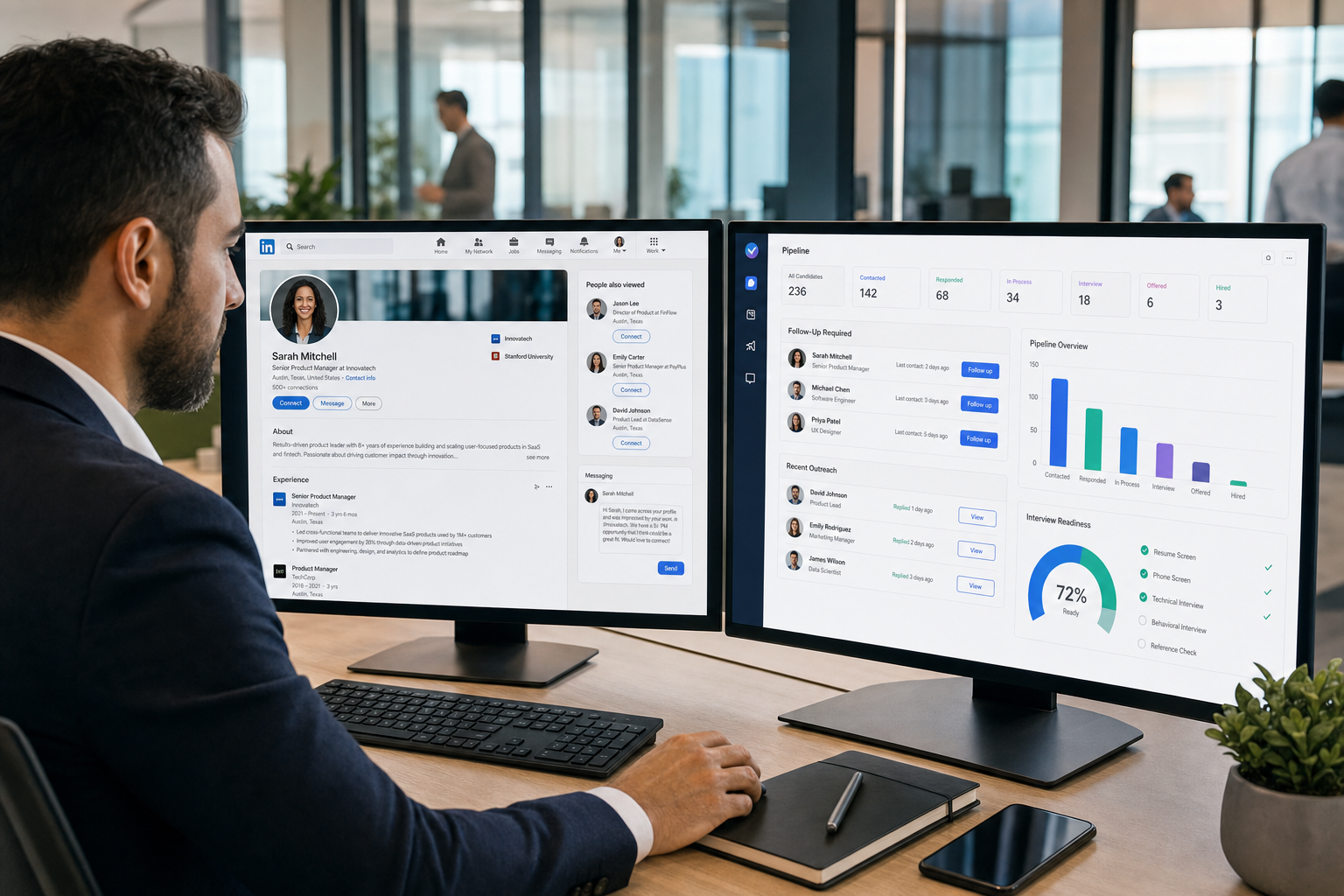
One workflow that has helped me reduce that friction is using StrategyBrain AI Recruiter to handle repetitive outreach steps where timing matters most. I have found it especially useful for always-on candidate messaging, multilingual follow-up, and collecting resumes or contact details from interested prospects while I keep ownership of shortlist judgment, resume review, and the final next-step decision. In practice, it works best when the problem is not candidate evaluation itself but the manual delay between first contact, reply handling, and interview readiness.
A useful way to frame this comes from a long-standing sales hiring problem. Years ago, employers were already being warned that sales was one of the hardest job categories to fill, not only because demand was high but because many younger workers wanted more predictable pay, better work-life balance, and less travel than traditional sales roles often required. In that environment, recruiters could not rely on a job post and a quick replacement cycle. They had to keep talking to talent before there was an immediate opening, reconsider compensation structure, and build internal bench strength from customer service or inside sales populations that might grow into outside sales roles.
The real recruiting problem in that scenario was not just shortage. It was workflow discipline. Someone had to keep candidate conversations active, revisit teachable-fit profiles, track who might accept a higher-base and lower-commission structure, and make sure current employees were not taken for granted while the company searched outside. That is exactly where modern recruiting software, broader recruitment technology tools, and practical online recruitment tools become more than admin systems. They determine whether a recruiter can run a long-horizon talent market or only react when a vacancy is already hurting the business.
Table of Contents
- Why Hard-to-Fill Hiring Changes the Software Decision
- What the Best Recruiting Software Really Includes
- ATS vs Broader Recruiting Stack
- Quick Comparison of Core Hiring Tools
- Features That Matter Most
- Best Recruiting Software by Team Type
- Where AI Recruiter Fits in the Workflow
- All-in-One vs Point Solutions
- How to Evaluate and Shortlist
- Cost in Practice
- AI, Compliance, and Human Oversight
- Common Buying Mistakes
- FAQ
Why Hard-to-Fill Hiring Changes the Software Decision
If you are comparing the best recruiting software, start with one practical truth: hard-to-fill hiring exposes process weakness faster than easy-to-fill hiring. When the talent pool is thinner, candidates are selective, and role design itself may need adjustment, recruiters need more than a place to store resumes. They need hiring tools that support relationship continuity, response speed, stakeholder alignment, and long-term pipeline visibility.
The sales talent shortage example is still relevant because it highlights a familiar pattern. Demand remains, candidate expectations shift, and employers often respond too slowly. Some wait too long to change compensation, too long to widen qualifying criteria, and too long to reach less obvious talent pools. In software terms, that usually means they also wait too long to move beyond a basic applicant record and into a system that supports ongoing engagement.
That is why the best recruiting software is rarely just a database. It is the operating layer that helps recruiters stay in touch with talent before a search is urgent, preserve conversation history, and avoid losing momentum between sourcing, screening, scheduling, and hiring manager feedback.
What the Best Recruiting Software Really Includes
Recruiting software is a broad category of hiring tools used to attract, organize, engage, evaluate, and move candidates through the hiring process. In strong setups, that may include an applicant tracking system, recruiting CRM functions, sourcing support, outreach workflows, interview scheduling, analytics, and onboarding handoff.
That distinction matters because many teams search for an applicant tracking system when they actually need a wider operating model. If your recruiters work mostly with inbound applicants, an ATS may be enough. If they handle passive talent, recurring shortages, hard-to-convince candidates, or geographically distributed searches, they usually need broader recruitment technology tools and connected online recruitment tools.
In day-to-day operations, the basic value starts with process control. Recruiters need one place to manage jobs, applications, status changes, notes, communication records, and collaboration. But in difficult talent markets, the bigger value is continuity. Software should help the team keep a market warm over time rather than rebuild a pipeline every quarter.
ATS vs Broader Recruiting Stack
An ATS is often the foundation, but it is not the whole category. An applicant tracking system mainly supports job posting, application intake, stage tracking, and recordkeeping. Broader recruiting software extends that with sourcing workflows, candidate relationship management, outreach support, scheduling, reporting, and handoff into later HR processes.
For recruiters, the difference becomes obvious when hiring is not purely reactive. In the sales-shortage type of scenario, the team is not only processing applicants. It is continuously speaking to candidates, tracking changing preferences, revisiting prior conversations, and watching which talent segments might respond better to a revised role structure or more flexible work design. That kind of hiring benefits from more than applicant tracking alone.
Where an ATS fits best
Centralizing applications and candidate records
Standardizing hiring stages and approvals
Supporting documentation, governance, and audit trails
Giving hiring managers a structured review process
Where broader recruiting software adds value
Managing passive candidate relationships over time
Automating recruiter follow-up without losing context
Coordinating scheduling, assessments, and reporting in one flow
Supporting talent rediscovery when a similar vacancy reopens
Quick Comparison of Core Hiring Tools
When buyers search for the best recruiting software, they are usually comparing overlapping categories. The table below shows how common online recruitment tools fit together in real recruiting operations.
| Tool Category | Primary Job | Best For | Practical Advice |
|---|---|---|---|
| Applicant Tracking System (ATS) | Track applicants through hiring stages | Most in-house teams | Start here if your hiring is mainly inbound and needs structure |
| Recruiting CRM | Build and nurture talent pipelines | Sourcing-heavy teams and agencies | Important when relationships matter before requisitions open |
| Sourcing Tools | Find candidates across channels | Specialist and hard-to-fill roles | Useful when search effort matters more than ad response |
| Outreach Automation | Sequence recruiter communication | Teams doing repeated personalized outreach | Best used to speed response, not replace recruiter judgment |
| Interview Scheduling Tools | Coordinate calendars and logistics | High-volume and distributed teams | Simple features can remove major delays |
| Analytics and Reporting | Measure funnel health and hiring efficiency | Scaling teams and leadership reporting | Prioritize clean definitions over dashboard quantity |
| Onboarding Handoff Tools | Move hires into post-offer workflows | Teams wanting smoother TA-to-HR transition | Reduces manual handoff friction after acceptance |
The key buying lesson is the same one exposed by shortage hiring: compare software by the bottleneck it removes, not by the number of tabs shown in a demo.
Features That Matter Most
The strongest buying criteria are usually the least flashy ones because they reflect implementation risk. The best recruiting software is not just feature-rich. It fits hiring volume, role difficulty, recruiter behavior, manager adoption, and compliance requirements.
1. Applicant tracking that recruiters actually use
The foundation should be intuitive stage movement, searchable records, clean note capture, and structured hiring manager feedback. If recruiters cannot trust the system during a busy search, they return to inboxes and spreadsheets.
2. Candidate communication that supports selective talent
In shortage markets, follow-up quality matters. Candidates considering a move often need multiple touchpoints, clear role framing, and timely answers. Strong hiring tools should support communication templates, message history, reminders, and handoff visibility without making outreach feel robotic.
3. CRM-style relationship management
This is often the missing layer in teams that keep rebuilding the same pipelines. If your recruiters revisit candidates across quarters, role types, or territory changes, CRM capability becomes central rather than optional.
4. Integrations across the stack
Your recruiting software should fit with existing online recruitment tools such as scheduling systems, HR platforms, assessment providers, and reporting workflows. Integration quality matters more than the size of the marketplace list.
5. Reporting that reflects decision quality
Good analytics should answer operational questions: which roles keep stalling, where candidates drop off, how quickly outreach turns into interviews, and which talent pools are repeatedly revisited. In markets with recurring shortages, those insights help the team adjust role design and sourcing strategy earlier.
6. AI support with human control
AI features are now common in recruitment technology tools, but useful AI should support recruiter execution, not replace recruiter accountability. Good use cases include drafting outreach, summarizing candidate records, keeping after-hours communication moving, and surfacing likely matches. Final resume review, fit assessment, and hiring decisions should remain human-led.
Best Recruiting Software by Team Type
In-house SMB teams
Smaller teams usually need hiring tools that are easy to adopt and broad enough to cover posting, tracking, scheduling, and reporting without a heavy implementation burden. If hard-to-fill roles are occasional rather than constant, an ATS-first setup often makes sense.
Startups and lean talent teams
Startups need speed, clarity, and flexibility. The right online recruitment tools for this group reduce admin work while preserving a good candidate experience. Choose software that supports collaborative hiring but does not force enterprise-level complexity before you need it.
Enterprise talent acquisition teams
Larger organizations usually need stronger permissions, approval workflows, analytics, and integration governance. They also benefit most from consistency across recruiters and business units, especially when shortages affect multiple functions at once.
Staffing agencies and search firms
Agency environments often need broader recruitment technology tools with stronger CRM, sourcing, outreach, and rediscovery functions. Desk efficiency matters because the same recruiter may be juggling active searches, future pipeline building, and client updates at the same time.
High-volume hiring teams
These teams need structured screening, scheduling support, and clear process visibility. Their bottlenecks look different from specialist search, but the software principle is the same: reduce friction where repetitive work slows decision-making.
Where AI Recruiter Fits in the Workflow
In my own workflow, I do not use AI to decide who is qualified. I use it to reduce the dead time between touchpoints. When I am running a search that depends on LinkedIn outreach, different time zones, or candidate replies that come in after hours, AI Recruiter helps keep the conversation moving until I am ready to review the profile myself.
What stood out in practice was its fit for three specific problems. First, it can handle initial contact and follow-up at scale when repetitive messaging would otherwise slow the desk down. Second, its multilingual communication is useful when the search crosses borders and candidates respond more comfortably in their native language. Third, it helps gather resumes and contact details from interested candidates so the recruiter can step in with better timing. If you want to understand the workflow examples more deeply, the public tutorial and conversation references at this usage note and these conversation cases are useful starting points.
The key boundary is important: recruiter judgment still sits at the center. I still review resumes, decide who merits a shortlist, and control the interview step. What the tool improves is continuity, especially in the exact kind of shortage environment where candidates are hard to reach and slow manual follow-up costs opportunities.
All-in-One vs Point Solutions
One of the biggest buying decisions is whether to choose one broad platform or combine specialist online recruitment tools. There is no universal winner. The right answer depends on process maturity, internal support, and the source of your bottleneck.
When all-in-one software makes sense
Your team wants a single workflow from application to offer
You have limited admin capacity and want fewer systems to manage
You need more consistent data across recruiters and hiring managers
You want one source of truth for reporting
When point solutions make sense
Your sourcing or outreach needs are much stronger than your ATS supports
You run specialized workflows for search, agency, or international recruiting
You need to fix one weak step without replacing the whole stack
Your team already has strong integration ownership
Practical advice: if your biggest weakness is fragmented execution during talent shortages, point solutions can help, but only if the handoffs stay clean. If fragmentation is already the problem, adding more tools may make reporting and coordination worse.
How to Evaluate and Shortlist
Define your hiring model. Are you mainly inbound, sourcing-led, agency-style, or high-volume? Hard-to-fill recruiting usually requires more CRM and outreach depth.
Map recurring bottlenecks. Common ones include slow feedback, candidate follow-up gaps, scattered records, weak rediscovery, and scheduling lag.
Test shortage-market scenarios. Ask vendors to show how a recruiter re-engages a past candidate, tracks changing compensation expectations, or keeps passive talent warm before a role opens.
Set criteria before demos. Focus on recruiter usability, manager adoption, integrations, compliance, reporting, and candidate communication quality.
Include multiple stakeholders. Recruiters, hiring managers, HR operations, and leadership all see different failure points.
Review implementation reality. The best recruiting software is not the one with the longest feature sheet. It is the one your team can adopt consistently under real workload pressure.
Practical buyer insight: If a system looks polished in a demo but makes it hard to revisit older conversations, recover passive candidates, or explain pipeline movement, it may be the wrong choice for difficult hiring markets.
Cost in Practice
Cost is not only subscription price. It includes implementation time, admin ownership, recruiter training, process redesign, and the hidden labor of disconnected workflows. Buyers often underestimate the expense of manual follow-up, duplicate records, and candidate loss during slow response cycles.
For SMB teams, simpler hiring tools may be more cost-effective if they reduce setup burden and actually get used. For larger organizations, a more capable system may justify the complexity if it improves compliance, reporting, and process consistency across teams.
Practical advice: evaluate workflow cost, not just software cost. A cheaper platform that forces recruiters to maintain separate spreadsheets, reminders, and outreach logs can become the more expensive option in practice.
AI, Compliance, and Human Oversight
AI is now part of many recruitment technology tools, but buyers should stay practical. AI can help with messaging, summaries, matching support, and workflow automation. It should not be treated as autonomous hiring judgment.
For recruiters and HR leaders, the key questions are straightforward. Can users understand what the system is doing? Can they override recommendations? Is candidate data handled with clear controls? Are there records that support review and audit needs?
That matters even more when automation touches outreach. If you are exploring tools such as StrategyBrain AI Recruiter, use them to improve execution speed and consistency while keeping candidate evaluation, final qualification, and hiring accountability with the recruiter and hiring team.
Common Mistakes When Choosing Hiring Tools
Buying only for the current vacancy. Shortage hiring is usually recurring, not one-off.
Confusing applicant tracking with full recruiting capability. Many teams need pipeline nurturing and outreach support too.
Ignoring role design and market reality. Software cannot fix an unattractive job structure by itself.
Waiting until demand becomes urgent. The best recruiting teams keep engaging talent before a live opening appears.
Overvaluing automation and undervaluing workflow clarity. Automation only helps when the process is sound.
Adding too many disconnected tools. Separate online recruitment tools can create reporting and handoff gaps.
FAQ
What is the difference between recruiting software and an applicant tracking system?
An applicant tracking system mainly manages applicants through defined stages. Recruiting software is broader and may include ATS functions plus CRM, sourcing, outreach, scheduling, analytics, and onboarding support.
What are the best hiring tools for hard-to-fill roles?
The best hiring tools for hard-to-fill roles usually combine applicant tracking, CRM-style pipeline management, strong communication workflows, and clear reporting. The exact mix depends on whether your hiring is mostly inbound or sourcing-led.
Why do recruitment technology tools matter more in talent shortages?
Because shortages expose weak follow-up, poor recordkeeping, and reactive search habits. Strong recruitment technology tools help recruiters keep talent warm, revisit prior conversations, and move faster once interest appears.
Are online recruitment tools enough on their own?
Sometimes, but not always. Standalone online recruitment tools can solve a specific problem like sourcing or scheduling, but many teams still need a core system that keeps records, workflow, and reporting connected.
Where does AI Recruiter fit?
It fits best in outreach-heavy workflows where response timing, after-hours messaging, multilingual communication, and resume collection create manual drag. It supports execution, while the recruiter still owns qualification, shortlist judgment, and next-step decisions.















