


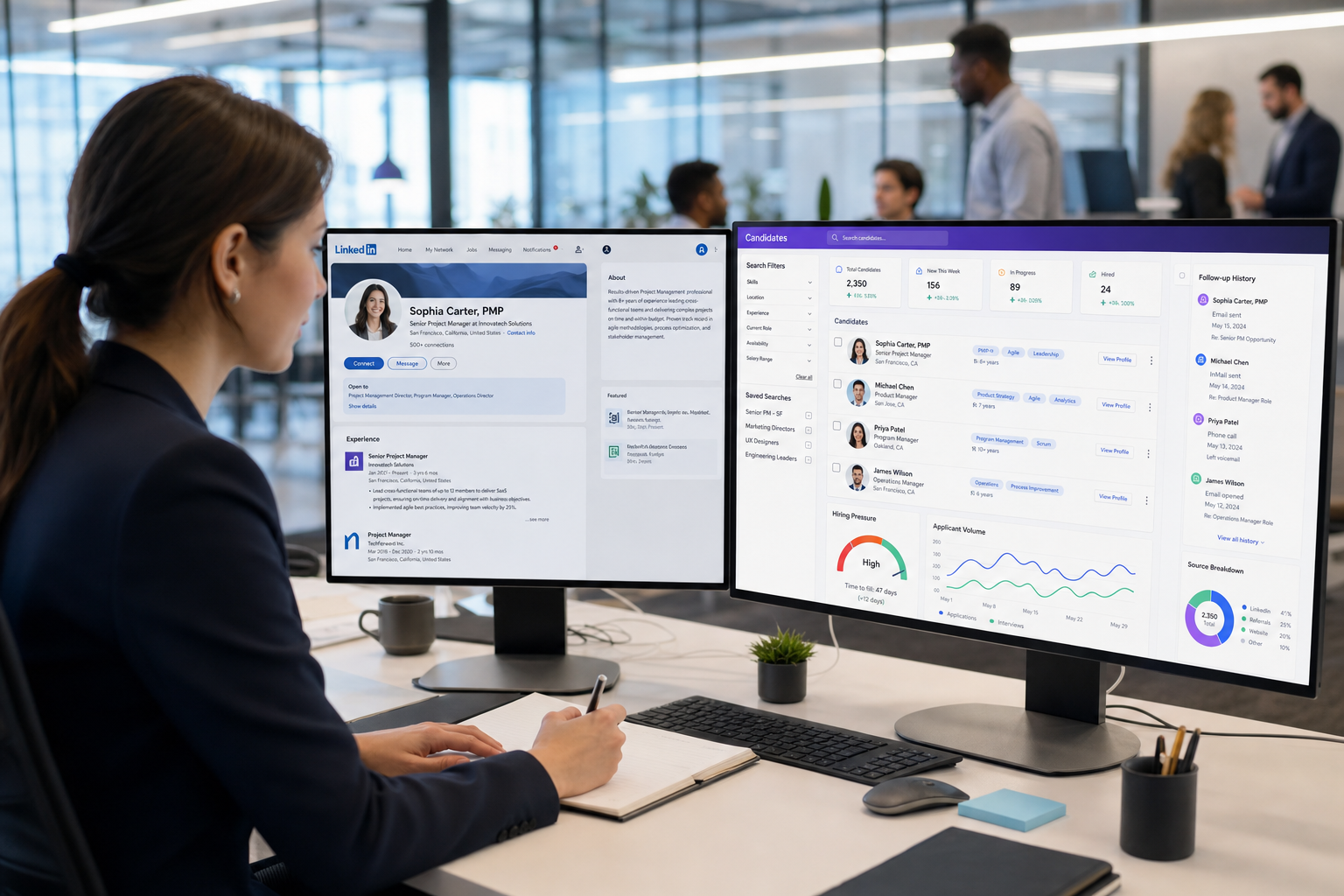
When hiring pressure exposes messy records, this article helps recruiting leaders judge a candidate database for recruiters to avoid missed follow-up and weak rediscovery.
That pressure is not theoretical. In a slower hiring market, recruiters often manage more cautious candidates, more internal scrutiny, and more resumes per opening while still being expected to move fast. When records are fragmented across inboxes, spreadsheets, browser tabs, and ATS notes, the cost shows up quickly: duplicate outreach, missed follow-up, weak handoffs to hiring managers, and a database that never becomes a true talent asset.
In my own workflow, I have found that tools such as AI Recruiter can help reduce that front-end communication drag, especially when candidate replies come in after hours or across time zones. Used well, it supports outreach automation, continuous follow-up, and resume collection so fewer early conversations get lost. The recruiter still makes the final call on fit, reviews the resume, and decides who should move forward, but the workflow becomes more consistent before that judgment stage.
The hiring pressure behind that need became easier to see after Canada’s September 5, 2025 labour update. Employment dropped by about 65,500 jobs in August after another 41,000 jobs were lost in July, unemployment rose to 7.1%, and losses were concentrated in areas many recruiters touch directly, including professional, scientific and technical services, transportation, and manufacturing. At the same time, student unemployment reached its highest late-summer level since 2009 outside the pandemic spike, and more workers reported needing extra hours or multiple jobs to cover essentials.
In practical recruiting terms, that kind of market shift changes behavior fast. Candidates become less eager to move, junior applicants flood inbound pipelines, and recruiters end up doing a sequence they know too well: reopening old requisitions, checking which silver-medalist profiles were tagged correctly, tracing the last outreach note, confirming whether a resume was actually received, and warning hiring managers that interest may be softer even with more applicants in the funnel. That is exactly where the best recruiting software earns its place: not by storing more data, but by helping teams evaluate, search, and act on it cleanly while managing applicant data and testing claims around free resume viewing for employers.
Table of Contents
- Why Hiring Conditions Change Software Priorities
- What Best Recruiting Software Really Means
- Why the Candidate Database Matters Most
- ATS vs Recruiting CRM: What Recruiters Should Test
- Managing Applicant Data Without Losing Control
- Feature Checklist for Real Recruiting Use
- How to Evaluate Free Resume Viewing for Employers
- Where AI and Automation Actually Help
- Compliance and Trust Controls That Matter
- A Practical Selection Process for Recruiting Teams
- FAQ
Why Hiring Conditions Change Software Priorities
Recruiting software is often evaluated as if hiring demand stays constant. It does not. When labour conditions cool, software weaknesses become more obvious because recruiters need stronger search discipline, better rediscovery of previous candidates, and cleaner communication history. The September 2025 Canadian labour report is a good example of the kind of external shift that exposes internal process gaps.
Several details from that release matter for recruiters. Employment declined nationally, part-time losses played a major role, and unemployment increased across most provinces. Professional and technical services, transportation, and manufacturing all saw declines, while construction was one of the few sectors showing growth. Wage growth continued year over year, but so did financial strain, with many workers seeking extra hours or holding multiple jobs to cover essential costs.
From a recruiter’s point of view, this creates a difficult mix. More people may apply, but that does not automatically make hiring easier. Experienced candidates can become more cautious about changing jobs during uncertainty. New graduates may be more available but require different evaluation and nurturing approaches. Hiring managers may ask for faster pipelines while also raising the bar on fit. In that environment, the best recruiting software is the one that lets your team recover context quickly and work from a dependable candidate database for recruiters.
Practical takeaway: A softer market does not reduce the need for software quality. It increases the value of searchable history, structured candidate records, and disciplined follow-up.
What Best Recruiting Software Really Means
When recruiters search for the best recruiting software, they are rarely looking for one flashy feature. They usually want a system that helps them source, screen, communicate, and revisit talent without rebuilding the same workflow every time a new requisition opens.
In practice, the strongest systems do two jobs well. First, they function as an applicant tracking system, supporting open jobs, interview stages, feedback capture, and hiring decisions. Second, they operate like a long-term recruiting CRM that preserves searchable candidate relationships after a role closes. That second function becomes especially important when market conditions shift and recruiters need to return to earlier talent pools instead of starting from zero.
That is why I advise teams not to judge software only on how smoothly it moves fresh applicants through stages. Ask what happens three months later when a hiring manager reopens a similar role, when a passive candidate finally replies, or when a recruiter inherits an old pipeline from a colleague. If the answer is still buried in inboxes and scattered notes, the system is not really among the best.
Why the Candidate Database Matters Most
A reliable candidate database for recruiters is the operating center of modern recruiting. It should hold resumes, parsed skills, contact details, notes, interview history, source data, consent status, and communication logs in one structured profile. Without that, recruiters are just storing documents rather than building recruiting memory.
The best recruiting software treats the candidate record as an active working file, not a resume attachment. Each profile should support:
- Structured resume management with searchable fields
- Smart search across title, skill, employer, location, and custom data
- Talent segmentation through tags, folders, lists, or saved filters
- Historical visibility into prior stages, notes, and re-engagement attempts
- Communication continuity so any recruiter can understand the latest candidate status
This matters even more in a market where candidate motivation is uneven. If workers are less eager to switch roles during uncertainty, recruiters need strong records of past interest, prior objections, compensation expectations, and timing. A searchable candidate database for recruiters helps teams act on that context instead of repeating outreach blindly.
In my own experience, pairing a structured ATS or CRM with StrategyBrain AI Recruiter is most useful when outreach volume is the bottleneck rather than evaluation. The platform helps keep candidate conversations moving, gathers resumes and contact details from interested people, and supports multilingual communication when hiring crosses borders or schedules. It does not replace recruiter judgment on suitability, but it can reduce the messy gap between first contact and actual resume review.
ATS vs Recruiting CRM: What Recruiters Should Test
Many software platforms blend ATS and CRM functions, but recruiters should still test them separately because they solve different operational problems.
| Function | ATS Focus | Recruiting CRM Focus |
|---|---|---|
| Primary use | Manage active applicants for current jobs | Nurture and revisit talent over time |
| Main view | Requisition and hiring stage | Candidate relationship and activity history |
| Typical data | Application status, interview steps, feedback | Source notes, tags, campaigns, re-engagement activity |
| Main value | Workflow control and compliance | Continuity in sourcing and database reuse |
This distinction matters because economic uncertainty changes recruiter behavior. When candidates hesitate to move, CRM strength becomes more valuable. You may need to return to people who were interested six months ago, compare their previous objections, and restart outreach with context. If the system only shows where they sat in an old stage, it is not enough.
By contrast, if your team is processing high application volume from junior or underemployed workers, ATS strength becomes critical too. You need clean stage movement, transparent feedback, and usable collaboration with hiring managers. The best recruiting software usually combines both views without forcing recruiters to maintain separate systems.
Managing Applicant Data Without Losing Control
Most demos make data capture look easy. The harder question is what happens after thousands of records accumulate. Managing applicant data well means making those records searchable, deduplicated, permissioned, and meaningful for the next recruiter who touches them.
Features worth testing include:
- Deduplication so one candidate does not appear in multiple fragmented profiles
- Editable parsing that converts resume text into usable fields
- Custom fields for niche markets, certifications, compensation notes, or mobility
- Communication logs that show exactly who contacted the candidate and when
- Consent tracking for sourcing and retention decisions
- Status history for handoffs, auditability, and reopened searches
- Role-based permissions for sensitive applicant information
Bad applicant data creates three recurring problems. First, recruiters contact the same person twice with different messages. Second, hiring managers receive incomplete context and lose trust in the pipeline. Third, reporting becomes less useful because records are inconsistent. Those problems become more visible in a tighter labour market, where every live candidate and every warm lead matters more.
If you are focused on managing applicant data, run realistic tests rather than relying on vendor claims. Import sample resumes, look for duplicates, search combinations of skills and location, and ask a second recruiter to interpret the record without verbal explanation. If that handoff fails, the database is not doing enough.
Feature Checklist for Real Recruiting Use
The best recruiting software should be evaluated by the workflows recruiters actually repeat under pressure. The following checklist is more useful than a long generic feature menu because it reflects how talent teams work when demand changes, candidate confidence drops, or hiring managers reopen old searches.
1. Candidate Sourcing and Rediscovery
Look for saved searches, talent pools, source tracking, and easy movement between sourced candidates and active applicants. If recruiters cannot return to prior prospects when the market shifts, the system weakens at exactly the wrong time.
2. Resume Parsing and Profile Structure
Resume parsing should create workable candidate records rather than messy text blocks. Recruiters should not have to rewrite titles, locations, and skills manually after every import.
3. Smart Search Quality
Search should support combinations of keyword, title, skill cluster, geography, custom fields, and tags. For a genuine candidate database for recruiters, search is not optional. It is the reason old talent remains valuable.
4. Candidate Management and Collaboration
The system should show stage updates, notes, outreach history, interview scheduling context, and decision history in one place. This is where managing applicant data turns into operational clarity.
5. Communication Support
Some teams need lightweight email tracking. Others need stronger automation. In my own testing, using AI Recruiter alongside a structured database worked best when outreach continuity was the weak spot. It handled repetitive first-contact and follow-up conversations well enough to keep recruiters focused on shortlist quality and hiring manager alignment.
6. Analytics That Explain the Funnel
Analytics should show more than applicant counts. You want source quality, time in stage, conversion by recruiter, and evidence that your database is becoming more reusable over time.
How to Evaluate Free Resume Viewing for Employers
The phrase free resume viewing for employers often sounds broader than it is. Sometimes it means access to resumes from direct applicants only. Sometimes it means limited search of an external CV pool. In other cases, it refers to a small free plan with hard caps on viewed, parsed, or exported records.
That is why employers should test the promise carefully. Ask:
- Can you search a real internal database, or only open resumes attached to applications?
- Is resume parsing included or are files just stored?
- How many resumes can be viewed, searched, downloaded, or exported?
- Are there limits on jobs, storage, user seats, or active records?
- Does the free version support tags, notes, and search filters?
- Are you building your own talent asset, or only browsing a rented database?
For smaller employers, free resume viewing for employers can still be useful if expectations are realistic. A basic free setup may be enough to test workflow, especially for low-volume hiring. But if the goal is to build a long-term candidate database for recruiters, the free layer often stops short of what real reuse requires.
A useful test is simple: post one role, import several resumes, search by skill and geography, tag prospects for later, and see which action hits a limit first. That reveals much more than a pricing page headline.
Where AI and Automation Actually Help
AI in recruiting software is only useful when it improves a real part of the workflow. In most teams, the strongest use cases are not magical ranking claims. They are repetitive communication, search assistance, and shortlist preparation.
Features worth evaluating include:
- AI-assisted matching with understandable rationale
- Search expansion that identifies adjacent skills or title variants
- Shortlist support that saves review time without hiding logic
- Communication automation for first contact, follow-up, and resume collection
- Explainable scoring so recruiters can validate or challenge outputs
My own takeaway is that AI works best when it removes repetitive friction without pretending to own the final hiring decision. That is why I see value in AI Recruiter for LinkedIn-heavy sourcing workflows: it can keep conversations live, respond outside recruiter working hours, and collect resumes from interested candidates, while the recruiter still decides who is actually qualified and worth advancing.
In uncertain markets, that matters. Candidates often reply late, ask practical questions before committing, or hesitate to switch jobs. A system that keeps those early conversations organized can prevent warm leads from going cold before the recruiter gets back to them.
Compliance and Trust Controls That Matter
Any system holding a candidate database for recruiters must also support trust. That means not only storing applicant information, but controlling how it is collected, accessed, retained, and removed.
Review these areas closely:
- Consent management for sourcing and retention
- Deletion or anonymization workflows when required
- Field-level security for sensitive personal data
- Audit visibility into who changed what and when
- Data handling transparency around automation and AI usage
This is especially important when recruiters use workflow tools that capture messages, resumes, and contact details from multiple channels. If your team adds automation to the front end, make sure the back-end record keeping is still clear and controlled. Trust is easier to lose than regain in recruiting operations.
A Practical Selection Process for Recruiting Teams
If you are comparing the best recruiting software, use a workflow test grounded in your real recruiting pressure points rather than a feature-count exercise.
- Define your hiring environment. Are candidates easy to attract, or are they cautious about moving? Are you processing inbound volume, active sourcing, or both?
- Map the candidate record you actually need. Include source, tags, consent, outreach notes, stage history, compensation expectations, and recruiter ownership.
- Run a resume import test. Check parsing quality, profile structure, and duplicate handling.
- Run a search and rediscovery test. Try to find a past silver-medalist profile using real search behavior.
- Run a collaboration test. Ask a hiring manager to review one candidate record and tell you whether the context is complete.
- Run a communication test. If outreach continuity is important, test how tools such as AI Recruiter support responses, resume capture, and after-hours conversation flow.
- Run a free-plan test. If the platform promotes free resume viewing for employers, identify every cap before relying on it.
- Run a compliance test. Verify permissions, consent logging, and record removal workflows.
This process matters because the right system is not just a place to park applicants. It is a way to keep recruiting judgment usable under changing labour conditions. The stronger the database discipline, the more stable your hiring process becomes when the market gets noisy.
FAQ
What should the best recruiting software do first?
It should help recruiters find, understand, and act on candidate records quickly. Workflow features matter, but the foundation is a dependable candidate database for recruiters with strong search, notes, stage history, and communication visibility.
Why is a candidate database so important in a weaker hiring market?
Because recruiters need to revisit past candidates, compare previous conversations, and move carefully with candidates who may be less willing to change jobs. A good database preserves that context and reduces wasted outreach.
How does recruiting software help with managing applicant data?
Good systems improve managing applicant data through deduplication, structured parsing, searchable fields, permission controls, consent tracking, and complete history for each candidate. That makes handoffs and reporting much more reliable.
Does free resume viewing for employers usually mean full search access?
No. Free resume viewing for employers often comes with limits such as applicant-only access, restricted previews, record caps, or no export capability. Employers should test exactly what can be searched, stored, and reused.
Can AI replace recruiter judgment in recruiting software?
No. AI can assist with communication, search, ranking support, and repetitive tasks, but recruiters still need to evaluate resumes, assess fit, and make final progression decisions.
When does outreach automation help most?
It helps most when recruiters struggle with follow-up consistency, after-hours replies, multilingual communication, or the gap between first outreach and actual resume receipt. That is where tools like AI Recruiter can support the workflow without replacing final evaluation.
Conclusion
The best recruiting software proves itself when hiring conditions become less predictable. If your team is dealing with cautious candidates, heavier inbound flow, or pressure to reopen old talent pools quickly, the deciding factor is usually the strength of the candidate database for recruiters behind the workflow.
That means choosing software that supports real search, clean history, reliable collaboration, and disciplined managing applicant data. And if you are comparing offers built around free resume viewing for employers, test the limits carefully. In recruiting, the difference between a usable system and a frustrating one is often not how many resumes it can store, but how well your team can rediscover, interpret, and act on them when the market changes.














